

Turn recordings into transcripts and summaries in minutes
Upload audio or video for multilingual transcription, AI notes, and action items
4 Free AI Vocal Tools Tested and Compared in 2026: Which One Is Actually Free and Good Enough?
You've just finished recording a 50-minute client interview and figure you'll find a free tool to handle it. You search online for "vocal ai free," and the first site that pops up is straightforward: upload, wait a few seconds, and it gives you two tracks—one for vocals, one for background. Then what?
You still have to listen through the whole thing yourself and type it out manually.
This is the common letdown many people feel after searching that keyword. In Chinese-language searches, "vocal AI" actually mixes up three different needs: separating vocals from accompaniment, using AI to generate singing or narration, and turning spoken content into text you can understand and use. Tools aren't inherently good or bad, but if you head in the wrong direction, the word "free" can cost you an extra afternoon.
This article focuses on real-world use cases and picks four tools that are still available in 2026 and that you can start using for free. Let me be clear upfront: this article won't engage in a numbers contest like "98% accuracy vs. 97%." The reason is explained in the buying guide section below.
Finishing the recording is where the trouble begins—what you actually need isn't a "vocal tool"
Let me start with an experience we've all had.
After an online meeting, your boss asks, "Who proposed that budget last time?" You only remember someone mentioning it, but to find it you'd have to go through 40 minutes of recording from the beginning. You eventually give up and reply, "Let me double-check."
Another scenario is interviews. You recorded audio from six interview sessions based on your outline and want to turn them into transcripts. But the free tool spits out a giant wall of text with no paragraphs and no highlights. You still have to read through it yourself and pull out the conclusions.
And another: you just want to extract the vocals from a song for practice, but you're blocked by various registration processes and "free trial for 3 minutes" limits.
These three things all seem related to "sound," but the problems they solve are completely different. One is content understanding (what is being said), one is track processing (separating vocals from music), and one is voice generation (creating a vocal out of thin air).
First figure out which one you need, then talk about free.
Before Choosing a Free AI Vocal Tool, Understand These 4 Key Points
1. Do you want to "organize sound" or "create sound"?
This is the most easily overlooked question. No matter how powerful a voice generation tool is, it won't organize your meeting notes for you. No matter how accurate a transcription tool is, it won't generate a singing voice for you.
My advice is simple: first think about "what do I ultimately want to get." If the answer is a transcript, summary, or action items, then what you actually need is a meeting notes tool. If it's audio files or vocal material, then look into generation or separation.
2. "Free" is about the quota, not the adjective
Many tool pages say "free," but in reality it's "3 files per day," "30 minutes per file max," or "some features aren't available in the free version." These limits aren't on the homepage; you have to click into the pricing page to see them.
A more honest approach is to look at how many minutes you can process per month on the free plan, the maximum length per session, and whether you can take the output files with you. These three numbers determine whether it's "really free" for you or just a "trial."
3. Performance with Chinese and mixed Chinese-English matters more than English
Meetings in Taiwan are rarely pure Chinese; they're usually something like "Let's align on the budget for this campaign." This kind of sentence tests transcription tools: will proper nouns be translated into weird Chinese? Will English words be split into phonetic symbols?
When using a tool, try it directly with a short real recording of your own. That's much more accurate than reading official marketing.
4. Can the output go directly into your workflow?
Transcribing text is only the first step. Can you search it? Can you export it to Word or Google Docs? Can you paste it into Notion? Can action items be turned directly into a list? These determine how much time you actually save.
Quick positioning of the four tools
| Tool | Main problem it solves | Free starting point |
|---|---|---|
| Tinrec | Turns meetings, interviews, and audio files into transcripts, summaries, and action items | Free version offers basic quota; you can try it first |
| Vocali.se | Separates vocals from music | Free, no registration, no installation |
| ElevenLabs | Generates speech and voice agents | Plans and quotas per official website |
| VocalGPT | Generates AI singing with prompts | Plans and quotas per official website |
Tinrec—After Testing, the Best for "Organizing Spoken Content"
Tinrec is an AI meeting notes and collaboration tool for individuals and teams, available on web, desktop, and mobile.
If you're always struggling after recording to figure out "what was actually said," this is the layer it solves—not just turning sound into text, but turning meetings into searchable, queryable, actionable data.
No extra bot needed for online meetings
The desktop version directly captures your computer's system audio, so meetings on Zoom, Google Meet, Microsoft Teams, Webex, and other platforms can be recorded and transcribed in real time just by opening Tinrec. No need to invite a meeting bot.
The difference here is that no unfamiliar account appears on the participant list, and you don't have to wait for the host to approve a bot.
After recording is where it really saves time
When the meeting or interview ends, you get a transcript, along with AI summaries, chapters, key points, and action items.
Stop organizing recordings by hand
Upload audio or video and automatically get a transcript, summary, and action items
My own workflow: first look at the summary to grasp the main thread, then jump to chapters of interest to read the transcript, and finally copy the action items section directly into my task list. The whole process doesn't require re-listening to a 40-minute audio file.
It also supports AI Q&A about the meeting content. You can directly ask "What were the client's main concerns about pricing?" or "Who mentioned the budget in the last meeting?" and it answers based on the meeting content, rather than dumping a bunch of keyword search results on you. As data accumulates across multiple meetings, the value of this feature becomes significantly amplified.
Cross-language and file processing
Besides live recording, you can also upload existing audio and video files for transcription, which is great for organizing historical interviews and old recordings. For cross-language meetings, there's real-time translation, and you can switch between original text, translation, or bilingual view.
For output, it supports exporting to Notion, Google Docs, OneNote, Dropbox, and other tools, and can further generate reports, tables, and meeting minutes that you can directly submit.
How does it actually perform?
Tinrec doesn't publicly promise a fixed accuracy rate, and I think that's the right approach. Transcription quality is affected by recording quality, background noise, accents, overlapping speakers, and technical terminology—results in a quiet conference room versus on a high-speed train will definitely differ.
In actual use, mixed Chinese-English meeting content can be recognized with English words preserved, and the transcript is searchable. For segments where multiple people talk over each other, it's still safer to cross-check with the audio. I also don't recommend relying solely on summaries for important information.
Three reasons I'd recommend it
- No bot needed for meetings: The desktop version captures system audio, so even if you're pulled into a meeting last minute, you can start recording immediately.
- Complete workflow after transcription: Summary, chapters, action items, Q&A, and export all in one place—not just a big block of text.
- Cross-device continuity: Record on your phone, organize on your computer—data stays in one place.
Limitations to note
The free version offers a basic quota so you can try recording, importing, summaries, and transcription. Actual minutes are subject to the official pricing page. If you're a heavy user with daily meetings, you'll likely need to upgrade.
In addition to the free version, the personal plan offers weekly cards, Pro monthly, and Pro annual, suitable for short-term sprints or long-term accumulation. Prices are also subject to the official website.
Who is Tinrec for?
People who frequently attend meetings, conduct interviews, or record classes, and want to get key points and action items directly after recording. If your meetings are mainly in Chinese or mixed Chinese-English, its advantages are even more obvious.
If a team needs to share meeting data, the team version is a separate space rather than "multiple people sharing one account": you can create multiple teams, invite members via join links, set roles as owner/admin/member, manage seats, view usage trends, and export audit logs. Currently, monthly billing is USD 29.80 per paid seat per month, annual billing is USD 199 per paid seat per year (about USD 16.58 per month). First-time eligible users get 7 days, 1 free seat, and 300 minutes of team shared import quota; each paid seat provides 2,000 minutes of shared import quota per month. Under an active plan and seats, live recording currently does not deduct minutes.
One commonly misunderstood point: the team version is shared at the team level. Roles govern management, seats govern usage eligibility—it's not about setting individual permissions per file.
Besides Tinrec, What Other Free Options Are There?
Vocali.se: The go-to for free vocal separation
Free, no registration, no installation. Upload a song and it separates vocals from music. It uses the Demucs model behind the scenes, great for making karaoke versions or practice backing tracks. Note that it gives you two tracks and won't organize the content for you—if you need transcripts, summaries, and action items, a tool like Tinrec is the right direction.
ElevenLabs: Voice generation and voice agents
The page states access to over 17,500 voices, support for over 90 languages, and provides API and SDK, suitable for narration, character voices, or voice agent services. Its focus is "generation." If you already have a bunch of recorded meeting files to organize into searchable data, that's what Tinrec does—ElevenLabs doesn't have such a meeting data accumulation workflow.
VocalGPT: Generate AI singing with prompts
Enter a prompt to generate AI vocals. You can customize lyrics, key, and BPM, and layer it directly onto your own backing track. It claims to be 100% royalty-free. Very friendly for creative beginners without access to singers. However, the generated vocals still require someone to handle the subsequent content—organizing lyrics, pulling out key points—which pure generation tools won't touch.
Pitfall Guide: The 4 Most Common Mistakes When Choosing Free AI Vocal Tools
Pitfall 1: Treating "free" as "unlimited." Almost all free versions have limits on file length or total monthly volume, but they're written on the pricing page, not the homepage. Before using, check clearly "how many minutes per month" and "how long per file" so you don't get stuck halfway through.
Pitfall 2: Using a generation tool for organizing work. Voice generation tools are powerful, but they won't tell you "what are the three conclusions from this meeting." Conversely, organizing tools can't generate singing. First confirm whether you want to "create content" or "understand content."
Pitfall 3: Judging Chinese performance only by official marketing. Mixed Chinese-English, technical terminology, and overlapping speakers are where Chinese meetings are most error-prone. I suggest trying the free version with a real recording of your own—five minutes will tell you if it works for you.
Pitfall 4: Team data scattered across personal accounts. When a colleague leaves and their account is deactivated, meeting records disappear with it. This happens more often than you'd think. If meeting content is valuable to the team, it should be in a team space, not on someone's phone.
Conclusion: Which One Should You Choose?
To sum up in one sentence: First confirm whether you're dealing with "content" or "sound," then choose the tool.
- To turn meetings, interviews, and class recordings into searchable, queryable data → Tinrec
- Meetings mainly in Chinese or mixed Chinese-English → Tinrec (multilingual and team hotwords can reduce terminology errors)
- Record on phone, organize on computer, need cross-device continuity → Tinrec
- Team needs to share meeting data, manage seats and usage → Tinrec Team Version
- Just want to extract vocals from a song → Vocali.se
- Need to generate narration or AI singing material → ElevenLabs or VocalGPT
For the average office worker's needs, I usually suggest automating the meeting and interview line first, because it happens every month, and the time saved is the most tangible.
You can start by opening Tinrec's free version and running through a real meeting recording: transcribe, check the summary, ask a question, export action items. After one run, you'll know if it's worth keeping. If it's not enough, then consider upgrading—no need to pay upfront.
One final reminder: recording and transcription involve others' privacy. Before use, please ensure compliance with local regulations and obtain consent from participants when necessary.
References
Turn every recording into actionable outcomes
Get 60 free transcription minutes when you sign in. No credit card required.
Related Reading
You might also like

2026 AI Meeting Notes Showdown: Tinrec vs Vocol — Which Is Better for Chinese-Speaking Teams?
Vocol.ai and Tinrec both do speech-to-text, but their actual use cases differ significantly. This article compares the two tools across five dimensions—meeting recording methods, Chinese and multilingual transcription, post-meeting outputs, team governance, and pricing—to help you determine which one fits your workflow.
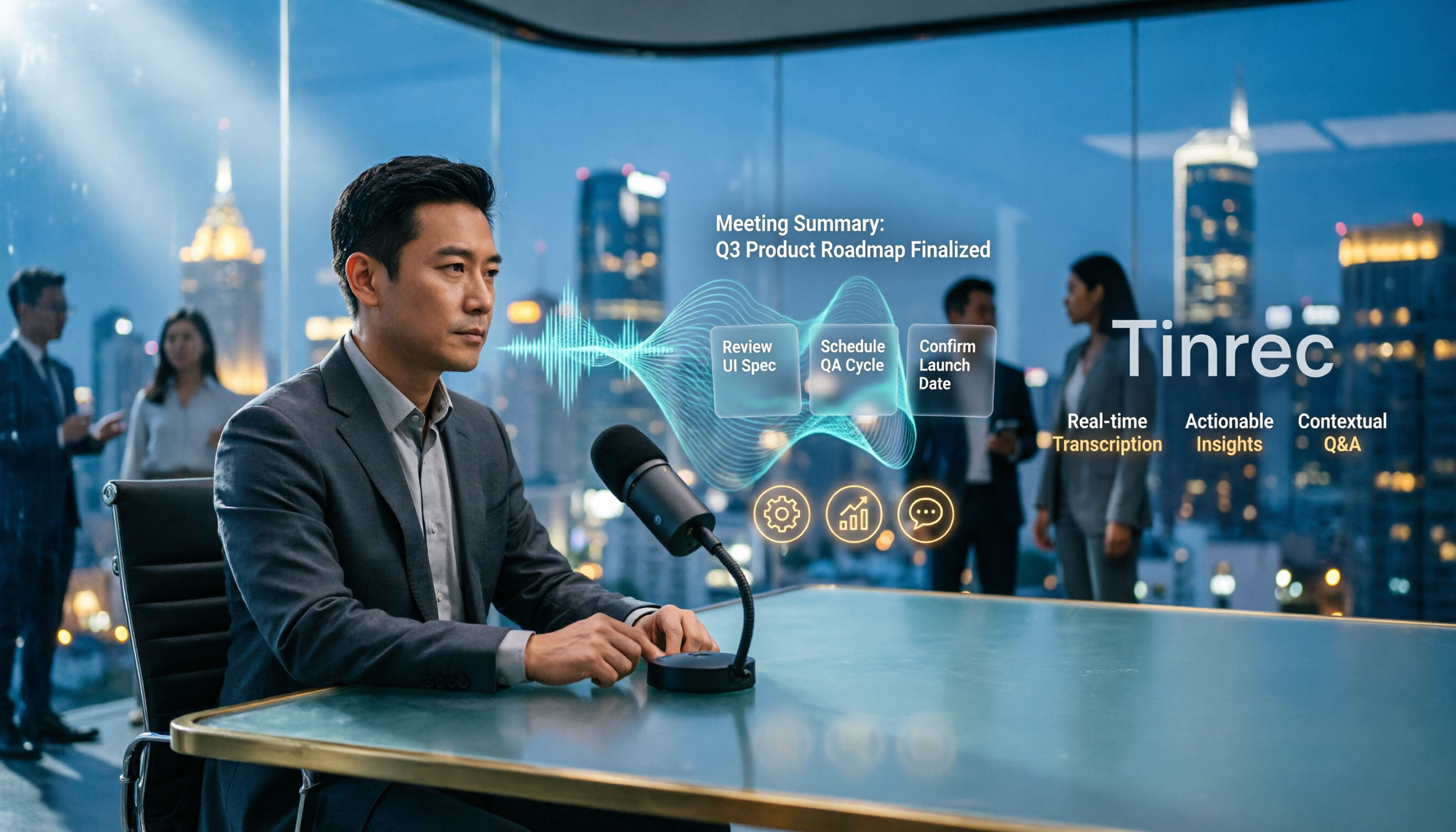
4 Vocal Aid Tools Tested in 2026: How to Turn Meeting Recordings into Usable Data
Most people searching for 'vocal aid' actually want to turn meeting, interview, and lecture audio into organized, queryable data. This article addresses common misconceptions, explains how to choose a vocal aid tool, and uses Tinrec as an example to break down the complete workflow of real-time transcription, bot-free recording, AI summaries, action item extraction, and team knowledge retention.

5 VOCOlinc App Download Sources Tested in 2026: Official Stores vs. APK Mirrors
Where should you download the VOCOlinc App? This guide covers five working download sources—App Store, Google Play, APKPure, Aptoide, and Softonic—comparing version gaps, who each is best for, and what to check before installing, so you can avoid wrong sources, version mismatches, and repeated pairing hassles.

2026 Comparison of 3 Free Speech-to-Text Tools: How to Get the Most Out of Vocol's 200-Minute Trial
Starting with the Vocol free trial, this article breaks down Vocol's roughly 200-minute trial quota, V-points consumption, and promotional bonus rules, and compares Tinrec, Notta, and Otter.ai using the same purchasing criteria. It honestly discloses free plan limitations, team plan seats, and pricing to help you decide whether to try Vocol first or go straight to Tinrec for meeting notes and team collaboration workflows.

Vocal AI Review 2026: Is It Worth It for Chinese Transcription & Action Items?
Searching for 'vocal AI' yields two distinct needs: AI singing and meeting transcription. This guide breaks down 4 key selection factors, tests Tinrec's bot-free meeting recording, AI summaries, action items, and cross-meeting Q&A, and reviews Notta, Otter.ai, and TurboScribe for different use cases, ending with clear recommendations and pitfalls to avoid.
2026 Complete Guide to Vocal Air Plugins: Principles, Tools, and Practical Tuning
When vocals sound dull, the instinct is to boost high frequencies, but sibilance spikes first. This complete guide starts with the principles of vocal air, outlines 4 key points for choosing a vocal air plugin, demonstrates how to use the Mid Air and High Air controls on Slate Digital Fresh Air, compares alternatives like AIR Vocal FX Collection and Pultec-style EQ, and finishes with 4 common pitfalls and scenario-based selection advice.

Vocol vs Tinrec (2026): 5 Things to Know Before Downloading Vocol Software
Before downloading Vocol software, know the key differences. This comparison of Vocol.ai and Tinrec covers five dimensions: how to get the software, online meeting recording, multilingual transcription, post-meeting organization, and team management. It also includes free quotas, team plan seat pricing, and FAQs to help you decide which tool better fits your meeting needs.

4 AI Meeting Transcription Tools Tested in 2026: How to Use Vocol? Why Tinrec Saves More Time
Many people search for "how to use Vocol" but the real hurdle isn't the operation—it's not first understanding credit calculations, input sources, and the post-transcript organization workflow. This article breaks down Vocol's 5 steps from registration to export, compares it with Tinrec, which proved more frequently used in testing, and contrasts the positioning and pricing of Otter.ai and Granola to help you choose the one that truly saves time.

2026 Comparison of 4 Vocol Online Alternatives: Which Meeting Notes Tool Saves the Most Time?
People searching for "Vocol online" usually fall into two groups: those looking for TV shows and those looking for an online tool that turns meeting recordings into transcripts and key points. This article targets the latter, using "how quickly you get usable notes after a meeting" as the standard to compare Tinrec, Otter.ai, Granola, and Notta on recording methods, post-meeting output, Chinese performance, team management, and pricing limits, and summarizes 4 common purchasing pitfalls.