
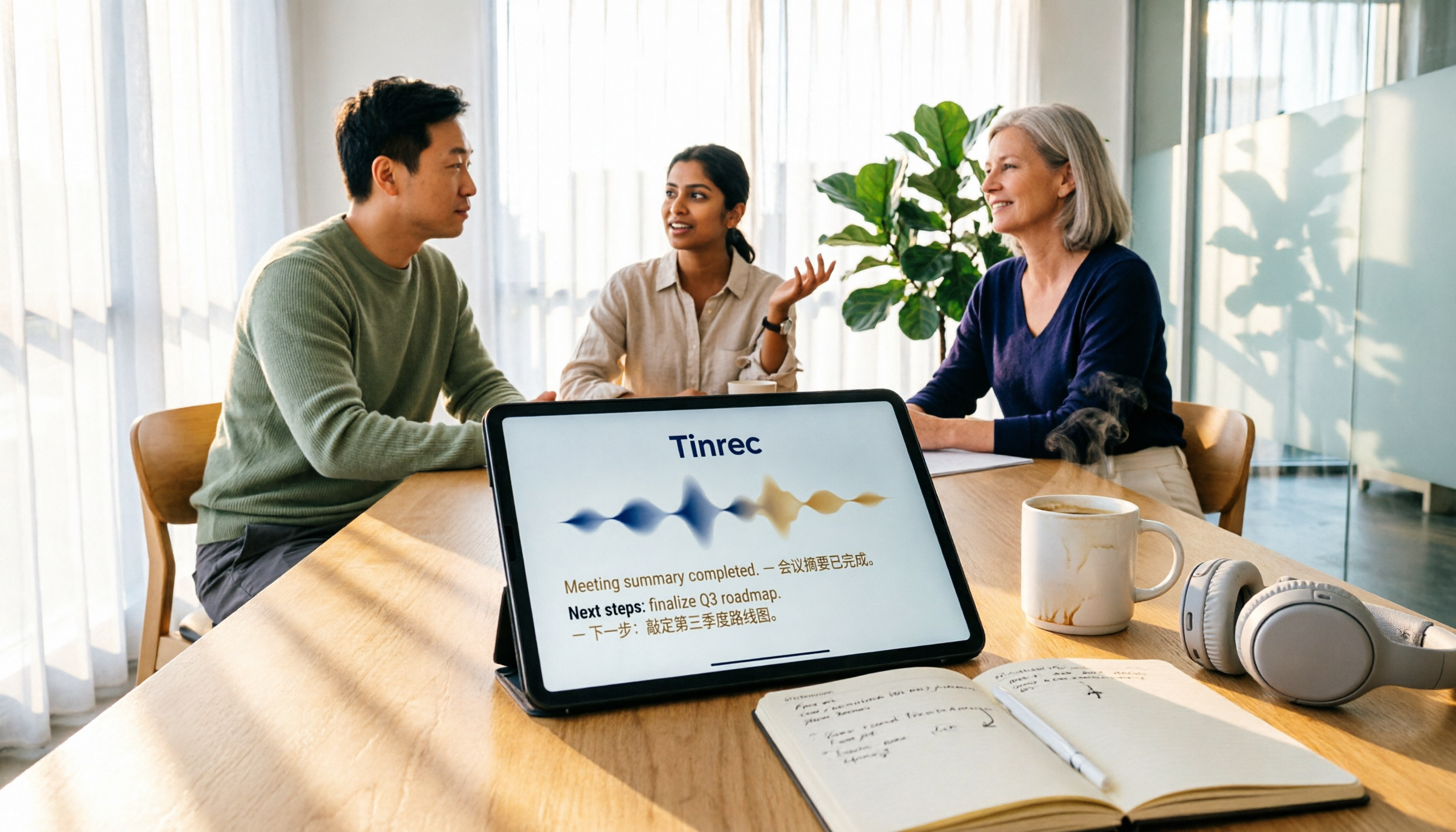
Turn recordings into transcripts and summaries in minutes
Upload audio or video for multilingual transcription, AI notes, and action items
People who type "Vocol software download" into Google usually already have a direction in mind: they need a tool that can turn meeting, interview, or course recordings into transcripts.
But before downloading, what you really need to figure out isn't where the button is—it's three things: whether you want a web version or a mobile app, whether it can handle your main type of meeting, and whether you're willing to pay after the free quota runs out.
In this article, I'll first explain how to get Vocol.ai and what it can do, then compare it with Tinrec across five dimensions. Both do speech-to-text, but their approaches differ significantly: Vocol leans toward being a collaboration platform for "uploading files and generating transcripts and summaries," while Tinrec focuses on "recording starts during the meeting and continues afterward to organize action items and team data."
Vocol vs Tinrec | Quick Overview
Let's start with a conclusive positioning.
Vocol.ai is an AI voice collaboration platform that specializes in turning audio or video files from meetings, podcasts, and online courses into transcripts, summaries, and topics, and allows teams to share documents and comment on transcripts on the platform.
Tinrec is an AI meeting notes and collaboration tool for individuals and teams. Beyond transcription, it extends to summaries, chapters, action items, AI Q&A, export, and team workspace management.
| Item | Vocol.ai | Tinrec |
|---|---|---|
| Core positioning | Voice collaboration platform that turns audio/video files into transcripts and summaries | AI meeting notes and collaboration; after transcription, continues to produce action items and team data |
| How to get | Official website vocol.ai; iOS version on App Store, official site also has mobile download page | Web, desktop, and mobile |
| Main input | Upload audio or video files | Live recording, bot-free recording of online meetings via desktop, import audio/video files |
| Language processing | Transcription in Chinese, English, Japanese; transcripts can be translated into 20+ languages | Chinese and multilingual meetings, supports real-time translation and bilingual view |
| Trial/Quota | 200 minutes trial quota upon registration (subject to official announcement) | Free version offers basic quota; paid plans include weekly, monthly, and annual cards based on tasks |
Here are the five dimensions I think you should confirm before downloading.
Dimension 1 | How to Get It and Ease of Use: What You Actually Need to Install
Vocol's entry point is relatively simple. To download the app, just search for "Vocol.ai" on the App Store; the developer is AIELLO INTERNATIONAL TAIWAN CO., LTD. The official website itself is also the main interface, and there's a download instruction page for the mobile app. After registering, you get 200 minutes of trial quota, meaning you can run through the full process without paying first.
Tinrec's entry points are a bit more spread out: the web version works directly in a browser, the desktop version handles online meetings on your computer, and the mobile version is for on-the-go and offline recording. In other words, Tinrec's desktop version isn't just a "nice-to-have bonus"—it's the primary way it handles online meetings.
→ For this dimension: If you want to "start without installing any desktop program, just open a browser or phone," Vocol's flow is shorter; if your daily work involves meetings at your computer, Tinrec's desktop version will be a more direct choice. This one is a tie, depending on your usage style.
Dimension 2 | How to Record Online Meetings: Upload Files or Record as You Go?
Vocol's official page describes the process as uploading audio or video files from meetings, podcasts, or online courses to the platform, and then AI generates transcripts, summaries, and topics. This is convenient for those who already have recording files, especially for scenarios like course recordings and interview recordings that are recorded first and organized later.
Tinrec takes a different path. The desktop version directly captures the computer's system audio, so when handling online meetings on Zoom, Google Meet, Microsoft Teams, Webex, etc., there's no need to invite an extra meeting bot to join as a participant. Note that this still requires you to actively open Tinrec to start recording; it doesn't automatically join all calendar meetings.
→ For this dimension: If you already have a bunch of recording files to organize, Vocol's upload process is smooth; if your pain point is "forgetting to take notes after meetings," Tinrec's approach of transcribing as the meeting happens without a bot joining is closer to actual needs.
Dimension 3 | Chinese and Multilingual Transcription: Who Handles Mixed Languages Better?
Vocol is very clear on this: it supports transcription in Chinese, English, and Japanese. The official page even specifically mentions that even if meetings mix multiple languages or switch between Chinese and English, the transcript still maintains a certain level of accuracy; after generating the transcript, you can click to translate, supporting over 20 popular languages. For those who frequently hold cross-language meetings, this combination is very practical.
Tinrec also covers Chinese, Traditional Chinese, and multilingual meeting scenarios. The difference is that it does translation "during recording"—you can instantly switch between original text, translation, or bilingual view without waiting for the transcript to be generated. Additionally, Tinrec's team version offers team hotwords, allowing you to add internal product names, project codes, and industry terminology to reduce the chance of proper nouns being transcribed incorrectly.
→ For this dimension: Each has its own focus. Vocol's "Japanese + 20+ translation languages" is clear for multilingual teams; Tinrec's real-time translation and team hotwords lean toward scenarios where you need to understand content during the meeting. This one is a tie.
Dimension 4 | After the Transcript: Summary, Action Items, and Follow-up Questions
Just getting a transcript means the work isn't done yet. This is the part I care most about when testing these tools over the years.
Vocol's approach is to generate transcripts, summaries, and topics, condensing long conversations into readable key points. The platform also allows document sharing and commenting on transcripts. For the need of "meeting ended, I need a summary I can paste to colleagues," it already satisfies that.
Stop organizing recordings by hand
Upload audio or video and automatically get a transcript, summary, and action items
Tinrec goes a few steps further at this layer: besides summaries and chapters, it extracts action items from discussions, supports AI Q&A around meeting content (you can ask follow-up questions about a single meeting or multiple meetings), can generate mind maps, and can produce reports, tables, and documents through Agent post-processing, finally exporting to Notion, Google Docs, OneNote, Dropbox, etc. for further processing.
→ For this dimension: If you just want "a summary," both are sufficient; if you want "summary + action items + a meeting database you can continue to query," Tinrec's post-processing chain is more complete.
Dimension 5 | Team Collaboration and Member Management: Shared Files or Shared Governance?
Vocol's collaboration logic is sharing and commenting: team members share documents on the same platform and comment on transcript segments, reducing communication costs compared to sending files back and forth. For cross-national teams, this "asynchronous discussion" format does save time.
Tinrec's team version centralizes meeting data into an independent team space and incorporates governance: you can create and switch between multiple teams, invite members via join links, set owners/admins/regular members, assign or revoke seats, view team usage trends and member rankings, query and export audit logs, and there's also an audio recycle bin (currently retained for 30 days) and team hotwords.
There's a common misunderstanding to clarify here: Tinrec's team version "roles" determine who can manage the team, while "seats" determine who can record, upload, edit, import/export. Active members without seats can still view, play, and read team data, but cannot perform resource usage operations. Currently, it's mainly team-level sharing, not fine-grained file-level permission control.
Pricing details are also included: team monthly payment is USD 29.80 per paid seat per month, annual payment is USD 199 per paid seat per year (approximately USD 16.58 per month); the first eligible team trial is 7 days, 1 free seat, 300 minutes of team shared import quota; paid seats provide 2,000 minutes of team shared import quota per month, and real-time recording under active plans and seats is currently not deducted by minutes. Actual amounts and promotions are subject to the official purchase page.
→ For this dimension: Vocol solves "everyone viewing the same transcript together"; Tinrec solves "everyone viewing together, and someone manages permissions, quotas, and data handover." As team size grows, the latter becomes noticeably more valuable.
What Are the Unique Advantages of Each?
Tinrec's Unique Advantages
First, bot-free recording of online meetings. The desktop version captures system audio, so you don't need to pull an extra bot into Zoom or Meet, which is less intrusive during client meetings.
Second, complete post-meeting workflow. Summaries, chapters, action items, AI Q&A, mind maps, Agent-generated reports and tables, plus multi-format export—connecting "recording" to "delivery."
Third, team governance and data ownership. Meeting data belongs to the team; when members leave, are removed, or lose seats, resources can be handed over to other active members and won't disappear with individual accounts.
Fourth, cross-device consistency. Works on web, desktop, and mobile, so you don't need to buy extra hardware for online meetings.
Vocol's Unique Advantages
First, low entry barrier. Use directly on the official website, iOS version available on the App Store, 200 minutes trial upon registration—suitable for running a test before deciding to commit.
Second, clearly states Chinese, English, and Japanese transcription and 20+ translation languages, making communication costs easier to estimate for teams with high Japanese content or content workers needing multilingual translation.
Conclusion: Which One Should You Choose?
• If you mainly need to "turn existing recording or video files into transcripts and summaries" → Vocol's upload process is straightforward; test with the 200-minute trial quota on one of your own files first.
• If most of your meetings are on the computer and you don't want to invite a meeting bot → Tinrec's desktop version captures system audio and works with Zoom, Meet, Teams, and Webex.
• If you want more than transcripts—action items, follow-up questions, and post-meeting documents → Tinrec's summaries, chapters, AI Q&A, and Agent post-processing can continue the workflow.
• If your meetings contain a lot of Japanese or you need to translate transcripts into multiple languages → Vocol's stated Japanese transcription and 20+ translation languages are worth trying first.
• If you need to manage meeting data, seats, and usage for an entire team → Tinrec's team version has roles, seats, usage analysis, audit logs, and recycle bin, offering more complete governance.
• If you only occasionally organize a recording and have a limited budget → Both have free or trial quotas; run a test with your own audio files first, which is more accurate than looking at spec sheets.
In one sentence: For most people who mainly hold Chinese meetings and need to turn post-meeting content into action items, Tinrec is a more complete choice; but if you have a large number of existing files or a high proportion of Japanese, trying Vocol first and then comparing is a smarter order.
FAQ
Q1: Where can I download Vocol software?
Vocol.ai has two main entry points: first, the official website vocol.ai, where you can register and use it directly on the web; second, the iOS version, which can be found by searching "Vocol.ai" on the App Store, developed by AIELLO INTERNATIONAL TAIWAN CO., LTD. The official website also has a download instruction page for the mobile app, and registration gives you 200 minutes of trial quota. Actual plans and benefits are subject to the official website announcement.
Q2: Does Vocol have a free plan?
According to the official page, after registration you get 200 minutes of trial quota, allowing you to try before deciding. For details on paid plans after the trial quota is used up, it's best to check the official website's plan page directly, as prices and benefits may change, and I won't write fixed numbers here.
Q3: Does Tinrec have a free version? How is the quota calculated?
Yes, the free version offers a basic quota to experience recording, import, summaries, and transcription. If you only occasionally organize a recording, the free version is enough; if you have intensive meetings or interviews in the short term, consider a weekly card; if you have steady weekly needs, the Pro monthly card is more suitable; if you need long-term accumulation of recording data, the annual card has a lower monthly equivalent.
Q4: Can both handle Zoom and Google Meet meetings?
Tinrec's desktop version directly captures computer system audio, so it can handle Zoom, Google Meet, Microsoft Teams, and Webex without a bot joining, but you need to actively start recording; it doesn't automatically join all calendar meetings. Vocol's official page describes uploading audio or video files; the source material doesn't mention a meeting bot approach, so whether it can directly record meetings should be based on the interface after download.
Q5: What's the difference between Tinrec's team version and personal version?
The personal version's data is managed under the individual account. The team version is an independent team space where meeting data belongs to the team, plus members, roles, seats, sharing benefits, usage analysis, audit logs, and audio recycle bin. Simply put, the personal version solves "I need to organize for myself," while the team version solves "a group needs to share, and someone needs to manage."
Q6: How to evaluate the transcription accuracy of these tools?
Honestly, any claim of a fixed accuracy rate should be taken with a grain of salt. Actual performance is affected by recording quality, background noise, accents, overlapping speakers, and technical terminology. A more practical approach: test with a recording of your most common meeting scenario, see where errors cluster and whether proper nouns are correctly recognized, then decide whether to use it long-term. For important information, it's still recommended to cross-check with transcript timestamps and recording playback.
Also, a reminder: recording and transcription involve personal data and local regulations; you should still obtain consent before meetings.
References
Turn every recording into actionable outcomes
Get 60 free transcription minutes when you sign in. No credit card required.
Related Reading
You might also like

2026 AI Meeting Notes Showdown: Tinrec vs Vocol — Which Is Better for Chinese-Speaking Teams?
Vocol.ai and Tinrec both do speech-to-text, but their actual use cases differ significantly. This article compares the two tools across five dimensions—meeting recording methods, Chinese and multilingual transcription, post-meeting outputs, team governance, and pricing—to help you determine which one fits your workflow.

4 Vocal Aid Tools Tested in 2026: How to Turn Meeting Recordings into Usable Data
Most people searching for 'vocal aid' actually want to turn meeting, interview, and lecture audio into organized, queryable data. This article addresses common misconceptions, explains how to choose a vocal aid tool, and uses Tinrec as an example to break down the complete workflow of real-time transcription, bot-free recording, AI summaries, action item extraction, and team knowledge retention.

5 VOCOlinc App Download Sources Tested in 2026: Official Stores vs. APK Mirrors
Where should you download the VOCOlinc App? This guide covers five working download sources—App Store, Google Play, APKPure, Aptoide, and Softonic—comparing version gaps, who each is best for, and what to check before installing, so you can avoid wrong sources, version mismatches, and repeated pairing hassles.

2026 Comparison of 3 Free Speech-to-Text Tools: How to Get the Most Out of Vocol's 200-Minute Trial
Starting with the Vocol free trial, this article breaks down Vocol's roughly 200-minute trial quota, V-points consumption, and promotional bonus rules, and compares Tinrec, Notta, and Otter.ai using the same purchasing criteria. It honestly discloses free plan limitations, team plan seats, and pricing to help you decide whether to try Vocol first or go straight to Tinrec for meeting notes and team collaboration workflows.

Vocal AI Review 2026: Is It Worth It for Chinese Transcription & Action Items?
Searching for 'vocal AI' yields two distinct needs: AI singing and meeting transcription. This guide breaks down 4 key selection factors, tests Tinrec's bot-free meeting recording, AI summaries, action items, and cross-meeting Q&A, and reviews Notta, Otter.ai, and TurboScribe for different use cases, ending with clear recommendations and pitfalls to avoid.
2026 Complete Guide to Vocal Air Plugins: Principles, Tools, and Practical Tuning
When vocals sound dull, the instinct is to boost high frequencies, but sibilance spikes first. This complete guide starts with the principles of vocal air, outlines 4 key points for choosing a vocal air plugin, demonstrates how to use the Mid Air and High Air controls on Slate Digital Fresh Air, compares alternatives like AIR Vocal FX Collection and Pultec-style EQ, and finishes with 4 common pitfalls and scenario-based selection advice.

4 Free AI Vocal Tools Tested and Compared in 2026: Which One Is Actually Free and Good Enough?
People searching for "vocal ai free" actually have three different needs: separating vocals, generating singing, and turning speech into usable text. This article compares four tools that you can start using for free—Tinrec, Vocali.se, ElevenLabs, and VocalGPT—based on real-world use cases. It explains each tool's free limitations, who it's for, and the most common pitfalls when choosing this type of tool, so you can find the right direction in one go.

4 AI Meeting Transcription Tools Tested in 2026: How to Use Vocol? Why Tinrec Saves More Time
Many people search for "how to use Vocol" but the real hurdle isn't the operation—it's not first understanding credit calculations, input sources, and the post-transcript organization workflow. This article breaks down Vocol's 5 steps from registration to export, compares it with Tinrec, which proved more frequently used in testing, and contrasts the positioning and pricing of Otter.ai and Granola to help you choose the one that truly saves time.

2026 Comparison of 4 Vocol Online Alternatives: Which Meeting Notes Tool Saves the Most Time?
People searching for "Vocol online" usually fall into two groups: those looking for TV shows and those looking for an online tool that turns meeting recordings into transcripts and key points. This article targets the latter, using "how quickly you get usable notes after a meeting" as the standard to compare Tinrec, Otter.ai, Granola, and Notta on recording methods, post-meeting output, Chinese performance, team management, and pricing limits, and summarizes 4 common purchasing pitfalls.