

Turn recordings into transcripts and summaries in minutes
Upload audio or video for multilingual transcription, AI notes, and action items
How to Choose a Real-Time Transcription Translation Tool? Ask Yourself One Question First
Do you need "bilingual subtitles you can understand during the meeting," or "data you can directly use for minutes, search key points, and hand over to colleagues after the meeting"? These two things sound similar, but they directly determine which type of tool you should buy.
Many people buy the wrong tool because they only compare "how many languages are supported" and "how many free minutes." What will really make you regret it are these three scenarios:
- Cross-language meetings: When foreign-language speakers talk fast, you can only wait to listen again after the meeting. If real-time translation cannot show the original text and translation side by side, it is as good as not having it.
- Post-meeting organization: You have the transcript, but to find "who promised what" from forty minutes of content, you still have to flip through page by page yourself.
- Team handover: Recordings are stored on personal phones. If a colleague leaves or changes devices, the data is lost.
Choose the right tool, and these three problems can be solved at once; choose the wrong one, and you are just piling recordings in a different place.
Before Buying a Real-Time Transcription Translation Tool, Understand These 4 Key Points
1. How is real-time translation displayed? A good tool should let you freely switch between original text, translation, or bilingual view during recording. If it only translates "after the meeting," then it is actually a translation tool, not a real-time transcription tool.
2. How does meeting audio come in? Online meetings have three approaches: send a meeting bot to join (it appears in the participant list), use a desktop app to capture computer system audio, or upload files after the meeting. The bot approach is not polite in some client meetings. Whether "bot-free" recording is possible is a practical dividing line.
3. What comes after the transcript? A tool that only gives you a transcript is equivalent to returning the organization work to you unchanged. Summaries, chapters, action item extraction, and AI Q&A you can follow up with are where time is saved.
4. Quotas and team governance. For personal use, look at monthly quotas; for team use, look at how seats are allocated, how shared quotas are calculated, and who owns the data after members leave. This point is most often overlooked during procurement and most easily discovered only after signing.
Reminder: Do not trust accuracy rates that do not state test conditions. Official numbers mostly come from quiet environments. Real meetings have air conditioning noise, keyboard sounds, and multiple people talking over each other, so performance will differ. This article does not cite accuracy numbers from unknown sources. We recommend you verify with a real recording of your own.
Tinrec — After Testing, We Think It Is the Best Fit for Most People
One-sentence positioning: Tinrec is an AI meeting notes and collaboration tool for individuals and teams. It supports iOS, Android, and web versions, and the desktop version can capture computer system audio.
Real-time transcription and translation for cross-language meetings: During recording, you can see the transcript and switch between original text, translation, or bilingual view. When a foreign colleague gives a report, you do not need to wait until after the meeting; you can follow the content in the moment. Mixed Chinese-English discussions can also be organized into readable text.
Bot-free recording of online meetings: The desktop version directly captures computer system audio, handling online meetings on Zoom, Google Meet, Microsoft Teams, Webex, etc., without inviting an extra bot into the meeting room. To be precise: this is not "automatically joining all meetings," but the user actively opening Tinrec to start recording.
Post-meeting is where it pulls ahead: After the meeting ends, the system generates summaries, chapters, and action items. You can ask questions directly about this meeting, such as "What was the budget cap the client mentioned?" It will answer based on semantics, rather than throwing a string of keywords for you to find yourself. You can then export to Notion, Google Docs, OneNote, etc., or further generate reports, tables, and meeting minutes.
The team version solves data ownership: The team version is an independent team space, not multiple people sharing one account. Meeting data belongs to the team. You can create multiple spaces, invite members via link, and distinguish owners, admins, and regular members. Here you need to distinguish "roles" from "seats": roles govern governance, seats govern usage—active members without seats can still view, play, and read team data, but cannot upload, edit, or export. There are also team shared import quotas, usage analytics, team hotwords, audit logs, and a 30-day audio recycle bin.
Stop organizing recordings by hand
Upload audio or video and automatically get a transcript, summary, and action items
Pricing details: The personal version has a free version, weekly card, Pro monthly card, and Pro annual card. Choose according to your tasks; for occasional recording organization, start with the free version. The team version offers a 7-day trial for first-time eligible users, 1 free seat, and 300 minutes of shared import quota; monthly payment is USD 29.80 per paid seat per month, annual payment is USD 199 per paid seat per year (about USD 16.58 per month), and each paid seat provides 2,000 minutes of team shared import quota per month; under an active team plan, real-time recording is currently not deducted by minutes. Actual prices and benefits are subject to the official purchase page.
Limitations to state clearly: The free version has limited quota, and heavy users need to pay. Transcription and translation quality will be affected by audio quality, accents, noise, overlapping speech, and technical terminology. We do not recommend promising a fixed accuracy rate. For important information, we still recommend verifying against the recording timestamp.
Who it suits: People who frequently hold mixed Chinese-English meetings, need to see bilingual transcripts while recording, want to use AI to find key points directly after the meeting, or want to turn meeting data into team assets.
Besides Tinrec, What Other Options Are There?
Notta: Multi-platform transcription and file import are mature, and translation and multilingual support are strengths. Official figures: the free version offers 120 minutes per month, up to 3 minutes per session; Pro annual payment is about USD 8.17 per month with 1,800 minutes per month; Business annual payment is about USD 16.67 per seat per month and provides unlimited transcription and usage reports. If you mainly handle batch file transcription, it is sufficient; but if you want desktop bot-free system audio capture, team hotwords, and an audio recycle bin, Tinrec is more complete for meeting scenarios.
Granola: It also uses a bot-free approach, relying on desktop system audio and microphone for real-time transcription, then combining user handwritten notes with AI. Basic is free, Business is USD 14 per user per month. The difference is data retention: it does not save meeting audio files and does not support uploading pre-recorded audio files. Tinrec retains recordings, can import existing files, supports bilingual translation and team governance, and is more suitable for teams that need post-meeting verification and handover.
Google Translate: The transcription feature on Android can translate foreign-language speech into transcripts in real time. It is free and quick to get started, supporting eight language combinations: English, French, German, Hindi, Portuguese, Russian, Spanish, and Thai. Limitations: Android only, it can only convert audio it records itself, cannot upload existing files, and has no summaries, action items, or team features. It is suitable for travel or temporarily understanding a foreign-language segment, not for serving as the main meeting notes tool.
Pitfall Guide: The 3 Most Common Mistakes When Choosing Real-Time Transcription Translation Tools
Pitfall 1: Only looking at the number of languages, not bilingual comparison. Supporting forty languages, but the translation cannot be displayed synchronously during recording, has limited help for cross-language meetings. Before buying, confirm whether you can switch between original text, translation, and bilingual views.
Pitfall 2: Treating "transcript" as the end point. Getting only a transcript means saving typing time but not organization time. The real question is: can it automatically produce summaries and action items, and can you ask questions about the content?
Pitfall 3: Ignoring team seats and data ownership. Multiple people sharing one account may seem cost-saving, but permissions, usage, and departure handover will all cause problems. During procurement, ask the vendor to explain the differences between roles, seats, and shared quotas, and how data is handled after members leave.
Conclusion: Which One Should You Choose?
| Your Situation | Recommendation |
|---|---|
| Need to see bilingual transcripts while recording and organize after the meeting | Tinrec |
| Need to use on phone, computer, and web | Tinrec (iOS/Android/Web) |
| Need to accumulate team meeting data and manage seats and usage | Tinrec Team Version |
| Only use Android and occasionally understand a foreign-language segment | Google Translate |
| Mainly batch file transcription | Notta or TurboScribe-like tools |
| Only record English meetings, zero budget | Otter.ai free version (300 minutes per month) |
Most people's needs actually fall into the first three rows: they want to understand in real time and also want it to be useful afterward. We recommend first running a real meeting with the Tinrec free version, verifying with your own accent, device, and meeting software, and then considering an upgrade if it fits. You do not need to pay from the start.
References
- [AI Voice Notes] 5 Highly Recommended AI Speech-to-Text Tools! Help You Generate Transcripts and Meeting Notes Highlights, Free vs Subscription, Pros and Cons Comparison | 104 Career Power
- Google Translate Upgraded Again! Can Record and Translate Speech into Transcripts in Real Time - INSIDE
- [AI Translation Tools] 2026's 5 Most Recommended AI Real-Time Translation Tools, Help You Automatically Translate Any Language, Free vs Subscription, Pros and Cons Comparison at a Glance! | 104 Career Power
- Yating Transcription
- Speech-to-Text APP Recommendations 1. iPhone/iPad "Notes" APP Supports real-time conversion to text Cost: Free Supports Chinese, English
Turn every recording into actionable outcomes
Get 60 free transcription minutes when you sign in. No credit card required.
Related Reading
You might also like

Best Free AI Meeting Notes for iPhone in 2026: 4 Options Compared
Looking for an AI meeting notes app on iPhone? The real challenge isn't features—it's whether the free tier is enough and if the output is usable. This guide breaks down 4 iPhone-compatible AI meeting note solutions across four dimensions: free tier format, post-meeting output, cross-device use, and team collaboration. It also explains how Tinrec differs in Chinese meetings, bot-free recording, and team knowledge retention.

2026 Google Meet Note-Taking Showdown: Is Gemini's Auto Notes Enough?
Google Meet's built-in Gemini 'Take notes for me' is convenient, but it may not be the best fit for every team. This article uses four key decision points to compare Gemini auto notes, Tinrec, Otter.ai, and Granola, explaining where meeting notes should live, how they'll be used afterward, and the four most common pitfalls when choosing a solution.

Google Meet Gemini vs Tinrec: Which Meeting Notes Tool Saves More Time in 2026?
Google Meet's built-in Gemini can transcribe and summarize meetings, but recording and transcripts are plan-restricted, and captions can't be copied directly. This hands-on comparison of Tinrec and Google Meet's built-in meeting notes across 6 dimensions—recording method, post-meeting output, cross-platform support, Chinese-language experience, team management, and pricing/quotas—helps you decide which fits your meeting scenario.

2026 iPhone Meeting Recorder Apps: Free Plans Compared — Free, Weekly, and Pro
A student's hands-on guide to choosing a free plan for iPhone meeting recorder apps, debunking myths like 'free download doesn't mean free use,' and using Tinrec as an example to explain which scenarios suit the free version, weekly pass, Pro monthly, and annual plans.
Which Gemini Meeting Notes App Is Best? 2026 Hands-On Test of 2 Options—This One Is the Most Complete for Team Collaboration
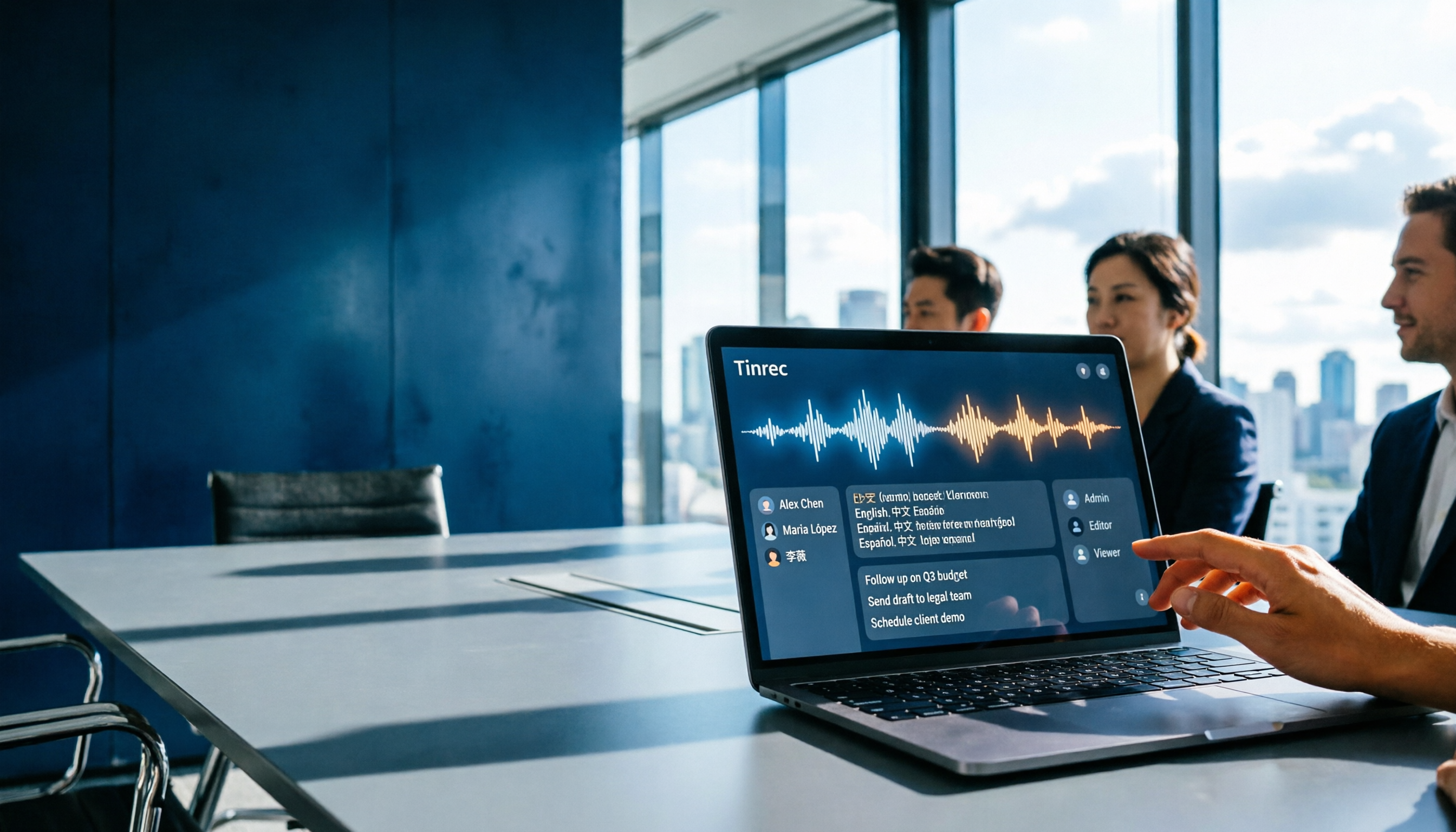
Dread meetings ending because the real work begins? This article compares Google Gemini (including Meet's "Take notes for me" and uploading audio files to Gemini) with Tinrec across five dimensions: meeting capture, multilingual transcription, post-meeting organization, file retention, and team governance. We break down the practical differences and identify who each tool is best for, helping you decide which one to use.

Google Meet Meeting Notes in 2026: 4 Options Tested for Chinese Transcripts and Post-Meeting Efficiency
Google Meet's built-in Take Notes doesn't support Chinese, so how do you take notes in Chinese meetings? This article breaks down the language support, recording methods, post-meeting outputs, and team data retention differences of four common solutions, and explains how Tinrec works in practice for Chinese transcripts, AI Q&A, and team knowledge retention.
2026 Comparison of 4 Meeting Audio-to-Text Tools: Gemini, NotebookLM, and Tinrec — Which One Really Saves Time?
You can feed meeting recordings to Gemini and get a transcript, but most people still end up re-listening. This article starts from practical limitations: Gemini free version's 10-minute limit, unsupported AAC format, unstable timestamps, and goes on to explain the differences between NotebookLM, EchoScript, and Tinrec. It also summarizes 4 key buying factors: length, to-dos, online meeting recording, and team knowledge retention, helping you choose the approach that truly saves time.

6 AI Meeting Notes Tools Tested in 2026: Google AI Studio vs. Tinrec — Which Saves More Time?
Meeting notes pile up not because of the meeting itself, but because of what happens after. This article, from a mid-level manager's hands-on perspective, compares Google AI Studio, NotebookLM, Gemini, EchoScript AI, Gemini for Meet, and Tinrec: which is best for free validation, which preserves timestamps and speakers, and which turns meeting data into a searchable team asset. It also honestly lists the limitations and costs of each option.

Free Real-Time Transcription Software in 2026: 4 Options Compared
Can't keep up with typing during meetings? This article reviews four free real-time transcription software options, including Tinrec, Otter.ai, Notta, and Granola. We compare Chinese recognition, free quotas, post-meeting organization, and team collaboration, plus provide transcript examples and tips to avoid pitfalls.