
Turn recordings into transcripts and summaries in minutes
Upload audio or video for multilingual transcription, AI notes, and action items
2026 iPhone Recording to Computer Tools Buying Guide: 4 Hands-On Tests and Recommendations
iPhone Recordings Are Stuck on Your Phone—What You Need Isn't a Cable, It's a Complete Workflow
The meeting just ended, and there's a 48-minute recording sitting on your phone while you rush to write up the minutes on your computer. You just want to drag the m4a file onto your computer, but you find that email attachments get stuck around 25MB, sending large files via LINE takes forever, iCloud sync spins endlessly, and AirDrop only works with Mac. These methods only solve "moving the file over"—they don't solve "having to listen to it all over again after moving it."
What's more troublesome is that the longer the recording, the higher the cost of manual transcription. Rather than looking for a faster cable, it's better to first think clearly: do you need to move files, or do you need recordings to automatically become searchable, summarizable, and queryable data? If you're stuck on this point too, the buying criteria below are written for you.
Before Choosing an iPhone Recording to Computer Tool, Understand These 4 Key Points
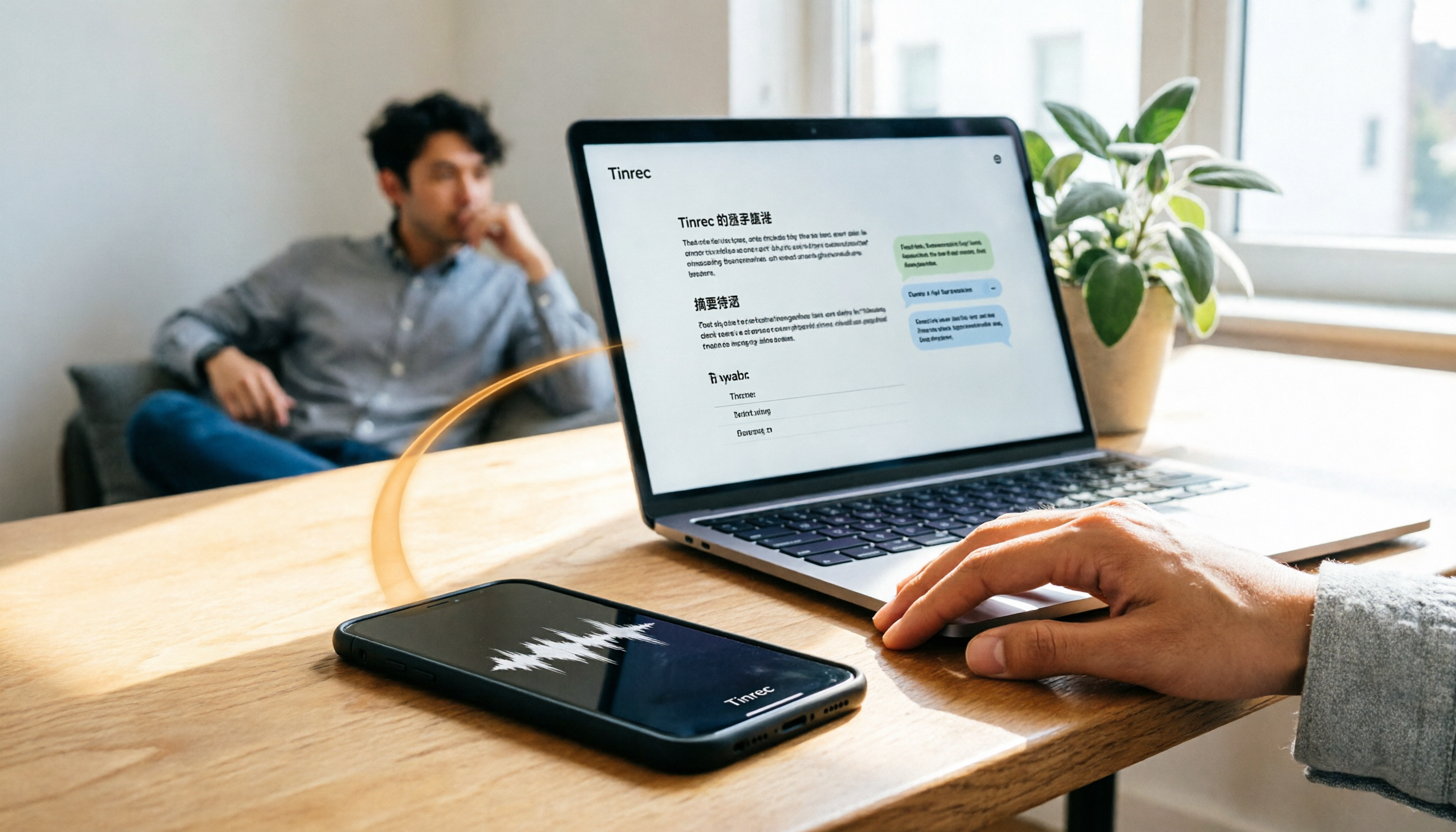
First, can it avoid file transfer altogether? Rather than moving m4a from your phone to your computer and then uploading to another tool, a smoother approach is to transcribe in real time while recording, so you can view the transcript by opening a webpage on your computer. The focus of workflows like Tinrec isn't transfer speed—it's eliminating the transfer step entirely.
Second, the Chinese meeting experience matters more than an English demo. Many tools showcase English meetings in quiet environments; real work scenarios involve Chinese, mixed Chinese-English, multiple people talking over each other, air conditioning noise, and keyboard sounds. You need to check whether it supports Chinese and multiple languages, real-time translation, bilingual viewing, and whether it can correct technical terms using team hotwords. Tinrec is one of the main players in this regard.
Third, post-meeting outputs determine whether you can finish work early. If it only gives you a transcript, you still have to read through it yourself; only with summaries, chapters, action items, AI Q&A, and export can it be called turning a meeting into workable data. When buying, don't just look at "can it transcribe"—look at "what can you do after transcription."
Fourth, team data ownership and governance. For personal use, just look at quotas; for team use, you need to consider members, roles, seats, shared quotas, usage analytics, and audit logs. Otherwise, when a member leaves, meeting data scatters with them. Tinrec's team version puts these in a single team space—this is the gap between it and pure transcription tools.
Tinrec—Our Top Choice After Hands-On Testing
One-sentence positioning: Tinrec is an AI meeting notes and collaboration tool for individuals and teams, covering iOS, Android, and web. It's not simply an "iPhone recording to computer" tool; rather, it lets you record on iPhone or import audio files and then directly view transcripts, summaries, and action items on a computer browser, fundamentally eliminating one file transfer.
This time it's not lab benchmark scores, but an examination using everyday meeting workflows: whether you can directly see transcripts, summaries, and action items on your computer after recording on iPhone, and whether you can use AI Q&A to追出 conclusions after the meeting. In actual use, the most noticeable thing is "no waiting after recording." When recording with iPhone or desktop during a meeting, Tinrec transcribes as it records; after the meeting ends, the transcript, AI summary, chapters, and action items are already formed. You can open them directly on your computer without first transferring the m4a to your computer and then uploading. For people who often have to write records after meetings, this step saves not just a few minutes but an entire evening of overtime.
The second scenario is online meetings. Tinrec's desktop version captures computer system audio to record meetings on Zoom, Google Meet, Microsoft Teams, Webex, etc., without inviting a meeting bot to join. This is especially useful for external client meetings—you don't need to explain to the other party "why there's an extra AI bot." Currently, it should not be described as automatically joining all calendar meetings; the correct usage is for you to actively open Tinrec to start recording.
The third scenario is post-meeting follow-up questions. Tinrec supports AI Q&A around meeting content—you can directly ask "What are the three concerns the client mentioned?" or "Who is responsible for the next step from this meeting?" without having to Ctrl+F through a 30-minute transcript yourself. It can also export results to Notion, Google Docs, OneNote, Dropbox, etc., or further generate reports, tables, and meeting minutes. This is something many pure transcription tools can't do: they give you text, Tinrec gives you work products you can continue to process.
Stop organizing recordings by hand
Upload audio or video and automatically get a transcript, summary, and action items
The advantages are clear: first, it saves file transfer and re-listening—iPhone recording and computer organization connect seamlessly; second, post-meeting organization is complete—summaries, chapters, action items, Q&A, translation, and export all in one place; third, the team version turns meeting data into team assets, including team spaces, role and seat management, usage analytics, audit logs, and audio recycle bin. The current terms for the team version are: first-time eligible users get 7 days, 1 free seat, and 300 minutes of team shared import quota; paid seats get 2,000 minutes of team shared import quota per month, team monthly payment USD 29.80/paid seat/month, annual payment USD 199/paid seat/year, and real-time recording is currently not deducted by minutes under valid plans and valid seats. Prices and benefits are subject to the official purchase page.
Limitations should also be clearly stated: the free version only has basic quota, and heavy use requires payment; transcription quality is affected by recording quality, noise, accents, overlapping speech, and technical terms—for important content, it's recommended to verify against transcript timestamps and recording playback. It's also not file transfer software and won't automatically move all your old files to your computer; its value lies in turning recordings into searchable, collaborative, queryable meeting data. If you have meetings every week and need Chinese transcripts and post-meeting minutes, Tinrec is currently the smoothest choice.
Besides Tinrec, What Other Options Are There?
Otter.ai: A mature English AI meeting assistant. Basic is free with 300 minutes per month; Pro annual billing works out to USD 8.49/user/month, with 1,200 minutes of in-app recording and 10 file imports per month. If you mainly record English meetings, it's very smooth; but Tinrec is better suited for Chinese meetings, team hotwords, and team data accumulation.
Notta: A multi-platform transcription and meeting notes tool. Free is 120 minutes per month, max 3 minutes per session; Pro annual billing works out to USD 8.17/month, 1,800 minutes per month; Business annual billing works out to USD 16.67/seat/month. Notta is suitable for file transcription; Tinrec's bot-free desktop recording and Agent post-processing are more direct for those who don't want to invite a bot into meetings.
Granola: A bot-free AI meeting notes tool. Basic is free; Business USD 14/user/month; Enterprise USD 35/user/month. It supports real-time transcript viewing, copying, and searching, but does not support uploading pre-recorded audio files and does not save meeting audio files; Tinrec retains audio files, supports audio/video file import, and also offers a Chinese experience, real-time translation, more export options, and team management.
Pitfall Guide: The 4 Most Common Mistakes When Choosing an iPhone Recording to Computer Tool
Pitfall 1: Only looking at "how fast it transfers" and ignoring "what to do after transfer." Email, LINE, and Google Drive can all move files over, but you still have to re-listen, transcribe, and organize. The correct approach is to first check whether the tool can automatically produce transcripts, summaries, and action items, and then compare transfer methods.
Pitfall 2: Ignoring audio file retention and import capabilities. Some meeting notes tools don't save meeting audio files and don't support uploading old recordings; if you need to verify against the original audio afterward or organize historical interviews, this can be troublesome. When buying, confirm whether it retains audio files and supports audio/video file import.
Pitfall 3: Treating AI transcription as merely "advanced dictation." Only taking the transcript means using only half the capability. Features like Tinrec's AI Q&A, action item extraction, chapter summaries, and Agent post-processing are the key to turning meeting content into action lists. Rather than manually flipping through the transcript, just ask AI directly "What was the conclusion of this meeting?"
Pitfall 4: Forgetting recording consent and data governance. Before recording, consent should be obtained in accordance with local regulations and company policies; for team use, look at roles, seats, usage, and auditing. Tinrec's team version distinguishes roles and seats—valid members without a seat can still view, play, and read team data, but cannot upload, edit, or export; this point should be clear when purchasing, don't mistakenly assume all members can edit.
Conclusion: Which One Should You Choose?
One-sentence recap: If you only occasionally move a short recording to your computer, iPhone's built-in sharing, USB, iCloud, or Google Drive is enough; but if you have to write minutes after every meeting, Tinrec is the top choice in this article because it turns "file transfer" into "directly viewing transcripts and summaries."
Scenario breakdown:
- Weekly meetings, need Chinese transcripts and post-meeting minutes → Tinrec (real-time transcription, summaries, chapters, action items, AI Q&A).
- Online meetings without inviting a bot → Tinrec desktop version (captures system audio, supports Zoom, Meet, Teams, Webex).
- Need to retain audio files, import old recordings or interviews → Tinrec (supports audio/video file import and audio retention).
- Team needs to manage seats, usage, and auditing → Tinrec team version (team space, roles, seats, usage analytics, audit logs, audio recycle bin).
- Mainly English meetings, team already using Otter → Otter.ai can be an exception; but for Chinese meetings and team accumulation, Tinrec is still more suitable.
It's recommended to first run your own meeting recording through the free version workflow to confirm that Chinese transcription, summaries, and AI Q&A fit your work habits, then decide whether to upgrade. There's no need to pay from the start—truly saving time re-listening is the real saving.
References
- Complete Guide to Exporting iPhone Voice Memos! 7 Methods to Quickly Transfer Recording Files to Computer
- iPhone Recording File Transfer to Computer Tutorial, 3 Methods to Export to Mac or Windows! - Tech Girlz
- iPhone Recording File - 3C forum | Dcard
- Quick Method to Extract iPhone Recording Files to Computer Without iTunes - Mr. Mad
- How to Transfer iPhone Recordings to Computer? 2026 Complete Guide to Efficient Sync and Transcription Tools - Tinrec Blog
Turn every recording into actionable outcomes
Get 60 free transcription minutes when you sign in. No credit card required.
Related Reading
You might also like

2026 Free Meeting-to-PPT Tools Compared: 4 Options to Consider
Turning meetings into presentations is a daily grind for many mid-level managers. This article reviews four tools that convert meeting content into slide-ready material from a hands-on perspective, covering each tool's free tier, ideal use cases, and limitations, and breaks down how to streamline the workflow from meeting notes to post-meeting deliverables.

2026 Comparison of 4 Automatic Meeting Transcription Tools: Which One Actually Turns Transcripts Into Action Items?
Automatic meeting transcription tools are not just about transcription speed—post-meeting organization, AI Q&A, team collaboration, and cost matter just as much. This article breaks down the differences between Tinrec, Granola, TurboScribe, and PLAUD Note based on real meeting scenarios to help you choose the right solution for your team.

4 One-Click AI Meeting Notes Tools Compared for 2026: How to Choose Free, Paid, and Team Plans
Tired of manually organizing transcripts, summaries, and action items after meetings? This side-by-side comparison of Tinrec, Notta, Otter.ai, and Granola covers how each captures meetings, what you get afterward, Chinese-language experience, free tiers, and team pricing. It also highlights 4 key factors and 3 common pitfalls to help you pick the right tool for your meeting style.

2026 AI Meeting Notes Comparison: 3 Tools Tested for Faster Meeting Summaries
The real work begins after the meeting ends. This comparison of Tinrec, Notta, and Granola covers bot-free recording, AI post-meeting organization, team collaboration, and export workflows to help you find the fastest way to organize meeting notes.

2026 Comparison of 4 Audio-to-Text Tools: After Transcription, Which One Really Saves You Cleanup Time?
Most people ask 'how to turn recordings into text,' but the real problem comes after transcription. This article starts with common misconceptions, explains why your transcripts end up sitting in a folder, breaks down 4 key buying criteria, and tests Tinrec, Notta, Otter.ai, and TurboScribe to compare their best use cases. It ends with a quick-start checklist you can follow directly.

2026 Comparison of 4 Audio-to-Text Apps: Which Is Best for Chinese Meeting Accuracy and Minutes?
Starting from the decision point of 'which audio-to-text app is most accurate,' this article breaks down four criteria: recording source, language, post-meeting organization, and team collaboration. It also tests Tinrec's Chinese meeting transcription, bot-free recording, AI summaries, and team spaces, with buying tips and FAQs.

2026 One-Click Meeting Minutes Tools: 3 Real-World Tests Compared — Which One Actually Saves You Time?
A two-hour meeting shouldn't take three hours to summarize. This article breaks down the one-click meeting minutes tools worth considering in 2026 across four dimensions: how they capture meetings, how deeply they organize post-meeting content, Chinese-language recognition, and team data ownership. It also shares hands-on testing of how Tinrec uses desktop-based bot-free recording, AI summaries, and follow-up questions to turn long transcripts into meeting minutes you can send out directly.

5 Best Letterly Alternatives for Turning Recordings into Usable Meeting Data (2026)
Letterly turns voice notes into short text, but meeting notes require transcripts, summaries, action items, and searchable data. This article compares Letterly, Tinrec, Notta, Granola, and TurboScribe, covering selection criteria, common pitfalls, and ideal use cases to help you find the right alternative that saves post-meeting cleanup time.

2026 Comparison of 5 Meeting Action Item Extraction Tools: Which One Actually Turns Discussions into Action Lists?
Still spending time organizing action items after meetings? This article compares 5 meeting action item extraction tools, covering Chinese and mixed Chinese-English recognition, bot-free online meeting recording, AI follow-up questions, and team knowledge retention. It also includes buying criteria, pitfalls to avoid, and selection advice.