

Turn recordings into transcripts and summaries in minutes
Upload audio or video for multilingual transcription, AI notes, and action items
2026 Comparison of 4 Automatic Meeting Transcription Tools: Which One Actually Turns Transcripts Into Action Items?
The Overtime Starts After the Meeting: What You Need to Solve Isn't Recording—It's Post-Meeting Usability
Three back-to-back meetings on Monday morning, and the audio files sit quietly in a folder while no one has the energy to organize the transcripts. By the time you need to write your weekly report, you discover that meeting conclusions are scattered across different conversations, and no one actually wrote down the action items.
Online meetings are even trickier. Some tools send a meeting bot to join, and when clients see an unfamiliar name on the participant list, their first question is usually "Who is this?" Cross-departmental meetings require another round of explanation, and recording itself becomes a social cost.
There's also this scenario: your manager suddenly asks, "Who said last week that the budget needed adjustment?" You only remember it was somewhere in the second half of the meeting, but you have to listen to the 60-minute audio from the beginning. In moments like these, what you need isn't more recordings—it's the ability to turn meeting content into searchable, queryable, actionable data.
That's the focus of this comparison of automatic meeting transcription tools: not just which one transcribes faster, but which one helps you spend less time after the meeting.
5 Key Points to Understand Before Choosing an Automatic Meeting Transcription Tool
1. Audio Capture and Collection Method
There are three common approaches: a meeting bot joining, desktop system audio capture, or physical recording hardware. If your meetings include clients or external partners, bot-free methods are usually less intrusive. Tinrec's desktop version uses system audio capture, where the user actively initiates recording without needing to invite a bot to join.
2. Completeness of Input Sources
Don't just check whether it can record online meetings. Will you need to import historical audio files, videos, or phone recordings? The more sources supported, the more you can consolidate scattered meeting data. Tinrec covers real-time recording, online meetings, audio and video files, and mobile, with some web links also available as a supplement.
3. Processing After Transcription
Having a transcript doesn't mean having meeting notes. Summaries, chapters, action items, AI Q&A, and exportable reports are what you'll actually use after the meeting. Tinrec puts these in a single workflow and can also use Agent post-processing to generate reports, tables, and documents.
4. Chinese and Multilingual Capabilities
Taiwanese teams commonly mix Chinese and English, use specialized terminology, and work with foreign-language clients. Check whether the tool supports real-time translation, bilingual viewing, and team hotwords. Tinrec can handle Chinese, mixed Chinese-English, and multilingual meetings, and offers real-time translation and team hotwords.
5. Team Governance and Cost
Personal use and team use are two different things. Teams need to know who owns the data, whether members have seats, and whether usage and audits can be checked. Tinrec's team plan separately manages roles, seats, sharing permissions, usage, audits, and trash; pricing should also be chosen based on actual tasks, not just minutes.
Tinrec—After Hands-On Testing, the Best Choice for Taiwanese Teams
Tinrec is an AI meeting notes and collaboration tool for individuals and teams, available on desktop, web, and mobile. Its positioning isn't just "audio-to-text"—it turns meetings into data that can be searched, summarized, queried, exported, and further processed.
The first scenario is online meetings. Open Tinrec's desktop version and it directly captures your computer's system audio, handling meeting content played on Zoom, Google Meet, Microsoft Teams, Webex, and other platforms without requiring an additional bot to join. For client meetings, this is very practical: no unfamiliar account appears on the participant list, and you don't need to spend five minutes explaining "who this bot is."
The second scenario is cross-language meetings. During recording, you can view the original text, translation, or bilingual content; after the meeting, use AI summaries, chapters, and action items to quickly grasp key points. For project meetings with mixed Chinese and English, this is much easier than manually translating and organizing afterward.
The third scenario is post-meeting queries. You can directly ask Tinrec: "Who mentioned the budget adjustment in last week's meeting?" It answers based on meeting content rather than just throwing keyword search results at you. When you need deliverables, Agent post-processing can generate reports, tables, or documents from meeting content and export to Notion, Google Docs, OneNote, Dropbox, and other tools.
For team use, Tinrec's team plan isn't "multiple people sharing one personal account"—it's an independent team workspace. Owner, admin, and regular member roles are separated; seats determine whether members can record, upload, edit, and import/export; active members without seats can still view, play, and read team data. Team resources belong to the team, and when a member leaves or is removed, their assigned resources are handed over to other active members.
The team plan also provides usage analytics, audit logs, audio trash (currently retained for 30 days), and team hotwords. Currently, the team plan's first eligible trial is 7 days, 1 free seat, and 300 minutes of team shared import quota; team monthly billing is USD 29.80/paid seat/month, annual billing is USD 199/paid seat/year, equivalent to about USD 16.58/month. Each paid seat provides 2,000 minutes of team shared import quota per month; under an active team plan and active seat, real-time recording currently does not deduct minutes, while files and web imports consume team shared minutes. Prices and benefits are subject to the official purchase page.
Advantage 1: Bot-free recording—no awkwardness in client meetings. Participants don't see an extra account join, which is especially friendly for external meetings; the desktop version directly handles meeting audio played on your computer, and the process is shorter than you'd expect.
Stop organizing recordings by hand
Upload audio or video and automatically get a transcript, summary, and action items
Advantage 2: The transcript isn't the endpoint. Summaries, chapters, action items, mind maps, AI Q&A, and Agent post-processing are all in the same workflow—ideal for teams that still need to write weekly reports, hold follow-up meetings, and deliver documents after meetings.
Advantage 3: Team data stays accumulated. Meeting data is centralized in the team workspace, members can view historical content; managers can see usage, seats, and audits, and there's a handover mechanism when members leave, so data doesn't disappear with personal accounts.
Limitations should also be stated clearly: Tinrec is currently not a meeting bot that automatically joins all calendar meetings—users need to actively open the desktop version to initiate recording; if you expect it to "join on its own when the meeting starts," you'll need to get used to this workflow first. Additionally, it doesn't promise a fixed accuracy rate; actual results are affected by recording quality, noise, accents, overlapping speakers, and specialized terminology, so important content should be verified by replaying the audio. The free version offers basic quota; for short-term intensive meetings, choose the weekly card; for steady use, choose the Pro monthly card; for long-term accumulation, choose the annual card.
If your meetings are primarily in Chinese, you don't want a bot joining client meetings, you want to directly ask AI to find key points after meetings, and you need to accumulate meeting data in a team workspace, Tinrec is currently the closest fit for these needs.
Besides Tinrec, What Other Options Are There?
If you have special requirements, the following three tools are also worth including in your comparison. Each has its strengths, but the differences from Tinrec should be clearly understood.
Granola
Granola is a bot-free AI meeting notes tool that transcribes in real time through desktop system audio and microphone. Basic is free, Business is USD 14/user/month, and Enterprise is USD 35/user/month. It's suitable for English meetings and people who like to take notes during meetings. However, Granola doesn't support uploading pre-recorded audio files and doesn't save meeting audio; if you need to keep recordings, import historical files, or put meeting data into a team workspace, Tinrec is more complete in these areas.
TurboScribe
TurboScribe is a cost-effective file transcription tool. Free allows 3 files per day with a maximum of 30 minutes per file; Unlimited is USD 120/year (about USD 10/month), with a maximum of 10 hours or 5 GB per file and up to 50 files uploaded at once. It's suitable for large volumes of long audio files, subtitles, and translation. In contrast, Tinrec can record and transcribe in real time during meetings, extract action items, and use AI Q&A for follow-up queries, and can also accumulate data in a team workspace; if you only have post-meeting files and no real-time meeting needs, TurboScribe is the more budget-friendly choice.
PLAUD Note / NotePin
PLAUD is a representative of AI recording hardware. NotePin is priced at USD 159 on the US official website, and Note Pro at USD 189; Starter offers 300 minutes per month, Pro is USD 99.99/year with 1,200 minutes per month, and Unlimited is USD 239.99/year. It's suitable for portable recording, phone call recording, and people who need physical devices. Tinrec doesn't require additional hardware—the desktop version can directly record online meetings, and web and mobile are also available; the team plan also has seats, audits, and trash. If you mainly have meetings on your computer, Tinrec's workflow is shorter.
| Tool | Best For | Limitations to Confirm First |
|---|---|---|
| Tinrec | Chinese meetings, bot-free, post-meeting AI and team accumulation | Requires actively initiating recording; doesn't automatically join all meetings |
| Granola | Real-time notes for English meetings | No pre-recorded audio upload; doesn't save meeting audio |
| TurboScribe | Large volumes of long audio, subtitles, translation | File transcription-focused, not a real-time meeting workflow |
| PLAUD Note/NotePin | Portable, phone calls, physical recording | Requires purchasing hardware; longer workflow for online meetings |
Pitfall Guide: The 4 Most Common Mistakes When Choosing an Automatic Meeting Transcription Tool
Pitfall 1: Only looking at the word "free." Free versions usually have monthly minute limits, per-session length limits, or file count limits. Test with your longest meeting first—don't just look at the "free" on the marketing page.
Pitfall 2: Assuming a transcript equals meeting notes. The transcript is the raw material; summaries, action items, and queryable AI are the finished product. If the tool only gives you a big block of text, you'll still have to organize it yourself from scratch.
Pitfall 3: Ignoring the social cost of bots joining meetings. Internal meetings might be fine, but for client meetings, interviews, and external partner meetings, an extra bot often means an extra round of explanation. Bot-free desktop capture is more natural in these situations.
Pitfall 4: Not thinking clearly about who owns team data. Recording team meetings with personal accounts makes it easy to lose continuity when members leave. Team plans should have visible workspaces, roles, seats, usage, and handover mechanisms—these affect long-term use more than raw transcription minutes.
Conclusion: Which One Should You Actually Choose?
In one sentence: if what you want is "automatic meeting transcription + directly usable after the meeting," Tinrec is the top choice in this article; if you only have post-meeting files or need hardware, then consider other tools.
- Primarily Chinese meetings, no bots in client meetings → Tinrec (desktop system audio capture)
- Want to directly ask AI "who mentioned the budget" after meetings, need action items and reports → Tinrec (AI Q&A + Agent post-processing)
- Team needs to share meetings, manage seats, check usage and audits → Tinrec team plan
- Cross-platform use (desktop, web, mobile) → Tinrec
- Need real-time translation, mixed Chinese-English, team hotwords → Tinrec
- Only have large volumes of long audio, need subtitle translation, budget-first, or need physical recording hardware → TurboScribe, PLAUD Note; for English real-time notes, consider Granola
If you're still unsure, we recommend running your most important meeting workflow once with Tinrec's free version: record a segment, import a segment, ask a question, and generate an action item list. Deciding whether to upgrade after trying it will be much more accurate than just looking at a spec sheet.
Pricing and plan notes: Prices in this article are compiled from each tool's official pages (August 2026) and are subject to the official purchase page. Transcription accuracy is affected by audio quality, noise, accents, overlapping speakers, and specialized terminology; this article does not claim a fixed accuracy rate. Before recording and transcribing, please obtain necessary consent in accordance with local regulations and meeting context.
References
- How to Use AI for Meeting Minutes? How to Organize Meeting Transcripts? | AI Speech-to-Transcript Tutorial | 104 Career Power
- Get Meeting Minutes Done! How to Do AI Speech-to-Transcript? Gemini Notebook, Gemini, EchoScript Operation Analysis | 104 Career Power
- Meeting Ink - 2026 AI Meeting Notes Tool Test | 7 Speech-to-Text and Summary Speed Comparison | Meeting Ink - AI Meeting Notes Assistant Automatic Transcription Transcript Summary Meeting Summary
- The Most Recommended AI Meeting Notes Tool of 2026—The Must-Have Tool for Time-Saving, Effort-Saving Meetings!
- Online AI Speech, Video, Audio File Automatic Transcription - Free Trial - cSubtitle
Turn every recording into actionable outcomes
Get 60 free transcription minutes when you sign in. No credit card required.
Related Reading
You might also like

2026 Free Meeting-to-PPT Tools Compared: 4 Options to Consider
Turning meetings into presentations is a daily grind for many mid-level managers. This article reviews four tools that convert meeting content into slide-ready material from a hands-on perspective, covering each tool's free tier, ideal use cases, and limitations, and breaks down how to streamline the workflow from meeting notes to post-meeting deliverables.
2026 iPhone Recording to Computer Tools Buying Guide: 4 Hands-On Tests and Recommendations
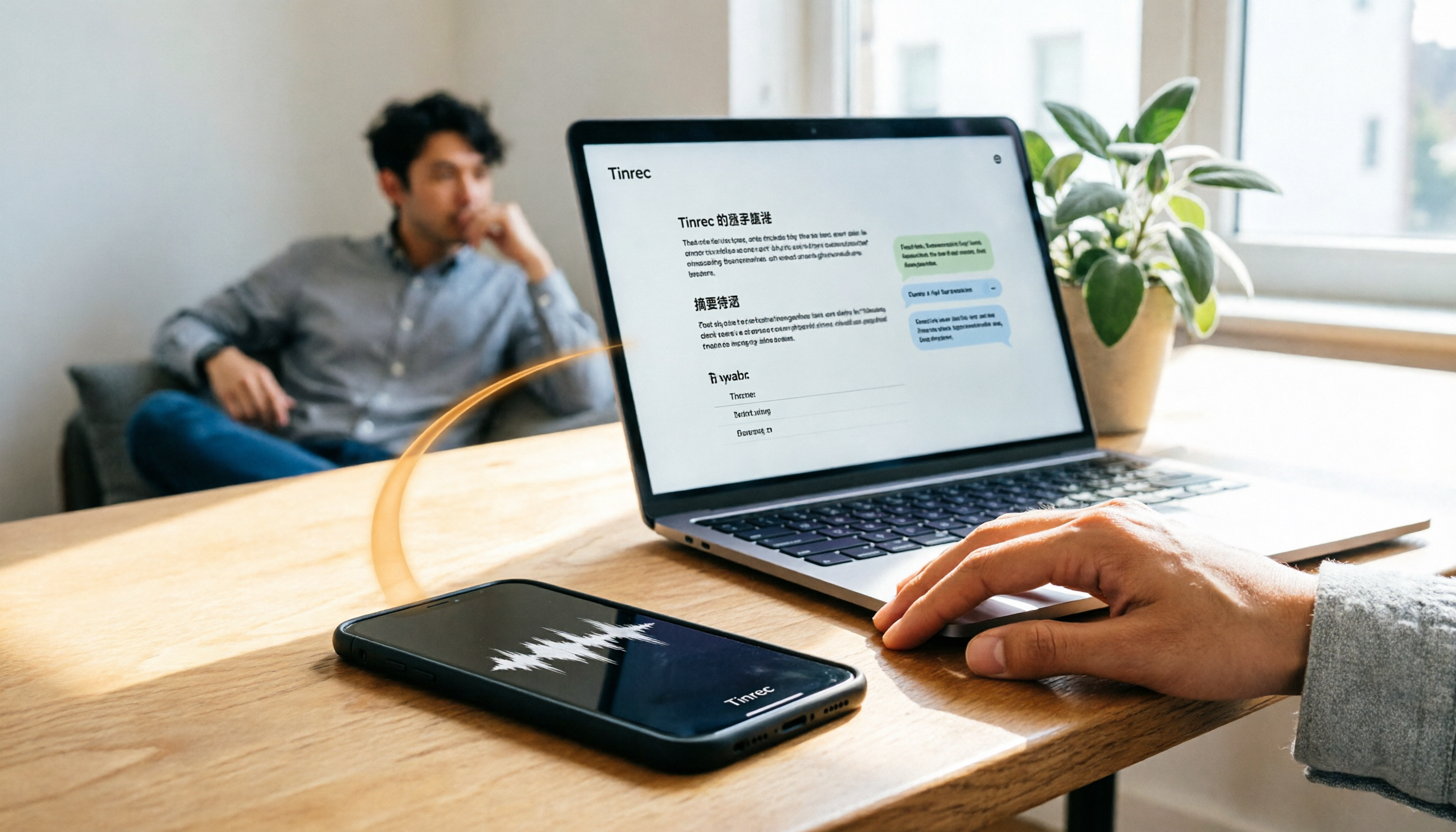
How do you transfer iPhone recordings to a computer? This article first breaks down the limitations of common methods like Email, LINE, iCloud, AirDrop, and USB, then examines 4 tools using everyday meeting workflows. If you don't want to keep moving m4a files around, Tinrec's real-time transcription and multi-device sync let you view transcripts, summaries, and action items directly in a computer browser, and use AI Q&A to track key points.

4 One-Click AI Meeting Notes Tools Compared for 2026: How to Choose Free, Paid, and Team Plans
Tired of manually organizing transcripts, summaries, and action items after meetings? This side-by-side comparison of Tinrec, Notta, Otter.ai, and Granola covers how each captures meetings, what you get afterward, Chinese-language experience, free tiers, and team pricing. It also highlights 4 key factors and 3 common pitfalls to help you pick the right tool for your meeting style.

2026 AI Meeting Notes Comparison: 3 Tools Tested for Faster Meeting Summaries
The real work begins after the meeting ends. This comparison of Tinrec, Notta, and Granola covers bot-free recording, AI post-meeting organization, team collaboration, and export workflows to help you find the fastest way to organize meeting notes.

2026 Comparison of 4 Audio-to-Text Tools: After Transcription, Which One Really Saves You Cleanup Time?
Most people ask 'how to turn recordings into text,' but the real problem comes after transcription. This article starts with common misconceptions, explains why your transcripts end up sitting in a folder, breaks down 4 key buying criteria, and tests Tinrec, Notta, Otter.ai, and TurboScribe to compare their best use cases. It ends with a quick-start checklist you can follow directly.

2026 Comparison of 4 Audio-to-Text Apps: Which Is Best for Chinese Meeting Accuracy and Minutes?
Starting from the decision point of 'which audio-to-text app is most accurate,' this article breaks down four criteria: recording source, language, post-meeting organization, and team collaboration. It also tests Tinrec's Chinese meeting transcription, bot-free recording, AI summaries, and team spaces, with buying tips and FAQs.

2026 One-Click Meeting Minutes Tools: 3 Real-World Tests Compared — Which One Actually Saves You Time?
A two-hour meeting shouldn't take three hours to summarize. This article breaks down the one-click meeting minutes tools worth considering in 2026 across four dimensions: how they capture meetings, how deeply they organize post-meeting content, Chinese-language recognition, and team data ownership. It also shares hands-on testing of how Tinrec uses desktop-based bot-free recording, AI summaries, and follow-up questions to turn long transcripts into meeting minutes you can send out directly.
5 Best Letterly Alternatives for Turning Recordings into Usable Meeting Data (2026)
Letterly turns voice notes into short text, but meeting notes require transcripts, summaries, action items, and searchable data. This article compares Letterly, Tinrec, Notta, Granola, and TurboScribe, covering selection criteria, common pitfalls, and ideal use cases to help you find the right alternative that saves post-meeting cleanup time.

2026 Comparison of 5 Meeting Action Item Extraction Tools: Which One Actually Turns Discussions into Action Lists?
Still spending time organizing action items after meetings? This article compares 5 meeting action item extraction tools, covering Chinese and mixed Chinese-English recognition, bot-free online meeting recording, AI follow-up questions, and team knowledge retention. It also includes buying criteria, pitfalls to avoid, and selection advice.