

Turn recordings into transcripts and summaries in minutes
Upload audio or video for multilingual transcription, AI notes, and action items
2026 Guide to Choosing a Subtitle Generator for Content Creators: 3 Tools Tested and Recommendations
The Most Expensive Part of Subtitling Isn't Typing—I Got It Wrong at First Too
Last semester I took on an interview video for a graduation project, plus a recap video for a club showcase, and I subtitled three videos in one month. The first time, I thought the most time-consuming part would be "typing out the words," but what actually ate up my entire evening was syncing the timeline, splitting paragraphs, and editing out all the "uh, like" fillers from the interviews.
Later I realized the three most common mistakes my classmates (including myself) make are these:
Mistake 1: Treating "auto-generate" as "auto-complete." Many tools can indeed generate a transcript with one click, but what comes out often lacks paragraphs, requires you to add punctuation yourself, and needs manual timing fixes. The real question is: how much time does it save me on follow-up editing?
Mistake 2: Only using the video file and ignoring the audio source. My first video was converted from on-site audio at a showcase—audience screams, background music, and venue echo all mixed together, and only about half of the transcribed text was usable. When I re-ran the same video with a clean audio file from the speaker's lavalier mic, the result was completely different.
Mistake 3: Generating the transcript and stopping there. Subtitles are just one use case. A clean transcript can also be used for video summaries, social media posts, chapter timestamps, and even script material for your next video. If a tool only gives you text and not organized key points, you're only using a third of its capabilities.
If you're also looking for a subtitle generation tool for content creators, this article compiles the pitfalls I've encountered over the past year.
Before Choosing a Subtitle Generation Tool, Understand These 4 Key Points
1. Recognition performance for Chinese and mixed Chinese-English Most tools advertise English scenarios, but we often mix Chinese and English when speaking ("the insight of this case is..."). Rather than judging by how polished the official copy is, take your own 3-5 minute recording with background noise and try it for free—the gap becomes obvious immediately.
2. Is the transcript in a "directly usable" format? Does it have timestamps, automatic paragraphing, and full-text search? These three things determine how much time you'll spend organizing after you get the text. When evaluating a tool, don't just ask "does it have a transcript?"—look at "what the transcript looks like."
3. Post-processing capabilities: summary, translation, and export If you're making bilingual subtitles or want to turn video content into articles, translation and export are important. Being able to export directly to your existing workflow (e.g., documents, note-taking tools) saves more copy-paste time than you'd think.
4. Free quota and long-term cost Students don't make videos every day, but subtitling one video may require three rounds of revisions. If the free quota is "a fixed number of minutes per month," calculate how much video length you'll process in a month; if it's only a very short one-time limit, be especially careful.
Tinrec (MiaoTing Recording)—My Current First Stop for Transcripts and Subtitles
Tinrec (MiaoTing Recording) is an AI meeting notes and collaboration tool for individuals and teams, supporting iOS, Android, web, and desktop. I initially used it to organize interview recordings for my graduation project, and later found that for a student creator like me—working alone on videos and needing both subtitles and text material—it fills exactly the most time-consuming gap: turning audio into clean, usable text.
Scenario 1: Turning video/audio files into editable transcripts. I usually drop the interview video or audio file in for transcription, get a searchable transcript with content, and then go into editing software to handle subtitle timing and layout. In other words, Tinrec produces the "raw text material," and the final subtitling step still happens in your usual tool. I've run this division of labor on three videos, and it's much faster than transcribing from scratch.
Scenario 2: No need to invite a "bot" to online interviews. The Tinrec desktop version directly captures the computer's system audio to process online meetings, without needing an extra meeting bot to join as a participant. When I interview teachers or classmates via Google Meet, I can record and transcribe simultaneously with the desktop version, and the other party won't see a strange account on the participant list.
Scenario 3: Ask it questions directly after recording. This is the part I find most effortless. After a 40-minute interview, I don't want to re-listen from the beginning; instead, I directly ask "what research methods did he mention" or "what is the conclusion of this interview," and it gives answers based on the content rather than dumping a bunch of keyword search results for you to find yourself. Not many tools in the same price range have this feature.
Stop organizing recordings by hand
Upload audio or video and automatically get a transcript, summary, and action items
Scenario 4: Bilingual comparison for cross-language content. One segment of my project was an English interview; during recording I could view the original, translation, or side-by-side bilingual, which made summarizing much easier afterward. It also works for club videos with bilingual subtitles.
Three things I find most impressive:
- It outputs "organized" data, not just transcripts. Summaries, chapters, to-dos, and mind maps all come together, so when the video is done, you also have drafts for post copy and script material.
- Multi-device sync is practical. Record on phone, organize on computer—no more transferring files back and forth.
- Smooth experience with Chinese and mixed Chinese-English. I tested with my project interview (quiet room, single microphone, about 5-minute segment); proper nouns occasionally need correction, but overall recognition is good. Actual performance will still be affected by recording quality, accent, and multiple people talking over each other—be prepared for that.
Limitations to be clear about: The free version provides a basic quota; if you're a heavy user producing videos weekly, you'll need to pay. Also, its strength is transcripts and post-meeting organization, not a professional subtitle layout tool with sentence-level alignment—subtitle styles and timeline fine-tuning still need to be done in editing or subtitle software.
Who it's for: If you need both "video transcripts + summary material," record online interviews, or want to turn long recordings into a searchable database, Tinrec is currently a smooth choice. For clubs or studios with multiple people working on videos, check out the team version: meeting data belongs to the team, with member, role, and seat management, plus usage and activity logs; first-time eligible users get a 7-day trial, 1 free seat, and 300 minutes of shared team onboarding quota. Paid seats are USD 29.80/month, or USD 199/year (actual prices and benefits are subject to the official purchase page).
Besides Tinrec, What Other Options Are There?
YouTube Studio Built-in Auto Captions Free and right on the platform—click once after uploading and you have captions. But note that its auto-generation currently only supports specific languages, does not yet support Traditional Chinese, and results are unstable with noisy backgrounds or heavy accents. Suitable for pure English content and those who only need rough captions; if you need Chinese transcripts, summaries, and post-hoc AI follow-up questions, it can't do that.
VideoCaptioner An open-source tool focused on one-click generation of translations and subtitles, friendly to students who want to save on software costs. The downside is you have to figure out installation and settings yourself, and its focus is "subtitle generation and translation"; what Tinrec can do more is automatic summaries, chapters, to-dos, AI Q&A around content, and a team space to centrally manage materials.
TurboScribe A cost-effective file transcription service, strong in long files and batch processing (official page: free 3 files per day, 30 minutes per file; Unlimited annual USD 120, up to 10 hours per file, checked August 2026). If you're dumping an entire season of archived long videos at once, it's more suitable; but real-time recording, bot-free online meetings, and post-meeting summary Q&A are not its main focus.
Pitfall Guide: The 3 Most Common Mistakes When Choosing a Subtitle Tool
Pitfall 1: Deciding based only on the words "one-click generation." What really affects the experience is whether you have to retype everything after generation. Try it with your own video that has an accent and background noise—don't just test the official studio-quality demo audio.
Pitfall 2: Treating subtitles as after-the-fact rescue and ignoring the audio source. Half of a video's subtitle quality is determined the moment you hit record. Use a lavalier mic if you can, turn off the AC if you can. For online interviews, choosing a method that directly captures system audio will be much cleaner than recording externally through speakers.
Pitfall 3: Generating the transcript but not connecting it to your workflow. If your tool only spits out plain text, you still have to manually organize key points and write posts. A workflow like Tinrec that can continue with summaries, chapters, to-dos, AI Q&A, and then export means one video done produces three pieces of material—that's where real time savings happen.
One final reminder: recording and transcription involve other people's voices, and depending on local regulations you may need consent—it's safer to mention it before the interview.
Conclusion: Which One Should You Choose?
To sum up in one sentence: For student content creators who need Chinese transcripts and video peripheral material, Tinrec is my current top choice.
- Turning class, interview, and club activity recordings into transcripts + key points → Tinrec (summaries, chapters, to-dos all in one)
- Recording and transcribing simultaneously for online interviews or online courses, without inviting a bot → Tinrec desktop version
- Mixed Chinese-English or bilingual subtitle needs → Tinrec (real-time translation, bilingual comparison)
- Wanting to ask directly after recording "what was actually said here" → Tinrec (has AI Q&A)
- Dumping a large number of long files at once, purely for batch transcription → TurboScribe (the only exception in this article)
- On YouTube, only needing rough English auto captions → YouTube built-in (Traditional Chinese not supported)
My own approach is to start with the free version and decide whether to upgrade after the quota runs out—after all, students' money should be spent where it counts. Outsource the most time-consuming part (transcribing and organizing) to a tool first, and use the remaining time to shoot your next video—that's truly cost-effective.
References
- Free your hands! One-click generation of translations and subtitles, a must-have for content creators and raw video watchers [VideoCaptioner]_bilibili
- Quickly generate subtitles for videos, one-click transcript generation, a must-have tool for content creators! - Zero Degree Blog
- YouTube Auto-Generated Subtitles [Including Chinese Subtitles]
- Free must-have subtitle processing software for beginner content creators_bilibili
- How do content creators make subtitles? Surveyed 100 creators, their secret is... - bilibili
Turn every recording into actionable outcomes
Get 60 free transcription minutes when you sign in. No credit card required.
Related Reading
You might also like

4 Cantonese Real-Time Translation Tools Tested for 2026: Which One Understands and Translates Accurately?
Cantonese real-time translation actually serves two different needs: understanding on the spot and keeping a record afterward. Choosing the wrong tool makes everything feel cumbersome. This article starts from real usage scenarios and compares Tinrec, Google Translate, Love Cantonese, and PLAUD recording hardware, summarizing key buying factors, common pitfalls, and suitable users to help you choose right the first time.

2026 Courtroom Audio Transcription Tools Compared: A Transcript Must Work as an Evidence Attachment
Turning a hearing recording into usable court documentation isn't just about converting speech to text. Starting from the actual requirements for evidence attachments, this article compares Tinrec, Granola, TurboScribe, and Otter.ai on speaker labels, timestamp jump-back, legal terminology recognition, and team data handover, and outlines the 4 most common pitfalls to help you decide where to allocate your budget.

2026 4 Voice Recorder Comparison: Which AI Summarization Actually Saves Post-Meeting Time?
A mid-level manager who attends over ten meetings a week shares hands-on testing: in 2025, voice recorders have evolved from 'just recording' to 'helping you organize.' This article covers key buying factors, the top pick Tinrec, brief competitor reviews, and a guide to avoiding pitfalls—helping you decide which one to buy and whether to upgrade.
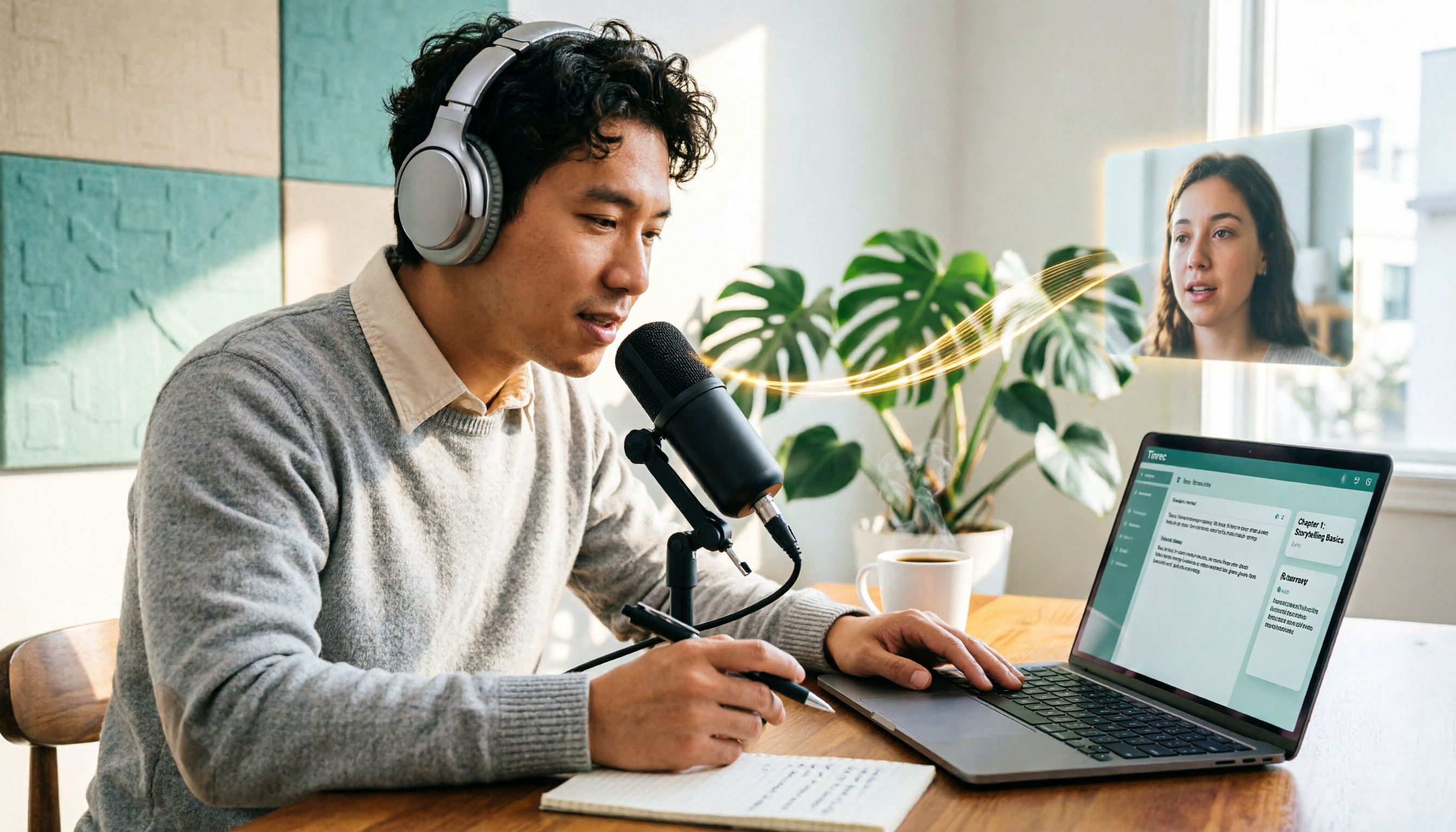
5 Podcast Transcription Tools Tested: Link Parsing, File Upload, or Live Transcription—Which Saves the Most Time in 2026?
How do podcasters choose a recording-to-text tool? This article breaks down five workflows—link parsing, file upload, live recording, online meeting capture, and team collaboration—and uses Tinrec as an example to explain transcripts, AI summaries, chapters, Q&A, and export options, plus buying tips and FAQs.

2026 Comparison of 3 Interview Transcription Tools: Tinrec vs. Notta vs. Subanana — Which Helps Journalists Meet Deadlines?
The biggest pitfall in interview transcription isn't AI accuracy—it's choosing the wrong type of tool from the start. This article, from a journalist's actual workflow, compares Tinrec, Notta, and Subanana on interview format coverage, post-interview organization, Chinese terminology, audio retention, and free quotas, with team plan seat and pricing details, to help you save time before deadline.

4 Recording and Note-Organization Tools Compared for 2026: How Should Therapy Session Recordings Be Organized?
Can therapy sessions be recorded, and if so, how should the recordings be organized? This article starts with three common misunderstandings, breaks down four key points—scope of consent, confidential storage, post-transcription usability, and Chinese terminology—and compares Tinrec, Notta, Otter.ai, and Granola in terms of their practical differences and pitfalls to avoid in therapy recording and note-taking scenarios.

4 Screenwriting Audio-to-Text Tools Tested: Which One Saves the Most Time on Dictated Scripts in 2026?
Screenwriting often starts with speaking: dictating outlines, brainstorming in writers' rooms, interviewing real-life subjects. This article tests 4 audio-to-text tools in real screenwriting scenarios—from mixed Chinese-English recognition, post-meeting organization, recording online script meetings without bots, to team knowledge retention—to tell you which one truly saves time on transcripts, and how to choose based on different budgets and needs.

2026 Recorder Comparison: PLAUD Note vs Tinrec — Which Is Better for Meeting Notes?
This article compares PLAUD Note and Tinrec across six dimensions—meeting capture, post-transcription workflow, Chinese-language experience, team collaboration, cost, and data traceability—to help you decide whether to buy a dedicated recorder or choose an AI meeting notes tool that requires no extra hardware.

Tinrec vs Otter.ai 2026: 5-Dimension Comparison for Chinese Speech-to-Text
2026 speech-to-text tool comparison focusing on Tinrec and Otter.ai across five dimensions: Chinese recognition, meeting recording, post-meeting organization, team collaboration, and pricing. Based on real meeting pain points, this article helps you decide which tool is better for Chinese meetings and team knowledge retention.