
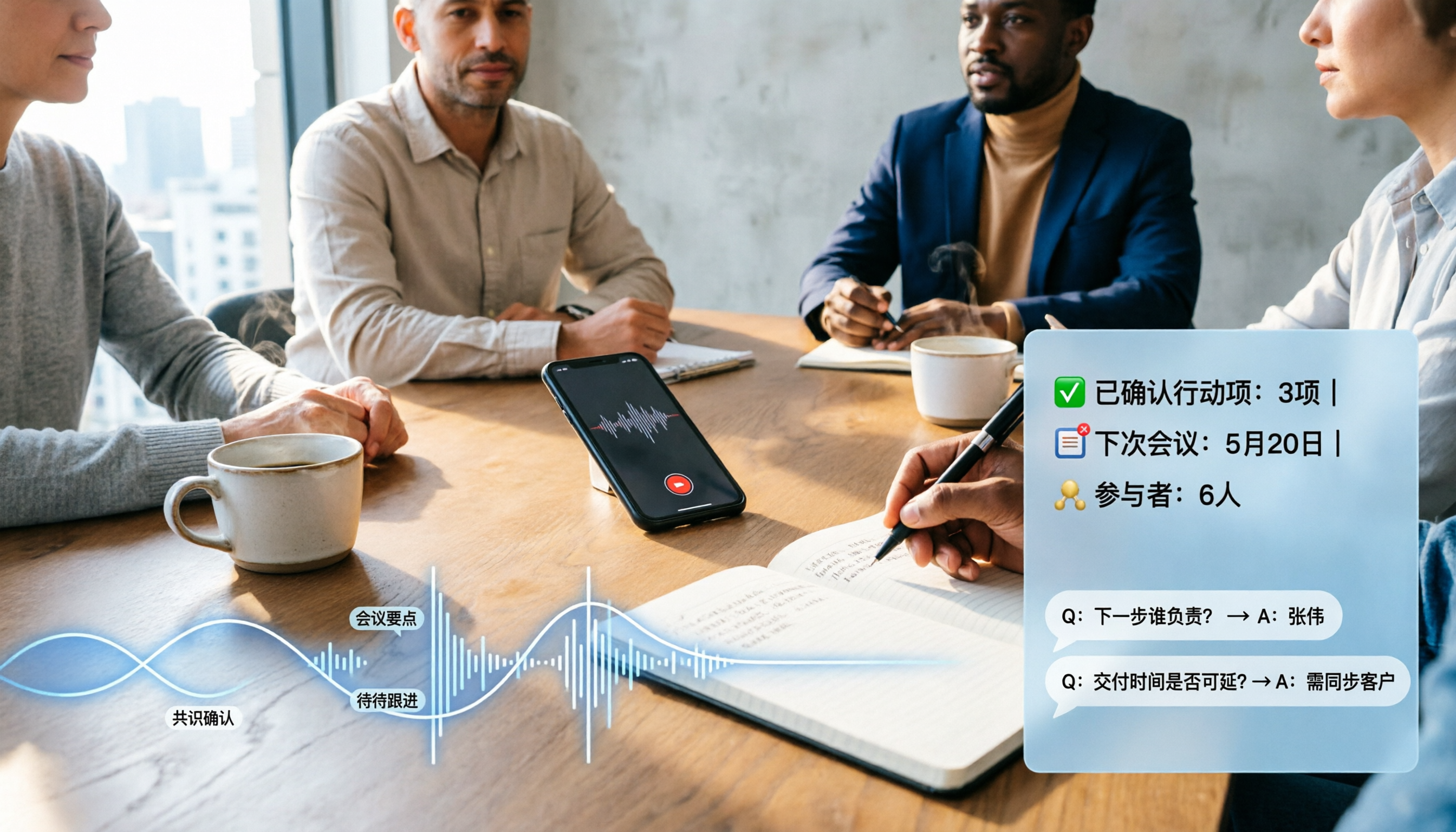
Turn recordings into transcripts and summaries in minutes
Upload audio or video for multilingual transcription, AI notes, and action items
2026 Comparison of 4 Audio-to-Text Software: Which Saves the Most Time for Chinese Meetings and Post-Meeting Organization?
Many people think audio-to-text simply means throwing audio into Word or Google Docs' dictation feature. But in practice, those tools only offer "real-time dictation" and cannot upload pre-recorded MP3 files. Another common scenario: you record an hour-long meeting on your phone, but end up manually transcribing it with headphones. This isn't because you don't know how to use tools—it's because you confused "voice input" with "audio file transcription" from the start. A more reasonable approach is to find an audio-to-text software that can handle Chinese, import existing audio files, and help you organize post-meeting highlights. In this article, I'll walk you through how to choose among 4 tools from a hands-on testing perspective.
Before Choosing Audio-to-Text Software, Understand These 4 Key Points
1. Recognition Performance for Chinese and Mixed Chinese-English Many international tools are strong in English, but when it comes to Chinese meetings, mixed Chinese-English product names, or Taiwanese Hokkien, their recognition rates drop noticeably. When testing, don't just look at the official accuracy claims—better to try with a real meeting recording of your own. For example, Tinrec focuses on Chinese meetings and mixed Chinese-English content, and its team version allows adding frequently used terms to a hotword list.
2. Completeness of Input Sources Your meetings may take place on Zoom, Google Meet, Microsoft Teams, or be offline interviews, or a pre-recorded MP3. Whether a tool can handle "live recording," "online computer meetings," and "audio and video files" simultaneously directly determines whether you need a second tool. Tinrec's desktop version can directly capture computer system audio without needing a meeting bot to join.
3. Post-Meeting Output Is Not Just a Transcript Getting only a transcript means you still have to spend time highlighting key points and writing action items. Ideally, the tool automatically generates summaries, chapters, and action items after transcription, and allows further Q&A about the meeting content. Tinrec emphasizes turning recordings into searchable, summarizable, and queryable data, rather than just providing a long document.
4. Team Data Ownership and Permissions If you're choosing a tool for your company, pay attention to whether meeting data belongs to individuals or the team. Team versions typically involve members, roles, seats, and shared spaces. Tinrec's team version separates "roles" and "seats": roles govern administration, seats determine who can record, upload, edit, and export. This is something to clarify before purchasing.
Tinrec — Best for Chinese Meetings and Post-Meeting Organization After Testing
Tinrec is an AI meeting notes and collaboration tool for individuals and teams, supporting real-time recording, bot-free recording of online meetings via desktop, transcription of audio and video files, and automatic generation of summaries, chapters, action items, and AI Q&A. It covers web, desktop, and mobile, and for those who need to handle Chinese meetings, it was the most convenient for post-meeting organization in this test.
Real-Time Recording and Bot-Free Online Meetings For offline meetings, just open Tinrec to record and transcribe simultaneously. Online meetings are even more practical: the desktop version directly captures computer system audio, handling meetings on Zoom, Google Meet, Microsoft Teams, Webex, etc., without pulling a bot into the meeting room. For participants, the absence of the "AI assistant has joined" notification makes the meeting flow much more natural.
File Import and Multi-Format Export If the meeting is already recorded, you can upload audio and video files for transcription. After transcription, the transcript can be searched, reviewed, and exported to common formats, or taken to Notion, Google Docs, OneNote, Dropbox, etc. for further use. This is very convenient for those who need to write reports or meeting minutes.
Post-Meeting AI Q&A and Action Item Extraction This is what I find most useful. After recording a meeting, you don't need to listen from the beginning—you can directly ask Tinrec: "What were the conclusions of this meeting?" "Who is responsible for next week's proposal?" It answers based on the meeting content, not just keyword search results. The same content can also generate summaries, chapters, action items, and even further produce reports, tables, and documents.
Team Space and Data Accumulation The team version is not multiple people sharing a personal account, but an independent team space. Meeting data belongs to the team, and new members can view historical data; when a member leaves or loses a seat, resources are transferred to other active members and do not disappear with the personal account. Administrators can also view usage, member rankings, and audit logs.
Hands-On Observations We tested with a 5-minute mixed Chinese-English meeting recording (indoor environment with keyboard and air conditioning noise). Tinrec performed stably in recognizing Chinese segments and English product names; when multiple people spoke over each other, we still needed to cross-check the transcript. Actual accuracy will be affected by microphone, accent, noise, and technical terms, so it's best to test with your own recordings.
Pros
- Complete workflow for Chinese meetings and mixed Chinese-English content—not just transcription, but also generates summaries, chapters, and action items.
- Desktop version records online meetings without a bot, friendly to Zoom, Meet, and Teams users.
- Post-meeting AI Q&A, translation, export, and team sharing turn meetings into continuously usable data.
Stop organizing recordings by hand
Upload audio or video and automatically get a transcript, summary, and action items
Limitations
- The free version offers basic quota, suitable for light use; if you have many meetings every week, consider a weekly pass or Pro.
- The team version is priced per paid seat, and document and web imports consume shared team import minutes; real-time recording currently does not deduct minutes under an active team plan and seat.
- It's not recommended to treat AI-generated summaries as 100% accurate; important decisions should still be verified against the transcript and recording.
Who Is It For If you frequently hold Chinese meetings, need to handle mixed Chinese-English content, want to use AI to find key points directly after meetings, or want to accumulate meeting data as team assets, Tinrec is the most suitable choice among the 4 tools in this test.
Besides Tinrec, What Other Options Are There?
Notta: Multilingual transcription and team plans. Free: 120 minutes per month, 3 minutes per session; Pro annual: about USD 8.17/month, 1,800 minutes per month; Business annual: about USD 16.67/seat/month. It primarily handles meetings via meeting bots, desktop, or uploads; Tinrec's desktop version can directly capture system audio without a bot joining, and can accumulate to team space after meetings. Suitable for those accustomed to bot workflows and needing multilingual document transcription.
TurboScribe: Cost-effective file transcription tool. Free: 3 files per day, 30 minutes per file; Unlimited annual: USD 120 (about USD 10/month), paid single file up to 10 hours or 5 GB, up to 50 files per upload. It excels at long documents and batch subtitles; Tinrec adds real-time meeting recording, post-meeting AI Q&A, action item extraction, and team space. Suitable for those who need to transcribe large volumes of long audio files into subtitles and don't need meeting collaboration.
Granola: Bot-free AI meeting notes. Basic free, Business about USD 14/user/month, Enterprise about USD 35/user/month. It supports real-time transcript viewing, copying, and searching, but does not support uploading pre-recorded audio files and does not save meeting audio. Tinrec retains audio, can import existing files, and provides real-time translation and team data management. Suitable for those who only need real-time meeting notes and don't need to keep recordings.
Pitfall Guide: The 4 Most Common Mistakes When Choosing Audio-to-Text Software
Pitfall 1: Mistaking "Dictation" for "Transcription" Word and Google Docs dictation, and phone voice memos, are essentially real-time input tools. They cannot upload an MP3 from an hour ago, nor do they segment or punctuate for you. The correct approach is to find a dedicated transcription tool and confirm it supports your file formats.
Pitfall 2: Only Looking at Free Minutes, Not Chinese Recognition and Post-Meeting Organization Free quota is important, but if Chinese recognition is full of errors, the minutes you save will turn into proofreading time. Rather than just comparing minutes, compare whether it can directly generate summaries, action items, and Q&A after transcription. That's where real time savings lie.
Pitfall 3: Ignoring Audio Retention and Data Ownership Some meeting note tools only keep text and do not save audio; some team versions bind data to personal accounts. Before purchasing, clarify: Will meeting audio be retained? Who owns the data after a member leaves? For example, Tinrec's team version treats team resources as owned by the team and provides an audio recycle bin and handover mechanism.
Pitfall 4: Buying a Team Version Without Distinguishing Roles and Seats A team version is not as simple as "buying a few accounts." Roles determine who can manage the team and view audits; seats determine who can record, upload, edit, and export. Members without seats can still view, play, and read team data, but cannot perform resource usage operations. Understand this first to avoid buying the wrong thing.
Conclusion: Which One Should You Choose?
Simply put, the 4 tools each have clear positioning:
- Need Chinese meetings, mixed Chinese-English, post-meeting AI Q&A, and team accumulation → Tinrec. Its advantage is not just transcription, but connecting recording, summaries, action items, Q&A, and team space into one workflow.
- Need bot-free recording of Zoom, Google Meet, Microsoft Teams → Tinrec. The desktop version directly captures system audio without an extra bot joining.
- Need batch transcription of many long audio files into subtitles, not much meeting collaboration → TurboScribe. It has advantages in long documents and batch processing.
- Only need real-time meeting notes, no need to keep recordings → Granola. Its bot-free note-taking experience is lightweight, but it does not save meeting audio.
- Already accustomed to meeting bot workflows, need multilingual team plans → Notta. Its multilingual and team plans are complete, suitable for existing workflows.
If you're still unsure, I recommend starting with Tinrec's free version. Run it with a recording of your recent real meeting to see if Chinese recognition, summaries, and Q&A match your habits. If it's sufficient, then consider upgrading—no need to pay from the start.
FAQ
Q: Is the free version of audio-to-text software enough? A: It depends on usage frequency. For occasional transcription, the free version usually lets you experience the core workflow; if you have multiple meetings every week, the quota and features of paid plans will be more stable. Tinrec's free version offers basic quota; actual quota is subject to the official website.
Q: Can Tinrec upload existing MP3 files? A: Yes. Tinrec supports transcription of audio and video files, handling existing meetings, interviews, and historical recordings, and can generate transcripts, summaries, and action items after transcription.
Q: What's the difference between Tinrec's team version and personal version? A: Personal version data belongs to the personal account; the team version is an independent team space where meeting data belongs to the team, and adds members, roles, seats, sharing benefits, usage analysis, audit logs, and audio recycle bin. The team version is currently USD 29.80/paid seat/month, or USD 199/paid seat/year (about USD 16.58/month). Eligible teams can try 7 days, 1 free seat, and 300 minutes of shared import quota for the first time; prices and benefits are subject to the official purchase page.
Q: Can accuracy reach 100%? A: It's not recommended to expect that. Transcription accuracy is affected by recording quality, noise, accent, overlapping speakers, and technical terms. Tinrec can reduce the cost of manual note-taking and organization, but important content should still be verified against transcript timestamps and recording playback.
References
- No time limit! 3 free AI transcription tools, highly recommended! AI voice notes generate meeting records, presentations, mind maps | 104 Job Bank
- Online AI voice, video, audio file automatic transcription - free trial - cSubtitle
- 2026 7 free audio file to text Word tools recommended: accurately generate meeting transcripts and action items - Tinrec Blog
- Online speech-to-text AI, free MP3 or audio file to text transcript - MyEdit
- Audio file to text / speech to text / transcript: 2026 6 AI tools recommended and practical tutorials - Tinrec Blog
Turn every recording into actionable outcomes
Get 60 free transcription minutes when you sign in. No credit card required.
Related Reading
You might also like

2026 Real-Time Chinese-English Translation Tools Compared: Which Offers the Most Natural Two-Way Conversation?
There are many real-time Chinese-English translation tools, but what meetings need isn't word-by-word lookup—it's uninterrupted conversation. We tested Tinrec, Google Translate, Transync AI, and JotMe, comparing translation latency, two-way conversation, post-meeting organization, and team collaboration to help you find the best choice for cross-language meetings.

2026 Comparison of 6 Multilingual Meeting Transcription Tools: Which Is Least Effort for Multilingual Transcripts and Post-Meeting Organization?
The hardest part of a multilingual meeting is often not the meeting itself but the post-meeting organization. This article reviews 6 practical multilingual meeting transcription tools, from AI meeting assistants and pure transcription services to recording hardware, explaining each one's positioning, pricing, and ideal users, and provides a selection framework to help you find the one that handles multiple languages and builds a team knowledge base.

2026 English Speech-to-Text Comparison: Tinrec vs Granola Across 5 Key Dimensions
The real challenge with English speech-to-text isn't accuracy—it's whether you can upload audio files and verify transcripts afterward. This comparison of Tinrec and Granola evaluates five dimensions: input sources, audio retention, language handling, post-meeting outputs, and team governance, helping you decide which tool better fits your English meeting and recording workflow.

4 Best Speech-to-Text Apps of 2026: Free Tiers, Chinese Recognition, and Post-Meeting Summaries Compared
Compare Tinrec, Yating Transcription, Otter.ai, and Notta on free tiers, Chinese and mixed-language recognition, online meeting recording, post-meeting summaries, action items, and team collaboration—so you can decide which speech-to-text app fits before downloading.

The Complete 2026 Guide to Audio Transcription: Turning Phone Recordings into Transcripts, Summaries, and Action Items
The most common mistake with phone audio transcription is confusing "live dictation" with "converting existing audio files to text." This guide starts from real scenarios like student lectures, group discussions, and project interviews, using Tinrec to demonstrate how phone recordings can become transcripts, chapter summaries, and action items. It also covers 5 things to confirm before choosing a tool and answers common questions.

Which Cantonese Speech-to-Text App Is Best? 2026 Hands-On Test of 5 Options for Easier Meeting Notes
Cantonese spoken language with mixed Chinese and English often requires retyping when forced through Mandarin models. This article reviews 5 practical Cantonese speech-to-text apps, comparing everything from plain subtitle output to meeting notes, AI summaries, and team collaboration, with free quotas and pricing to help you choose the right tool for your needs.

2026 Comparison of 5 Multilingual Meeting Transcription Tools: Which Saves the Most Time in Cross-Language Meetings?
A review of 5 multilingual meeting transcription tools in 2026, covering speech-to-text, real-time translation, AI summaries, action item extraction, and team collaboration. It explains the positioning, pricing, and suitable scenarios for Tinrec, Otter.ai, Notta, TurboScribe, and Granola, helping you avoid the pitfall of choosing based only on transcription minutes.

2026 Comparison of 3 Foreign Language Meeting Translation Tools: Tinrec, Notta, and Built-in Platform Options
Foreign language meeting translation isn't just about turning on subtitles. This article addresses three common misconceptions and compares Tinrec, Notta, and built-in subtitles in Zoom/Teams/Google Meet on bilingual display, bot-free recording, post-meeting output, mixed Chinese-English speech, and team management. It also lists pricing and quotas for personal and team versions to help you decide which approach suits your cross-language meetings.
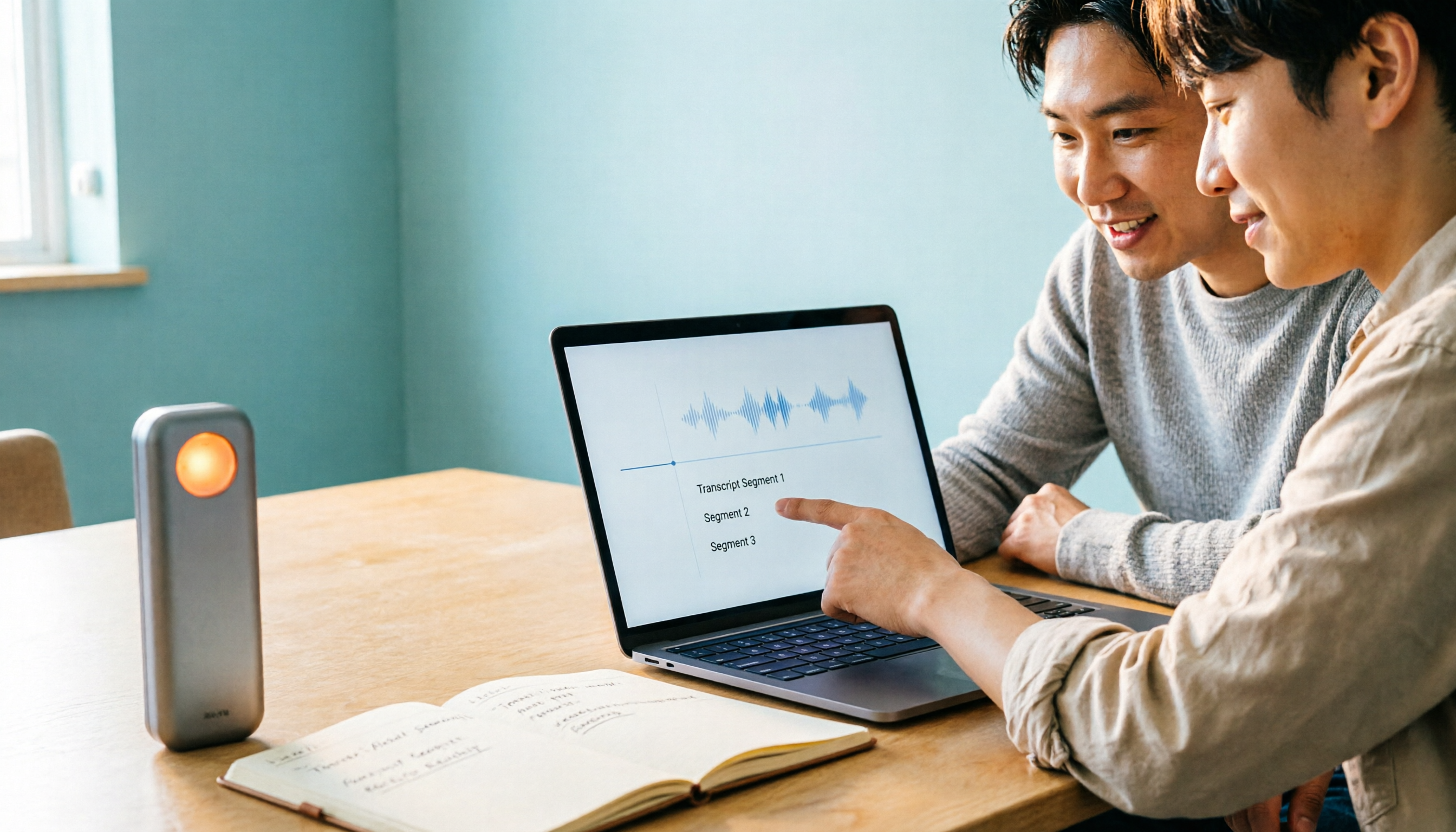
4 Best Speech-to-Text Apps of 2026: Which Free Versions Are Actually Usable?
There are countless speech-to-text apps, but the real question is whether the free version is enough for you. This article compares Tinrec, Yating Transcription, Notta, and Otter.ai from four angles: the real limits of free quotas, support for different meeting formats, post-meeting outputs, and data ownership. We also summarize 5 key points for choosing an app and 4 common pitfalls to help you pick the right tool within your budget.