

Turn recordings into transcripts and summaries in minutes
Upload audio or video for multilingual transcription, AI notes, and action items
Which Cantonese Speech-to-Text App Is Best? 2026 Hands-On Test of 5 Options for Easier Meeting Notes
Why Do You Need a Cantonese Speech-to-Text App?
"The meeting ended, and the recording sat on my phone for three days without being opened"—this is a daily reality for many managers and project leads. A cross-departmental meeting, a client interview, or an hour-long class recording requires listening two or three times to grasp the key points, and the time cost is staggering.
Cantonese speech-to-text adds another layer of difficulty: colloquial terms (like "佢哋", "搞掂咗") differ greatly from written Chinese, and sentences often mix in English (like "今個 quarter 個 target"). Forcing a Mandarin model often results in transcripts that need to be retyped entirely. This article reviews 5 practical solutions, from plain subtitle output to meeting notes with AI summaries, to help you choose the right tool for your needs.
Tinrec (Miao Ting Lu Yin) | Turn Meeting Recordings into Team Data You Can Query and Collaborate On
One-sentence positioning: This is not just a transcription tool, but an AI meeting notes assistant that connects the entire workflow from "recording → transcript → summary → action items → team knowledge base."
Key Highlights
- Record online meetings without a meeting bot. The desktop version directly captures computer system audio to handle meetings on Zoom, Google Meet, Microsoft Teams, Webex, etc., without adding a bot to the meeting room, avoiding awkwardness during external meetings.
- Keep using it after transcription. Beyond the transcript, it automatically generates summaries, chapters, key points, and action items, and allows AI Q&A about the meeting content—"Which meeting was that decision made in?" Just ask, no need to re-listen.
- Mixed Chinese-English and multilingual meetings. Supports transcription of Chinese and multilingual meetings, can organize mixed Chinese-English content while preserving English terms in original form; during recording, you can switch between original text, translation, or bilingual view. Actual accuracy is affected by recording quality, accents, overlapping speakers, and technical terminology; it's recommended to test with your own meeting recording first.
- Directly produce work outputs after the meeting. Can generate reports, tables, and meeting minutes, and export to common formats and tools like Notion, Google Docs, OneNote, Dropbox for further processing.
Pricing Plans
The personal version includes a free version (basic quota to experience recording, import, summaries, and transcription), a weekly pass (for short-term intensive meetings or interview sprints), and Pro monthly and Pro annual plans (for long-term data accumulation; the annual plan has a lower monthly equivalent). The team version is a separate team space: first-time eligible users can try 7 days free with 1 free seat and 300 minutes of shared team import quota; monthly payment USD 29.80 per paid seat per month, annual payment USD 199 per paid seat per year (about USD 16.58 per month), with each paid seat providing 2,000 minutes of shared team import quota per month. Actual prices and promotions are subject to the official purchase page.
Who It's For
Managers and project teams who have weekly meetings, need to keep transcripts and action items, and want to accumulate data as team assets. If you only need to process a single Cantonese recording and output a subtitle file, the dedicated solutions below will be more straightforward.
Subanana | Cantonese-Specific, One-Click Conversion from Colloquial to Written Chinese
Positioned as pure Cantonese transcription: upload audio or video files, or paste a YouTube link, and AI outputs a transcript with speaker separation and punctuation. Mixed Chinese-English is reliable; sentences like "今個 quarter 個 target" are transcribed accurately, with English retained in original form.
Output can be selected from 4 combinations of colloquial or written Chinese, traditional or simplified characters—"佢哋而家搞掂咗" can be output as "他們現在處理好了". Supports MP3, M4A, WAV, MP4, MOV and other formats, and can also paste public YouTube, Instagram, Facebook links, or record directly in the browser. Export formats include SRT, VTT, TXT, DOCX, XLSX, Markdown.
Stop organizing recordings by hand
Upload audio or video and automatically get a transcript, summary, and action items
Pricing: Free accounts can upload and preview the first 15 minutes of transcription per file, no credit card required; export is a paid feature. Suitable for individual users who need subtitle files, interview transcripts, and value the conversion of Cantonese colloquial speech to written Chinese.
CantoSub | Cantonese Speech Recognition, Directly Produces Meeting Transcripts
Focuses on automatically converting colloquial Cantonese into written Chinese, with support for traditional Chinese output. Beyond transcription, it can export .txt, .docx, .pdf, ready to use as meeting notes or interview drafts.
Pricing: Each new user gets 30 minutes of free trial quota, no credit card required. Suitable for users who want to first validate Cantonese recognition quality on a small scale before deciding on long-term use.
UniScribe | Powered by Whisper Large Model, Fast Processing of Long Audio Files
Processes Chinese (Cantonese) audio with an optimized Whisper large model; the official claim is that a one-hour audio file can typically be processed in under 1 minute, though actual speed depends on audio quality and noise. Supports multiple audio and video formats, with 6 export formats: srt, vtt, docx, txt, pdf, csv.
Suitable for users with large amounts of existing recordings and videos that need batch conversion to text and subtitles. Actual free quota and paid plans are subject to the official website announcement.
Speechnotes | Works Right in Your Browser, Real-Time Dictation Typing
Takes a different approach: an online voice notepad that turns speech into text in real time, offers a Hong Kong-style Cantonese interface, and includes punctuation and Cantonese character correction features (e.g., converting half-width punctuation to full-width, correcting Cantonese characters spelled with "o").
Suitable for temporary dictation memos, sentence-by-sentence notes, and short content drafting, without needing to upload files. For processing long meeting recordings with speaker separation, such real-time dictation tools are not sufficient.
With So Many Options, How Should You Choose?
- Need transcripts, summaries, and action items from meetings → Tinrec, where post-transcription organization and querying are completed in the same workflow
- Don't want an extra bot in online meetings → Tinrec, desktop version captures system audio for recording
- Need to turn content into reports, tables, or external documents after meetings → Tinrec, can use Agent post-processing to generate work outputs and export
- Team needs to share historical meetings, manage members, and view usage → Tinrec Team version, with team space, role and seat management, usage analytics, and audit logs
- Just want to convert a Cantonese recording into a subtitle file with zero budget → Subanana (free preview of first 15 minutes per file), CantoSub (30-minute trial quota), validate results first before considering payment
4 Things to Know Before Using a Cantonese Speech-to-Text App
- First confirm whether output is "colloquial" or "written" Chinese. Directly writing Cantonese colloquial speech into text has a high reading barrier; for documents shown to managers or clients, choosing written Chinese output will save a lot of editing time.
- Mixed Chinese-English is a basic scenario, not an exception. When choosing a tool, directly test a recording containing English terminology to confirm whether English words are written as phonetically similar Chinese.
- Don't expect 100% accuracy. Audio quality, background noise, accents, and overlapping speakers all affect results. Tools like Tinrec retain transcript timestamps; important numbers and decisions should be verified by replaying the recording.
- Check the limits of free quotas carefully. Some allow preview but not export, some have length limits per session. Run a segment with a real file first, then decide whether to upgrade; also, obtain consent from participants before recording and comply with local regulations.
Conclusion
There is no "one-size-fits-all" for Cantonese speech-to-text: for pure transcription and subtitles, Cantonese-specific tools like Subanana and CantoSub are straightforward; but if you want "transcripts, summaries, and action items right after a meeting, searchable and queryable by the team," Tinrec connects this workflow most completely, and its desktop bot-free recording is especially practical for external meetings.
Practical advice: Take a real Cantonese meeting recording you have, run it through two or three solutions, and compare the usability of the transcripts and the subsequent organization time—this is more accurate than any spec sheet.
References
- Free Cantonese Speech-to-Text App 2026 | Subanana
- Speechnotes | Hong Kong-style Cantonese | Speech to Text Online Notepad
- Free Transcription of Chinese (Cantonese) Audio to Text in Seconds
- Cantonese Speech to Text | AI Cantonese Speech Recognition | CantoSub
- 2026 Practical Cantonese Real-Time Translation Tools Recommendation, Making Cantonese Learning Easier
Turn every recording into actionable outcomes
Get 60 free transcription minutes when you sign in. No credit card required.
Related Reading
You might also like

2026 Real-Time Chinese-English Translation Tools Compared: Which Offers the Most Natural Two-Way Conversation?
There are many real-time Chinese-English translation tools, but what meetings need isn't word-by-word lookup—it's uninterrupted conversation. We tested Tinrec, Google Translate, Transync AI, and JotMe, comparing translation latency, two-way conversation, post-meeting organization, and team collaboration to help you find the best choice for cross-language meetings.

2026 Comparison of 6 Multilingual Meeting Transcription Tools: Which Is Least Effort for Multilingual Transcripts and Post-Meeting Organization?
The hardest part of a multilingual meeting is often not the meeting itself but the post-meeting organization. This article reviews 6 practical multilingual meeting transcription tools, from AI meeting assistants and pure transcription services to recording hardware, explaining each one's positioning, pricing, and ideal users, and provides a selection framework to help you find the one that handles multiple languages and builds a team knowledge base.

2026 English Speech-to-Text Comparison: Tinrec vs Granola Across 5 Key Dimensions
The real challenge with English speech-to-text isn't accuracy—it's whether you can upload audio files and verify transcripts afterward. This comparison of Tinrec and Granola evaluates five dimensions: input sources, audio retention, language handling, post-meeting outputs, and team governance, helping you decide which tool better fits your English meeting and recording workflow.

4 Best Speech-to-Text Apps of 2026: Free Tiers, Chinese Recognition, and Post-Meeting Summaries Compared
Compare Tinrec, Yating Transcription, Otter.ai, and Notta on free tiers, Chinese and mixed-language recognition, online meeting recording, post-meeting summaries, action items, and team collaboration—so you can decide which speech-to-text app fits before downloading.

The Complete 2026 Guide to Audio Transcription: Turning Phone Recordings into Transcripts, Summaries, and Action Items
The most common mistake with phone audio transcription is confusing "live dictation" with "converting existing audio files to text." This guide starts from real scenarios like student lectures, group discussions, and project interviews, using Tinrec to demonstrate how phone recordings can become transcripts, chapter summaries, and action items. It also covers 5 things to confirm before choosing a tool and answers common questions.
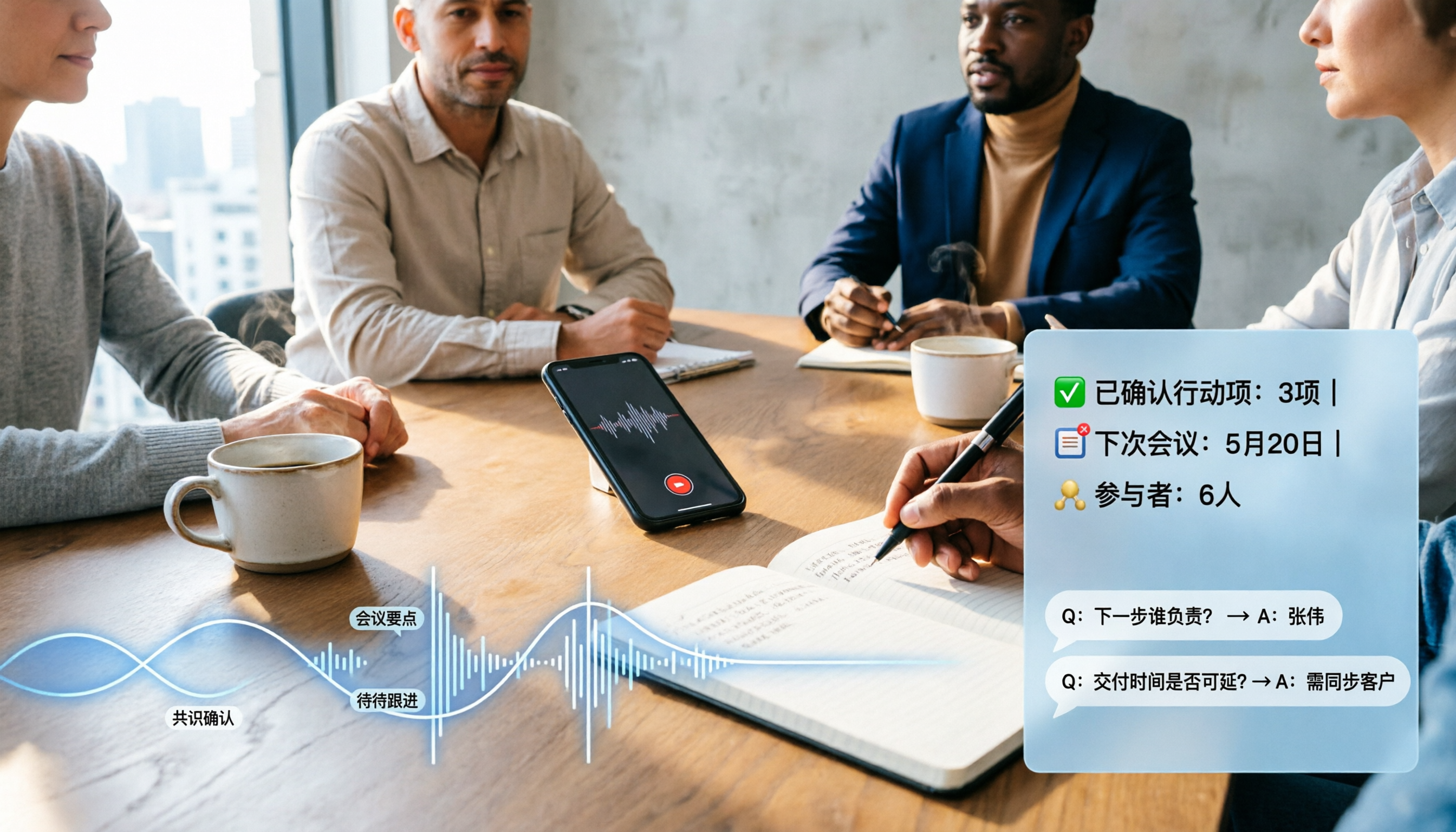
2026 Comparison of 4 Audio-to-Text Software: Which Saves the Most Time for Chinese Meetings and Post-Meeting Organization?
Many people confuse dictation with transcription, resulting in an inability to upload MP3 files or organize meetings. This article compares Tinrec, Notta, TurboScribe, and Granola from a hands-on testing perspective, focusing on Chinese recognition, input sources, post-meeting AI Q&A, team permissions, and pricing to help you find the choice that truly saves time.

2026 Comparison of 5 Multilingual Meeting Transcription Tools: Which Saves the Most Time in Cross-Language Meetings?
A review of 5 multilingual meeting transcription tools in 2026, covering speech-to-text, real-time translation, AI summaries, action item extraction, and team collaboration. It explains the positioning, pricing, and suitable scenarios for Tinrec, Otter.ai, Notta, TurboScribe, and Granola, helping you avoid the pitfall of choosing based only on transcription minutes.

2026 Comparison of 3 Foreign Language Meeting Translation Tools: Tinrec, Notta, and Built-in Platform Options
Foreign language meeting translation isn't just about turning on subtitles. This article addresses three common misconceptions and compares Tinrec, Notta, and built-in subtitles in Zoom/Teams/Google Meet on bilingual display, bot-free recording, post-meeting output, mixed Chinese-English speech, and team management. It also lists pricing and quotas for personal and team versions to help you decide which approach suits your cross-language meetings.
4 Best Speech-to-Text Apps of 2026: Which Free Versions Are Actually Usable?
There are countless speech-to-text apps, but the real question is whether the free version is enough for you. This article compares Tinrec, Yating Transcription, Notta, and Otter.ai from four angles: the real limits of free quotas, support for different meeting formats, post-meeting outputs, and data ownership. We also summarize 5 key points for choosing an app and 4 common pitfalls to help you pick the right tool within your budget.