

Turn recordings into transcripts and summaries in minutes
Upload audio or video for multilingual transcription, AI notes, and action items
4 Real-Time Translation Apps Compared for 2026: From Travel Conversations to Meeting Notes
Ordering food abroad or holding cross-border meetings—what often gets in the way isn't language ability, but not having the right tool at the moment
At a restaurant overseas, the server rattles off a string of words and you only catch half. In the meeting room, a foreign client suddenly switches to English, and you can't write down the key points fast enough.
What these scenarios have in common: you need real-time translation you can understand on the spot, not looking up words one by one afterward.
But if it's a 30-minute multilingual meeting, translating in the moment isn't enough. Afterward, you still need to organize conclusions, action items, and records for the team.
So when choosing a real-time translation app, first figure out whether you'll mostly be using it for travel conversations or for meetings and work.
Before Choosing a Real-Time Translation App, Understand These 4 Key Points
The first key is the use case. When traveling, you'll most often translate menus, street signs, and simple conversations; at work, you need to understand meeting discussions, client requirements, and project decisions. These two needs call for different tools.
The second is input method. Is it voice conversation only, or do you also need text, photos, documents, or online meetings? If you often handle meetings, whether you can directly record the meeting audio playing on your computer is more practical than recording it afterward.
The third is whether it's usable after the meeting. Real-time translation solves the moment, but after the meeting ends, you'll still need transcripts, summaries, action items, and searchable records. A tool that only gives translation results without post-meeting organization has limited value for work.
The fourth is team collaboration. A multinational team won't have just one person who needs translation. Whether data can be stored centrally, shared among members, and terminology standardized all affect long-term use.
Simply put, travel translation is about immediacy, while work translation is about post-meeting retention. The four apps below each suit different scenarios.
Tinrec (秒聽錄音) — Our First Thought for Multilingual Meetings
Tinrec (秒聽錄音) is an AI meeting notes and collaboration tool for individuals and teams, supporting live recording, bot-free online meeting transcription, audio and video file import, and real-time translation during recording.
It's not a travel app focused on photo translation; instead, it connects multilingual meetings from recording, transcription, and translation to post-meeting organization.
Real-time bilingual view for multilingual meetings
When you start recording with Tinrec in a meeting, you can see the original text, translation, or bilingual content on screen. Whether participants speak Chinese, English, or a mix, you can follow along with the text while listening.
After the meeting ends, the transcript, summary, chapters, and action items are already organized. You don't need to listen to the recording from the beginning again, nor type frantically during the meeting.
Bot-free recording of online meetings
Tinrec's desktop version directly captures computer system audio and can handle meetings on Zoom, Google Meet, Microsoft Teams, Webex, etc., without requiring an extra bot to join.
For meetings with foreign clients, this is very practical. You don't interrupt the meeting flow or ask the other party to approve a bot. Note that you need to actively open Tinrec to start recording; it doesn't automatically join all calendar meetings.
Post-meeting AI Q&A and organization
After recording, you can directly ask Tinrec: "What was the budget cap the client mentioned?" "What are the action items from this meeting?" It answers based on the meeting content, so you don't have to manually Ctrl+F through the transcript.
It can also export results to common formats and third-party tools for writing reports, meeting minutes, or tables.
Team version retains meeting data
Stop organizing recordings by hand
Upload audio or video and automatically get a transcript, summary, and action items
If a multinational team has regular meetings, the team version provides an independent team space to centrally store meeting data, manage members, roles, and seats, and includes team hotwords, which helps standardize product terminology and common terms for recognition.
Limitations and target users
Based on the product's current capabilities, Tinrec's real-time translation revolves around recording and meeting content, not pointing your phone camera at a menu. If you want real-time camera translation for travel, it's not that kind of tool.
Also, transcription and translation quality can be affected by recording quality, noise, accents, and overlapping speakers. For important content, it's recommended to cross-check with transcript timestamps and recording playback.
The free version has a basic quota, suitable for occasional organization; the weekly card suits short-term intensive meetings; the Pro monthly and annual cards suit steady use. Actual quotas and prices are subject to the official website.
If you need real-time bilingual view for multilingual meetings, post-meeting summaries, action items, and team data retention, Tinrec is currently the more suitable choice. If you just need to order food or read street signs abroad, the following apps are lighter.
Besides Tinrec, What Other Options Are There?
Google Translate: Supports text translation in 108 languages, offline translation in 59 languages, and real-time camera, voice, document, and website translation—plenty for reading menus and street signs abroad. But it doesn't focus on meeting-based AI summaries, action items, and team databases; if you want to turn multilingual meetings into queryable records, Tinrec is more complete.
Microsoft Translator: Free, supports 60 languages, can translate text, voice, conversations, photos, and screenshots, and works offline; multi-person multilingual voice translation suits on-site conversations. It doesn't focus on post-meeting AI Q&A, action item extraction, and team hotword management; if you often do simple conversation translation in the Microsoft ecosystem, consider it.
VoiceTra: A free voice translation app developed by Japan's NICT, supporting 31 languages, capable of real-time voice translation with voice playback, and translation favorites. Great for asking directions and ordering food in Japan. It doesn't focus on meeting recording transcription, AI summaries, and team collaboration; choose it for real-time travel conversations, and Tinrec for post-meeting organization.
Pitfall Guide: The 3 Most Common Mistakes When Choosing a Real-Time Translation App
Pitfall 1: Looking only at the number of supported languages. A high language count doesn't mean it works well for your scenario. Google Translate supports 108 languages, VoiceTra supports 31, but if you need meeting records, no matter how many languages, without summaries and action items, you'll still have to organize everything yourself afterward.
Pitfall 2: Confusing real-time translation with meeting notes. Travel real-time translation focuses on speed, convenience, and no setup; work meeting translation focuses on transcripts, summaries, action items, and queryability. Buying the wrong type isn't because the tool is bad—it's the wrong scenario.
Pitfall 3: Ignoring recording authorization and privacy. Before recording a multinational meeting, inform participants and obtain consent when needed. Participants may come from different countries, so the scope of recording and transcription use should be clarified in advance.
Conclusion: Which One Should You Choose?
Need real-time bilingual view for multilingual meetings, seeing original and translated text while meeting → Tinrec.
Want bot-free recording of online meetings, with automatic transcripts, summaries, and action items afterward → Tinrec.
Want to ask AI directly for key points after recording, without manually scanning a 30-minute transcript → Tinrec.
Multinational teams wanting to centrally store meeting data, manage members, seats, and team hotwords → Tinrec Team version.
Zero budget, only for travel photos, menus, and simple directions → Google Translate (the only exception in this article).
For simple conversation translation in the Microsoft ecosystem, consider Microsoft Translator; for real-time voice playback while traveling in Japan, VoiceTra is very handy.
Overall, travel translation and meeting translation are two different tools. If you mostly handle work meetings, we suggest starting with Tinrec's free version for one multilingual meeting to see if the transcript, bilingual view, and post-meeting summary fit your workflow, then decide whether to upgrade.
References
- Google Translate - Carry the world with you on your phone or computer
- Top 10 Translation Apps for 2026: Don't Fear Going Abroad! Real-Time Voice and Phone Camera Translation - iGood
- 8 Must-Have Japanese Translation Apps for 2025: Image Translation, Handwriting Translation, Real-Time Conversation Made Easy!
- 10 Must-Have Translation Apps for Travel: No Fear of Language Barriers! Photos, Voice... Translate with One Tap | Local Recommendations | Orange Generation
- Translate - Instant Translation: Voice Translation, Photo Translation, Conversation Translation, Translation Software App - App Store
Turn every recording into actionable outcomes
Get 60 free transcription minutes when you sign in. No credit card required.
Related Reading
You might also like

2026 Online Simultaneous Interpretation Guide: Tinrec Real-Time Translation + Bilingual Transcripts as an Alternative to Traditional Translation Apps
Online simultaneous interpretation is not just about real-time translation—it also depends on whether post-meeting materials are usable. This article addresses common misconceptions and explains how Tinrec uses desktop bot-free recording, real-time transcription, and bilingual translation, combined with summaries, action items, AI Q&A, and team spaces, to turn cross-language meetings into searchable, collaborative records.

How to Use Real-Time Voice Translation in 2026: 5 Steps from Recording to Bilingual Transcript
In cross-language meetings, front-desk reception, and international calls, real-time voice translation needs to solve more than just "understanding in the moment"—it also needs to leave you with usable records afterward. This article breaks down real-time voice translation tools using 5 key selection criteria, compares Tinrec, Transync AI, Vurbo.ai, and JotMe in hands-on testing, and summarizes 4 common pitfalls to help you choose the one that truly works for you.

How to Generate Transcripts with Tinrec in 2026: Bot-Free Recording + AI Summaries and Action Items
Transcript generation isn't just about feeding an audio file into a tool. This guide tackles four common pitfalls and compares Tinrec with Yating Transcription across meeting capture, Chinese recognition, post-meeting organization, AI Q&A, export, and team governance to help you decide which workflow truly saves time.

2026 Comparison of 3 Transcription Tools: Which One Actually Turns Meeting Recordings into Usable Data?
The real difference between transcription tools isn't speed—it's whether the output is ready to use. Starting from the question 'Do you want text or results?', this article outlines 4 key buying criteria, compares Tinrec, Notta, Otter.ai, and Granola on meeting recording, transcript organization, AI Q&A, export, and team collaboration, and includes a pitfalls guide and scenario-based recommendations.

How to Transcribe Audio to Text in 2026: Record Meetings Without Bots + AI Q&A to Find Key Points
How to choose an audio transcription tool? This guide breaks down 5 key factors: meeting capture methods, post-meeting outputs, audio retention, Chinese language experience, and team governance. It also tests and compares Tinrec, Granola, Notta, and TurboScribe to help you decide which fits your meetings and budget.

2026 Comparison of 3 Simultaneous Interpretation Apps: Latency, Bilingual Transcripts, Post-Meeting Organization—Which One Is Really Enough?
The value of a simultaneous interpretation app goes beyond the instant translation in your earphones. Starting from real pain points in cross-language meetings, this article breaks down four key aspects: real-time transcription, bilingual comparison, summary and action items, and team knowledge retention. It also shares five details to consider when choosing an app, based on hands-on experience with Tinrec.

2026 Voice Translation App Comparison: Tinrec vs Google Translate — Which One Turns Meetings into Usable Data?
Most people download voice translation apps thinking 'speak a sentence, get a translation,' but the real time sink is reviewing meetings and interviews afterward. This comparison of Tinrec and Google Translate evaluates five dimensions—transcripts, online meeting recording, post-meeting organization, bilingual comparison, and team collaboration—to help you decide which fits your actual workflow.

5 Real-World Online Translation Scenarios Compared in 2026: Which Needs Bilingual Subtitles Most—Meetings, Classes, or Videos?
Online real-time translation isn't just pasting text into a translation box. This article breaks down five scenarios—international meetings, online courses, foreign-language videos, client interviews, and team collaboration—and uses Tinrec to compare original text, translated text, and bilingual views. It also covers six buying checkpoints and FAQs to help you choose the right tool, not just the cheapest one.
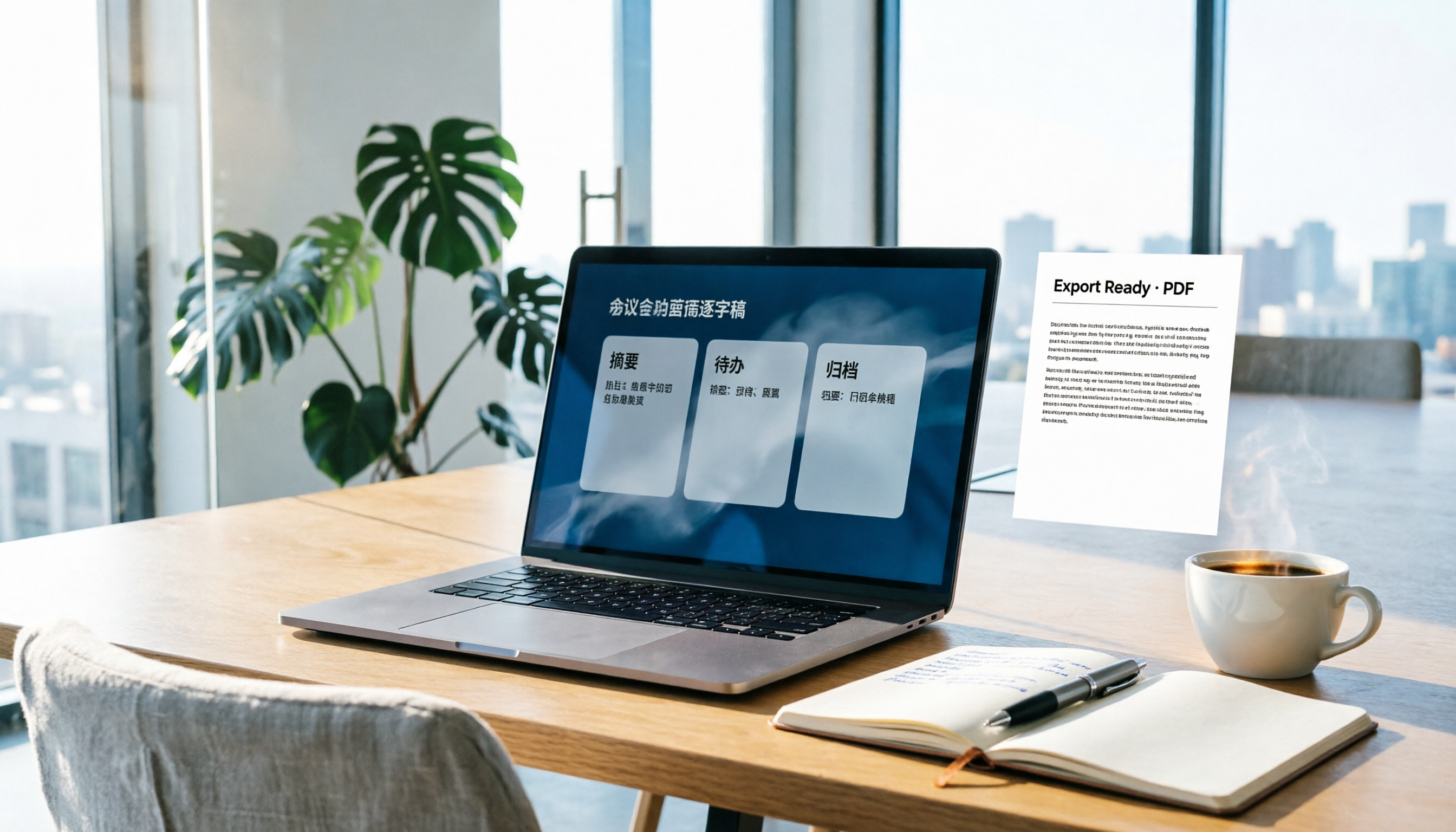
How to Write Meeting Minutes in Word (2026 Workflow): 3-Section Structure + AI-Generated Transcripts
Writing meeting minutes in Word isn't hard—the hard part is where the content comes from. This guide breaks down a three-section Word meeting minutes structure you can hand off directly, and shows how to use Tinrec to generate transcripts, summaries, and action items during the meeting, then export to Word for formatting and archiving—cutting documentation time from two hours to ten minutes.