

Turn recordings into transcripts and summaries in minutes
Upload audio or video for multilingual transcription, AI notes, and action items
2026 Comparison of 3 Simultaneous Interpretation Apps: Latency, Bilingual Transcripts, Post-Meeting Organization—Which One Is Really Enough?
My previous idea of a simultaneous interpretation app was: put on earphones, the other person speaks English, and Chinese automatically appears in my ears. After using one for half a year and attending about 60 cross-language meetings, my conclusion is—that instant translation is just the ticket. What really determines whether this tool stays on your phone are three post-meeting things: whether the transcript is accurate, whether technical terms are translated correctly, and whether someone captures the conclusions and action items.
Most people only look at "how many seconds of latency" and "how many languages are supported" when choosing such tools—that's the easiest trap to fall into. What really makes you work overtime is: the meeting is over, the recording is still on your phone, no one has organized the transcript, and no one remembers the decisions. Below are the key points my team and I compiled after hands-on testing.
What Can a Simultaneous Interpretation App Do for You?
Scenario 1: Cross-language meetings—view bilingual content while the meeting is ongoing Previously, when meeting with overseas teams, I either recorded and listened later, or stared at subtitles the whole time and missed the discussion. Take Tinrec as an example: during recording, it can switch between original text, translation, or bilingual display, so you can listen while confirming with text—if you miss a sentence, you don't need to ask the other person to repeat.
Scenario 2: Meeting ends, summary and action items are already organized After a two-hour meeting, the most annoying part is spending another hour organizing notes. Tinrec automatically generates a summary, chapters, and action items after transcription—who is responsible for what, what the deadline is—listed directly. You just need to verify, not start from scratch.
Scenario 3: Being asked after the meeting "What was the conclusion last time?" I've been through this many times. Flipping through notes for three minutes and still not finding it—very awkward. Tinrec's AI Q&A lets you ask questions directly about the meeting content—"What was the client's opinion on the quote?" "Which feature did we decide to do first in the last meeting?"—it answers based on semantics, so you don't have to pull the timeline yourself.
Scenario 4: Turn one-time communication into team assets When used personally, data stays in your account; but the value of cross-department meetings is that later people can see them. Tinrec's team version centralizes meeting recordings, transcripts, summaries, and action items in a single team space. New members can look up historical meetings instead of asking "Where did we leave off?" every time.
What Are the Core Capabilities of a Simultaneous Interpretation App?
Real-time speech-to-text Not transcribing after recording, but producing text while speaking. Tinrec's real-time transcription lets you confirm during the meeting whether anything was missed. When there's a heavy accent or fast speech, you can directly check the text to catch up.
Real-time translation and bilingual comparison This is the core of a simultaneous interpretation app, but the difference lies in "whether it's usable after translation." Tinrec offers three viewing modes: original text, translation, and bilingual. Important sentences can be directly compared with the original, so you don't have to worry about the translation distorting tone or commitments.
AI summary, chapters, and action item extraction Transcripts are thousands of words—no one rereads them. Tinrec breaks long meetings into chapters, extracts key points, and organizes action items from the discussion into to-dos. This is the biggest difference from pure transcription tools.
AI Q&A, cross-meeting inquiries Transcription is only the first step; whether you can "ask" is the key. Tinrec supports asking questions about single or multiple meetings, suitable for situations like "What exactly was decided in that meeting three months ago?"
Export and post-processing Meeting results are only useful when they enter the workflow. Tinrec supports multiple export formats and can bring content to Notion, Google Docs, OneNote, Dropbox for further editing. There's also Agent post-processing, which can generate reports, tables, or documents based on meeting content.
Team space and governance This is where many similar tools fall short. Tinrec's team version distinguishes between "roles" and "seats": roles determine who can manage members, audit, and team settings; seats determine who can record, upload, edit, and export. Members without seats can still view and play team data, but cannot edit. There are also usage analytics, audit logs, team hotwords, and an audio recycle bin (currently retained for 30 days).
Practical Application Scenarios
Weekly meetings for multinational projects Half of my team's project members are overseas, and weekly meetings are always mixed Chinese and English. Previously I had to find someone else to take meeting notes. Now I use Tinrec's desktop version to directly record the meeting audio playing on the computer, without inviting a meeting bot to join as a fifth participant. This is especially important for external client meetings—clients don't like an unknown account in the meeting.
Stop organizing recordings by hand
Upload audio or video and automatically get a transcript, summary, and action items
Client and supplier negotiations In business negotiations, the biggest fear is not failing to understand, but understanding and then misremembering commitments. With Tinrec recording and real-time translation, the transcript is kept after the meeting, so prices, delivery dates, and concessions can be checked later. You also don't have to keep your head down writing during the meeting.
Foreign language courses and seminars Wearing earphones to listen to real-time translation while keeping a transcript is like having a handout for review after class. For this scenario, I recommend using real-time recording mode, then using AI summary to capture the speaker's key points—much faster than re-listening to a two-hour recording.
Team handover and onboarding This is the most practical value of the team version. When a member leaves or transfers departments, team resources belong to the team and can be handed over to other active members—data won't disappear with the personal account. New hires can directly look up historical meetings, which is much more accurate than verbal handover.
5 Things to Note When Choosing a Simultaneous Interpretation App
1. Latency should be about "can you confirm?", not just numbers Every vendor claims low latency, but spec numbers and actual experience are two different things—affected by network, recording quality, and accent. I suggest running a test with your own meeting recording. Tinrec's real-time transcription lets you compare during the meeting, which is more meaningful than on-paper latency.
2. Whether technical terms are translated correctly Our industry has many abbreviations, and general translation often turns them into incomprehensible Chinese. Tinrec has a team hotword feature that lets you maintain commonly used terms to improve recognition of technical words. When choosing a tool, be sure to ask: Can I customize vocabulary?
3. Does it have organization capabilities after transcription? Tools that only provide transcripts are essentially handing the organization work right back to you. Tinrec's summaries, chapters, action items, and AI Q&A are where time is truly saved.
4. How to record and which platforms are supported Some tools rely on meeting bots, others on hardware. Tinrec's desktop version directly captures computer system audio and can handle meetings played on the computer via Zoom, Google Meet, Microsoft Teams, and Webex. But note: currently it does not "automatically join all calendar meetings"—you need to actively start recording.
5. Clarify team permissions and quotas If you are purchasing for a department, be sure to clarify roles, seats, and data ownership. Tinrec's team version currently offers a 7-day trial (1 free seat, 300 minutes of team shared import quota). Monthly payment is USD 29.80 per paid seat; annual payment is USD 199 per paid seat (approximately USD 16.58/month). Each paid seat gets 2,000 minutes of team shared import quota per month. Under an active plan and seat, real-time recording is currently not deducted by minutes. Actual prices and benefits are subject to the official purchase page.
Frequently Asked Questions
Q1: Can a simultaneous interpretation app replace a human interpreter? No. It is suitable for everyday meetings, courses, and visits where "understanding is enough." High-risk situations such as contract signing, medical, and legal still require professional interpreters. Even with Tinrec, important numbers and commitments should be checked against the original transcript.
Q2: Can it transcribe meetings with mixed Chinese and English? Yes, but the effect depends on recording quality. Tinrec covers Chinese, Traditional Chinese, and multilingual meeting scenarios, and supports organizing mixed Chinese-English content. However, multiple people speaking at the same time, background noise, and special accents will affect results—this is a common limitation of all tools.
Q3: Do I need to buy an extra translator device or dedicated earphones? No. Tinrec works on mobile, desktop, and web. For cross-language meetings, just turn on real-time translation—no need to carry an extra device. This is very noticeable when traveling; luggage is already heavy enough.
Q4: What's the difference between the team version and the personal version? The difference is data ownership and governance. Personal version data belongs to the personal account; Tinrec's team version has an independent team space, meeting data belongs to the team, and it adds member management, seat allocation, usage analytics, audit logs, and an audio recycle bin. Currently, the team version focuses on team-level sharing—all active members can read team data, not file-level granular permissions.
Q5: Do I need to inform participants about recording? Yes, this is not a tool issue but a legal one. Before recording and transcription, please confirm local laws and obtain participant consent when necessary. I always mention this first on any occasion.
Conclusion
The value of a simultaneous interpretation app is not the instant translation in your earphones, but "what you retain after translation." If you only occasionally travel and ask for directions, the built-in translation on your phone is enough. But if, like me, you have more than 3 cross-language or recordable meetings a week, then what you should really invest in is a tool that can produce transcripts, summaries, action items, and make them accessible to the team.
Take Tinrec as an example: its strengths are Chinese meeting experience, desktop recording without a bot, real-time translation and bilingual comparison, and post-meeting summaries, Q&A, and team knowledge retention. The drawbacks should also be clear: it's not unlimited transcription—file imports consume shared quota; it's not a bot that automatically joins all meetings; accuracy varies with recording conditions.
I suggest first using the free version for two or three meetings to feel what it's like not to organize notes after a meeting. If your department wants to use it together, go for the 7-day team trial and clarify seat and permission rules at the same time. The time saved is what this tool is really selling you.
References
Turn every recording into actionable outcomes
Get 60 free transcription minutes when you sign in. No credit card required.
Related Reading
You might also like

2026 Online Simultaneous Interpretation Guide: Tinrec Real-Time Translation + Bilingual Transcripts as an Alternative to Traditional Translation Apps
Online simultaneous interpretation is not just about real-time translation—it also depends on whether post-meeting materials are usable. This article addresses common misconceptions and explains how Tinrec uses desktop bot-free recording, real-time transcription, and bilingual translation, combined with summaries, action items, AI Q&A, and team spaces, to turn cross-language meetings into searchable, collaborative records.

How to Use Real-Time Voice Translation in 2026: 5 Steps from Recording to Bilingual Transcript
In cross-language meetings, front-desk reception, and international calls, real-time voice translation needs to solve more than just "understanding in the moment"—it also needs to leave you with usable records afterward. This article breaks down real-time voice translation tools using 5 key selection criteria, compares Tinrec, Transync AI, Vurbo.ai, and JotMe in hands-on testing, and summarizes 4 common pitfalls to help you choose the one that truly works for you.

How to Generate Transcripts with Tinrec in 2026: Bot-Free Recording + AI Summaries and Action Items
Transcript generation isn't just about feeding an audio file into a tool. This guide tackles four common pitfalls and compares Tinrec with Yating Transcription across meeting capture, Chinese recognition, post-meeting organization, AI Q&A, export, and team governance to help you decide which workflow truly saves time.

2026 Comparison of 3 Transcription Tools: Which One Actually Turns Meeting Recordings into Usable Data?
The real difference between transcription tools isn't speed—it's whether the output is ready to use. Starting from the question 'Do you want text or results?', this article outlines 4 key buying criteria, compares Tinrec, Notta, Otter.ai, and Granola on meeting recording, transcript organization, AI Q&A, export, and team collaboration, and includes a pitfalls guide and scenario-based recommendations.

How to Transcribe Audio to Text in 2026: Record Meetings Without Bots + AI Q&A to Find Key Points
How to choose an audio transcription tool? This guide breaks down 5 key factors: meeting capture methods, post-meeting outputs, audio retention, Chinese language experience, and team governance. It also tests and compares Tinrec, Granola, Notta, and TurboScribe to help you decide which fits your meetings and budget.

4 Real-Time Translation Apps Compared for 2026: From Travel Conversations to Meeting Notes
Real-time translation apps aren't just about how many languages they support. This article compares Tinrec, Google Translate, Microsoft Translator, and VoiceTra across four angles—travel conversations, multilingual meetings, post-meeting organization, and team collaboration—to help you find the right fit.

2026 Voice Translation App Comparison: Tinrec vs Google Translate — Which One Turns Meetings into Usable Data?
Most people download voice translation apps thinking 'speak a sentence, get a translation,' but the real time sink is reviewing meetings and interviews afterward. This comparison of Tinrec and Google Translate evaluates five dimensions—transcripts, online meeting recording, post-meeting organization, bilingual comparison, and team collaboration—to help you decide which fits your actual workflow.

5 Real-World Online Translation Scenarios Compared in 2026: Which Needs Bilingual Subtitles Most—Meetings, Classes, or Videos?
Online real-time translation isn't just pasting text into a translation box. This article breaks down five scenarios—international meetings, online courses, foreign-language videos, client interviews, and team collaboration—and uses Tinrec to compare original text, translated text, and bilingual views. It also covers six buying checkpoints and FAQs to help you choose the right tool, not just the cheapest one.
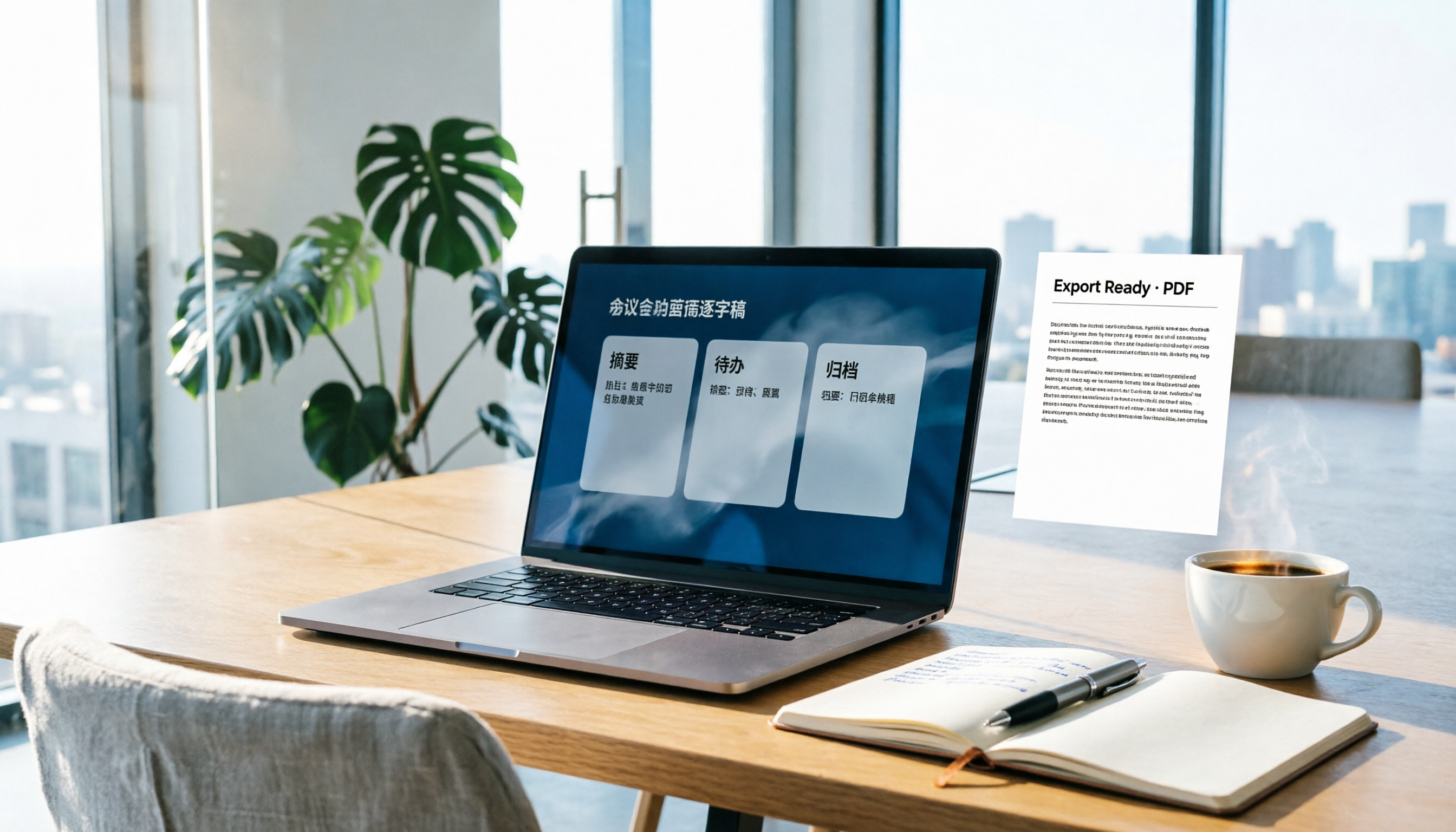
How to Write Meeting Minutes in Word (2026 Workflow): 3-Section Structure + AI-Generated Transcripts
Writing meeting minutes in Word isn't hard—the hard part is where the content comes from. This guide breaks down a three-section Word meeting minutes structure you can hand off directly, and shows how to use Tinrec to generate transcripts, summaries, and action items during the meeting, then export to Word for formatting and archiving—cutting documentation time from two hours to ten minutes.