

Turn recordings into transcripts and summaries in minutes
Upload audio or video for multilingual transcription, AI notes, and action items
How to Use Notta's Free Trial in 2026: 5 Steps to Avoid Renewal Traps, with a Side-by-Side Test of Tinrec
Search for AI meeting notes in the app store, and Notta's page says "free"—but after downloading, you find that the free plan only gives you 120 minutes per month, with a maximum of 3 minutes per recording. A 40-minute weekly meeting can't even be transcribed in one go. That's the first misconception.
The second misconception is "thinking every plan can be tried for 3 days." In reality, Notta's 3-day free trial is only available to eligible free users, and the official documentation clearly states: subscribing directly to the Annual Pro Plan does not include a trial period—they are different plans.
The third misconception is the most costly: thinking "canceling is enough." Canceling does prevent charges, but your account will be downgraded to a free user, and you can only view the first 3 minutes of your transcripts—if you didn't export beforehand, you've essentially wasted the trial.
The following 5 steps turn "trying it out" from a gut feeling into a verifiable process. This article uses Tinrec as a side-by-side comparison, so you can directly compare on the same recording rather than just relying on official claims.
Before You Start | What You Need to Prepare
• A Google or Apple account that you primarily use. Trial eligibility is tied to the account; switching accounts won't give you another chance. • A real 30- to 40-minute meeting recording, preferably including mixed Chinese and English, at least two proper nouns, and segments where more than two people speak simultaneously. • A calendar. Use it to set a cancellation reminder for "24 hours before expiration." • A comparison tool. This article uses Tinrec, which can run the same recording on desktop, web, and mobile.
Step 1 | First, Distinguish Between the "Free Plan" and the "3-Day Free Trial"
The purpose of this step is to avoid evaluating Pro features based on the limitations of the free plan.
Notta's free plan is a long-term option: 120 minutes per month, with a maximum of 3 minutes per recording. The 3-day free trial is a short-term Pro experience; according to official documentation, the web version offers a total of 300 minutes over 3 days, and the subscription field will show "3-Day Free Trial of Annual Pro Plan." Additionally, the "Refer & Earn" referral reward gives a different 3-day Pro bonus with 120 minutes and no cancellation required—don't confuse the two.
Why distinguish? Because most people who complain "transcription isn't enough" are actually mistaking the free plan's 3-minute per-file limit for the tool's overall capability limit. What you should really test is the Pro-level features: transcript export, translation, and custom vocabulary.
After completing this step, you should be able to clearly state: what three things I want to verify during these 3 days.
Step 2 | Confirm Your Trial Eligibility
The purpose of this step is to avoid registering only to find that the button doesn't appear.
According to Notta's official Help Center, the 3-day free trial is available starting from App version 5.10.0 and Web version 3.30.0, and eligible free users can apply once per Notta account, per Google account, and per Apple ID. If you have already used the first-year discount with the same Apple account, the 3-day trial is not applicable.
Practical check order: first confirm that the app or browser on your device is updated to the above versions; then confirm that this account has not previously received a trial or first-year discount; finally, check whether the trial entry appears on the account's Billing page. If you don't see the entry, it's usually not a system error but rather that eligibility has been used up.
After completing this step, you'll know which account to use for this evaluation.
Step 3 | Stress-Test with the Same Recording
This step is the focus of the entire article: don't use official sample audio files—use your own meeting.
Import the same recording into both the Notta trial account and Tinrec, then check only four things:
- Transcript readability. When Chinese and English are mixed, are proper nouns split into meaningless strings?
- Summary and chapters. Can the generated summary be pasted directly into meeting minutes, or does half of it need rewriting?
- Action item extraction. Does it capture the three elements: who, what, and when?
- Searchability. Three months later, when you go back to find "who said they were going to change the spec," can you locate that sentence within three seconds?
Tinrec's difference in this step lies in the post-transcription workflow: in addition to the transcript, it also produces summaries, chapters, action items, and mind maps, and supports AI Q&A around the meeting content. If the meeting has foreign members, real-time translation can switch between original text, translation, or bilingual view, so you don't have to wait until after the meeting.
Why "the same recording"? Because 80% of transcription quality variables come from the audio itself—distance, noise, accent, overlapping speech. By controlling the input, you're comparing tools, not recording environments.
After completing this step, you'll have two transcripts and two summaries that you can compare side by side.
Step 4 | Set a Cancellation Reminder—Don't Let the Trial Become an Annual Fee
The purpose of this step is simple: don't pay for a full year's subscription just for one evaluation.
On iOS, the cancellation path is: Settings app → tap your name → tap "Subscriptions" → tap Notta → tap "Cancel Free Trial" → tap "Confirm" to cancel auto-renewal. For the web version, log in to notta.ai and operate in the subscription settings.
Officially, it's recommended to cancel at least 24 hours before expiration, because there may be a time lag in updating subscription status. This is easy to overlook: many "charged" cases are not because people couldn't find the cancel button, but because they did it at the last minute.
Stop organizing recordings by hand
Upload audio or video and automatically get a transcript, summary, and action items
Another detail that can cost you: after cancellation, your transcripts and other data won't be lost, but after downgrading to a free user, you can only view the first 3 minutes of transcripts. Officially, it's clearly recommended to export to your local device before downgrading.
Comparison tool's approach: Tinrec supports multi-format export and can bring results into existing workflows like Notion, Google Docs, OneNote, and Dropbox for further editing. This should be tested during the trial period, because "how smoothly export works" directly determines whether you'll have to retype everything afterward.
After completing this step, you'll have a reminder on your calendar 24 hours before expiration, and an exported transcript.
Step 5 | Wrap-Up: Keep, Upgrade, or Switch Tools
Fill in the table below with the information gathered over these 3 days—the answer usually emerges on its own.
| Evaluation Item | Notta Free Plan | Notta 3-Day Free Trial | Tinrec |
|---|---|---|---|
| Quota | 120 minutes per month, max 3 minutes per recording | Web version: 300 minutes total over 3 days | Free plan offers basic quota; paid plans separate |
| Eligibility | Available upon registration | Eligible free users, once per account | Available upon registration |
| Post-Trial Handling | Not applicable | Converts to annual Pro if not canceled | Depends on chosen plan |
| Transcript Export | Pro-level feature | Unlocked | Multi-format and third-party tool export |
| Chinese & Multilingual | Supported | Supported | Supports mixed Chinese-English, real-time translation, and bilingual view |
| Team Governance | Business plan separate | Not applicable | Team spaces, roles, seats, usage analytics, audit logs |
Regarding pricing, Notta Pro annual billing works out to about USD 8.17/month, with 1,800 minutes per month; Tinrec team plan is USD 29.80 per paid seat per month, or USD 199 per paid seat per year (about USD 16.58/month), with each paid seat providing 2,000 minutes of team shared import quota per month. The two have different positioning, so it's not advisable to compare only unit prices. All prices and benefits are subject to the official purchase page.
Decision principles: If you only occasionally organize a recording, the free plan is enough; if you have meetings every week and need export, translation, and custom vocabulary, then move to paid comparison; if you need team sharing, the focus shifts from "minutes" to "seats and governance."
FAQ and Troubleshooting
Q: Is the only difference between the 3-day free trial and the free plan the minutes? Not just minutes. The free plan is a long-term option with 120 minutes per month and a 3-minute per-recording limit; the trial unlocks Pro-level capabilities, including transcript export, translation, and custom vocabulary. When evaluating, look at "features" and "quota" separately.
Q: Does buying annual Pro directly include a trial period? No. Official documentation states that the "Annual Pro Plan" and the "3-day free trial" are two different plans; subscribing directly to annual does not include a trial period.
Q: Will my transcripts disappear after cancellation? They won't disappear, but after downgrading you can only view the first 3 minutes. That's why Step 4 emphasizes "export before canceling."
Q: Is the individual plan enough for team use? It depends on whether you're missing "governance" or "quota." Tinrec's team plan separates three concepts: roles determine who can manage members and team settings; seats determine whether members can record, upload, edit, and export; member relationships determine whether someone belongs to the team. Members who are active but have no seat can still view, play, and read team data, but cannot perform resource usage operations. Additionally, team data belongs to the team, and when a member leaves, the resources they are responsible for must be handed over to other active members.
Q: Why do two tools produce very different results from the same recording? The main variables are recording quality, accent, overlapping speech, and technical terminology. That's why it's not advisable to promise a fixed accuracy rate. The practical solution is to build a glossary—Tinrec offers a team hotword feature that maintains department and product proper nouns, reducing the cost of repeated proofreading.
Advanced Tips | 3 Ways to Maximize the Value of the Trial Period
1. Build your glossary on day one. Most people only remember after transcripts are full of errors. Enter product names, department codes, and client names first, so the next two days of testing won't get stuck on proofreading. This is something Tinrec's team hotwords can do directly, which most pure transcription tools lack.
2. Use AI Q&A instead of re-listening. For a 40-minute meeting, re-listening to find a single sentence takes an average of 3 to 5 minutes. Tinrec supports asking questions directly about the meeting content, such as "What was the budget cap the client mentioned?"—much faster than scrubbing the timeline.
3. Use the desktop version for bot-free recording. If you're evaluating online meeting scenarios, Tinrec's desktop version directly captures computer system audio, handling Zoom, Google Meet, Microsoft Teams, Webex, and other meetings without inviting an extra bot to join. After the meeting, you can also use Agent post-processing to generate reports, tables, or documents from the content.
If You Don't Use Tinrec, Here Are Other Options
Notta: Comprehensive multi-platform transcription and translation, free plan with 120 minutes per month, suitable for users who mainly transcribe files and occasionally need translation.
Otter.ai: Mature for English business meetings, Basic free plan with 300 minutes per month, suitable for all-English meeting teams.
TurboScribe: Focuses on long-file and batch transcription, paid version supports up to 10 hours or 5GB per file, suitable for archiving large volumes of historical recordings.
Each has its strengths, but if your needs include Chinese meetings, bot-free recording, and post-meeting team knowledge retention, Tinrec is more complete in this workflow.
Conclusion
Recap these 5 steps: distinguish between the free plan and the trial, confirm account eligibility, stress-test with real recordings on four items, set a cancellation reminder 24 hours before expiration, and finally wrap up with a table. By doing this, you're no longer evaluating "which tool sounds better" but "which tool performs better on my own meetings."
The next step is simple: pick a recording from your most common meeting type, drop it into both the trial account and Tinrec, and test only four things: transcript readability, summary usability, action item accuracy, and export smoothness. The trial period is only 3 days, but these four data points are enough to convince your boss in a meeting.
Final reminder: recording and transcription involve personal data and local regulations; please confirm that you have obtained consent from participants before recording.
References
- AI Note Taker | Free AI Meeting Transcription
- What is the "3-day Free Trial" on Notta mobile app? – Notta - Help Center
- What is the "3-day Free Trial" on Notta Web? – Notta - Help Center
- What are the differences between "3-day free trial" and "Free Plan"? – Notta - Help Center
- Notta Pricing: Compare Plans, Features & Costs
Turn every recording into actionable outcomes
Get 60 free transcription minutes when you sign in. No credit card required.
Related Reading
You might also like

2026 Free Audio-to-Text Options Compared: 5 Tools at a Glance
A 2026 roundup of free audio-to-text options, including hands-on notes on Notta's free plan limits (3 minutes per recording, 120 minutes per month) and a comparison of free quotas and best-fit scenarios for Tinrec, Otter.ai, TurboScribe, and Granola.

2026 Comparison of 2 Audio-to-Text Tools: Notta Pricing Figures vs. Tinrec — Which Is Better?
Searching for 'notta figures' might mean you're looking for Notta's pricing numbers or Notta action figures. This article focuses on audio-to-text tools, comparing Notta and Tinrec on free quotas, meeting recording methods, post-meeting organization, team collaboration, and Chinese-language experience. It also shares real-world use cases and buying advice to help small and medium teams in Taiwan make a decision.

2026 Notta Free Plan Review: 5 AI Meeting Note Tools Compared
Notta's free plan offers 120 minutes per month with a 3-minute limit per recording, suitable for short audio and testing. This article compares 5 AI meeting note tools—Notta, Tinrec, Otter, Fireflies, and TurboScribe—to help you determine if the free tier is enough and when to upgrade.

2026 Meeting Transcription Tools Compared: Notta Garage Is Not a Transcription Tool—Stop Searching Wrong
People searching for "Notta Garage" often confuse a Texas auto wrap shop with a meeting transcription tool. This article first clarifies what Notta Garage is, including its address and business hours, then compares four meeting note tools—Tinrec, Notta, Otter.ai, and Granola—across five dimensions: recording method, post-meeting organization, Chinese-language experience, team governance, and quotas, to help you choose the right solution within budget.

2026 Free Audio-to-Text Solutions Compared: Notta, Tinrec, and 3 More
How does Notta's free audio-to-text work? This guide covers 5 free online transcription options in 2026, including Notta's free plan limits (120 minutes per month, 3 minutes per file) and step-by-step instructions. It also compares free tiers and best-use cases for Tinrec, TurboScribe, Otter.ai, and Granola to help you avoid length and quota traps.

Notta Free Plan 2026: Complete Guide to Limits, Use Cases & Alternatives
Evaluating Notta's free plan? This guide looks at weekly meeting volume and post-meeting needs to help you judge if the free tier fits. It also introduces Tinrec's bot-free recording, transcripts, AI summaries, action item extraction, AI Q&A, and team workspace as a workflow better suited for mid-level managers and teams.

2026 Comparison of 2 Audio-to-Text Tools: Tinrec vs Notta — Differences and Which Is Better for Teams
Starting from the search intent behind 'notta hawkeye,' this article first clarifies that Hawkeye is unrelated to audio recording tools, then from the practical perspective of a mid-level manager compares Notta and Tinrec in terms of meeting capture, post-meeting organization, Chinese-language experience, team governance, and data ownership. It also explains Tinrec's bot-free recording, AI Q&A, action item extraction, and team spaces, and what management scenarios they suit.
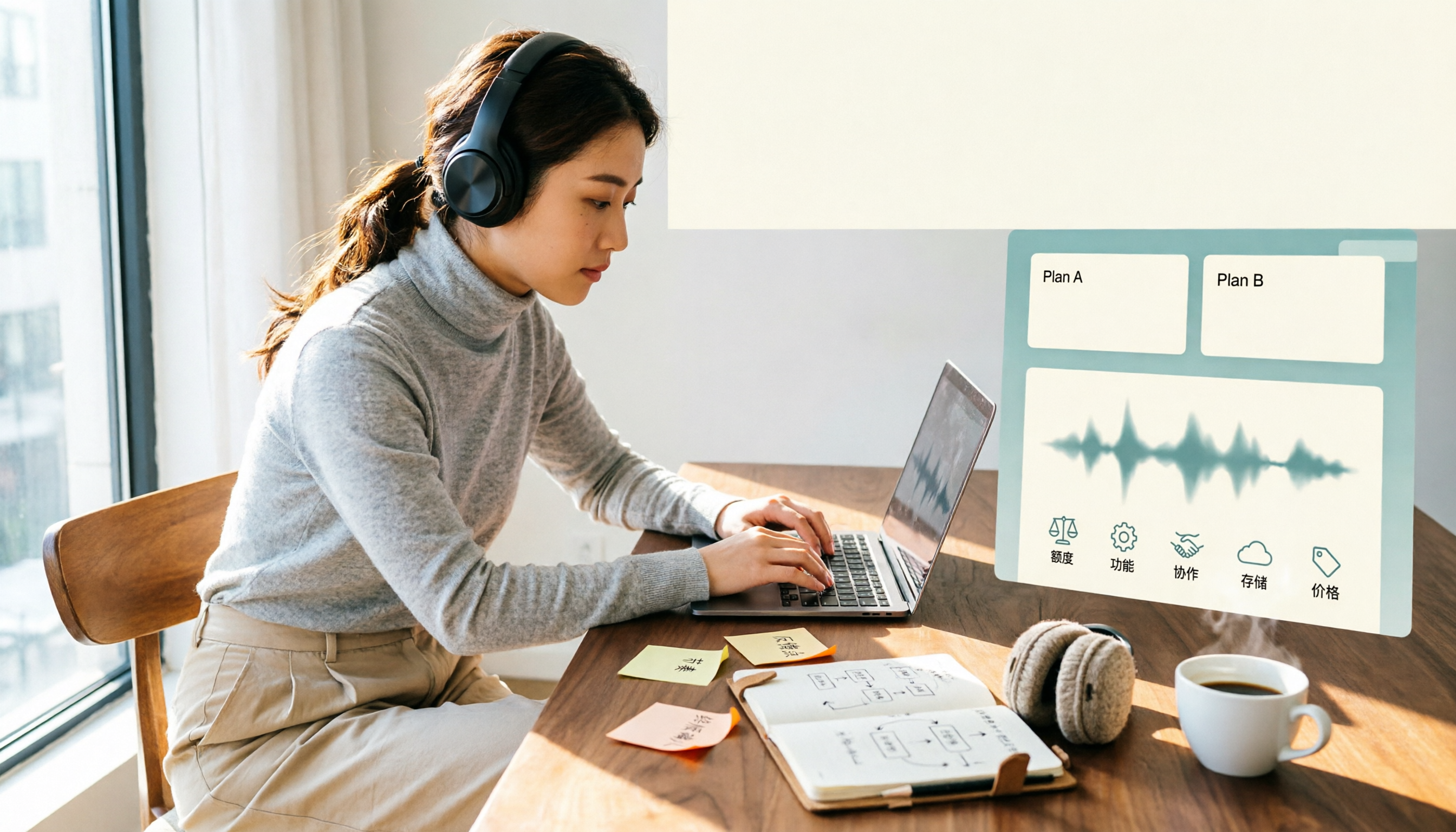
Notta Free vs Paid in 2026: 5-Factor Comparison to Find Your Best Plan
Notta's free plan offers 120 minutes per month with a 3-minute cap per recording—is that enough? This comparison of Notta Free vs Paid covers transcription limits, features, team collaboration, storage experience, and pricing across 5 factors to help you decide whether to upgrade.

How to Use Notta for Mac in 2026: 5 Steps to Meeting Notes & Transcripts
Should you install Notta for Mac as a desktop app, web app, or App Store version? This guide walks through the actual process in 5 steps, from macOS permissions and version selection to transcript proofreading and export, and compares Tinrec (秒聽錄音) on bot-free recording, post-meeting organization, and team collaboration to help you decide which fits your meeting scenario.