

Turn recordings into transcripts and summaries in minutes
Upload audio or video for multilingual transcription, AI notes, and action items
2026 Best 4 Transcription Tools Tested: Notta vs. Tinrec — Which Delivers Chinese Meeting Minutes Faster?
You're Not Too Slow at Meeting Notes—The Problem Is Elsewhere
"After the meeting, the real work begins." This phrase probably describes the daily life of most professionals. During the meeting, you're busy listening and responding; the decisions, owners, and deadlines that really need to be recorded often have to be pieced together from fragmented memories after returning to your seat.
Chinese meetings are even trickier. With mixed Chinese and English, technical jargon, and three people talking at once, the transcript comes out full of errors, and editing takes longer than typing it yourself.
More commonly, "recorded but useless": audio files sit on your phone, and to find a specific sentence you have to replay the whole thing—equivalent to no archive at all. So the real question isn't "which tool has the highest accuracy rate," but "which tool can get me a send-ready summary within ten minutes after the meeting ends."
Before Choosing a Transcription Tool, Understand These 4 Key Points
1. Chinese and mixed-language recognition should be judged by real meetings, not marketing numbers. Official accuracy rates are usually measured in quiet environments; real meeting rooms have air conditioning noise, keyboard clicks, and overlapping speakers, so performance will definitely be lower. The way to judge is simple: test with your own recording that has background noise, and the difference will be obvious.
2. What comes after the transcript. Turning audio into text is only one-third of the work. What really saves time is summaries, chapters, action items, and follow-up questions—these are the keys to not having to re-listen to recordings.
3. Online meetings: "being joined" vs. "being recorded." A meeting bot appears on the participant list, which may not be appropriate for client meetings or external interviews; in contrast, capturing system audio directly from your computer doesn't add an unfamiliar account.
4. Can audio files be kept and exported? Some tools keep only text and not audio, so you have no basis for verifying original statements later; tools that can export to Notion, Google Docs, and other workflows won't turn your data into another silo.
Tinrec — Our Top Recommendation After Testing
Tinrec is an AI meeting notes and collaboration tool for individuals and teams, available on iOS, Android, and web, with a desktop version that handles online meetings. Here's why we think it deserves a spot on your shortlist.
No bot for recording online meetings. Open the desktop app and capture system audio directly to handle Zoom, Google Meet, Microsoft Teams, and Webex meetings without inviting an extra bot. Note that this requires the user to initiate recording—it's not "automatically joining all calendar meetings"—which is actually an advantage for those who want control over recording timing.
Post-meeting organization is the main battlefield. After the meeting, transcripts, AI summaries, chapters, and action items are generated together. Long meetings can be skimmed by chapter without listening from start to finish. When you need to deliver results, you can use Agent post-processing to generate reports, tables, and documents, directly entering the reporting workflow.
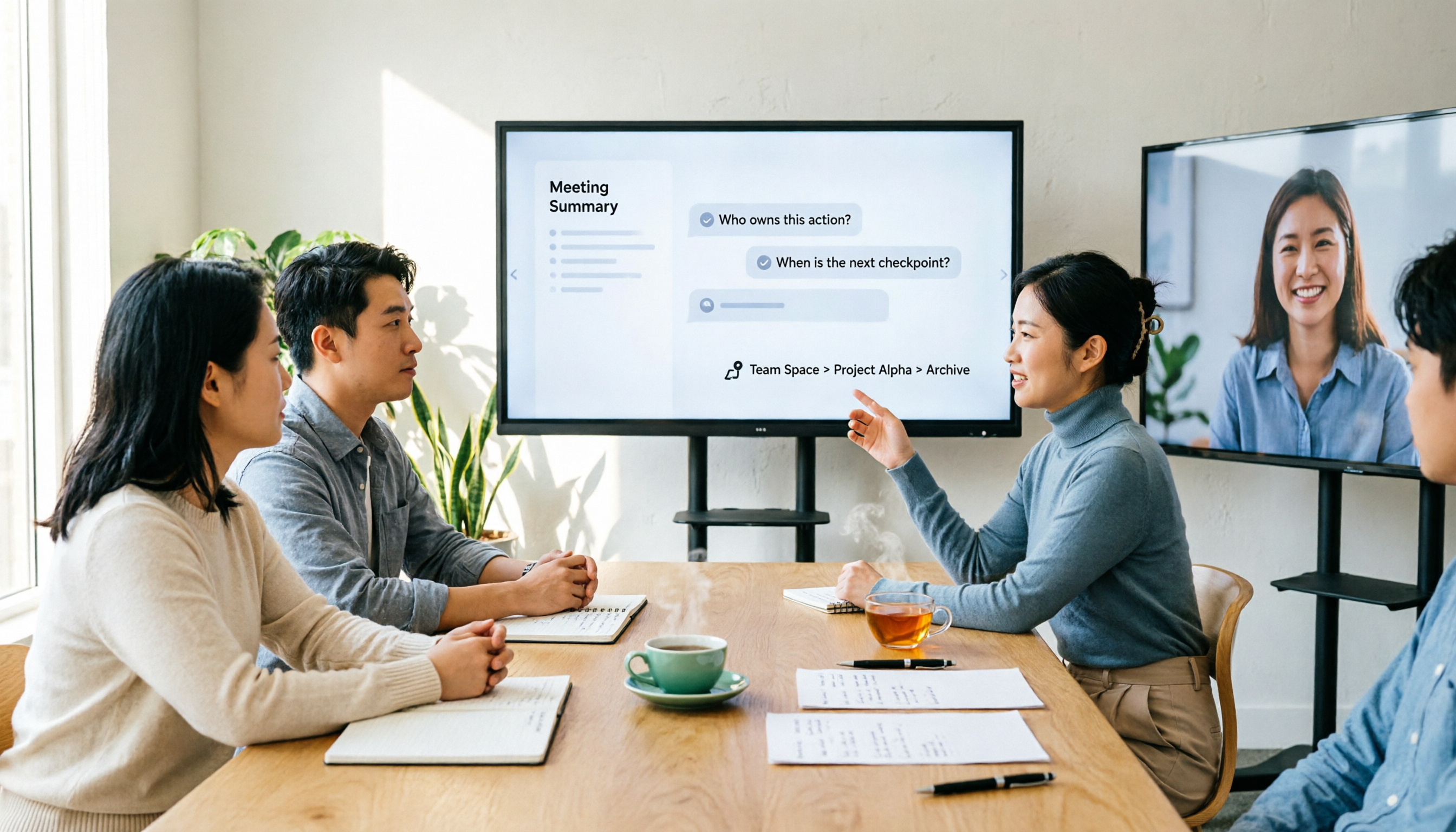
You can "ask" the meeting content. This is where it stands out from most similar tools: after recording, you can ask questions directly, such as "Who mentioned the budget in the last meeting?" or "What concerns did the client have about the delivery date?" The tool answers based on semantics rather than giving you a list of keywords to search through yourself. The more historical meetings accumulate, the more valuable this capability becomes.
Handling Chinese and multilingual meetings. Supports Chinese, Traditional Chinese, and multilingual meeting scenarios; mixed Chinese-English segments can be viewed in original, translated, or bilingual side-by-side formats, especially useful for cross-language interviews and cross-regional meetings. To be clear: we do not recommend claiming any tool has a "fixed 98% accuracy rate"—actual performance is affected by recording quality, accents, ambient noise, overlapping speakers, and technical terminology; the team plan also offers team hotwords to maintain company-specific terms.
Team plan turns meetings into team assets. The team plan is not "multiple people sharing one account" but an independent team space: you can create multiple teams, invite members via join links, and manage "roles" and "seats" separately—roles determine who can manage members, audits, and team settings; seats determine who can record, upload, edit, and export. Members who are active but have no seat can still view, play, and read team data, but cannot upload or edit. Admins can also view usage trends, member rankings, and audit logs; accidentally deleted audio files go to the recycle bin (currently retained for 30 days); when a member leaves, their team resources need to be handed over to other active members, so data doesn't leave with the individual.
Stop organizing recordings by hand
Upload audio or video and automatically get a transcript, summary, and action items
Pricing: currently team monthly is USD 29.80 per paid seat per month, annual is USD 199 per paid seat per year (about USD 16.58 per month); first eligible team trial is 7 days, 1 free seat, 300 minutes of team shared import quota; paid seats provide 2,000 minutes of shared import quota per month, and real-time recording under an active team plan is currently not deducted by minutes. Actual prices, currencies, and promotions are subject to the official purchase page.
Pros: Cross-platform (mobile, desktop, web) with the same data; complete post-meeting output (summary, chapters, action items, Q&A, export); clear team governance with roles, seats, usage, and audits all in one place.
Limitations: Free version has limited quota; heavy users need to pay; it doesn't focus on "batch transcribing dozens of long files at once"—other tools are better suited for that; AI summaries may still miss details, so important numbers and commitments should be verified against the recording timestamps.
Who it's for: Users who frequently have mixed Chinese-English meetings, don't want a bot on the participant list, want to find key points directly via Q&A after meetings, or need to turn meeting data into team assets.
Besides Tinrec, What Are the Alternatives?
Notta. Multi-platform transcription, meeting notes, document import, translation, and team plans are all available—it's the closest direct competitor to Tinrec. Official free version offers 120 minutes per month with a 3-minute limit per item; Pro annual is about USD 8.17 per month (1,800 minutes per month); Business annual is about USD 16.67 per seat per month. Suitable for those focused on file transcription and subtitle translation; but if you want desktop bot-free recording combined with post-meeting Agent report generation, Tinrec's workflow is more complete. (Prices subject to official page)
Otter.ai. A mature choice for English business meetings; Basic free offers 300 minutes per month; Pro annual is about USD 8.49 per user per month. Its meeting automation and English experience are indeed strong—if 90% of your meetings are in English, it's worth comparing. But for Chinese and mixed Chinese-English transcripts and real-time bilingual comparison, Tinrec remains the focus.
TurboScribe. A cost-effective file transcription tool; free version allows 3 files per day (30 minutes per file); Unlimited annual is USD 120 (about USD 10 per month); paid version supports up to 10 hours per file and 50 files per upload. It's more economical for bulk processing of long recordings, subtitles, and translation; but it solves "file to text"—real-time meeting recording, post-meeting Q&A, and team spaces are not its focus.
Pitfall Guide: 4 Most Common Mistakes When Choosing a Transcription Tool
Pitfall 1: Only looking at advertised accuracy. Numbers measured in quiet environments are different from your real meetings. Be sure to test with your own recordings for free, especially segments with mixed Chinese-English and overlapping speakers.
Pitfall 2: Ignoring "how the meeting is recorded." Using a bot to join meetings can be awkward in client meetings or external interviews when the other party sees an unfamiliar account on the list; using desktop system audio capture avoids this explanation.
Pitfall 3: Using a transcription tool as a typewriter. Only generating transcripts means using one-third of its capabilities. What really saves time is summaries, action items, and direct questions like "What was the conclusion of this meeting?"—much faster than manually scrolling through a 30-minute transcript.
Pitfall 4: Buying a team plan without separating roles and seats. The point of a team plan isn't just adding people—it's clarifying who can manage and who can use. Members without seats can read but not edit; this is by design, not a bug. Before purchasing, confirm the number of people and seat allocation so you don't buy too many or not enough.
Conclusion: Which One Should You Choose?
In one sentence: If you need Chinese meeting notes + bot-free recording + direct post-meeting Q&A, Tinrec is currently the most balanced choice.
- Mixed Chinese-English meetings, need both transcripts and summaries/action items → Tinrec
- Don't want a bot on the meeting participant list → Tinrec (desktop system audio capture)
- Want to ask "who mentioned the budget" directly after recording → Tinrec (AI Q&A)
- Want to keep meeting data for the whole team and manage seats/usage → Tinrec Team Plan
- 90% of meetings are in English, only care about English experience → Otter.ai
- Mainly processing large volumes of long recordings and subtitle translation → TurboScribe
We recommend running your own meeting recordings through the free version first to confirm that Chinese recognition and summary quality meet your expectations, then decide whether to upgrade or try the team plan. Final reminder: recording and transcription involve personal data; before actual use, obtain consent from participants in accordance with local regulations, and verify important decisions against the recording.
References
- Nottaa Collection 1/12 Female Body - Xiao Fang/Selina NT-04 | Toy Box
- Official Notaman Studio Collectibles | 1/12 Scale Figures – HsunnyToy
- Nottaa Collection - White Cat Legend 1/12 Li Bing Actio
- Nottaa Collection 1/12 Enveloped Yaomo - Thunderbolt | Toy Box
- Nottaa Collection 1/12 Chinese Paladin Li Xiaoyao - GunDamit Store
Turn every recording into actionable outcomes
Get 60 free transcription minutes when you sign in. No credit card required.
Related Reading
You might also like
2026 AI Meeting Notes Showdown: Why Chinese-Speaking Teams Are Choosing Tinrec Over Vocol AI
Vocol AI is a collaboration platform that turns speech into text and generates summaries, but what really holds teams back is often the post-meeting workflow, data ownership, and scenario coverage. This article compares Tinrec and Vocol AI from a practical standpoint on bot-free meeting recording, AI Q&A, team workspace governance, and pricing, so you can see clearly where to invest your time.
Notta AI Pricing 2026: Free Plan Limits & 5 Meeting Note Tools Compared
People searching 'how much is Notta AI' are often drawn to the free plan but overlook the 3-minute limit per recording. This guide breaks down Notta's Free, Pro, and Business pricing and minutes, and compares the pricing models of 5 meeting note tools—Tinrec, Otter, TurboScribe, Granola, and PLAUD—to help you decide which plan truly fits your needs.

2026 Comparison of 3 VOCOL Capillary GC Column Specifications: How to Choose I.D., Film Thickness, and Maximum Temperature
How to choose a VOCOL capillary GC column? This article summarizes the characteristics of the Supelco VOCOL stationary phase (diphenyl dimethyl polysiloxane with crosslinking moieties), three common specifications (105 m × 0.53 mm × 3.00 μm, 60 m × 0.25 mm × 1.50 μm, 30 m × 0.25 mm × 1.5 μm), temperature limits by I.D. and film thickness, and application scenarios for purge-and-trap and GC/MS, along with purchasing and pitfall-avoidance advice.

Notta AI Complete Guide 2026: Speech-to-Text Limits and Team Collaboration Choices
Notta AI is an AI transcription tool that supports 58 languages, but turning speech into text is only the first step in a meeting workflow. This article starts from the choice readers actually need to make, explains Notta AI's positioning and boundaries, and uses Tinrec as an example to break down how real-time transcription, bot-free meeting recording, AI summary action items, Q&A, and team knowledge retention can form a usable process.

Notta Features Guide 2026: What AI Meeting Notes Can Do and How Chinese-Speaking Teams Should Choose
What can AI meeting note tools like Notta actually do? Starting from the real pain points of mid-level managers, this article breaks down the 5 core capabilities of AI meeting notes, 4 real-world use cases, and 5 purchasing considerations. It also explains why teams that need Chinese-language meetings, bot-free recording, and team knowledge retention ultimately choose Tinrec.

VOCOL GmbH in 2026: 5 Key Verification Points for a German Tank Transport Equipment Manufacturer
VOCOL GmbH is a manufacturer of tank trailers and tank containers based in Kevelaer, Germany. This article compiles publicly available information on the company's registration, contact details, product range, and points to note, and explains how to verify a European supplier before cross-border procurement.

2026 AI Meeting Recorder Comparison: Notta Tutorial and Which Tool Saves More Time After Meetings?
People searching for a notta tutorial usually don't want a feature list—they want to know how to record, transcribe, and turn meetings into minutes and action items. This guide breaks down Notta's 3-step tutorial and free plan limits, and compares Tinrec, Otter.ai, and TurboScribe in the same meeting scenario to help you choose the right tool.

3 Best AI Meeting Notes Tools for 2026: Notta Pricing, Free Tier, and How It Compares to Tinrec
Notta pricing plans fully broken down: free plan offers 120 minutes per month with a 3-minute limit per file; Pro annual billing equals USD 8.17/month; Business annual billing equals USD 16.67/seat/month. This article honestly lists easily overlooked costs such as translation add-ons and AI Credits, and compares Tinrec across five dimensions—bot-free meeting recording, post-meeting AI organization, and team governance—to help you decide where to spend your money.

5 AI Meeting Recorder Tools Tested and Compared for 2026: Is Notta Any Good? Which One Should You Pick for Chinese Meetings?
Is Notta any good? This hands-on review breaks down Notta's transcription performance, AI summaries and Q&A, free plan limits, and pricing. It also compares Tinrec, Otter.ai, TurboScribe, and Granola on Chinese meeting support, bot-free recording, and post-meeting organization to help you decide which tool actually fits your workflow.