

Turn recordings into transcripts and summaries in minutes
Upload audio or video for multilingual transcription, AI notes, and action items
Why do you need an extra tool after a Google Meet call?
It's 3 PM on a Wednesday, and the Google Meet window pops up with "You left the meeting." You close the tab and realize the three decisions you just discussed are still in your head, the action items are scattered in the meeting chat, and the meeting notes your boss wants are due by 4.
Google Meet itself can host meetings, share screens, and show live captions, but turning a meeting into searchable data is something most people still struggle with using handwritten notes.
This article covers 6 note-taking tools that work with Google Meet. Some are native Google features, others are third-party AI tools. I'll clearly list free quotas, paid pricing, and who each is for, so you don't have to try them one by one.
Tinrec (Miao Ting Recording) — The Most Complete AI Meeting Notes and Team Collaboration
Tinrec is an AI meeting notes and collaboration tool for individuals and teams. It's positioned not just as "audio-to-text" but as a way to turn meetings into searchable, queryable, exportable team data.
Record Google Meet without a meeting bot The desktop version directly captures your computer's system audio, handling Google Meet, Zoom, Microsoft Teams, Webex, and other online meetings without inviting an extra bot into the meeting room. For external client meetings, this is practical—you won't have a strange account appear on the other party's list.
After transcription is where the real value is After the meeting, it automatically generates summaries, chapters, and action items, and you can continue to ask follow-up questions about the meeting using AI Q&A. When you need to submit a report, you can generate documents, tables, or export to Notion, Google Docs, OneNote, or Dropbox for further processing.
Chinese meetings and cross-language scenarios Supports Chinese, mixed Chinese-English, and multilingual transcription. During recording, you can switch between original text, translation, or bilingual view. Teams can also add frequently used professional terms to a hotword list to reduce the chance of product names being transcribed incorrectly.
Pricing and plans The personal version has a free version to try basic quotas, plus weekly cards, Pro monthly, and Pro annual plans, suitable for different usage frequencies. The team version offers a 7-day trial (1 free seat, 300 minutes shared import quota), monthly USD 29.80 per paid seat per month, annual USD 199 per paid seat per year, with each paid seat including 2,000 minutes of team shared import quota per month; real-time recording under active seats is currently not deducted by minutes.
Who it's for Office workers and project teams who have weekly Google Meet meetings, need Chinese transcripts and post-meeting action items, or want to turn meeting data into team assets.
Google Meet built-in Gemini notes — No extra tool, but depends on your plan
If your company already uses Google Workspace, this is the easiest starting point. Google Meet's built-in Gemini can automatically organize meeting notes, translate conversations, and summarize key insights. It also offers live captions and noise cancellation during meetings, with video quality up to 4K.
The advantage is no need to switch tools, and you can start or join meetings directly from Gmail, Google Docs, Sheets, or Slides.
Note that Gemini notes and translation are features of specific plans. Official documentation states they are available in some Google One, Google Workspace Business, and Enterprise plans. Free personal Google accounts may see the interface but may not have access to all capabilities.
Who it's for: Teams whose company is already a paid Google Workspace user and only need basic meeting notes.
Otter.ai — A veteran choice for English business meetings
Otter.ai is a mature AI meeting assistant that supports Zoom, Microsoft Teams, and Google Meet, offering real-time transcription, speaker identification, AI Chat, and team management. It is highly mature for English meetings.
The official pricing page shows Basic free with 300 minutes per month; Pro annual billing is about USD 8.49 per user per month, including 1,200 minutes of in-app recording and 10 file imports per month; Business offers unlimited meetings and more management capabilities, with actual pricing depending on promotions.
Who it's for: Multinational companies whose meetings are primarily in English and whose teams already have usage habits.
Fireflies.ai — Strong in meeting automation and integrations
Fireflies.ai's strengths are meeting automation and extensive third-party integrations. Post-meeting summaries, AskFred queries, and team analytics are comprehensive, and automatic archiving to existing workflows is its selling point.
Official annual pricing is Free, Pro USD 10 per seat per month, Business USD 19 per seat per month, Enterprise USD 39 per seat per month. Note that its "unlimited transcription" is still subject to storage, upload speed, and AI Credit rules—not all capabilities are unlimited.
Stop organizing recordings by hand
Upload audio or video and automatically get a transcript, summary, and action items
Who it's for: Sales and operations teams that need to automatically connect meeting notes into CRM or project management tools.
Notta — Multilingual transcription, with significant overlap with Tinrec
Notta also covers multi-platform transcription, meeting notes, file import, translation, and team plans. It is the closest in positioning to Tinrec on this list, with multilingual support as its feature.
Official free version: 120 minutes per month, max 3 minutes per single item; Pro annual billing about USD 8.17 per month, 1,800 minutes per month; Business annual billing about USD 16.67 per seat per month, offering unlimited transcription, role permissions, and usage reports.
Who it's for: Users who need multilingual transcription and subtitle output and already have specific language combination needs.
Granola — Bot-free AI meeting notes
Granola takes a "your notes + AI enhancement" approach, also using desktop system audio capture without a meeting bot. It combines your handwritten keywords to generate meeting notes that better match your thinking.
Official pricing: Basic free, Business USD 14 per user per month, Enterprise USD 35 per user per month. Its transcripts can be viewed, copied, and searched, but it does not support uploading pre-recorded audio files and does not save meeting audio files, meaning you cannot replay the original audio to verify later.
Who it's for: Individual users who are used to typing during meetings and only need notes at the moment of the meeting.
With so many options, how should you choose?
• Want to ask follow-up questions, generate summaries, and extract action items after transcription → Tinrec is currently one of the few choices that puts "Q&A + action items + export" in the same workflow. • Don't want an extra bot account in Google Meet → Tinrec desktop or Granola, both use system audio capture. • Meetings are mainly in Chinese or mixed Chinese-English → Tinrec, with team hotwords for product names and technical terms. • Need to submit reports, tables, or import to Notion after meetings → Tinrec, with built-in multi-format export and document generation. • Company is already a paid Google Workspace user → Try Google Meet's built-in Gemini notes first. • Meetings are all in English and the team is used to Otter → Keep your current tool; no need to switch. • Need to automatically connect meetings into CRM → Fireflies.ai has a more complete integration ecosystem.
5 things to know before using Google Meet note-taking tools
1. Meeting bots are not the only way The traditional approach is to invite a bot into the meeting room as a participant, but tools like Tinrec desktop directly capture the audio played by your computer, so no extra account appears in the attendee list—especially friendly for external client meetings.
2. A transcript is not the same as meeting notes A two-hour meeting transcript can be tens of thousands of words, and no one will re-read it. What really saves time is summaries, chapters, and action item extraction. When choosing a tool, look at "what it produces after the meeting," not "how fast it transcribes."
3. Check free quotas carefully Free plans vary widely: Otter 300 minutes per month, Notta 120 minutes per month with a 3-minute limit per item, Granola basic free but with many retention limits. If you only use it occasionally, free versions are enough; if you meet daily, calculate paid plans.
4. Clarify team data ownership A team plan and "multiple people sharing one account" are two different things. For example, with Tinrec team plan, roles determine who can manage the team, seats determine who can record, upload, and edit, and members without seats can still view and play team data. Be sure to confirm this before purchasing.
5. Get consent before recording Taiwan and most regions have regulations regarding recording. Before recording and transcribing meetings, it is recommended to inform participants and obtain consent, especially when customer data or personal information is involved.
FAQ
Q: Google Meet has built-in transcription—do I still need a third-party tool? A: Built-in features are sufficient for basic needs, but if you need cross-platform unified organization, AI Q&A follow-ups, post-meeting action item extraction, or a team database, third-party tools usually have more complete post-processing capabilities.
Q: Does Tinrec need to add a bot to Google Meet? A: No. Tinrec desktop records online meetings by capturing computer system audio. Users need to actively open Tinrec to start recording; it does not automatically join all calendar meetings.
Q: Is Tinrec's free version enough? A: For occasional organization of one or two meetings or interviews, the free version's basic quota is a good start; if you have a steady volume of meetings every week, the Pro plan will be less likely to hit quota limits.
Q: How accurate is transcription for Chinese meetings? A: Tinrec focuses on Chinese and mixed Chinese-English meetings, but actual results are affected by recording quality, ambient noise, accents, multiple people speaking simultaneously, and technical terms. For important content, it is recommended to verify against the original audio.
Q: How is team plan pricing calculated? A: Priced per seat: monthly USD 29.80 per paid seat per month, annual USD 199 per paid seat per year, each seat includes 2,000 minutes of team shared import quota per month. Actual prices and promotions are subject to the official purchase page.
Q: Can meeting audio be recovered after deletion? A: Tinrec team plan provides an audio recycle bin; before permanent cleanup, it can be restored. The current retention period is 30 days.
Conclusion
Google Meet solves "having the meeting" but not "who organizes it afterward." Rather than continuing to rely on handwritten notes and memory, choose a tool that automatically produces transcripts, summaries, and action items.
If you need Chinese meetings, don't want an extra bot in the meeting, and want post-meeting data to stay in the team space for continued use, Tinrec is currently one of the more complete integrated choices. You can start with the free version and upgrade once the workflow is smooth.
References
Turn every recording into actionable outcomes
Get 60 free transcription minutes when you sign in. No credit card required.
Related Reading
You might also like

How to Record Google Meet in 2026: 5-Step Tutorial and a No-Bot Solution
Many people can't find the record button in Google Meet—it's actually a plan eligibility issue; free accounts don't have native recording, and even paid plans require manual organization after recording. This guide demonstrates how to record Google Meet without a bot using Tinrec desktop in 5 steps, automatically generating transcripts, summaries, and action items, and covers native limitations, purchasing considerations, and FAQs.

Google Meet Recording in 2026: 3 Methods Compared — Why Tinrec Is Better for Post-Meeting Organization
How does Google Meet work? The free version supports up to 100 participants and 60-minute meetings, but transcription and Gemini notes are only available on select plans. This article breaks down Google Meet's operating logic and practical limitations, and compares Tinrec's differences in bot-free recording, post-meeting organization, cross-platform unification, and team knowledge retention.

2026 Comparison of 3 Google Meet Meeting Notes Tools: Which One Saves You Post-Meeting Cleanup Time?
Starting from actual Google Meet use cases, this compares three meeting note approaches: Google Meet built-in recording, Otter.ai, and Tinrec. It explains differences in bot-free recording, transcripts, summaries and action items, and team data retention, helping you decide which fits your work style.
2026 Complete Guide to Google Meet Links: 6 Ways to Create and Post-Meeting Organization
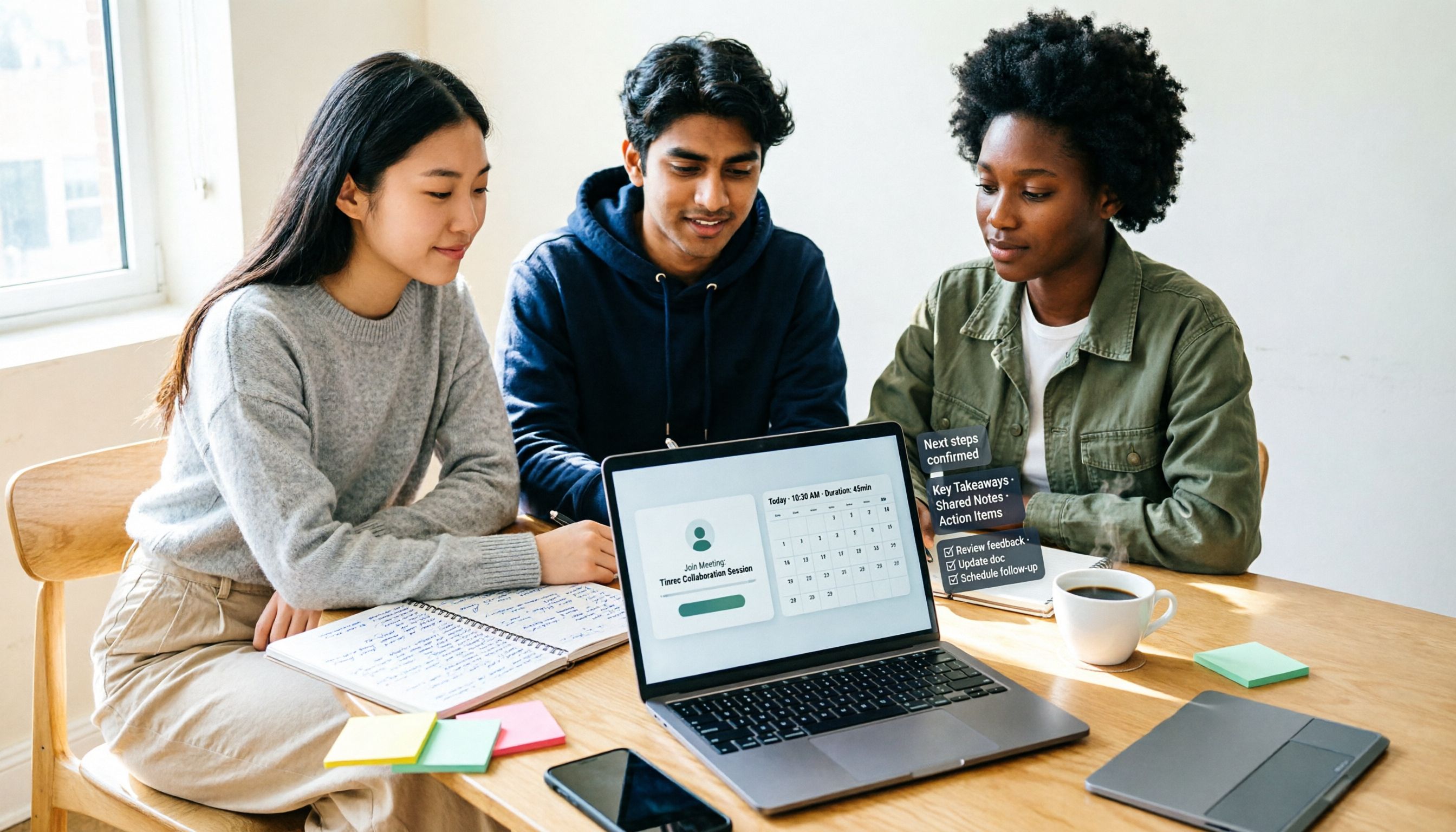
Starting from a real campus group project scenario, this guide thoroughly covers 6 methods to create Google Meet links, including desktop, mobile, Calendar, and Gmail entry points, and explains the difference between instant meeting links and scheduled meeting links. At the end, it explains how to use Tinrec after a meeting to turn transcripts, summaries, and action items into deliverable materials.

Google Meet Screen Sharing in 2026: Tab vs. Window vs. Entire Screen Compared
Sharing your screen in Google Meet may seem like a one-click task, but the three modes—tab, window, and entire screen—differ completely in audio, privacy risks, and ideal use cases. This side-by-side comparison breaks down the steps, sound settings, mobile differences, and common pitfalls for each sharing method, plus practical tips on how to capture and turn meeting content into searchable team knowledge after sharing.

Google Meet Recording in 2026: 3 Methods Tested and Compared — Which One Actually Preserves Your Meeting Record?
Google Meet's native recording isn't hard to find because the button is hidden — it's gated by three barriers: plan eligibility, admin controls, and file ownership. This article starts from where readers get stuck most often, explains the full prerequisites for built-in recording, and compares three alternative approaches — Tinrec, Otter.ai, and Granola — to help you decide which method fits which scenario.

3 Google Meet Note-Taking Tools Tested for 2026: Which Saves the Most Time in Video-Off Meetings?
You can join, see, hear, and speak in Google Meet without turning on your camera, but the real challenge is remembering what happened afterward. This article first covers 4 key settings before turning off video (join requirements, hiding tiles without video, profile picture, post-meeting notes), then tests and compares Tinrec, Otter.ai, Granola, and Notta in video-off Google Meet meetings, with 4 pitfalls to avoid and scenario-based recommendations.

Google Meet Time Limit in 2026: Free Extension Tips & Meeting Notes Workflow
Google Meet's free version isn't always limited to 60 minutes. This guide breaks down the real rules behind the time limit, three ways to extend meetings, and four common pitfalls. It also tests a bot-free recording and post-meeting organization workflow to help you decide whether to upgrade, restart the link, or switch to a different note-taking method.

How to Start a Google Meet Without a Host in 2026: 5-Step Guide
Can you start or join a Google Meet without the host present? This guide breaks down two common misconceptions, explains that join permissions are determined by the meeting creation settings—not by the host's presence—and compares Google Meet's built-in capabilities with Tinrec's bot-free meeting notes workflow across 5 dimensions. Includes 5 practical steps plus team plan seats, usage, and audit details.