

Turn recordings into transcripts and summaries in minutes
Upload audio or video for multilingual transcription, AI notes, and action items
Google Meet Pricing in 2026: 5 Steps to Understand Free vs Paid Plans
You open your calendar and see a string of Google Meet links—looks convenient. But once you actually start using it, problems emerge: free group meetings are capped at 60 minutes, recording requires an upgrade, and after the meeting you still have to figure out transcripts and action items yourself. These "hidden costs" not included in the monthly fee are often the real price teams pay.
This article doesn't just look at Google Meet's list prices; it breaks things down from a procurement perspective: is the free version enough, what's the difference between paid plans, when should you upgrade, and if what you're really missing is post-meeting organization, how to spend your budget where it counts.
Is Free Really the Most Expensive? First, Understand That "Price" Isn't Just the Monthly Fee
Many teams initially think, "Why pay when there's a free version?" But Google Meet's free version has clear limits: group meetings up to 60 minutes and 100 participants; 1-on-1 calls can last up to 24 hours. For occasional meetings, that's plenty, but for teams with weekly stand-ups, client interviews, or cross-department meetings, when the 60 minutes are up, you have to restart the meeting—wasting attendees' time invisibly.
The second hidden cost is post-meeting organization. If meeting recordings aren't turned into transcripts, summaries, and action items, you've just saved the audio. Attendees still have to manually write notes, re-listen to recordings, and track action items. These work hours don't appear on Google Meet's pricing page, but they show up in your team's costs.
So the judgment principle for this article is: first confirm whether you need paid meeting features, then confirm whether you need a tool that turns meeting content into usable data. These two things aren't necessarily the same product.
Before Choosing a Google Meet Plan, Understand These 5 Key Points
Point 1: Where are the free version's limits? Google Meet free version: group meetings 60 minutes, 100 participants; 1-on-1 calls up to 24 hours. If you only meet occasionally, the free version is sufficient; but if you need group meetings longer than 60 minutes, you must move to a paid plan.
Point 2: Are you buying Meet, or the entire Google Workspace? Google Meet isn't sold as a standalone video tool; it's part of Google Workspace. Paid plans typically bundle in Gmail, Drive, Docs, and other office tools. For companies already in the Google ecosystem, this may be a plus; but if you just want video conferencing, you need to factor in the "whole package cost."
Point 3: Are recording, transcription, and advanced management included in the plan? Multiple sources indicate that Google Meet's recording, breakout rooms, noise cancellation, and other capabilities are placed in paid or higher-tier plans. That is, the free version lets you meet, but doesn't mean you can fully capture meeting records. When procuring, separate "recording" from "post-meeting organization."
Point 4: Participant count and meeting scale. Free version caps at 100; paid plans offer larger meeting rooms and more controls depending on tier. Some sources mention enterprise plans can list up to 1,000 participants, but actual specs should be based on the official plan page. If you're hosting large webinars, shareholder meetings, or company-wide meetings, participant count will be the key to upgrading.
Point 5: AI features tied to plans. After 2025, Google has tied Gemini more closely to Workspace plans, but different sources don't fully agree on "which plans have complete AI features." When procuring, don't just look at marketing slogans; test the AI summaries, notes, or meeting features you need directly with an actual account.
Google Meet Plan Pricing and Who They're For (2026 Reference)
The following prices are common reference figures for 2026, mostly annual contracts, per user per month; actual amounts vary by monthly or annual payment, region, currency, taxes, and add-ons. Please refer to the official purchase page.
| Plan | Reference Price | Key Points | Who It's For |
|---|---|---|---|
| Free | USD 0 | Group meetings 60 minutes, 100 participants; 1-on-1 up to 24 hours; basic screen sharing and live captions | Occasional meetings, personal check-ins, ad-hoc discussions |
| Starter | ~USD 7/user/month (annual) | Entry-level paid tier of Google Workspace, suitable for small teams starting with paid meetings and office tools | Small teams needing longer group meetings and starting to integrate meetings with documents |
| Standard | ~USD 14/user/month (annual) | Larger meetings and more advanced controls; some sources indicate this tier and above have a more complete Gemini experience | SMBs with regular weekly meetings, needing recording and team management |
| Plus | ~USD 22/user/month (annual) | Higher participant limits and more storage, suitable for large meetings and extensive recording archiving | Enterprises with frequent large meetings and larger storage needs |
| Enterprise | Usually custom quote | Meeting features can be further expanded; some sources list up to 1,000 participants | Organizations needing enterprise governance, compliance, and large-scale meetings |
Additionally, in January 2025 Google raised Workspace prices, with business plans increasing by about USD 1–4 per user per month. That's why when procuring, you shouldn't just look at "starting at USD 7" from old articles, but check the latest official page and contract terms.
Stop organizing recordings by hand
Upload audio or video and automatically get a transcript, summary, and action items
Tinrec (秒听录音) — The Post-Meeting Organization Layer Beyond Google Meet
If you already use Google Meet for meetings, Tinrec isn't a video alternative to Google Meet; it fills in the "after the meeting ends" part. Google Meet handles connectivity and video; Tinrec handles transcripts, summaries, action items, follow-up questions, and team knowledge retention. These two can coexist.
Tinrec (秒听录音) is an AI meeting notes and collaboration tool for individuals and teams. Its desktop version can directly capture computer system audio, processing online meetings played on the computer such as Google Meet, Zoom, Microsoft Teams, Webex, etc., without needing to invite an extra meeting bot. For teams that don't want another bot in the meeting list and don't want to manually organize recordings afterward, this is its most practical differentiator.
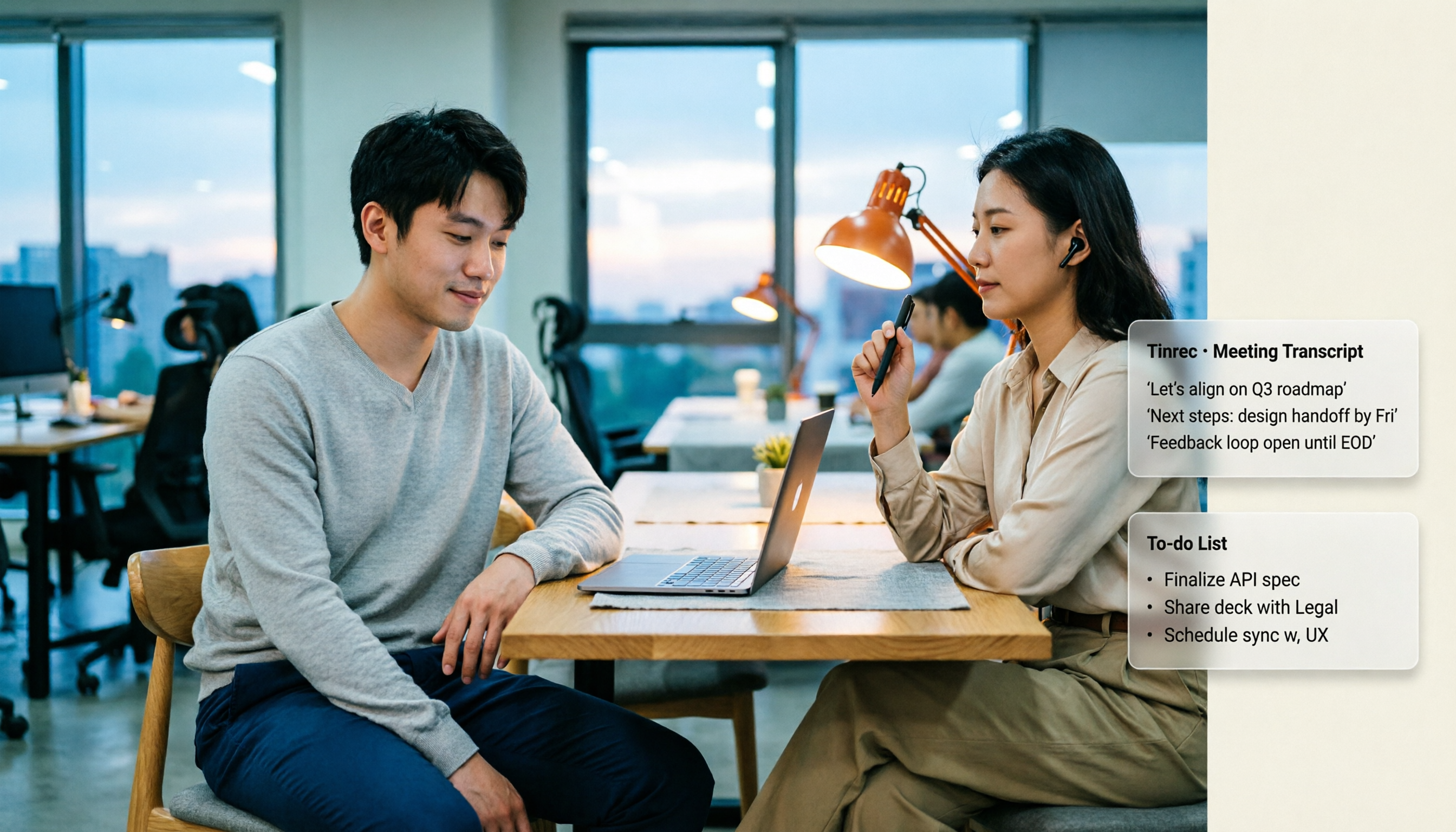
In actual use, you can have Google Meet open while using Tinrec desktop to record and transcribe in real time. After the meeting, Tinrec generates transcripts, summaries, chapters, and action items, letting you know "who is responsible for what and what the deadlines are." If you just want to find a specific segment, you can ask the AI directly about the meeting content, e.g., "What was the budget cap the client mentioned last week?" It answers based on meeting semantics, not just keyword search results.
Tinrec's output isn't just transcripts. It supports real-time translation, original and translated text side-by-side, mind maps, multi-format export, and can carry meeting results to Notion, Google Docs, OneNote, Dropbox, etc. for further processing. For those who need to write meeting minutes, client interview reports, or project retrospectives, this is closer to the actual workflow than simply "recording to text."
The team version puts meeting data into a separate team space. Members can share and view historical meetings; administrators can manage roles, seats, usage, and audit logs; when members leave or lose seats, team resources can be handed over and won't disappear with individual accounts. The team version is currently USD 29.80/paid seat/month for monthly, USD 199/paid seat/year for annual (about USD 16.58/month); first eligible team trial is 7 days, 1 free seat, 300 minutes of team shared import quota. Paid seats provide 2,000 minutes of team shared import quota per month; real-time recording is currently not deducted by minutes under active plans and seats.
To be honest about limitations: Tinrec is not a replacement for Google Meet, nor does it automatically join all meetings on your calendar. It requires users to actively initiate recording via the desktop version; recording and transcription quality can be affected by audio quality, noise, accents, overlapping speech, and technical terminology—we don't recommend promising a fixed accuracy rate. Also, Tinrec can process Google Meet audio played on the computer, but this doesn't mean an official partnership with Google.
Who is it for? If you need Chinese meeting transcripts, post-meeting AI Q&A, action item extraction, turning Google Meet meetings into team data, or don't want a bot in the meeting, Tinrec is a more complete post-meeting organization solution than "just upgrading your Google Meet plan."
Besides Google Meet Built-in and Tinrec, What Other Options Are There?
Google Meet built-in plans. If your company already uses Google Workspace, Meet is included in the plan, with the lowest additional cost. But recording, transcription, and advanced management usually require paid plans; if you need to import historical recordings, ask cross-meeting questions, or build a team knowledge base, tools like Tinrec are more suitable.
Otter.ai. A mature English meeting assistant, free version 300 minutes/month, Pro annual billing about USD 8.49/user/month, 1,200 minutes in-app recording and 10 file imports per month. Those mainly in English meetings can consider it; but if you need Chinese meetings, bot-free Google Meet recording, and team data retention, Tinrec is more directly aligned.
Notta. Multi-platform transcription and complete team plans, free version 120 minutes/month, max 3 minutes per session; Pro annual billing about USD 8.17/month, 1,800 minutes/month; Business annual billing about USD 16.67/seat/month. It's suitable for file transcription and multilingual scenarios; but if your focus is bot-free Google Meet recording, post-meeting AI Q&A, and Agent output, Tinrec is closer to this workflow.
Pitfall Guide: 4 Most Common Mistakes When Calculating Google Meet Pricing
Mistake 1: Seeing "starting at USD 7" and thinking that's the total cost. USD 7 is usually the annual, per-user-per-month entry price; actual costs are affected by monthly/annual payment, region, currency, taxes, and add-ons. When procuring, calculate the total expenditure over the contract period, not just the first line price.
Mistake 2: Thinking the free version allows long group meetings. Free version group meetings are capped at 60 minutes and 100 participants. If meetings often exceed an hour, upgrading to a paid plan or changing meeting arrangements is more efficient than restarting the meeting each time.
Mistake 3: Ignoring that recording, transcription, and advanced management are tiered features. Many teams assume a paid plan automatically includes recording, transcription, and full AI; in reality, different plans and regions may vary. Test with an actual account before procuring, don't just look at the feature list.
Mistake 4: Only counting the video monthly fee, not the post-meeting organization work hours. For a 60-minute meeting, if it takes 30–60 minutes to organize notes afterward, this cost is usually higher than the monthly fee. Rather than agonizing over how much the Meet plan costs, first confirm whether you're turning meetings into searchable, queryable, deliverable data. This is also why tools like Tinrec exist.
Conclusion: Which One Should You Choose?
In one sentence: Google Meet's price depends on whether you need paid meeting features; but if what you're really missing is post-meeting organization and team knowledge retention, you should allocate part of your budget to Tinrec, not put it all into the video plan.
- Just occasional meetings, under 100 people, under 60 minutes → Google Meet free version is enough.
- Company already using Google Workspace → First use the included Meet, confirm whether the plan already includes recording and management features; if you need longer meetings or larger meeting rooms, upgrade to Starter, Standard, or Plus.
- Need Chinese transcripts, AI Q&A, action item extraction, and turning Google Meet meetings into searchable team data → Tinrec.
- Need bot-free Google Meet recording, and post-meeting summaries, reports, tables, or export to Notion, Google Docs → Tinrec.
- Mainly English meetings, and only need a mature English meeting assistant → Otter.ai is a viable option.
We recommend first taking stock of your most common meeting scenarios: is it not enough meeting time, not enough participants, or no one organizing afterward? If the former, upgrading your Google Meet plan makes sense; if the latter, trying Tinrec's meeting notes workflow first is more practical than buying the most expensive video plan outright.
References
Turn every recording into actionable outcomes
Get 60 free transcription minutes when you sign in. No credit card required.
Related Reading
You might also like

Google Meet Companion Mode in 2026: 5 Hybrid Meeting Scenarios and Limitations
What is Google Meet Companion Mode? It lets you join an ongoing meeting from a laptop, tablet, or phone with mic and camera off by default, preventing audio feedback with room hardware. This article breaks down its practical uses, version limitations, and how to handle post-meeting transcript organization.

Google Meet Recording in 2026: 3 Limits to Know Before You Record
Google Meet recording is not meeting minutes—it's a video file stored in the host's Google Drive. This guide breaks down 4 recording prerequisites, 3 common misconceptions, and shares my tested post-meeting workflow for adding transcripts, summaries, and action items.

Google Meet Camera Not Working in 2026? 7 Troubleshooting Steps and an Alternative for Meeting Notes
When your camera won't turn on during a Google Meet call, it's usually caused by permissions, the wrong device selected, or browser settings. This article outlines 7 proven troubleshooting steps in order—from camera covers and system permissions to hardware acceleration and Workspace admin settings—and explains how to use Tinrec to capture meeting content once your camera is fixed.

2026 Comparison of 2 Meeting Notes Solutions: Google Meet Built-in Features vs. Tinrec — Which Saves More Time?
Most people think that using Google Meet for meetings means they automatically have meeting notes. This article first breaks down what Google Meet can actually do, then compares Tinrec across four dimensions: transcripts, post-meeting organization, Chinese language support, and team management, to help you decide which combination to use.

5 Google Meet Recording Methods Tested for 2026: No-Bot Options That Work With Free Accounts
Google Meet's built-in recording requires a specific plan, role, and admin enablement—free accounts often can't find the record button. This hands-on test covers 5 ways to record Google Meet, including built-in recording, OBS Studio, Granola, Notta, and Tinrec, comparing their requirements, file destinations, transcription, and post-meeting organization capabilities. It also lists 4 common pitfalls to help you choose the right method based on your account plan and use case.
Google Meet Time Limits in 2026: Free 60-Minute Cap vs. Paid 24-Hour Meetings
Google Meet has only two time-limit rules: free personal accounts cap group calls of 3+ people at 60 minutes, while 1-on-1 calls and all paid Google Workspace plans allow up to 24 hours. This guide breaks down the differences by plan, what happens when time runs out, whether you can extend, and how to preserve transcripts and action items after a meeting is cut off.

2026 Google Meet Premium: 3 Upgrade Paths Tested & Compared — Why You Still Rework After Buying
Google Meet doesn't have a standalone Premium subscription; advanced features are tied to Google One Premium 2TB or Google Workspace plans. This article starts with the question 'Is your gap during the meeting or after?' and compares three upgrade paths, explaining how Tinrec fills the post-meeting gap in organization, action-item tracking, and team knowledge retention.

2026 Comparison of 3 Online Meeting Tools: Google Meet, WhatsApp, and Tinrec — How to Choose?
Many people search for 'Is Google Meet better than WhatsApp?' but the real question is about use case. This article compares Google Meet, WhatsApp, and Tinrec from three perspectives: video conferencing, daily communication, and post-meeting organization, helping professionals and teams choose the right tool combination.

Is Google Meet Safe in 2026? Free vs. Paid Meeting Notes Solutions: 6 Key Points
Is Google Meet safe? This article breaks down Google Meet's security and practical blind spots across 6 dimensions: encrypted transmission, meeting code intrusion prevention, recording storage, account privacy, post-meeting transcription, and team data management. It also compares built-in transcription with Tinrec on Chinese meeting organization, cross-platform bot-free recording, team seats, and auditing, and concludes with a pre-meeting security checklist.