

Turn recordings into transcripts and summaries in minutes
Upload audio or video for multilingual transcription, AI notes, and action items
2026 Galaxy AI Audio Transcription Guide: From Transcripts to Meeting Action
After a 90-minute project meeting, you have three recordings on your phone but a blank meeting notes page. Replaying, pausing, and typing often takes longer than the meeting itself—most people searching for "audio to text" aren't looking for technical explanations; they just want to save two hours of typing.
Samsung users have gained another option in recent years. Galaxy AI's speech-to-text assistant is built into the Voice Recorder app, can convert recordings into transcripts, and offers one-tap summaries and translation. Its boundaries are also clear: it requires an internet connection and a Samsung account login, only processes files recorded by Samsung's pre-installed apps (Voice Recorder, Phone, Samsung Notes, Live Translate), has a 3-hour limit per audio file, and the official documentation explicitly states that accuracy is not guaranteed. In other words, it solves the problem of "that segment recorded on a Samsung phone" but cannot handle cross-platform online meetings, existing audio files, or team sharing needs.
This guide skips abstract definitions and starts directly with "what you can do with it," using Tinrec as the primary example to turn recordings into searchable, actionable meeting data.
What Can Audio Transcription Do for You? Four Practical Scenarios
Scenario 1: A Two-Hour Project Meeting, Notes Ready 5 Minutes After
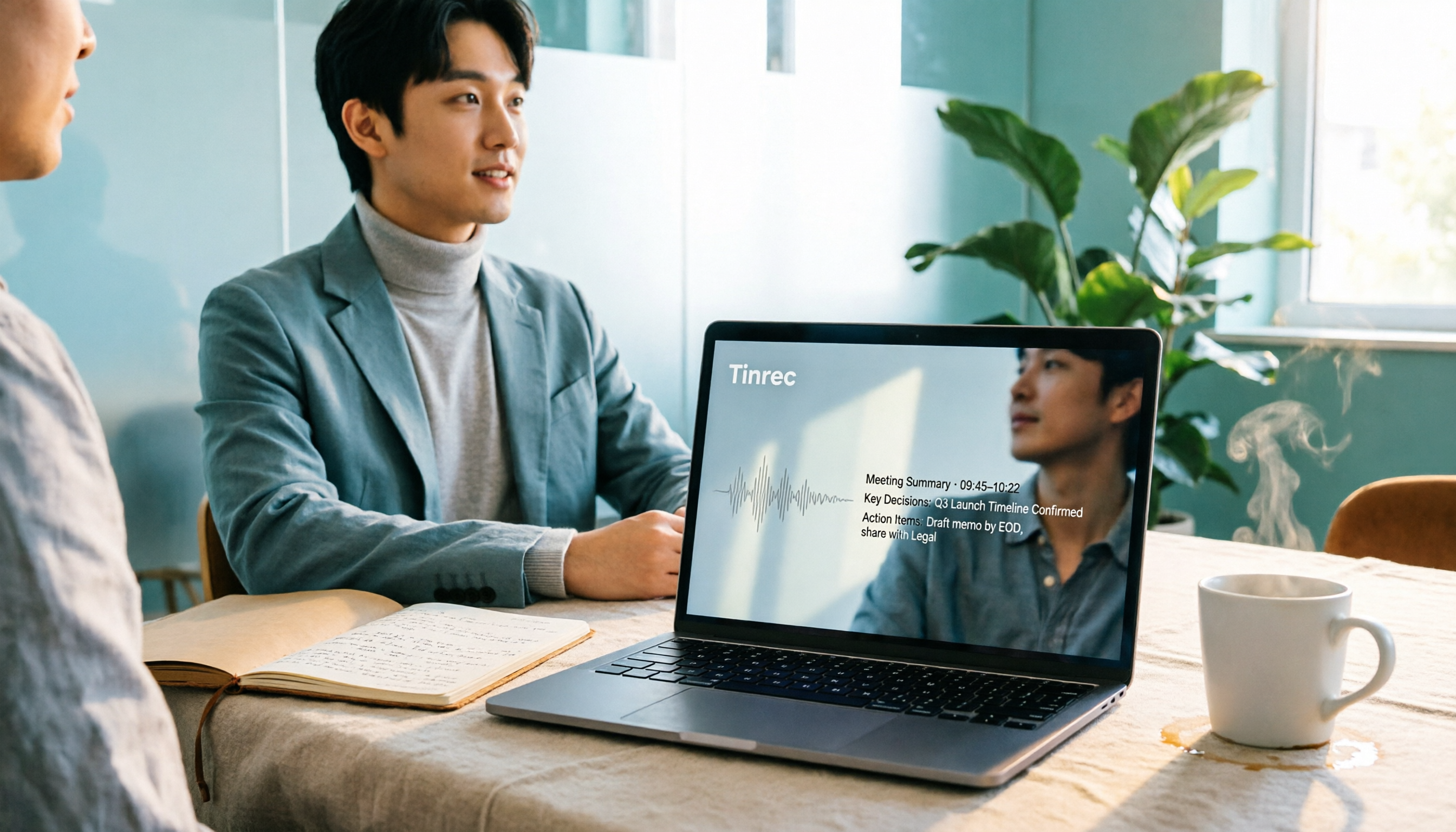
The old way was to replay after the meeting and type while listening. The new way is to let the tool transcribe while recording. With Tinrec, for example, the desktop version captures system audio directly—no need to invite a bot to Zoom, Google Meet, Microsoft Teams, or Webex meetings. The transcript is generated in real time during the meeting, and no unfamiliar account appears in the participant list. After the meeting, Tinrec produces a summary, chapters, and action items, listing who is responsible for what and when it's due.
Scenario 2: Cross-Language Meetings, No Need to Wait for Post-Meeting Translation
For international client calls or English online courses, the hardest part is listening and taking notes simultaneously. Tinrec supports real-time translation during recording, allowing you to switch between original text, translation, or bilingual view—no need to look up words after the meeting. Galaxy AI also has translation, displaying results below the original text, which is sufficient for occasional review of a recording; but for processing an entire meeting synchronously and keeping a bilingual record, Tinrec's bilingual view and subsequent export are much smoother.
Scenario 3: Client Interviews, Key Points and Commitments Automatically Captured
What sales and customer success teams fear most isn't missing a recording—it's recording without anyone replaying it. Tinrec extracts action items and key points from conversations. After the meeting, you can directly ask questions about it: "What was the budget limit the client mentioned?" "What concerns did they have about the delivery date?" The system answers based on semantic understanding, so you don't have to drag through the timeline to find that 30-second segment.
Scenario 4: A Pile of Historical Audio and Video Files
Phone recordings, Teams recordings, online course videos—scattered across folders. Tinrec supports uploading audio and video files for transcription, organizing old materials into searchable text at once; some public web video links can also be imported as supplementary sources.
What Are the Core Capabilities of Audio Transcription?
Real-Time Transcript: Text as You Record
Not transcription after recording. Tinrec's real-time transcription lets you check the text during the meeting to confirm no key points are missed. Unclear segments can be clarified on the spot, rather than discovering after the meeting that a critical number wasn't captured.
AI Summary and Chapters: Long Meetings Broken into Scannable Structure
No one wants to read a two-hour transcript for a two-hour meeting. Tinrec automatically generates a summary and breaks content into chapters, so you can grasp the main discussion points in three minutes and then dive into specific sections as needed. Compared to transcription tools that only output transcripts, this is the dividing line between "can it actually be used" and not.
Action Item Extraction: Turning Discussion into Action
The most valuable output of a meeting is often not the transcript but "what needs to be done afterward." Tinrec organizes action items from discussions, suitable for direct use in project and client meetings.
AI Q&A: Ask Questions Directly About Meeting Content
After transcription, you can ask Tinrec directly: "What was decided in this meeting?" "Who mentioned the budget?" It answers based on semantic understanding, not just keyword matching. This is also the most impactful capability after accumulating multiple meetings—historical data is no longer just idle files.
Translation and Bilingual View
Tinrec supports multilingual meeting transcription and mixed Chinese-English content organization, with switchable original text, translation, and bilingual view. Actual performance is affected by recording quality, accents, background noise, simultaneous speakers, and technical terminology—a common limitation of all AI transcription.
Export and Post-Meeting Output
Transcription is just the first step. Tinrec supports export to Notion, Google Docs, OneNote, Dropbox, and other tools, and can further generate meeting minutes, reports, tables, and mind maps, integrating meeting results directly into your existing workflow.
Stop organizing recordings by hand
Upload audio or video and automatically get a transcript, summary, and action items
Team Space: Turning Meeting Data into Team Assets
Personal version data belongs to individual accounts; the team version provides an independent team space where Audio, Folder, and TODO are centrally stored, and new members can view historical meetings. Administrators can set owners, admins, and regular members, assign or revoke seats, view usage trends and member rankings, query and export audit logs, and recover accidentally deleted recordings from a 30-day audio recycle bin. When a member leaves or loses a seat, their team resources are transferred to other active members and do not disappear with them.
Practical Application Scenarios
Meetings and Project Management
Weekly meetings, review meetings, and cross-department coordination meetings are where transcript needs are most concentrated. Use Tinrec desktop version for bot-free recording, and get summaries, chapters, and action items directly after the meeting. Decision basis stays in the team space, so the next discussion can directly refer back to previous conclusions.
Classroom and Learning
Courses and lectures typically run 60 to 120 minutes, and handwritten notes easily miss content. Use Tinrec mobile app for real-time recording and transcription, confirm unclear segments via AI Q&A after class, and export summaries as review notes.
Interviews and Research
User interviews and expert interviews require preserving original statements for citation. Tinrec keeps both transcript and recording, allows searching for specific keywords, and can consolidate viewpoints across multiple interviews.
Content Creation and Reporting
Journalists and content teams can transcribe interview recordings, use AI summaries to extract usable segments and quotes, and finally export to writing tools for further processing, saving a lot of listening and typing time.
5 Things to Consider When Choosing an Audio Transcription Tool
Does the input source cover your meeting format?: Solutions that only handle phone recordings get stuck with online meetings. Tinrec supports real-time recording, bot-free online meeting recording via desktop, audio/video file upload, and mobile recording—handling both online and offline.
Is there post-processing after transcription?: Transcripts are just raw material. Tinrec provides summaries, chapters, key points, action items, mind maps, AI Q&A, and Agent post-processing, directly producing deliverable materials.
Performance with Chinese and mixed Chinese-English: Mixed Chinese-English is common in Taiwanese workplaces. Tinrec covers Chinese, Traditional Chinese, and multilingual scenarios, and offers team hotwords for maintaining technical terminology. Don't just look at official accuracy claims—test with your own recordings.
Can you take the data with you?: Some tools only let you view results on their own platform. Tinrec supports multi-format export and third-party tool integration, so meeting results can enter your existing workflow.
Team governance capabilities: With multiple users, the key isn't who can view but who can edit. Tinrec's team version distinguishes roles and seats: roles determine management permissions, seats determine whether one can record, upload, edit, and export; active members without seats can still view, play, and read team data.
Frequently Asked Questions
Q1: What's the difference between Galaxy AI's audio transcription and Tinrec?
Galaxy AI's speech-to-text assistant is suitable for "recording on a Samsung phone and quickly viewing a transcript and summary on the spot," and is limited to files recorded by Samsung's pre-installed apps; Tinrec works cross-platform, handles online meetings, existing audio files, and team sharing, and provides Q&A, action items, and export after transcription. They solve different levels of problems and are not replacements for each other.
Q2: How accurate can audio transcription be?
No tool can guarantee a fixed accuracy rate. Clear audio sources, proximity to the microphone, and avoiding overlapping speakers will significantly improve results. Tinrec provides high-quality transcription with clear audio and common scenarios, but important numbers and commitments should be verified by replaying the transcript at the corresponding timestamp.
Q3: Is the free version quota enough?
If your need is occasional transcription of a recording, Tinrec's free version provides a basic quota, enough to experience recording, import, summary, and transcription workflows. For short-term intensive use, consider a weekly card; for steady weekly needs, a Pro monthly or annual plan is suitable.
Q4: What's the difference between the team version and personal version?
Personal version data is managed individually; the team version is an independent team collaboration space where meeting data belongs to the team, with added member invitations, role and seat management, sharing benefits, usage analytics, audit logs, and audio recycle bin. Team monthly payment is USD 29.80 per paid seat per month, annual payment is USD 199 per paid seat per year (about USD 16.58 per month). Each paid seat provides 2,000 minutes of team shared import quota per month; real-time recording under an active team plan is currently not deducted by minutes. Eligible teams can first experience 7 days, 1 free seat, and 300 minutes of shared import quota. Actual prices and benefits are subject to the official purchase page.
Q5: Can members without seats see meeting data?
Yes. Active members without seats can still view, play, and read team data; only resource usage operations such as recording, uploading, editing, and import/export require a seat.
Q6: Does audio transcription require internet?
Most AI transcription and summary features require a connection and login to the corresponding account. Actual limitations vary by tool; it's advisable to confirm in advance whether your usage scenario (e.g., on-site interviews without Wi-Fi) is affected.
Conclusion
Audio transcription is no longer future technology—it's a tool that can save you significant organizing time right now. Galaxy AI gives Samsung users a convenient built-in starting point, but when your meetings happen on Zoom, Teams, or Meet, or when you need to leave data for the entire team, a cross-platform, queryable, exportable, and governable tool is the long-term solution.
Tinrec's position is exactly here: no need to invite a meeting bot—the desktop version directly records online meetings; after transcription, you get not just a transcript but also summaries, action items, Q&A, and team space. If you have more than three meetings per week, you can first use the free version for one or two meetings to see what AI-organized meeting notes feel like, then decide whether to move to the team version. Also note that recording and transcription involve others' conversations; comply with local regulations and obtain participant consent when necessary.
References
- How to use the speech-to-text assistant via Galaxy AI
- 3 Steps to Complete Samsung Phone Recording Transcription, This AI Recording Tool Doubles Work Efficiency - Tinrec Blog
- How to use the transcription assistant via Galaxy AI | Samsung Electronics HK
- Samsung Galaxy AI Traditional Chinese to Launch: Real-time Translation and Speech-to-Text Super Convenient
- Galaxy AI | Samsung AI Features and Functions | Samsung Taiwan
Turn every recording into actionable outcomes
Get 60 free transcription minutes when you sign in. No credit card required.
Related Reading
You might also like

2026 Comparison of 4 Audio-to-Text Tools: Is ChatGPT Transcription Good Enough?
Is it good enough to throw a meeting recording into ChatGPT and get a text file? This article compares ChatGPT, Tinrec, Notta, and Otter.ai from four angles: transcript usability, audio retention, post-meeting organization, and team collaboration. It also summarizes key purchasing factors and common pitfalls to avoid.

How to Choose Free Speech-to-Text Software in 2026: 5 Steps to Find a Tool That Works for You
How do you choose free speech-to-text software? First, clarify how much content you need to transcribe each week, whether you need summaries and Q&A, and whether the data needs to be shared with colleagues—then decide on a tool. This article uses Tinrec to demonstrate 5 steps from recording to a usable transcript, and outlines 5 key purchasing considerations including free quotas, Chinese recognition, post-meeting organization, and team collaboration.
2026 Tested: 6 Free Online Speech-to-Text Tools Compared — How to Use Free Tiers Without Getting Burned
A practical look at six free online speech-to-text tools in 2026, covering real-world use cases from free quotas and segmentation quality to export formats and post-meeting organization. We explain who each option suits, plus common pitfalls and selection principles.

iPhone Voice Memos vs Tinrec: Which Saves More Time for Audio Transcription in 2026?
iPhone's built-in Voice Memos can transcribe recordings after iOS 18, but what happens next? This comparison puts Apple's built-in feature against Tinrec, examining device requirements, audio formats, transcript post-processing, cross-platform access, and team collaboration to help you decide which approach fits your meeting and class notes needs.

Best Speech-to-Text Tools 2026: Tinrec for Chinese Transcription & One-Click Meeting Minutes
Tired of spending hours typing meeting transcripts? This guide covers 4 key factors for choosing a speech-to-text tool, with an in-depth review of Tinrec's Chinese recognition, bot-free online meeting recording, AI Q&A, and team spaces. We also compare Notta, Otter.ai, and TurboScribe, and share 3 common pitfalls plus scenario-based recommendations.

Free Speech-to-Text Software Buying Guide 2026: 6 Tested Picks & Recommendations
How to choose free speech-to-text software? This guide compares Tinrec, Otter, Notta, TurboScribe, PLAUD, and Google Live Transcribe across free quotas, Chinese support, post-meeting summaries, AI Q&A, team collaboration, and pricing to help you decide which fits meetings, interviews, classes, or long audio transcription.

Samsung Voice Transcribe vs Tinrec in 2026: 5-Dimension Comparison — Which Is Better for Chinese Meeting Notes?
Samsung Galaxy AI's voice transcription assistant is a built-in feature on Galaxy devices, while Tinrec turns recordings into searchable, queryable, and collaborative meeting materials. This article compares the two across 5 dimensions — device support, recording sources, post-meeting organization, Chinese multilingual capabilities, and team governance — to help you decide which better fits your meeting notes workflow.

5 Best AI Transcription Tools in 2026: From Verbatim Transcripts to Meeting Minutes
I've actually tried a round of AI transcription tools. This article doesn't pile on specs—it starts directly from the problems you need to solve: do you need verbatim transcripts, meeting minutes, or team sharing? How to choose among 5 tools and where pitfalls lie—all explained clearly.

How to Transcribe LINE Recordings in 2026: Calls and Voice Messages to Text
LINE voice messages and voice calls require completely different handling to turn them into text files. This guide starts by identifying your recording type, then walks you through using Tinrec to convert LINE recordings into transcripts, summaries, and action items, including step-by-step instructions, proofreading tips, and troubleshooting for common issues.