

Turn recordings into transcripts and summaries in minutes
Upload audio or video for multilingual transcription, AI notes, and action items
Best Free Speech-to-Text Tools in 2026: 6 Tested, Try This One for Chinese Meetings
Many people looking for free speech-to-text tools make the first mistake of only looking at the word 'free' without first checking how many free minutes are included, whether exports are allowed, and whether summaries and action items are generated after transcription. Another common inefficient approach is to throw a recording into a tool, get a long transcript, and then start manually organizing it—resulting in no real time saved. A more reasonable approach is to first test with a short real recording of your own to confirm whether it can handle transcription, organization, and export all at once. Take Tinrec as an example: its free version provides a basic quota that lets you experience recording, import, summarization, and transcription; however, the free version is not unlimited, and quotas and restrictions are subject to the official website.
What Can Free Speech-to-Text Do for You?
The real value of free speech-to-text is not turning audio into a large block of text, but saving you time on post-meeting organization, re-listening, and finding key points. The following scenarios are where ordinary office workers and students feel the most impact.
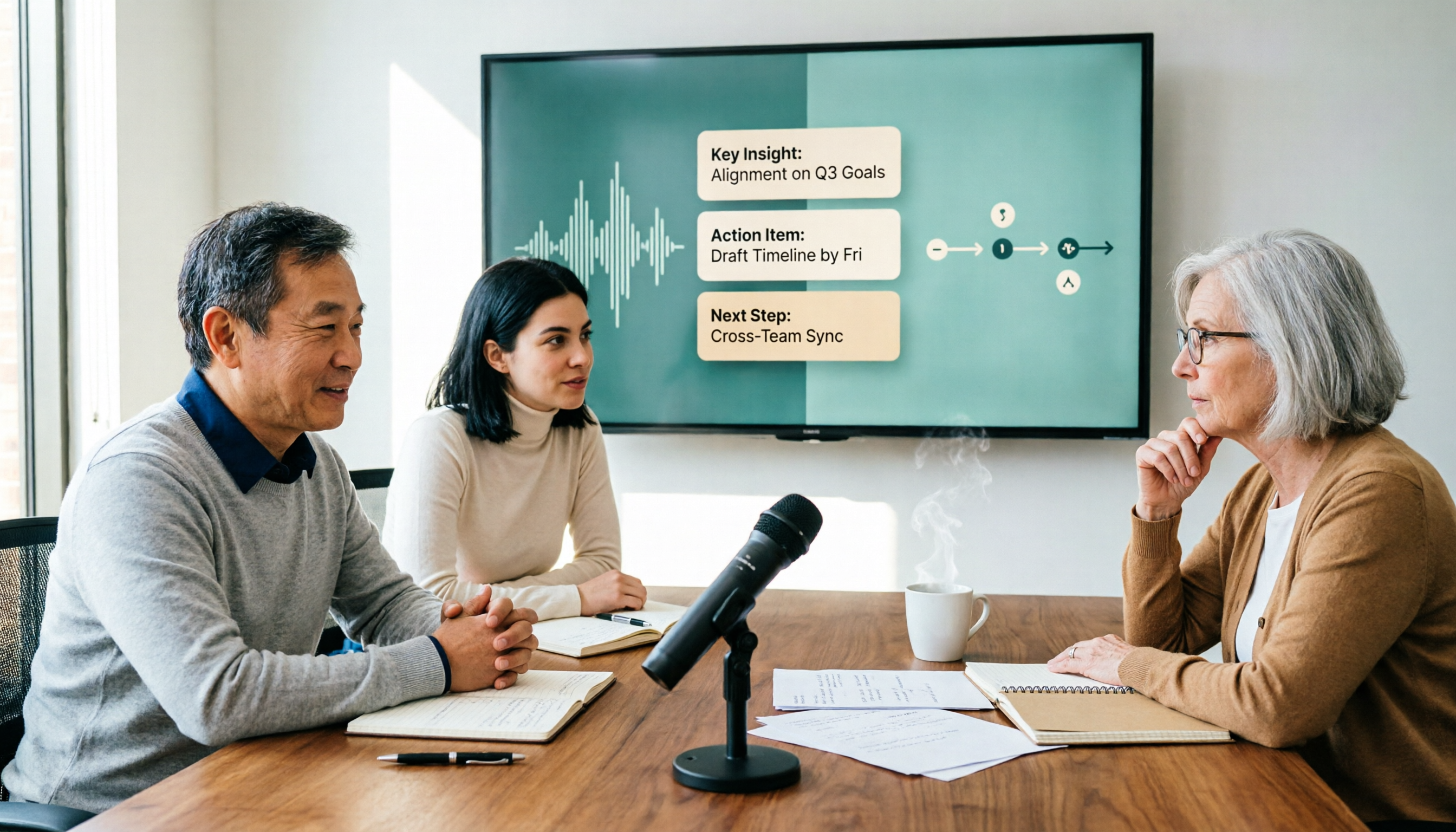
Scenario 1: Quickly get transcripts and summaries after meetings Previously, after a one-hour meeting, you might spend another 30-40 minutes organizing notes. Now with tools like Tinrec, you can transcribe while recording during the meeting, and after it ends, directly view AI summaries, chapters, and action items—who is responsible for what and what to follow up on next time are less likely to be missed.
Scenario 2: Turn class or lecture recordings into searchable notes If you only record audio, you usually won't want to listen to it a second time. Import the audio file into Tinrec, get a transcript first, then use AI summaries to capture key points. When you need to confirm what the instructor said, you can search directly or ask questions, which is more efficient than repeatedly dragging the timeline.
Scenario 3: Keep citable content from interviews and client conversations The biggest fear in interviews is writing from memory afterward. Tinrec can convert recordings into transcripts and use AI Q&A to quickly find 'what the client cares about,' 'what objections there are,' and 'what was promised,' providing a better basis for writing articles or organizing requirements later.
Scenario 4: Team meeting materials no longer scattered on individual computers If meeting notes only exist in one person's account, it becomes difficult to hand over when that person leaves or changes projects. Tinrec's team version provides a team space where meeting recordings, transcripts, summaries, and action items can be stored centrally, and new members can also view historical data.
What Core Capabilities Should Free Speech-to-Text Have?
When choosing a free tool, don't just look at whether it can transcribe; look at whether it can help you organize after transcription. The following capabilities are commonly used in Tinrec for free speech-to-text needs.
Real-time recording and transcription Tinrec supports transcribing while recording, suitable for in-person meetings, interviews, and on-site notes. The desktop version can also capture computer system audio directly, handling online meetings on Zoom, Google Meet, Microsoft Teams, Webex, etc., without needing to invite an extra meeting bot.
Audio and video file transcription For already-recorded meetings, courses, or interviews, you can upload audio or video files directly and have Tinrec transcribe them. For organizing historical data, this is much faster than listening again.
AI summaries and chapters The biggest challenge with long meetings is finding key points. Tinrec organizes content into summaries and chapters, letting you see the structure first and then decide which part to dive into, without reading from beginning to end.
Action item extraction and AI Q&A After transcription, Tinrec can extract action items from discussions and allow you to continue asking questions about the meeting content. For example, you can directly ask 'What decisions were made in this meeting?' or 'What budget constraints did the client mention?' It will answer based on the content, saving you time from digging through the transcript yourself.
Multi-format export and post-meeting processing Tinrec supports exporting results to tools like Notion, Google Docs, OneNote, Dropbox for further use, and can also generate reports, tables, and documents through Agent post-processing. For those who need to write meeting minutes or weekly reports, this step is very practical.
Note that Tinrec's free version provides a basic quota, suitable for experiencing the workflow first, not unlimited transcription. If you have many meetings every week or need team shared seats and usage management, you should look into paid plans or the team version.
Practical Application Scenarios
Online meetings: Record without being a meeting bot Many meeting bots need to join as participants, which may not be convenient for external clients or meetings with strict internal permissions. Tinrec's desktop version captures computer system audio, and the user initiates recording themselves, without pulling an extra bot into the meeting. It supports processing audio played on the computer from platforms like Zoom, Google Meet, Microsoft Teams, Webex, but this does not mean official partnerships with these platforms.
In-person interviews: Quickly organize phone recordings When interviewing on the go, you can use Tinrec's mobile app or real-time recording to capture content first, then organize transcripts, summaries, and action items back at the office. For research or customer service scenarios that require preserving original conversations, transcripts are also convenient for later verification.
Stop organizing recordings by hand
Upload audio or video and automatically get a transcript, summary, and action items
Courses and self-study: Turn long audio files into askable teaching materials Rather than re-listening to a one-hour course recording, let Tinrec generate a transcript and summary first, then ask questions about parts you don't understand. When you need to organize into notes, you can also export to existing document tools for further editing.
Team weekly meetings and project retrospectives: Data stays in the team space Tinrec's team version can centralize Audio, Folder, TODO, and meeting materials in the team space. Administrators can assign seats, view usage trends, and audit logs. When members leave or lose their seats, team resources can be handed over to other active members and will not be taken away with personal accounts.
5 Things to Note When Choosing a Free Speech-to-Text Tool
1. Free quota is not unlimited; check restrictions first Many free plans have limits on single-session length, monthly minutes, or exports. Tinrec's free version provides a basic quota to experience recording, import, summarization, and transcription; actual quotas and feature restrictions are subject to the official website. Don't assume 'free' means you can process long meetings in bulk.
2. Test Chinese and mixed Chinese-English Rather than reading promotional copy, test with a short recording of your own meeting. Tinrec supports Chinese, Traditional Chinese, and multilingual content, and can handle mixed Chinese-English meetings; actual performance is still affected by recording quality, noise, accents, overlapping speakers, and technical terminology. The team version also provides team hotwords, suitable for maintaining product names, project codes, and other common terms. Tinrec also supports real-time translation, allowing you to view the original text, translation, or bilingual content during recording.
3. Does it have organization capabilities after transcription Tools that only provide transcripts still require you to read through them afterward. In addition to transcripts, Tinrec generates summaries, chapters, action items, and mind maps, and supports AI Q&A. For meeting notes, this affects actual efficiency more than simply comparing minutes.
4. Is export and subsequent workflow smooth If a free tool offers few export formats, you'll end up manually copying and pasting. Tinrec supports multi-format export and can bring content to tools like Notion, Google Docs, OneNote, Dropbox, and when necessary, use Agent post-processing to generate reports, tables, and documents.
5. Team use requires looking at permissions and governance For occasional personal use, the free version is fine to try; if a department or project team needs to share meeting materials, look at team space, member roles, seats, usage analytics, and audit logs. Tinrec's team version distinguishes member roles and seats: active members without seats can still view, play, and read team materials, but resource-consuming operations such as recording, uploading, editing, and exporting require a seat. This should be confirmed before purchasing.
Frequently Asked Questions
Q1: Is free speech-to-text really completely free? Usually not completely unlimited. Most free plans have quotas or feature restrictions. Tinrec's free version provides a basic quota to experience recording, import, summarization, and transcription; if usage is high, consider weekly cards, Pro, or team version as needed. Actual plans and prices are subject to the official website.
Q2: Is Tinrec's free version enough? If you only occasionally organize a meeting, course, or interview, the free version lets you try the workflow first. If you have regular meetings every week, need bulk imports, or team collaboration, the free quota may not be enough, and you should evaluate paid plans. The free version is not unlimited minutes—be prepared for that.
Q3: Which online meeting platforms does Tinrec support? Tinrec's desktop version can handle meeting audio played on the computer from Zoom, Google Meet, Microsoft Teams, Webex, etc., through system audio capture for bot-free recording. You need to open Tinrec yourself to initiate recording; it does not automatically join all calendar meetings, nor does it mean official partnerships with these platforms.
Q4: Is Chinese recognition accurate? In common scenarios with clear recordings and non-overlapping speakers, Tinrec can provide good-quality Chinese transcription and also supports mixed Chinese-English and multilingual content. However, accuracy is affected by noise, accents, microphone quality, and technical terminology; for important content, it is recommended to verify with transcript timestamps and recording playback, and not to treat AI output as the only version.
Q5: What is the difference between the team version and the personal version? Personal version data is managed by the individual account; the team version is an independent team space where meeting data belongs to the team, with additional capabilities such as members, roles, seats, sharing benefits, usage analytics, audit logs, and audio recycle bin. The team version currently offers a 7-day trial, 1 free seat, and 300 minutes of shared import quota; team monthly payment is USD 29.80 per paid seat per month, annual payment is USD 199 per paid seat per year. Paid seats provide 2,000 minutes of team shared import quota per month; under an active team plan and active seats, real-time recording is currently not deducted by minutes. Actual prices and benefits are subject to the official purchase page.
Q6: Can the completed transcript be exported? Yes. Tinrec supports multi-format export and can bring content to tools like Notion, Google Docs, OneNote, Dropbox for further use; it can also generate reports, tables, and documents through Agent post-processing. Export formats and available features vary by plan; it is recommended to test your workflow with the free version first.
Conclusion
Free speech-to-text is not about being cheaper; it's about whether you need post-transcription organization. If you need Chinese meeting transcripts, summaries, action items, and follow-up questions, Tinrec's free version can be your first test subject: use a short real recording of your own to confirm whether the transcription quality, summary structure, and export process match your habits.
If you only use it occasionally, the free quota is usually enough to start; if you have a high volume of meetings every week, consider Pro or weekly cards; if a team needs centralized meeting data management, seat allocation, and usage tracking, you can directly evaluate Tinrec's team version. Try the workflow first, then decide whether to pay—this is more practical than pursuing 'completely free' from the start.
References
- Tested 4 Best Online Speech-to-Text Tools: Free Instant Transcription of Audio Files
- 2026 Free Speech-to-Text Solutions: 6 Tools at a Glance - Tinrec Blog
- 2026 Complete List of Free Transcription Platforms: 15 Free Speech-to-Text Tools Reviewed and Recommended - LexiTranscript
- [AI Voice Notes] Top 5 AI Transcription Tools! Generate Transcripts and Meeting Notes, Free vs Subscription, Pros and Cons | 104 Career Power
- No Time Limit! 3 Free AI Transcription Tools, Highly Recommended! AI Voice Notes Generate Meeting Records, Presentations, Mind Maps | 104 Career Power
Turn every recording into actionable outcomes
Get 60 free transcription minutes when you sign in. No credit card required.
Related Reading
You might also like

2026 Speech-to-Text Tools Compared: The Real Work Starts After the Transcript
Starting from a common misconception: the value of a speech-to-text file isn't how fast it transcribes, but whether you can query, delegate, and retain insights afterward. This article tests Tinrec, Otter.ai, Granola, and TurboScribe, covering key buying factors, pitfalls to avoid, and scenario-based recommendations to help you choose the right tool—not the most expensive one.
Best Speech-to-Text AI? 2026 Test of 4 Tools, Tinrec Is the Top Pick for Post-Meeting Organization
From file transcription and live meeting notes to post-meeting AI Q&A and team collaboration, we compare 4 speech-to-text AI tools, their free tiers, and key buying factors to help you decide which fits your workflow.

4 Free Speech-to-Text Apps Tested for 2026: Which One Has Enough Free Minutes and Chinese Accuracy?
Starting with the hidden limits of free tiers, we tested and compared the free versions of Tinrec, Otter.ai, Notta, and TurboScribe. We've summarized five key buying factors and four common pitfalls to help you find the app that best suits Chinese meetings and can actually get a recording job done from start to finish.

2026 Speech-to-Text Tools Compared: Which Saves Students the Most Time for Notes and Group Discussions?
Starting from a student's firsthand experience of recording 32 hours of lectures but never listening to any of them, this article breaks down the four most common pitfalls when choosing a speech-to-text tool: focusing only on total minutes, ignoring per-recording limits, not organizing after transcription, and not keeping audio files. It compares Tinrec, Yating Transcription, Notta, and Otter.ai in real campus scenarios and clarifies whether free tiers are actually enough for students.
2026 Speech-to-Text Tools Compared: Which Saves Students the Most Time for Notes and Group Discussions?
Starting from a student's firsthand experience of recording 32 hours of lectures but never listening to any of them, this article breaks down the four most common pitfalls when choosing a speech-to-text tool: focusing only on total minutes, ignoring per-recording limits, not organizing after transcription, and not keeping audio files. It compares Tinrec, Yating Transcription, Notta, and Otter.ai in real campus scenarios and clarifies whether free tiers are actually enough for students.

Best Speech-to-Text Apps 2026: Chinese Meeting Transcription + Auto-Generated Summaries
No more manual transcription from scratch. This guide compares Tinrec, Notta, Granola, and TurboScribe on Chinese recognition, post-meeting organization, bot-free recording, and team data ownership to help you choose the right speech-to-text app.

6 Free Speech-to-Text Tools Tested in 2026: How Tinrec Compares to the Competition
There are plenty of free speech-to-text tools, but most stop at giving you a raw transcript. This comparison looks at free tiers, Chinese recognition, post-meeting organization, and team data retention across Tinrec, TicNote, Monica, Atter, inFin, and TurboScribe to help you decide which fits your meetings and interviews.

2026 Tested: 4 Free Online Speech-to-Text Tools — Is Tinrec the Most Time-Saving for Meeting Notes?
There are plenty of free online speech-to-text tools, but the real question is: do you just want to turn recordings into text, or do you want to turn meetings into reusable data? This article tests and compares Tinrec, Notta, TurboScribe, and Otter.ai, covering free quotas, meeting scenario support, post-meeting outputs, and common pitfalls to help you choose the right tool for your use case.

3 Free Speech-to-Text Tools Tested and Compared in 2026: How to Choose Based on Free Quota, Chinese Accuracy, and Post-Meeting Organization
Free speech-to-text shouldn't be compared only on the zero-dollar price. This article starts with common misconceptions, breaks down four decision points: free quota, Chinese recognition, meeting capture, and post-meeting organization, and uses Tinrec to demonstrate the complete workflow from recording to transcript, summary, and to-dos, helping you choose the truly time-saving free solution.