
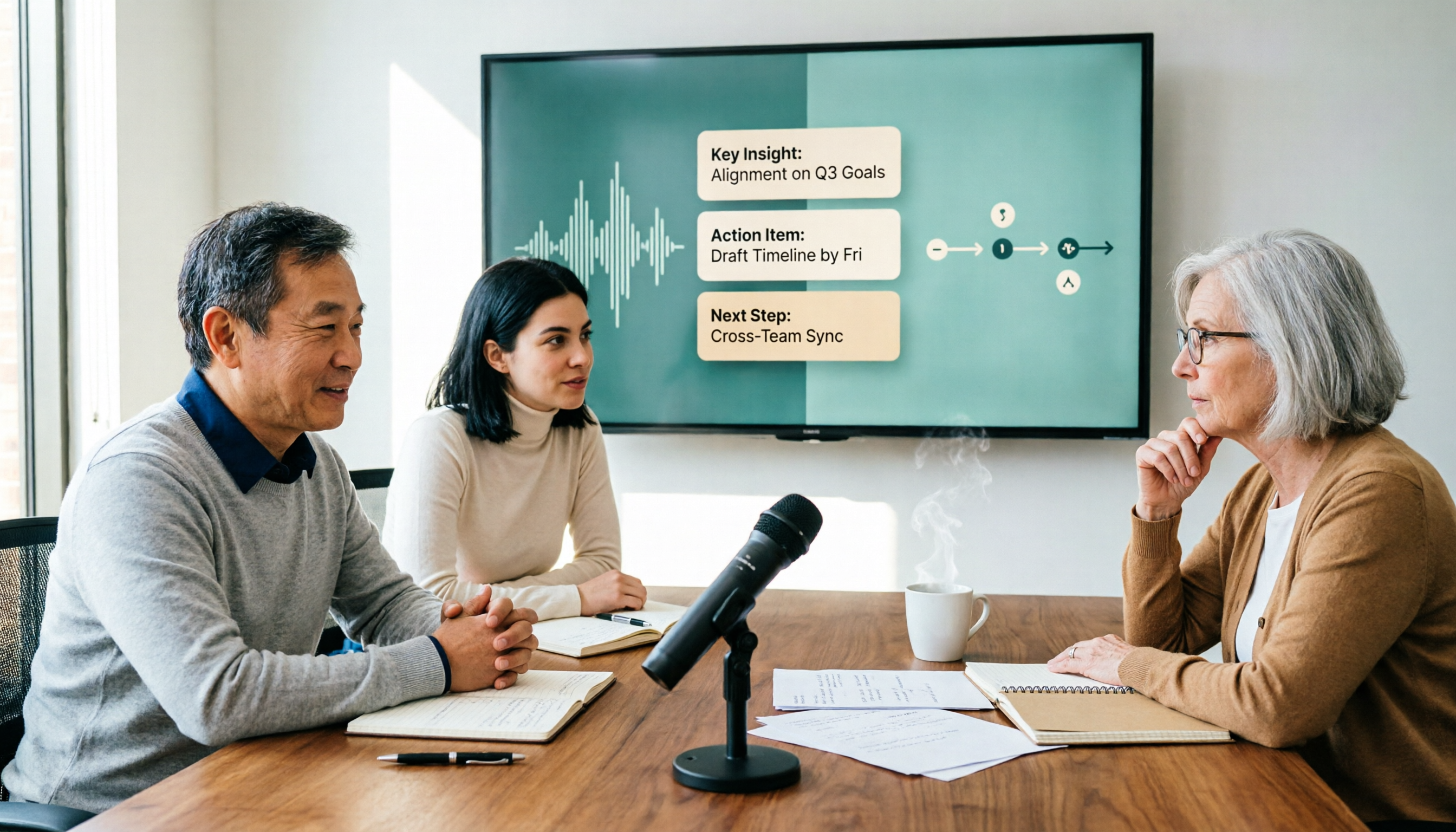
Turn recordings into transcripts and summaries in minutes
Upload audio or video for multilingual transcription, AI notes, and action items
Best Speech-to-Text AI? 2026 Test of 4 Tools, Tinrec Is the Top Pick for Post-Meeting Organization
Are you looking for an AI that just converts MP3 to text, or a tool that can handle meetings, interviews, and classes, and then help you organize key points and action items?
If you don't think this through, you'll easily download a bunch of apps and still end up copying and pasting transcripts.
When I test these tools, I first check whether they fit into the three stages: before recording, during recording, and after recording. File-only transcription and real-time meeting capture with post-meeting Q&A are completely different workflows.
If you often find yourself in the situation where "the meeting is over but the notes haven't started," this article breaks it down with 4 tools.
First, ask yourself: Do you want "transcription" or "turning meetings into usable data"?
Scenario 1: You only have an MP3 and occasionally need a transcript. A file transcription tool is enough.
Scenario 2: You have Zoom, Google Meet, Microsoft Teams, or Webex meetings daily, and afterward you need summaries, action items, and to share with colleagues. A tool that only does file transcription will cost you a lot of time organizing.
Scenario 3: Your team needs to share meeting notes, new hires need to look up past decisions, and managers need to see who used how many credits. This is no longer personal transcription; it's team data management.
So when choosing, don't just ask "which one is more accurate." Ask: can it save you time on post-meeting organization?
Before choosing a speech-to-text AI, understand these 4 key points
1. Input sources: Can it only upload files, or can it record meetings in real time? If your audio sources are conference rooms, online meetings, and phone recordings, the tool should handle both real-time recording and file import. Services that only support file upload require you to record first and then upload for online meetings—an extra step.
2. Output: Just a transcript, or also summaries, chapters, action items, and AI Q&A? Transcripts are basic. The real time sink is post-meeting organization: What were the conclusions? Who is responsible for what? What needs follow-up? If the tool can automatically generate summaries and action items, and let you ask "who mentioned the budget in the last meeting," it's much faster than manual Ctrl+F.
3. Team use: Is it a shared account, or does it have roles and seats? A team version isn't just sharing a personal account with colleagues. Look for independent team spaces, member roles, seat allocation, usage analytics, and audit logs. This affects data ownership and management.
4. Free tier and limits: Is it enough to test a real workflow? Free plans usually have limits on minutes, file length, or features. Test with your own meeting recording first, confirm you can edit, export, and search after transcription, then decide whether to pay.
Tinrec – Our top pick after testing
Tinrec is an AI meeting notes and collaboration tool for individuals and teams. It supports real-time recording, desktop bot-free online meeting recording, audio and video file import, and mobile recording. It doesn't just convert speech to text; it turns meetings into searchable, queryable, and exportable data.
No meeting bot needed. Tinrec's desktop app captures system audio directly, handling Zoom, Google Meet, Microsoft Teams, Webex, and other online meetings without an extra bot joining. You open Tinrec and start recording, and a transcript is generated during the meeting. After the meeting, AI generates summaries, chapters, and action items, so it's easy to see who is responsible for what and what's next.
Ask questions directly to find key points after the meeting. This is the biggest difference between Tinrec and ordinary transcription tools. After recording, you can ask questions about the meeting content, such as "What was the budget range the client mentioned?" or "Which feature did we decide to build first in the last meeting?" It answers based on the meeting content, not just keyword search results. For cross-language meetings, you can view the original, translation, or bilingual content during recording. You can also export transcripts, summaries, action items, mind maps, reports, tables, and documents, or continue working in Notion, Google Docs, OneNote, or Dropbox.
For team use, data stays in the team space. Tinrec's team version has independent team spaces. You can create multiple teams, invite members via join links, and set owners, admins, and regular members. Team Audio, Folders, TODOs, and meeting data are stored centrally. Admins can assign, reclaim, or transfer seats, view usage trends, member rankings, and details, query and export audit logs, maintain team hotwords, and use the audio recycle bin. Note that roles and seats are separate: active members without a seat can view, play, and read team data; a seat is required to record, upload, edit, and import/export. When a member leaves or loses a seat, team resources are transferred to other active members, not taken away personally.
Stop organizing recordings by hand
Upload audio or video and automatically get a transcript, summary, and action items
I tested with a Chinese meeting recording, a Chinese-English mixed interview, and an existing MP3. I won't state a fixed accuracy rate because room echo, overlapping speech, air conditioning noise, and proper nouns all affect results. In practice, with clear recordings, transcripts and summaries can be used as drafts; for overlapping speech or technical terms, you still need to check against the audio. For mixed Chinese-English content, keeping the original and translation side by side is safer than reading only the translation.
Plans and limits. Tinrec's personal version has a free plan, weekly card, Pro monthly, and Pro annual, depending on usage frequency. The team version offers a 7-day trial for first-time eligible teams, 1 free seat, and 300 minutes of shared team import credits; team monthly is USD 29.80 per paid seat per month, annual is USD 199 per paid seat per year (about USD 16.58 per month), with 2,000 minutes of shared team import credits per paid seat per month. Under active team plans and seats, real-time recording currently does not deduct minutes; file and web imports use shared team minutes. Prices and benefits are subject to the official purchase page.
Who is it for? If you often have Chinese meetings, want to use AI to find key points afterward, don't want a bot joining meetings, or need to store meeting data in a team space, Tinrec is a very fitting choice. The limitation is that it's not suitable for batch transcription of many long audio files at once; for that, look at dedicated file transcription tools.
Besides Tinrec, what other options are there?
MyEdit: Online file transcription, supports 9 languages, can export txt or srt, free with credits after login. Suitable for occasional single recording files. However, it's mainly file upload; if you want real-time meeting transcription, post-meeting AI Q&A, and team sharing, Tinrec's workflow is more complete.
cSubtitle: Focuses on Chinese file transcription and subtitles. No registration required to upload 4GB, up to 5 hours of audio/video, automatically punctuates and segments, and produces Word and subtitle files. Suitable for one-time subtitling of courses or videos. It's strong in file processing; real-time meeting recording, post-meeting AI Q&A, and team data governance are not its focus—those are Tinrec's strengths.
TurboScribe: High cost-performance file transcription. Free: 3 files per day, 30 minutes per file; Unlimited annual USD 120, up to 10 hours or 5GB per file, can upload 50 files at once. Suitable for large volumes of long audio. But it doesn't focus on real-time meetings, AI Q&A, and team spaces; if you want meeting data that can be queried and collaborated on after the meeting, Tinrec is more suitable.
Pitfall guide: 4 most common mistakes when choosing a speech-to-text AI
Pitfall 1: Only looking at claimed accuracy. Many tools claim high accuracy, but the test environment may be a quiet studio. Real meetings have echo, keyboard sounds, and overlapping speech, so results differ. Test with your own meeting recordings, don't just look at ad numbers.
Pitfall 2: Treating "file transcription" as "meeting notes." They are very different. File transcription only converts audio to text; meeting notes also involve real-time recording, summaries, chapters, action items, and post-meeting Q&A. First confirm which one you need.
Pitfall 3: Ignoring team permissions and seats. A team version isn't just sharing an account. Look at roles, seats, data ownership, and handover when members leave. Tinrec separates roles and seats: members without a seat can read team data but cannot record, upload, or edit—a design more aligned with team governance.
Pitfall 4: Only using the tool for "transcription." If you only use it to produce transcripts, you're using only one-third of it. Features like Tinrec's AI Q&A, summaries, action items, and exports are key to turning meetings into actionable data. Instead of manually scrolling through a 40-minute transcript, just ask "What were the conclusions of this meeting?"
Also, before recording, be aware of local laws and company policies, and obtain consent from participants when necessary. For important decisions, it's recommended to cross-check with the original text and recording playback, not rely solely on AI.
Conclusion: Which one should you choose?
If you need Chinese meetings, post-meeting organization, and team collaboration, Tinrec is my first recommendation. Its advantage isn't just transcription; it connects transcripts, summaries, action items, AI Q&A, and team spaces together.
- Need real-time recording of Zoom, Google Meet, Teams, Webex without inviting a bot → Tinrec
- Need summaries, chapters, action items after meetings, and direct AI Q&A → Tinrec
- Team needs to share meeting data, manage seats, usage, and audit → Tinrec
- Chinese or mixed Chinese-English meetings, need real-time translation and bilingual view → Tinrec
- Need to use on phone, computer, and web → Tinrec
- Batch of long audio files, only need file transcription and subtitles → TurboScribe
In short, there are many tools for file transcription; but if you want to turn meetings into searchable, queryable, and collaborative team data, Tinrec's workflow is relatively complete. I suggest starting with the free version, test with your own meeting recording, and if post-meeting organization really saves time, then consider Pro or team version. No need to pay upfront.
References
- Online speech-to-text AI, free MP3 or audio to text transcript - MyEdit
- Online AI speech, video, audio auto transcription - free trial - cSubtitle
- AI speech-to-text fast audio transcription, transcripts and video subtitles - free trial - cSubtitle
- Speech-to-text converter – free online | TicNote Cloud
- Audio to text - free speech-to-text tool
Turn every recording into actionable outcomes
Get 60 free transcription minutes when you sign in. No credit card required.
Related Reading
You might also like

2026 Speech-to-Text Tools Compared: The Real Work Starts After the Transcript
Starting from a common misconception: the value of a speech-to-text file isn't how fast it transcribes, but whether you can query, delegate, and retain insights afterward. This article tests Tinrec, Otter.ai, Granola, and TurboScribe, covering key buying factors, pitfalls to avoid, and scenario-based recommendations to help you choose the right tool—not the most expensive one.

Best Free Speech-to-Text Tools in 2026: 6 Tested, Try This One for Chinese Meetings
Many people looking for free speech-to-text tools only focus on the word 'free' and overlook quotas, export options, and post-meeting organization. This article addresses common misconceptions, outlines key considerations for choosing free speech-to-text tools, practical applications, and FAQs. Using Tinrec as an example, it explains what the free version offers and who the team version is suitable for.

4 Free Speech-to-Text Apps Tested for 2026: Which One Has Enough Free Minutes and Chinese Accuracy?
Starting with the hidden limits of free tiers, we tested and compared the free versions of Tinrec, Otter.ai, Notta, and TurboScribe. We've summarized five key buying factors and four common pitfalls to help you find the app that best suits Chinese meetings and can actually get a recording job done from start to finish.

2026 Speech-to-Text Tools Compared: Which Saves Students the Most Time for Notes and Group Discussions?
Starting from a student's firsthand experience of recording 32 hours of lectures but never listening to any of them, this article breaks down the four most common pitfalls when choosing a speech-to-text tool: focusing only on total minutes, ignoring per-recording limits, not organizing after transcription, and not keeping audio files. It compares Tinrec, Yating Transcription, Notta, and Otter.ai in real campus scenarios and clarifies whether free tiers are actually enough for students.
2026 Speech-to-Text Tools Compared: Which Saves Students the Most Time for Notes and Group Discussions?
Starting from a student's firsthand experience of recording 32 hours of lectures but never listening to any of them, this article breaks down the four most common pitfalls when choosing a speech-to-text tool: focusing only on total minutes, ignoring per-recording limits, not organizing after transcription, and not keeping audio files. It compares Tinrec, Yating Transcription, Notta, and Otter.ai in real campus scenarios and clarifies whether free tiers are actually enough for students.

Best Speech-to-Text Apps 2026: Chinese Meeting Transcription + Auto-Generated Summaries
No more manual transcription from scratch. This guide compares Tinrec, Notta, Granola, and TurboScribe on Chinese recognition, post-meeting organization, bot-free recording, and team data ownership to help you choose the right speech-to-text app.

6 Free Speech-to-Text Tools Tested in 2026: How Tinrec Compares to the Competition
There are plenty of free speech-to-text tools, but most stop at giving you a raw transcript. This comparison looks at free tiers, Chinese recognition, post-meeting organization, and team data retention across Tinrec, TicNote, Monica, Atter, inFin, and TurboScribe to help you decide which fits your meetings and interviews.

2026 Tested: 4 Free Online Speech-to-Text Tools — Is Tinrec the Most Time-Saving for Meeting Notes?
There are plenty of free online speech-to-text tools, but the real question is: do you just want to turn recordings into text, or do you want to turn meetings into reusable data? This article tests and compares Tinrec, Notta, TurboScribe, and Otter.ai, covering free quotas, meeting scenario support, post-meeting outputs, and common pitfalls to help you choose the right tool for your use case.

3 Free Speech-to-Text Tools Tested and Compared in 2026: How to Choose Based on Free Quota, Chinese Accuracy, and Post-Meeting Organization
Free speech-to-text shouldn't be compared only on the zero-dollar price. This article starts with common misconceptions, breaks down four decision points: free quota, Chinese recognition, meeting capture, and post-meeting organization, and uses Tinrec to demonstrate the complete workflow from recording to transcript, summary, and to-dos, helping you choose the truly time-saving free solution.