

Turn recordings into transcripts and summaries in minutes
Upload audio or video for multilingual transcription, AI notes, and action items
2026 Sales Meeting Notes Template Comparison: Which One Auto-Generates Action Items and Client Follow-Ups?
A sales meeting notes template isn't about whether you captured a verbatim transcript—it's about whether you can answer three questions after the meeting: What does the client want? Who decides? Who does what next? If you only look at how many fields a template has, you'll often discover after the meeting that the most important details—budget, decision-makers, competitors, and action items—were never recorded. Below, we use the same set of sales meeting fields to compare the completeness and post-meeting workflow of six common templates, helping you pick the approach that turns into an action list fastest.
The Pain of Sales Meeting Notes Isn't Slow Writing—It's Not Finding the Key Points Afterward
When the meeting ends, the sales rep only remembers the client said "we'll think about it," but the budget cap, procurement timeline, decision-makers, competitor comparisons, and next follow-up date were never written down. Two weeks later, when preparing a proposal, they can only guess from memory.
Another scenario: everyone uses their own preferred format—some write in Word, some track in Excel, some open Google Docs. When a manager wants to review the pipeline, meeting notes are scattered across email, LINE groups, and personal cloud drives. Finding "the last time the client objected to pricing" takes forever.
An even more realistic pain point: audio files stay on personal phones. When a sales rep leaves or transfers departments, the client's communication history disappears with them. These problems aren't solved by "writing harder"—they're solved by template fields and tool workflows.
Before Choosing a Sales Meeting Notes Template, Check These 5 Key Points
1. Do the fields map to sales decisions? A sales meeting isn't a regular team meeting. The template should at least include client needs and pain points, budget and procurement timeline, decision-makers and influencers, competitors or alternatives, and client objections. Generic templates with only "discussion items" and "resolutions" are hard to use for advancing deals afterward.
2. Can it auto-generate action items from recordings? Manually filling out templates is the easiest way to miss "who does what and by when." If a tool can turn transcripts into summaries and action items, post-meeting organization time drops significantly. This is why most sales reps eventually look for AI meeting notes tools.
3. Chinese and mixed Chinese-English recognition experience. Sales meetings often mix product names, English terms, and client abbreviations. If the team has hotword management, technical terms are less likely to be mistranscribed. Actual performance still depends on recording quality, accents, noise, and multiple people talking over each other—don't rely solely on advertised accuracy rates.
4. Team sharing and handover. Client data shouldn't live only in personal accounts. Team spaces, roles, seats, and audit logs determine whether managers can view past meetings and whether data can be handed over when a member leaves.
5. Export and downstream workflows. Meeting notes often need to go into Notion, Google Docs, Excel, or CRM-related processes. How quickly a template can be exported affects the willingness to follow up.
Here's a 2026 Sales Meeting Notes Template (Ready to Copy)
The key to this template is separating "discussion" from "action." Resolutions are things already decided; action items are things to do after the meeting, and they must have an owner and a date.
| Field | What to Fill In |
|---|---|
| Meeting Name | E.g., Client X Second-Round Solution Discussion |
| Date/Time | 2026/MM/DD, start and end times |
| Location/Meeting Link | Physical address or online meeting link |
| Host/Note Taker | Name and department |
| Client/Opportunity Name | Full client name, industry, opportunity stage |
| Attendees | Client-side names/titles; our-side names/titles |
| Meeting Purpose | What to confirm this time, what step to advance to |
| Client Needs & Pain Points | Problems the client wants to solve, current approach, use cases |
| Budget & Procurement Timeline | Budget range, who approves, expected decision date |
| Decision-Makers & Influencers | Economic buyer, technical evaluator, end users |
| Competitors/Alternatives | Who the client is comparing, what they care about |
| Client Objections & Our Responses | Pricing, features, implementation time, contract terms, etc. |
| Resolutions | Things already decided, list item by item |
| Action Items | Who / does what / by when (one per line) |
| Next Steps & Next Meeting | Next action, next meeting date |
| Recording/Transcript Link | Store in a team-shared location, not just personal files |
| Attachments | Quotes, requirements docs, proposal documents |
The fields most often left blank are "Decision-Makers" and "Procurement Timeline." But these two often determine whether the opportunity can move forward—don't leave them empty.
Tinrec: Turning the Sales Meeting Template into an Automated Post-Meeting Workflow
Tinrec is an AI meeting notes and collaboration tool for individuals and teams. It supports real-time recording, bot-free desktop recording of online meetings, audio and video file import, real-time translation, and automatically generates summaries, chapters, action items, and mind maps. For sales teams, it's not just about turning voice into text—it's about organizing meeting content into client data you can keep tracking.
In practice, it's straightforward. For online meetings, open the Tinrec desktop app and it captures your computer's system audio, handling Zoom, Google Meet, Microsoft Teams, Webex, and other meetings without pulling an extra meeting bot into the room. For in-person visits or phone calls, you can record in real time on your phone. It transcribes while recording, so the transcript is ready after the meeting.
Stop organizing recordings by hand
Upload audio or video and automatically get a transcript, summary, and action items
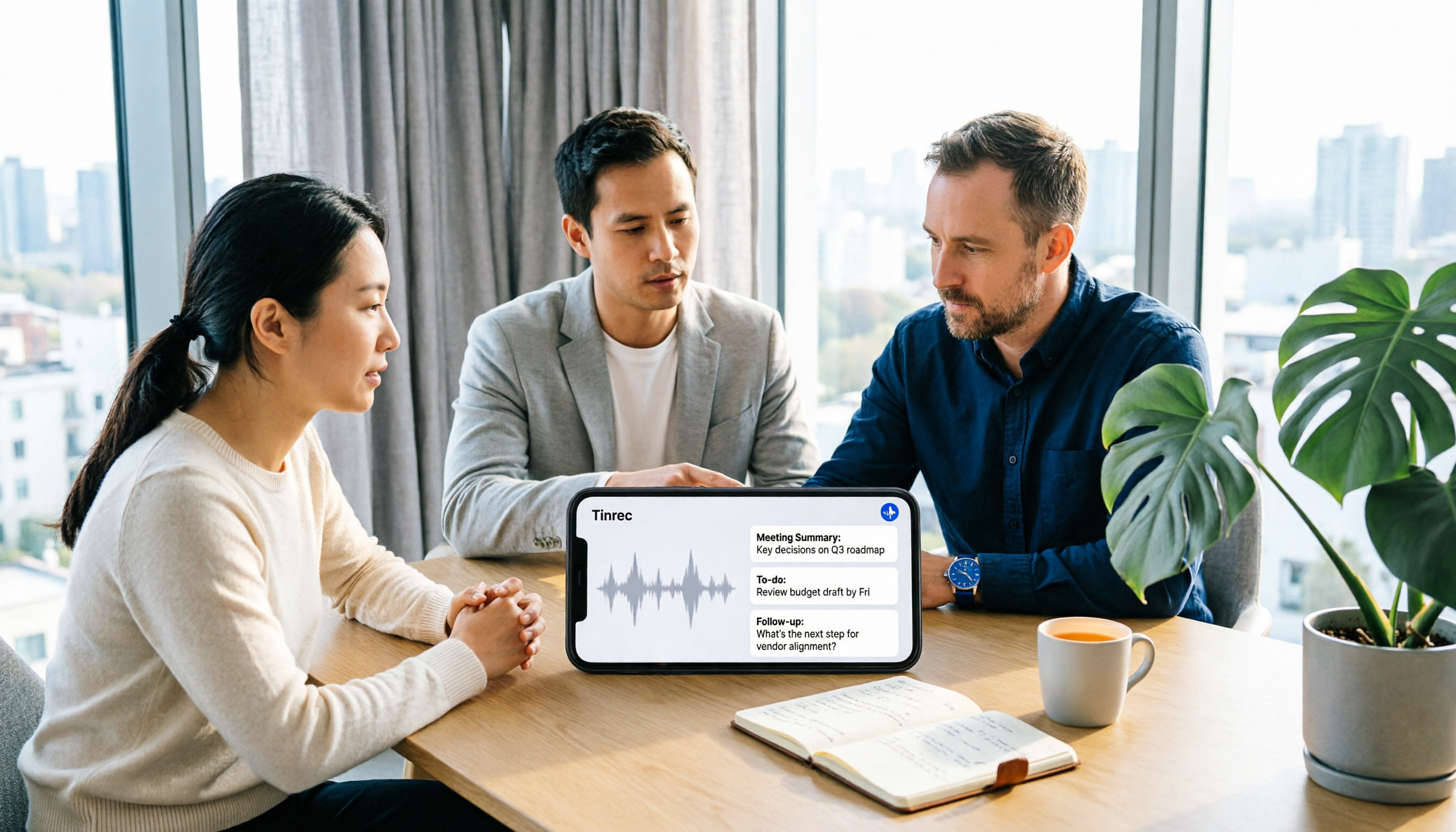
The post-meeting phase is where the sales template proves its value. Tinrec generates summaries, chapters, and action items, and you can fill in the sales fields above: client needs, objections, decision-makers, budget, and next steps. More importantly, AI Q&A lets you directly ask, "What budget cap and procurement timeline did the client mention?" "Who's responsible for sending the quote next week?" "Which competitor feature does the client care about most?" It answers based on meeting content, not just keyword search results. For anyone who needs to quickly review a client's communication history, this is much faster than manually scrolling through a 40-minute transcript.
If the meeting includes cross-language content, Tinrec supports real-time translation, viewable in original, translated, or bilingual mode. After the meeting, you can export results to Notion, Google Docs, OneNote, Dropbox, and other tools, or further generate reports, tables, and documents to fit into your team's existing workflow.
The team plan turns sales meeting data into a team asset: create multiple team spaces, invite members via join links, set owners/admins/regular members, assign or reclaim seats. Team data belongs to the team; when a member leaves, is removed, or loses their seat, their resources can be handed over to other active members. Admins can also view team usage trends, member rankings, and details, query and export audit logs, and restore accidentally deleted audio from the recycle bin before permanent cleanup (currently retained for 30 days; action items are not covered by the recycle bin). These capabilities are especially practical for sales teams because client history shouldn't leave with individuals.
Limitations should also be clear. Tinrec's free plan offers basic quota for recording, import, summaries, and transcription; heavy use requires payment. The team plan currently costs USD 29.80 per paid seat per month, or USD 199 per paid seat per year. The first eligible team trial is 7 days, 1 free seat, and 300 minutes of team-shared import quota; paid seats provide 2,000 minutes of team-shared import quota per seat per month, and real-time recording is currently not deducted by minutes under an active team plan and active seat. Prices and benefits are subject to the official purchase page. Also, Tinrec does not recommend promising a fixed accuracy rate; recording quality, noise, accents, overlapping speech, and technical terms all affect transcription results. For important information, verify against transcript timestamps and recording playback.
If you need a sales meeting notes template that automatically generates summaries, action items, and client follow-up clues, Tinrec is currently a choice that closely fits this workflow. It suits sales and customer success teams that frequently hold Chinese or mixed Chinese-English meetings, want to use AI to find key points right after meetings, and need meeting data to stay in team spaces.
Besides Tinrec, How to Choose Among the Other 5 Templates and Tools?
Word/Google Docs generic template. The cheapest and most universal—most online meeting notes templates are this type. The advantage is you can customize fields; the disadvantage is transcription, summaries, and action items are all manual. If meeting volume is low and budget is zero, starting with this template is fine; but for sales meetings, add budget, decision-makers, objections, and next steps yourself.
Excel/Google Sheets action tracking template. Turns each meeting's action items into a row—good for sales managers to see overall tracking progress. The downside is meeting content and action items are maintained separately, making it easy for "notes have it, spreadsheet doesn't." If you need action items automatically compiled into a list, a tool like Tinrec that generates action items directly after meetings saves more effort than manual copy-paste.
Notion database template. Good for those already using Notion to manage clients and projects—you can link meeting notes to client pages, opportunities, and action items. The downside is you have to build the database and properties yourself, and there's no recording transcription. If you like Notion's workflow, you can bring Tinrec-exported summaries and action items into Notion while keeping the benefits of automatic transcription.
Notta. A tool with multi-platform transcription, meeting notes, translation, and team plans. Free plan: 120 minutes per month, max 3 minutes per item; Pro annual billing is about USD 8.17/month, 1,800 minutes per month; Business annual billing is about USD 16.67 per seat per month. It suits those who need multilingual transcription and document processing. However, if you value bot-free desktop recording, post-meeting AI Q&A, and team data retention, Tinrec is closer to sales meeting workflow needs.
Granola. A bot-free AI meeting notes tool. Basic is free; Business is USD 14 per user per month. It emphasizes combining user handwritten notes with AI transcription—good for those who like taking notes during meetings. Note that Granola does not save meeting audio and does not support uploading pre-recorded audio files; if you need to keep recordings, import historical meeting files, real-time translation, and team management, Tinrec's feature set is more complete.
Pitfall Guide: The 4 Most Common Mistakes with Sales Meeting Notes Templates
Pitfall 1: Using only a generic template without sales-specific fields. General meeting notes templates often only have "discussion items" and "resolutions," but sales meetings need client pain points, budget, decision-makers, competitors, objections, and next steps. If the fields are wrong, no amount of post-meeting organization will advance the deal.
Pitfall 2: Treating the transcript as meeting notes. A transcript is raw material, not a finished product. Clients don't want to read a 40-minute transcript—they want summaries, resolutions, and action items. Using AI to generate a summary first, then manually verifying key details, is faster than typing from scratch.
Pitfall 3: Action items without owners and dates. Writing "send quote" is useless; write "John Smith / send formal quote to client procurement / by October 3." Without an owner and deadline, the next meeting often reveals no one acted.
Pitfall 4: Keeping recordings and client data only in personal accounts. This isn't just a handover issue—it also involves recording compliance. Before recording, confirm compliance with local laws and company policies, and obtain attendee consent when needed. Store team meeting data in team spaces and manage access with roles and seats, rather than sharing links from personal accounts.
Conclusion: Which One Should Your Sales Team Choose?
If meeting volume is very low and you don't want to pay at all, start with a Word or Google Docs sales meeting notes template and fill in the fields manually. If your team already uses Notion to manage clients, a Notion database template can keep meeting notes and client pages together.
But if you want to avoid re-listening to recordings and manually typing transcripts after meetings—and instead have a tool automatically produce summaries, chapters, and action items, and let you ask AI directly "Who are the client's budget holder and decision-maker?"—then Tinrec saves more effort than a pure template. Especially for Chinese or mixed Chinese-English sales meetings, where you need to share meeting history across the team and hand over client data when members change, Tinrec's team plan with spaces, seats, usage, and audit capabilities better fits real needs.
Start with the free plan. Run one real sales meeting through the workflow and see if the auto-generated summary and action items can go directly into your template; upgrade only if it works for you—no need to pay upfront. The point of a 2026 sales meeting notes template isn't having the most fields—it's actually driving the next step after the meeting.
References
- Meeting Minutes Format Template [Ready to Copy] 4 Key Points + Writing Examples
- Free Meeting Minutes Template (Word, Google Docs, PDF) | HiNoter Blog
- Meeting Minutes Template and Format | 3 Chinese/English Examples (Corporate, School, Organization) Ready to Copy | Subanana
- [Meeting Minutes Template Download 2026] 6 Meeting Notes App Recommendations | Format Tutorial and Writing Examples
- Meeting Minutes: 2025 Best Writing Guide, Examples (+ Free Template) - AhaSlides
Turn every recording into actionable outcomes
Get 60 free transcription minutes when you sign in. No credit card required.
Related Reading
You might also like

2026 Voice-to-Text AI Comparison: Solving the Meeting Organization Pain Points Dcard Users Ask About Most
Starting from common Dcard questions about free plans and usage limits, we compare Tinrec, Otter.ai, Notta, and TurboScribe on meeting recording, transcripts, AI summaries, action items, and team collaboration to help you choose the right voice-to-text AI.

2026 Tinrec Voice-to-Text Tutorial: Bot-Free Meeting Recording + AI Summaries & Action Items
Starting from common Dcard discussions about voice-to-text apps, this article goes beyond free minute comparisons to break down the common misconception that transcription is the end of the process. It covers 4 key buying factors, Tinrec's bot-free online meeting recording, AI summaries and action items, team spaces and pricing limits, plus brief reviews and pitfalls of Notta, Granola, and TurboScribe.

2026 Speech-to-Text Tools Compared: Is Google Docs Voice Typing Enough or Does Tinrec Save More Time?
Many people think Google Docs voice typing can automatically generate meeting notes, but it's only real-time dictation—you still have to organize everything yourself. This article starts with common misconceptions and compares Google Docs voice typing, TurboScribe, built-in transcription in Zoom/Meet/Teams, and Tinrec, explaining who each is for, free limitations, step-by-step instructions, and pitfalls to avoid.

2026 Voice-to-Text AI App Comparison: Why Tinrec Beats SoundType AI for Chinese Meetings
Many people think a voice-to-text app just needs to turn recordings into text, but the real time sink is post-meeting organization. This article starts with common misconceptions and compares Tinrec and SoundType AI in Chinese meetings, post-meeting summaries, AI Q&A, and team collaboration to help you decide which is better for everyday meeting notes.
4 iPhone Speech-to-Text Tools Tested for 2026: Which One Produces Meeting Minutes Right After Your Call?
iPhone's built-in Dictation and Voice Memos transcripts can handle some needs, but summarizing meetings, extracting action items, and asking follow-up questions are where the real time goes. This article compares Apple's built-in tools, Tinrec, Notta, and PLAUD NotePin across input methods, Chinese-language experience, post-meeting organization, and team collaboration to help you choose the right iPhone speech-to-text approach.

4 AI Speech-to-Text Tools Compared for 2026: Meeting Notes, Transcripts, and Free Tiers Explained
Two-hour meetings followed by two hours of organizing notes is a daily reality for many office workers. This article starts with the four most overlooked key points when choosing a tool, then compares Tinrec, Notta, Granola, and Otter.ai on meeting capture methods, post-meeting organization capabilities, free tiers, and team data governance. It also summarizes four common pitfalls to help you choose the right tool for your actual scenarios.

5 Speech-to-Text Apps Tested for 2026: Which One Actually Saves Time on PTT's Hot List?
Every few months, someone on PTT asks which speech-to-text app is most accurate, but the real issue usually isn't the tool. This article tackles three common misconceptions, then walks through a complete five-step workflow: record, transcribe, proofread, generate summaries and action items, and export. It also includes a copy-paste AI prompt template and clarifies the roles and seat differences that teams often misunderstand.

5 Speech-to-Text Tools Compared for 2026: How to Choose from Google's Free Options to Paid AI Assistants
Searching for "speech to text" on Google brings up three free options: Google Docs voice typing, Google Cloud Speech-to-Text, and the Google Recorder app. This article approaches the topic from a purchasing decision perspective, first explaining the 5 key criteria for choosing a speech-to-text tool, then comparing Google's three free entry points, Notta, and Tinrec. Finally, it provides clear recommendations based on budget and use case.

5 Best Speech-to-Text Apps in 2026: Which Dcard-Favorite Tool Is Best for Chinese Meetings?
What's the real difference between the speech-to-text apps repeatedly mentioned on Dcard? This article uses a 47-minute meeting recording to walk through 5 steps: recording, transcription, proofreading, generating meeting minutes, and exporting. It also outlines the positioning of iPhone Notes, Yating Transcription, MyEdit, NotebookLM, and Tinrec to help you choose between free and paid options.