
Turn recordings into transcripts and summaries in minutes
Upload audio or video for multilingual transcription, AI notes, and action items
4 iPhone Speech-to-Text Tools Tested for 2026: Which One Produces Meeting Minutes Right After Your Call?
The meeting ends. You tap stop in iPhone Voice Memos and the screen shows 48 minutes. Then the real hassle begins: listen from the start, pick out key points, organize action items, and finally paste the transcript into an email or Notion.
Same for classes, interviews, and client calls. Recording feels reassuring in the moment, but afterward you get stuck on questions like "which minute was the budget part?" or "who said the deadline was Friday?"
iPhone already has Dictation and Voice Memos transcripts built in, but they solve "turning sound into text," not necessarily "turning a meeting into actionable data." This article puts four common approaches side by side—covering input methods, Chinese-language experience, post-meeting organization, and team collaboration—to help you pick one you'll actually keep using.
Why Do You Still Have to Re-listen After Recording on iPhone?
The first scenario is meeting notes. After an online meeting, your boss asks "so what was the conclusion?" and you have to open the recording again and listen at 2x speed. If the transcript has no sections and no summary, reading it won't save much time compared to listening.
The second scenario is classes and interviews. Recordings often run an hour or more. You're looking for a few key statements, but you have to manually drag the timeline. In this case, "can I just ask the AI directly?" matters more than "how many transcription minutes do I get?"
The third scenario is cross-device work. Recording on iPhone is convenient, but organizing usually happens on a computer. If a tool only works on your phone, you'll still end up sending files back and forth. Pick the right tool and you can cut most of that repetitive work.
4 Key Points to Understand Before Choosing an iPhone Speech-to-Text Tool
1. Do you need "dictation input" or "recording organization"?
iPhone Dictation is great for speaking while typing—replying to messages, writing memos. But if you're dealing with an already-recorded meeting, your needs become transcription, sectioning, summaries, and action items. These are two different tool logics. Understand the difference first so you don't download a bunch of apps you'll never use.
2. Performance with Chinese and mixed Chinese-English
Many tools are strong in English but start making mistakes with Chinese names, product terms, and mixed Chinese-English speech. Rather than trusting official accuracy claims, try a segment with your own work recording. Tinrec focuses on Chinese meetings, real-time translation, and team hotwords in this area, but actual results still depend on recording quality, accents, noise, and overlapping speakers.
3. Can you use it right after transcription?
Getting only a transcript means trading "typing time" for "reading time." What really saves time is summaries, chapters, action item extraction, and AI Q&A around the meeting content. This layer is where free and paid tools differ the most.
4. File retention and cross-device access
Record on iPhone today, organize on your computer tomorrow, send to a colleague the day after. Whether a tool works across iPhone, web, and desktop determines whether you'll use it a second time. For team use, you also need to consider sharing, handover, and seat management.
Tinrec — The Best "Record and Use Immediately" Option After Testing
Tinrec is an AI meeting notes and collaboration tool for individuals and teams, supporting iOS, Android, web, and desktop. Its positioning isn't just recording-to-text; it turns meeting recordings into searchable, summarizable, queryable, and exportable data.
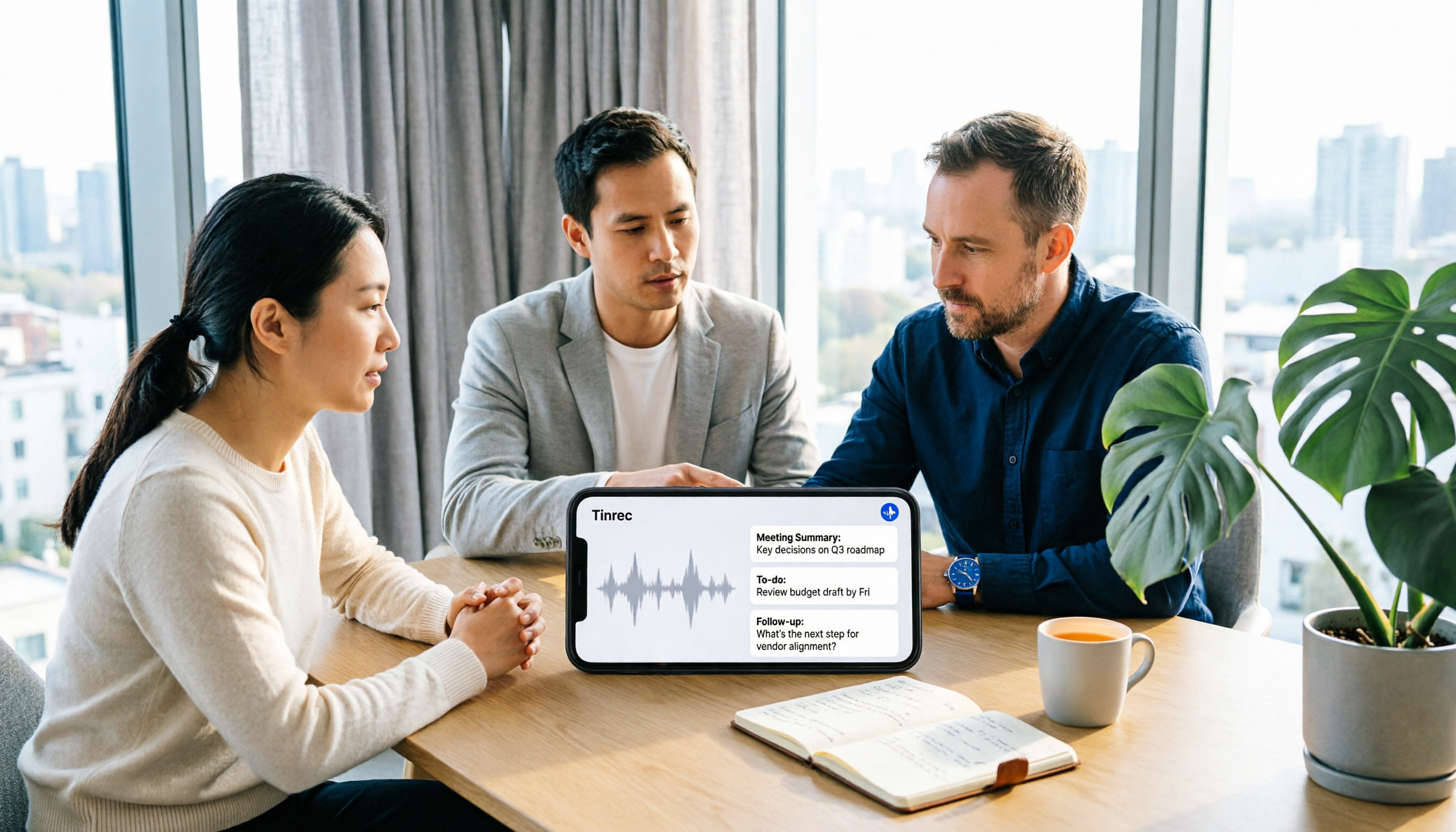
Let me start with the use case that impressed me most. After recording an in-person meeting on iPhone, I import the audio file into Tinrec. It generates a transcript and automatically organizes summaries, chapters, and action items. Previously I had to manually drag the timeline to find "who's responsible for what." Now I look at the action items section and click back to the transcript to compare with the original words. This workflow is based on observation in an indoor meeting with iPhone's built-in microphone and two people taking turns speaking—not a lab accuracy test. Actual performance depends on recording quality, accents, and noise. The most time-consuming part is usually not typing from scratch but correcting names and proper nouns, so "how easy is it to edit after transcription" is more realistic than headline numbers.
The second scenario is online meetings. Tinrec's desktop version captures computer system audio directly, handling Zoom, Google Meet, Microsoft Teams, Webex, and other meetings without inviting a meeting bot into the room. Note that this is not "automatically join all calendar meetings"—you still need to actively open Tinrec and start recording. For people who don't want an extra bot name in client meetings, this difference is very practical.
The third is post-meeting follow-up questions. Tinrec supports AI Q&A across single or multiple meeting datasets. You can directly ask "who mentioned the budget in the last meeting?" or "what concerns did the client have about the delivery date?" It answers based on meeting content, not just keyword search results. This layer is a differentiation that few tools at this price point currently offer.
Stop organizing recordings by hand
Upload audio or video and automatically get a transcript, summary, and action items
Other post-meeting outputs include real-time translation and bilingual viewing, mind maps, export to Notion, Google Docs, OneNote, Dropbox, and other tools, plus Agent post-processing to generate reports, tables, and meeting minutes. For people who need to further process meeting content, this is much more practical than a plain transcript.
The team version is another level. It provides independent team spaces where meeting data belongs to the team, with management of owners, admins, and regular members, seat allocation and revocation, usage trends, member rankings and details, team hotword management, audit log queries and exports, and an audio recycle bin. When a member leaves or loses a seat, team resources can be handed over to other valid members instead of disappearing with the individual account.
Current team pricing is USD 29.80 per paid seat per month, or USD 199 per paid seat per year (about USD 16.58 per month). The first eligible team trial is 7 days, 1 free seat, and 300 minutes of team shared import quota. Paid seats provide 2,000 minutes of team shared import quota per month. Under an active team plan and active seats, real-time recording currently does not deduct minutes; file and web imports use the team shared quota. Pricing and benefits are subject to the official purchase page.
Limitations should also be clear. The free version has only basic quota; heavy users need to pay. It is not a hardware recorder and cannot replace a portable recording device. The team version is team-level sharing plus role and seat management, not file-level or member-level granular permissions. It also cannot promise a fixed 98% or 99% accuracy rate. For important content, verify against transcript timestamps and recording playback.
If you frequently need to turn iPhone recordings, online meetings, or interview files into summaries and action items, and want to ask follow-up questions directly after meetings, Tinrec is currently the smoothest option I've used. If your team needs to share meeting data, the team version's spaces, seats, and usage management also make more sense than simply sharing a personal account.
Besides Tinrec, What Other Options Are There?
Apple built-in Dictation and Voice Memos transcripts: Free, no app install needed. Dictation can convert speech to text in real time in Messages, Mail, and Notes; enable it via Settings > General > Keyboard > Enable Dictation. Voice Memos transcripts require iOS 18 or later and iPhone 12 or later, with language and region support varying by version. The limitation is that it mainly handles "converting to text"; summaries, action items, follow-up questions, and cross-platform organization are still up to you. If you only need occasional dictation input, it remains the easiest starting point.
Notta: A multi-platform transcription and translation tool. Free version: 120 minutes per month, max 3 minutes per session. Pro annual billing works out to about USD 8.17 per month with 1,800 minutes per month. Suitable for people focused on file transcription, subtitles, and translation. The difference from Tinrec is that Tinrec's desktop version can record online meetings without a bot and connects summaries, action items, AI Q&A, and team spaces together; Notta's focus leans more toward transcription and translation.
PLAUD NotePin: AI recording hardware, USD 159 on the US official site. Starter: 300 minutes per month; Pro annual: USD 99.99 with 1,200 minutes per month. Suitable for people who need portable, phone-call, or long in-person recording. Tinrec doesn't require buying another device—you use iPhone, web, and desktop to handle recordings and online meetings, and can also store them in team spaces. But if you value the portability and independence of hardware recording, PLAUD still has its place.
Pitfall Guide: 3 Most Common Mistakes When Choosing an iPhone Speech-to-Text Tool
Pitfall 1: Treating "Dictation" as "recording-to-transcript." Dictation is real-time input—what you say appears at the cursor. It doesn't keep a full meeting recording or produce post-meeting summaries. To organize recording files, you still need a dedicated transcription tool.
Pitfall 2: Only looking at free minutes and ignoring per-session limits and export. Some free plans give you 120 minutes per month but only 3 minutes per session—a 30-minute meeting would need ten segments. Some tools don't allow export after transcription, so you end up copying and pasting. Before choosing, check how long your meetings run and whether you need to bring content into Notion or Google Docs.
Pitfall 3: Assuming a transcript means it's organized. Without summaries, chapters, action items, and Q&A, you still have to read from start to finish. The real difference comes after transcription: can you quickly find decisions, who needs to do what, and when it's due? This is also why Tinrec puts AI summaries, action items, and Q&A in the same workflow.
Also note: before recording, inform participants and comply with local regulations. For team use, pay attention to member permissions and data governance. Convenient tools don't mean you can ignore consent and privacy.
Conclusion: Which One Should You Choose?
If you only occasionally use iPhone dictation to reply to messages or write memos, Apple's built-in Dictation is free and easy—start there.
But if you're re-listening to recordings and manually extracting action items after every meeting, I'd choose Tinrec in these situations:
- You record on iPhone and want transcripts, summaries, and action items directly → Tinrec
- You don't want a bot joining your online meetings → Tinrec desktop version
- You deal with mixed Chinese-English and need real-time translation and bilingual viewing → Tinrec
- Your team needs to share meeting data and manage seats and usage → Tinrec team version
- You need to export results to Notion or Google Docs for further processing → Tinrec
If you need portable hardware recording, PLAUD NotePin is another route. If you only do file transcription and translation and don't need meeting collaboration, Notta is worth considering.
Overall, iPhone's built-in tools already solve the basic need of "turning sound into text," but to turn meetings into searchable, queryable, actionable data, Tinrec offers the most complete package. I recommend starting with the free version: take your most recent 20- to 30-minute meeting recording, run through transcription, summary, Q&A, and export, then decide whether to upgrade. That's much more reliable than reading spec sheets.
References
Turn every recording into actionable outcomes
Get 60 free transcription minutes when you sign in. No credit card required.
Related Reading
You might also like

2026 Best 5 AI Speech-to-Text Tools Tested: Which Saves the Most Time for Chinese Meeting Notes and Post-Meeting Organization?
A hands-on comparison of 2026 AI speech-to-text tools for Chinese meeting notes, bot-free recording, post-meeting summaries, and AI Q&A. We compare Tinrec, Otter.ai, Notta, and Granola on positioning, official pricing, and limitations to help you pick the one that best fits your workflow.

2026 AI Speech-to-Text Showdown: Tinrec vs. PLAUD Note for Meeting Notes
Are you mostly transcribing meetings on your computer or conversations with people in front of you? This comparison of Tinrec (a software AI meeting recorder) and PLAUD Note (a hardware AI recorder) covers recording methods, platform requirements, post-meeting workflows, Chinese language experience, team governance, and pricing to help you decide between a pure software app and a hardware recorder, with FAQs and practical recommendations.

2026 Free Speech-to-Text Plans Compared: 5 Tools to Consider
Starting from the common Dcard question 'Is the free version enough?', this article reviews the free tiers, per-recording limits, and feature restrictions of five AI speech-to-text tools: Tinrec, Otter.ai, Notta, TurboScribe, and Granola. It also explains when upgrading to a paid plan makes sense and when the free version suffices.

4 Best Speech-to-Text AI Tools for 2026: Chinese Meetings, Transcripts, and Post-Meeting Organization
A procurement-focused hands-on comparison of 4 speech-to-text AI tools, covering Chinese recognition, bot-free meeting recording, post-meeting summaries and action items, team seats and quota calculations, to help you decide which one best fits your meetings and budget.

4 Speech-to-Text Apps Tested for 2026: How to Choose Chinese Recognition and Free Tiers Discussed on Dcard
Searching for 'speech-to-text app' on Dcard yields ever-changing recommendation lists. This article starts from 'what problem you need to solve' and breaks down how to choose among real-time recording, online meetings, and audio file upload needs. It also tests Tinrec for Chinese meeting transcription, AI summaries, action item extraction, and team spaces, while honestly explaining the limitations of free tiers and paid plans.

2026 Voice-to-Text AI Comparison: Solving the Meeting Organization Pain Points Dcard Users Ask About Most
Starting from common Dcard questions about free plans and usage limits, we compare Tinrec, Otter.ai, Notta, and TurboScribe on meeting recording, transcripts, AI summaries, action items, and team collaboration to help you choose the right voice-to-text AI.

2026 Tinrec Voice-to-Text Tutorial: Bot-Free Meeting Recording + AI Summaries & Action Items
Starting from common Dcard discussions about voice-to-text apps, this article goes beyond free minute comparisons to break down the common misconception that transcription is the end of the process. It covers 4 key buying factors, Tinrec's bot-free online meeting recording, AI summaries and action items, team spaces and pricing limits, plus brief reviews and pitfalls of Notta, Granola, and TurboScribe.

2026 Speech-to-Text Tools Compared: Is Google Docs Voice Typing Enough or Does Tinrec Save More Time?
Many people think Google Docs voice typing can automatically generate meeting notes, but it's only real-time dictation—you still have to organize everything yourself. This article starts with common misconceptions and compares Google Docs voice typing, TurboScribe, built-in transcription in Zoom/Meet/Teams, and Tinrec, explaining who each is for, free limitations, step-by-step instructions, and pitfalls to avoid.

2026 Voice-to-Text AI App Comparison: Why Tinrec Beats SoundType AI for Chinese Meetings
Many people think a voice-to-text app just needs to turn recordings into text, but the real time sink is post-meeting organization. This article starts with common misconceptions and compares Tinrec and SoundType AI in Chinese meetings, post-meeting summaries, AI Q&A, and team collaboration to help you decide which is better for everyday meeting notes.