

Turn recordings into transcripts and summaries in minutes
Upload audio or video for multilingual transcription, AI notes, and action items
5 Speech-to-Text Tools Compared for 2026: How to Choose from Google's Free Options to Paid AI Assistants
When you search for "speech to text" on Google, you'll first encounter three completely different things: voice typing in Google Docs, the Google Cloud Speech-to-Text API, and the built-in transcription in the Google Recorder app. They are all free or offer free tiers, and they seem sufficient. But anyone who actually starts organizing meeting notes will usually hit the same wall within two weeks: the text is transcribed, and then what?
This article is not saying Google is bad. On the contrary, Google's free tools do a great job at "turning a spoken sentence into a line of text." The problem is that most people's real need is not "typing becomes voice," but "I have a two-hour meeting, and I need usable notes, conclusions, and action items within ten minutes." Between these two things lies an entire workflow.
The real work starts after the meeting—you don't need a typing tool, you need an organizing process
A weekly meeting lasts two hours. Afterward, listening to the transcript from the beginning and fixing typos while listening takes another two hours. This is the daily reality for most professionals, and that's the smooth case.
What's more troublesome is mixed Chinese and English. Product names, system codes, and marketing terms are all mixed into Chinese sentences, and the output often becomes a text where you can understand every word but not the meaning. Three months later, when your boss asks, "Who mentioned cutting the budget by 30%?" you only remember someone said it, but you can't find which part.
Another situation is looking for information afterward. You've recorded a dozen customer interviews, all sitting on your phone. To find "customer concerns about pricing," you have to re-listen to each one. The recordings are not gone, but they might as well be.
The common thread in these scenarios is: the problem is not recognition speed, but whether the output is structured, searchable, and retrievable. The difference between choosing the right tool and the wrong tool usually shows up here.
Before buying a speech-to-text tool, understand these 5 key points
1. Does the input source cover your real scenarios? Rather than asking "how many languages does it support," first ask "where do I usually record." In-person meetings rely on phone or laptop microphones, online meetings require desktop processing, and historical audio files need upload transcription. These three sources have completely different requirements for tools, and a tool that only supports one of them will start to struggle after three months.
2. Is the output structured? A plain transcript and "transcript + summary + chapters + action items" are two different levels of output. The former is raw material; the latter is something you can deliver directly. When evaluating, look at whether the meeting minutes it produces can be shown to your manager—that's much more accurate than looking at a feature list.
3. The actual experience with Chinese and mixed Chinese-English Many tools advertise support for 85+ languages, but a high number of languages doesn't mean good performance for your language combination. Meetings in Taiwan are almost all Chinese-based with English proper nouns mixed in. Whether you can customize team hotwords and whether you can view bilingual content is more critical than the total number of languages.
4. Are audio files kept and retrievable? Some tools only keep text and do not retain meeting audio. It sounds like no big deal, but when you need to verify a key commitment, no audio means no evidence. Also check if there is a recycle bin mechanism to recover accidentally deleted files.
5. Personal use or team use? For personal use, check if the quota is sufficient; for team use, check whether "roles" and "seats" are separated. Many teams buy a tool only to find that members can view data but cannot upload or edit. This permission gap directly affects how smoothly the rollout goes.
Tinrec—the one we most often recommend after testing
Tinrec is an AI meeting notes and collaboration tool for individuals and teams, covering iOS, Android, desktop, and web. Its biggest difference from Google's free entry points is: Google turns sound into text, while Tinrec turns meetings into data you can continue working with.
No need to invite a bot to online meetings Most AI meeting tools work by sending a bot account to join the meeting, adding a stranger's name to the participant list—some clients may mind. Tinrec's desktop version directly captures computer system audio, so when handling online meetings like Zoom, Google Meet, Microsoft Teams, and Webex, no extra participant is needed. For salespeople or consultants who meet with external parties, this makes a big practical difference.
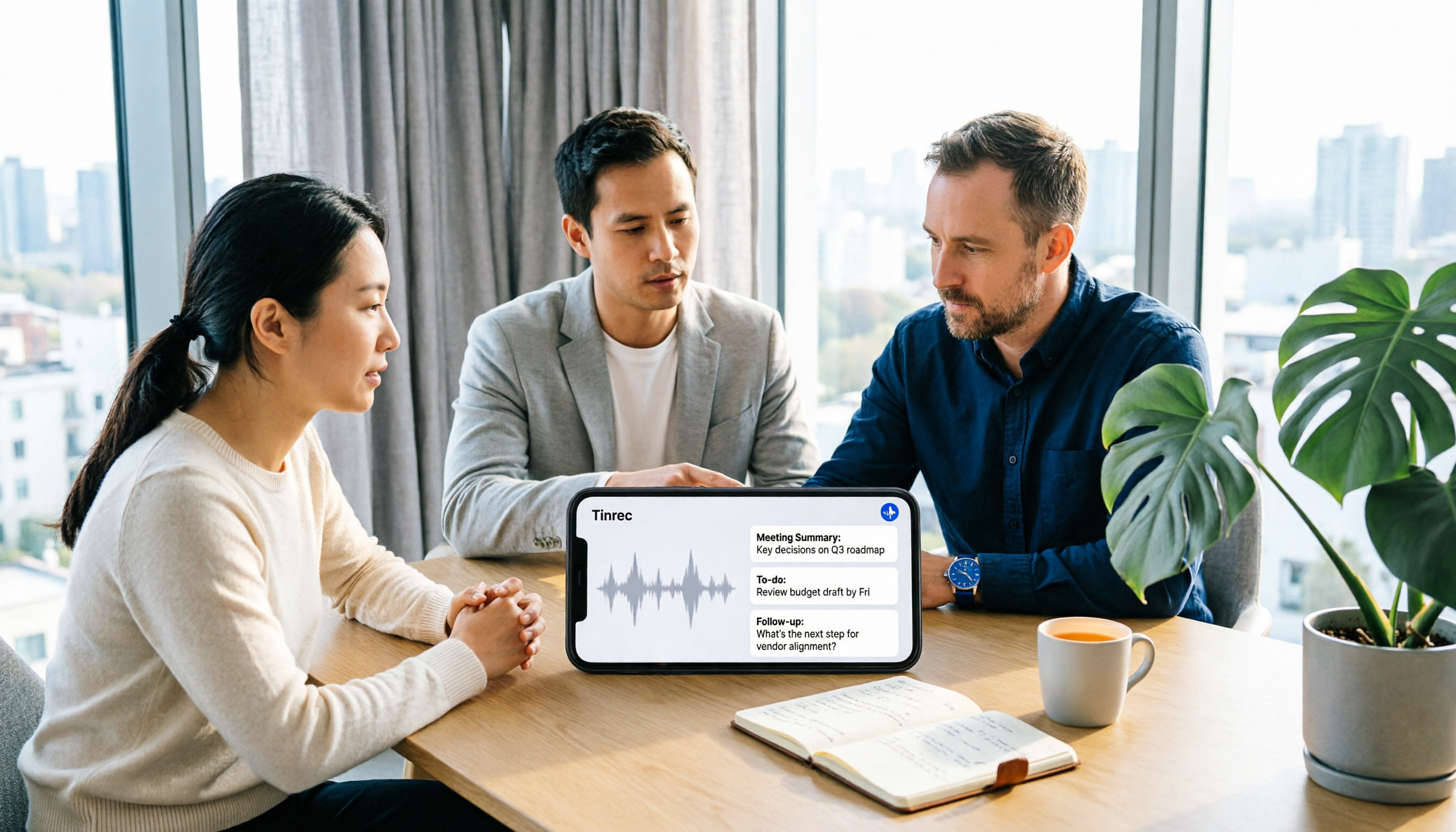
Post-meeting three-part organization: summary, chapters, action items After the meeting ends, Tinrec automatically generates a summary, breaks long meetings into chapters, and extracts action items from the discussion—who is responsible for what and when it's due, listed directly. This step is completely impossible with Google Docs voice typing, because that feature is essentially real-time dictation and has no concept of "post-meeting output."
AI Q&A is its real differentiator After recording, you can ask questions directly about the meeting content, such as "Who mentioned the budget last time?" It doesn't give keyword search results but answers organized based on semantic understanding. This feature is especially noticeable when searching through past meetings, especially when you only remember "someone said it" but can't recall which meeting. Most competitors in the same price range are still stuck at transcript plus summary.
Real-time translation, bilingual view, and team hotwords For cross-language meetings, you can view the original text, translation, or bilingual content while recording. The team version also maintains a shared hotword list, where you can add internal product codes, abbreviations, and industry terms to reduce the hassle of manually correcting names each time.
Stop organizing recordings by hand
Upload audio or video and automatically get a transcript, summary, and action items
The team version turns meetings into team assets This is where Tinrec differs most from free tools. The team version provides an independent team space, and meeting data belongs to the team, not the uploader's personal account. Management distinguishes "roles" and "seats": roles determine who can manage members and team settings, seats determine who can record, upload, edit, and export; active members without seats can still view, play, and read team data. Administrators can also see team usage trends, member rankings, details, and query and export audit logs. When a member leaves or is removed, their team resources can be handed over to other members, so data doesn't disappear with the person.
Current team version trial and pricing: eligible teams can try for 7 days, 1 free seat, 300 minutes of team shared import quota; monthly USD 29.80 per paid seat per month, annual USD 199 per paid seat per year, equivalent to about USD 16.58 per month. Paid seats provide 2,000 minutes of team shared import quota per month, and real-time recording under an active team plan is currently not deducted by minutes; file and web link imports consume team shared quota. Actual amounts and promotions are subject to the official purchase page.
Our testing method and conditions We used a roughly 5-minute mixed Chinese-English meeting recording, enabled real-time transcription and translation simultaneously on the desktop version, and observed terminology recognition, overlapping speech, and timestamp positioning. We chose this material rather than a quiet studio because real meetings have air conditioning noise, keyboard sounds, and people interrupting—the differences between tools only truly show under these conditions. Note that no tool should promise a fixed accuracy rate; actual results are affected by recording quality, accent, noise, and specialized terminology. For important content, it's recommended to replay and verify with transcript timestamps.
Three main advantages First, no need to invite a bot to meetings, avoiding awkwardness with external parties. Second, transcription is just the starting point; summaries, action items, AI Q&A, and multi-format export (Notion, Google Docs, OneNote, Dropbox, etc.) complete post-meeting work in one go. Third, the team version's roles, seats, usage, and audit design make it truly purchasable by organizations, rather than a few people secretly using it individually.
Two limitations to know upfront The free version provides a basic quota, suitable for experiencing the workflow first; those who use it steadily every week should consider weekly cards, Pro monthly cards, or annual cards. If your need is one-time batch transcription of large long files, that's not Tinrec's strong suit. Also, the team version currently focuses on team-level sharing; all active members can read team data, and there is no file-level or member-level fine-grained private permission.
Who it's for If you frequently hold online meetings, need Chinese and mixed Chinese-English records, want to ask AI directly for key points after meetings, or you're choosing a tool for your department to accumulate meeting data, Tinrec is currently the most suitable choice. Personal version data is managed under personal accounts; clubs, project teams, or companies should go directly with the team version.
Besides Tinrec, these three free Google entry points are also worth knowing
Voice typing in Google Docs and Slides Enable voice typing from the Tools menu in Google Docs, and you can speak while typing using Chrome, Edge, or Safari. You can also use voice commands to edit formatting, such as selecting paragraphs, italicizing, and inserting links. It's free and has zero learning curve, suitable for dictating drafts or typing long texts. But its essence is real-time dictation; it cannot upload existing audio files and does not generate summaries or action items—the moment you turn off the microphone, the work is just beginning.
Google Cloud Speech-to-Text This is an API for developers, supporting over 85 languages and dialects, transcribing files up to 8 hours long, and offering optimized models for telephony and profanity filtering. Recognition capability is unquestionable, but you need to write code yourself and handle subsequent organization, and it won't generate meeting minutes, action lists, or team spaces. For teams with engineering resources that want to embed speech recognition into their own systems, this path is the cleanest.
Google Recorder app The Google Recorder app on Android has built-in AI transcription, producing Traditional Chinese transcripts and switching between Chinese, English, and Japanese. It's convenient for quickly recording an interview or idea on your phone. The limitation is that it focuses on phone-based recording; handling online meetings, historical audio files, and team collaboration are not its design goals, and the output is plain text without summaries or follow-up questions. If you need pure file batch transcription, tools like Notta and TurboScribe are often compared, but they also stop at the transcript stage.
Pitfall guide: 4 most common mistakes when choosing a speech-to-text tool
Pitfall 1: Treating "free" as zero cost Google Docs voice typing is indeed free, but it requires you to speak into the microphone in real time; you cannot drop in a meeting file recorded yesterday. If your need is to organize existing recordings, the free option saves the monthly fee but costs you time.
Pitfall 2: Looking only at total languages, not your language combination "Supports 85 languages" and "how accurately it transcribes your mixed Chinese-English meetings" are two different things. Before purchasing, it's best to test with a real meeting recording of your own, especially segments with high density of product names, abbreviations, and terminology.
Pitfall 3: Ignoring whether audio files should be kept Some tools only provide text and do not save meeting audio. When you later want to verify a key commitment, you'll find no way to check. When purchasing, ask directly: Will audio files be retained? Is there a recycle bin for accidental deletion? (Tinrec team version audio files can be restored from the recycle bin before permanent cleanup; current retention period is 30 days.)
Pitfall 4: Confusing "accounts" and "seats" The most common misunderstanding in team purchasing is thinking that buying N accounts means N people can use all features. In reality, most team version tools divide into three layers: member relationship, role, and seat. Members without seats can only read. Understand this clearly so you don't sign the contract and then find out everyone can't use it.
Conclusion: Which one should you choose?
In one sentence: Google's free options solve "turning sound into text," while Tinrec solves "turning meetings into usable data." Which one you need depends on how much time you spend on post-meeting organization each month.
Only occasional dictation and using Google Docs all the time → Google Docs voice typing is enough, free and no learning required.
Have an engineering team and want to embed speech recognition into your own system → Google Cloud Speech-to-Text, maximum flexibility.
Record casually on your phone and only need a Chinese transcript → Google Recorder app can handle it.
Have meetings every week, need summaries and action items, want to ask AI directly for key points → Tinrec, this is the part free tools completely cannot cover.
Department or company wants to accumulate meeting assets and manage members and usage → Tinrec team version, focusing on roles, seats, shared quota, and auditing, rather than simply comparing minutes.
If your situation falls into the latter two, we suggest first using the free version to run a real meeting recording of your own and see if the summary and follow-up answers can be directly handed to your manager. Compared to reading ten reviews, this test can give you an answer in about ten minutes.
References
- Convert speech to text | Gemini Enterprise Agent Platform | Google Cloud Documentation
- Speech-to-Text: AI voice input and transcription | Google Cloud
- Type and edit with your voice - Google Docs Editor Help
- How to use speech to text on Google Docs | Speechify
- Video: Use free "Google speech to text" to solve meeting transcripts, writing blocks, and video subtitle problems!
Turn every recording into actionable outcomes
Get 60 free transcription minutes when you sign in. No credit card required.
Related Reading
You might also like

2026 Voice-to-Text AI Comparison: Solving the Meeting Organization Pain Points Dcard Users Ask About Most
Starting from common Dcard questions about free plans and usage limits, we compare Tinrec, Otter.ai, Notta, and TurboScribe on meeting recording, transcripts, AI summaries, action items, and team collaboration to help you choose the right voice-to-text AI.

2026 Tinrec Voice-to-Text Tutorial: Bot-Free Meeting Recording + AI Summaries & Action Items
Starting from common Dcard discussions about voice-to-text apps, this article goes beyond free minute comparisons to break down the common misconception that transcription is the end of the process. It covers 4 key buying factors, Tinrec's bot-free online meeting recording, AI summaries and action items, team spaces and pricing limits, plus brief reviews and pitfalls of Notta, Granola, and TurboScribe.

2026 Speech-to-Text Tools Compared: Is Google Docs Voice Typing Enough or Does Tinrec Save More Time?
Many people think Google Docs voice typing can automatically generate meeting notes, but it's only real-time dictation—you still have to organize everything yourself. This article starts with common misconceptions and compares Google Docs voice typing, TurboScribe, built-in transcription in Zoom/Meet/Teams, and Tinrec, explaining who each is for, free limitations, step-by-step instructions, and pitfalls to avoid.

2026 Voice-to-Text AI App Comparison: Why Tinrec Beats SoundType AI for Chinese Meetings
Many people think a voice-to-text app just needs to turn recordings into text, but the real time sink is post-meeting organization. This article starts with common misconceptions and compares Tinrec and SoundType AI in Chinese meetings, post-meeting summaries, AI Q&A, and team collaboration to help you decide which is better for everyday meeting notes.
4 iPhone Speech-to-Text Tools Tested for 2026: Which One Produces Meeting Minutes Right After Your Call?
iPhone's built-in Dictation and Voice Memos transcripts can handle some needs, but summarizing meetings, extracting action items, and asking follow-up questions are where the real time goes. This article compares Apple's built-in tools, Tinrec, Notta, and PLAUD NotePin across input methods, Chinese-language experience, post-meeting organization, and team collaboration to help you choose the right iPhone speech-to-text approach.

4 AI Speech-to-Text Tools Compared for 2026: Meeting Notes, Transcripts, and Free Tiers Explained
Two-hour meetings followed by two hours of organizing notes is a daily reality for many office workers. This article starts with the four most overlooked key points when choosing a tool, then compares Tinrec, Notta, Granola, and Otter.ai on meeting capture methods, post-meeting organization capabilities, free tiers, and team data governance. It also summarizes four common pitfalls to help you choose the right tool for your actual scenarios.

5 Speech-to-Text Apps Tested for 2026: Which One Actually Saves Time on PTT's Hot List?
Every few months, someone on PTT asks which speech-to-text app is most accurate, but the real issue usually isn't the tool. This article tackles three common misconceptions, then walks through a complete five-step workflow: record, transcribe, proofread, generate summaries and action items, and export. It also includes a copy-paste AI prompt template and clarifies the roles and seat differences that teams often misunderstand.

5 Best Speech-to-Text Apps in 2026: Which Dcard-Favorite Tool Is Best for Chinese Meetings?
What's the real difference between the speech-to-text apps repeatedly mentioned on Dcard? This article uses a 47-minute meeting recording to walk through 5 steps: recording, transcription, proofreading, generating meeting minutes, and exporting. It also outlines the positioning of iPhone Notes, Yating Transcription, MyEdit, NotebookLM, and Tinrec to help you choose between free and paid options.

2026 Sales Meeting Notes Template Comparison: Which One Auto-Generates Action Items and Client Follow-Ups?
A practical comparison of sales meeting notes templates in 2026, covering essential fields and post-meeting workflows across Word, Excel, Notion, Notta, Granola, and Tinrec. Focused on client needs, objections, decision-makers, budget, and action item tracking to help you choose the template that turns into an action list fastest.