

Turn recordings into transcripts and summaries in minutes
Upload audio or video for multilingual transcription, AI notes, and action items
Last Friday afternoon, I was flipping through a client contract while filling in the notes from that sales meeting in Excel. The client had clearly stated the budget cap and decision timeline during the meeting, and I nodded at the time, but three days later, all I remembered was "probably need to follow up again." It's not that I wasn't listening carefully—it's that sales meeting information is too fragmented: customer needs, budget, competitors, commitments, next steps—all relying on human memory, something will definitely be missed.
This article isn't telling you to buy a more expensive Excel template. Instead, it's what my team actually tried: how to use AI meeting notes tools to quickly organize sales meeting content into fields you can paste into Excel.
Still filling in memories in a blank Excel after meetings? The five types of information sales meeting notes should really capture
First common scenario: the client says "budget is around two million," you write down two million, but don't note whether it's tax-inclusive or tax-exclusive, and the next quote gets challenged. Second: the client promises "I'll send you the spec sheet next week," you nod at the time, but after the meeting you forget who was supposed to send it, to whom, and by when. Third: for a cross-departmental deal, a week later your boss asks "what was that client's decision-making process again?" and you can't find it anywhere in your notes.
Sales meeting notes Excel isn't for showing your boss—it's for yourself two weeks later. Our team eventually settled on recording these five types of information:
- Basic info: meeting date, client name, project, attendees, decision-maker.
- Customer needs and budget: pain points, budget range, quote terms (tax-inclusive or tax-exclusive).
- Decision process and timeline: who signs off, procurement process, expected decision date.
- Competitors and concerns: who the client mentioned, what they care about, what's still unresolved.
- Commitments and to-dos: what the client committed to, what we committed to, owner, deadline, next follow-up date.
The problem is, if you rely on post-meeting recall for these fields, you'll probably only fill in half. Choosing the right tool means you'll have something to paste as soon as the meeting ends.
Before choosing a sales meeting notes tool, understand these 5 key points
1. Transcription capability for Chinese and mixed Chinese-English. Sales meetings rarely use standard Chinese throughout; clients may mix in English model numbers, speak Taiwanese, or have accents. Don't just look at the official accuracy claims—test with your own real meeting recordings. A quiet recording studio and a meeting room are two different things.
2. Can it produce a structure you can paste into Excel after the meeting? A verbatim transcript isn't enough—you need summaries, to-dos, owners, and deadlines. If a tool can extract "customer needs, budget, decision timeline, commitments" into paragraphs, the speed at which you paste into Excel will be very different.
3. How it captures online meetings. Some clients don't like an extra bot in the meeting. Desktop versions that directly capture computer system audio are especially practical for client meetings; but remember, these tools usually require you to actively start recording, not automatically join every meeting.
4. Can team data be retained and handed over? Sales teams fear nothing more than when someone leaves, the client meeting records disappear with them. Team spaces, roles and seats, resource handover before members leave—these are more important than monthly minute quotas.
5. Free quota and cost. Start with the free version to test the workflow, confirm that summaries and to-dos are actually usable, then consider paying. Don't get locked into an annual contract from the start.
Tinrec—the choice our team kept using
Tinrec is the tool our team ultimately kept using. It's an AI meeting notes and collaboration tool for individuals and teams, covering real-time recording, desktop online meeting recording, audio and video file transcription, real-time translation, and organizing transcribed content into summaries, chapters, to-dos, and mind maps. For someone like me who has over a dozen meetings a week, its value isn't "turning speech into text" but taking care of the most mechanical post-meeting work first.
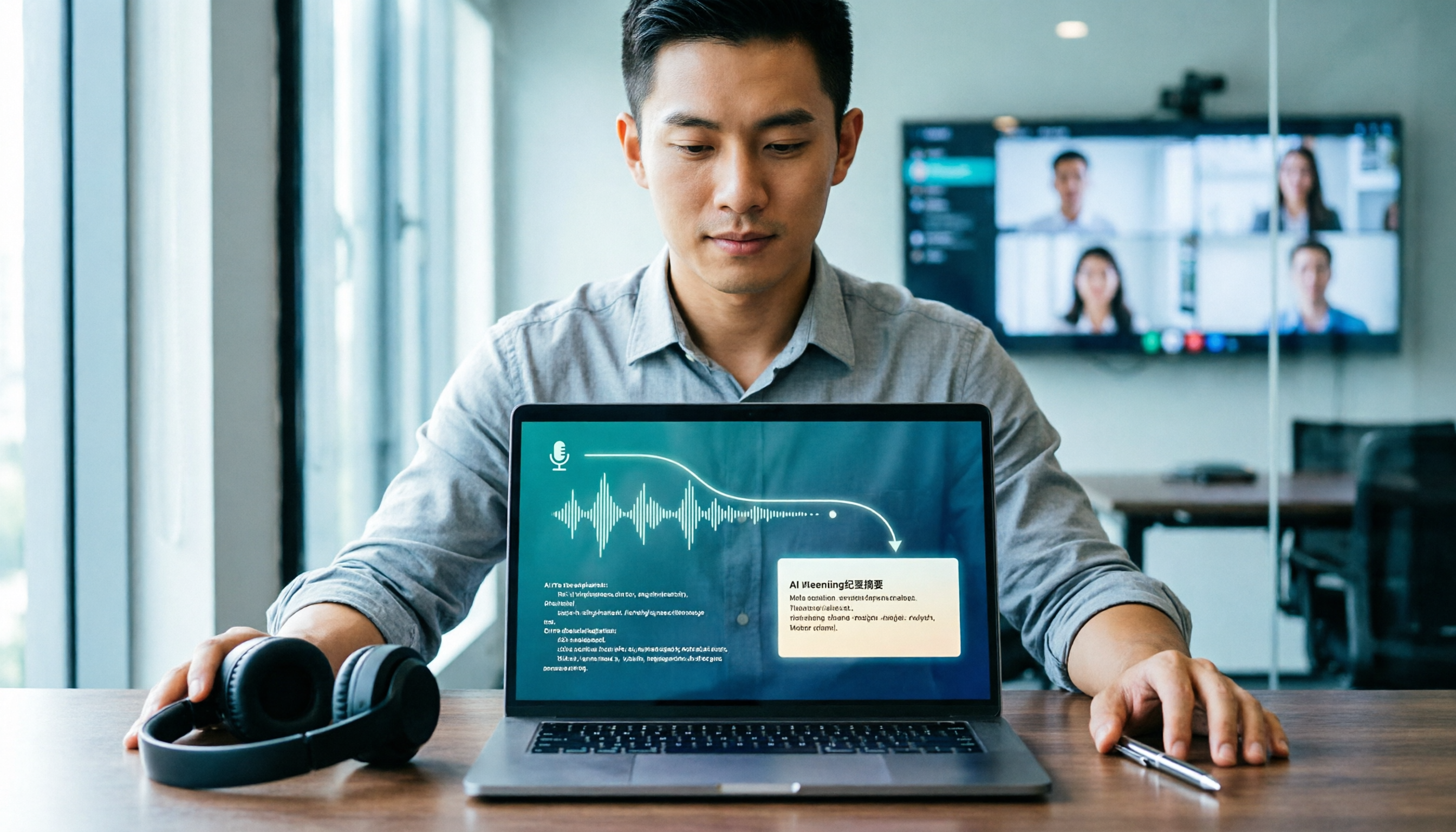
Now when I have a sales meeting on Zoom or Google Meet, I first open the Tinrec desktop app. It directly captures computer system audio, so I don't need to pull a meeting bot into the room. This is especially important for client meetings—some clients ask questions when they see an extra bot, so if you can avoid adding one, do so. When the meeting ends, the transcript is already there, and the AI summary and to-dos are generated; I copy the "customer needs, budget, decision timeline, commitments" sections into my own Excel, then add the owner and deadline.
Stop organizing recordings by hand
Upload audio or video and automatically get a transcript, summary, and action items
If it's a recording of a client interview, you can also upload audio or video files for transcription. After recording, you can directly ask the AI: "What was the budget cap the client mentioned in this meeting?" It will answer based on the meeting content, so I don't have to Ctrl+F and search slowly. For cross-language meetings, you can enable real-time translation and view in original, translated, or bilingual mode. For reports to your boss after the meeting, you can have the Agent generate a draft first, then edit it yourself.
Team leaders can look at the team version: meeting data is stored in an independent team space, members have roles and seats; members without seats can view, play, and read data but cannot upload, edit, or import/export. Admins can see usage analytics, audit logs, the audio recycle bin can restore accidentally deleted audio, and team hotwords are used to maintain product terminology. Eligible teams get 7 days, 1 free seat, and 300 minutes of shared import quota for the first time; paid seats are $29.80/month or $199/year (about $16.58/month), with 2,000 minutes of shared import quota per seat per month. Under active plans and seats, real-time recording is currently not deducted by minutes. Prices are subject to the official purchase page.
There are also some limitations to be clear about. First, the free version is a basic quota—fine for light use, but daily meeting users still need to pay. Second, the team version is currently team-level sharing, not file-level permissions, so don't plan it as fine-grained ACL. Third, it's not a calendar bot—it won't automatically jump into every meeting; you need to open the desktop app yourself to start recording. Fourth, it doesn't promise a fixed accuracy rate; recording quality, accents, and multiple people talking over each other will affect results, and I still replay the transcript to verify important numbers.
If you need Chinese sales meeting transcripts, post-meeting summaries, and to-dos, and want to quickly fill these into Excel, Tinrec is currently the smoothest choice. Especially in scenarios where clients don't allow meeting bots to join, the desktop version's system audio capture is much more practical.
Besides Tinrec, what other options are there?
Otter.ai: The top choice for English meetings, free version 300 minutes per month, Pro annual billing about $8.49/month. Summaries, AI Chat, and team management are mature, and it's more than enough for mainly recording English meetings. But Chinese sales meetings are not its strong suit; Tinrec can use Chinese transcripts, summaries, to-dos, and team hotwords, making it smoother when client meetings are mainly in Chinese.
Granola: A bot-free AI meeting notes tool, Basic free, Business $14/user/month. It uses desktop system audio for real-time transcription, then combines with handwritten notes to generate content, suitable for those who don't want a bot to join. But it doesn't support uploading pre-recorded audio files, nor does it save meeting audio; if you need to replay recordings after meetings and organize client interview audio files, Tinrec supports file import and retains audio, which is safer for sales tracking.
TurboScribe: A cost-effective file transcription tool, free 3 files per day, 30 minutes per file; Unlimited annual $120, up to 10 hours or 5GB per file, can upload 50 files at once. It's suitable for transcribing large amounts of long recordings, but doesn't focus on real-time meetings, AI Q&A, and team spaces. If you want to ask AI for key points directly after meetings and put to-dos into a team database, Tinrec is more aligned.
Pitfall guide: The 4 most common mistakes in sales meeting notes Excel
Pitfall 1: Only pasting the transcript into Excel. Transcripts have no structure; customer commitments and budgets are scattered across dozens of pages, which is as good as not organizing. The correct approach is to first use AI summaries and to-dos to extract the five types of information, then paste into the spreadsheet.
Pitfall 2: Pulling a bot into client meetings for recording. Some clients don't like an extra bot in the meeting and may even affect trust. The correct approach is to use the desktop version to capture system audio, without a bot joining; the Tinrec desktop version follows this workflow.
Pitfall 3: Keeping team meeting notes in personal accounts. When someone leaves, the data breaks. The correct approach is to use team spaces, separate roles and seats, and hand over the team resources the member was responsible for to other active members before they leave; the Tinrec team version has this mechanism.
Pitfall 4: Believing in a fixed 98% accuracy rate. Real meetings have air conditioning noise, keyboard sounds, accents, and multiple people talking over each other, so accuracy will noticeably drop. The correct approach is to test with your own recordings and replay the transcript to verify important numbers; Tinrec also doesn't promise a fixed accuracy rate.
Conclusion: Which one should you choose?
In one sentence: If what you want is "record a Chinese sales meeting, and quickly fill the post-meeting summary and to-dos into Excel," Tinrec is the top choice.
Scenario breakdown:
- Chinese sales meetings, need to fill Excel after → Tinrec (Chinese transcript, summary, to-dos, AI Q&A).
- Client doesn't allow meeting bots to join → Tinrec desktop version (captures system audio, no bot).
- Sales team needs to share client meeting records, member handover → Tinrec team version (team space, roles and seats, audit and recycle bin).
- Only recording English, want to keep costs low first → Otter.ai (mature for English meetings, free 300 minutes/month).
- Large amounts of long recording files to transcribe → TurboScribe (long files and batch upload).
We recommend starting with the Tinrec free version, using a real sales meeting to test the workflow: record, view the summary, paste the to-dos into Excel. If the free quota isn't enough, then consider paying—no need to buy from the start. For actual quotas and prices, refer to the official page.
References
- How to create a sales meeting notes table in 2026? 5 steps from blank table to AI automatic organization - Tinrec Blog
- How to create a 2026 meeting notes template Excel? 5 AI audio-to-text tool reviews and practical guide - Tinrec Blog
- [Meeting Notes Template Download 2026] 6 Meeting Notes App Recommendations | Format Tutorial and Writing Examples
- Creating a Sales Report in Excel: Steps and Templates
- Meeting Minutes Template XLS: Excel Format and Fields | NoteLyn AI
Turn every recording into actionable outcomes
Get 60 free transcription minutes when you sign in. No credit card required.
Related Reading
You might also like

2026 Speech-to-Text Tool Comparison: MyEdit vs. Tinrec — Which Is Better for Chinese Meetings?
We tested Tinrec, MyEdit Speech-to-Text, Otter.ai, and Notta across online meetings, client interviews, and existing audio files. Compare free tiers, language support, post-meeting organization, and team collaboration to decide which tool fits your needs.

2026 AI Speech-to-Text Comparison: Which Tool Saves the Most Time on Chinese Meeting Notes?
Two-hour meeting recording, another two hours to re-listen and organize? This article starts from real-world usage scenarios, outlines 4 key criteria for choosing AI speech-to-text tools, and compares Tinrec, Notta, Otter.ai, and TurboScribe in terms of positioning, quotas, and ideal users. It also lists 3 common purchasing mistakes to help you find the one that truly saves time.

Best iPhone Speech-to-Text Apps 2026: Record Online Meetings Without Bots + AI Summaries & Action Items
Searching for "speech-to-text" on the App Store returns endless results, but the first thing to determine isn't download count—it's where your audio comes from and what you need to do with the transcript afterward. This guide covers 5 key buying criteria, hands-on comparisons of iPhone's built-in Voice Memos, Notta, Otter.ai, and Tinrec, plus 4 common pitfalls to help you choose the right app in one go.

5 Speech-to-Text Tools Tested for 2026: Which Really Saves Time on Chinese Recognition and Post-Meeting Cleanup?
Many people think speech-to-text is just converting audio into words, but the real time sink is what happens after transcription. This article starts with the most common misconception, explains how to use Chinese speech-to-text and what core capabilities to look for, and uses Tinrec as an example to outline 5 key points to check before buying, plus FAQs.

6 Best Voice to Text Tools for Chinese in 2026: Accuracy & Meeting Summaries Compared
A practical comparison of 6 voice-to-text tools for Chinese in 2026, covering real-time dictation, Chinese meeting transcription, post-meeting summaries, and team collaboration. Includes free tiers, pricing, and selection advice.

Tinrec vs Notta in 2026: 5-Dimension Comparison — Which Is Worth Buying for Chinese Meeting Notes?
How do you choose a speech-to-text AI tool? This article compares Tinrec and Notta across 5 dimensions — meeting capture method, post-meeting output, Chinese-language experience, audio retention, and team governance — then adds the use cases for Otter.ai and Granola to help you pick the right tool within your budget.

2026 Speech-to-Text AI Free Versions Compared: Tinrec vs. Notta — Which Is More Useful?
Many people search for 'speech-to-text AI free' and base their first judgment on whether the official website says 'free' — but that's actually the easiest trap to fall into. This article compares Tinrec and Notta across 6 dimensions: free quota calculation, online meeting recording methods, post-meeting organization, Chinese language experience, audio file retention, and team governance, to help you determine which one truly fits your use case.
2026 Voice-to-Text App Guide: Dcard Favorites Compared + AI Meeting Notes Tested
Recorded a 100-minute meeting and spent 3 hours organizing it? Starting from common Dcard discussions, this article breaks down 4 key factors for choosing a voice-to-text app, tests Tinrec's bot-free online meeting recording, AI Q&A, and post-meeting workflow, compares Notta, Yating Transcription, and Otter.ai for different scenarios, and lists the 4 most common beginner mistakes.

2026 LINE Voice-to-Text Guide: 2 Methods Tested and Recommended
Converting LINE voice messages to text often gets stuck at extracting the audio file and dealing with inconsistent transcript versions. This article compares LINE's built-in process with Tinrec, analyzing file extraction, Chinese transcription, post-meeting organization, export, and team collaboration to help you choose the right solution.