

Turn recordings into transcripts and summaries in minutes
Upload audio or video for multilingual transcription, AI notes, and action items
Why Do You Need a Voice-to-Text Tool?
Before choosing a tool, ask yourself: Do you want "turn one spoken sentence into one line of text," or "turn a 60-minute meeting into a record you can hand off"?
These two things look similar but actually correspond to completely different products, and the price can differ several times over.
The former is voice input, suitable for replying to messages, writing drafts, and jotting down ideas. The latter is meeting transcription, which besides turning sound into text, also needs to handle speakers, paragraphs, summaries, action items, and subsequent exports.
If you search for "voice to text Chinese," chances are you're thinking of the latter—Chinese meetings, interviews, class recordings—and after transcription, you need to be able to view, search, and edit.
This article addresses that need by compiling 6 tools I think are worth keeping on your shortlist, ranked from most full-featured to most lightweight.
Tinrec | Turn Meetings into Searchable, Collaborative Team Knowledge
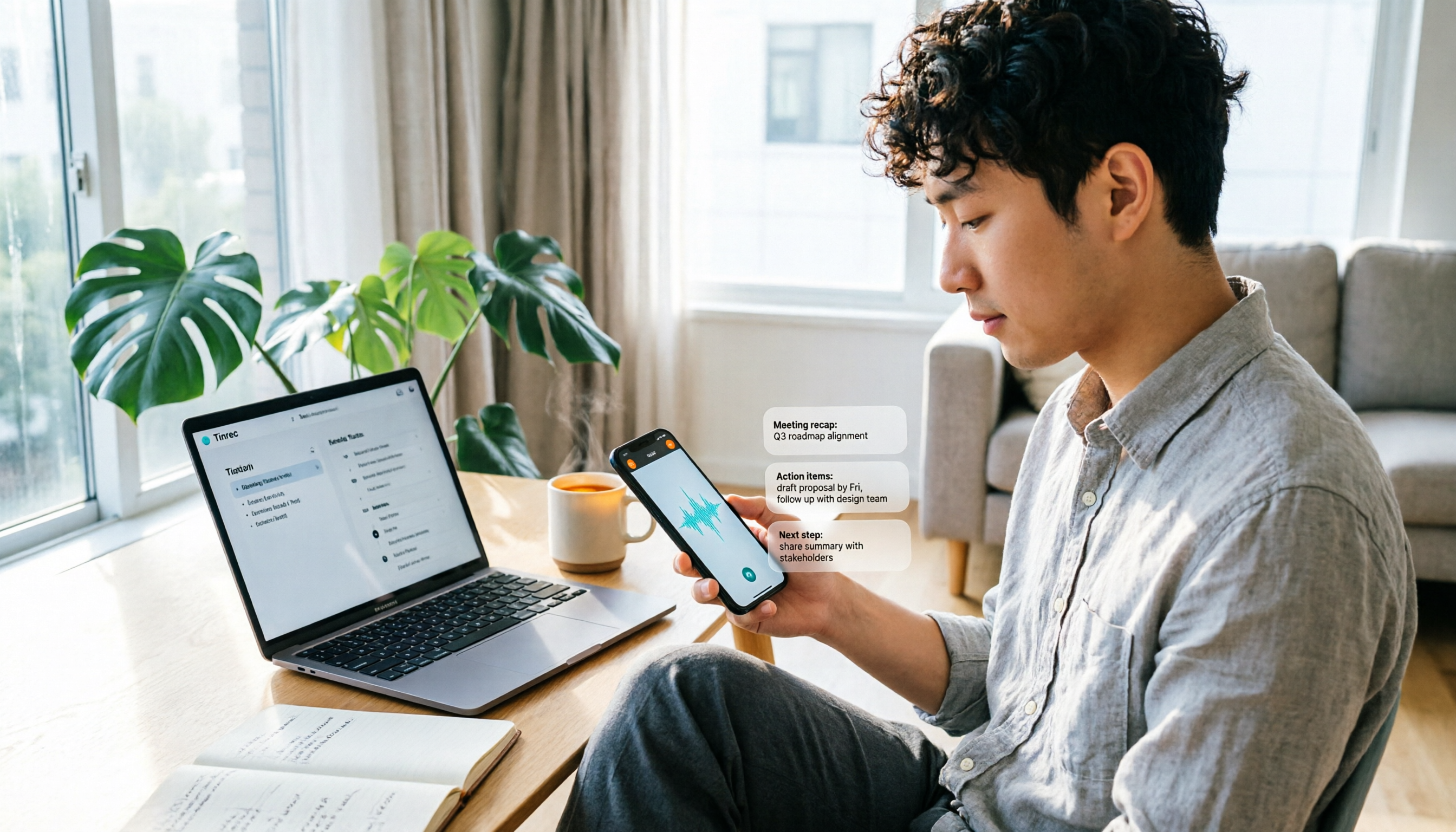
Tinrec is an AI meeting notes and collaboration tool for individuals and teams. It doesn't just convert sound to text; it organizes meeting recordings into searchable, summarizable, queryable, and exportable data.
The first highlight is "bot-free recording of online meetings." The desktop version directly captures your computer's system audio, so when handling meetings on Zoom, Google Meet, Microsoft Teams, or Webex, you don't need to invite a bot account, and no stranger appears on the screen. Note that this doesn't mean it automatically joins all calendar meetings; you still need to actively open Tinrec to start recording.
The second is the post-transcription workflow. Beyond the transcript, it generates AI summaries, chapters, key points, and action items, and you can continue asking questions about the meeting content. For example, "What three things were decided last week?" or "What was the budget cap the client mentioned?"—asking directly is much faster than listening again.
The third is Chinese and multilingual scenarios. It handles Chinese meetings, mixed Chinese-English, and multilingual meetings, and supports real-time translation and bilingual display during recording. Actual recognition performance will be affected by recording quality, accents, overlapping speakers, and technical terms—this is the same for any tool.
The fourth is the team version. The team version is not multiple people sharing one account, but an independent team space: you can invite members, set owners and admins, assign seats, centrally store meeting data, and view usage trends and audit logs. It's important to distinguish "roles" from "seats"—members without seats can still view and play team data, but need a seat to record, upload, edit, and export.
Pricing: The personal version has a free version, weekly card, Pro monthly, and Pro annual, choose based on usage frequency; the team version is USD 29.80 per paid seat per month, or USD 199 per paid seat per year (about USD 16.58/month) for annual billing. First-time eligible users can try 7 days with 1 free seat and 300 minutes of team shared import quota; paid seats provide 2,000 minutes of team shared import quota per month, and real-time recording under an active plan is currently not deducted by minutes.
Who it's for: Those who need Chinese meeting records, don't want a bot joining meetings, and want to turn post-meeting content into team assets.
Notta | A Veteran Choice for Multilingual Transcription and Translation
Notta overlaps significantly with Tinrec, covering multi-platform transcription, file import, translation, and team plans—it's a name many people think of first.
Its strengths are multilingual support and translation, a familiar interface, and an intuitive file import process. The official free version offers 120 minutes per month with a 3-minute limit per item; Pro annual billing works out to about USD 8.17/month with 1,800 minutes per month; Business annual billing is about USD 16.67 per seat per month, offering unlimited transcription, role permissions, and usage reports.
Who it's for: Users who mainly need file transcription and translation and don't need bot-free recording of online meetings.
Otter.ai | A Mature Assistant for English Business Meetings
Otter is a mature AI meeting assistant covering Zoom, Microsoft Teams, and Google Meet, with real-time transcription, speaker identification, AI Chat, and team management.
The official pricing page shows Basic is free with 300 minutes per month; Pro annual billing is about USD 8.49 per user per month, including 1,200 minutes of in-app recording and 10 file imports per month; Business offers unlimited meetings and more management capabilities. For English business meetings, it has high mindshare.
Who it's for: Those whose meetings are primarily in English and whose teams are already used to Otter's workflow. For Chinese meeting details, it's best to run a test yourself before deciding.
Granola | AI Meeting Notes Without a Meeting Bot
Granola also takes the bot-free route, using the desktop device's system audio and microphone for real-time transcription, combined with user-written notes to generate more targeted meeting content.
The free version is Basic, Business is USD 14 per user per month, Enterprise is USD 35 per user per month. Note that it does not support uploading pre-recorded audio files and does not save meeting audio; transcripts can be viewed, copied, and searched.
Stop organizing recordings by hand
Upload audio or video and automatically get a transcript, summary, and action items
Who it's for: Those who are used to taking their own notes during meetings and don't need to listen back to recordings.
TurboScribe | A Cost-Effective Route for Long Audio and Batch Transcription
TurboScribe is closer to a file transcription tool, focusing on long files, batch uploads, subtitles, and translation.
The free version allows 3 files per day with a 30-minute limit per file; Unlimited annual billing is USD 120, about USD 10/month, with paid version supporting files up to 10 hours or 5 GB each, and up to 50 files per upload. If you have a batch of interview recordings or course audio, its processing efficiency is hard to beat.
Who it's for: Those who need to transcribe large amounts of existing audio into text and don't really need real-time meeting and post-meeting Q&A features.
cSubtitle | Chinese-Focused, No-Registration Online Conversion
cSubtitle's positioning is simple: focused on Chinese language processing, upload audio/video files and wait online, then download text files without registering an account.
The official description mentions encrypted connections, automated machine processing, uploaded audio/video files automatically deleted after 3 hours, and users can also choose to delete immediately after conversion. For those who occasionally transcribe one or two Chinese videos, this "open a webpage and use it" experience is very convenient. Actual free quota and paid plans are subject to the official website.
Who it's for: Those who only transcribe Chinese audio/video a few times a month and don't want to create an account or install software.
With So Many Options, How Should You Choose?
First look at your meeting scenario, then your budget—the answer is usually clear:
• Want transcription + summary + action items + AI Q&A all in one → Tinrec, currently one of the few options that has all of these. • Need to record Zoom, Meet, Teams but don't want a bot joining the meeting → Tinrec desktop version directly captures system audio. • Mainly Chinese meetings, occasionally mixed Chinese-English or foreign clients → Tinrec, supports real-time translation and bilingual display. • After the meeting, want to take content to Notion, Google Docs, OneNote for further processing → Tinrec, more complete multi-format and third-party export. • Team sharing, need to manage members, seats, usage, and auditing → Tinrec team version, this area is more detailed than other options. • Just need to transcribe a batch of long audio files, no meeting features needed → TurboScribe is lower cost. • Meetings entirely in English, team already has established processes → Otter can be used as is. • Only transcribe a few videos a month, don't want to register → cSubtitle, an online tool, is the most convenient.
In short, if your needs include two or more of "Chinese + meetings + post-meeting organization + team sharing," Tinrec will be the one with the lowest switching cost on the list.
4 Things to Know Before Using Voice-to-Text
1. Free tiers always have limits. Every free version has minute or file length caps, e.g., Notta free version only 3 minutes per item, TurboScribe free version 30 minutes per file. Running your own real recording through the free version is more accurate than looking at spec sheets.
2. Don't expect 100% accuracy. Chinese proper nouns, names, and mixed Chinese-English are most error-prone. A more reliable approach is to choose a tool that supports team hotwords or custom vocabulary (Tinrec team version has team hotwords), and for important content, cross-check with the transcript timestamps and listen back.
3. Recording quality determines 80% of the result. Multiple people crowded in one meeting room, microphone far away, loud air conditioning—the transcription will definitely be poor. A better microphone often makes a more noticeable difference than switching tools.
4. Confirm legality before recording. When it comes to meeting recording and transcription, you should comply with local regulations and obtain consent from participants when necessary—this is especially important in international meetings.
FAQ
Q: Is the free version really enough?
For occasionally transcribing a memo or one or two short meetings a week, the free version is usually enough. But if you have meetings every day, the free quota will probably run out in three days, so it's more practical to look at paid plans.
Q: How do I evaluate Chinese speech recognition accuracy?
Companies often publish error rates on English test sets, which may not apply to Chinese. It's recommended to test with a segment of your own real recording, especially parts containing names, product codes, and mixed Chinese-English—that's where the difference is most obvious.
Q: Do online meetings always require a bot to join?
Not necessarily. Tinrec desktop version and Granola both take the bot-free route, directly capturing computer system audio; Otter, Fireflies, and similar tools mainly use meeting bots. The difference is whether an extra account appears in the meeting list.
Q: What's the difference between team and personal versions?
Personal version data belongs to the individual account. The team version is an independent space where data belongs to the team, with additional members, roles, seats, shared quota, usage analysis, and audit logs. For example, with Tinrec, members can view team data even without a seat, but need a seat to record, upload, and edit.
Q: Can the transcript be further processed?
Yes. Most tools support exporting to text files or taking to third-party tools. Tinrec additionally provides the ability to generate reports, tables, and documents from meeting content, suitable for handing off directly after the meeting.
Conclusion
Voice-to-text tools have diverged more and more in recent years: some only convert sound to text, while others have moved on to post-meeting organization and team collaboration.
If you only need to transcribe a video occasionally, free online tools are sufficient. But if you deal with Chinese meetings every week and also need summaries, action items, Q&A, and team sharing, Tinrec has the most complete coverage on this list.
I recommend starting with the free version and running a segment of your own real meeting recording to see if the Chinese recognition and summary results meet your standards, then decide whether to upgrade.
References
- Audio to Text - Free Speech to Text Tool
- Speech-to-Text: AI Voice Input and Transcription | Google Cloud
- Speech to Text - How to Quickly Convert Online Audio to Text - cSubtitle
- Free Chinese Speech to Text Online | AI Chinese Voice to Text
- Free Mandarin Speech to Text | Transcribe Mandarin Voice and Audio to Text
Turn every recording into actionable outcomes
Get 60 free transcription minutes when you sign in. No credit card required.
Related Reading
You might also like

Tinrec vs Otter.ai in 2026: 5-Dimension Comparison — Which Speech-to-Text App Is Better for Chinese Meetings?
Starting from meeting-notes pain points, this article compares Tinrec and Otter.ai across 5 dimensions, covering selection criteria, pitfalls to avoid, and use cases to help you decide which speech-to-text app fits Chinese meetings and team collaboration.

Which Speech-to-Text AI Is Best? 2026 Test of 4 Tools: Top Pick for Chinese Meetings
Transcribing Chinese meetings, interviews, and lectures isn't just about whether transcription happens—it's about Chinese recognition, post-meeting organization, and team collaboration. This article compares Tinrec, Otter.ai, Notta, and TurboScribe across 4 buying dimensions to help you decide which suits Chinese meetings and which suits batch transcription of long files, plus 4 common pitfalls to avoid.

2026 Voice-to-Text AI Comparison: Which PTT-Favorite Tool Handles Chinese Best?
How do you choose among the voice-to-text AI tools buzzing on PTT? This article breaks down four key criteria—Chinese recognition, free-tier calculation, post-meeting output, and team collaboration—to compare Tinrec, Otter.ai, Notta, and Yating Transcript. It covers real differences, free limits, and pricing ranges, plus four common pitfalls to help you know what to look for before you even start a trial.
How to Use WhatsApp Voice to Text in 2026: 5-Step Guide
How do you turn on WhatsApp's built-in voice message transcripts? This guide walks you through setup in 5 steps, tests supported languages, privacy handling, and limitations, and compares tools like Tinrec, Notta, and TurboScribe to help you decide when to use the built-in feature and when to switch to a meeting organization tool.

2026 AI Speech-to-Text Showdown: 5 Tools Tested — Which One Actually Saves You Cleanup Time?
Dcard discussions about AI speech-to-text mostly focus on free tiers, Chinese recognition, and post-meeting organization. This article tests 5 tools with the same Chinese meeting recording, without naming each competitor, and focuses on how Tinrec turns recordings into transcripts, summaries, action items, and queryable team data, plus guidance on choosing between the free, Pro, and Team plans.

2026 Speech-to-Text Tool Comparison: MyEdit vs. Tinrec — Which Is Better for Chinese Meetings?
We tested Tinrec, MyEdit Speech-to-Text, Otter.ai, and Notta across online meetings, client interviews, and existing audio files. Compare free tiers, language support, post-meeting organization, and team collaboration to decide which tool fits your needs.

2026 AI Speech-to-Text Comparison: Which Tool Saves the Most Time on Chinese Meeting Notes?
Two-hour meeting recording, another two hours to re-listen and organize? This article starts from real-world usage scenarios, outlines 4 key criteria for choosing AI speech-to-text tools, and compares Tinrec, Notta, Otter.ai, and TurboScribe in terms of positioning, quotas, and ideal users. It also lists 3 common purchasing mistakes to help you find the one that truly saves time.

Best iPhone Speech-to-Text Apps 2026: Record Online Meetings Without Bots + AI Summaries & Action Items
Searching for "speech-to-text" on the App Store returns endless results, but the first thing to determine isn't download count—it's where your audio comes from and what you need to do with the transcript afterward. This guide covers 5 key buying criteria, hands-on comparisons of iPhone's built-in Voice Memos, Notta, Otter.ai, and Tinrec, plus 4 common pitfalls to help you choose the right app in one go.

5 Speech-to-Text Tools Tested for 2026: Which Really Saves Time on Chinese Recognition and Post-Meeting Cleanup?
Many people think speech-to-text is just converting audio into words, but the real time sink is what happens after transcription. This article starts with the most common misconception, explains how to use Chinese speech-to-text and what core capabilities to look for, and uses Tinrec as an example to outline 5 key points to check before buying, plus FAQs.