
Turn recordings into transcripts and summaries in minutes
Upload audio or video for multilingual transcription, AI notes, and action items
4 Cantonese-to-English Translation Apps Tested: Which One Turns Cantonese Conversations into English Documents? (2026)
In a coffee shop in Hong Kong, a client quickly rattles off three requirements in Cantonese, and you only jot down two keywords in your notebook.
Back at the hotel, you want to translate the recording into English and send it to your supervisor, but you find that the sentence-by-sentence translation doesn't read smoothly at all.
This is where most people get stuck when they search for a "Cantonese to English translation app": it's not that they can't look up words, but that they can't turn a whole conversation into usable English.
The Hard Part of Cantonese-to-English Translation Is Never Looking Up Words
The first scenario is meetings and interviews. Cantonese is spoken quickly, mixes Chinese and English, and includes colloquial phrases like "搞掂" (done), "冇問題" (no problem), and "得閒再傾" (talk later). Word-for-word translation often results in grammatically correct English that misses the meaning.
The second scenario is post-meeting organization. You have a 40-minute recording, and what you really need is not a single sentence translation, but a summary and to-do list you can send to colleagues.
The third scenario is team sharing. Meeting materials are scattered across everyone's phones, and when someone else takes over, they have to ask again.
If you encounter these three situations, what you need is not a "translation app" but a tool that connects conversation recording, translation, organization, and sharing.
Before Choosing a Cantonese-to-English Translation App, Understand These 4 Key Points
1. Are you translating "a sentence" or "a whole conversation"? Looking up words and translating a whole meeting are two completely different needs. Dictionary apps are fast for lookups, but they won't save recordings or generate summaries. Think about which one you need most of the time, so you don't end up downloading five apps and finding none suitable.
2. What else does the tool give you after translation? Just a sentence translation versus a transcript, summary, chapters, to-dos, and exportable documents—the value difference is huge. This is the first thing I look at when choosing a tool: can it be used directly after the meeting?
3. Can speech recognition hold up in real environments? Official promotions are mostly tested in quiet environments. Real scenarios have air conditioning noise, keyboard sounds, and multiple people talking over each other. Rather than looking at ads, try it with your own recording—the difference will be obvious.
4. Who ultimately holds the data? Data in a personal account follows the person, while data in a team space belongs to the team. If the meeting content is a company asset, this point is much more important than price.
Tinrec — Our Top Choice After Testing for Turning Whole Conversations into English Documents
Tinrec is an AI meeting notes and collaboration tool for individuals and teams, available on iOS, Android, and web, and the desktop version can directly capture computer system audio.
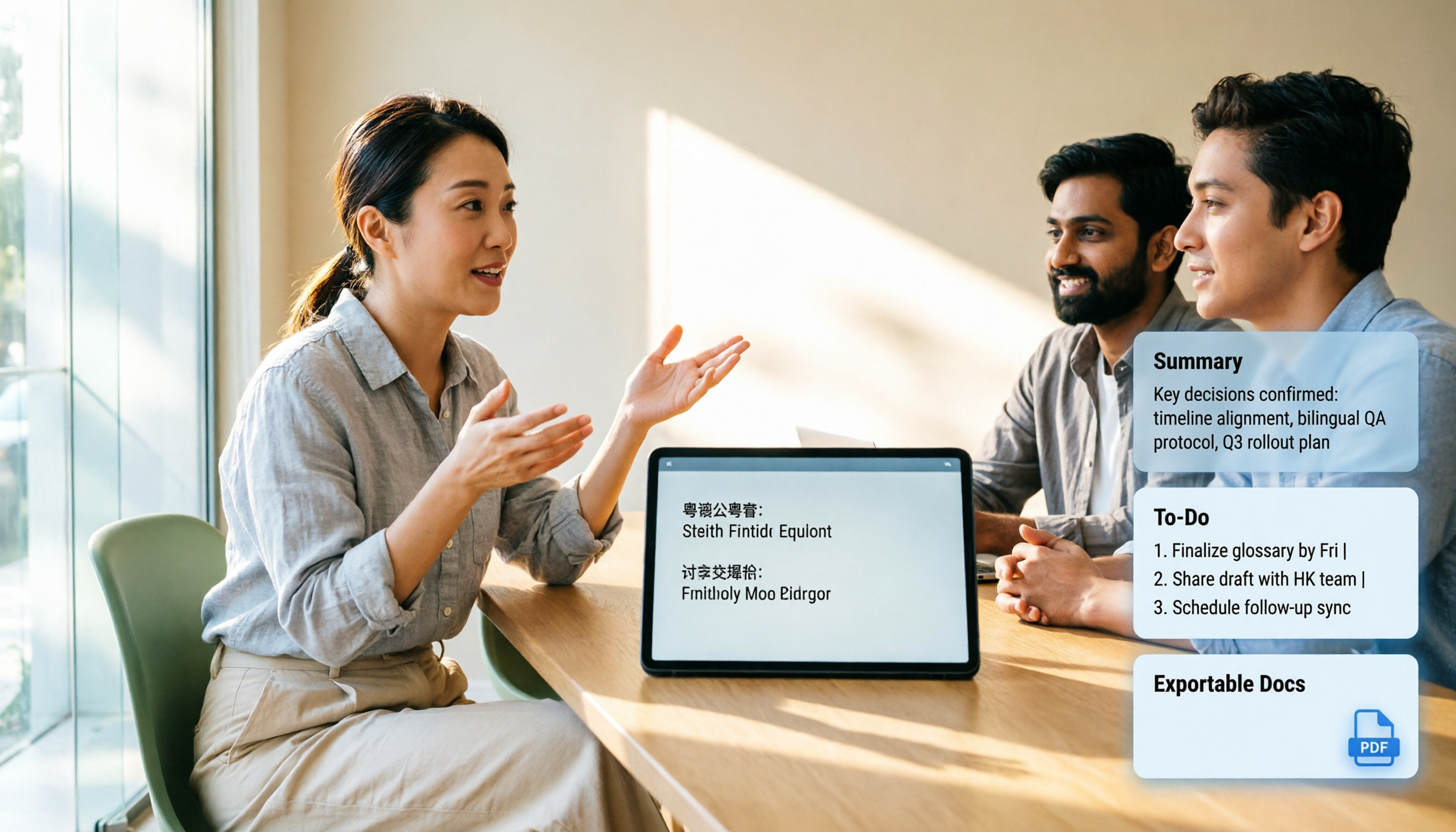
It processes not words but a whole conversation. When you open Tinrec during a meeting, it transcribes while recording, and you can view the transcript in original, translated, or bilingual mode. After the meeting, summaries, chapters, and to-dos are already organized. For those who need to hand Cantonese meeting content to English readers, this is the difference—you get not just a sentence translation but a complete English meeting document ready to send.
No bot needed for online meetings. The desktop version directly captures system audio, so when handling meetings on Zoom, Google Meet, Microsoft Teams, Webex, etc., no extra bot needs to join as a participant. This is especially noticeable in external client meetings—without the "Tinrec has joined the meeting" notification, the communication atmosphere is much more natural.
After the meeting is where it truly stands out. You can ask questions directly about the meeting content, such as "When is the delivery date the client mentioned?" and it will answer based on semantics, not just throw a bunch of keyword search results at you. When you need to deliver, besides exporting to common formats, you can also bring it into Notion, Google Docs, OneNote, etc. for further editing, or generate reports, tables, and meeting minutes.
Stop organizing recordings by hand
Upload audio or video and automatically get a transcript, summary, and action items
Three things to be honest about. First, Tinrec is positioned as a meeting recording and organization tool, not a dictionary; it's not good at looking up words or listening to pronunciations. Second, actual transcription and translation performance will be affected by accent, speaking speed, tone words, background noise, and technical terms, and the official team does not promise a fixed accuracy rate. For important content, it is recommended to cross-check with the transcript timestamps and recording playback. Third, the safest approach is to use your own Cantonese recording and run it through the free quota first before deciding.
If this isn't a one-person job. The Tinrec team version provides an independent team space: meeting data belongs to the team, members can be invited via a join link, and roles are distinguished as owner, admin, and regular member. One commonly confused point: roles determine who can manage the team, while seats determine who can record, upload, edit, and export; members without a seat can still view, play, and read team data. When a member leaves or loses their seat, their team resources need to be handed over to other active members, so data doesn't leave with the person.
Current team version pricing is USD 29.80 per paid seat per month, or USD 199 per paid seat per year (about USD 16.58 per month). Each paid seat provides 2,000 minutes of team shared import quota per month; eligible teams can enjoy a 7-day free trial with 1 free seat and 300 minutes of team shared import quota for the first time. Under an active plan and seat, real-time recording is currently not deducted by minutes. Actual prices, currencies, and promotions are subject to the official purchase page.
Who it's for: If you handle several cross-language meetings, interviews, or client calls each month, need to produce English summaries and to-dos after meetings, and want this data to be searchable by the team—Tinrec is currently the most suitable choice.
Besides Tinrec, What Other Options Are There?
Cantonese Translation Assistant (Cantonese-Mandarin-English Translation) Supports mutual translation between Mandarin and Cantonese, and can further translate into English. It has speech recognition and online/offline Cantonese pronunciation, suitable for those learning Cantonese and occasionally looking up a sentence. However, store reviews also mention that it only supports Mandarin and English, and speech recognition for short words may not be accurate. It gives you a sentence translation but doesn't save recordings, summaries, or to-dos—this is the biggest gap between it and Tinrec.
Cantonese-English Translation (Wombatsoft) Focuses on two-way translation between Cantonese and English, supports Cantonese and English speech, and translation results and history can be shared with friends. It's convenient for temporary communication when traveling in Hong Kong, Macau, or Guangdong. But it has no post-meeting organization capability and cannot turn a whole meeting into searchable data; some users also report that the interface font and wording settings cannot be adjusted.
Cantonese-English Dictionary (eplusmoment) Two-way search, authentic pronunciation, offline availability, and fast lookup—it's good for memorizing words and confirming pronunciation. The free version is supported by ads, and users have reported ads blocking search results in the past (later improved). It is essentially a dictionary and does not handle whole conversations; if you want to turn a one-hour meeting into a transcript plus summary, a tool like Tinrec is what you need.
Pitfall Guide: The 4 Most Common Mistakes When Choosing a Cantonese Translation App
Pitfall 1: Treating a dictionary translation app as a meeting translation tool. These two types of tools have completely different design purposes. Using a dictionary app to organize a meeting will cost you twice the time in copy-pasting.
Pitfall 2: Only looking at how many languages are supported, not what you get after translation. The number of languages is a spec; the post-meeting output is what you'll actually use.
Pitfall 3: Ignoring free quota and data ownership. Personal accounts and team spaces are two different things. For company meetings, it's recommended to use the team version from the start; otherwise, when members change, data gets scattered.
Pitfall 4: Assuming translation results can be used without verification. AI may miss or misunderstand details. Information such as names, amounts, and dates must be double-checked.
One final reminder: recording and transcription involve others' privacy. Please comply with local regulations and obtain participants' consent when necessary.
Conclusion: Which One Should You Choose?
To turn a whole Cantonese meeting or interview into English documents → Tinrec (transcript, bilingual view, summary and to-dos all in one)
For online meetings without letting a bot join the room → Tinrec desktop version (directly captures system audio)
For teams sharing meeting records, managing members and usage → Tinrec team version (team space, roles, seats, usage, and audit logs)
Just looking up words and confirming pronunciation → Cantonese-English dictionary apps
Asking for directions or ordering food while traveling abroad → General two-way translation apps
It's recommended to start with Tinrec's free quota and try it with a piece of your own Cantonese recording. If the workflow feels smooth and the summary is usable, then consider upgrading or opening a team space—no need to pay from the start.
References
- Cantonese Translation Assistant - Cantonese Mandarin English Translation App - App Store
- Cantonese English Translation - Google Play App
- Cantonese English Dictionary - Google Play App
- Cantonese Translation Assistant - Cantonese Mandarin English Translation - Google Play App
- Cantonese Translation Master - Easily Learn Cantonese Translation Software App - App Store - Apple
Turn every recording into actionable outcomes
Get 60 free transcription minutes when you sign in. No credit card required.
Related Reading
You might also like

2026 Comparison of 3 Cantonese to Mandarin Translation Apps: Why Tinrec Is Better for Students
Translating sentence by sentence is different from capturing an entire class for later review. This article compares three approaches—Cantonese translation assistants, online conversion tools, and Tinrec—from a student's perspective, explaining why a workflow of recording → transcript → summary → follow-up questions is better suited for university students who need to write reports and prepare for finals. It also covers free quotas, cross-platform availability, and team plan information.

Cantonese to Japanese Translation Apps in 2026: 3 Steps to Choose + Real-World Pitfalls
From asking for directions while traveling to meetings with Japanese clients, this guide covers how to choose a Cantonese-to-Japanese translation app, common mistakes, and real-world testing tips. It also explains Tinrec's role in meeting transcription, real-time translation, and post-meeting organization.

2026 Cantonese Speech-to-Text Buying Guide: 6 Tools Tested and Recommended
WeChat's built-in speech-to-text only supports Mandarin, English, and Cantonese, and processes one voice message at a time. This guide covers 6 solutions for Cantonese speech-to-text, from free WeChat and WhatsApp to Tinrec, Notta, TurboScribe, and PLAUD recording hardware, with practical limitations, pricing, and selection advice.

4 Cantonese Speech-to-Text AI Tools Tested for 2026: Which Meeting Notes Can You Actually Use?
You have a Cantonese meeting recording—which tool turns it into usable notes? This hands-on comparison of Tinrec, Notta, Otter.ai, and Granola focuses on three questions: does it understand spoken Cantonese, is the output directly readable, and can your team take over the data? Includes selection criteria, pitfalls to avoid, scenario-based recommendations, and honest breakdowns of free tiers and paid pricing.

4 Cantonese Voice Input Tools Tested for Windows 10: How to Choose in 2026
Using Cantonese voice input on Windows 10 often means pressing Win+H and getting English, or switching language packs only to find it doesn't work in every app. This article tackles common misconceptions and compares Windows built-in voice input, VoiceIn, and Tinrec. It explains the difference between real-time dictation and audio-to-text transcription, with step-by-step setup instructions and tool selection advice.

Tinrec vs Otter.ai 2026: 5-Dimension Comparison for Cantonese Meeting Transcription
A 90-minute Cantonese meeting recording needs to become a transcript, summary, and action items—choosing the wrong tool can cost you hours. This article compares Tinrec and Otter.ai across five dimensions: language recognition, audio capture, post-meeting organization, import flexibility, and team governance, to help you pick the right tool for Cantonese and Chinese meeting scenarios.

2026 Best Speech-to-Text Tools Compared: Which Handles Cantonese and Mixed Chinese-English Best?
The most time-consuming part of a Cantonese meeting is often not the meeting itself but the post-meeting review and organization. Starting from real scenarios of Cantonese and mixed Chinese-English, this article outlines 4 key purchasing criteria, compares Tinrec, Otter.ai, Notta, and PLAUD in hands-on tests, and includes a pitfalls guide and scenario-based selection advice.

4 Cantonese Speech-to-Text Tools Tested: Is Windows 10 Built-in Enough?
Want Cantonese voice input on Windows 10 but Win + H only shows English? This guide first distinguishes between real-time dictation and audio transcription needs, then tests and compares Windows 10 built-in speech input, VoiceIn, Otter.ai, and Tinrec. From language settings and audio processing to post-meeting organization and team collaboration, find the Cantonese voice workflow that suits you best.

4 Cantonese Speech-to-Text Tools Tested: Which Handles Chinese-English Mixing Best?
We tested four Cantonese speech-to-text tools, comparing Cantonese recognition, Chinese-English code-switching, post-meeting summaries, team collaboration, and pricing limits to help you decide which is best for meeting notes and transcripts.