

Turn recordings into transcripts and summaries in minutes
Upload audio or video for multilingual transcription, AI notes, and action items
Cantonese to Japanese Translation Apps in 2026: 3 Steps to Choose + Real-World Pitfalls
Many people assume that a Cantonese-to-Japanese translation app is better simply if it supports more languages. But once you actually use one, you realize the problem usually isn't that it can't translate Japanese—it's that the app doesn't understand your Cantonese at all.
You're lost in Japan and want to ask "Where's the nearest police station?" but the app hears your Cantonese as Mandarin. Or you speak naturally, but the Japanese output sounds like a robot.
More often, an app works fine for travel but falls short at work. After a meeting with a Japanese client, your recording, transcript, action items, and team sharing are all scattered in different places.
This article doesn't talk about vague language counts. Instead, it helps you choose an app based on what you actually need to solve.
5 Key Points to Understand Before Buying a Cantonese-to-Japanese Translation App
1. First, clarify: Do you need real-time travel translation, or meeting communication and post-meeting organization?
For travel—asking directions, ordering food, buying tickets—the priority is speed, brevity, and ideally offline support. For meetings, it's the opposite: you need to keep recordings, transcripts, summaries, and action items, and preferably export them for your team.
These two needs often get mixed up, and people end up buying the wrong tool.
2. Not every app supports Cantonese voice input
Many translation apps advertise multiple languages, but their speech recognition is mainly optimized for Mandarin. Cantonese has nine tones and lots of colloquial expressions like "搞掂" (done) and "趕時間" (in a hurry). Apps that only recognize written Chinese easily get it wrong.
Instead of trusting ads, test with the same Cantonese sentence: say a direction-asking phrase you'd normally use and see if it understands.
3. After translation, can you review and keep it?
Single-sentence translations disappear after use. But if you're visiting clients, having meetings, or conducting interviews, whether you can keep the original text, translation, recording, and transcript determines whether you can look it up later.
This is also the biggest dividing line between meeting tools and travel translation apps.
4. Consider offline and network stability together
In remote areas or basements in Japan, the network may not be reliable. Some apps support offline translation, while others rely entirely on a connection. Check your use case before you go.
5. For team use, look at permissions and data ownership
If you're finding a tool for your company, don't just look at "how well it works for one person." Who owns the meeting data, what happens to data after a member leaves, and whether you can view usage and audit logs—these are things only team versions can handle.
Tinrec (秒聽錄音) — The Top Choice for Meeting Communication and Post-Meeting Organization
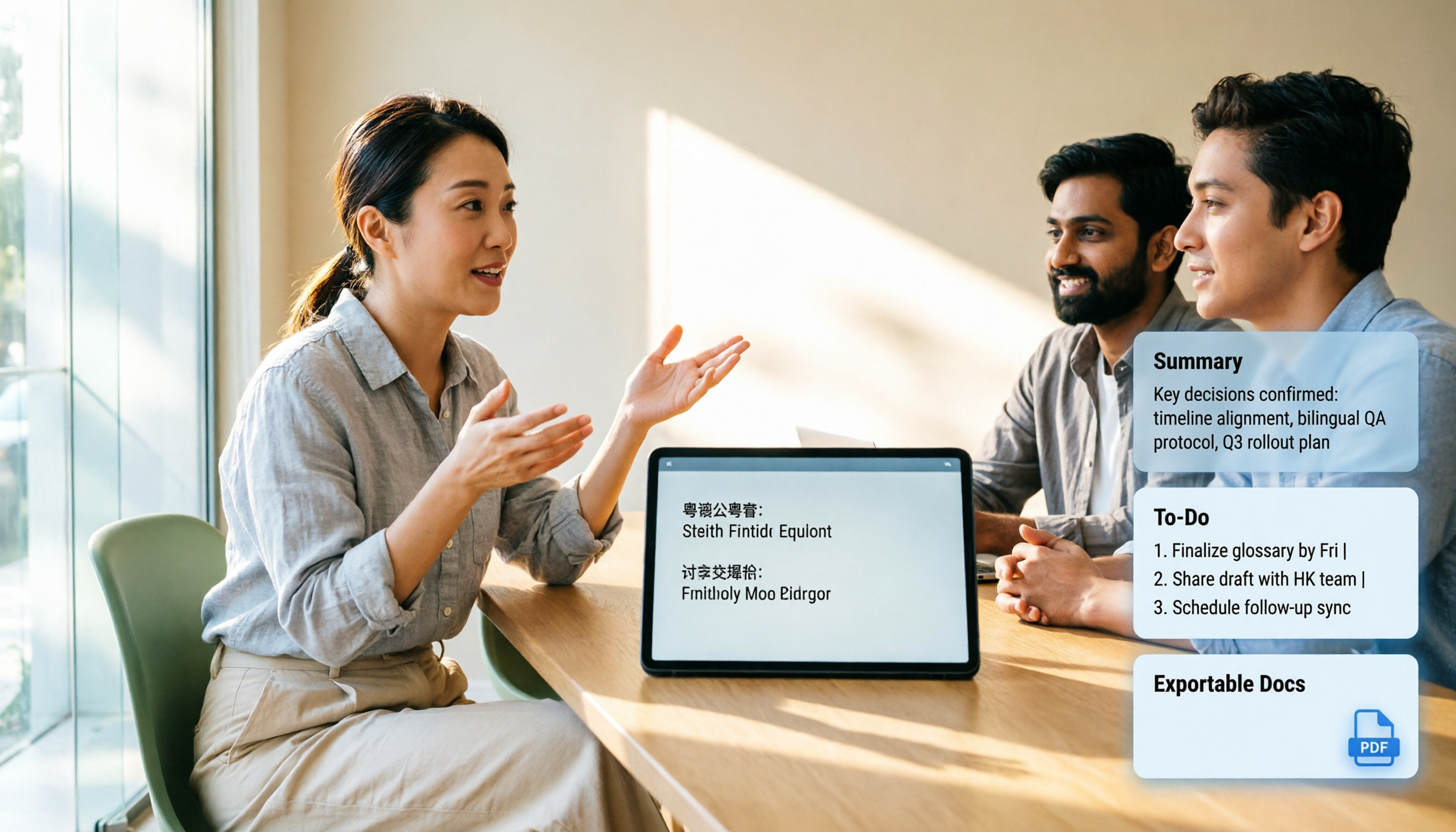
Tinrec (秒聽錄音) is an AI meeting notes and collaboration tool for individuals and teams. It supports real-time recording, bot-free recording of online meetings on desktop, importing audio/video files, real-time translation, and automatically generates summaries, chapters, action items, and mind maps. After the meeting, you can also ask AI questions about the meeting content, generate reports, tables, and documents, and export to common tools.
If you're meeting with Japanese counterparts, Tinrec's value isn't in "replacing a travel translation app"—it's in capturing the entire communication. The desktop version directly captures computer system audio, so when handling online meetings on Zoom, Google Meet, Microsoft Teams, Webex, etc., you don't need to invite an extra meeting bot. During the meeting, it records and transcribes simultaneously, and you can view in original text, translation, or bilingual mode. After the meeting, summaries, chapters, and action items are already organized—no need to manually re-listen to a 30-minute recording.
What I use more often is post-meeting follow-up questions. For example, I directly ask Tinrec: "What delivery date was the client most concerned about this time?" It answers based on the meeting content, rather than just throwing keyword search results. For those who need to review past meetings, interviews, or client requirements, this is much more practical than a simple transcript.
Stop organizing recordings by hand
Upload audio or video and automatically get a transcript, summary, and action items
Note that Tinrec does not recommend promising a fixed accuracy rate externally. Actual recognition is affected by recording quality, noise, accents, overlapping speakers, and technical terminology. If your focus is single-sentence Cantonese directions while traveling, it's not the most lightweight travel translation app. But if you need meeting notes, real-time translation, post-meeting summaries, and team data retention, its workflow is more complete.
Another advantage of Tinrec is the team version. The team version isn't multiple people sharing one personal account; it's an independent team space with member invitations, owner/admin/member roles, seat allocation, team shared import quota, usage analytics, audit logs, and an audio recycle bin. Current team pricing is USD 29.80 per paid seat per month, or USD 199 per paid seat per year (about USD 16.58 per month). The first eligible team trial is 7 days, 1 free seat, and 300 minutes of team shared import quota. Actual prices and benefits are subject to the official purchase page.
In short, if you frequently meet with Japanese clients, need to retain meeting context, or want your team to search historical communication records together, Tinrec is more suitable than a simple translation app.
Besides Tinrec, What Other Options Are There?
VoiceTra: Developed by an organization under the Japanese government, it supports 31 languages and Traditional Chinese, and you can translate back to Chinese to check. According to sources, it does not yet support Cantonese voice input, so asking directions directly in Cantonese won't work smoothly. It's suitable for typing or non-Cantonese voice single-sentence translation; if you need to turn meeting recordings into transcripts, summaries, and action items, Tinrec's post-meeting workflow is more complete.
Papago: Supports 14 languages, including Cantonese voice translation, and also offers image translation and offline translation—very practical for travel. Its strength is real-time short phrases and photo menu translation during trips; but whether meeting recordings can be turned into searchable data, team sharing, and action items is not its focus. Tinrec can convert meeting audio into transcripts, summaries, and action items and export them, suitable for post-business communication organization.
SayHi: A voice translation tool under Amazon. Source materials say it supports Cantonese and 101 languages, with selectable male/female voices and speech rate, suitable for face-to-face two-way conversation. Its positioning is conversation translation, not a meeting database; if you need team spaces, member seats, usage, and auditing, Tinrec's team version is more aligned. If it's just travel directions, lightweight tools like SayHi are more convenient.
Pitfall Guide: 4 Most Common Mistakes When Choosing a Cantonese-to-Japanese Translation App
Pitfall 1: Only looking at the number of supported languages. Supporting 100 languages doesn't mean it understands Cantonese. What you need to check is "Cantonese speech recognition" and "naturalness of Japanese output," not the length of the language list.
Pitfall 2: Mistaking Mandarin recognition for Cantonese. Some apps claim strong Chinese translation, but actually only optimize for Mandarin. When you say "最近嘅差館喺邊" (where's the nearest police station), it might hear a completely different sentence.
Pitfall 3: Ignoring offline and network. When there's no network in Japan, apps that rely on a connection simply stop working. For travel, check if there's an offline package; for meetings, check the stability of recording and transcription.
Pitfall 4: Treating a translation app as a meeting notes tool. Translation only solves "understanding in the moment"; meetings also need "findable afterward." If you only get a translated passage without recording, transcript, and action items, you've only used half the solution. Tools like Tinrec focus on getting post-meeting organization done as well.
Conclusion: Which One Should You Choose?
Need to meet with Japanese clients, conduct interviews, and get transcripts, summaries, and action items afterward → Tinrec.
Want to directly ask after a meeting "What budget did the client mention?" or "Who's responsible for the next step?" → Tinrec's AI Q&A.
Team needs to share meeting data, manage member seats, and view usage → Tinrec team version.
Cross-platform use: record on phone, organize on computer, then export to existing workflows → Tinrec.
Just travel single-sentence directions, ordering food, photo translation → Travel translation apps that support Cantonese, like Papago or SayHi; if you prefer typing or non-Cantonese voice, then consider VoiceTra.
Clarify your scenario first, then test with the same Cantonese sentence. If meeting organization is your main need, Tinrec's free version lets you try the basic quota first, and upgrade if the workflow suits you—no need to pay from the start.
References
- 2026 Comparison of 3 Cantonese-Japanese Translation Apps: Which Voice Communication Feels Most Like a Real Conversation? - Tinrec Blog
- [Tutorial] Must-Use AI Voice Translators for Japan Travel: Recognizes Cantonese + Communicates with Locals
- 3 Practical Translation Apps: Notes for Travelers to Japan, Korea, Indonesia (09:29) - 20240715 - Hot Topics - Instant News - Ming Pao
- Voice Translation for Directions and Yakitori Names: Chinese-Japanese Comparison - 3 Must-Have Apps for Traveling in Japan Without Japanese [Download Links]
- "Speak & Translate - Translator" App - App Store
Turn every recording into actionable outcomes
Get 60 free transcription minutes when you sign in. No credit card required.
Related Reading
You might also like

2026 Comparison of 3 Cantonese to Mandarin Translation Apps: Why Tinrec Is Better for Students
Translating sentence by sentence is different from capturing an entire class for later review. This article compares three approaches—Cantonese translation assistants, online conversion tools, and Tinrec—from a student's perspective, explaining why a workflow of recording → transcript → summary → follow-up questions is better suited for university students who need to write reports and prepare for finals. It also covers free quotas, cross-platform availability, and team plan information.

2026 Cantonese Speech-to-Text Buying Guide: 6 Tools Tested and Recommended
WeChat's built-in speech-to-text only supports Mandarin, English, and Cantonese, and processes one voice message at a time. This guide covers 6 solutions for Cantonese speech-to-text, from free WeChat and WhatsApp to Tinrec, Notta, TurboScribe, and PLAUD recording hardware, with practical limitations, pricing, and selection advice.
4 Cantonese-to-English Translation Apps Tested: Which One Turns Cantonese Conversations into English Documents? (2026)
When searching for a Cantonese-to-English translation app, most people don't just need a dictionary—they need to turn a whole Cantonese conversation into English material they can understand and send. This article compares the practical uses of four tools and tests Tinrec's performance in meeting transcripts, real-time bilingual translation, summary to-dos, and team collaboration.

4 Cantonese Speech-to-Text AI Tools Tested for 2026: Which Meeting Notes Can You Actually Use?
You have a Cantonese meeting recording—which tool turns it into usable notes? This hands-on comparison of Tinrec, Notta, Otter.ai, and Granola focuses on three questions: does it understand spoken Cantonese, is the output directly readable, and can your team take over the data? Includes selection criteria, pitfalls to avoid, scenario-based recommendations, and honest breakdowns of free tiers and paid pricing.

4 Cantonese Voice Input Tools Tested for Windows 10: How to Choose in 2026
Using Cantonese voice input on Windows 10 often means pressing Win+H and getting English, or switching language packs only to find it doesn't work in every app. This article tackles common misconceptions and compares Windows built-in voice input, VoiceIn, and Tinrec. It explains the difference between real-time dictation and audio-to-text transcription, with step-by-step setup instructions and tool selection advice.

Tinrec vs Otter.ai 2026: 5-Dimension Comparison for Cantonese Meeting Transcription
A 90-minute Cantonese meeting recording needs to become a transcript, summary, and action items—choosing the wrong tool can cost you hours. This article compares Tinrec and Otter.ai across five dimensions: language recognition, audio capture, post-meeting organization, import flexibility, and team governance, to help you pick the right tool for Cantonese and Chinese meeting scenarios.

2026 Best Speech-to-Text Tools Compared: Which Handles Cantonese and Mixed Chinese-English Best?
The most time-consuming part of a Cantonese meeting is often not the meeting itself but the post-meeting review and organization. Starting from real scenarios of Cantonese and mixed Chinese-English, this article outlines 4 key purchasing criteria, compares Tinrec, Otter.ai, Notta, and PLAUD in hands-on tests, and includes a pitfalls guide and scenario-based selection advice.

4 Cantonese Speech-to-Text Tools Tested: Is Windows 10 Built-in Enough?
Want Cantonese voice input on Windows 10 but Win + H only shows English? This guide first distinguishes between real-time dictation and audio transcription needs, then tests and compares Windows 10 built-in speech input, VoiceIn, Otter.ai, and Tinrec. From language settings and audio processing to post-meeting organization and team collaboration, find the Cantonese voice workflow that suits you best.

4 Cantonese Speech-to-Text Tools Tested: Which Handles Chinese-English Mixing Best?
We tested four Cantonese speech-to-text tools, comparing Cantonese recognition, Chinese-English code-switching, post-meeting summaries, team collaboration, and pricing limits to help you decide which is best for meeting notes and transcripts.