

Turn recordings into transcripts and summaries in minutes
Upload audio or video for multilingual transcription, AI notes, and action items
2026 Comparison of 3 Cantonese to Mandarin Translation Apps: Why Tinrec Is Better for Students
Let me ask you a question first: Do you need to "translate a sentence on the spot when you don't understand," or do you need to "capture an entire class or discussion so you can look it up and organize it later"? These two needs seem similar, but they require completely different tools. The former is real-time interpretation; the latter is content retention. I've tried both during my senior year, and this article lays out three common approaches: Cantonese translation apps from the app stores, online conversion web tools, and Tinrec, which I've been using as my main tool this semester.
Why Are People Looking for Alternatives to "Cantonese Translation Assistant" Apps?
The "Cantonese Translation Assistant - Cantonese Mandarin English Translation" app on the App Store and Google Play focuses on Mandarin-Cantonese mutual translation, voice playback, speech recognition, and offers offline and online Cantonese pronunciation. Its purpose is for daily learning of Cantonese and for use in Guangdong or Hong Kong. Its positioning is clear: you input or say a sentence, and it gives you a translation.
The problem lies in the unit of "a sentence." In class, a professor might deliver a 20-minute continuous derivation, or a group discussion might involve four or five people talking over each other. Handling such content with sentence-by-sentence translation breaks the context entirely, and nothing is retained after translation. Some store reviews also mention inaccurate recognition when trying simple vocabulary with voice input, and that the only supported languages are Mandarin and English.
If you feel the same way—that you need more than just "translate this sentence" but rather "turn this content into something I can review"—then a tool like Tinrec, which focuses on recording and transcription, is worth ten minutes of your time.
Tinrec vs. Cantonese Translation Assistant: What's the Core Experience Difference?
Input Unit: One Sentence vs. an Entire Segment
Translation apps are designed for short, real-time input; they struggle beyond one or two sentences. Tinrec supports real-time speech-to-text, accepts audio and video file uploads, and can capture computer system audio via the desktop version to handle online meetings on Zoom, Google Meet, Microsoft Teams, Webex, etc., without needing a bot to join the meeting. If you record a 50-minute class, it processes the full 50 minutes—this is the fundamental difference in input unit.
Output: Translation vs. Usable Data
A translation app gives you a translation that you read and move on from. Tinrec gives you a transcript, plus automatically generated summaries, chapters, key points, and action items; in cross-language scenarios, you can view the original text, translation, or bilingual comparison. For students, this difference becomes very obvious before finals—what you need is not "what does this sentence mean" but "what was actually taught this semester."
Can You Look Back and Search Later?
Transcripts are searchable, and you can ask questions directly about the content. When reviewing, I most often ask it "What was the conclusion of this discussion?" or "Who is responsible for which part?" It answers based on semantic understanding, so you don't have to flip through pages manually. This is structurally impossible for real-time translation tools because they don't retain the content in the first place.
Cross-Platform and Use Cases
The Cantonese Translation Assistant is primarily a mobile app, suitable for walking, traveling, and temporary communication. Tinrec works on web, desktop, and mobile, covering scenarios that require long recording sessions, such as sitting at a desk for classes, meetings, and interviews. If 90% of your usage is in front of a computer, the desktop experience will be much smoother than mobile.
Cost Structure: How to Evaluate Free Quotas
Tinrec's personal plan has a free version to try basic quotas. For short-term intensive use, there's a weekly card; for steady weekly use, the Pro monthly card is suitable; for long-term data retention, the Pro annual card is better. My advice is simple: don't rush to pay. Use the free version to record the class you understand least, see if the transcript is usable, and then decide whether to upgrade.
Tinrec's Core Features at a Glance
Real-time speech-to-text: Open it and it transcribes while recording, with text appearing almost synchronously. Suitable for offline classes, interviews, and on-site discussions—the transcript is ready the moment you finish.
Stop organizing recordings by hand
Upload audio or video and automatically get a transcript, summary, and action items
Bot-free online meeting recording: The desktop version directly captures system audio to handle online meetings on Zoom, Meet, Teams, and Webex, without leaving records on extra bots. This is especially useful for those who need to hold online group meetings with classmates in mainland China.
Real-time translation and bilingual view: During recording, you can switch between original text, translation, or bilingual comparison. In cross-language meetings, this is more immediate than sending the whole segment for translation afterward.
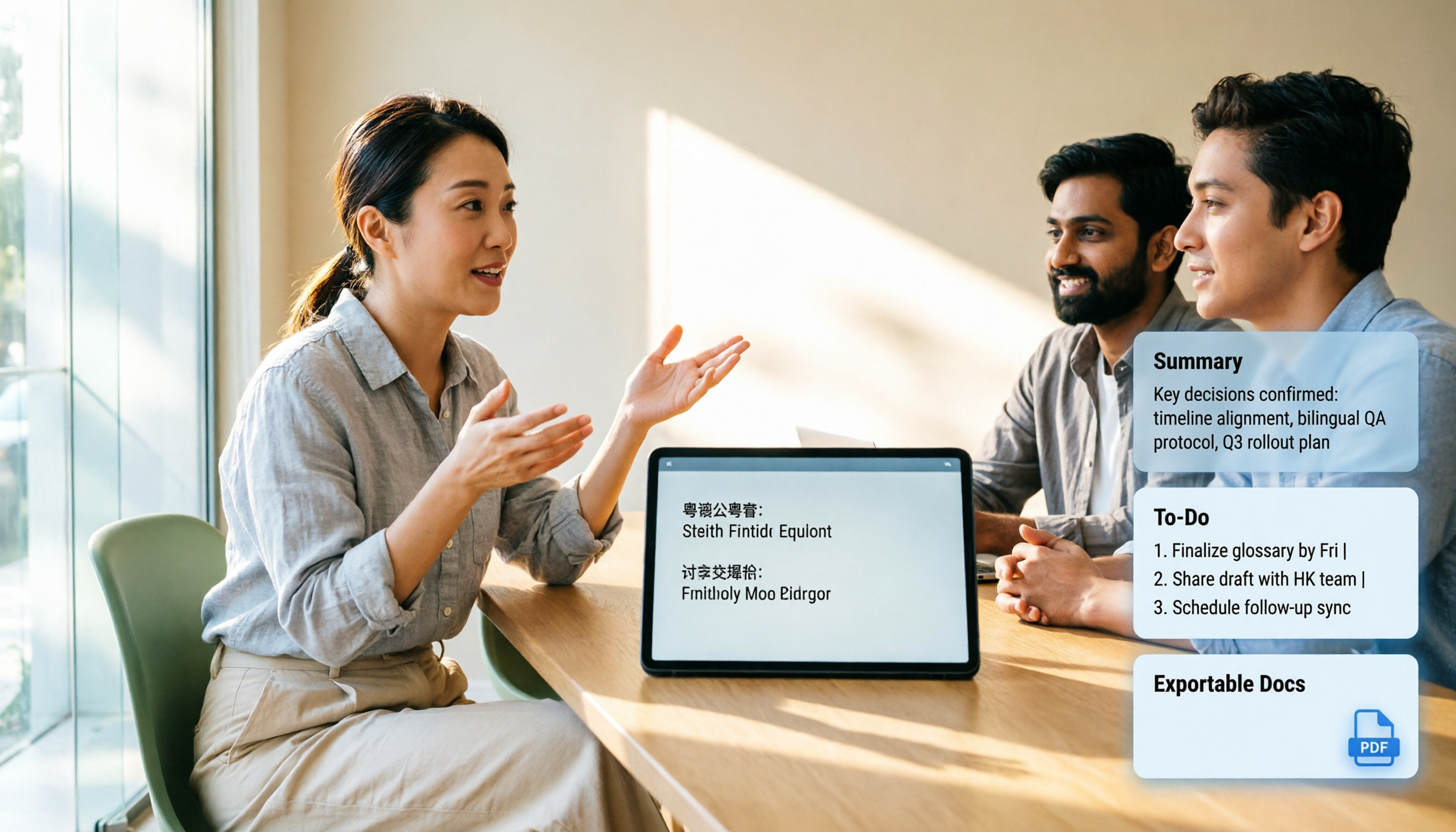
AI summaries, chapters, and action items: Long meetings are broken into easily navigable structures, and action items from discussions are extracted. The biggest fear in group discussions is that no one remembers the conclusions afterward—this feature directly solves that.
AI Q&A and multi-format export: You can continue asking questions about the meeting content, and results can be exported to common tools like Notion, Google Docs, OneNote, Dropbox, and further used to generate reports, tables, and documents.
Team spaces: For group projects, the team plan is a separate collaborative space where you can invite members, set roles and seats, and meeting data belongs to the team. The first eligible team trial is 7 days, 1 free seat, and 300 minutes of shared team import quota; afterward, monthly payment is USD 29.80 per paid seat per month, annual payment is USD 199 per paid seat per year (about USD 16.58 per month), with 2,000 minutes of shared team import quota per seat per month.
Real-World Use Cases
Mandarin-only required courses: Professors speak fast and flip slides even faster. My current approach is to record the whole session, then review the summary for key points after class, and for parts I didn't understand, click the transcript's timeline to replay those 30 seconds. Previously I would re-listen to the entire segment, spending four hours reviewing a two-hour class.
Group discussions with mainland exchange students: Four or five people talking over each other, mixing languages. After recording, use bilingual comparison to confirm whether everyone's understanding aligns, and export action items to the group chat afterward—far fewer disputes.
Interviews for graduation projects: The most troublesome part of interviews is transcription. Previously, typing a one-hour interview took three hours; now I just upload the audio file, and I can also ask questions about the interview content, making it much faster to find quotes.
Watching online lectures from mainland China: When you can understand but can't keep up with the speed, record first and read the transcript later—more efficient than repeatedly dragging the progress bar.
Points to Consider When Choosing a Cantonese to Mandarin Translation App
Confirm the language direction: Don't download just because you see "Chinese translation." Make sure it supports true spoken language conversion, not just converting Traditional to Simplified Chinese. For example, the online tool cantonesetools.org offers Traditional Chinese to Simplified Chinese conversion, which is text-level processing, not the same as spoken language understanding.
Test accuracy yourself: Official claims are just references. Test with sentences you commonly say, such as "你食咗飯未?" (Have you eaten?), and see if the output is natural Mandarin. Tinrec's actual performance can be affected by recording quality, ambient noise, accents, and overlapping speakers; for important content, it's recommended to cross-check with the recording.
Are extra features what you need?: If your main goal is pronunciation practice, a tool with voice playback is enough; if you need to write reports and review, transcripts, summaries, and export are key.
Can data be retained?: Tools that disappear after translation don't help with learning accumulation. Whether you can search and ask follow-up questions is the long-term value.
Sharing needs for group work: If data needs to flow among team members, check whether the tool has team spaces and member management, rather than everyone recording separately and storing on their own phones.
Conclusion: Is Tinrec Worth a Try?
Let's be clear: If you just want to ask how to say something while walking on the street, a translation app is indeed more direct—that's its home turf.
But if, like me, you're dealing with "a two-hour class, a forty-minute discussion, a one-hour interview," what you really need is not translation but the ability to retain, organize, and reuse content. Tinrec's value lies in connecting recording, transcription, summaries, action items, Q&A, and export into one workflow, and Chinese and multilingual scenarios are its focus areas.
I suggest starting with the free version, pick the class you struggle with most and record it once, and see how usable the transcript is. That's more direct than reading any review—after all, whether a tool is good or not, your ears and your final exam grades will tell you.
Before recording and transcribing, remember to comply with local regulations and obtain consent from those present when necessary.
References
- "Cantonese Translation Assistant - Cantonese Mandarin English Translation" App - App Store
- Cantonese Translation Assistant - Cantonese Mandarin English Translation - Google Play
- Cantonese to Simplified Chinese Conversion
- 2026 Comparison of 4 Cantonese to Mandarin Translation Tools: Features, Platforms, and Considerations - Tinrec Blog
- "Cantonese Translation Assistant - Cantonese Mandarin English Translation" App - App Store
Turn every recording into actionable outcomes
Get 60 free transcription minutes when you sign in. No credit card required.
Related Reading
You might also like

Cantonese to Japanese Translation Apps in 2026: 3 Steps to Choose + Real-World Pitfalls
From asking for directions while traveling to meetings with Japanese clients, this guide covers how to choose a Cantonese-to-Japanese translation app, common mistakes, and real-world testing tips. It also explains Tinrec's role in meeting transcription, real-time translation, and post-meeting organization.

2026 Cantonese Speech-to-Text Buying Guide: 6 Tools Tested and Recommended
WeChat's built-in speech-to-text only supports Mandarin, English, and Cantonese, and processes one voice message at a time. This guide covers 6 solutions for Cantonese speech-to-text, from free WeChat and WhatsApp to Tinrec, Notta, TurboScribe, and PLAUD recording hardware, with practical limitations, pricing, and selection advice.
4 Cantonese-to-English Translation Apps Tested: Which One Turns Cantonese Conversations into English Documents? (2026)
When searching for a Cantonese-to-English translation app, most people don't just need a dictionary—they need to turn a whole Cantonese conversation into English material they can understand and send. This article compares the practical uses of four tools and tests Tinrec's performance in meeting transcripts, real-time bilingual translation, summary to-dos, and team collaboration.

4 Cantonese Speech-to-Text AI Tools Tested for 2026: Which Meeting Notes Can You Actually Use?
You have a Cantonese meeting recording—which tool turns it into usable notes? This hands-on comparison of Tinrec, Notta, Otter.ai, and Granola focuses on three questions: does it understand spoken Cantonese, is the output directly readable, and can your team take over the data? Includes selection criteria, pitfalls to avoid, scenario-based recommendations, and honest breakdowns of free tiers and paid pricing.

4 Cantonese Voice Input Tools Tested for Windows 10: How to Choose in 2026
Using Cantonese voice input on Windows 10 often means pressing Win+H and getting English, or switching language packs only to find it doesn't work in every app. This article tackles common misconceptions and compares Windows built-in voice input, VoiceIn, and Tinrec. It explains the difference between real-time dictation and audio-to-text transcription, with step-by-step setup instructions and tool selection advice.

Tinrec vs Otter.ai 2026: 5-Dimension Comparison for Cantonese Meeting Transcription
A 90-minute Cantonese meeting recording needs to become a transcript, summary, and action items—choosing the wrong tool can cost you hours. This article compares Tinrec and Otter.ai across five dimensions: language recognition, audio capture, post-meeting organization, import flexibility, and team governance, to help you pick the right tool for Cantonese and Chinese meeting scenarios.

2026 Best Speech-to-Text Tools Compared: Which Handles Cantonese and Mixed Chinese-English Best?
The most time-consuming part of a Cantonese meeting is often not the meeting itself but the post-meeting review and organization. Starting from real scenarios of Cantonese and mixed Chinese-English, this article outlines 4 key purchasing criteria, compares Tinrec, Otter.ai, Notta, and PLAUD in hands-on tests, and includes a pitfalls guide and scenario-based selection advice.

4 Cantonese Speech-to-Text Tools Tested: Is Windows 10 Built-in Enough?
Want Cantonese voice input on Windows 10 but Win + H only shows English? This guide first distinguishes between real-time dictation and audio transcription needs, then tests and compares Windows 10 built-in speech input, VoiceIn, Otter.ai, and Tinrec. From language settings and audio processing to post-meeting organization and team collaboration, find the Cantonese voice workflow that suits you best.

4 Cantonese Speech-to-Text Tools Tested: Which Handles Chinese-English Mixing Best?
We tested four Cantonese speech-to-text tools, comparing Cantonese recognition, Chinese-English code-switching, post-meeting summaries, team collaboration, and pricing limits to help you decide which is best for meeting notes and transcripts.