
Turn recordings into transcripts and summaries in minutes
Upload audio or video for multilingual transcription, AI notes, and action items
Two-hour meeting, two more hours typing the transcript—what you're missing isn't effort, it's the right tool
Daily life in a Central office: morning meeting, lunch meeting, afternoon cross-team meeting, and a recap before leaving work. After the meeting, the boss asks, "Where are the minutes?" You look at the two-hour recording on your phone and think about listening sentence by sentence and typing it all out—you want to quit on the spot.
So you search online for "free transcription" and see every app claiming to be free. You download, register, upload—only to find the free quota is 20 minutes, and your recording is 90 minutes. That's not even enough to warm up. The problem isn't that the tool is bad; it's that you didn't clarify what "free" actually includes before choosing a tool. Below, we hands-on test 3 transcription tools commonly used by Hong Kong people, break down how free quotas are calculated, and tell you which one is best for Hong Kong office workers.
Before Choosing a Transcription App, Understand These 4 Key Points
1. Is the free quota "time-limited" or "usage-limited"? Some tools offer 7 days free, some give a fixed number of minutes each month, and some give a one-time trial credit upon registration. These three models are very different: if you have frequent meetings and want long-term use, only monthly minutes count as "free"; if you only occasionally organize one or two recordings, a one-time trial credit is enough. Take Yating Transcription as an example: real-time recording is free, and uploading audio files gives you a trial credit—meaning you can record while in meetings for a long time, but if you save up a bunch of old recordings to process all at once, you'll use it up quickly.
2. Language support: Cantonese and mixed Chinese-English is the dividing line Most tools are trained on Mandarin or English. When they encounter how Hong Kong people speak—Cantonese mixed with English terms—recognition accuracy drops noticeably. The transcript you get will have so many errors that you'll have to correct every sentence, which is not much different from typing it yourself. Before choosing a tool, it's best to test with a real meeting recording of your own, not just trust the official demo.
3. What follows after transcription With tools that only output a transcript, you still have to review it yourself, mark key points, write a summary, and extract action items. With tools that have AI post-processing, you get a summary, chapters, and a to-do list right after recording—you just need to verify. This gap multiplies for people who have three or four meetings a week.
4. Cross-platform and multi-device Recording on your phone today and organizing on your computer tomorrow is the norm. If a tool doesn't support cross-platform use, or one account can't be used on multiple devices simultaneously, you'll be frustrated. Especially for team sharing, account restrictions directly slow down the entire workflow.
Tinrec—The Top Choice After Hands-On Testing
Tinrec is an AI meeting notes tool for individuals and teams, covering iOS, Android, and web. The desktop version can directly capture computer system audio to handle online meetings on Zoom, Google Meet, Microsoft Teams, Webex, and more—no need to invite a bot as a participant.
We tested with a real meeting recording of about 20 minutes (Cantonese with mixed Chinese-English, with air conditioning and keyboard noise in the room). Tinrec's performance: it transcribes while recording, so the transcript is ready when the meeting ends; organizing mixed Chinese-English content is part of its product positioning. The most useful part is what happens after recording—AI automatically generates a summary, chapters, and action items, so who is responsible for what and when it's due is clear at a glance.
Three most common scenarios:
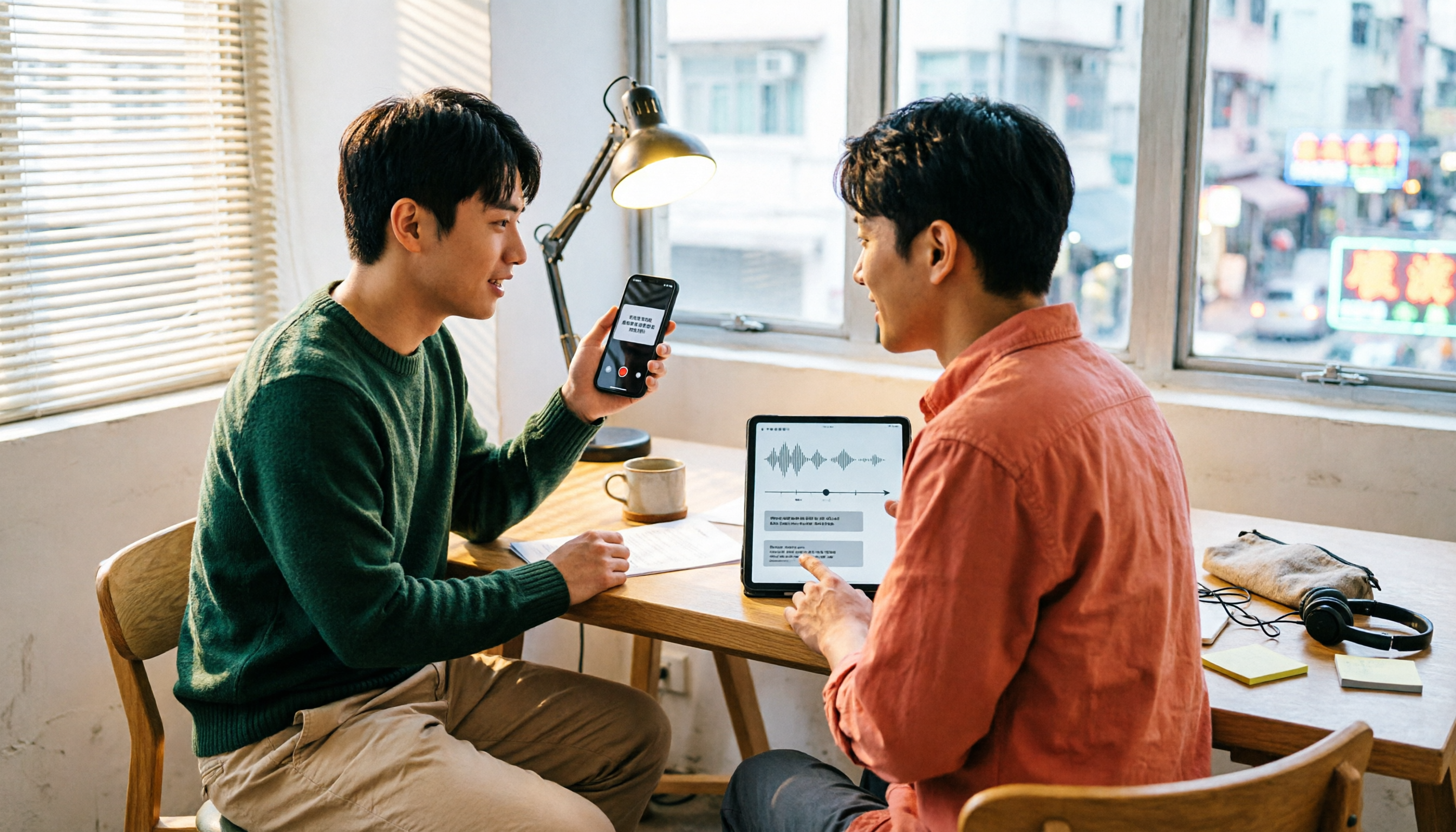
Transcribe while meeting. Open Tinrec's real-time recording, and what participants say turns into text synchronously. When the meeting ends, the transcript is already there—no waiting for uploads or processing.
Record online meetings without a bot. Many meeting tools require placing a "bot" into the meeting room, which some participants find odd, and some platforms even restrict it. Tinrec's desktop version directly records system audio, so no stranger appears in the meeting room.
Ask AI directly after recording. This is something few competitors at the same price point can do: after recording, you can directly ask, "Who mentioned the budget in the last meeting?" or "What were the client's objections?" It doesn't just search for keywords—it answers directly based on semantic understanding. For people who need to review old discussions and track progress, this feature saves hours.
Stop organizing recordings by hand
Upload audio or video and automatically get a transcript, summary, and action items
Pros:
- Complete post-transcription workflow: summary, chapters, action items, mind map, AI Q&A, multi-format export—all in one.
- Supports real-time translation, so cross-language meetings can be viewed in original, translated, or bilingual comparison.
- Team version has independent spaces; meeting data belongs to the team and doesn't leave with individuals; admins can manage roles, seats, usage, and audits.
Limitations:
- The free version provides a basic quota; heavy users should consider upgrading, and those with high meeting volume need to calculate costs carefully.
- Accuracy is affected by recording quality. In situations with air conditioning noise, multiple people talking over each other, or many technical terms, it's recommended to verify important content against the timeline afterward.
- Some team version capabilities still need production environment status confirmation before official external release; when purchasing, refer to the official purchase page.
Who it's for: Office workers who frequently handle Cantonese/mixed Chinese-English meetings, want to use AI to extract key points directly after recording, or need to switch between phone and computer. At the team level, it's for departments that want to turn meeting data into team assets and don't want each colleague hoarding recordings separately.
Besides Tinrec, What Other Options Are There?
Yating Transcription A veteran Taiwanese local brand, focused on optimizing for Taiwanese accents, supporting automatic punctuation, speaker identification, export to Word/TXT/PDF/SRT, and a Chrome extension to record Google video meetings. Free quota: real-time recording is free, uploading audio files gives about 20 minutes of trial; paid plans are billed by duration at NT$100 per hour, with a 10% discount for 3 hours at NT$270. Note that one account cannot be used on multiple devices simultaneously; features focus on transcription, translation, and export, with no AI conversational query seen. If your recordings are mainly Taiwanese Mandarin and usage is low, it's sufficient; but for Hong Kong users handling Cantonese meetings, it's not its strong suit.
Otter.ai The top choice for English meetings, with a free version of 300 minutes per month—generous quota, and mature English transcription and meeting summaries. But its positioning is English business meetings; Chinese and Cantonese meetings are not its strength. If your recordings are mainly English content, Otter.ai is a better value choice than Tinrec; if they're Chinese meetings, it's not suitable.
Pitfall Guide: The 4 Most Common Mistakes When Choosing a Transcription App
Pitfall 1: Rushing in at the word "free." "Free" can mean 7 days, 20 minutes per month, or a one-time trial. Before registering, check the quota type and validity period, and test with a real recording of your own—don't just look at the official demo.
Pitfall 2: Using a Taiwanese-accent tool for Cantonese meetings. This is the most common trap. The tool itself isn't the problem—it's the mismatch with the scenario. You wouldn't use an English transcription tool for Japanese recordings; likewise, a tool advertised as optimized for Taiwanese accents will handle Cantonese differently.
Pitfall 3: Ignoring multi-device and account restrictions. Some tools allow only one device per account. Want to record on your phone and edit on your computer? Not possible. Team sharing is even more troublesome. Think through your workflow before choosing.
Pitfall 4: Treating it only as "audio to text." If you only use the transcription feature, you're using only one-third of the tool's capability. Today's AI meeting tools let you ask for key points, extract action items, generate summaries, and export reports after recording. What you save isn't just typing time—it's the entire post-meeting organization process.
Conclusion: Which One Should You Choose?
- Need to handle Cantonese/mixed Chinese-English meetings and want more reliable transcription → Tinrec (Chinese and multilingual scenarios are its focus; desktop version records online meetings without a bot)
- Want to use AI directly to find key points and extract action items after recording → Tinrec (AI Q&A and post-meeting workflow are differentiators)
- Switch between phone, computer, and web → Tinrec (covers all three, no need to be tied to one device)
- Team needs to share meeting data and manage seats and usage → Tinrec Team Version (independent team space, role and seat management, usage analytics, audit logs)
- Cross-language meetings need real-time translation → Tinrec (supports real-time translation and bilingual comparison)
- Recordings are mainly Taiwanese Mandarin, usage is low, and you want a local veteran brand → Yating Transcription (test the free quota thoroughly first; if it's enough, no need to switch; for English meetings, consider Otter.ai)
One last thing: don't pay upfront. Most tools have free quotas—test with a real meeting recording from your company, and choose the one whose output is closest to deliverable quality. Only consider upgrading after testing.
References
- Yating Transcription Complete Guide: Free Version, Pricing, and Alternatives at a Glance
- Yating Transcription: Online Speech-to-Text Service, Pricing Introduction! | All-in-One AI Tools Introduction—Future Business
- Yating Transcription
- 2026 Yating Transcription Free Plan Summary: 3 Usage Methods at a Glance - Tinrec Blog
- Is Yating Transcription Free? What You Really Need Might Not Be It | Studio LazyCAT's Salon
Turn every recording into actionable outcomes
Get 60 free transcription minutes when you sign in. No credit card required.
Related Reading
You might also like

Yating Transcription Free Version 2026: How to Check Quota + Post-Transcription Workflow
Is the free version of Yating Transcription enough? This article skips the spec sheet and first helps you distinguish between 'a single recording' and 'a complete workflow.' It then breaks down four aspects: free quota, audio retention, cross-device use, and post-meeting organization. It also compares Tinrec, Notta, Otter.ai, and TurboScribe for their suitable scenarios to help you decide whether to pay.

2026 Comparison of 3 Online Transcription Tools: Yating Transcription Online Pricing vs. Tinrec Meeting Organization
Yating Transcription Online focuses on Taiwanese accent recognition and free real-time recording, while Tinrec extends transcription into summaries, action items, and team Q&A. This article compares their features, pricing, and use cases to help you choose the right tool.

2026 Comparison of 3 Online Transcription Tools: Yating vs. Tinrec — Which Saves More Post-Meeting Time?
Many people search for "Yating online transcription" because they want to turn recordings into text without installing an app—just using a browser. This article compares three approaches: Yating's online service, built-in transcription in some meeting platforms, and Tinrec, based on real-world usage. It covers key selection factors such as real-time transcription, summaries and action items, AI Q&A, export options, and team collaboration.

Which Transcription App Is Best? 2026 Hands-On Test of 3 Apps: Yating Pricing and Free Quotas Explained
How is Yating transcription priced? How much can you actually use for free? This article starts with the most common misconception and compares Yating, Tinrec, and Notta with hands-on testing. It clearly explains hourly package pricing, free quotas, AI post-meeting summaries, and team collaboration differences, so you know the answers before spending money.

Best Transcription Software? 2026 Hands-On Test of 3 Tools: Yating Pricing and Tinrec Compared
How is Yating transcription priced? Is the hourly package worth it? This article starts from the decision point of 'should I buy an hourly package or a subscription?' and organizes Yating's pricing model and free quota controversy. It also hands-on compares Tinrec, Otter.ai, and Notta on Chinese recognition, post-meeting organization, and team collaboration to help you choose the one that best fits your usage frequency.

2026 Tinrec Meeting Toolbar: No-Bot Recording + AI Summaries & Action Items in One Place
Starting from the search demand for 'Yating transcript toolbar,' this guide walks you through common pain points of transcript toolbars and uses Tinrec as an example to show how a more complete meeting workflow can handle recording, transcription, summaries, action items, AI Q&A, and team collaboration.

2026 Comparison of 4 Cantonese Speech-to-Text Tools: Which One Can Actually Extract Meeting Action Items?
Tired of spending hours organizing Cantonese meeting recordings? Based on the real needs of mid-level managers, this article compares Tinrec, CantoSub, Speechnotes, and Otter.ai on Cantonese transcription, post-meeting summaries, action item extraction, and team collaboration. It also covers selection criteria and pitfalls to help you find the right Cantonese speech-to-text solution.

2026 WeChat Voice-to-Text Cantonese Comparison: Chat Is Fine, Meetings Need AI
WeChat's built-in voice-to-text is handy for reading Cantonese chat messages, but it falls short for meetings, interviews, or 40-minute recordings. This article runs the same Cantonese audio through WeChat built-in, phone recorder, WhatsApp, and Tinrec's AI meeting organizer to help you decide if free features are enough, when to switch tools, and what to look for when buying.

Best Speech-to-Text Tools in 2026: We Tested 4 for Cantonese Meetings — This One Saves the Most Time on Post-Meeting Cleanup
We compared 4 speech-to-text tools in real Cantonese meeting scenarios, breaking down recognition models, meeting recording methods, post-meeting organization, and team permissions. We highlight common pitfalls and key considerations to help you choose the most time-saving option.