
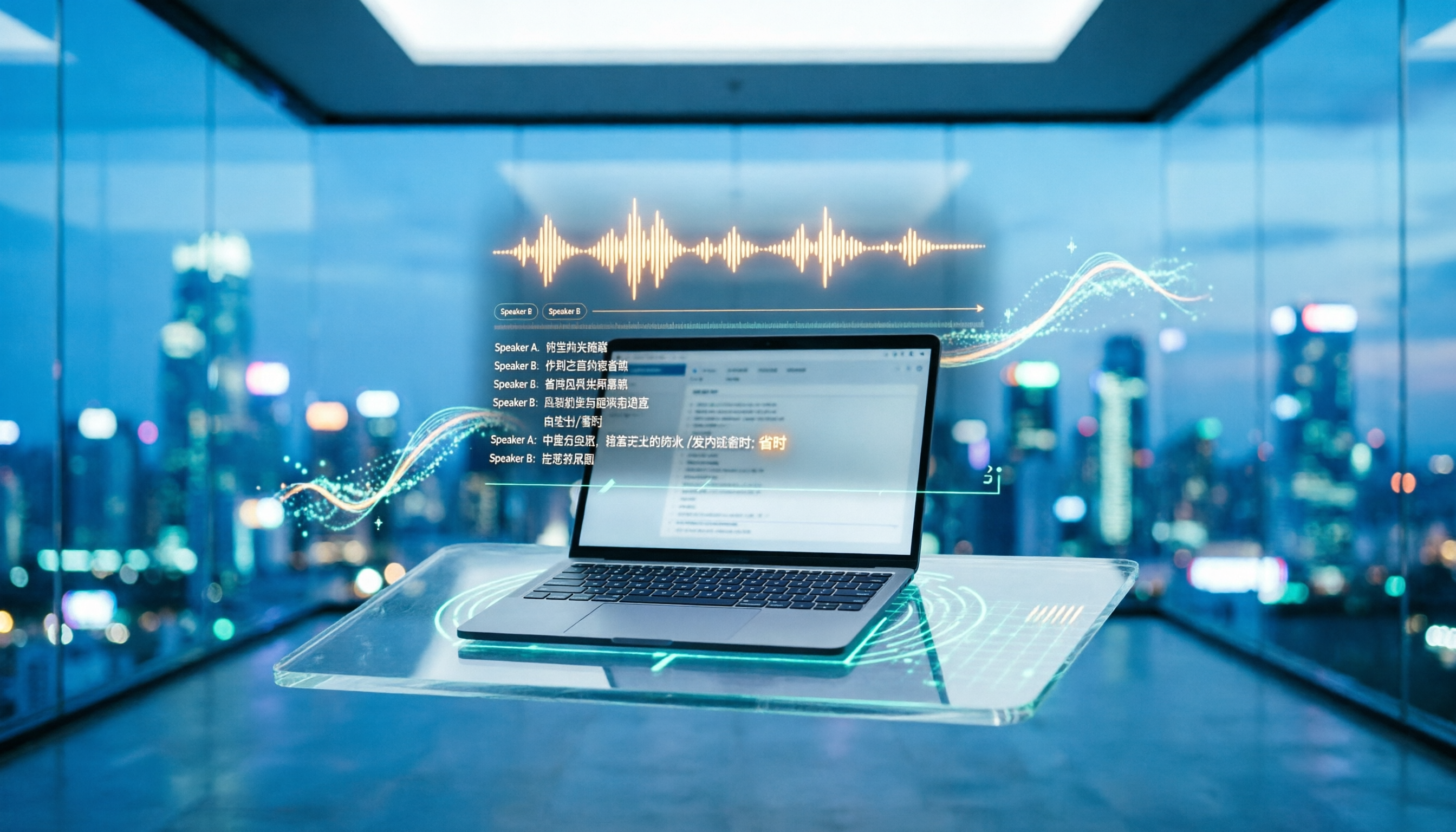
Turn recordings into transcripts and summaries in minutes
Upload audio or video for multilingual transcription, AI notes, and action items
The three most common misconceptions about transcription tools: free, accuracy, and 'having a transcript is enough'
'It's free anyway, let's download it first.' This is the first step most people take when choosing a transcription tool, and it's also the most common pitfall. Free versions often have time limits, single-file length restrictions, or lock export formats; by the time you're halfway through recording a meeting and realize you've run out of quota, the cost of re-recording far exceeds a year's subscription fee.
The second misconception is only comparing 'who transcribes more accurately.' Accuracy is certainly important, but what really eats up your time is often the part after transcription: re-listening to a two-hour recording, manually segmenting, identifying action items yourself, and then pasting the content into a document. Some tools make fewer word errors but are slow to proofread; some tools make a few more word errors but have already segmented paragraphs, punctuation, and speakers for you, making delivery faster.
The third misconception is thinking that getting a transcript equals completing meeting minutes. A transcript is raw material, not a finished product. Most managers want to know 'what was the conclusion of this meeting, who needs to do what, and when is it due,' not a 30,000-word complete conversation.
This article will compare 4 tools based on the complete workflow from 'recording a meeting to delivering results,' rather than just comparing who makes fewer word errors.
Before choosing a transcription tool, understand these 5 key points
1. Accuracy depends on your recording conditions. Don't just look at the officially advertised accuracy rate, which is usually measured in a quiet environment. Real meetings have air conditioning noise, keyboard sounds, multiple people talking over each other, and your colleagues' unique accents. We recommend testing directly with a recording of your own meeting—that's your true baseline.
2. Whether it can be used directly after transcription. Summaries, chapters, action items, keywords—these post-meeting outputs are where time is saved. Tools that only provide transcripts leave the most tiring part to you.
3. How meeting audio is captured. There are three common methods for online meetings: having a bot join the meeting, directly capturing system audio on the computer, or uploading a recording file afterward. Bots are the easiest but appear on the participant list, which is often inconvenient for client meetings; uploading files offers the most flexibility but lacks real-time capability.
4. Pricing is per minute or per seat. Per-minute pricing makes sense for individual use; for teams, you need to see how 'seats' are calculated, because not everyone needs recording upload permissions—some people only need to read.
5. Who ultimately holds the data. Recordings under personal accounts are taken away when an employee leaves; meeting data in team spaces belongs to the team and can be handed over when members change. This point is most often overlooked during procurement but is the hardest to remedy.
Tinrec (Miao Ting Recording) — Our top choice after hands-on testing
Tinrec (Miao Ting Recording) is an AI meeting notes and collaboration tool for individuals and teams, available on web, desktop, and mobile. Its positioning is not 'recording to text' but turning meetings into searchable, queryable, and deliverable data.
No extra bot for online meetings. The desktop version directly captures the computer's system audio, so when handling meetings on Zoom, Google Meet, Microsoft Teams, Webex, etc., no recording account appears on the participant list. For salespeople or consultants who need to meet with external clients, this is often more critical than any number on a spec sheet. Note that it is not a calendar bot; you need to actively open the desktop version to start recording.
By the time the meeting ends, the first draft is almost ready. While recording and transcribing simultaneously, the system generates summaries, chapters, and action items—who is responsible for what, what to discuss next time—so you don't have to listen from the beginning after the meeting. If the meeting is cross-language, you can instantly switch between original text, translation, or bilingual view.
You can continue asking questions after recording. This is where it differs most from ordinary transcription tools. You can directly ask questions about the meeting content, such as 'What is the budget cap the client mentioned?' or 'Which version did we decide to do first in the last meeting?' It finds answers based on semantics rather than giving you a list of keyword search results. Few tools in the same price range currently include this capability.
The team version keeps data within the company. The team version is an independent collaboration space where you can create multiple teams, invite members via links, set owners and administrators, and control who can record, upload, edit, and export via 'seats.' Meeting data belongs to the team and can be handed over to others when members leave or lose their seats; administrators can also view usage trends, member rankings, query and export audit logs, and recover accidentally deleted audio from the recycle bin.
Pros: First, the Chinese meeting experience is solid—mixed Chinese-English, multilingual, and real-time translation are all in the same interface; second, it's not tied to hardware or a single system—recordings from mobile, computer, or existing audio files can all go into the same database; third, the post-transcription workflow is complete—summaries, action items, mind maps, export to Notion/Google Docs/OneNote, and further generation of reports and tables.
Stop organizing recordings by hand
Upload audio or video and automatically get a transcript, summary, and action items
Limitations: It does not automatically join every meeting on your calendar; you need to manually start recording; the team version currently focuses on team-level sharing and does not have per-file permission settings; also, no tool should promise a fixed accuracy rate—for important content with heavy accents or overlapping speakers, it's still recommended to verify against the recording.
Pricing: The free version has a basic quota to try; the team version offers a 7-day trial for first-time eligible users, 1 free seat, and 300 minutes of team shared import quota. Monthly payment is USD 29.80 per paid seat per month, annual payment is USD 199 per paid seat per year (about USD 16.58 per month), each paid seat provides 2,000 minutes of shared import quota per month, and real-time recording under an active plan and seat is currently not deducted by minutes. Actual prices are subject to the official purchase page.
Who it's for: People who frequently hold online meetings, need to get meeting minutes and action items directly after the meeting, and want meeting data to stay with the team rather than personal accounts.
Besides Tinrec, what other options are there?
Yating Transcription is a veteran tool developed by the Taiwan AI Labs, friendly to Traditional Chinese and Taiwanese accents, available on web and app, supporting automatic segmentation, speaker labeling, and export to Word/TXT/PDF/SRT. A three-way hands-on test by Business Next in September 2024 pointed out that its 'speaker identification' and punctuation are the best among the tested tools. Although the overall accuracy for Taiwanese still needs improvement, it correctly recognized '四界看' as '四處看看' (look around), which is quite impressive upon closer inspection. App Store reviews reflect: when accents are heavy, word-by-word correction is still needed; automatic sentence skipping can easily cause line errors; occasionally recording gets stuck or imported files show insufficient duration. Its positioning is closer to transcription itself, and summaries and action items still need to be done manually—this is exactly the gap where Tinrec directly generates summaries, chapters, and action items.
Notta covers multi-platform transcription, file import, translation, and subtitles, with multilingual support as a strength. The official free version offers 120 minutes per month with a 3-minute limit per item; Pro annual payment is about USD 8.17 per month with 1,800 minutes per month; Business annual payment is about USD 16.67 per seat per month. If you mainly handle uploaded files and subtitles, it's sufficient; but online meetings require additional access methods, whereas Tinrec's desktop version directly captures system audio without needing an extra participant.
Otter.ai is a veteran choice for English meetings. Basic free offers 300 minutes per month, which is quite generous; Pro annual payment is about USD 8.49 per user per month, including 1,200 minutes per month. If your content is mainly English, its mature business meeting experience still has advantages; but Chinese, Traditional Chinese, and Taiwanese accents are not its strong suit. In terms of team governance, Tinrec's roles, seats, usage, and auditing represent another design that is closer to the procurement logic of Chinese teams.
| Tool | Strengths | Things to note |
|---|---|---|
| Tinrec | Bot-free recording, summary and action items, AI follow-up questions, team seat governance | Requires manual recording initiation |
| Yating Transcription | Traditional Chinese and Taiwanese accents, speaker identification, punctuation | Summaries and action items need to be handled manually |
| Notta | Multilingual, files and subtitles | Online meetings require additional access |
| Otter.ai | English meetings, generous free quota | Weaker in Chinese scenarios |
Pitfall guide: The 4 most common mistakes when choosing a transcription tool
Pitfall 1: Being swayed by the word 'free.' First check the free version's time limit, single-file length, and export restrictions before deciding whether to invest. Testing with one of your own real meetings is more accurate than reading ten reviews.
Pitfall 2: Judging only by word error rate. Proofreading time is the real cost. A transcript with punctuation, segmentation, and speaker labels can be edited several times faster.
Pitfall 3: Submitting a transcript as meeting minutes. A transcript without conclusions and action items is equivalent to no organization for managers. When choosing a tool, make 'does it automatically generate summaries and action items' a necessary condition.
Pitfall 4: Teams buying personal versions and sharing accounts. This is the most common and most expensive mistake—data is all tied to one person, and when that person leaves, historical meeting records disappear with them. The key to the team version is never the number of minutes, but 'roles, seats, and data ownership.'
Conclusion: Which one should you choose?
- Mainly Chinese, Taiwanese, and mixed Chinese-English meetings, and want meeting minutes directly after the meeting → Tinrec, with summaries, chapters, action items, and AI follow-up questions all in one place.
- Need to record online meetings but cannot let a bot join → Tinrec, desktop version captures system audio, keeping the participant list clean.
- Need to turn historical meetings into a searchable team database → Tinrec team version, seat control of usage rights, data belongs to the team, transferable.
- Only need to simply convert recordings to text and are used to proofreading yourself → Yating Transcription, its performance with Traditional Chinese and Taiwanese accents is worth a try.
- Mainly handle uploaded files and subtitle translation → File-based tools like Notta or TurboScribe.
- Content is mainly English meetings → Otter.ai, generous free quota and mature English experience.
The order of choosing a tool is actually simple: first confirm whether the free quota is enough for you, then confirm how much organization time can be saved after transcription, and finally confirm who ultimately holds the data. Running a free version on one of your own meeting recordings will answer 'is this suitable for me' better than reading any review.
References
- Yating Transcription - Ratings & Reviews - App Store
- Hands-on Review | Unboxing Good Tape, Yating Transcription, Vocol.ai: Which AI Transcription Software Is Best? | Business Next
- Yating Transcription - Ratings & Reviews - App Store
- Yating Transcription Introduction, Features, Pricing, Pros and Cons Review | TheAI Academy
- Is Yating Transcription Good? Complete Analysis of Local AI Speech Recognition Pros and Cons and Competitors - UpToGo
Turn every recording into actionable outcomes
Get 60 free transcription minutes when you sign in. No credit card required.
Related Reading
You might also like

2026 Speech-to-Text Tool Buying Guide: 5 Comparison Points for Yating Transcription vs. Tinrec
Compare Yating Transcription and Tinrec across five dimensions: post-meeting organization, online meeting recording methods, language support, team collaboration, and export workflows, to help you decide which one better fits your meeting style and work habits.

2026 Yating Transcript Summary Comparison: 3 Transcript Tools' Summary Workflows and Outputs
Turning meeting recordings into transcripts isn't hard—the challenge is making them directly usable. Starting from real-world meeting and interview organization pain points, this article compares Yating Transcript, Tinrec, and other tools in terms of transcription, summarization, follow-up questions, and output workflows. It outlines 5 key purchasing criteria, 4 common mistakes, and offers selection advice by use case, while honestly listing each tool's free quota and paid limitations.

Yating Transcription 2025: Pricing, Free Tier, and Comparison with Tinrec, Notta, Otter.ai, PLAUD
A complete guide to Yating Transcription's 2025 free quota, hourly pricing, and workflow, plus a comparison of Tinrec, Notta, Otter.ai, and PLAUD for Chinese meetings, post-meeting summaries, and team collaboration—helping you decide between buying hours and subscribing.

2026 Comparison of 4 Transcription Tools: How Yating Transcription Pricing Works and What Dcard Users Ask Most
Starting from common Dcard questions about Yating Transcription pricing, this breaks down free quotas, time-package billing, and actual usage costs, and compares Tinrec, Yating Transcription, Otter.ai, and TurboScribe to help you decide whether to buy hours, subscribe, or switch to an AI meeting workflow.

Yating Transcript Complete Guide 2026: Tested Pricing, Free Quota, and 3 Alternatives
How many free minutes does Yating Transcript offer, and how is pricing calculated? This article breaks down the actual differences between free and paid plans, queue times, and feature limitations, and compares Tinrec, Otter.ai, Notta, and TurboScribe for different use cases, helping you choose a transcription tool that truly fits and doesn't waste money.
2025 Comparison of 5 Transcription Tools: Is Yating's Free Quota Really Enough?
Clarifying common misconceptions about Yating Transcription's free offering in 2025: free registration, free real-time recording, and unlimited long-term free use are not the same thing. This article compiles public statements, pricing standards, and purchasing considerations, and uses Tinrec as an example to demonstrate the complete workflow from import, transcription, proofreading, to generating summaries and team knowledge retention.

2026 Yating Transcription vs. 3 Other Speech-to-Text Tools: Which Saves the Most Time After Meetings?
Still using Yating Transcription in 2026? This article compares Yating Transcription, Tinrec, Notta, and Otter.ai from two angles: transcription accuracy and post-meeting usability. It covers each tool's positioning, free tier limits, and common pitfalls, helping you decide which one to use in under 30 minutes.

4 Transcription Tools Tested for 2026: How to Calculate Yating Transcript Costs Without Pitfalls
How exactly is Yating Transcript priced? This article breaks down the most common misconceptions from three angles: pricing model, free quota, and post-meeting organization costs. It also tests and compares the cost structures, feature boundaries, and use cases of four tools—Tinrec, Yating Transcript, Notta, and Otter.ai—to help you choose the right transcription tool within your budget.

4 Cantonese Voice Input Solutions Tested in 2026: Is Apple's Built-in Dictation Enough?
Many people turn on dictation but can't get Cantonese to work—the problem often isn't the microphone, but the settings and the wrong tool. This article starts with Apple's built-in dictation and Mac Cantonese Pinyin input settings, explains their limits, then compares Tinrec, Gboard, Notta, and Otter.ai on meeting notes and post-meeting organization, helping you choose the right tool for your scenario.