

Turn recordings into transcripts and summaries in minutes
Upload audio or video for multilingual transcription, AI notes, and action items
3 Recording Tools Compared in 2026: The Easiest Way to Share Plaud Recordings with Colleagues
After recording a 60-minute meeting, you usually need to deliver it to three kinds of people: your boss just wants the conclusions, your colleagues want the transcript, and your client wants to see the original audio file. Three needs, three formats—and many people get stuck at "I hit share, but the file never reaches the other person." This article covers Plaud's sharing links and export paths, and also compares two other common tools side by side to help you pick an approach for your situation that avoids back-and-forth file conversions.
Before Sharing a Recording, You Really Need to Decide These Three Things
First, are you sending "sound" or "conclusions"? Drop a 40-minute audio file into a group chat and most people won't open it. But swap it for a three-line summary with timestamps, and the response rate changes immediately.
Second, does the other person have an account on the same platform? Some sharing methods are invite-only links that require an account to view—if the other person hasn't signed up, that's an extra step. Others simply give them the file, and anyone can open it.
Third, file format and device limitations. For the same recording, the formats available when exporting from a mobile app versus the web version may differ. This is the most easily overlooked point, and the one most likely to trip you up at the last minute.
Think through these three things first, and choosing a tool later won't be a matter of guesswork.
Before Choosing a Recording Sharing Method, Understand These 4 Key Points
① Sharing format: link or file? The advantage of a link is that the other person can view it as soon as they click, and you don't need to resend when the content updates. The downside is that some links require the other person to register an account, and it's hard to control where the file gets forwarded. Files are the opposite—once sent, they're out of your control, but compatibility is best.
② Export format and device differences. Take Plaud's official documentation as an example: Plaud Web exports audio as MP3, while WAV format is only available in the Plaud App; mind maps can be exported as PNG or Markdown, but once exported they can no longer be opened as editable mind maps. In other words, the format you want determines which device you need to export from.
③ Whether the other person needs to register. Invite-only links usually require the other person to have an account on the same platform and are restricted to specific email addresses; public links can be opened by anyone who has the URL. Before sharing with an external client, confirm whether they're willing to register an account just for one file.
④ After sharing, who owns the data. Recordings on a personal account belong to the individual—if a colleague leaves or changes accounts, you'll have to ask for the data all over again. If meeting records are to become a team asset, you need to check whether the tool has team spaces, member roles, and seat design—this is also the point most people think of last when choosing a tool, yet it has the biggest impact on long-term experience.
Tinrec—Turning "Sharing" into a Team Workflow, Not a One-Time File Transfer
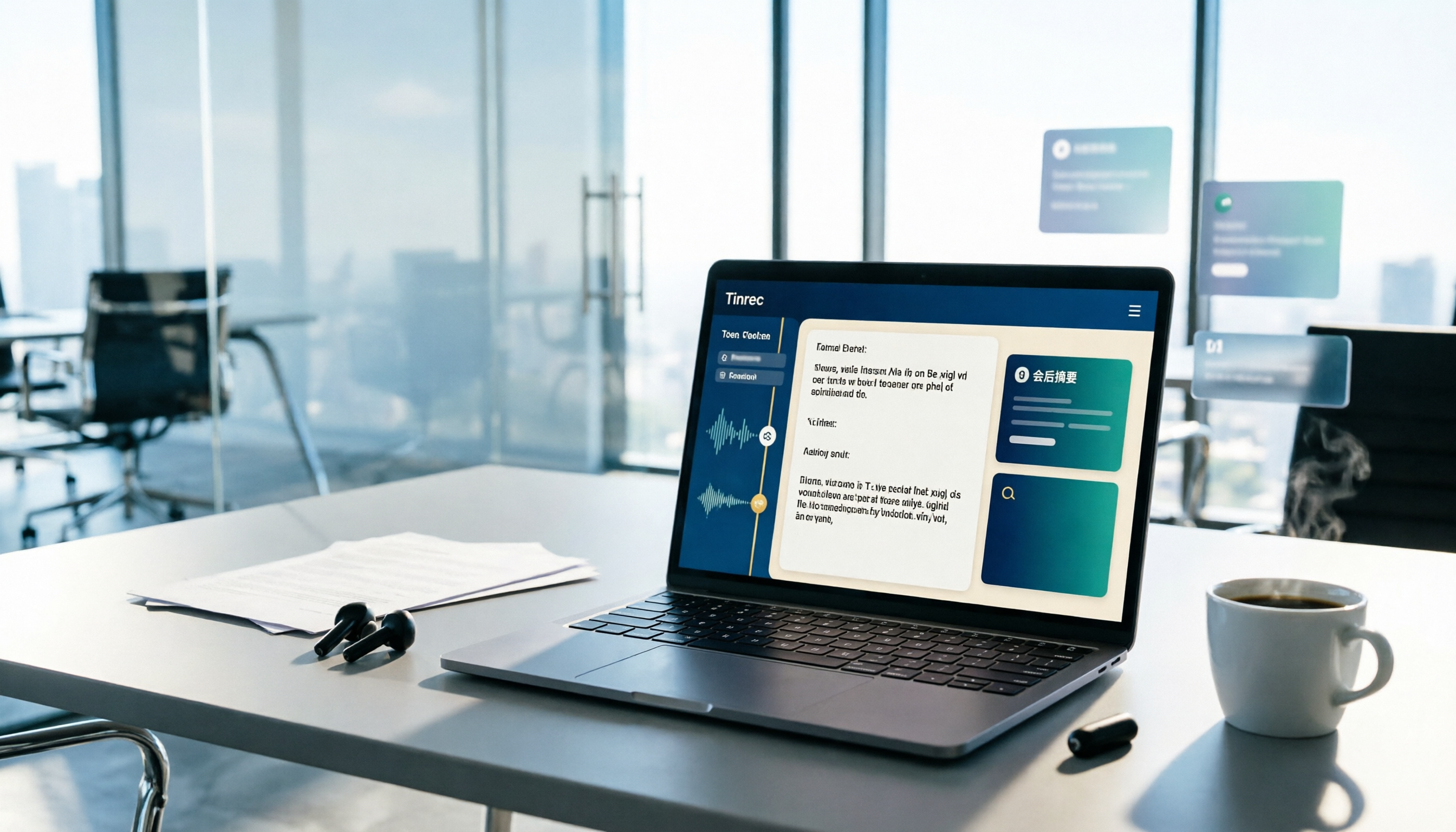
Tinrec is an AI meeting notes and collaboration tool for individuals and teams. It supports real-time recording, bot-free recording of online meetings on desktop, audio/video file import, and real-time translation, and automatically generates transcripts, summaries, chapters, to-dos, and mind maps. Its logic for handling "sharing" is a bit different from pure recording tools: the point isn't to send out a file, but to give the other person content they can use directly.
Post-meeting delivery: export to formats the other person already uses. Rather than dropping an audio file into a group chat, export the transcript and summary and bring them into existing workflows like Google Docs, Notion, OneNote, and Dropbox. If you need a more formal version, you can use Agent post-processing to generate reports, tables, and meeting minutes. For the recipient, this is far more considerate than "please listen to minutes 12 through 27."
The other person doesn't want to listen to the whole thing: just ask. This is where Tinrec differs most from tools that "only transcribe." After recording, you can keep asking questions about a single meeting or across multiple meetings—for example, "What was the budget cap the client mentioned?" or "Who was responsible for the test schedule in the last meeting?" It gives answers based on the content instead of dumping a pile of keywords for you to dig through. When sharing meeting materials, handing over "ask questions directly" along with them is usually more practical than attaching a 30-page transcript.
Team sharing: a separate space, not multiple people sharing one account. The team edition provides a separate team space where Audio, Folder, and TODO are stored centrally, and meeting data belongs to the team. Active members can view, play, and read team materials even without a seat; only after obtaining a seat can they upload, edit, and import/export. Admins can set owners, administrators, and regular members, assign or transfer seats, view usage trends and member rankings, and query and export audit logs; accidentally deleted audio can be restored from the recycle bin (retained for 30 days). When a member leaves or is removed, the team resources they were responsible for can be handed over to other members, so data doesn't leave with the person.
Stop organizing recordings by hand
Upload audio or video and automatically get a transcript, summary, and action items
Limitations should be stated clearly. The free version provides a basic quota, suitable for trying out recording, import, summaries, and transcription first. The team edition is priced per paid seat (USD 29.80/paid seat/month for monthly billing, USD 199/paid seat/year for annual billing, about USD 16.58/month; actual prices are subject to the official purchase page). The first eligible team trial is 7 days, with 1 free seat and 300 minutes of shared import quota; paid seats provide 2,000 minutes of shared import quota per month. Real-time recording is currently not deducted by minutes under an active plan and seat, while file and web imports draw from the team's shared quota. In addition, the team edition is "team-level sharing + role governance + seat-based usage control," not a file-level permission system. If you need to set different visibility scopes for each file, it's not suitable for that at present.
Who is it for? If your meeting data needs to reach three to five people, be looked up repeatedly, or even be kept as a project record, Tinrec's team space + export + AI Q&A will save a lot of back-and-forth communication compared with simple recording sharing.
Besides Tinrec, What Other Recording Sharing Options Are There?
Plaud: Primarily an AI recording hardware product; recordings are stored in the mobile app. Sharing paths roughly fall into two: on the recording detail page, use the share button to export the recording file, transcript, summary, or mind map (single or batch, available on App/Web/Desktop), or use "share link" to give the other person a URL, choosing either a public link or an invite-only link (invite-only requires the other person to have a Plaud account and is limited to specific email addresses). In practice, note that Plaud Web exports audio as MP3, while WAV is only available in the App; the share link feature is noted in official documentation as applicable to v3.30.x or earlier versions—for newer versions, refer to the options you see in the App. If you already have a Plaud device and only occasionally send recordings to one or two people, this path is very intuitive. But if what you want is "meeting data stays with the team and doesn't get lost when someone leaves," Tinrec's team space, role-based seats, usage, and audit governance are areas where Plaud's public materials currently say less.
Notta: Strong multilingual transcription and translation, with team plans offering role permissions and usage reports—suitable for teams that need multilingual meeting records. However, if your meetings are held on a computer, Tinrec's desktop version can directly capture system audio without an extra bot joining the meeting, and can carry transcripts, summaries, and to-dos all the way through to export and AI follow-up questions, making the workflow more consistent.
TurboScribe: A cost-effective file transcription tool; the paid version supports files up to 10 hours each and multiple file uploads at once, suitable for batch processing large amounts of historical recordings. But it's essentially "file in, text out"—post-meeting summary follow-ups, to-do organization, and team sharing aren't its strong suit—and that's exactly where Tinrec puts the most effort.
Pitfall Guide: The 3 Most Common Mistakes When Sharing Recordings
Pitfall 1: Assuming "export" equals "backup." Many people export once on their phone and then delete the original file, only to discover on a different device that the format is wrong. For example, Plaud's WAV is only available in the App, while Web only offers MP3, and exported mind maps can't be edited again. Before exporting, think about the final purpose: is it going into editing software, being archived, or just for someone to view?
Pitfall 2: Sending only a link without confirming the other person has an account. Invite-only links are designed for security, but the cost is that the other person has to register and log in with an authorized email address. Before sharing with an external party, ask "Do you have an account on this platform?"—it can save an entire round of back-and-forth.
Pitfall 3: Treating an audio file as meeting notes. A recording is raw material, not a finished product. Most colleagues want "conclusions and to-dos," not 40 minutes of audio. Handing over the summary, transcript, and a Q&A you can ask questions to is what makes sharing truly useful.
One more reminder: Recording and sharing involve others' privacy and local regulations. For recordings that will be published publicly or sent to third parties, it's advisable to obtain consent from participants first, and avoid using public links for valuable or sensitive content.
Summary: What's the Easiest Way to Share Plaud Recordings? It Depends on Your Situation
| Your situation | Recommended approach | Reason |
|---|---|---|
| You already have a Plaud device and just want to quickly send a recording to one or two people | Plaud App share button or share link | Shortest path; export content and link are on the same page |
| Meeting data needs to stay with the team and be looked up repeatedly by multiple people | Tinrec team space | Data belongs to the team, seat-based usage control, handover possible when members leave |
| The other person doesn't want to listen to the whole thing and just wants to ask about key points | Tinrec AI Q&A | Ask questions directly about the meeting content without manually searching the transcript |
| You have a large batch of historical files to transcribe | TurboScribe | Long files and batch uploads are its strengths |
| Meetings span multiple languages and need translation | Notta or Tinrec (real-time translation and bilingual viewing) | Depends on whether you value translation or post-meeting organization |
Back to the original question: How do you share Plaud recordings? The shortest answer is "the share button or share link in the App"—fastest, and good enough. But if your meeting data will be used repeatedly and needs to be handed over to different people, the truly hassle-free approach is to upgrade sharing from "sending a file" to "giving a piece of data that can be looked up, asked about, and handed over."
Not sure which one you need? Start with the free version: record a meeting, export it, and then ask a colleague to ask it a question—you'll quickly know whether you need the team edition.
(Feature and plan descriptions in this article are compiled from each platform's official public materials; data was verified in August 2026. For prices and benefits, please refer to the official purchase page.)
References
Turn every recording into actionable outcomes
Get 60 free transcription minutes when you sign in. No credit card required.
Related Reading
You might also like

2 Best Recording Organization Tools in 2026: PLAUD File Formats and Export Comparison
First, answer what file a PLAUD recording is: after the device's local recording is transferred to the app, export formats such as MP3, WAV, TXT, and SRT become available; then compare PLAUD and Tinrec in terms of recording, export, and use cases.

2026 AI Meeting Recording Solutions Compared: How Plaud Note Pro Records and Tinrec Organizes Meetings
First decide whether you need to record phone calls, in-person meetings, or online meetings, then choose your tool. This article covers Plaud Note Pro's phone and in-person recording operation, MagSafe attachment, and long-press vibration alerts, and compares Tinrec, Notta, and Otter.ai on transcription, summaries, action items, AI Q&A, and team collaboration to help you pick the right meeting recording solution.

2 Free Transcription Tools in 2026: Yating Free Tier Limits and Tinrec Alternative
An overview of the free version limits and common pain points of Yating Transcription, plus a procurement-focused comparison of how Tinrec differs in meeting notes, AI summaries, action item extraction, Q&A, and team collaboration—helping you decide which tool better suits meetings, interviews, and lecture notes.

Free Audio Transcription in 2026: How to Record with PLAUD and Meeting Notes Without Extra Hardware
Searching for "how to record with PLAUD" often gets stuck on the post-recording workflow. This article first covers PLAUD device recording operations and free tier limits, then explains a hardware-free approach: how Tinrec desktop captures online meetings, transcribes in real time, generates summaries and action items, and compares free tiers plus five things to consider when choosing a tool.

2026 Comparison of 5 Transcription Tools: How to Buy Yating Transcript Hours Cost-Effectively?
How is Yating Transcript's latest pricing calculated? This article breaks down the free real-time recording scope, free quota for uploading audio files, and the pricing of NT$100 per hour and NT$270 for 3 hours. It also summarizes three limitations to know before use and compares the pricing and post-transcription workflows of Tinrec, Notta, Otter.ai, and TurboScribe, helping you decide whether to buy by hours or switch to a tool that integrates meeting data.

2026 AI Voice Recorder Comparison: Plaud Note vs. Tinrec — Which Should You Choose?
Many people buy a PLAUD recorder but feel they 'can't record any notes' — usually because the mode isn't switched, the button isn't long-pressed, or the recording isn't synced. This article first breaks down three common mistakes and correct steps for Plaud voice notes, then compares Tinrec across six dimensions: workflow, Chinese transcription, post-meeting organization, online meetings, team collaboration, and cost, to help you decide which approach saves more time.
2026 Yating Transcriber Latest Version Buying Guide: 3 Tools Compared and Selection Advice
How should you evaluate the "latest version" of Yating Transcriber? Using verifiable public information, this article compares Yating Transcriber, Tinrec, and Notta across input methods, timelines, post-meeting organization, team collaboration, and pricing. It explains how to choose without hands-on timed testing and includes a starter checklist you can verify yourself.

Plaud Voice Recorder Guide 2026: Setup, Recording Modes & AI Transcription
Just got a Plaud voice recorder and not sure which button to press? This guide walks through account creation, device pairing, smart dual-mode recording, haptic feedback in the app, and AI transcription and summaries for Plaud Note, NotePin, and Note Pro. It also covers battery life, subscription costs, limitations, and software alternatives if you don't want to carry another device.

3 Best Audio-to-Text Tools in 2026: Plaud Recording Guide & Meeting Notes Comparison
From how to press the record button on Plaud and how files get into the app, to how transcripts and meeting notes are organized, this article walks through the actual workflow and compares Tinrec, Plaud, and Notta on recording methods, post-meeting organization, quotas, and pricing to help you decide which approach fits you best.