

Turn recordings into transcripts and summaries in minutes
Upload audio or video for multilingual transcription, AI notes, and action items
Before Buying Hours, Do the Math: Are You Short on "Hours" or "Usable Data"?
"How exactly is Yating Transcript priced?" is one of the questions I get asked most often lately.
Usually, there's a specific scenario behind this question: you have three or four interview recordings sitting there; two department meetings every week; or files from thesis fieldwork that haven't been organized yet.
What matters in these situations is actually different.
So before comparing prices, I suggest you first answer one question: How many hours of recording do you roughly use per month?
If the answer is "two or three hours, only occasionally," then buying by hours makes sense—buy as you go, no subscription pressure.
But if the answer is "every week," then what you really need to compare is not "how much per hour," but "after these transcripts are generated, how much time do I still need to spend turning them into something I can deliver?"
This article will first fully break down Yating Transcript's pricing and limitations, then discuss another approach centered on "meeting data," and finally give you a set of selection recommendations you can directly compare.
How is Yating Transcript Priced? 2026 Latest Pricing Breakdown
First, the conclusion: Yating Transcript is not subscription-based; it's "buy hours, deduct as you use."
This is relatively friendly for people who only need transcription occasionally, as you won't be tied to monthly automatic deductions.
Free Part: Real-Time Recording Is Free, Uploaded Audio Files Have a Quota
Yating Transcript's free scope needs to be viewed in two cases:
- Real-time recording: At meetings, classes, or interviews, use the app or web version's microphone to record and transcribe simultaneously. This part is basically free to use.
- Uploading existing audio files: After registration, you get free trial hours; once used up, you must purchase more.
Note that regarding "how many minutes the free quota is," there are currently three different claims in third-party summaries online: 20 minutes, 120 minutes, and about 300 minutes of trial quota.
The information I found is inconsistent, so I won't give a definitive number here. Please refer to what is displayed in your account after registration for the actual quota; the official website page is the final basis.
Paid Part: Billed by Audio File Length
The currently available pricing is roughly as follows:
| Purchase Method | Price | Description |
|---|---|---|
| Single 1 hour | About NT$100 | Billed by audio file length |
| 3 hours | About NT$270 | About 10% off |
| 10 hours or more | Other plans on official website | Can be stacked |
| Bulk or commercial | Contact staff | One-time purchase of longer duration |
Simply put, the advantage of this model is "pay as you use," with no guilt of paying but not using it all.
The downside is also obvious: if your usage is high, hours will add up one by one.
Estimating based on two one-hour meetings per week, that's about 100 hours a year. At a rough estimate of NT$100 per hour, that's five figures. The actual amount depends on whether you get discount plans, but this number is worth running through your mind first.
Three Limitations to Know Before Use
Honestly, these points may not be placed in the most prominent position on the official website, but they directly affect your user experience:
First, one account cannot be used on multiple devices simultaneously. If you finish recording on your phone and want to switch to a computer for organizing, you need to end the session on the previous device first.
Second, billing is based on audio file length, not how long recognition takes. A 90-minute recording deducts 90 minutes of quota, regardless of transcription speed.
Third, hours have an expiration date. Currently available information is that hours can be used within 3 years from the purchase date, which is relatively lenient for those who "buy and leave it."
Overall, Yating Transcript's advantages are clear: developed by a Taiwan team, good recognition of Taiwanese Mandarin, Taiwanese Hokkien, mixed Chinese-English "Chinglish" and buzzwords, and it automatically adds punctuation and line breaks.
Its positioning is also clear: turn sound into a text document.
The question is, after you get that text document, what then?
Before Choosing a Transcription Tool, Understand These 4 Key Points
When I test tools myself, I usually don't look at price first, but at the following four things. Because price is one-time, but workflow is daily.
1. Is the Billing Unit "Hours" or "Subscription"
Buying by hours suits people with irregular usage; subscription suits people with stable weekly needs.
There's no absolute good or bad, but if your usage is "heavy in some months, idle in others," buying hours will be more cost-effective than subscribing.
2. Is the Free Quota Enough for a Real Test
The free quota is not for "long-term use," but for "verification."
What you need to test is: how is the recognition result under your own recording conditions. A quiet studio versus a meeting room with air conditioning noise, keyboard sounds, and people talking over each other will yield very different results.
I suggest directly taking the most difficult recording you have and trying it, not just reading official copy.
3. What Else Can the Tool Give You After Transcription
This is the most easily overlooked point, but with the biggest difference.
A tool that only gives transcripts leaves you with a text file of tens of thousands of words, and you still have to read through it yourself to find key points.
A tool with summaries, chapters, and action item extraction gives you "something you can directly send to your supervisor."
4. Do You Need Cross-Device and Team Collaboration
For personal use, a phone plus web version is probably enough.
But as soon as it involves "this record needs to be shown to colleagues" or "new hires need to look up past meetings," you'll need team spaces, member permissions, and data ownership concepts—at this point, limitations like "one account cannot be used on multiple devices simultaneously" become real pain points.
Tinrec—Not Just Turning Sound into Text, but into Data People Can Query
If you've read this far and are thinking "I don't just need a transcript; I want to spend less time organizing," then Tinrec is the option I'd put first after testing this time.
It is an AI meeting notes and collaboration tool for individuals and teams, supporting iOS, Android, and web, with the desktop version handling online meetings.
Record Online Meetings Without Inviting a Bot
This is where it differs most from most AI meeting tools.
Typical meeting bots work by pulling a Bot into Zoom, Google Meet, or Teams as a participant. This may be considered disruptive in some companies, and some meetings don't even allow external accounts to join.
Tinrec's desktop version directly captures the computer's system audio. You open Tinrec on your own computer to start recording, the meeting proceeds as usual, and no extra participant appears on the screen.
While recording, the transcript is generated in real time alongside. When the meeting ends, the transcript is ready.
After Recording Is Where It Really Stands Out
Most people's impression of transcription tools stops at "turning sound into text." Tinrec focuses on what happens after transcription:
Stop organizing recordings by hand
Upload audio or video and automatically get a transcript, summary, and action items
- AI summaries and chapters: A two-hour meeting is automatically divided into sections, so you can look at the structure first before deciding whether to read in detail.
- Action item extraction: Who promised what, and when it's due, pulled directly from the discussion.
- AI Q&A: This is what I find most useful. After recording, you can directly ask it "Who mentioned the budget in the last meeting?" or "What were the client's concerns about the delivery date?" It answers based on semantics, rather than throwing a bunch of keywords for you to Ctrl+F yourself.
- Real-time translation: During recording, you can switch between original text, translation, or bilingual view, especially useful for mixed Chinese-English meetings.
- Multi-format export: Common formats like Word, TXT, PDF, SRT are available, and can be taken to Notion, Google Docs, OneNote, Dropbox for further processing.
- Agent post-processing: Can directly generate reports, tables, or meeting minutes documents from meeting content, saving considerable work for those who need to deliver after meetings.
In one sentence: It turns a meeting from "a recording" into "a piece of data you can continue working with."
The Difference Is Even More Obvious for Team Use
If you are a department or project team, Tinrec's team version handles "data ownership."
The team version is not several people sharing one account, but independent team spaces: you can create multiple teams, invite members via link, set owner and admin roles, assign or revoke seats. Meeting data belongs to the team, and when a member leaves, their responsible resources are handed over to others, not disappearing with the personal account.
The admin side can also see team usage trends, member rankings, details, and query and export operation audit logs; accidentally deleted audio goes to the recycle bin, currently retained for 30 days, and can be recovered within that period. Team hotwords allow you to maintain commonly used terms yourself to improve recognition of professional vocabulary.
One commonly misunderstood point to clarify: roles and seats are two different things. Roles determine who can manage the team, members, and settings; seats determine whether members can record, upload, edit, and export. Members without seats can still view, play, and read team data, but cannot perform resource usage operations.
In terms of pricing, the team version is currently USD 29.80 per paid seat per month, or USD 199 annually (about USD 16.58 per month); eligible teams can try 7 days, 1 free seat, and 300 minutes of team shared import quota for the first time. Each paid seat provides 2,000 minutes of team shared import quota per month, and under an active team plan and active seat, real-time recording is currently not deducted by minutes. Actual amounts and promotions are subject to the official purchase page.
Limitations That Need Honest Explanation
- The free version has a quota limit; heavy users must pay, it's not unlimited free.
- File import consumes team shared import minutes, not supplemented by member personal quota.
- Transcription quality is affected by recording quality, ambient noise, accents, overlapping speech, and technical terms; no tool can guarantee a fixed accuracy rate. For important content, it's recommended to verify with recording playback.
- Currently, the team version mainly shares at the team level, not fine-grained file-level or member-level permission control.
Who It Suits
If you have meetings every week, want to use AI to find key points directly after recording, need to switch between phone and computer, or your team's meeting data is currently scattered across individual computers—Tinrec is currently the choice with the most complete workflow.
Besides Yating Transcript, There Are These Options
Notta
Good multilingual transcription capability, supports meeting notes, file import, and translation, with high overlap with Tinrec. The free version offers 120 minutes per month, with a maximum of 3 minutes per session, meaning long meetings need to be split; Pro annual payment is about USD 8.17 per month.
Its strength is file transcription and subtitles, but it lacks Tinrec's desktop version's bot-free online meeting recording method, and post-meeting AI querying and team data retention are weaker.
Otter.ai
A veteran choice for English meetings, with a generous free version of 300 minutes per month. If 90% of your recordings are in English, Otter will be smoother than most tools.
But its Chinese meeting experience is not the main focus, and its positioning is a meeting assistant, not a space for retaining team knowledge bases. For Chinese-dominant users, I usually don't recommend starting here.
TurboScribe
Essentially a "cost-effective file transcription tool," strong in long files and batch uploads; the paid version supports up to 10 hours per file and 50 files at a time.
If you have dozens of historical recordings to clear at once, it's very cost-effective. But it doesn't handle "real-time meetings" and "post-meeting collaboration"; after the transcript is generated, you still need to organize it yourself.
Pitfall Guide: Three Most Common Mistakes When Buying Transcription Tools
Pitfall 1: Only looking at per-hour unit price, not organizing cost.
NT$100 per hour sounds inexpensive, but if a two-hour meeting transcript still takes you two hours to read through, extract key points, and write into minutes, then the real cost is "hour fee + your labor time." Adding these two together often flips the conclusion.
Pitfall 2: Deciding whether to buy based on the recognition rate in official copy.
All tools claim to be accurate. But real meeting rooms have air conditioning noise, people talking over each other, and technical terms—differences only show under these conditions.
A safer approach: take your most difficult recording, try each provider's free quota, and then decide where to spend your money.
Pitfall 3: Ignoring "who will use this data later."
For personal use, it's not a big issue. But as soon as your transcript needs to be shown to colleagues, handed over, or used by new hires to look up historical records, then "whose account the data is stored in" becomes a real problem.
This is also why I later used pure hourly tools less for team meetings—not because they're bad, but because their design never intended to handle this need.
Conclusion: Which One Should You Choose?
Back to the original question: How is Yating Transcript priced, and is it cost-effective?
The answer depends on your usage pattern:
- Occasionally transcribe one or two recordings, limited budget → First use Yating's free real-time recording feature, or use up the free quota before buying hours; no rush to purchase.
- Fixed several meetings per month, want to pay by usage → Buying Yating by hours is reasonable: NT$100 for 1 hour, NT$270 for 3 hours, replenish as needed.
- Meetings every week, still need time to organize after transcription → Try Tinrec; the difference is not just transcription, but the entire process of summaries, action items, AI querying, and export.
- Need to switch between phone and computer, and data must be retained for the team → Tinrec's team version's spaces, seats, and usage management are much more practical than "one account for everything."
- Dozens of historical recordings to batch clear → File transcription tools like TurboScribe will be more convenient.
Honestly, these two tools solve problems at different levels. Yating Transcript solves "I want a text document"; Tinrec solves "I want meeting data I can use."
First figure out which one you want, so your money doesn't go to the wrong place.
FAQ
Q1: Is Yating Transcript completely free?
No. The real-time recording feature is free to use, while uploading existing audio files has a free trial quota; after it's used up, you need to purchase hours based on audio file length. The free quota minutes vary in third-party data as 20 minutes, 120 minutes, and about 300 minutes; it's recommended to refer to what is displayed in your account after registration.
Q2: Do I have to buy many hours at once for Yating Transcript?
No. Currently available plans include 1 hour, 3 hours, and 10 hours, which can be stacked; if you need to purchase longer durations at once or commercial licensing, contact staff for discussion.
Q3: Do purchased hours expire?
According to currently available information, hours can be used within 3 years from the purchase date. However, plan contents may change; it's recommended to check the official page description again before purchasing.
Q4: Can Yating Transcript be used by multiple people simultaneously?
No, one account cannot be used on multiple devices simultaneously. If multiple team members need to record and organize, it's recommended to switch to a tool with independent team spaces and seat design, such as Tinrec's team version.
Q5: Does Tinrec need to add a bot to meetings?
No. Tinrec's desktop version directly captures the computer's system audio to record online meetings, and no extra account appears in the participant list. However, note that users still need to actively open Tinrec to start recording; it does not automatically join all calendar meetings.
Q6: What legal issues should be noted for recording transcription?
Recording and transcription involve others' privacy; before use, confirm that participants' consent has been obtained and comply with local regulations. This applies regardless of which tool is used.
References
- Yating Transcript Complete Guide: Free Version, Pricing, and Alternatives at a Glance
- Yating Transcript: Online Speech-to-Text Service, Pricing Introduction at a Glance! | Comprehensive AI Tool Introduction - Future Commerce
- Is Yating Transcript Free? How Yating Transcript Pricing Is Calculated and Whether Buying Hours Is Cost-Effective at a Glance
- What Is Yating Transcript in 2026? Understand Features, Pricing, and Tinrec Comparison in 4 Steps - Tinrec Blog
- 2026 Yating Transcript Free Plan Summary: 3 Usage Methods at a Glance - Tinrec Blog
Turn every recording into actionable outcomes
Get 60 free transcription minutes when you sign in. No credit card required.
Related Reading
You might also like

2 Best Recording Organization Tools in 2026: PLAUD File Formats and Export Comparison
First, answer what file a PLAUD recording is: after the device's local recording is transferred to the app, export formats such as MP3, WAV, TXT, and SRT become available; then compare PLAUD and Tinrec in terms of recording, export, and use cases.

2026 AI Meeting Recording Solutions Compared: How Plaud Note Pro Records and Tinrec Organizes Meetings
First decide whether you need to record phone calls, in-person meetings, or online meetings, then choose your tool. This article covers Plaud Note Pro's phone and in-person recording operation, MagSafe attachment, and long-press vibration alerts, and compares Tinrec, Notta, and Otter.ai on transcription, summaries, action items, AI Q&A, and team collaboration to help you pick the right meeting recording solution.

2 Free Transcription Tools in 2026: Yating Free Tier Limits and Tinrec Alternative
An overview of the free version limits and common pain points of Yating Transcription, plus a procurement-focused comparison of how Tinrec differs in meeting notes, AI summaries, action item extraction, Q&A, and team collaboration—helping you decide which tool better suits meetings, interviews, and lecture notes.

Free Audio Transcription in 2026: How to Record with PLAUD and Meeting Notes Without Extra Hardware
Searching for "how to record with PLAUD" often gets stuck on the post-recording workflow. This article first covers PLAUD device recording operations and free tier limits, then explains a hardware-free approach: how Tinrec desktop captures online meetings, transcribes in real time, generates summaries and action items, and compares free tiers plus five things to consider when choosing a tool.

2026 AI Voice Recorder Comparison: Plaud Note vs. Tinrec — Which Should You Choose?
Many people buy a PLAUD recorder but feel they 'can't record any notes' — usually because the mode isn't switched, the button isn't long-pressed, or the recording isn't synced. This article first breaks down three common mistakes and correct steps for Plaud voice notes, then compares Tinrec across six dimensions: workflow, Chinese transcription, post-meeting organization, online meetings, team collaboration, and cost, to help you decide which approach saves more time.
2026 Yating Transcriber Latest Version Buying Guide: 3 Tools Compared and Selection Advice
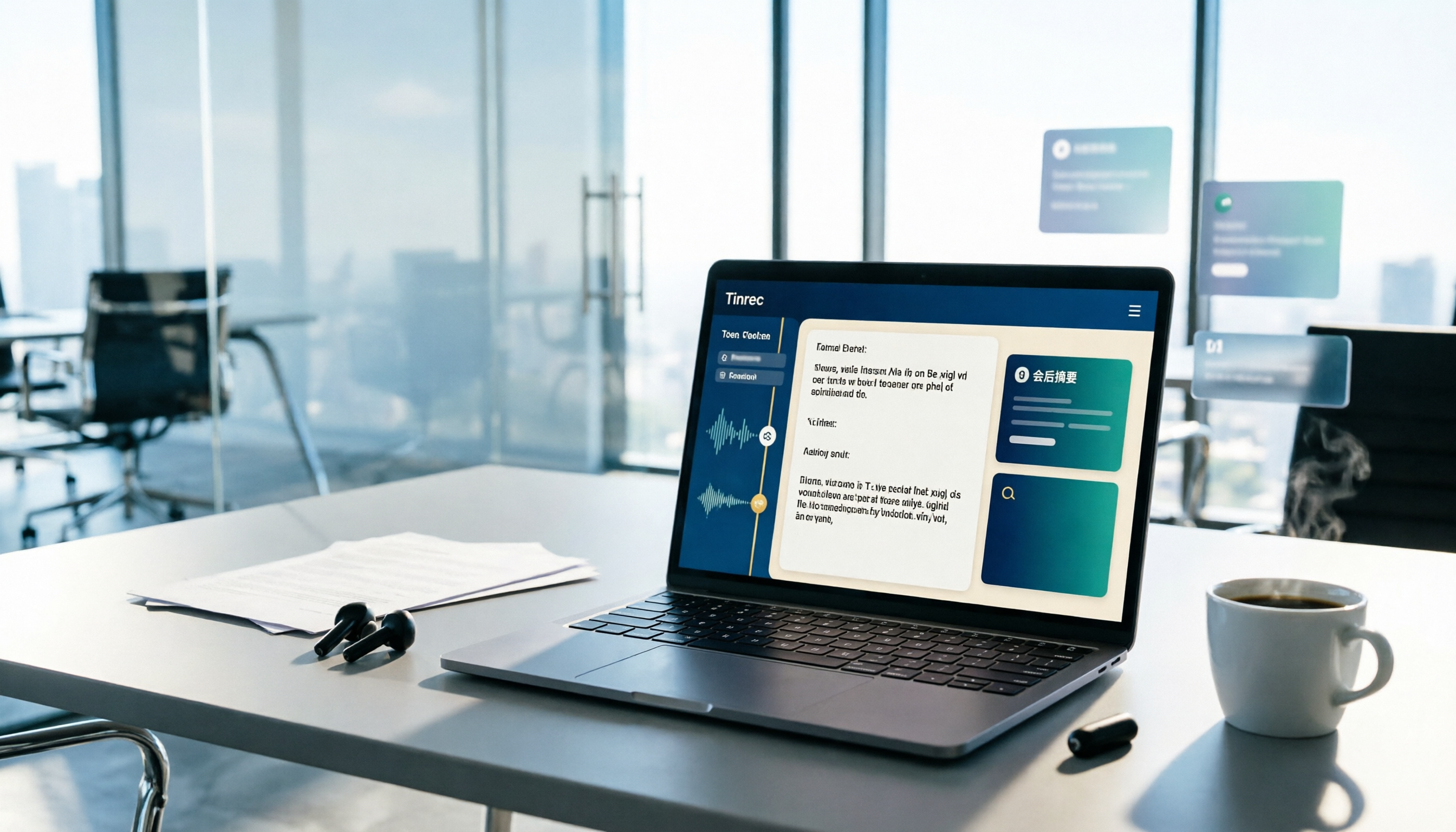
How should you evaluate the "latest version" of Yating Transcriber? Using verifiable public information, this article compares Yating Transcriber, Tinrec, and Notta across input methods, timelines, post-meeting organization, team collaboration, and pricing. It explains how to choose without hands-on timed testing and includes a starter checklist you can verify yourself.

3 Recording Tools Compared in 2026: The Easiest Way to Share Plaud Recordings with Colleagues
After recording a one-hour meeting, your boss wants the conclusions, your colleagues want the transcript, and your client wants the audio file. If you choose the wrong sharing method, you'll end up converting files over and over. This article covers Plaud's sharing links and export paths, compares the sharing and team collaboration differences among 3 common tools, and offers recommendations for choosing based on your situation.

Plaud Voice Recorder Guide 2026: Setup, Recording Modes & AI Transcription
Just got a Plaud voice recorder and not sure which button to press? This guide walks through account creation, device pairing, smart dual-mode recording, haptic feedback in the app, and AI transcription and summaries for Plaud Note, NotePin, and Note Pro. It also covers battery life, subscription costs, limitations, and software alternatives if you don't want to carry another device.

3 Best Audio-to-Text Tools in 2026: Plaud Recording Guide & Meeting Notes Comparison
From how to press the record button on Plaud and how files get into the app, to how transcripts and meeting notes are organized, this article walks through the actual workflow and compares Tinrec, Plaud, and Notta on recording methods, post-meeting organization, quotas, and pricing to help you decide which approach fits you best.