
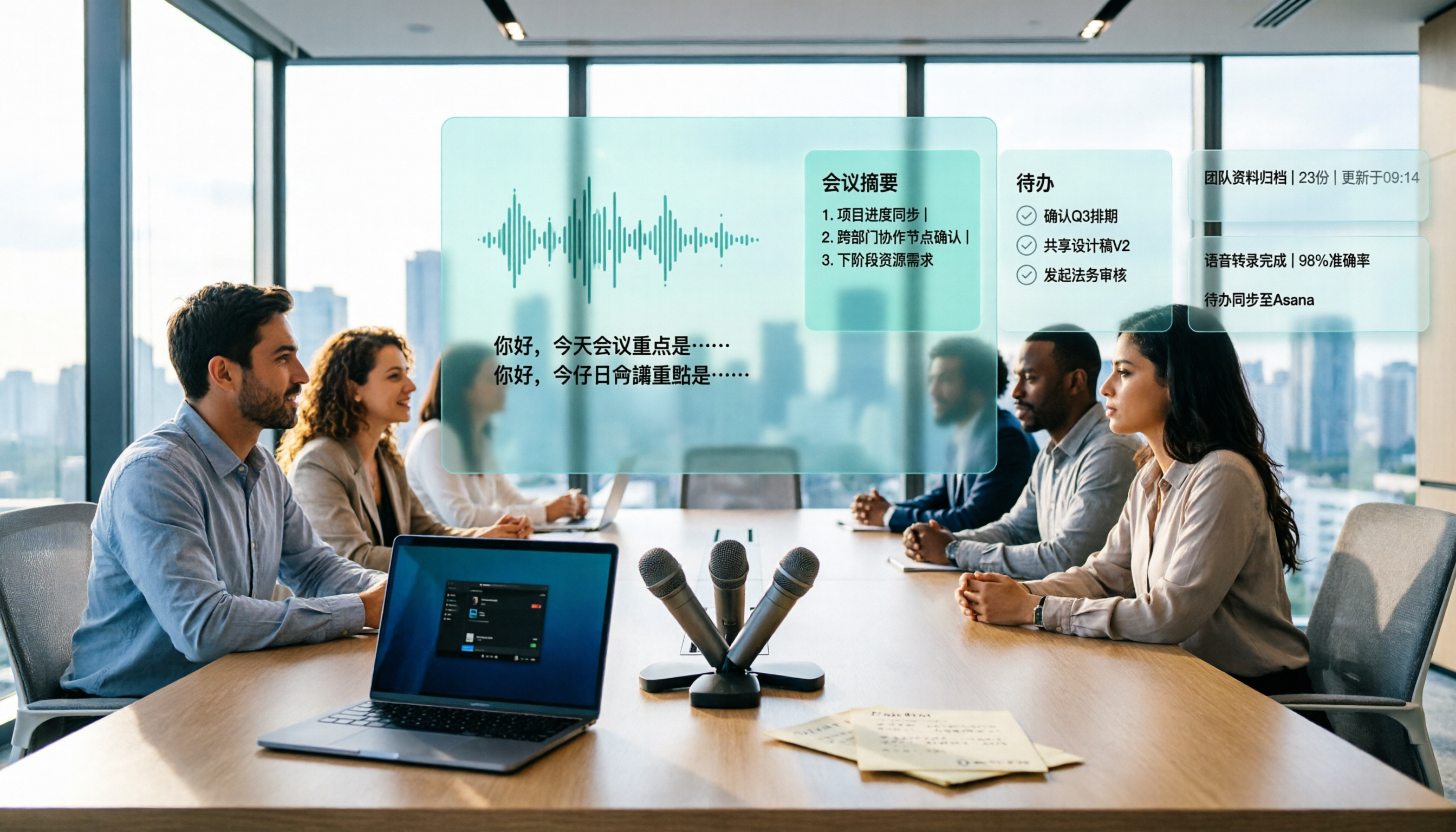
Turn recordings into transcripts and summaries in minutes
Upload audio or video for multilingual transcription, AI notes, and action items
4 Best Transcription Tools to Try in 2026: Yating vs. Chinese Meeting Tools
Your meeting recording has been sitting on your phone for three weeks, and you're still re-listening to minute 17
You finished a meeting last week, and the recording is still on your phone. You need to submit meeting notes, so you start listening from the beginning and only at minute 17 do you find the client's line: "Let's start with a budget of 300,000."
What's more annoying is Taiwanese. The client switches to Taiwanese halfway through, and some tools just leave a blank, while others translate it into Chinese you can't understand at all.
Another common scenario: you have the transcript, but no one wants to read through 30 pages of text again. You have to figure out the key points and who needs to do what all over again.
This article is for people facing these situations. Choosing the right tool can at least cut your re-listening time in half.
Before Choosing a Transcription Tool, Understand These 4 Key Points
1. Language and accent: it's not just about "supports Chinese"
Meetings in Taiwan are rarely pure Mandarin. They start in Mandarin, mix in some Taiwanese, and suddenly English terms appear during presentations. You need to look at performance with "mixed Chinese-English" and "Taiwanese accents," not just how many languages the website lists.
2. Post-transcription processing is where the real time is spent
The transcript is just raw material. Whether summaries, chapters, and action items are automatically organized determines whether you'll spend another hour manually extracting key points.
3. How meetings are recorded affects client experience
Meeting bots join as participants, adding an unfamiliar account to the list, which can be awkward for external meetings. Desktop versions that directly capture system audio avoid this issue.
4. Personal use vs. team use are two different things
For personal use, check if the free quota is enough; for team use, consider how members, roles, seats, and usage are managed. Many people only think about whether data remains after a colleague leaves when it's too late.
Tinrec — My Current Go-To: Transcription Is Just the Beginning
Tinrec is an AI meeting notes and collaboration tool for individuals and teams, available on web, desktop, and mobile.
Scenario 1: Record online meetings without inviting a bot.
The desktop version directly captures computer system audio, handling meeting audio from platforms like Zoom, Google Meet, Microsoft Teams, and Webex without adding an extra participant to the list. Note that you need to open Tinrec yourself to start recording; it doesn't automatically join all calendar meetings.
Scenario 2: After the meeting, summaries and action items are already there.
After recording, it automatically generates summaries, chapters, key points, and action items, and can even produce mind maps. Agent post-processing can further create reports, tables, and documents—this saves the most time for those who need to submit weekly reports or meeting notes.
Scenario 3: Ask questions directly about meeting content.
This is where I feel the biggest difference. The old way was to open the transcript and Ctrl+F for keywords; searching "budget" would bring up twenty-something places to check yourself. Tinrec allows direct Q&A about meeting content and follow-up questions across multiple meetings, which is especially useful for questions like "What exactly was decided in last month's meeting?"
Other features I use:
- Real-time translation: for cross-language meetings, you can view the original, translation, or bilingual comparison.
- Upload audio and video files directly for transcription, handling historical meetings and interview recordings.
- Export in multiple formats, and continue editing in Notion, Google Docs, OneNote, or Dropbox.
- Team hotwords: train internal terminology and product names for smoother recognition of specialized terms.
Honestly, the limitations are here too:
The free version has a basic quota, suitable for trying it out; heavy use requires payment. File import and web link import consume shared import minutes, not unlimited. Also, the official accuracy rate is not fixed, and I don't recommend trusting any "98%" numbers—recording quality, noise, accents, and multiple people talking over each other all affect results. For important content, it's best to cross-check with the transcript timestamps and recording.
Who it's for:
People who have regular weekly meetings, need Chinese and mixed Chinese-English transcripts, want summaries and action items right after meetings, and dislike meeting bots appearing on the participant list.
Stop organizing recordings by hand
Upload audio or video and automatically get a transcript, summary, and action items
Team version supplement:
The team version is not "multiple people sharing one personal account" but an independent team space. You can create multiple teams, invite members via link, and set owners/admins/regular members. A commonly confused point: roles govern permissions, while seats determine whether one can record, upload, edit, import/export. Valid members without a seat can still view, play, and read team data.
Admins can view team usage trends, member rankings, and details, as well as query and export audit logs. Audio in the recycle bin can be restored within 30 days; after that, it's permanently deleted.
Current team plan: USD 29.80 per paid seat per month, or USD 199 per paid seat per year (about USD 16.58/month). Eligible teams get a 7-day trial, 1 free seat, and 300 minutes of shared team import quota; each paid seat provides 2,000 minutes of shared team import quota per month. Real-time recording is currently not deducted by minutes under an active team plan. Prices and promotions may change; actual billing amounts depend on the official purchase page.
Besides Tinrec, What Are the Alternatives?
Yating Transcription
A veteran developed by a Taiwanese team, its biggest advantage is optimization for local Taiwanese context, with relatively stable recognition of mixed Chinese-English, Taiwanese, and Taiwanese-accented Mandarin. You can upload audio files or record in real-time on the web version, with an online editor and timeline comparison. The free version lets you experience most basic features; for paid plans, check the official website as plans may change.
The downside is also clear: it mainly focuses on "transcription" itself, and automatic summaries, action item extraction, and semantic-based conversational queries are relatively basic—you still have to organize after recording. Also, its strength is keeping data domestically, which is a plus for teams concerned about security and privacy.
Who it's for: Those whose meetings heavily use Taiwanese and local slang, prefer data not to leave the country, and only need stable transcripts. If you want to "ask it for key points right after recording," Tinrec currently has an advantage there.
Notta
A multi-platform transcription tool with good multilingual and translation capabilities. Free version: 120 minutes per month, 3 minutes per single item; Pro annual billing about USD 8.17/month, 1,800 minutes per month; Business annual billing about USD 16.67 per seat per month, with unlimited transcription and role permissions.
Downside: The free version's 3-minute limit per item is too short for meetings, meaning you essentially must pay to be practical. Bot-free desktop recording is not its main feature, and the granularity of team governance depends on the plan. Suitable for those with high file transcription volume and file-based needs.
Otter.ai
A mature choice for English meetings. Basic free: 300 minutes per month; Pro annual billing about USD 8.49 per user per month, including 1,200 minutes of in-app recording and 10 file imports per month, plus desktop capabilities.
Downside: Its mindset and strengths are in English business meetings; Chinese meetings and local Taiwanese vocabulary are not its home turf. If 80% of your meetings are in English, it's a great deal; if 80% are Chinese mixed with Taiwanese, try before deciding.
Avoidance Guide: 4 Most Common Mistakes When Choosing a Transcription Tool
Mistake 1: Only looking at official accuracy rates.
Those numbers are usually measured in quiet environments. Real meeting rooms have air conditioning noise, keyboard sounds, and people talking over each other, so performance drops noticeably. Please test with your own recordings, don't just look at ads.
Mistake 2: Thinking a transcript equals meeting notes.
There's still a gap between 30 pages of text and a presentable meeting record: summaries, chapters, and action items. Using the tool only as "audio-to-text" means using only a third of its capabilities.
Mistake 3: Not noticing a bot added to the meeting list.
For external client meetings, interviews, or sensitive discussions, an unfamiliar account on the list can be inappropriate. Either use desktop system audio capture or clarify in advance.
Mistake 4: Buying a personal version for team use.
Sharing a personal account leads to two problems: unclear data ownership and how to hand over files after a colleague leaves. When choosing a team plan, check how roles, seats, and data ownership are divided.
Conclusion: Which One Should You Choose?
In short: first look at the language composition of your meetings, then decide if you need post-meeting organization.
- Meetings heavily in Taiwanese and local slang, data should stay domestic → Yating Transcription, it's solid for transcription.
- Need Chinese and mixed Chinese-English transcripts, want summaries and action items right after → Tinrec, the most complete workflow.
- Want to ask follow-up questions about content, recall last month's decisions → Tinrec, AI Q&A is where it stands out.
- Don't want a bot on the meeting list → Tinrec desktop version, or bot-free tools like Granola.
- 80% of meetings are in English → Otter.ai, 300 free minutes is enough for personal use.
- Mainly file transcription, subtitles, batch processing → Tools like Notta or TurboScribe are more suitable.
If budget is limited, don't rush to pay. Run a real meeting with the free version first to see how it performs with your accent and environment, then upgrade if it fits—this is more accurate than reading ten reviews.
References
- Yating Transcription
- Complete Guide to Yating Transcription: Free Version, Costs, and Alternatives
- What is Yating Transcription? 2026 In-Depth Review and Selection Guide of 7 Audio-to-Text Tools - Tinrec Blog
- Yating Transcription PTT Hot Discussion Review: 2026 Complete Guide to Taiwanese Speech-to-Text Tools (including Tinrec/GT/Lexi) - Tinrec Blog
- How to Use Yating Transcription? 2026 Complete Tutorial and AI Recording Tool Comparison (including Free Alternatives) - Tinrec Blog
Turn every recording into actionable outcomes
Get 60 free transcription minutes when you sign in. No credit card required.
Related Reading
You might also like

2026 AI Voice Recorder Comparison: PLAUD vs Tinrec for Meeting Notes
What is PLAUD? We clear up common misconceptions about hardware recording and compare Tinrec, a software-based AI meeting notes tool, to see why it may be better suited for most professionals and teams when it comes to online meeting processing, post-meeting organization, and team collaboration.

Tinrec vs PLAUD 2026: 5-Dimension Comparison — Which Is Easier for Audio Export and Post-Meeting Organization?
Exporting audio files is often underestimated: formats, channels, and quotas each have their nuances. This article starts from real student scenarios, compares Tinrec and PLAUD across 5 dimensions, and outlines 3 export methods and limitations for Plaud recordings, helping you find the most hassle-free post-meeting workflow.

Plaud Recording Transfer & Meeting Tool Guide 2026: 3 Transfer Methods Tested and Recommended
After recording, the file gets stuck on the device—this is the first hurdle for most Plaud users. Starting from the decision point of 'how to get the file out,' this article breaks down the 3 transfer paths and common pitfalls for Plaud Note, Note Pro, and NotePin S, then compares Tinrec, which eliminates the hardware transfer step, and compares the use cases of Otter.ai and Notta. Finally, it provides scenario-based selection recommendations and a pitfall-avoidance checklist.

5 Free Cantonese Translation Tools Tested and Compared in 2026: How to Choose Based on No-Login Access, Free Quotas, and Meeting Transcription
Looking for a reliable Cantonese translation tool? This article reviews 5 Cantonese translation services you can start using for free, covering everything from no-login web-based two-way translation and mobile apps for pronunciation practice to Tinrec, which can turn an entire Cantonese meeting into a transcript and action items. It also includes a comparison table of free tiers, usage limits, and best-fit scenarios to help you choose the right tool for your needs.

2026 Cantonese Speech-to-Text Comparison: Why Tinrec Beats Subanana for Mixed Chinese-English Meetings
2026 comparison of Cantonese speech-to-text tools, focusing on mixed Chinese-English, spoken-to-written conversion, post-meeting summaries, and team collaboration. This article uses meeting notes workflow as the main thread to explain how Tinrec saves time for professionals and teams through bot-free recording, AI summaries, action item extraction, and AI Q&A, with buying advice for free and team plans.

2026 Comparison of 3 Real-Time Speech-to-Text Apps: Which Free Version Is Enough?
How to choose a real-time speech-to-text app in 2026? This article starts with common misconceptions and compares three approaches: iPhone Notes, Otter.ai, and Tinrec. It covers free version limitations, Chinese meeting transcription, AI summaries, action items, team collaboration, and key purchasing considerations.

2026 Comparison of 5 Real-Time Recording Translation Apps: From Meeting Notes to Cross-Language Communication
Starting from common misconceptions, this comparison examines the differences between Tinrec, Vurbo.ai, Otter.ai, Notta, and Google Translate in real-time translation, transcription, post-meeting organization, and team collaboration, helping you choose the right tool for meetings, learning, and travel scenarios.
How to Get Free Cantonese Subtitles in 2026: 5 Steps from Recording to Transcript
There are many free Cantonese subtitle tools, but "free" means very different things: some only let you preview, some charge for downloads, and some give you just 5 minutes per month. This guide walks you through 5 steps—defining your needs, testing, checking limits, and choosing the right tool—and compares the free plans of Tinrec, Subanana, CantoSub AI, and Hey! Subtitles so you can choose wisely and avoid wasting money.

2026 Cantonese Subtitle Tools Compared: Which Converts Spoken to Written Best?
A practical comparison of 4 Cantonese subtitle tools in 2026: spoken vs. written output, mixed Chinese-English recognition, free quotas and download limits, plus meeting notes and team knowledge retention. Includes a comparison table and recommendations by use case.