

Turn recordings into transcripts and summaries in minutes
Upload audio or video for multilingual transcription, AI notes, and action items
2026 Comparison of 2 Cantonese Speech-to-Text Tools: Which Free Version Is Actually Usable?
Most people searching for "free Cantonese speech to text" have the same thing in mind: find an app that doesn't cost money, drop in a recording, and have the text appear automatically.
After actually trying a few, the pitfalls are almost always the same.
The first pitfall is the definition of "free." Many tools' free versions only let you preview the first half, or give you a very small monthly quota that stops working once used up. The second pitfall is the single-recording length limit—a 40-minute meeting recording has to be split into several parts and uploaded, and just cutting the file takes half an hour. The third pitfall is the most critical: as soon as Cantonese includes mixed Chinese and English, the tool starts guessing characters, writing English words as phonetically similar Chinese, and the transcript becomes gibberish.
A more reasonable approach is to first use the free quota to test with "your own recording." No matter how good someone else's review is, it can't compare to your real file with background noise and two people speaking at the same time.
This article compares Tinrec (Miao Ting Lu Yin) and Notta to see whether their free versions are actually usable.
Tinrec vs Notta | Quick Overview
Tinrec is an AI meeting notes and collaboration tool for individuals and teams. Beyond converting recordings to transcripts, it also organizes summaries, chapters, and to-dos, and supports AI Q&A and team spaces. Notta leans toward multi-device transcription, meeting notes, document import, and translation; the two overlap considerably in feature spectrum.
- Free plan: Notta's free version offers 120 minutes per month, with a maximum of 3 minutes per single item; Tinrec's free version provides a basic quota to experience recording, import, summaries, and transcription.
- Paid plans: Notta Pro annual billing works out to about USD 8.17/month (1,800 minutes per month), Business annual billing about USD 16.67/seat/month; Tinrec team plan is USD 29.80 per paid seat monthly, or USD 199 per paid seat annually (about USD 16.58/month).
- Core difference: Tinrec's desktop version records online meetings directly from system audio, without needing a meeting bot to join; Notta excels at transcription and translation.
The following compares them across five dimensions.
Dimension 1 | Free Quota and the Risk of "Getting Stuck Midway"
Notta's free version offers 120 minutes per month, but a maximum of 3 minutes per single item. This limit is fine for short dictation, but once you need to process a full meeting or interview, you have to split the file yourself—and the split points often fall in the middle of sentences.
Tinrec's free version takes the "experience the full workflow first" approach: recording, import, summaries, and transcription are all accessible. For actual minutes and limits, refer to the official website announcements, as such plans may change.
It's worth noting that neither company's free quota will let you use it free long-term. The value of the free version is to "verify results," not to "replace paid plans."
→ For this dimension: If your material is a full meeting, Tinrec's experience is closer to real usage; if it's just fragmented short sentences, Notta's free quota is sufficient.
Dimension 2 | Handling Cantonese and Mixed Chinese-English
The speaking habits in Hong Kong and Cantonese contexts naturally involve inserting two or three English words into a sentence. This is a tough test for transcription tools.
Notta has a broader range of multilingual support, which is its long-accumulated advantage, and it handles multilingual files relatively comfortably.
Tinrec covers Chinese, Traditional Chinese, and multilingual meeting scenarios, supports organizing mixed Chinese-English content, and preserves English words in the sentence as-is; it also offers real-time translation and bilingual side-by-side viewing, and the team version can use "hot words" to maintain company-specific terminology. Note that neither company should promise a fixed accuracy rate; actual results are affected by recording quality, background noise, accents, overlapping speakers, and technical terms.
→ For this dimension: For Chinese meeting contexts plus terminology management, Tinrec is closer; for pure bulk multilingual file transcription, Notta has its own approach.
Dimension 3 | How Meetings Are Recorded
This item is often overlooked, but the difference is significant in practice.
Notta's meeting scenarios mainly work through a meeting bot joining, desktop client, or file upload; the bot-joining method works on most platforms.
Tinrec's desktop version directly captures computer system audio. When handling Zoom, Google Meet, Microsoft Teams, and Webex, it doesn't need to invite an extra bot into the meeting room. For external client meetings, this actually matters a lot—not every client likes seeing a stranger account appear in the participant list.
Tinrec also supports audio and video file upload, mobile recording, and import from some public web links.
→ For this dimension: If you don't want a bot appearing in the meeting list, Tinrec clearly wins.
Dimension 4 | What You Get After Transcription
Getting only a transcript means the work is actually only half done.
Stop organizing recordings by hand
Upload audio or video and automatically get a transcript, summary, and action items
Notta has a complete workflow for subtitles, translation, and summaries, suitable for subtitle work and cross-language content processing.
Tinrec focuses on "after transcription": automatically generating summaries and chapters, extracting to-dos, creating mind maps, and enabling AI Q&A around meeting content. When you need to deliver documents, you can use Agent post-processing to generate reports, tables, and documents, and export to common formats or bring them to Notion, Google Docs, OneNote, Dropbox, and other tools for further work.
Honestly, the difference is right here. The real time sink in meeting notes isn't typing—it's organizing.
→ For this dimension: For completeness of post-meeting outputs, Tinrec wins.
Dimension 5 | Team Collaboration and Management Granularity
For individual use, this doesn't matter. But as soon as three or more people share meeting data, it becomes critical.
Notta's Business plan provides role permissions and usage reports, giving enterprise clients basic accountability.
Tinrec's team version separates "roles" and "seats": roles determine who can manage the team, members, and audits; seats determine who can record, upload, edit, and import/export. Members who are active but have no seat can still view, play, and read team data, but cannot perform resource-usage operations. Administrators can see team usage trends, member rankings, and details, query and export audit logs, and recover accidentally deleted audio from the recycle bin (currently retained for 30 days). When a member leaves or loses a seat, team resources are not taken away and need to be handed over to other active members.
To be clear: currently this is team-level sharing, role governance, and seat-based usage control—not file-level granular permissions.
→ For this dimension: For governance granularity and handling member changes, Tinrec wins.
What Unique Advantages Does Each Have?
Tinrec's unique advantages:
- Bot-free recording of online meetings; the desktop version captures system audio without adding extra participants.
- Complete post-meeting workflow, from summaries, to-dos, and AI Q&A to report and table generation.
- Original audio is preserved, and transcripts can be replayed and checked against timestamps.
- Team spaces turn meeting data into searchable, transferable assets rather than scattering it across personal devices.
Notta's unique advantages:
- Broad coverage of multilingual transcription and translation, making multilingual material relatively easy to handle.
- The Business plan offers unlimited transcription and usage reports, attractive to teams needing large volumes of transcription.
Conclusion: Which Should You Choose?
- If you need to handle full meetings and don't want a bot in the meeting room → Tinrec; the desktop version records system audio directly.
- If you need mixed Chinese-English transcripts and also want summaries and to-dos handy → Tinrec; its post-transcription workflow is its strong suit.
- If your meeting data needs to be kept for long-term team use and you have staff turnover concerns → Tinrec team version; roles, seats, usage, and audits all have corresponding designs.
- If you mainly do multilingual file transcription and subtitle translation → Notta's workflow is mature and worth including in the comparison.
- If you only occasionally transcribe one or two short recordings → First run your own files through both free versions.
In one sentence: For most users who need to "keep using it after recording," Tinrec is the more complete choice. We recommend first using the free quota to test with your own Cantonese recording, checking whether the mixed Chinese-English sentences are correctly preserved, and then deciding whether to pay.
Frequently Asked Questions
Q1: Is there truly "completely free" Cantonese speech to text?
Yes, but usually with conditions. Common forms include a small monthly quota, a single-recording length limit, or only previewing the first part. Web tools like Speechnotes have single-recording length limits; Type4All focuses on offline free use but has relatively simple features. For formal workflows, treat the free version as a "trial," not a long-term solution.
Q2: What can Tinrec's free version do?
You can experience basic workflows such as recording, import, summaries, and transcription; actual quotas are subject to official website announcements. The purpose of the free version is to let you verify "whether this recording's transcription is usable," not to run a whole year of meetings.
Q3: Can mixed Chinese-English Cantonese really be transcribed?
Most tools can handle it, but that's exactly where quality varies. The way to judge is simple: take your most representative recording and test it, specifically checking whether English words in sentences are written as phonetically similar Chinese. Tinrec's approach is to preserve English words as-is, and it can be paired with team hot words to maintain technical terminology.
Q4: What's the difference between "roles" and "seats" in the team version?
Roles determine governance permissions (who can manage members, view audits, change settings); seats determine usage permissions (who can record, upload, edit, export). Active members without a seat can still view and read team data, but cannot perform resource-usage operations. These are two different things—don't conflate them.
Q5: Can 100% accuracy be guaranteed?
It's not advisable to expect that. Audio quality, background noise, accents, simultaneous speakers, and technical terms all affect results. A practical approach is to treat the AI transcript as an "80% finished product" and re-check key numbers and commitments against the recording timestamps.
Q6: What legal issues should be noted for recording-to-text?
Recording and transcription involve local regulations and participant consent, especially for client calls and international meetings. Before use, confirm the relevant rules in your location, obtain participant consent when needed, and then hand the recording to the tool for processing.
References
- Free Cantonese speech-to-text app 2026 | Subanana
- [Free Tool] Cantonese Speech to Text! Just upload a file or YouTube link. Up to 96% accuracy - YouTuber AI | Spend time on creativity, leave the AI to do the hustle work.
- Cantonese Text to Speech
- 2026 Cantonese Speech Input App Free Plan Roundup: 5 Options at a Glance - Miao Ting Lu Yin Blog
- [Free Tool] Cantonese Speech to Text App, Use in Browser! Just upload a file or YouTube link. Up to 96% accuracy - YouTuber AI | Spend time on creativity, leave the AI to do the hustle work.
Turn every recording into actionable outcomes
Get 60 free transcription minutes when you sign in. No credit card required.
Related Reading
You might also like
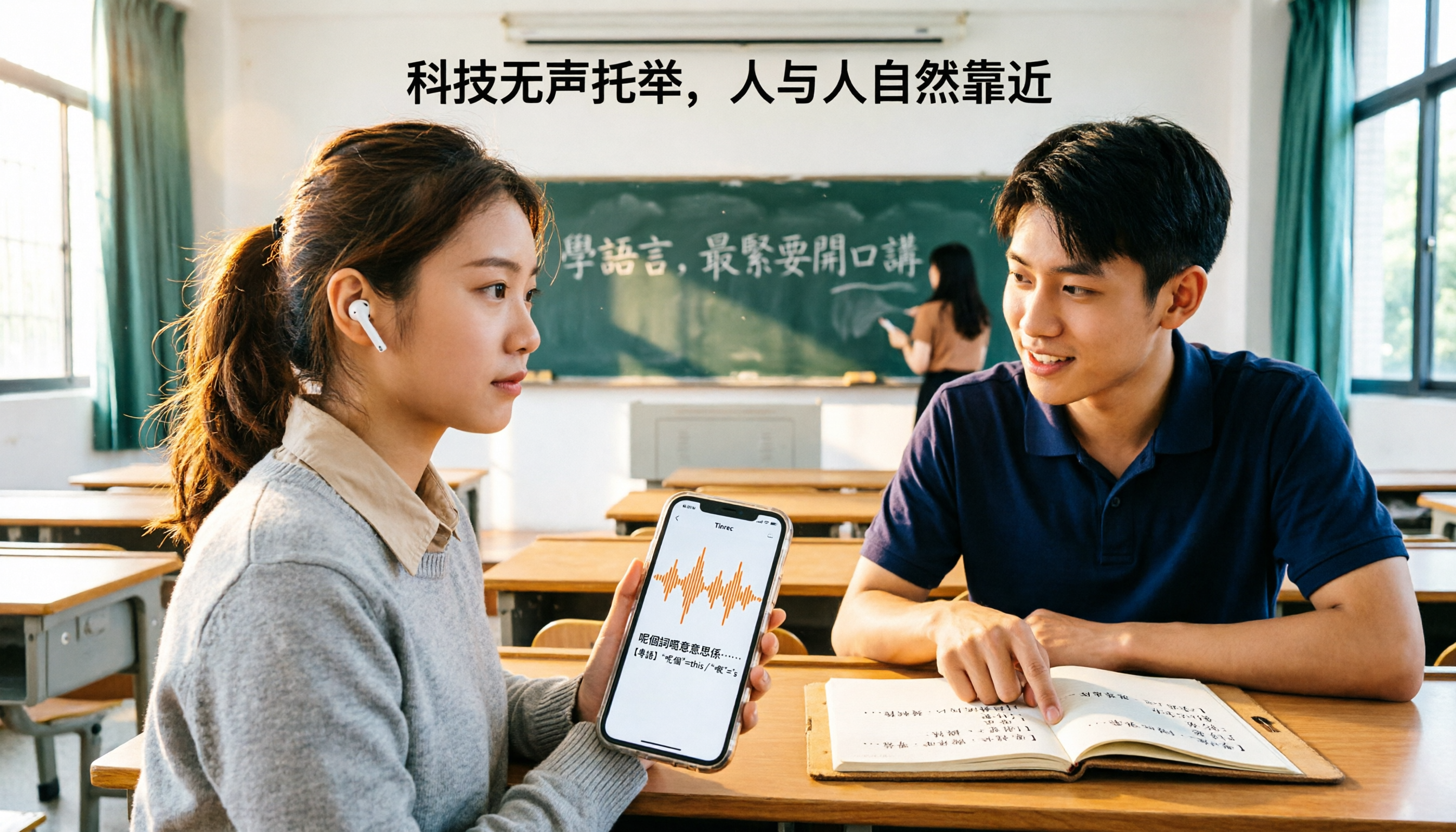
Which Cantonese Translation App Is Best? 2026 Test of 4 Apps: This One Turns Recordings into Notes with Least Effort
Starting from the real pain point of not understanding Cantonese in class, I tested 4 Cantonese translation apps, comparing the difference between 'real-time single-sentence translation' and 'full recording to transcript + AI organization.' I've compiled 4 key buying factors, 4 pitfalls to avoid, and student selection advice to help you pick the one that actually lets you find notes before exams.

3 Live Cantonese Translation Solutions Tested for 2026: Is AirPods Live Translation Enough?
AirPods Live Translation now supports Traditional Chinese and some Cantonese after iOS 26.1, but many users find it's 'understandable but not retainable.' This article starts with common misconceptions, breaks down the device requirements, activation methods, and 4 real-world limitations of AirPods Live Translation, then compares Tinrec, Notta, Otter.ai, and Granola for post-meeting organization to help you decide which combination best fits your Cantonese communication scenarios.

4 Cantonese Speech-to-Text Apps Tested: Which Handles Mixed Chinese-English Best in 2026?
Two-hour meeting recording, another two hours to organize? This hands-on comparison of 4 Cantonese speech-to-text apps breaks down mixed Chinese-English recognition, spoken-to-written conversion, free quotas, and post-meeting workflows, and explains Tinrec's real-world performance and limitations in meeting minutes, AI Q&A, and team collaboration.

4 Cantonese-to-Chinese Translation Tools Compared (2026): Which One Turns Cantonese Recordings into Written Chinese?
After a Cantonese meeting or client interview, you need to produce written Chinese notes. Pasting sentence by sentence into a dictionary or translation box often makes things messier. This article tests 4 tools on the same Cantonese recording, comparing transcription, translation, post-meeting organization, and team sharing capabilities, and summarizes key buying considerations and common pitfalls.

2026 Cantonese Real-Time Translation Apps: 4 Free Options Compared
From campus group discussions to Cantonese class recordings, we compare the free plans of four Cantonese real-time translation and recording organization tools in 2026. We evaluate whether the free quotas are sufficient from a student's perspective and whether paying is worth it, then offer scenario-based recommendations.

2026 Comparison of 3 Cantonese-Japanese Translation Apps: Beyond Real-Time Conversation, Which One Keeps Translations and Meeting Notes Together?
2026 comparison test of 3 Cantonese-Japanese translation apps, breaking down three approaches: real-time conversation, file transcription, and meeting notes. Using Tinrec to demonstrate how to capture Cantonese-Japanese communication with transcripts, bilingual translations, summaries, and action items, plus pricing and purchasing considerations for the free version, Pro, and team plans.

2026 Comparison of 3 Cantonese-to-Japanese Translation Tools: How to Choose for Real-Time Conversation, Transcripts, and Cost
The most common problem with Cantonese-to-Japanese translation isn't that it can't translate, but that it translates incorrectly without you knowing. This article organizes the actual positioning, capability comparison, costs, and limitations of three tools, and explains which aspects truly affect translation quality, helping you choose the right tool based on travel, business, or meeting record needs.

Apple Live Translation Cantonese Tested: Is the Built-in Feature Enough in 3 Scenarios?
Starting with iOS 26.1, Apple Intelligence officially supports Cantonese, and AirPods can be used with Live Translation, but spoken playback is currently still Mandarin. This article covers setup steps and real-world limitations, and compares iPhone's built-in features with Tinrec across device requirements, post-meeting data retention, and team collaboration to help you decide which to use in which scenario.

2026 Comparison of 4 Cantonese Speech-to-Text AIs: Free Tiers and Mixed Chinese-English Recognition—Which Is More Sufficient?
Cantonese speech-to-text most often gets stuck on mixed Chinese-English, the gap between spoken and written language, and the time needed to organize the transcript afterward. This article uses Tinrec as the main hands-on test subject, breaks down the core capabilities of Cantonese speech-to-text AI, practical application scenarios, and 5 purchase decision points, and honestly explains the free tier and team plan pricing to help you decide whether and how to use it.