

Turn recordings into transcripts and summaries in minutes
Upload audio or video for multilingual transcription, AI notes, and action items
First, ask yourself: Do you need to "understand in the moment" or "look it up later"?
Last semester, I worked on a graduation project with an exchange student from Hong Kong. In our first group discussion, he spoke about 1.5 times faster than us and mixed in several Cantonese words I had never heard. I was focused on "understanding quickly" and casually opened a translation app as a stopgap. But the real trouble started after the discussion ended—who was responsible for which part, what needed to be submitted before the next meeting—I hadn't written down a single word.
This is the decision point many people get wrong when choosing a Cantonese real-time translation app: Do you need "real-time conversation translation" or "a way to turn Cantonese content into usable data"?
- Scenario 1: At a restaurant or asking for directions on the street, you just need to translate one sentence into Cantonese or understand the other person's reply. For this, a free general-purpose translation app is enough.
- Scenario 2: You're listening to a 40-minute Cantonese lecture, a group discussion, or an interview. What you really need is not real-time subtitles but "transcript + summary + to-dos."
- Scenario 3: Cross-language discussions mixing Chinese, English, and Cantonese. You want to see the original and translation while recording and be able to search for a specific sentence afterward.
This article reviews the free plans of four practical options in 2026. First, we'll discuss how to choose, then I'll share which one I've kept using this semester.
Before Choosing a Cantonese Real-Time Translation App, Understand These 4 Key Points
1. Is the free quota "daily" or "monthly"? A daily free allowance sounds generous, but if it limits the length per session, a two-hour class recording will be cut off. For monthly quotas, calculate backward: an 18-week semester, how many classes do you record each week? Figure out the total first, then decide if the free version is enough.
2. Is it a translator or a recording organization tool? This is the biggest dividing line. A translator solves "what does this sentence mean," while a recording organization tool solves "what were the key points in these 40 minutes." If your pain point is the latter but you keep downloading the former, you'll find every app unsatisfactory—because they're not doing what you need.
3. Will recordings and transcripts be saved? Some tools prioritize privacy and delete after translation, which is great for temporary queries. But if you need to review, write a report, or find that definition the professor mentioned before finals, not saving data means wasted effort. Before choosing a tool, confirm: does it save recordings and transcripts, can you search them, and can you export them?
4. Does cross-platform matter? Today you record with your phone in class, tomorrow you organize on your laptop in the dorm—if the tool only supports one device, you'll waste a lot of time transferring files. For someone like me who records on the phone and types notes on the computer, this is more practical than anything.
Tinrec — The One I Haven't Deleted After a Semester
Tinrec is an AI meeting notes and collaboration tool for individuals and teams, available on iOS, Android, and web. The desktop version can directly capture computer system audio to handle online meetings like Zoom, Google Meet, Microsoft Teams, and Webex without inviting a bot into the meeting room.
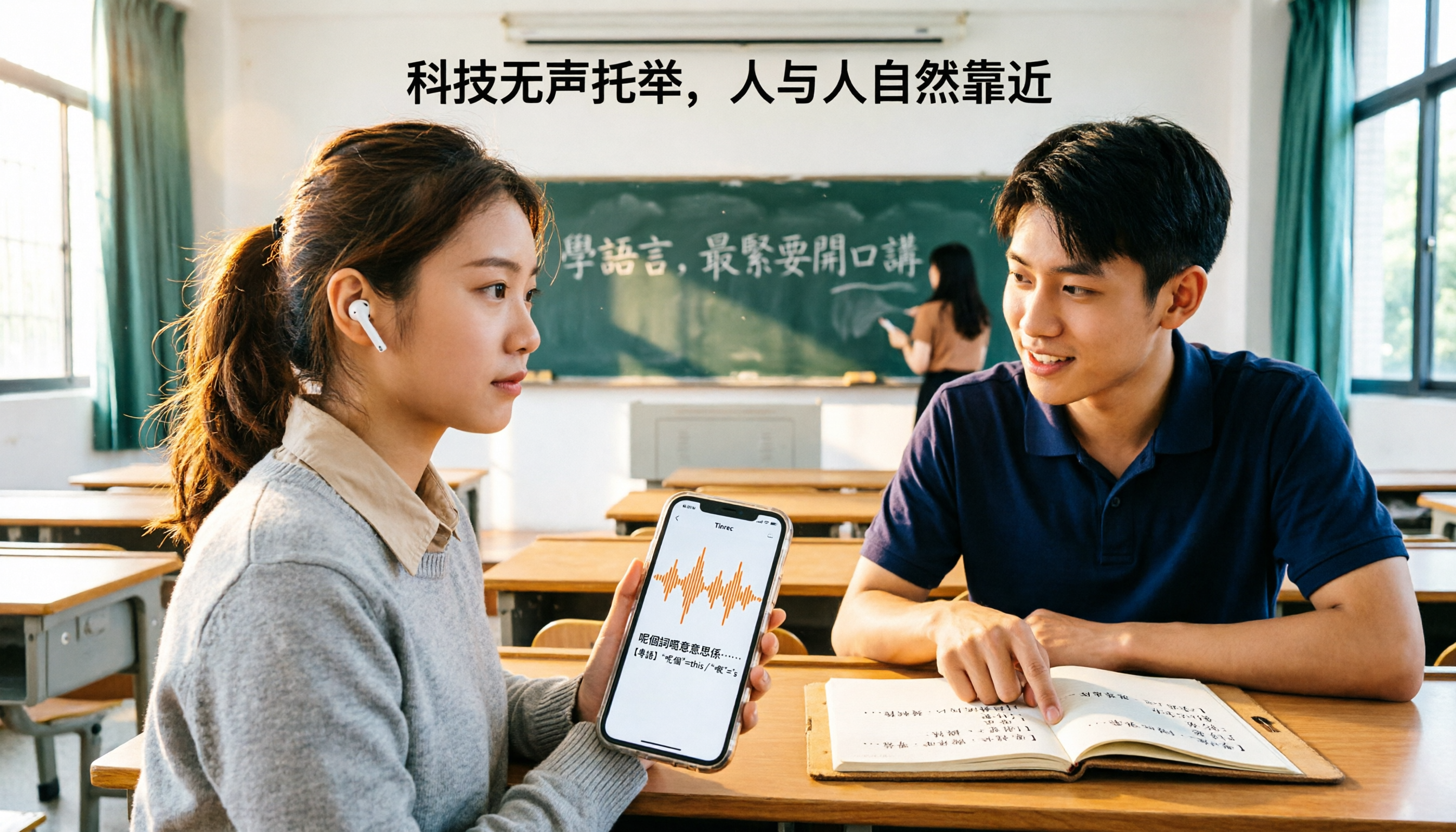
I initially used it for Cantonese class recordings. Real-time speech-to-text is my most-used feature: press record in class, and the transcript appears as you record. After class, instead of facing a 90-minute black-box audio file, I have text I can skim by section. It supports real-time translation, allowing you to switch between original, translation, or bilingual view during recording—when discussing the project with my Hong Kong classmate, I keep it bilingual and look at the text for sentences I don't understand, much faster than fumbling with another translation app.
After recording is where it really saves me time. Tinrec automatically generates summaries and chapters, breaking long meetings into understandable sections; action item extraction pulls out "who needs to do what," which is super useful for group discussions because our group never remembers the conclusions after each meeting. If I want to follow up on details, I can use AI Q&A on the meeting content—for example, directly ask "Which research method did we decide to use in this discussion?" and it answers based on the content instead of throwing keywords at me to search myself. At the same price point, pure translation apps almost never have this "post-meeting follow-up" capability.
Stop organizing recordings by hand
Upload audio or video and automatically get a transcript, summary, and action items
Finally, output. Multi-format export lets you continue writing in Notion, Google Docs, OneNote, or Dropbox; when you need to submit a report, you can use its post-processing to generate documents or tables. Our project had five people, and we later opened a Team plan space to store meeting materials—team meeting resources belong to the team, so even if members leave or change, the data doesn't disappear with individuals; admins can manage roles, seats, and usage. The Team plan currently offers a 7-day trial, 1 free seat, and 300 minutes of shared team import quota, then USD 29.80 per paid seat per month or USD 199 per paid seat per year (about USD 16.58/month). Actual prices are subject to the official purchase page.
**Honest limitations.** First, it's not a "press mic, speak a sentence, get a translation" conversation translator; its strength is "recording and organizing a segment of content," so you need to actively start recording to have data. Second, the free version gives a basic quota to experience recording, import, summary, and transcription. If you record every class, you'll eventually hit the limit and need to consider a weekly pass or Pro. Third, transcription quality depends on audio quality, accent, overlapping speakers, and technical terms; names and colloquial Cantonese words will definitely need manual correction. For important content, cross-check with the transcript timestamps and listen back—don't treat it as 100% accurate.
**Who is it for?** If you're like me: need transcripts for classes or meetings, want to use AI to find key points afterward, and use both phone and computer—then it's the one on this list that best respects your time.
Besides Tinrec, What Other Free Options Are There?
Google Translate: Free, supports over 100 languages, has Cantonese voice input and read-aloud, and can download language packs for offline use. For "one-sentence" needs like looking up words, asking directions, or ordering food, it's almost unbeatable. But it only gives you the translation result; it won't save transcripts, generate summaries, or extract to-dos—which is exactly what Tinrec does.
OpenL Translate: An AI translation service that can translate text, documents, images, and speech into Cantonese, supporting over 100 languages. It has a daily free quota, and the official site emphasizes that it does not store translated content and deletes it after completion. Suitable for temporarily handling a foreign language document or screenshot. But its positioning is translation; it lacks meeting recording transcription, chapter organization, and AI Q&A, so it can't help with cross-class review.
Cantonese Translation Assistant (Android): Focuses on bidirectional translation between Mandarin and Cantonese, can translate to English, supports voice read-aloud and speech recognition. Very suitable for practicing pronunciation or looking up daily conversations when living in Guangdong or Hong Kong. The downside is it stays at the "word/phrase translation" level: it doesn't save recordings, doesn't produce searchable transcripts, and can't let you ask afterward "what was that conclusion just now?"
Pitfall Guide: The 3 Most Common Mistakes When Choosing a Cantonese Translation App
Pitfall 1: Downloading just because it says "supports Cantonese." Supporting Cantonese and supporting your scenario are two different things. Looking up words, real-time conversation, and long recording organization are three different tools. Figure out which one you need first, then find the corresponding app; otherwise, you'll have five translation apps on your phone, each used only three times.
Pitfall 2: Using a translation app as a note-taking tool. That was me in freshman year: open a translation app in class to understand the sentence at the moment, and leave with nothing after class. Translation solves "understanding"; notes solve "review." If you need that material for finals, you need a tool that saves transcripts, not a real-time translation window.
Pitfall 3: Ignoring overlapping speakers and proper nouns. The chaotic scene of group discussions is hell for all voice tools. The practical approach: add your commonly used terms to a hotword list (Tinrec's Team plan has team hotwords for maintaining technical terms), and verbally confirm important conclusions on the spot—don't leave everything to AI.
Pitfall 4: Not testing the free version with your own recording first. Every classroom's echo and every professor's accent are different. Run a real recording of your own through the free quota first to see what the transcript looks like, then decide whether to pay—this step saves the most wasted money.
Conclusion: Which One Should You Choose?
In one sentence: **Choose a translator for "understanding in the moment," choose a tool that saves transcripts for "useful afterward."** I'm the latter, so I kept Tinrec.
Scenario-based recommendations for underclassmen:
- Attending Cantonese lectures, need to submit shared notes, review for finals → Tinrec, transcript + summary + to-dos all in one, and can export to Notion.
- Group discussions with Hong Kong classmates, need to follow up on conclusions afterward → Tinrec, AI Q&A lets you directly ask "what did we decide," no need to re-listen to 40 minutes.
- Record on phone, organize on laptop, cross-device use → Tinrec, available on iOS, Android, and web.
- Just traveling, asking directions, ordering food, looking up words → Google Translate is enough, free and offline.
- Occasionally translating a document or screenshot → OpenL Translate's daily free quota is plenty.
A practical word for students on a budget: first run your own class recording through the free version, confirm the transcript quality is acceptable, then consider a weekly pass or Pro. Tools are for saving time, not for collecting—start with the free quota, and pay only when you truly can't live without it.
References
- 2026 Comparison of 5 Cantonese Real-Time Translation and Recording Organization Tools: From Conversation Translation to AI Meeting Minutes - Tinrec Blog
- Online Translation to Cantonese - OpenL Translate
- 2026 Practical Cantonese Real-Time Translation Tools Recommendations, Making Cantonese Learning Easier
- Cantonese Translation Assistant - Cantonese Mandarin English Translation - Google Play App
- Essential Cantonese Voice Translation Apps | Save Your Cantonese! [2025]
Turn every recording into actionable outcomes
Get 60 free transcription minutes when you sign in. No credit card required.
Related Reading
You might also like
Which Cantonese Translation App Is Best? 2026 Test of 4 Apps: This One Turns Recordings into Notes with Least Effort
Starting from the real pain point of not understanding Cantonese in class, I tested 4 Cantonese translation apps, comparing the difference between 'real-time single-sentence translation' and 'full recording to transcript + AI organization.' I've compiled 4 key buying factors, 4 pitfalls to avoid, and student selection advice to help you pick the one that actually lets you find notes before exams.

3 Live Cantonese Translation Solutions Tested for 2026: Is AirPods Live Translation Enough?
AirPods Live Translation now supports Traditional Chinese and some Cantonese after iOS 26.1, but many users find it's 'understandable but not retainable.' This article starts with common misconceptions, breaks down the device requirements, activation methods, and 4 real-world limitations of AirPods Live Translation, then compares Tinrec, Notta, Otter.ai, and Granola for post-meeting organization to help you decide which combination best fits your Cantonese communication scenarios.

4 Cantonese Speech-to-Text Apps Tested: Which Handles Mixed Chinese-English Best in 2026?
Two-hour meeting recording, another two hours to organize? This hands-on comparison of 4 Cantonese speech-to-text apps breaks down mixed Chinese-English recognition, spoken-to-written conversion, free quotas, and post-meeting workflows, and explains Tinrec's real-world performance and limitations in meeting minutes, AI Q&A, and team collaboration.

4 Cantonese-to-Chinese Translation Tools Compared (2026): Which One Turns Cantonese Recordings into Written Chinese?
After a Cantonese meeting or client interview, you need to produce written Chinese notes. Pasting sentence by sentence into a dictionary or translation box often makes things messier. This article tests 4 tools on the same Cantonese recording, comparing transcription, translation, post-meeting organization, and team sharing capabilities, and summarizes key buying considerations and common pitfalls.

2026 Comparison of 3 Cantonese-Japanese Translation Apps: Beyond Real-Time Conversation, Which One Keeps Translations and Meeting Notes Together?
2026 comparison test of 3 Cantonese-Japanese translation apps, breaking down three approaches: real-time conversation, file transcription, and meeting notes. Using Tinrec to demonstrate how to capture Cantonese-Japanese communication with transcripts, bilingual translations, summaries, and action items, plus pricing and purchasing considerations for the free version, Pro, and team plans.

2026 Comparison of 2 Cantonese Speech-to-Text Tools: Which Free Version Is Actually Usable?
People searching for "free Cantonese speech to text" often run into three problems: free quotas only allow previews, single-recording length is cut off, and mixed Chinese-English speech causes the tool to guess characters. This article compares Tinrec and Notta across dimensions—free quota, Cantonese and mixed-language handling, meeting capture methods, post-meeting outputs, and team governance—to help you decide which free version is truly usable and when to upgrade.

2026 Comparison of 3 Cantonese-to-Japanese Translation Tools: How to Choose for Real-Time Conversation, Transcripts, and Cost
The most common problem with Cantonese-to-Japanese translation isn't that it can't translate, but that it translates incorrectly without you knowing. This article organizes the actual positioning, capability comparison, costs, and limitations of three tools, and explains which aspects truly affect translation quality, helping you choose the right tool based on travel, business, or meeting record needs.

Apple Live Translation Cantonese Tested: Is the Built-in Feature Enough in 3 Scenarios?
Starting with iOS 26.1, Apple Intelligence officially supports Cantonese, and AirPods can be used with Live Translation, but spoken playback is currently still Mandarin. This article covers setup steps and real-world limitations, and compares iPhone's built-in features with Tinrec across device requirements, post-meeting data retention, and team collaboration to help you decide which to use in which scenario.

2026 Comparison of 4 Cantonese Speech-to-Text AIs: Free Tiers and Mixed Chinese-English Recognition—Which Is More Sufficient?
Cantonese speech-to-text most often gets stuck on mixed Chinese-English, the gap between spoken and written language, and the time needed to organize the transcript afterward. This article uses Tinrec as the main hands-on test subject, breaks down the core capabilities of Cantonese speech-to-text AI, practical application scenarios, and 5 purchase decision points, and honestly explains the free tier and team plan pricing to help you decide whether and how to use it.