

Turn recordings into transcripts and summaries in minutes
Upload audio or video for multilingual transcription, AI notes, and action items
Think First: Do You Want to "Record" or "Use"?
If you're currently choosing an AI meeting recorder, you really only need to judge three things: whether it can record the meetings you actually have, whether the output can be used directly, and who ultimately holds the data. Spec sheet items like "how many languages supported" and "accuracy rate" are often the most misleading.
I lead a 10-person team at a tech company, with about 15 meetings a week: weekly meetings, project progress meetings, one-on-ones, cross-department coordination, and regular reports to my boss. This isn't a spec review—it's a selection guide I put together after several rounds of trial and error, for those of you who are too busy to organize documents.
The Real Work Starts After the Meeting: Your True Cost Is Post-Meeting
I used to think the problem was too many meetings, but later realized it's not—it's what happens after. A two-hour meeting means another two hours writing up notes, so my work is just beginning when the meeting ends.
What's worse is "can't find it." When my boss asks mid-report, "What was the conclusion on that budget last time?" and I flip through notes for three minutes without finding it, that's embarrassing. And when I follow up on an action item two days later, the person says, "I thought it was next week"—verbal assignments leave no record, and you can't blame anyone.
There's also the cross-language situation. Some of our meetings mix Chinese and English, and occasionally clients or suppliers throw in some Taiwanese. In such cases, handwriting simply can't keep up. Also, in one-on-ones like interviews or client interviews, the most valuable part is often not the conclusion but a passing remark like "Actually, there's another voice within our team"—you'd definitely miss that with handwriting.
The common thread: you don't lack a recorder; you lack a process that turns audio into searchable, queryable, and transferable data. I've tried the following tools in order and summarized the differences.
5 Key Factors to Understand Before Choosing an AI Meeting Recorder
1. Can it record the meetings you actually have? There are two ways to record online meetings: one is to send a meeting bot into the meeting as a participant; the other is to capture system audio directly from your computer. The former is convenient, but the other side sees an unfamiliar account join. The latter doesn't disturb anyone but requires you to actively start the tool. If you often meet with external clients, this directly affects whether you'll use it.
2. Recognition performance for Chinese, mixed Chinese-English, and local vocabulary Don't just look at the number of languages advertised. Most tools do fine in English; the real difference shows in Chinese meetings, mixed Chinese-English, proper nouns, and local Taiwanese terms. Rather than reading marketing, try it with a recording of one of your real meetings—especially one with air conditioning noise, keyboard sounds, and multiple people talking over each other.
3. Can you continue using it after transcription? A tool that only gives you a transcript dumps the organizing work right back on you. What you should look at now: does it automatically generate summaries, chapters, action items; can you ask follow-up questions about the content; can you export directly to where you normally work. This determines whether you save 30 minutes or 3 hours.
4. Where does the data ultimately reside? Personal account data follows the person. If meeting data is for team use, you need to check for team spaces, member roles, seats, usage logs. My team once had a colleague leave, and a bunch of meeting records were in his personal account—handover was painful.
5. How are quotas calculated, and whose quota is it? Many tools attract you with "X hundred minutes per month," but you need to see clearly whether that's real-time recording or file import, personal quota or team shared. This is the most common source of conflict in team purchases: one person uses up the quota, and the whole group stalls.
Tinrec: My Practical Experience After Moving Team Meetings Into It
Tinrec is an AI meeting notes and collaboration tool for individuals and teams, available on iOS, Android, desktop, and web. Its most impressive aspect isn't transcription itself, but how it connects the path from "recording" to "post-meeting delivery."
No need to invite an extra bot into the meeting. The desktop version captures system audio directly, handling Zoom, Google Meet, Microsoft Teams, and Webex without an extra account joining. This is especially important for external client meetings—you don't want the other side to see an unfamiliar participant. Note that currently the user must actively open Tinrec to start recording; it doesn't automatically join every meeting on your calendar.
When the meeting ends, the summary and action items are already there. The transcript is generated in real-time, along with automatic summaries, chapters, and action items. What I use most is asking it questions directly after the meeting, like "What budget was decided in this meeting?" or "Who agreed to provide test data?" It answers based on semantics, not a list of keyword search results for me to sift through. For someone who often gets questioned by the boss on the spot, this is highly valuable.
Stop organizing recordings by hand
Upload audio or video and automatically get a transcript, summary, and action items
Data stays with the team, not individuals. The team version is a separate team space, not several people sharing one account. Members join via invitation link; admins can set owners, admins, and regular members, and assign or revoke seats. Here's an easily misunderstood detail: roles determine who can manage the team; seats determine who can record, upload, edit, and export. Members without a seat can still view, play, and read team data, but cannot perform editing operations. When a member leaves or is removed, resources can be transferred to other members, not taken away wholesale.
Other practical details: Supports audio and video file import, real-time translation (original/translated/bilingual view), multi-format export, and integration with Notion, Google Docs, OneNote, etc. for further processing; the team version also includes hotword management, usage analytics, audit logs, and an audio recycle bin (currently retained for 30 days, recoverable or permanently deleted).
Honest limitations. It's not unlimited: the team version provides 2,000 minutes of shared import quota per seat per month; real-time recording currently doesn't deduct minutes under an active plan, but file and web imports consume team quota. Also, recognition quality depends on recording quality, accents, overlapping speech, and technical terms; for important decisions, I go back and listen to the original audio at the timestamp. Pricing: team monthly is USD 29.80 per paid seat per month, annual is USD 199 per paid seat per year (about USD 16.58/month), and first-time eligible users get a 7-day, 1 free seat, 300-minute team trial.
Who it's for. Those who often have mixed Chinese-English meetings, need summaries and action items directly after meetings, and want meeting data to stay with the team rather than personal accounts. For personal use, there's a free version, weekly pass, Pro monthly, and annual; don't rush to pay if you only use it occasionally.
Besides Tinrec, What Other Options Are There?
Otter.ai A veteran choice for English business meetings, with mature integration with Zoom, Teams, and Meet, and complete AI Chat, workflows, and team management. The free version offers a generous 300 minutes per month; Pro annual works out to about USD 8.49 per user per month. It's strong for English meetings, but if you mainly record Chinese meetings, need real-time bilingual translation, or want bot-free desktop recording and post-meeting Agent processing, Tinrec is a better fit.
Notta The closest competitor to Tinrec, with multi-platform transcription, file import, translation, and team plans. Free version: 120 minutes per month with a 3-minute limit per recording; Pro annual about USD 8.17/month for 1,800 minutes per month; Business annual about USD 16.67 per seat per month. Its multilingual transcription has a good reputation, but post-meeting AI Q&A, bot-free online meeting recording, and team space governance are where Tinrec excels.
Penpower AI Recorder A Taiwan-developed AI recorder pen with Taiwan Mobile's myVoca speech model, optimized for Taiwanese place names and everyday language, able to transcribe mixed Mandarin, English, Taiwanese, and Hakka, and can take photos while recording, embedding them into the corresponding transcript. The device weighs 21g, has 32GB storage, and about 8 hours of continuous recording. Suitable for those who are often on-site and need standalone hardware; but if you mainly have online meetings on a computer, Tinrec doesn't require buying an extra device and offers team spaces, seats, usage, and audit capabilities.
Pitfall Guide: 4 Common Mistakes When Choosing an AI Meeting Recorder
Pitfall 1: Only looking at official accuracy rates. Those are usually measured in quiet environments. Real meeting rooms have air conditioning, keyboards, and people talking over each other—numbers drop. The right approach is to try it with a recording of one of your own noisy meetings; five minutes tells you if it works.
Pitfall 2: Thinking "transcription" equals "organization." Using the tool only as audio-to-text means you're using only a third of its value. What really saves time is summaries, action items, and post-meeting questions—asking it "What was the conclusion?" right after recording is much faster than flipping through a 30-minute transcript yourself.
Pitfall 3: Ignoring team and handover. Personal accounts are cheap, but when you start needing to hand over meeting data to others, you'll find there's no team space, no seats, no usage logs—management costs more than the money saved.
Pitfall 4: Not handling recording consent and data policies. Recording involves personal data and local regulations; for external meetings, it's best to inform verbally at the start and get consent; internally, confirm data storage location and retention period before deciding whether to put client meetings in.
Conclusion: Which One Should You Choose?
In a nutshell: if you want "actionable output directly after meetings, with data staying with the team," then Tinrec is the best fit among these.
Recommendations:
- Often use Zoom, Meet, Teams, and don't want a bot joining → Tinrec (desktop captures system audio)
- Mixed Chinese-English, need bilingual view or real-time translation → Tinrec (original/translated/bilingual toggle)
- Want to ask follow-up questions about meeting details and extract action items → Tinrec (AI Q&A and action item extraction)
- Team needs to share meeting data, manage seats and usage → Tinrec Team (roles, seats, usage, audit, recycle bin)
- Mainly record English meetings, budget-sensitive → Otter.ai (free 300 minutes/month, mature for English)
- Often on-site, need standalone hardware recording → Penpower AI Recorder (mixed Taiwanese/Hakka, offline capable)
My own approach is to start with the free version, run two or three real meetings, confirm summaries are accurate and action items are captured, then decide whether to go paid or team. The cost of choosing the wrong tool isn't the monthly fee—it's the extra post-meeting evenings you spend.
References
- [AI Voice Notes] Top 5 AI Transcription Tools! Generate Transcripts and Meeting Notes, Free vs Subscription, Pros and Cons | 104 Career Power
- Penpower AI Recorder | Taiwan-developed AI recorder pen, audio to text, one-click summary from transcript to notes, supports mixed Chinese-English-Taiwanese-Hakka recognition, the recorder that best understands local context – Penpower Easy Store
- No Time Limit! 3 Free AI Transcription Tools, Highly Recommended! AI Voice Notes Generate Meeting Records, Presentations, Mind Maps | 104 Career Power
- Phone AI Voice Notes 2.0 | Official Support | ASUS Taiwan
- Transcribe AI Lifetime License Free! AI Speech to Text, Note Translation All Included - Mr. Mad
Turn every recording into actionable outcomes
Get 60 free transcription minutes when you sign in. No credit card required.
Related Reading
You might also like

2026 AI Meeting Summary Tools Compared: Transcription Alone Isn't Enough—The Ones You Can Question Save Time
Still staring at a 3,000-word transcript after a meeting? The problem isn't your typing speed—it's that your tool only does half the job. This article starts with the most common inefficient practices, breaks down 4 key factors for choosing an AI meeting summary tool, and compares Tinrec, Otter.ai, Granola, and Notta in real-world tests across Chinese meetings, bot-free recording, post-meeting Q&A, and team collaboration. It also lists the 4 most common pitfalls.

3 Free Speaker Diarization Tools in 2026: Free Tiers and Meeting Notes Use Cases Compared
Turning recordings into text doesn't mean you know who said what. This article starts with the common pitfall of transcripts becoming walls of text, explains what to look for in speaker diarization (automatic speaker identification) tools, compares the free tiers and use cases of Tinrec, Otter.ai, and Notta, and summarizes the most common mistakes in real-world use.
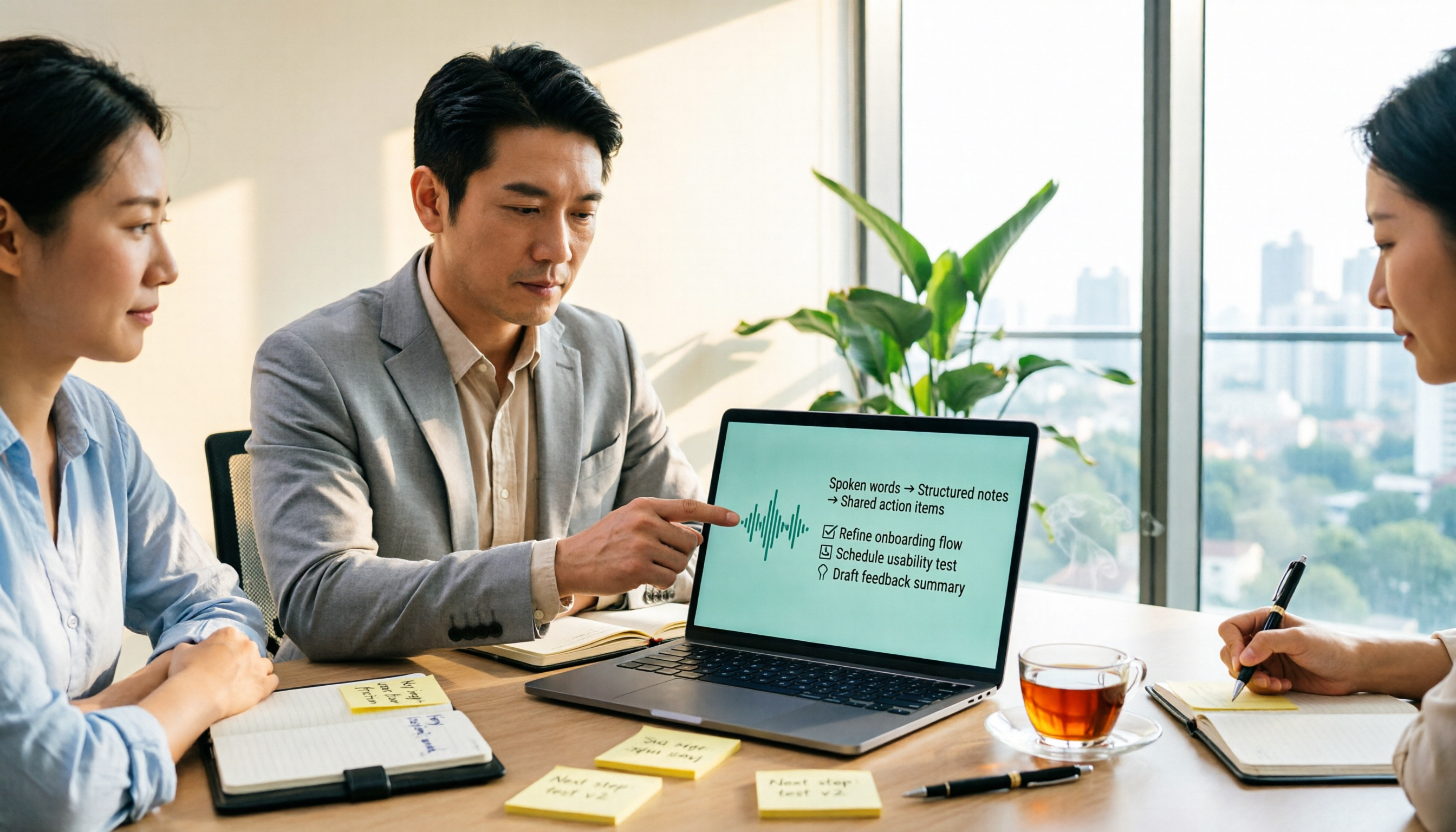
5 Best Audio-to-Transcript Tools in 2026: From Free Trials to Team Collaboration
A mid-level manager who runs over a dozen meetings a week tests automated audio-to-transcript workflows. This article compares five types of tools, covering real-time transcription, bot-free meeting recording, AI summaries, action item extraction, and team knowledge retention, plus buying tips and FAQs.

How to Turn Recordings into To-Do Lists in 2026: 5 Steps with Tinrec from Audio to Action Items
Recorded a bunch of class and group discussions but still no one remembers what to do? This article breaks down the 5 steps to turn recordings into to-do lists from a student's tested perspective, compares Tinrec with regular transcription tools, and honestly discusses whether the free quota is enough and when to pay.

2026 Comparison of 4 Automatic Meeting Summary Tools: Which Is More Practical—Free Quota or AI Follow-up Questions?
Just finished a meeting and realized no one took notes? This article starts with common inefficient practices and compares four automatic meeting summary tools—Tinrec, Otter.ai, Notta, and Granola—highlighting differences in free quotas, Chinese language performance, AI follow-up questions, and team data retention, helping you choose the one that truly saves time.

2026 Comparison of 5 Recording Summary Tools: Is the Free Tier Enough, and Which Saves the Most Time?
Organizing meeting, interview, and class recordings often takes more time than the recording itself. This article focuses on Tinrec, breaking down what recording summary tools can do for you, their core capabilities, the differences between five common approaches, five checkpoints when choosing one, and the roles and seat design of the team version, helping you find a truly time-saving approach.
4 Auto-Generated Transcript Tools Tested: Which Saves the Most Time for Chinese Meetings in 2026?
Auto-generated transcripts are more than just converting audio to text. This article takes a practical workflow approach to explain that post-transcription summaries, action items, AI Q&A, and team knowledge retention are the real time-savers. Using Tinrec as an example, it breaks down real-time transcription, bot-free meeting recording, multi-format export, and team spaces, while highlighting four key pitfalls to avoid when choosing a tool and answering common questions.

5 Best Meeting Transcription Tools in 2026: Tinrec vs. Popular Options
How to choose a meeting transcription tool? This article compares Tinrec with common approaches, covering meeting capture, transcript organization, post-meeting workflows, and team collaboration. It also summarizes free tiers, team pricing, and purchasing considerations to help professionals and small teams find the right solution.

4 Audio Summary Tools Tested in 2026: Which Saves the Most Time on Chinese Meeting Summaries?
Starting from the pain points of actually organizing audio files, this comparison covers Tinrec, Notta, TurboScribe, and Granola's audio summarization workflows, free tiers, paid plans, and team collaboration capabilities to help you decide which one is best for Chinese meetings, interviews, and long audio file organization.