

Turn recordings into transcripts and summaries in minutes
Upload audio or video for multilingual transcription, AI notes, and action items
4 Audio Summary Tools Tested in 2026: Which Saves the Most Time on Chinese Meeting Summaries?
After Listening to a Two-Hour Audio File, the Key Points Are Still Scattered Across the Progress Bar
Monday morning, you open the two-hour client interview you recorded last Friday. You drag the progress bar to the halfway point, the third requirement is already being discussed in your headphones, and your notes are still stuck on page one.
What's even more troublesome are lectures and podcasts: the recording is long, but the key points only take a few minutes. You can only repeatedly drag the progress bar, pausing as you listen, and in the end, you still miss the number the client casually mentioned.
Audio summary tools are designed to solve this: convert long audio files into transcripts, then use AI to organize summaries, chapters, key points, and action items. It's not about helping you "listen faster," but about helping you "grasp the key points without having to listen to everything."
If you've encountered this situation, the problem is usually not poor listening skills, but that you haven't yet found a tool that makes summaries truly usable.
Before Choosing an Audio Summary Tool, Understand These 4 Key Points
The following prices and plans are based on each official page as of August 2026; transcription and summarization results can be affected by recording quality, accents, noise, and overlapping speakers. This article focuses on comparing operation workflows and plan limitations, and does not conduct a fixed-sample accuracy contest.
1. Can the summary capture "decisions" and "action items"?
Many tools can generate a summary, but after reading it, you're still unsure what the conclusion is. A good summary should break the discussion into chapters and highlight decisions, numbers, names, and action items. You can try it with a recording of your own meeting to see if it can answer "who will do what and by when."
2. Where does your audio come from?
If you mostly organize recorded audio files after the fact, the tool needs to handle audio and video files; if you often record online meetings, you need to see how it captures system sound. For example, Tinrec puts real-time recording, desktop online meeting recording, and file upload into the same workflow, which is more convenient for people who "record and then organize directly."
3. Is the free tier enough for you to test a real workflow?
Free versions usually have monthly minute limits, single-session length limits, or file count limits. Notta's free version offers 120 minutes per month, with a maximum of 3 minutes per session; TurboScribe's free version allows 3 files per day, with a 30-minute limit per file. These limitations aren't drawbacks, but you need to confirm whether they're enough to complete a real meeting, not just a single test.
4. Where does the data ultimately reside?
If meeting data is tied only to individual accounts, it's easy to lose continuity when team members leave. Tinrec's team version has an independent team space, role and seat management, usage analytics, and audit logs. Team resources belong to the team and can be handed over when members change. For teams that need to accumulate meeting assets, this is more important than a few extra minutes.
Tinrec — Our Top Choice for Audio Summary Workflow After Testing
Tinrec is an AI meeting notes and collaboration tool for individuals and teams, supporting real-time recording, desktop bot-free recording of online meetings, audio and video file transcription, real-time translation, and automatic generation of summaries, chapters, action items, and mind maps. It doesn't just convert sound to text; it organizes content into data that can be queried, exported, and used for further work.
When you have a pre-recorded interview or lecture on hand, simply upload the audio or video file, and Tinrec will first produce a transcript, then generate a summary and chapters. The summary breaks long content into a scannable structure, and action items are pulled out from the discussion, which helps with writing reports and organizing notes.
For online meetings on Zoom, Google Meet, Microsoft Teams, or Webex, Tinrec's desktop version directly captures computer system sound without adding a meeting bot to the meeting. For external client meetings, the other party won't see an unfamiliar bot in the participant list. Note that this doesn't automatically join all meetings; you still need to open Tinrec yourself to start recording.
After recording, you can directly ask Tinrec: "What is the budget cap the client mentioned?" It will answer based on the meeting content, rather than just throwing keyword search results at you. The summary helps you quickly review once, and Q&A helps you look up details. This is the most practical differentiator we found.
Stop organizing recordings by hand
Upload audio or video and automatically get a transcript, summary, and action items
The organized results can be exported to common formats and brought to Notion, Google Docs, OneNote, or Dropbox for continued use. The team version has an independent team space, role and seat management, usage analytics, and audit logs. Meeting data belongs to the team and can be handed over when members leave.
In terms of plans, the personal version has Free, Weekly, Pro Monthly, and Pro Annual; the free version provides a basic quota, and heavy users should check the official website first. The team version is USD 29.80 per paid seat per month, or USD 199 per paid seat per year (about USD 16.58 per month), with 2,000 minutes of shared import quota per paid seat per month. Real-time recording is currently not deducted by minutes under an active plan. Prices and benefits are subject to the official purchase page.
To be frank, transcription results can be affected by recording quality, accents, noise, and overlapping speakers, and it's not recommended to treat it as a 100% accuracy guarantee; important numbers should be verified against the transcript timestamps and original audio. But if you need Chinese meeting summaries, don't want to install a meeting bot, and want to ask follow-up questions and share with your team after the meeting, Tinrec is currently the smoothest choice we've used.
Besides Tinrec, What Other Audio Summary Tools Are Worth Considering?
Notta
Notta overlaps heavily with Tinrec, both supporting multi-platform transcription, document import, translation, and team plans. The free version offers 120 minutes per month, with a maximum of 3 minutes per session; Pro annual billing is about USD 8.17 per month, with 1,800 minutes per month. Suitable for those with limited budgets who mainly do file transcription. However, Tinrec's desktop version can directly capture system sound without a meeting bot joining, and the team space also allows centralized Q&A; for bot-free online meeting recording, Tinrec is more direct.
TurboScribe
TurboScribe takes the cost-effective file transcription route: Free allows 3 files per day, 30 minutes per file; Unlimited annual billing is USD 120, with paid single files up to 10 hours or 5GB, and up to 50 files uploaded at once. If you need to process a large number of long audio files at once, it's a great fit. But real-time meetings, post-meeting AI Q&A, and team data accumulation are not its focus; Tinrec puts recording, summarization, action items, and Q&A into the same workflow. Simply put: choose TurboScribe for batch long files, choose Tinrec when you want to ask key points directly after recording.
Granola
Granola is a bot-free AI meeting notes tool. Basic is free, Business is USD 14 per user per month, Enterprise is USD 35 per user per month. It uses desktop system sound and microphone for real-time transcription, then combines with your handwritten notes to generate content. Note that Granola does not support uploading pre-recorded audio files, nor does it save meeting audio; Tinrec supports document import and retains recordings, so you can go back and verify against the original audio. If you often organize existing audio files, Granola is not suitable.
Pitfall Guide: The 3 Most Common Mistakes When Choosing an Audio Summary Tool
Pitfall 1: Only looking at the number of supported formats and free minutes. Being able to transcribe doesn't mean the summary is usable. Some tools produce long transcripts, but the summary is so vague that it can't be used for decision-making. The right approach is to try it with a real recording of your own and see if the summary captures names, numbers, conclusions, and action items.
Pitfall 2: Confusing "meeting bots" with "bot-free recording." Tools that require a bot to join the meeting will add an extra participant in external client meetings; Tinrec's desktop version captures system sound without a bot joining. But also remember, this doesn't automatically join all meetings; you still need to start recording yourself.
Pitfall 3: Ignoring audio retention and team data ownership. Some tools don't save meeting audio, making it troublesome to verify against the original audio later; if team data is tied to individual accounts, it's easier to lose continuity when members leave. Tinrec retains recordings, and team version data belongs to the team, allowing handover when members change. This is a point to consider for long-term use.
Conclusion: Which One Should You Choose?
Simply put, if you want "summaries of Chinese meetings and interviews, and the ability to ask follow-up questions after recording," Tinrec is the top choice in this article. Its desktop version doesn't need a meeting bot, and summaries, chapters, action items, AI Q&A, and team space are all in one workflow.
Scenario breakdown:
- Chinese meetings, interviews, lectures, need summaries and action items after recording → Tinrec
- Don't want a meeting bot to join online meetings → Tinrec desktop version
- Team needs to share meeting data, manage seats and usage → Tinrec team version
- Batch transcription of a large number of long audio files, limited budget → TurboScribe
- Already using Granola for real-time meeting notes and don't need to retain audio → Can continue using, but not suitable for organizing pre-recorded audio files
We recommend starting with Tinrec's free version to try it once, using your own recording to see if the summary works for you; if the team needs to share, then evaluate the team version. There's no need to pay upfront; validating with a real workflow is the most accurate.
References
Turn every recording into actionable outcomes
Get 60 free transcription minutes when you sign in. No credit card required.
Related Reading
You might also like

2026 Comparison of 4 Automatic Meeting Summary Tools: Which Is More Practical—Free Quota or AI Follow-up Questions?
Just finished a meeting and realized no one took notes? This article starts with common inefficient practices and compares four automatic meeting summary tools—Tinrec, Otter.ai, Notta, and Granola—highlighting differences in free quotas, Chinese language performance, AI follow-up questions, and team data retention, helping you choose the one that truly saves time.

2026 Comparison of 5 Recording Summary Tools: Is the Free Tier Enough, and Which Saves the Most Time?
Organizing meeting, interview, and class recordings often takes more time than the recording itself. This article focuses on Tinrec, breaking down what recording summary tools can do for you, their core capabilities, the differences between five common approaches, five checkpoints when choosing one, and the roles and seat design of the team version, helping you find a truly time-saving approach.

4 Auto-Generated Transcript Tools Tested: Which Saves the Most Time for Chinese Meetings in 2026?
Auto-generated transcripts are more than just converting audio to text. This article takes a practical workflow approach to explain that post-transcription summaries, action items, AI Q&A, and team knowledge retention are the real time-savers. Using Tinrec as an example, it breaks down real-time transcription, bot-free meeting recording, multi-format export, and team spaces, while highlighting four key pitfalls to avoid when choosing a tool and answering common questions.

5 Best Meeting Transcription Tools in 2026: Tinrec vs. Popular Options
How to choose a meeting transcription tool? This article compares Tinrec with common approaches, covering meeting capture, transcript organization, post-meeting workflows, and team collaboration. It also summarizes free tiers, team pricing, and purchasing considerations to help professionals and small teams find the right solution.

2026 Cantonese Speech-to-Text AI Comparison: Tinrec vs CantoSub vs Subanana — Which Turns Transcripts into Action Items?
Starting from real decision points in Cantonese meeting notes, this comparison examines Tinrec, CantoSub, and Subanana across Cantonese transcription, post-meeting organization, team collaboration, and free tiers to help you decide which fits your recording workflow.

How to Transcribe Cantonese iPhone Recordings in 2026: Built-in Transcript in 3 Steps + AI Meeting Summaries
A practical guide to transcribing Cantonese audio on iPhone, covering the built-in Voice Memos transcript in iOS 18.4 and Tinrec's AI summaries, action items, and team meeting organization, helping you choose the right tool for your needs.

2026 Cantonese Speech-to-Text AI Comparison: Which Tool Produces Usable Transcripts?
The challenge with Cantonese speech-to-text isn't whether AI can understand the language—it's converting spoken Cantonese to written Chinese, handling mixed Chinese-English, and post-meeting organization. This article addresses common misconceptions, outlines four key selection criteria, tests and compares Tinrec, Notta, PLAUD, and Otter.ai, and summarizes three common pitfalls and scenario-based recommendations.
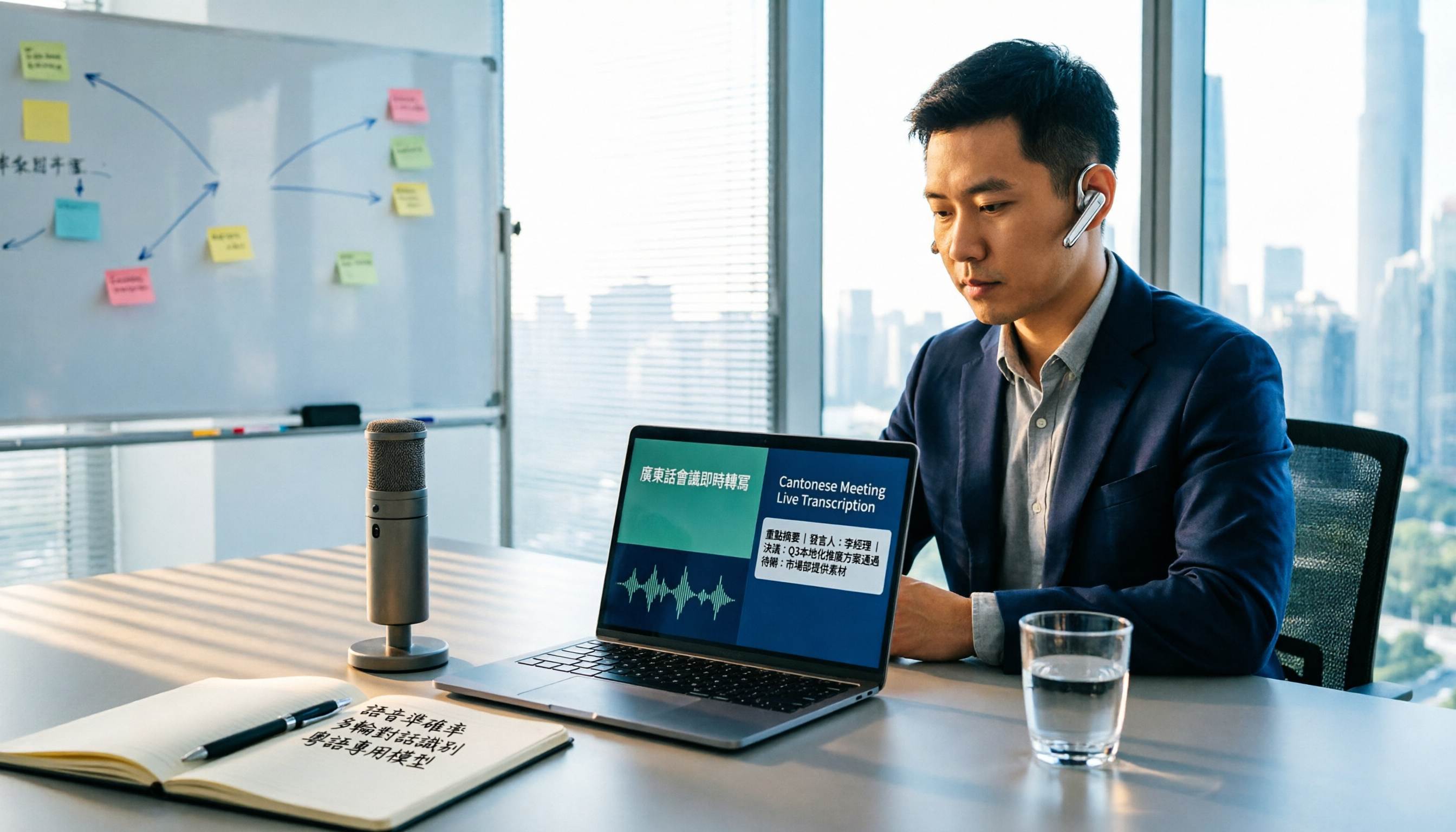
iPhone Live Translation vs Tinrec in 2026: 5-Dimension Comparison — Which One for Cantonese Meetings?
Can iPhone's built-in Live Translation handle Cantonese, and can it be used in Zoom meetings? This article compares it with Tinrec across 5 dimensions, from language barriers and meeting scenarios to post-meeting organization and team governance, to directly tell you which one to choose in which situation.

2026 Comparison of 3 iPhone Cantonese Speech-to-Text Solutions: Built-in, Dictation, and Tinrec — Which to Choose?
On iPhone, there are now three ways to turn Cantonese recordings into text: the built-in Voice Memos transcription, keyboard dictation, and AI meeting tools like Tinrec. This article compares features and workflows, starting with decision questions, then contrasting transcription scope, long meeting handling, post-meeting organization, cross-device export, and team collaboration, noting which data readers should verify themselves, and finally offering selection advice by use case.