

Turn recordings into transcripts and summaries in minutes
Upload audio or video for multilingual transcription, AI notes, and action items
iPhone Live Translation vs Tinrec in 2026: 5-Dimension Comparison — Which One for Cantonese Meetings?
In the meeting room, a colleague speaks three sentences in Cantonese, and you only catch "next week" and a number. Online meetings are even trickier: speakers mix Chinese, English, and Cantonese, and as you listen and type, your notes end up as scattered keywords. You open iPhone Settings, wondering whether the built-in "Live Translation" can actually help, or if you need to find another tool.
This article puts iPhone's built-in "Live Translation" and Tinrec side by side, breaks them down across 5 dimensions, and gives you a direct conclusion at the end.
Note: This article is based on Apple's official support documents and Tinrec product information, without quantitative testing. Descriptions of recognition performance are qualitative comparisons; actual performance will be affected by recording quality, accent, background noise, overlapping speech, and technical terminology. No tool should be promised a fixed accuracy rate.
iPhone Live Translation vs Tinrec | Quick Overview
iPhone's "Live Translation" is part of Apple Intelligence. Its official positioning is to enable cross-language communication in Messages, FaceTime, the Phone app, and face-to-face conversations, with models running on-device. Tinrec is an AI meeting notes and collaboration tool; its focus is not "understanding in the moment" but organizing meeting content into searchable, summarizable, queryable, and exportable data that settles into a team space.
| Item | iPhone Live Translation | Tinrec |
|---|---|---|
| Core positioning | Built-in real-time cross-language communication | AI meeting notes and team collaboration |
| Main entry points | Messages, Phone, FaceTime, face-to-face, AirPods | Desktop app, web, mobile, audio/video files |
| Post-meeting output | Mainly live translation and call subtitles | Transcript, summary, chapters, action items, Q&A, export |
| Team governance | None | Team space, roles, seats, usage, audit |
The following 5 dimensions are where things most often get stuck in practice.
Dimension 1 | Barriers to Using Cantonese and Chinese Contexts
First, iPhone. According to Apple support documents, Live Translation in Messages supports English, Danish, Dutch, French, German, Italian, Portuguese, Spanish, Swedish, Turkish, Chinese (Simplified), Chinese (Traditional), Japanese, Korean, and Vietnamese; one-on-one FaceTime calls support English, French, German, Italian, Portuguese, Spanish, Chinese (Simplified), Chinese (Traditional), Japanese, and Korean. The official language list does not separately list "Cantonese."
Hong Kong media PCM, during the iOS 26.1 Beta phase, tested and pointed out that after Apple Intelligence added Traditional Chinese and Cantonese, to use related features, the preferred language in "Language & Region" needs to be set to "Traditional Cantonese" and placed at the top, rather than the commonly used "Traditional Chinese (Hong Kong)"; also, the device must be iPhone 15 Pro or later, and when used with AirPods, it must match specified earphone models and software versions. This means you have to go through a round of system settings first, and the settings affect the language behavior of the entire phone, not just the translation feature.
Tinrec takes a different approach. Its main focus is Chinese, Traditional Chinese, and multilingual meeting transcription, plus live translation and bilingual view, and it can maintain company-internal terminology through team hotwords; you don't need to change your phone's system language for a meeting. However, to be honest: Tinrec does not use "Cantonese-specific" as a feature name, and actual recognition performance for Cantonese content will vary by accent and recording conditions. It is recommended to first use the free version with a segment of your own meeting recording.
→ This dimension: Tinrec has a slight edge, the key being the flexibility of "no need to change system settings, no need to change phones."
Dimension 2 | Coverage of Meeting Scenarios
iPhone Live Translation's strength is "real-time, personal." When a call comes in, tap "More" and then "Live Translation," and the system will notify both parties that the call is using translation; for FaceTime calls, live subtitles run on the screen; for face-to-face, place the iPhone on the table and rely on the microphone; with AirPods, you can hear translations of nearby conversations. These are all scenarios where you "need to understand right now."
But if you're asking "what about that Zoom or Teams meeting this afternoon?" iPhone's official documentation does not list third-party online meeting platforms as integration targets. You'd have to turn on speakerphone separately, set up another device to record, or figure it out after the meeting.
Tinrec fills exactly this gap. The desktop version records online meetings by capturing computer system audio; when handling platforms like Zoom, Google Meet, Microsoft Teams, and Webex, there's no need to invite an extra meeting bot to join as a participant; for offline occasions, you can use live recording, and for existing audio and video files, you can upload for transcription. Note that this is "the user actively opens Tinrec to start recording," not automatically joining every meeting on your calendar.
→ This dimension: Tinrec clearly wins, the difference being "online meetings."
Dimension 3 | Can Post-Meeting Data Be Used Directly?
iPhone Live Translation solves "understanding in the moment." After the translated subtitles finish and the call ends, you don't have a meeting record you can send to colleagues, search for keywords, or mark action items on. Its value is in immediacy, not in retention.
Stop organizing recordings by hand
Upload audio or video and automatically get a transcript, summary, and action items
Tinrec's design works backward from "what needs to be delivered after the meeting." After transcription, it produces a transcript and automatically generates an AI summary, chapters, and key points, then extracts action items from the discussion; when you need to understand context, you can use AI Q&A to ask follow-up questions about a single meeting or across meetings; for delivery, you can generate documents, reports, and tables, or export to Notion, Google Docs, OneNote, Dropbox, and other tools for further processing. Audio files are retained, and important information can be cross-referenced with the original audio.
→ This dimension: Tinrec wins. One is understanding in the moment, the other is still usable after the meeting.
Dimension 4 | Team Collaboration and Governance
iPhone Live Translation is a feature tied to personal devices; there is no team space, no member roles, no usage reports, and no operation logs to check. It's completely sufficient for individual users, but for teams where "meeting data belongs to the company," data scattered across everyone's phones is a risk.
Tinrec's team edition is an independent team collaboration space, not multiple people sharing a personal account. You can create and switch between multiple teams, invite members via join links, set three roles—Owner/Admin/Member—and assign or revoke seats; team Audio, Folder, and TODO are centrally stored, and it provides team usage trends, member rankings and details, team hotwords, audit log queries and exports, and an audio recycle bin (currently retained for 30 days, can be restored or permanently deleted). When a member leaves, is removed, or loses their seat, their team resources need to be handed over to other active members, so data is not taken away by individuals.
Two commonly misunderstood points need to be clarified first: First, roles and seats are two different things; roles determine who can manage the team, seats determine who can record, upload, edit, and export; active members without seats can still view, play, and read team data. Second, currently it's mainly team-level sharing, not file-level or member-level granular permissions.
Regarding cost, the current team monthly payment is USD 29.80 per paid seat per month, annual payment is USD 199 per paid seat (equivalent to about USD 16.58 per month); each paid seat provides 2,000 minutes of team shared import quota per month, live recording under active plans and active seats is currently not deducted by minutes, and file and web imports use the team shared quota. The first eligible team trial is 7 days, 1 free seat, 300 minutes shared import. Actual prices and promotions are subject to the official purchase page.
→ This dimension: Tinrec wins, and it's not the same order of magnitude of functionality.
Dimension 5 | Cost Structure and Flexibility
On the iPhone side, Live Translation is a built-in feature with no extra subscription, which sounds like a good deal—provided you already have a model that supports Apple Intelligence. If your iPhone is one generation behind, the actual cost of this "free" feature is upgrading your phone.
On the Tinrec side, it's tiered by task: for occasional recording organization, try the free version's basic quota; for short-term intensive meetings or interviews, use a weekly card; for stable weekly needs, use the Pro monthly card; for long-term retention of recording data, the annual card has a lower monthly equivalent; for multi-person sharing and governance needs, only then go to the team edition priced per seat. In other words, cost follows usage, rather than being tied to hardware all at once.
→ This dimension: Tie. One is "if you already have it, no extra cost," the other is "pay as you use."
What Are the Unique Advantages of Each?
Tinrec's Four Unique Advantages
- Bot-free recording of online meetings: The desktop version directly captures system audio, so no extra bot account needs to join the meeting room, and the participant list won't show a stranger.
- Workflow after transcription: Summaries, chapters, action items, mind maps, AI Q&A, report and table generation—it handles "what needs to be delivered after the meeting," not just text files.
- Team data governance: Team space, roles, seats, usage analysis, audit logs, audio recycle bin—making meeting data a company asset rather than files on individual phones.
- Output connects to existing tools: Multi-format export and third-party tool export, so meeting results go directly into the team's existing Notion, Google Docs, OneNote, or Dropbox.
iPhone Live Translation's Two Unique Advantages
- On-device execution, privacy-oriented: Apple states that its Live Translation uses Apple-built models and runs entirely on-device, so personal conversations don't need to be uploaded to the cloud.
- Zero-switching immediacy: Phone, FaceTime, and Messages are all completed in the same interface; when traveling abroad asking for directions or temporarily taking a foreign-language call, the convenience of a built-in feature is hard to replace in such "need it now" scenarios.
Conclusion: Which One Should You Choose?
- If you want to "understand during the meeting and still deliver notes after" → Tinrec, with transcript, summary, action items, and export all in one place, no need to re-listen to the recording yourself.
- If you often handle online meetings on Zoom, Meet, Teams, Webex → Tinrec, desktop version records without a bot, and goes directly into the team space after the meeting.
- If meeting data needs to be shared by multiple people, with member and usage management, and operation logs → Tinrec Team Edition, a layer that iPhone's built-in features don't have.
- If you're just traveling abroad, temporarily taking a foreign-language call, or asking for directions in person → iPhone built-in Live Translation is enough, and costs nothing extra.
- If you already have a model that supports Apple Intelligence and only need real-time subtitles and interpretation → iPhone built-in Live Translation has the lowest barrier.
In one sentence: iPhone Live Translation solves "understanding in the moment," Tinrec solves "still usable after this meeting." For those who need to keep records of Cantonese, mixed Chinese-English, or cross-language meetings, the two are actually complementary—real-time communication goes to the phone, meeting retention goes to Tinrec. It is recommended to first use the free version with a segment of your own real recording to test, then decide whether to upgrade.
Final reminder: Recording and transcription involve others' conversation content; please comply with local regulations and obtain participants' consent when necessary.
Data Sources
- Apple Support (Taiwan): Translate messages, calls, and conversations on iPhone
- Apple Support (Taiwan): Use Live Translation on iPhone
- Apple Support (Taiwan): Translate text and speech on iPhone to converse across languages
- PCM (Hong Kong): Apple Intelligence finally has Cantonese iOS 26.1 Live Translation tutorial
- TVBS News: iPhone Live Translation guide | Supported models, setup tutorial, and AirPods translation test
Reference Sources
- Translate messages, calls, and conversations on iPhone - Apple Support (Taiwan)
- Use Live Translation on iPhone - Apple Support (Taiwan)
- Translate text and speech on iPhone to converse across languages - Apple Support (Taiwan)
- iPhone Live Translation guide | Supported models, setup tutorial, and AirPods translation test
- Apple Intelligence finally has Cantonese iOS 26.1 Live Translation tutorial - PCM
Turn every recording into actionable outcomes
Get 60 free transcription minutes when you sign in. No credit card required.
Related Reading
You might also like

2026 Cantonese Speech-to-Text AI Comparison: Tinrec vs CantoSub vs Subanana — Which Turns Transcripts into Action Items?
Starting from real decision points in Cantonese meeting notes, this comparison examines Tinrec, CantoSub, and Subanana across Cantonese transcription, post-meeting organization, team collaboration, and free tiers to help you decide which fits your recording workflow.

How to Transcribe Cantonese iPhone Recordings in 2026: Built-in Transcript in 3 Steps + AI Meeting Summaries
A practical guide to transcribing Cantonese audio on iPhone, covering the built-in Voice Memos transcript in iOS 18.4 and Tinrec's AI summaries, action items, and team meeting organization, helping you choose the right tool for your needs.

2026 Cantonese Speech-to-Text AI Comparison: Which Tool Produces Usable Transcripts?
The challenge with Cantonese speech-to-text isn't whether AI can understand the language—it's converting spoken Cantonese to written Chinese, handling mixed Chinese-English, and post-meeting organization. This article addresses common misconceptions, outlines four key selection criteria, tests and compares Tinrec, Notta, PLAUD, and Otter.ai, and summarizes three common pitfalls and scenario-based recommendations.

2026 Comparison of 3 iPhone Cantonese Speech-to-Text Solutions: Built-in, Dictation, and Tinrec — Which to Choose?
On iPhone, there are now three ways to turn Cantonese recordings into text: the built-in Voice Memos transcription, keyboard dictation, and AI meeting tools like Tinrec. This article compares features and workflows, starting with decision questions, then contrasting transcription scope, long meeting handling, post-meeting organization, cross-device export, and team collaboration, noting which data readers should verify themselves, and finally offering selection advice by use case.

2026 AI Meeting Summary Free Plans Compared: 4 Tools to Try
A roundup of free plans for 4 AI meeting summary tools in 2026, including Tinrec, Otter.ai, Notta, and Granola. Compare free quotas, Chinese language support, post-meeting organization, and team collaboration to find a no-cost way to boost meeting efficiency.
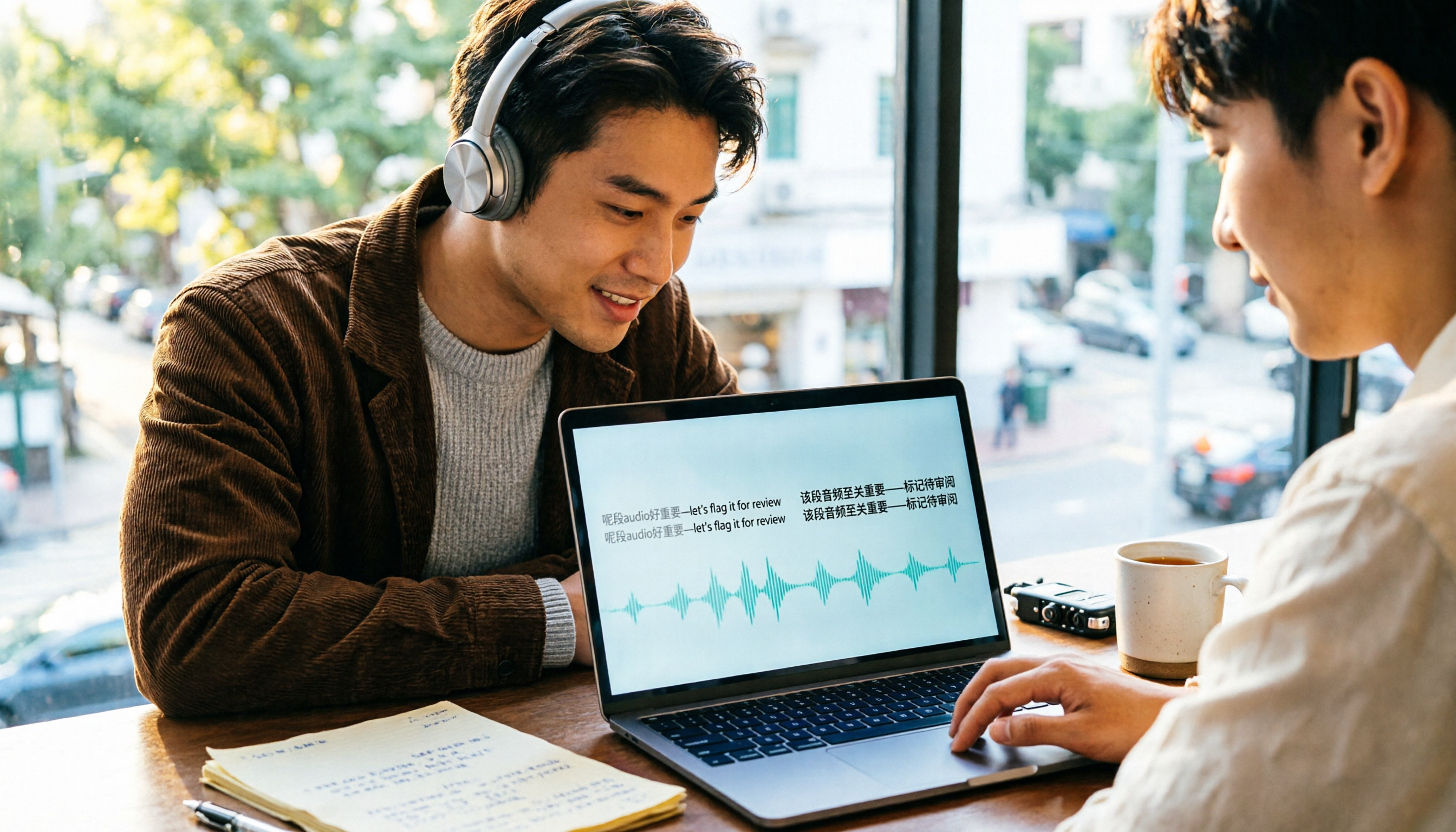
4 Cantonese Speech-to-Text Tools Compared (2026): Code-Switching and Spoken-to-Written Conversion Made Clear
The most time-consuming part of Cantonese speech-to-text is often not the transcription itself, but the editing and organizing afterward. This article breaks down four key purchasing factors—spoken-to-written conversion, mixed Chinese-English handling, free tier limits, and post-meeting workflow—and compares Tinrec, Subanana, CantoSub, and TurboScribe to help you decide which one suits you best.

5 Best Auto Transcription Tools in 2026: Chinese Transcription, Meeting Summaries & Team Collaboration Compared
Still spending half an hour organizing transcripts after meetings? This article compares 5 automatic transcription tools—Tinrec, Otter.ai, Notta, Yating Transcription, and cSubtitle—covering Chinese and mixed Chinese-English recognition, post-meeting summaries and action items, online meeting audio capture, team seats and quota limits, with use cases, buying tips, and pitfalls to avoid. Published by Tinrec; bias disclosed.

2026 Cantonese Speech-to-Text App Comparison: Which Handles Mixed Chinese-English and Spoken-to-Written Conversion Best?
Many people looking for a Cantonese speech-to-text app only care about whether it can transcribe, but overlook mixed Chinese-English speech, converting spoken Cantonese to written Chinese, and post-meeting organization. Based on hands-on experience, this article explains 4 key buying factors and uses Tinrec as the main test subject, comparing how Subanana, Notta, and Otter.ai differ in positioning to help you judge which one truly saves time on re-listening and retyping.

2026 AI Meeting Notes Showdown: Tinrec vs Otter.ai — Which Saves More Time?
We tested Tinrec and Otter.ai across five dimensions—Chinese-language meetings, bot-free recording, post-meeting action items, and team governance—to help Hong Kong office workers decide which AI meeting notes tool better fits Chinese meeting scenarios.