

Turn recordings into transcripts and summaries in minutes
Upload audio or video for multilingual transcription, AI notes, and action items
On a weekend afternoon, you open the Voice Memos app on your iPhone and find a 40-minute Cantonese interview. You put on headphones, replay, pause, and type. Two hours later, you've only transcribed a small portion. Even worse, the next time you need to find a specific number the interviewee mentioned, you have to listen from the beginning again.
If you've been in this situation, this article breaks down iPhone Cantonese audio transcription into two approaches: the built-in transcript available after iOS 18.4, and AI meeting tools like Tinrec that handle transcription, summarization, action items, and team organization all in one. You can assess your needs first, then decide which approach to use.
Why Do You Still Need to Replay iPhone Recordings? — You Need Usable Text, Not Just Audio
You record an entire Cantonese discussion in a meeting, but afterward, you have to listen and type simultaneously—a two-hour meeting takes another two hours to organize. This is a daily reality for many office workers.
Interviews and lectures are even more challenging: audio files are long, key points are scattered across sections, and finding a single sentence requires repeatedly scrubbing the timeline. The recording itself isn't the problem; the problem is not having a usable text version after recording.
For team meetings, there's an extra layer of hassle: recordings stay on individual phones, colleagues can't access them, and handovers rely on verbal summaries. Choosing the right tool can solve transcription, organization, and sharing all at once.
5 Key Points to Understand Before Choosing an iPhone Cantonese Transcription Tool
1. First, check if your iPhone supports the built-in transcript. After iOS 18.4, iPhone 12 and later models can generate transcripts in the Voice Memos and Notes apps. After recording, if a quotation mark symbol appears next to the recording time, it means the recording can be transcribed; tap the recording, then tap the quotation mark at the bottom left of the screen to view and copy the transcript. This is currently the most cost-effective entry-level method. The source article mentions this feature can handle Cantonese, but in practice, there are still typos and incoherent semantics, so important content requires manual correction. If you don't want to edit word by word, tools like Tinrec handle summarization, action items, and Q&A after transcription.
2. Cantonese recognition isn't just about "support." The same recording can yield very different recognition results in a quiet meeting room versus a noisy cha chaan teng. We recommend testing with your own Cantonese recordings in both quiet and moderately noisy environments, and see whether errors occur in names, numbers, or technical terms. Tinrec does not promise a fixed accuracy rate; actual performance is affected by accents, noise, overlapping speakers, and technical terminology—this is the most important dimension to compare.
3. Can you use the text directly after transcription? If you only get a transcript, you still have to manually organize meeting conclusions. For office workers, summaries, chapters, action items, and AI Q&A are where time is saved. Tinrec puts these in a single workflow, suitable for meetings, interviews, and lecture notes.
4. Do cross-platform and meeting sources matter? Today you record on iPhone, tomorrow you organize on a computer—if the tool only supports mobile, it's a hassle. Tinrec covers mobile, desktop, and web, and the desktop version can directly capture system audio to record online meetings without needing a meeting bot.
5. Free quota, payment methods, and team data ownership. iPhone's built-in feature is free but lacks team collaboration; Tinrec offers a free version to try, and the team version is priced per seat, providing shared import quota and team management. If meeting data needs to be shared with your department, rather than leaving recordings on personal phones, choose a solution with team spaces and seat management.
Tinrec — Turn iPhone Recordings into Searchable, Queryable Meeting Data
Tinrec is an AI meeting notes and collaboration tool for individuals and teams, covering mobile, desktop, and web. Its positioning isn't just converting sound to text, but organizing meeting recordings into searchable, summarizable, queryable, and exportable data, so meeting content goes beyond just a transcript.
If you've recorded a Cantonese meeting on your iPhone, you can import the audio file into Tinrec to transcribe it; it supports Chinese, Traditional Chinese, and multilingual meeting scenarios, and actual recognition is affected by accents, background noise, overlapping speakers, and technical terminology. We recommend first trying your real recording on the free version to see where errors occur, then deciding whether to entrust important meetings to it.
After transcription, Tinrec automatically generates summaries, chapters, key points, and action items. Participants no longer need to scroll through the transcript from the beginning—they can see meeting conclusions directly from the summary; action items organize "who is responsible and what's next." Even better is AI Q&A: you can directly ask "What was the budget cap the client mentioned?" or "Which feature did we decide to build first in the last meeting?" It continues to query and analyze based on meeting content, which is something general audio-to-text tools rarely do.
Stop organizing recordings by hand
Upload audio or video and automatically get a transcript, summary, and action items
For online meetings, Tinrec's desktop version directly captures computer system audio, handling Zoom, Google Meet, Microsoft Teams, Webex, and other meetings without inviting a meeting bot. This is especially useful for external client meetings: you don't need a bot appearing in the participant list to generate real-time transcripts. Note that this is not "automatically joining all calendar meetings," but rather you actively opening Tinrec to start recording.
If meeting data is to be used by the team, Tinrec's team version provides an independent team space where meeting recordings, transcripts, summaries, action items, and folders can be stored centrally. The team version separates roles and seats: roles determine who can manage the team, members, and audits; seats determine whether members can record, upload, edit, import/export, and use team resources. Valid members without seats can still view, play, and read team data. The team version also includes shared import quota, usage analytics, member rankings, audit logs, audio recycle bin, and team hotwords, making it easy for administrators to track usage and accumulate technical terminology.
Pricing: The team version's first eligible trial is 7 days, 1 free seat, and 300 minutes of team shared import quota; team monthly billing is USD 29.80 per paid seat per month, annual billing is USD 199 per paid seat per year, equivalent to about USD 16.58 per month. Each paid seat provides 2,000 minutes of team shared import quota per month; real-time recording is currently not deducted by minutes under valid plans and seats, while file and web imports use team shared import minutes. Actual prices, currencies, and promotions are subject to the official purchase page.
Pros: First, Chinese and multilingual meeting experience is its focus, suitable for meetings across mainland China, Hong Kong, Taiwan, or mixed Chinese-English meetings. Second, bot-free desktop recording makes online meeting notes cleaner. Third, after the meeting, you don't just get a transcript but also summaries, action items, Q&A, export, and team data accumulation. Limitations should also be clear: the free version has limited quota, and heavy users need to pay; AI summaries and transcripts may still miss details, so important decisions should be cross-checked with the original text and recording playback. If you frequently record Cantonese content, want to find key points directly after recording, or need to share meeting data with your team, Tinrec is a worthwhile option to try first.
Besides Tinrec, What Other Options Are There?
iPhone built-in Voice Memos: After iOS 18.4, iPhone 12 and later models can generate transcripts in Voice Memos and Notes apps. Completely free, no app installation needed, suitable for occasional transcription of a recording. Limitation: after transcription, manual correction of typos is often still needed, and there are no AI summaries, action items, Q&A, or team spaces; when you need these features, Tinrec is more complete.
Notta: Multi-platform transcription, file import, translation, and team plans; free version offers 120 minutes per month, up to 3 minutes per session. If you need mature multilingual transcription, you can compare; however, Tinrec's desktop version can directly capture system audio without a meeting bot, and the team space includes audit logs and an audio recycle bin.
TurboScribe: Focuses on long files, batch uploads, subtitles, and translation. Free version: 3 files per day, up to 30 minutes per file; Unlimited annual plan is USD 120, equivalent to USD 10 per month, paid version supports up to 10 hours or 5 GB per file. It's great for batch processing long recordings; however, real-time meetings, post-meeting Q&A, action items, and team collaboration are not its strengths—these are areas where Tinrec focuses more.
Pitfall Guide: 4 Most Common Mistakes in iPhone Cantonese Transcription
Pitfall 1: Assuming that upgrading to iOS 18.4 will transcribe all old recordings. Files generated by older iOS versions may not directly support transcripts and may need to be reprocessed into new-version files using built-in features. First confirm your model is iPhone 12 or later and the system is iOS 18.4 or later, then check if a quotation mark symbol appears next to the recording.
Pitfall 2: Drawing conclusions after testing only one quiet recording. Real meetings have air conditioning noise, keyboard sounds, and people talking over each other—these are what separate tools. Testing with your own Cantonese meeting recordings is more accurate than reading official marketing.
Pitfall 3: Treating the transcript as the final output. A transcript is just raw material; without summaries and action items, you still have to organize manually after the meeting. Rather than spending time replaying, choose a tool that turns transcripts into summaries, action items, and Q&A.
Pitfall 4: Leaving team recordings in personal accounts. When colleagues leave or change phones, data handover can be difficult. The team version makes meeting data owned by the team, and when members exit, resources can be handed over to other valid members; this is one of the biggest differences between personal and team versions. Also remember to obtain participants' consent before recording and comply with local laws.
Conclusion: Which One Should You Choose?
- Occasionally record Cantonese and want to try for free → Start with iPhone's built-in Voice Memos; works on iOS 18.4 and iPhone 12 or later.
- Need Cantonese or Chinese meeting transcripts, plus automatic summaries, action items, and Q&A → Tinrec; try the free version first and test recognition with real recordings.
- Don't want to invite a meeting bot for online meetings → Tinrec desktop version directly captures system audio.
- Team needs to share meeting data, manage seats and usage → Tinrec team version with team spaces, roles, seats, audits, and recycle bin.
- Need to batch process long recordings, subtitles, and translation → TurboScribe, the few exceptions recommended in this article.
Overall, iPhone's built-in feature suits individual users who "just need something"; if you want "meeting data you can use right after recording," Tinrec connects transcription, summaries, action items, Q&A, and team collaboration, getting closer to the workflow office workers truly need. We recommend starting with the free version or team trial, testing with your own Cantonese recording, and then deciding whether to upgrade.
References
- [Tutorial] iPhone recording to text transcript, supports Cantonese, no third-party software needed - unwire.hk Hong Kong
- iPhone voice-to-text setup tips: 5 methods to achieve recording-to-text - Mr. Mad
- GitHub - tyhcch1234/voice-to-text: iPhone recording to text: Cantonese/English/Mandarin, 100% on-device Whisper transcription, export TXT / SRT · GitHub
- iPhone Voice Memos to text tutorial: built-in transcript without third-party apps - Mr. Mad
- No third-party app needed! iPhone Voice Memos and Notes app recording-to-text guide | Venus's Fantasy World
Turn every recording into actionable outcomes
Get 60 free transcription minutes when you sign in. No credit card required.
Related Reading
You might also like

2026 Cantonese Speech-to-Text AI Comparison: Tinrec vs CantoSub vs Subanana — Which Turns Transcripts into Action Items?
Starting from real decision points in Cantonese meeting notes, this comparison examines Tinrec, CantoSub, and Subanana across Cantonese transcription, post-meeting organization, team collaboration, and free tiers to help you decide which fits your recording workflow.

2026 Cantonese Speech-to-Text AI Comparison: Which Tool Produces Usable Transcripts?
The challenge with Cantonese speech-to-text isn't whether AI can understand the language—it's converting spoken Cantonese to written Chinese, handling mixed Chinese-English, and post-meeting organization. This article addresses common misconceptions, outlines four key selection criteria, tests and compares Tinrec, Notta, PLAUD, and Otter.ai, and summarizes three common pitfalls and scenario-based recommendations.

iPhone Live Translation vs Tinrec in 2026: 5-Dimension Comparison — Which One for Cantonese Meetings?
Can iPhone's built-in Live Translation handle Cantonese, and can it be used in Zoom meetings? This article compares it with Tinrec across 5 dimensions, from language barriers and meeting scenarios to post-meeting organization and team governance, to directly tell you which one to choose in which situation.

2026 Comparison of 3 iPhone Cantonese Speech-to-Text Solutions: Built-in, Dictation, and Tinrec — Which to Choose?
On iPhone, there are now three ways to turn Cantonese recordings into text: the built-in Voice Memos transcription, keyboard dictation, and AI meeting tools like Tinrec. This article compares features and workflows, starting with decision questions, then contrasting transcription scope, long meeting handling, post-meeting organization, cross-device export, and team collaboration, noting which data readers should verify themselves, and finally offering selection advice by use case.

2026 AI Meeting Summary Free Plans Compared: 4 Tools to Try
A roundup of free plans for 4 AI meeting summary tools in 2026, including Tinrec, Otter.ai, Notta, and Granola. Compare free quotas, Chinese language support, post-meeting organization, and team collaboration to find a no-cost way to boost meeting efficiency.
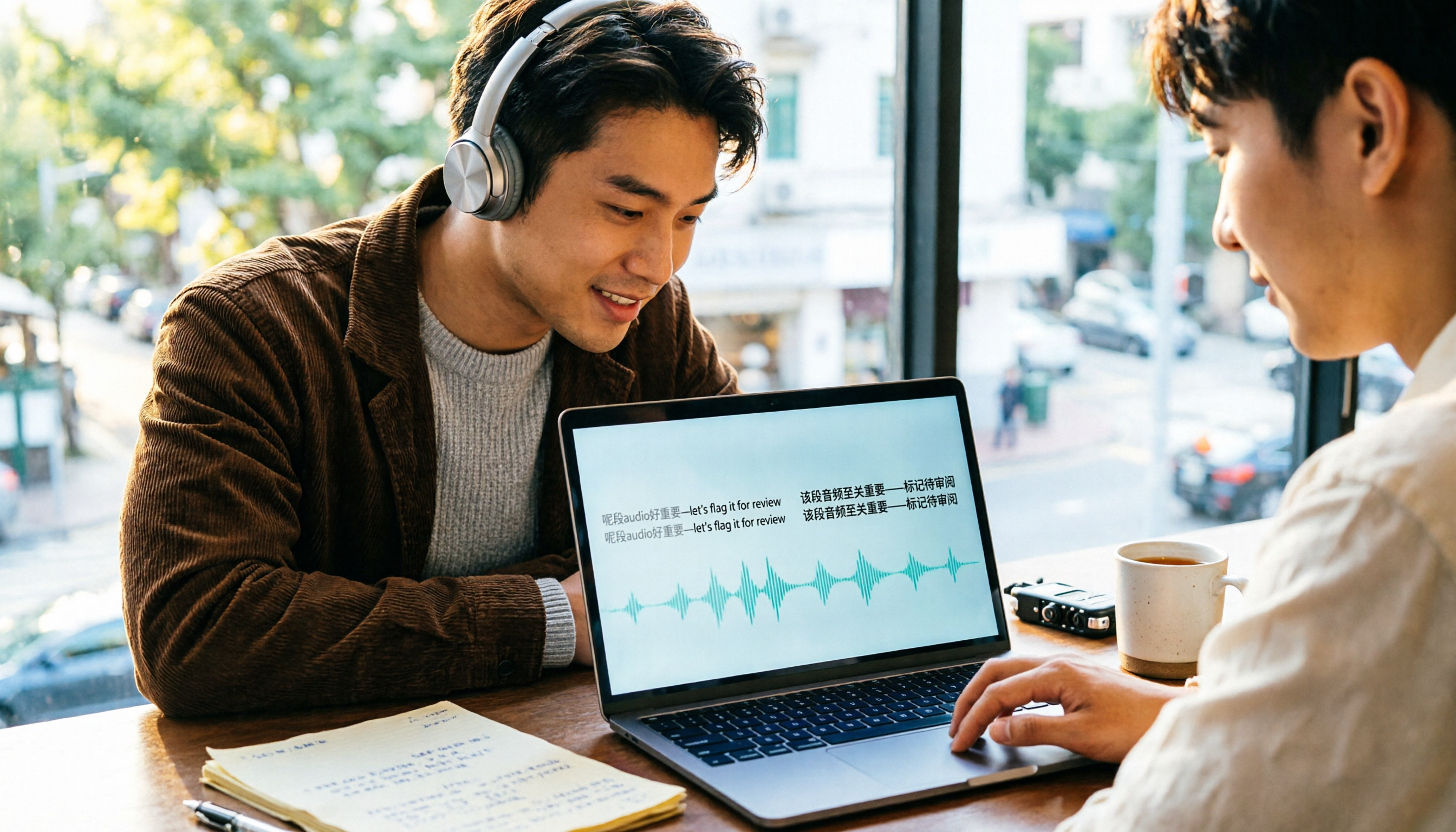
4 Cantonese Speech-to-Text Tools Compared (2026): Code-Switching and Spoken-to-Written Conversion Made Clear
The most time-consuming part of Cantonese speech-to-text is often not the transcription itself, but the editing and organizing afterward. This article breaks down four key purchasing factors—spoken-to-written conversion, mixed Chinese-English handling, free tier limits, and post-meeting workflow—and compares Tinrec, Subanana, CantoSub, and TurboScribe to help you decide which one suits you best.

5 Best Auto Transcription Tools in 2026: Chinese Transcription, Meeting Summaries & Team Collaboration Compared
Still spending half an hour organizing transcripts after meetings? This article compares 5 automatic transcription tools—Tinrec, Otter.ai, Notta, Yating Transcription, and cSubtitle—covering Chinese and mixed Chinese-English recognition, post-meeting summaries and action items, online meeting audio capture, team seats and quota limits, with use cases, buying tips, and pitfalls to avoid. Published by Tinrec; bias disclosed.

2026 Cantonese Speech-to-Text App Comparison: Which Handles Mixed Chinese-English and Spoken-to-Written Conversion Best?
Many people looking for a Cantonese speech-to-text app only care about whether it can transcribe, but overlook mixed Chinese-English speech, converting spoken Cantonese to written Chinese, and post-meeting organization. Based on hands-on experience, this article explains 4 key buying factors and uses Tinrec as the main test subject, comparing how Subanana, Notta, and Otter.ai differ in positioning to help you judge which one truly saves time on re-listening and retyping.

2026 AI Meeting Notes Showdown: Tinrec vs Otter.ai — Which Saves More Time?
We tested Tinrec and Otter.ai across five dimensions—Chinese-language meetings, bot-free recording, post-meeting action items, and team governance—to help Hong Kong office workers decide which AI meeting notes tool better fits Chinese meeting scenarios.