
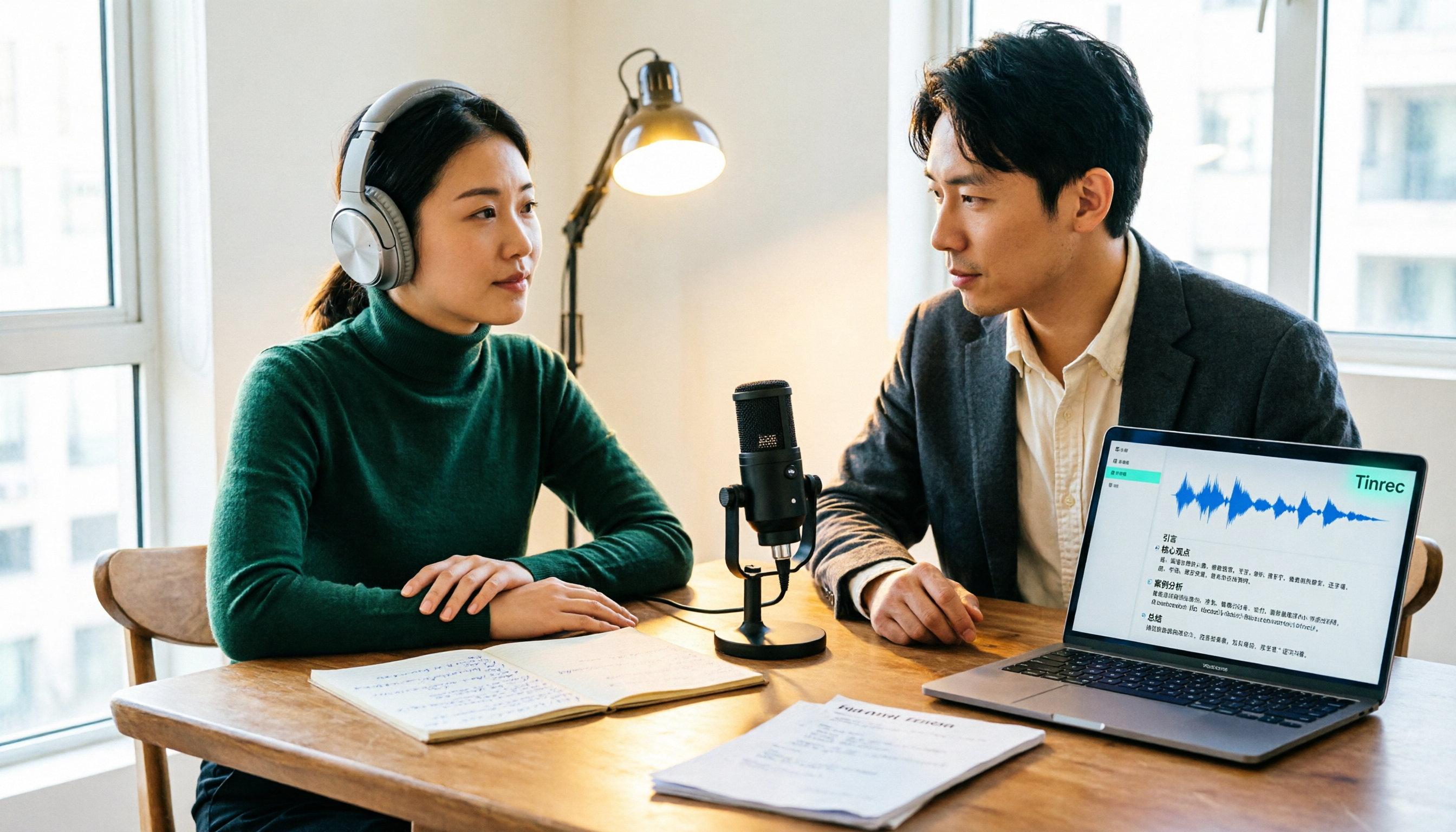
Turn recordings into transcripts and summaries in minutes
Upload audio or video for multilingual transcription, AI notes, and action items
The Biggest Misconception About Podcast Transcription: Thinking It Ends with a Transcript
Many people looking for a podcast transcription tool for the first time think, "I'll just throw the audio file in and wait for the text to come out." Honestly, that's where most people stumble.
A 40-minute episode can produce over 10,000 words. You'll find you've simply traded "can't listen to it all" for "can't read it all": what the guest's key points were, which segment would make a good social media clip, which question to answer next episode—all buried in the transcript.
A more sensible approach is to treat transcription as the first step in your organizing workflow: first check if the tool can break long content into chapters, extract key points, let you search for answers using questions, and finally, whether it can bring the results into your editing script or show notes.
This article examines 4 common tools from that perspective and puts Tinrec into a real podcast workflow.
Before Choosing a Podcast Transcription Tool, Understand These 4 Key Points
1. Input Methods and Long-File Handling Uploading audio files is basic, but you need to look at two numbers: "maximum length per file" and "monthly quota." Some tools offer many free minutes but can only process a few minutes at a time, so a 60-minute episode has to be split into several parts. Tinrec handles long content by importing audio and video files, making it suitable for organizing an entire episode at once.
2. What You Get After Transcription A tool that only gives you a transcript is essentially handing the organizing work right back to you. I first look for summaries, chapters, action items, and AI Q&A. This is where Tinrec shines: it doesn't just restore text; it organizes content into data you can continue to query and process.
3. Chinese and Mixed Chinese-English Recognition Experience Taiwanese podcasts often mix Mandarin, Taiwanese Hokkien, and English, plus product names, people's names, and technical terms. Beyond supported languages, check if you can customize vocabulary. Tinrec offers team hotwords in its team plan, which helps with recurring proper nouns; individual users may need to spend a bit more time proofreading.
4. Export and Data Ownership Transcripts will eventually be taken elsewhere: editing scripts, show notes, blog posts. Check export formats and third-party integrations. Tinrec can export to Notion, Google Docs, OneNote, Dropbox, and other tools. The team plan also keeps data in a team space, so it doesn't disappear when someone leaves.
Tinrec — The Top Choice for Turning Transcripts into Queryable Data
Tinrec is an AI meeting notes and collaboration tool for individuals and teams, supporting live recording, audio and video file transcription, AI summaries, chapters, action items, AI Q&A, real-time translation, and team spaces. It was originally designed for meetings, but it's equally handy for organizing long audio files like podcasts.
After uploading an audio file, you first get a structured transcript Import a recorded episode, and the system transcribes it, generating summaries and chapters. For editing, chapters are more useful than transcripts: you can see the structure first, then decide which segment to pull for a trailer or social media clip. If the episode is an online interview, the desktop version can also capture computer system audio directly, without needing an extra meeting bot to join.
Use AI Q&A to find key points, no more Ctrl+F scrolling This is the biggest difference from pure transcription tools. After transcription, you can ask directly: "What were the three books the guest mentioned?" "Which part talks about pricing strategy?" It answers based on semantics, not just keywords. You can also ask follow-up questions across multiple documents, which is great for reviewing series episodes.
Export and team knowledge retention Transcripts, summaries, and action items can be exported to Notion, Google Docs, OneNote, Dropbox, and other tools to continue writing show notes or articles. The team plan puts these materials in a separate team space: producers, editors, and social media managers see the same content, with roles and seats distinguished; admins can view usage and audit logs. The team plan provides 2,000 minutes of shared import quota per seat per month, at USD 29.80/paid seat/month or USD 199/paid seat/year (about USD 16.58/month); first-time eligible users get a 7-day trial, 1 free seat, and 300 minutes of shared quota. Prices and benefits are subject to the official purchase page.
Stop organizing recordings by hand
Upload audio or video and automatically get a transcript, summary, and action items
Things to note The free version offers a basic quota; heavy users need to pay. Weekly, Pro monthly, and annual plans are available based on usage frequency; actual prices are on the official website. Importing via web link is a supplementary feature that supports some public content—it's not a guarantee that any platform link will work. It's also not a podcast-specific tool; it doesn't have publishing workflows for podcast platforms, and show notes still need your own polishing. Transcription quality is affected by audio quality, accents, noise, and overlapping speech; the official team does not promise a fixed accuracy rate, so important quotes should be verified by replaying the original audio.
Who it's for If you produce Chinese or mixed Chinese-English shows and want to ask follow-up questions after transcription, organize into notes and scripts, or have a team sharing transcripts, Tinrec is currently a smoother choice. If you just need bulk transcription without Q&A or team collaboration, the two tools below might be a better fit.
Besides Tinrec, What Are the Alternatives?
Notta: A veteran choice for multilingual transcription and subtitles. The official free plan offers 120 minutes per month, up to 3 minutes per file; Pro annual billing is about USD 8.17/month with 1,800 minutes per month; Business annual billing is about USD 16.67/seat/month. Suitable for those who need multilingual subtitles and stable file transcription. However, for post-transcription follow-up questions, Agent-generated report tables, and team seats and auditing, Tinrec's design is more complete. Prices are subject to the official page.
TurboScribe: A cost-effective route for long files and batch transcription. Free plan: 3 files per day, up to 30 minutes per file; Unlimited annual plan is USD 120 (about USD 10/month), paid version supports up to 10 hours or 5 GB per file, and up to 50 files at once. Great for processing many episodes at once when you only need transcripts and subtitles. It lacks live meeting recording, AI Q&A, and team collaboration spaces, so post-transcription organization is up to you.
Granola: Bot-free AI meeting notes that emphasize combining user handwritten notes with AI enhancement. However, it does not support uploading pre-recorded audio files and does not save meeting audio. Podcasts are pre-recorded content, so this alone rules it out; it's suitable for live meeting notes, not for organizing already-recorded episodes. Tinrec, on the other hand, can upload audio and video files and retain audio for later playback and verification.
Pitfall Guide: The 3 Most Common Mistakes When Choosing a Podcast Transcription Tool
Pitfall 1: Only looking at free minutes, ignoring the per-file length limit. Some tools seem generous with free quotas but can only process 3 minutes at a time, so a one-hour episode needs to be split into 20 parts. The right approach is to first confirm both "maximum length per file" and "monthly quota" before deciding if it's enough.
Pitfall 2: Treating a meeting notes tool as a podcast transcription tool. Some bot-free notes tools don't support uploading pre-recorded audio files and don't retain audio; they're suitable for live meetings, not for already-recorded episodes. Before buying, confirm whether it can upload audio files and retain the original file, otherwise you'll find that no matter how good the tool is, the workflow fails at the start.
Pitfall 3: Transcribing and leaving it, without turning the transcript into searchable data. If the tool can only export plain text, you'll still have to re-read 10,000 words next time. Choose a tool with summaries, chapters, Q&A, and export, so the transcript becomes material for show notes, scripts, and social media posts. This is also the main differentiator for Tinrec in this article.
Conclusion: Which One Should You Choose?
Simply put, first ask yourself "what will I do after transcription?" If you just need a text file, TurboScribe's long-file and batch capabilities are sufficient; if you need multilingual subtitles and a team plan, Notta is a veteran option; if it's mainly for live meeting notes, Granola has its place, but it's not suitable for pre-recorded podcast content.
If you want Chinese shows, can handle mixed Chinese-English, and hope to use questions to find key points after transcription, generate notes and scripts, or even let a team share the same data, Tinrec is the most recommended starting point in this article. For pure English content with zero budget, Otter.ai's free plan with 300 minutes per month can also be included in the comparison.
I suggest trying it once with your own episode audio to see if the transcript readability and summaries fit your workflow. The free quota is enough to run one or two episodes; if it feels right, then consider paying—no need to commit to an annual contract from the start.
References
- Convert Podcast to Text | Transcribe App & Online Editor
- Transcribe Podcast to Text: Free AI Tool Supporting 40+ Languages | AskSia
- 2026 Latest 5 Podcast Transcription Tools and Organization Tips: Solving the Pain Points of Forgetting After Listening and Difficult Note-Taking - Tinrec Blog
- Memo AI Tutorial: One-Click Transcription of YouTube and Podcasts into Transcripts, Bilingual Subtitle Videos, AI Summaries, and Mind Maps
- 2026 Latest 5 Podcast Transcription Tool Recommendations: Solving Traditional Chinese Transcript and Content Organization Pain Points - Tinrec Blog
Turn every recording into actionable outcomes
Get 60 free transcription minutes when you sign in. No credit card required.
Related Reading
You might also like

2026 Comparison of 4 Lecture Transcription Tools: Which Saves More Time in Chinese Recognition and Post-Meeting Organization?
The key to transcribing lecture recordings isn't just getting text—it's whether you can quickly find key points after transcription. This article starts with common misconceptions, outlines 4 key purchasing criteria, and tests Tinrec, Yating Transcription, TurboScribe, and PLAUD recording hardware in Chinese lecture scenarios, with a pitfall guide and scenario-based recommendations.

Zoom Meeting Transcription in 2026: 5 Solutions Compared — No-Bot Recording, Chinese Transcripts, and Post-Meeting Summaries
Should you use Zoom's built-in transcription, upload files to an AI tool, or record without a bot using a desktop app? This article breaks the process into four stages—recording, transcription, summary and action items, and export—and cross-checks official information, workflows, and pricing for Zoom built-in, Notta, Otter.ai, Fireflies.ai, and Tinrec. It honestly flags untimed and unconfirmed items to help you choose the right solution based on meeting type and budget.

2026 Comparison of 4 Interview Transcription Tools: Which Saves the Most Time on Chinese Transcripts and Post-Interview Organization?
Starting from the real pain points of reporters on the beat, this comparison examines Tinrec, Notta, Otter.ai, and Granola in terms of Chinese interview transcription, online meeting recording, post-meeting AI organization, and team collaboration, helping you choose the right recording-to-text tool for your interview workflow.

2026 M4A to Text Tools Compared: Which Saves More Time for Chinese Meeting Transcripts and AI Summaries?
How to choose an M4A to text tool? This article uses the same Chinese meeting recording to test Tinrec, Notta, TurboScribe, and VEED, comparing transcription readability, AI summaries, action item extraction, Chinese recognition, free quotas, and team collaboration to provide the most practical recommendations for 2026.

6 Free Meeting Notes Tools in 2026: Free Tiers and Use Cases Compared
Compare six meeting notes tools with free plans—Tinrec, Otter, Notta, TurboScribe, Granola, and Fireflies—across free quotas, meeting capture methods, and post-meeting outputs, and learn who Tinrec's free and team versions suit best.

2026 Comparison of 4 Research Interview Transcription Tools: Which Saves More Time for Chinese Interviews and AI Follow-up Questions?
Research interview transcripts aren't just about getting a transcription. This article compares Tinrec, Notta, Otter, and TurboScribe across transcript levels, speaker labeling, Chinese recognition, AI follow-up questions, and export workflows to help you choose the right process for qualitative research and interview organization.

2026 Comparison of 3 Meeting Recording Tools: Tinrec vs Notta vs Built-in Transcription
How to organize meeting recordings without turning them into a messy transcript? This article starts with common pitfalls and compares Tinrec and Notta on bot-free recording, Chinese transcripts, post-meeting Q&A, team governance, and pricing quotas. It also outlines a practical workflow: record → transcript → verified summary → formal meeting minutes.

2026 Video-to-Transcript Tools Compared: Which Saves the Most Time After Importing?
Many people think importing a video automatically gives them a transcript, but overlook segmentation, summaries, action items, and follow-up organization. This article compares Tinrec, Proactor AI, WayinVideo, and Vidnoz from the perspectives of import workflow and output needs, helping you choose the right tool.

5 Classroom Recording-to-Text Tools Tested for 2026: Which One Turns a Two-Hour Lecture into Notes You Can Actually Study From?
Can't keep up with notes during class and don't want to re-listen to a two-hour recording? This guide starts with the key question—do you need a verbatim transcript or study-ready notes?—and covers five criteria for choosing a classroom recording-to-text tool. It compares Tinrec with Notta, Otter, TurboScribe, and Granola across Chinese-language lectures, online courses, and team sharing, with pricing, setup steps, and FAQs.