

Turn recordings into transcripts and summaries in minutes
Upload audio or video for multilingual transcription, AI notes, and action items
11 PM, and You're Still Scrubbing Through a 90-Minute Recording
The interview recording is 90 minutes long. You hit play, listen for three seconds, pause, type, rewind five seconds, and listen again.
Two hours later, the progress bar is only a third of the way through. And what's actually due tomorrow morning isn't the transcript—it's the key takeaways.
The transcript itself isn't the problem. By definition, it's often used in academic interviews, full lecture records, and similar contexts where its value is clear. What's really daunting is the act of "manual typing": it forces listening, typing, and comprehension into the same moment, which is inefficient and makes it hard to think while doing.
If you're sitting on a pile of meeting, class, or interview recordings, this is my roundup after actually trying several tools.
Before Choosing a Transcription Tool, Understand These 4 Key Points
1. Chinese and mixed Chinese-English recognition performance
Don't just look at the accuracy rates on the official website. Real meetings have air conditioning noise, keyboard clicks, multiple people talking over each other, and a bunch of product codes and English abbreviations.
My advice is simple: take a 10-minute real recording of your own and test it. That's more accurate than any promotional number.
2. Do you need "transcribe while meeting" or "upload files afterward"?
These two requirements place completely different demands on a tool. Live recording tests stability and latency; file import tests long audio processing and format support.
A tool that does both well will be much smoother to use, because you can't always remember to hit record at every meeting.
3. The journey after the transcript
Once you have a 30,000-word transcript, you still have to read through it yourself.
So whether it offers automatic summaries, chapter segmentation, action item extraction, or even the ability to ask questions directly about the meeting content—the difference is bigger than you might think.
4. How quotas are calculated
Some tools count live recording and file import separately, some charge per seat, and some free versions only allow a few minutes per session. These details are usually buried at the bottom of the pricing page—read carefully before buying.
Tinrec (秒听录音) — After Trying Them All, I'm Putting This One First
Tinrec is an AI meeting notes and collaboration tool for individuals and teams, available on web, desktop, and mobile, covering Chinese, Traditional Chinese, and multilingual meeting scenarios.
Use it during the meeting—no bot required
The most annoying thing about online meetings is having an extra "participant"—when a meeting bot joins, everyone sees it on the list, and some clients find it odd.
Tinrec's desktop version directly captures your computer's system audio, so it can handle meeting audio played on your computer from Zoom, Google Meet, Microsoft Teams, and Webex without pulling in an extra bot account.
Note that you actively open Tinrec and start recording—it doesn't automatically join every meeting on your calendar. The company is clear about this.
The transcript is just the starting point, not the end
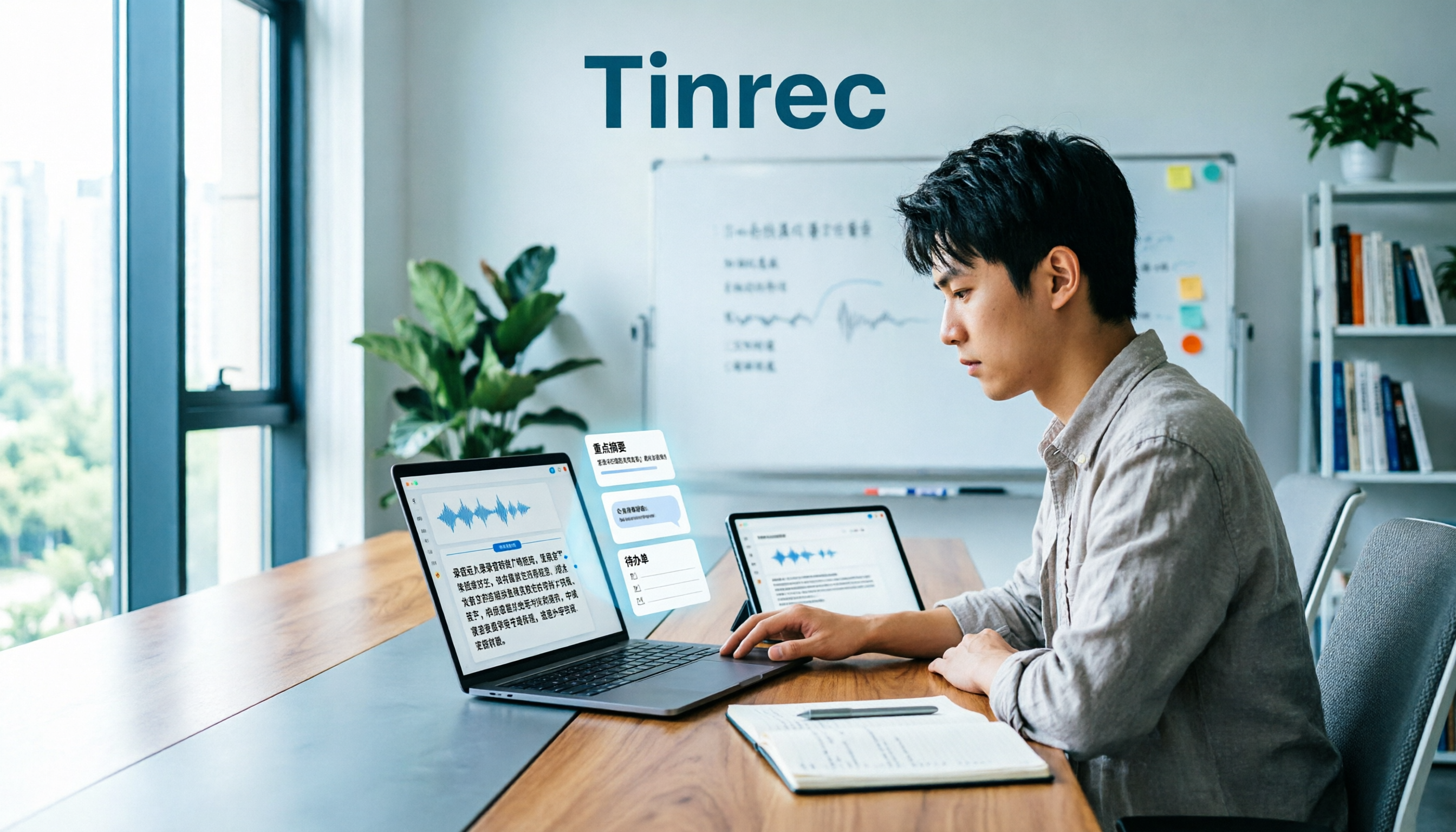
During the meeting, it transcribes as it records, and after the meeting, it automatically generates summaries, chapters, key points, and action items.
Even better is the AI Q&A. After recording, you can directly ask it "What budget range did the client mention?" or "What was decided at the last meeting?" It answers by meaning, not by dumping a bunch of keyword search results on you.
This is what I think is the biggest difference from pure transcription tools: you're not just saving typing time, but also the time spent "going back through the transcript to find key points."
For cross-language meetings, you can enable real-time translation and view it in the original language, translation, or bilingual side-by-side format.
There's also a path for post-meeting deliverables
Meeting notes usually need to become something else—weekly reports, client replies, project documents. Tinrec supports export to Notion, Google Docs, OneNote, and Dropbox, and can also use Agent post-processing to directly generate reports, tables, and documents.
For team use, the team version centralizes meeting data in one space, with role and seat management, usage analytics, audit logs, team hotwords, and a 30-day audio recycle bin.
Plans and pricing
The personal version is divided into Free, Weekly Pass, Pro Monthly, and Pro Annual. If you occasionally transcribe a recording, the free version is enough to test the waters; for short-term intensive interviews or classes, the weekly pass is more cost-effective; if you have steady needs every week, go for Pro.
Stop organizing recordings by hand
Upload audio or video and automatically get a transcript, summary, and action items
The team version offers a 7-day trial for first-time eligible users, including 1 free seat and 300 minutes of shared team import quota. After that, monthly billing is $29.80 per paid seat, and annual billing is $199 per paid seat (about $16.58/month), with each paid seat providing 2,000 minutes of shared team import quota per month; under an active plan and active seats, live recording currently does not deduct minutes.
Actual prices and promotions are subject to the official purchase page.
Three advantages I find practical
First, no need to change your workflow. Meetings continue on the original platform; just keep the desktop version open—no need to convince colleagues to switch tools.
Second, from transcript to action items is one line, not three steps—a big difference for anyone who produces meeting notes weekly.
Third, team data doesn't leave with people. When a member exits or is removed, their team resources can be handed over to other active members, so historical meetings don't become a dead end.
Limitations to be clear about
The free version has limited quota; heavy use definitely requires payment.
The team version currently focuses on team-level sharing—all active members can read team data, not file-level granular permissions; members without seats can view, play, and read but cannot upload, edit, or export.
Also, no AI transcription should be treated as a 100% accuracy guarantee. Recording quality, accents, and overlapping speakers all affect results. For important content, it's recommended to cross-check against the transcript timestamps and the recording.
Who it's for
Individuals and teams that primarily hold Chinese meetings, have a dense schedule of online meetings, and need to turn recordings into searchable, queryable data.
Besides Tinrec, Here Are 3 More to Consider
Notta
Multi-platform transcription and multilingual support are its strengths. The free version offers 120 minutes per month with a 3-minute limit per session; Pro annual billing is about $8.17/month for 1,800 minutes per month; Business annual billing is about $16.67/seat/month with unlimited transcription and usage reports. If your need is bulk multilingual file transcription, it's worth trying; but if you want online meetings without extra participants and the ability to ask questions directly about the content afterward, Tinrec's desktop system audio capture and AI Q&A are closer to that workflow.
Granola
Also bot-free, it uses your desktop device's audio for live transcription and overlays your handwritten notes. Basic is free; Business is $14/user/month. Note that it doesn't support uploading existing audio files and doesn't save meeting audio—if you need to keep recordings and cross-check original statements, this is a barrier, whereas Tinrec supports file import and audio retention.
TurboScribe
A cost-effective file transcription tool. Free: 3 files per day, 30 minutes per file. Paid annual: $120 (about $10/month), up to 10 hours or 5 GB per file, 50 files per upload. When you already have a large number of long recordings to batch process, it does its job well; but live meeting notes, action item extraction, AI Q&A, and team governance are not its strong suits.
Pitfall Guide: The 4 Most Common Mistakes When Choosing a Transcription Tool
Pitfall 1: Only looking at official accuracy claims. Those numbers are mostly measured in quiet environments. Real meetings have echo, interruptions, and jargon. Testing with your own recordings is the most honest evaluation.
Pitfall 2: Treating "free" as truly free. Some free versions only process 3 minutes per session, some have very small monthly quotas, and some count live recording and file import separately. Check how quotas are deducted before signing up.
Pitfall 3: Only buying transcription and ignoring the post-meeting part. If your workflow is "transcribe, then read through it yourself and write a summary," you're only saving half the time. Include summary, action items, and Q&A in your evaluation to better match real work needs.
Pitfall 4: The whole team sharing one account. This saves money initially, but data ownership becomes a mess, and when someone leaves, files start going missing. If you have team needs, look directly at plans with spaces, roles, seats, and handover mechanisms.
Conclusion: Which One Should You Choose?
In one sentence: if you don't want to manually type transcripts anymore and your meetings are primarily in Chinese, Tinrec is currently the most complete workflow.
Breakdown:
- Many online meetings, don't want a bot joining → Tinrec (desktop captures system audio)
- Want to ask "What was the conclusion?" right after recording → Tinrec (AI Q&A is its differentiator)
- Need to use on phone, computer, and web → Tinrec (multi-platform coverage)
- Team needs to share meeting data, manage seats and usage → Tinrec Team version
- Already have a bunch of long audio files to batch process, no need for live features → TurboScribe
- Only need multilingual file transcription, don't mind manual organization → Notta
- English-only meetings, want to combine with your handwritten notes → Granola
My advice is to start with the free version and run a complete workflow with a real meeting recording: transcribe, review the summary, ask a question. Once you've done that, you'll know those nights of scrubbing the progress bar don't have to happen anymore.
Recording and transcription involve personal data. Please comply with local regulations before use and obtain consent from participants when necessary.
References
Turn every recording into actionable outcomes
Get 60 free transcription minutes when you sign in. No credit card required.
Related Reading
You might also like

2026 Comparison of 4 Customer Interview Transcription Tools: Which One Saves You Post-Meeting Cleanup Time?
After a customer interview ends, the real work begins: turning a 10,000+ word transcript into needs, objections, and action items. This article tests 4 tools in 2026, covering transcription, summarization, AI Q&A, team collaboration, and pricing, and explains where Tinrec fits in Chinese-language interviews and post-meeting workflows.

2026 Comparison of 5 Interview Recording-to-Text Tools for Journalists: Which Saves More Time on Chinese Recognition and Post-Interview Organization?
Turning interview recordings into text isn't just about uploading a file to a free website. Starting from the real pitfalls journalists encounter, this article outlines 5 key purchasing considerations and uses Tinrec to demonstrate how to integrate recording, transcription, summarization, AI follow-up questions, and export into one workflow, including differences between the free and team versions, pricing, and limitations.

2026 Comparison of 4 Medical Meeting Transcription Tools: Which Saves the Most Time on Chinese Transcripts and Post-Meeting Action Items?
Medical meeting documentation goes beyond converting audio to text—it must handle Chinese and specialized terminology, online and offline meetings, post-meeting summaries and action items, and team collaboration. This article compares the features and public pricing of Tinrec, Otter.ai, Notta, and Granola, outlines selection criteria and pitfalls to avoid, and helps you find a meeting documentation workflow suited for medical teams.
Tinrec vs Notta 2026: 5-Dimension Comparison — Which Is Better for Classroom Audio Transcription in Chinese Learning?
Classroom audio transcription isn't just about turning speech into text — the real value is being able to quickly grasp key points, ask questions, and generate action items after class. This article compares Tinrec and Notta across 5 dimensions and outlines practical workflows and buying considerations.

Tinrec vs Subanana 2026: 5-Dimension Comparison — Which Saves More Time on Research Interview Transcripts?
After the interview ends, the real grind begins: typing while asking questions misses half the content, re-listening to entire recordings just to verify a quote, and inconsistent transcript formats that force rework during coding. This article compares Tinrec and Subanana across 5 dimensions—speaker labeling, timestamps, post-interview organization, data ownership, and export formats—and includes the 4 most common pitfalls in research interviews plus selection advice.

2026 Free Meeting Notes Automation Options Compared: 4 Tools to Consider
Still spending two hours after a meeting replaying recordings and organizing key points? This article reviews four meeting notes automation tools with free plans in 2026, comparing free quotas, Chinese and mixed Chinese-English transcription, post-meeting summaries and action items, and team data retention. It also covers Tinrec's real-world performance in bot-free recording and post-meeting workflows, helping you decide which tool deserves a place in your daily work.

2026 Comparison of 4 Meeting Recording Tools: Which One Actually Saves Post-Meeting Time?
How do you organize meeting recordings? This article compares the post-meeting workflows of Tinrec, Granola, TurboScribe, and PLAUD, explaining how to choose based on transcripts, summaries, action items, AI Q&A, and team collaboration, plus a practical guide to avoid common pitfalls.

5 Product Meeting Transcription Tools Tested: Which One Turns Meetings into Actionable To-Dos?
Meeting transcription tools are not just about transcription accuracy—they also need to produce summaries, action items, and team data after the meeting. This article compares tools like Tinrec, Notta, Otter.ai, and Granola, covering how meeting audio is captured, data ownership, and team seat management, to help you choose the one that truly saves time.

3 Free Business Meeting Summary Tools for 2026: Free Tiers and Ease of Use Compared
From project meetings to internship weekly check-ins, summarizing business meetings often gets stuck on free-tier limits and usability barriers. This article reviews the free conditions, workflows, and limitations of three free meeting summary tools in 2026, with a comparison table and student selection advice.