

Turn recordings into transcripts and summaries in minutes
Upload audio or video for multilingual transcription, AI notes, and action items
2026 Smart Meeting Collaboration Online Services Buying Guide: 5 Platform Comparison and Selection Advice
Last month I helped a ten-person team look at their weekly meeting process.
After the meeting, I asked in the group chat: "Did we finalize that decision from last week?"
No one could answer.
It's not that no one remembered. It's that the sentence was buried in a two-hour video call, scattered across three chat windows, and a meeting record that no one knew where to find.
This is the real pain point for most teams. It's not the lack of meeting tools; it's that the moment a meeting ends, data starts to slip away.
So I want to write a buying guide for "smart meeting collaboration online services." Instead of first comparing whose feature list is longest, I'll start with a more specific question:
From before the meeting to after it, which part can each of these services catch?
This article compares 5 online services: Zoom, Google Meet, Cisco Webex, Zoho Meeting, and M+ Meet. It also adds a layer that is often overlooked—the meeting notes tool Tinrec, which keeps meeting content for continued use.
Let me be clear upfront: this is a data comparison, not a timed hands-on test.
I did not run uniform performance tests on each service, so you won't see numbers like "upload took X seconds" below. I will explain what data each conclusion is based on and when it was verified.
Three Stages Affecting Collaboration Efficiency
Meeting collaboration is not a single action; it has at least three stages.
Before the meeting: agenda, materials, invitations, and "everyone knows what to discuss."
During the meeting: stable video, screen sharing, real-time collaboration, breakout discussions, language processing.
After the meeting: transcript, summary, decisions, action items, archiving, and then the key—can you find it next time?
Most platforms are already mature in the first two stages.
The real differentiator is the third stage.
But the third stage is the easiest to overlook, because at the moment the meeting ends, people are tired and no one wants to organize everything again.
So when choosing this type of service, I suggest you ask not "how many participants can it support?" but:
"Who generates that after-meeting output for me?"
If the answer is "myself" or "our assistant," then you're really only buying the first two stages.
The Five Online Services Compared
The following positioning is based on public descriptions on each official product page.
Zoom's official positioning is a meeting call service. It emphasizes that Zoom Rooms can turn physical spaces into meeting environments, supporting switching between computers, phones, and conference room devices; there is a continuous chat channel before, during, and after meetings, allowing pre-reading materials and agendas to be provided in advance, real-time collaboration on meeting assets during the meeting, AI-generated summaries, and sharing recordings and content after the meeting.
Google Meet is a video conferencing service within the Google Workspace ecosystem. You can join using a dedicated code at the end of the meeting link, such as abc-defg-hjk. Recording and AI notes are advanced features; the official description says you can use Gemini to create meeting records, summarize, extract insights, and generate and assign action items. Another practical advantage is that you can start a meeting directly from Google Docs, Sheets, or Slides.
Cisco Webex's official positioning is intelligent enterprise collaboration. It emphasizes highly secure and scalable web meetings, cost-effective enterprise plans, real-time translation in over 100 languages, and breakout sessions for small group discussions.
Zoho Meeting positions itself as a secure online meeting platform and webinar solution. It offers screen sharing, whiteboard, file sharing; you can record, replay, share, and download meeting recordings; you can also manage multiple teams as different departments, assign specific roles, and schedule meetings limited to department members.
M+ Meet is a Taiwan Mobile enterprise service designed for hybrid mobile work. It combines M+ instant messaging, integrating video, voice, and messaging, and offers AI meeting notes, real-time captions, and an electronic whiteboard. It is not only for enterprise members; customers and partners can also use it, and it supports scenarios such as training and investor conferences.
Beyond these five platforms, I also include Tinrec.
The reason is simple: the five services above mainly handle "how to hold a meeting," while Tinrec handles "what to do after the meeting ends."
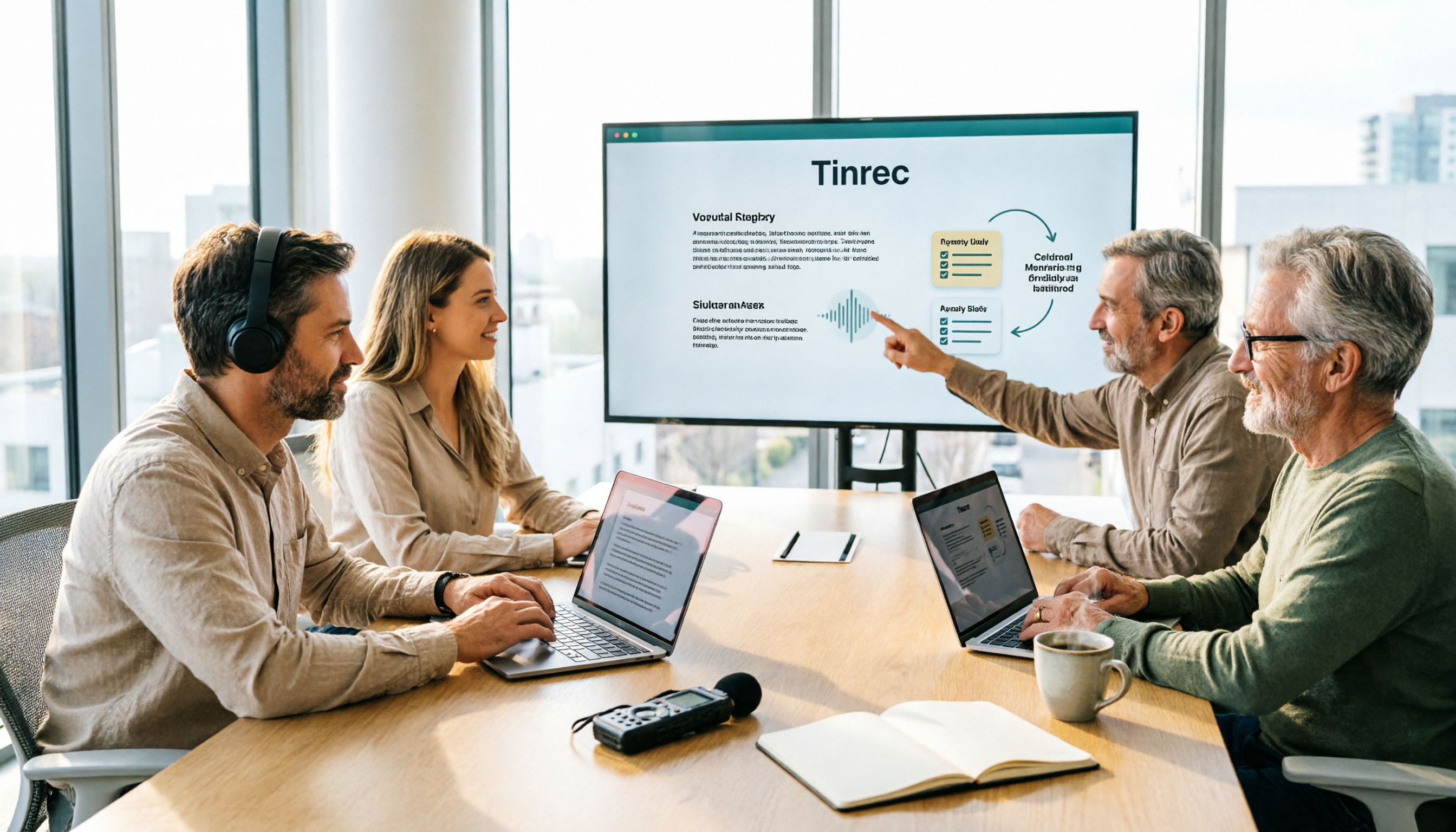
Its desktop version directly captures the computer's system audio, so without adding an extra meeting bot to the meeting, it can record meeting audio played on Zoom, Google Meet, Microsoft Teams, and Webex, and generate transcripts, summaries, chapters, and action items in real time.
The accurate statement here is: the user actively opens the Tinrec desktop version to start recording.
It is currently not a bot mode that "automatically joins all meetings on the calendar"; I will mention this limitation again later.
Comparison Method and Data Sources
- Verification date: This article's data was compiled in August 2026, and the product data version date is 2026-08-18.
- Tinrec's capabilities, versions, and pricing: compiled from its official product data and current product configuration.
- Zoom, Google Meet, Webex, Zoho Meeting, M+ Meet: feature descriptions are based on public descriptions on each official product page.
- This article did not conduct uniform timed tests, so it does not provide per-stage seconds, success rates, or interruption counts.
- For current pricing and free quotas of each service, consistent public data was not obtained this time; the pricing section will be marked as pending confirmation.
One limitation to mention first: official pages describe "what is supported," which does not equal "it will definitely run smoothly in your environment."
Network, devices, account plans, and enterprise policies will all change the results.
Feature Comparison Summary Table
| Service | Core Positioning | Post-Meeting Output | Language Processing | Team Management |
|---|---|---|---|---|
| Zoom | Meeting call service | AI summaries, post-meeting sharing of recordings and content | Not specified in source | Not specified in source |
| Google Meet | Workspace video conferencing | Gemini meeting records, summaries, insights, action items (advanced features) | Not specified in source | Workspace integration |
| Cisco Webex | Enterprise-grade smart collaboration | Not specified in source | Real-time translation, over 100 languages | Enterprise plans |
| Zoho Meeting | Meetings + webinars | Record, replay, share, download | Not specified in source | Department management, role assignment, department-only meetings |
| M+ Meet | Hybrid mobile work | AI meeting notes, real-time captions | Real-time captions (language range not specified in source) | M+ enterprise account management |
| Tinrec | Meeting notes and team collaboration | Summaries, chapters, action items, mind maps, AI Q&A, report and table generation, multi-format and third-party export | Real-time translation, bilingual view, team hotwords | Team space, roles, seats, usage analytics, audit logs, audio recycle bin |
Stop organizing recordings by hand
Upload audio or video and automatically get a transcript, summary, and action items
"Not specified in source" means the official page did not mention it within the scope I checked this time; it does not mean the capability does not exist.
I deliberately left this column blank rather than filling it with speculation.
Applicable Scenarios for Each Service
Zoom: Suitable for teams that already plan to include meeting rooms.
Its observation point is "continuity"—pre-meeting agenda, in-meeting collaboration, and post-meeting recording sharing are on the same line. With thousands of ready-made apps and integrations, it is easier for companies that already have many tools to connect.
Limitation: The source page does not elaborate on language processing and team governance details. If you need cross-language meetings or member permission management, you need to confirm separately.
Google Meet: Suitable for teams already living in Google Workspace.
The biggest advantage is not the meeting itself, but "no switching." Start a meeting directly from Google Docs, Sheets, or Slides, and after the meeting Gemini can help create records, summaries, capture insights, and generate action items.
Limitation: Recording and AI notes are advanced features, not available in all plans. Its value is highly tied to the Workspace ecosystem; outside this ecosystem, it is less smooth.
Cisco Webex: Suitable for multinational, large, and security-demanding enterprises.
Real-time translation in over 100 languages is its clearest differentiator, and breakout sessions solve the problem of "no small discussions within a large meeting."
Limitation: The source page has less description of post-meeting output. If your team's focus is "meeting records must be reusable," this part needs to be supplemented separately.
Zoho Meeting: Suitable for teams that need both internal meetings and external webinars.
It treats "meetings" and "webinars" as two types of activities, which is correct in practice—one is discussion, the other is one-way broadcast, and the needs are different. Department management and role assignment also make it easier to manage in multi-team scenarios.
Limitation: The source page does not mention real-time translation; cross-language scenarios need separate confirmation.
M+ Meet: Suitable for Taiwan-local enterprises mainly doing mobile work.
Integrating video, voice, and messaging tools, plus AI meeting notes, real-time captions, and an electronic whiteboard, it is friendlier for "meetings on the go." Customers and partners can also join, covering scenarios such as training and investor conferences.
Limitation: The language range of real-time captions is not specified in the source; if you have mixed Chinese-English needs, it is recommended to test first.
Tinrec: Suitable for teams where "the meeting is over, but the data cannot be retained."
Its differentiator is not the meeting room, but after the meeting.
The desktop version uses system audio and does not add a bot, which makes a practical difference—you won't see a "Tinrec has joined the meeting" prompt, and participants won't see an unfamiliar name on the list.
After the meeting, it provides not only transcripts but also summaries, chapters, action items, and mind maps; you can continue asking questions about the meeting content, or directly generate reports, tables, and documents, then export to Notion, Google Docs, OneNote, or Dropbox for continued use.
The team version puts these into one space: members, roles, seats, usage analytics, audit logs, and audio recycle bin.
Limitations to state clearly:
It does not automatically join all meetings; the user needs to actively start recording.
It currently uses team-level sharing, not file-level permissions—valid members can read team data, and only seats can record, upload, edit, and export.
It does not promise a fixed accuracy rate; actual results are affected by recording quality, noise, accents, overlapping speech, and technical terminology.
It is not suitable for hard competition in batch transcription of large numbers of files at once; that is the strength of another type of tool.
Pricing and Available Quota Comparison
I must honestly note in this section: this time only Tinrec's current plan scope was obtained.
For current pricing and free quotas of Zoom, Google Meet, Webex, Zoho Meeting, and M+ Meet, please refer to their respective official pages. This article does not speculate or cite old data.
Tinrec's current scope (verification date 2026-08-18; actual amounts, currency, and promotions are subject to the official purchase page):
Personal version:
- Free version: basic quota to experience recording, import, summaries, and transcription
- Weekly card: short-term intensive meetings, courses, or interviews
- Pro monthly card: stable weekly usage needs
- Pro annual card: long-term accumulation of recording data
Team version:
- First eligible team trial: 7 days, 1 free seat, 300 minutes of team shared import quota
- Monthly: USD 29.80 per paid seat per month
- Annual: USD 199 per paid seat per year, equivalent to about USD 16.58 per month
- Paid seat benefits: 2,000 minutes of team shared import quota per seat per month
- Real-time recording: under valid team plans and valid seats, currently not deducted by minutes
- File and web import: uses team shared import minutes
The logic for choosing a plan is not comparing unit price, but comparing "your usage rhythm."
If you occasionally organize a recording, start with the free version. For short-term intensive meetings, use the weekly card. If you use it every week, go Pro. For long-term accumulation, use the annual card. Only when the whole team needs to share meeting data do you need the team version—and it deals with governance issues, not just "multiple people using it together."
Conclusion: Choose by Need
Under the conditions of this data comparison, my recommendations are as follows.
If you want "meetings to run smoothly": Zoom's continuous workflow, Webex's multilingual and breakout features, Zoho Meeting's webinars and department management, and M+ Meet's local mobile work each have a clear place.
If you want "something left after the meeting ends": Tinrec's approach of connecting transcripts, summaries, action items, Q&A, export, and team space fills the part that most platforms have not fully covered.
If you want both: This is the norm. In practice, a more reasonable combination is "use your original meeting platform for meetings, and use a separate meeting notes layer to retain the content."
Finally, the sample limitation.
This article has no timed hands-on test; conclusions come from comparing official public data and feature scopes. Your environment will not be exactly the same as my description.
The real way to verify is simple: take a real meeting recording of your own, run it through the service you are considering, and see whether your manager can understand the summary it produces, whether action items are captured accurately, and whether you can find it next week.
No one can do this step for you.
Quick Start Checklist
- First define which stage your pain point falls into: before, during, or after the meeting.
- For the meeting platform, prioritize what the team already uses; don't change habits for features.
- Choose the meeting notes layer separately; it does not need to be the same service you use for meetings.
- Test with a real meeting recording, not an official sample audio file.
- Check post-meeting output: Is the summary understandable? Are action items captured correctly? Can you find it again?
- Only look at the team version if multiple people need to share, and distinguish clearly that "roles" and "seats" are two different things.
Tools will keep changing, but the principle that "data must not be lost when a meeting ends" will not change.
Start with one small thing: next time a meeting ends, don't rush to close the window; spend three minutes confirming whether that record has been retained.
Test step by step, and you will gradually master this method.
Reference Sources
Turn every recording into actionable outcomes
Get 60 free transcription minutes when you sign in. No credit card required.
Related Reading
You might also like
5 Smart Meeting Collaboration Tools Tested for 2026: Which Free Version Is Enough?
The meeting ending is just the beginning of the work. This article uses Tinrec as the tutorial centerpiece to walk you through the five steps of 'record → transcript → proofread → minutes → export and share,' while comparing the positioning and pricing of five smart meeting collaboration tools—Tinrec, Otter.ai, Fireflies.ai, Notta, and Granola—to help you assemble a meeting toolbox that fits your needs.

2026 Tinrec Smart Meeting Collaboration: Bot-Free Recording + AI Summaries & Action Items
This article starts with the common misconception that 'recording is enough' and explains key considerations for choosing smart meeting collaboration tools. It features Tinrec as the primary hands-on recommendation, covering bot-free recording, AI summaries, action items, AI Q&A, and team spaces. It also briefly reviews Notta, Otter.ai, and Granola, with a pitfalls guide and selection advice.

How to Choose an Online Smart Meeting Collaboration Platform in 2026: 5 Steps to Pick the Right Tool
Starting from the real pain points of meeting notes, this article outlines the positioning, core features, and use cases of five online smart meeting collaboration platforms—Tinrec, Google Meet, Zoom, Zoho Meeting, and Cisco Webex—and provides a 5-step framework to help you decide which one to choose, including practical considerations such as free tiers, team seats, and export options.

2026 Smart Meeting Collaboration Platforms Compared: Which One Turns Meetings into Searchable Data?
Online meetings are routine, but recordings end up scattered across Zoom, Google Meet, Teams, and phones—making it hard to find key points later. This hands-on comparison of Tinrec, Zoom, Google Meet, and Microsoft Teams examines how each handles meeting capture, post-meeting organization, AI Q&A, and team knowledge retention, plus the most common pitfalls when choosing a similar system.

2026 Smart Meeting Collaboration Software Comparison: Which Saves the Most Time After Meetings?
A mid-level manager who holds 15 meetings a week tested 4 smart meeting collaboration tools, breaking down how meeting audio is recorded, whether post-meeting summaries and action items are directly usable, Chinese and mixed Chinese-English recognition, team data ownership, downloads, and cross-platform support. Tinrec wins with bot-free desktop recording, AI Q&A, and team spaces, while Google Meet, Microsoft Teams, and Zoom each have their own use cases.

5 Smart Meeting Collaboration Platforms Tested for 2026: Which Free Tier Is Actually Enough?
We compare Tinrec, Otter.ai, Fireflies.ai, Notta, and Granola across free quotas, sign-up requirements, and usable features to help you decide which free plan can truly handle your everyday meeting load.

3 Smart Meeting Collaboration Platforms Worth Recommending in 2026: Chinese Meeting Notes and Team Knowledge Retention Explained
Starting from the real pain point of "meeting materials scattering after the meeting ends," this article breaks down the four stages a smart meeting collaboration platform should have: recording, understanding, action, and retention. Using Tinrec as an example, it explains bot-free recording, real-time transcription, structured summaries, action item extraction, and team spaces, and compiles 5 purchasing checkpoints and FAQs.

2026 Comparison of 5 Free Smart Meeting Collaboration Platforms: Which Free Tier Is Most Sufficient?
Free meeting platforms are not all the same: some are free forever but limited, some are time-limited trials, and some free versions lack post-meeting organization. This article compares the free conditions, representative features, and limitations of Zoom, Microsoft Teams, Google Meet, FreeConferenceCall, and Tinrec from the perspective of a mid-level manager leading a team in real meeting scenarios, with a comparison table and selection advice. Data verified as of August 2026.

4 Smart Meeting Collaboration Tools Tested: No Bots Needed, Meeting Notes Form Automatically
Tired of spending after-hours time organizing meeting notes? This article starts with three common misconceptions, breaks down the key factors for choosing smart meeting collaboration tools, and compares Tinrec, Otter.ai, Granola, and Notta in terms of meeting capture, post-meeting organization, and team knowledge retention. It also includes a pitfalls guide and selection advice.