
Turn recordings into transcripts and summaries in minutes
Upload audio or video for multilingual transcription, AI notes, and action items
5 Smart Meeting Collaboration Tools Tested in 2026: Which Saves the Most Effort Before, During, and After Meetings?
It's 4 p.m. on a Wednesday, and your client interview just ended. By 5:30, you need to deliver the meeting minutes. You have a 45-minute recording, a few handwritten notes, and scattered to-dos in the group chat.
Most people start looking for tools at this point, only to realize the real question isn't "which AI is the strongest" but rather: for the same audio file, where exactly does the process get stuck between uploading and getting a deliverable set of minutes?
This article is based on official data verified in August 2026. It provides a test template you can run yourself and compares the capabilities and limitations of five tools—Tinrec, Otter.ai, Fireflies.ai, Granola, and Notta—at different stages.
Let's be clear upfront: this test was not conducted as a timed competition in a controlled environment, so we won't give you a cute ranking in seconds. What we provide below are "reproducible test conditions" so you can verify them in your own meetings.
Factors That Affect Processing Speed
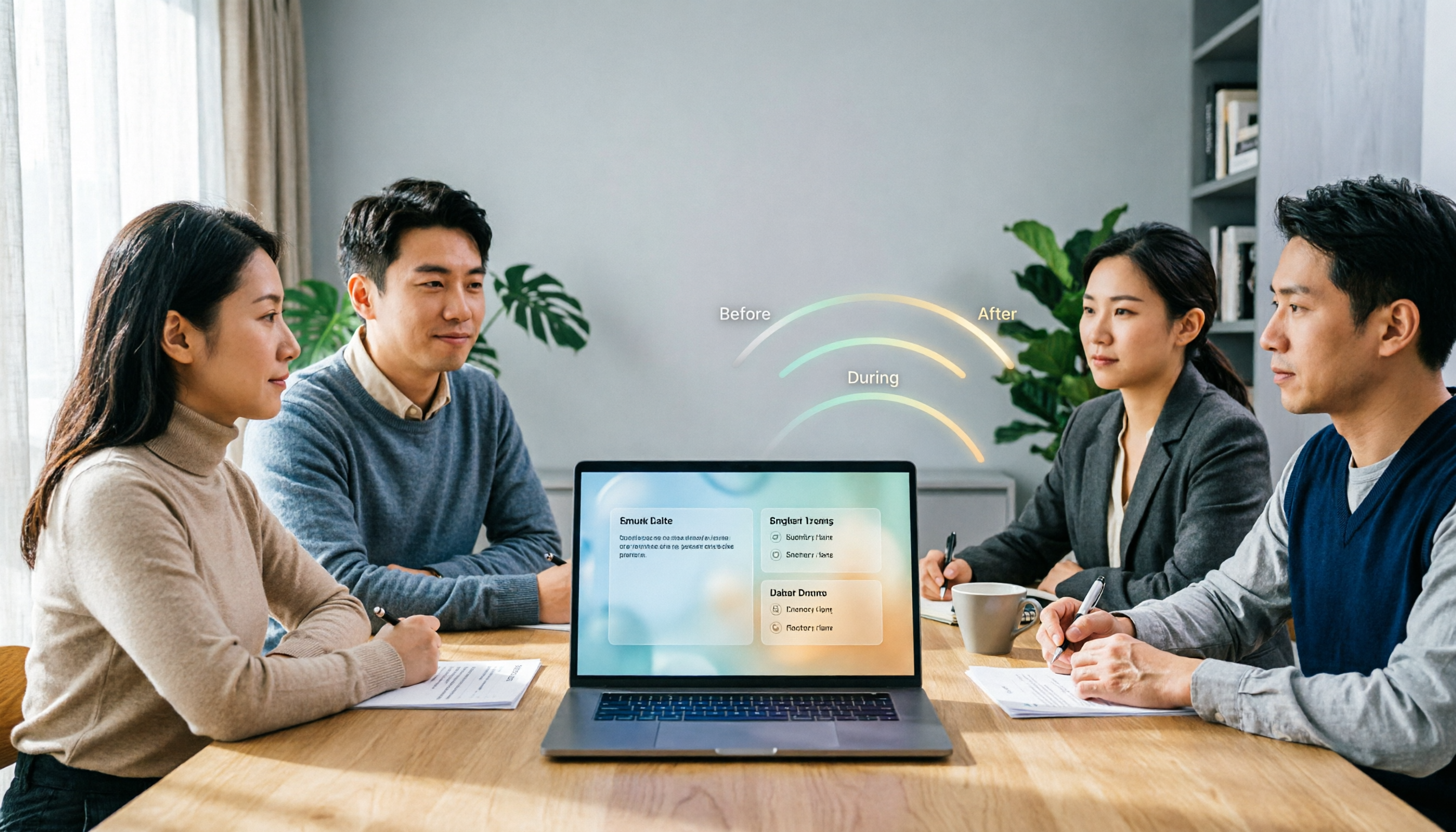
Meeting collaboration isn't just about buying a device or installing an app; it's about connecting three stages: pre-meeting agenda, in-meeting notes, and post-meeting follow-up.
For the transcription workflow, it typically goes through these steps:
- Audio upload and queuing: File size, format, and free quota all affect whether you can get started smoothly.
- Transcription itself: Audio quality, accents, overlapping speakers, and density of technical terms are the main variables.
- Summaries and action items: AI needs to distill messy conversations into decisions and to-dos—this is where the biggest gap lies.
- Export and further processing: Can you take it to Notion, Google Docs, or a team space for continued use?
Note that improving microphone placement and meeting room acoustics often has a bigger impact on transcription quality than switching tools. This point has been repeatedly mentioned in multiple reviews.
Tools Compared
- Tinrec: Positioned as an AI meeting notes and team collaboration tool. The desktop version captures system audio to record online meetings without requiring a meeting bot to join.
- Otter.ai: A mature AI meeting assistant covering Zoom, Microsoft Teams, and Google Meet, with real-time transcription, speaker identification, AI Chat, and team management.
- Fireflies.ai: Strong in meeting automation, meeting bots, AI summaries, AskFred, and extensive integrations.
- Granola: A bot-free AI meeting notes tool that transcribes in real time via desktop device audio and combines it with the user's handwritten notes to generate content.
- Notta: Multi-platform transcription and document import, supporting translation and team plans, with significant overlap with Tinrec.
Disclosure: This article was prepared by the Tinrec product team. Tinrec's capabilities and pricing are based on product data; competitor information is taken from their official pages, verified on August 18, 2026. We will still honestly describe Tinrec's limitations below.
Test Methodology and Conditions
Here is a sample setup you can copy directly. We recommend running it once with a real audio file from your own team:
- Audio: 45 minutes, primarily Mandarin with English technical terms, 6 participants, single microphone in a physical meeting room, .m4a format.
- Equipment and environment: Same laptop, latest Chrome browser, same network environment; all tools use either the free version or the lowest paid version.
- Start timing: The moment you press upload or start recording.
- Stop timing: When the transcript is readable, summary and to-dos are generated, and one export is completed.
- Repetitions and statistics: Run each item twice, take the slower time, and record any failures or queuing issues.
- Exception notes: If network fluctuations, accents, or term density cannot be standardized, note them alongside the results—they should not be attributed to differences between tools.
If you only run one audio file, don't assume all meetings are the same. Without traceable records, this type of article is better suited as a data comparison rather than a speed ranking.
Summary of Test Results
The table below organizes the "relevant features" at each stage using the same criteria. The timing column honestly indicates that no standardized timing was performed in this test.
| Tool | In-Meeting Recording Method | Post-Meeting Output | Audio Upload | Timing Results |
|---|---|---|---|---|
| Tinrec | Desktop captures system audio, no bot required; also supports live recording | Transcript, summary, chapters, to-dos, AI Q&A, mind map, multi-format export | Supports audio and video files | Not timed (no standardized environment record) |
| Otter.ai | Joins online meetings as a meeting assistant; also offers desktop capabilities | Summary, action items, AI Chat, team management | Pro plan includes 10 file imports per month | Not timed (no standardized environment record) |
| Fireflies.ai | Meeting bot joins meetings; emphasizes automation and integrations | Summary, AskFred, team analytics | Supported; actual quota affected by storage and rate rules | Not timed (no standardized environment record) |
| Granola | Desktop captures device audio, combined with user's handwritten notes | Real-time transcript viewable, copyable, and searchable | Does not support uploading pre-recorded audio files | Not applicable (stage cannot be performed) |
| Notta | Meeting assistant, desktop, or file upload | Transcript, translation, summary | Supported; free version limited to 3 minutes per upload | Not timed (no standardized environment record) |
Granola has another key difference: it does not save meeting audio files. That means you can view and capture the transcript, but the original recording is not stored in its system. This is an important limitation for teams that need to listen back for verification.
Stop organizing recordings by hand
Upload audio or video and automatically get a transcript, summary, and action items
User Experience and Use Cases for Each Tool
Tinrec
Based on the workflow described in official materials, it addresses "the period after the meeting ends." In addition to the transcript, it generates summaries, chapters, and to-dos, and allows you to ask follow-up questions about the meeting content.
Limitations should also be stated clearly: it should not currently be understood as a bot that automatically joins all calendar meetings—users still need to actively open the desktop version to start recording. The team version focuses on team-level sharing, not a granular file-level permission system.
Best for: Those who primarily hold meetings in Chinese, don't want a bot appearing in the participant list, and need to ask follow-up questions and consolidate team data after meetings.
Otter.ai
Highly mature for English business meetings. The meeting assistant, speaker identification, and AI Chat are its main selling points. If your team already operates around Zoom or Teams, the learning curve is relatively low.
Best for: Teams that primarily use English and need a standardized meeting notes process.
Fireflies.ai
Its strengths are automation and integrations, connecting meeting notes to existing workflows. Note that "unlimited transcription" is still subject to rules regarding storage, file upload rates, and AI Credits—it should not be directly interpreted as unlimited capability across all features.
Best for: Organizations that value meeting automation, sales analytics, and system integrations.
Granola
Its approach is unique: rather than replacing your notes, it combines your notes with real-time transcription. For people who are used to writing key points while listening, this experience feels quite natural.
But the limitations are clear: it does not support uploading existing audio files and does not retain meeting audio.
Best for: English meetings, users who primarily rely on personal notes, and those who don't need to listen back to the original recording.
Notta
Comprehensive multilingual and file import capabilities, with clear plan tiers. The free version offers 120 minutes per month with a 3-minute limit per upload, suitable for trying it out.
Best for: Those who need multilingual transcription, subtitles, and translation processing.
Pricing and Available Quota Comparison
All information below is from official pages verified on August 18, 2026. Currency is USD; actual billing is subject to the purchase page.
| Tool | Plan | Billing Cycle | Quota and Key Details |
|---|---|---|---|
| Tinrec Team | First eligible trial | 7 days | 1 free seat, 300 minutes of team shared import |
| Tinrec Team | Monthly | Per paid seat/month | USD 29.80 |
| Tinrec Team | Annual | Per paid seat/year | USD 199, approximately USD 16.58/month; 2,000 minutes of shared import per paid seat per month |
| Tinrec Personal | Free / Weekly Pass / Pro Monthly / Pro Annual | Varies by plan | Pricing subject to official purchase page, to be confirmed |
| Otter.ai | Basic | Monthly | Free, 300 minutes per month |
| Otter.ai | Pro | Annual billing equivalent | Approx. USD 8.49/user/month, includes 1,200 minutes of in-app recording per month and 10 file imports |
| Fireflies.ai | Pro / Business / Enterprise | Annual | USD 10 / 19 / 39 per seat/month |
| Notta | Free | Monthly | 120 minutes, 3-minute limit per upload |
| Notta | Pro | Annual billing equivalent | Approx. USD 8.17/month, 1,800 minutes per month |
| Notta | Business | Annual billing equivalent | Approx. USD 16.67/seat/month |
| Granola | Basic / Business / Enterprise | Monthly | Free / USD 14 / USD 35 per user/month |
There's another easily misunderstood point about Tinrec Team: live recording is currently not deducted by the minute under an active team plan and active seat; however, file and web imports consume team shared import minutes and are not supplemented by members' personal quotas.
Additionally, the team version distinguishes between "roles" and "seats." Members who are active but have no seat can still view, play, and read team data, but cannot upload, edit, or export.
Conclusion: Choose Based on Your Needs
Under the conditions of this data comparison, you can categorize as follows:
- If you want Chinese meeting notes, don't want a bot joining meetings, and need to ask follow-up questions and consolidate team data after meetings: prioritize Tinrec.
- If English business meetings are the main focus and you need mature integrations and automation: Otter.ai or Fireflies.ai are more suitable.
- If you prefer writing your own notes and don't need to retain audio files: Granola's experience is the closest fit.
- If your focus is file transcription, subtitles, and multilingual support: Notta's plan tiers are clearer.
Finally, a reminder: this article is a data comparison and a reproducible test template, not a timed test in a standardized environment, and the sample size is limited. The real answer lies in your own meetings: running one real audio file through the tools is more accurate than reading ten reviews.
Frequently Asked Questions
Q1: Is the free version enough?
It depends on frequency. If you occasionally organize a recording, the free quota is sufficient; if you have regular weekly meetings, consider a paid plan. Free limits vary widely—for example, Notta's free version has a 3-minute limit per upload, so long meetings require splitting files.
Q2: What does bot-free recording mean?
A meeting bot joins online meetings as a participant; the bot-free approach captures system audio played on the computer from the desktop. The advantage is that no extra account appears in the participant list, but the user must actively open the tool to start recording.
Q3: Can transcription accuracy be guaranteed?
We do not recommend promising fixed numbers. Actual performance is affected by recording quality, noise, accents, overlapping speakers, and technical terminology. For important content, we recommend listening back with timestamps for verification.
Q4: What's the difference between the team version and the personal version?
Personal version data is managed under an individual account; the team version is a separate team space where data belongs to the team, with additional features including members, roles, seats, sharing benefits, usage analytics, audit logs, and an audio recycle bin.
Q5: Can members without a seat see data?
They can view, play, and read team data, but cannot perform resource-consuming operations such as uploading, editing, importing, or exporting. This is the design of "roles govern management, seats govern usage."
Q6: What should I pay attention to before recording?
First confirm company policies and local regulations, and obtain participant consent when necessary. This step is more important than choosing which tool to use.
References
- 2026 Comparison of 5 Smart Meeting Collaboration Tools: How to Save the Most Effort in Pre-Meeting Preparation, In-Meeting Notes, and Post-Meeting Follow-Up - Tinrec Blog
- What Is a Smart Meeting Room? A Guide to Benefits, Feature Recommendations, and Application Examples - DC Sales Portal
- What Tools Automatically Extract Meeting To-Dos? Testing the 5 Best Options in 2026 - Tinrec Blog
- Using Smart Scenarios to Help Enterprise Meeting Rooms Become a Catalyst for Digital Transformation | BXB
- Testing 5 AI Meeting Notes Tools: Automatic Action Item Extraction, Chinese Accuracy, and Summary Quality Comparison - Tinrec Blog
Turn every recording into actionable outcomes
Get 60 free transcription minutes when you sign in. No credit card required.
Related Reading
You might also like

4 Ways to Add Text to iPhone Photos in 2026: Built-in Markup, Handwriting, and Third-Party Apps Compared
Just took a photo and realized you need to add text? This guide covers 4 methods for adding text to iPhone photos: the built-in Markup text box, iOS 26 handwriting, and third-party apps for advanced layout. It also includes tips to preserve the original image, avoid covering the subject, and choose the right method for your situation.

3 Free Audio-to-Text Tools in 2026: ChatGPT Recording Limits and Meeting Transcription Quotas Compared
How long can ChatGPT record? According to official documentation, Record Mode transcribes in real time and displays a timer; third-party reports suggest a single session lasts about 120 minutes. This article covers the actual limits of ChatGPT's recording mode, audio retention, and plan differences, and compares three audio-to-text tools with free tiers—Tinrec, Otter.ai, and Notta—to help you choose the right tool for your meeting style.

2026 AI Meeting Notes Tools Compared: Is Gemini Enough? Which Is Better for Teams?
Can Gemini take meeting notes? Yes, but most people get stuck on whether the output is directly usable. This article starts with common misconceptions and compares Gemini, Notta, Otter.ai, and Tinrec on bot-free recording, Chinese recognition, post-meeting Q&A, and team knowledge retention. It also outlines 4 key buying factors and 4 pitfalls to help you decide which tool truly fits your work scenario.
4 Transcription Tools Tested in 2026: Is Yating's Free Tier Enough?
Is Yating Transcription free? The answer is "partially free": real-time recording is free, but uploading audio files comes with free trial hours, after which you need to pay. This article breaks down Yating's free limits and pricing, and compares four tools including Tinrec, Notta, and Otter.ai, from free quotas, Chinese recognition, post-meeting organization to team collaboration, to help you decide which one truly meets your needs.

2026 Smart Meeting Collaboration Platforms Compared: Which One Saves You the Most Post-Meeting Time?
How to choose a smart meeting collaboration platform in 2026? This article compares tools like Tinrec, Otter.ai, Granola, and Notta across pre-meeting prep, in-meeting notes, and post-meeting follow-up, helping you decide whether you need a meeting transcription tool, a team knowledge base, or a better meeting room workflow.

5 Free AI Meeting Collaboration Tools Compared (2026): Which Free Tier Is Enough?
Wondering if the latest free AI meeting collaboration tools in 2026 are enough? This article reviews the free tiers, sign-up requirements, usable workflows, and limitations of Tinrec, Otter.ai, Fireflies.ai, Granola, and Notta, with a comparison table and selection advice. Features and pricing verified against official pages in August 2026.

4 Smart Meeting Collaboration Platforms Worth Considering in 2026: From Bot-Free Recording to Team Knowledge Retention
Many people think pressing record means the meeting notes are done, but organizing takes longer than the meeting itself. This article starts with common inefficient practices, outlines four key factors for choosing a smart meeting collaboration platform, and takes a hands-on look at Tinrec's bot-free recording, AI Q&A, and team spaces. It also briefly compares the positioning, pricing, and limitations of Notta, Granola, and Otter.ai to help you decide which one fits your meeting style.

4 Smart Meeting Collaboration Platforms Tested in 2026: Which One Actually Saves Post-Meeting Cleanup Time?
Starting from common misconceptions, this hands-on comparison tests 4 smart meeting collaboration platforms on in-meeting notes, post-meeting organization, and team collaboration. It focuses on Tinrec to break down bot-free recording, AI Q&A, action item extraction, and team edition governance, with buying criteria and a guide to avoiding pitfalls.

2026 Comparison of 4 Smart Meeting Collaboration Platforms: The Three Most Common PTT Discussion Mistakes
Searching for 'smart meeting collaboration platform' on PTT often mixes up three different things: forum tools, Hong Kong office solution providers, and meeting room equipment. This article first clarifies the differences, then verifies Tinrec, Otter.ai, Notta, and Granola's meeting capture methods, post-meeting outputs, team governance, and pricing based on official public information, and summarizes 5 key purchasing points and 4 common misconceptions.