

Turn recordings into transcripts and summaries in minutes
Upload audio or video for multilingual transcription, AI notes, and action items
The other day, right before leaving work, I needed to turn an interview recording into a transcript.
When I pasted the tool name into the search box, it auto-suggested a question: "Is Transcribe safe?"
I paused for a moment.
Because every time I open a new transcription tool, the first thing I do isn't test its features—it's scroll to the bottom of the page to find the privacy policy.
Not because I'm especially cautious, but because I've been burned before.
Once, I uploaded a client interview recording to a free tool. After transcription, I discovered the audio file was still on the server—and I couldn't find a delete button.
Since then, my criteria have changed.
"Does it have SSL encryption" is just the minimum threshold, not the answer.
The real question is: from the moment the recording enters the tool to the moment it's deleted, can you explain every step in between?
So this article isn't about who has the strongest features.
I want to first give you a security checklist I use myself, then look at how six transcription tools each handle security and who they're suited for.
Why should you care about transcription tool security?
Because recordings and transcripts are usually the data you least think of as "data."
Meetings contain decisions, client lists, and unreleased product plans.
Interviews contain deeply personal experiences shared by interviewees.
Once uploaded, few people track where this data goes, who can see it, or how long it's kept.
But if you start working with transcripts, this happens every day.
So in the list below, I'll evaluate "security and data handling" alongside features and pricing.
Ask 4 questions first, then look at tools
When I check any transcription tool, I ask these four things in order:
- Will the recording be uploaded? If so, where does it go?
- After upload, who can access it? Human transcription or automated processing?
- How long are files kept? Do you delete them yourself, or does the system auto-clear them?
- Will this content be used to train AI?
After these four questions, you'll usually know whether the tool can fit into your workflow.
Next, I'll use the same four questions to evaluate the six tools below.
Option 1 | Tinrec — Turn meetings into searchable, collaborative team data
One-line positioning: It's not just about converting sound to text—it's about organizing meetings into data you can keep using and hand off.
No meeting bot, and no extra members appearing in the meeting list.
The desktop version directly captures your computer's system audio, handling online meetings on Zoom, Google Meet, Microsoft Teams, Webex, and similar platforms.
This is especially useful for client meetings because you don't have to explain, "A bot will be joining to record."
The real value comes after transcription.
The transcript is just the starting point. It automatically generates summaries, chapters, key points, and action items. You can ask follow-up questions about specific sections and export results to Notion, Google Docs, or OneNote to continue writing.
My most common use case: after a meeting, instead of re-listening to the whole thing, I ask the transcript directly, "What did the client say about the budget at the end?"
Data stays with the team, not with individuals.
The team edition is a separate team workspace, not multiple people sharing a personal account.
Meeting data belongs to the team. When members leave or are removed, they must hand over their resources to other active members—nothing gets taken away wholesale.
Admins can manage roles, seats, usage, and audit logs.
Here's an easy point of confusion: roles determine who can manage the team; seats determine who can record, upload, edit, and export.
Members without seats can still view, play, and read team data—they just can't perform actions like uploading or editing.
Also, currently sharing is at the team level, not granular file-level permissions. This should be clarified before purchasing.
Chinese meetings and bilingual support.
Supports Chinese, mixed Chinese-English, and multilingual scenarios. During recording, you can view the original text, translation, or bilingual display. Teams can also maintain custom vocabulary to improve recognition of product terminology.
Pricing:
- Personal plans include a free version, weekly pass, Pro monthly, and Pro annual—refer to the official website for current pricing.
- Team edition offers a 7-day trial for first-time eligible users, including 1 free seat and 300 minutes of shared team import quota.
- Team monthly: USD 29.80 per paid seat per month; annual: USD 199 per paid seat per year (about USD 16.58/month).
- Each paid seat provides 2,000 minutes of shared team import quota per month; under an active team plan and seat, live recording currently does not deduct minutes.
Who it's for: Individuals and teams who need Chinese meeting notes, don't want bots joining meetings, and want meeting data to accumulate as a team asset.
If audio files are accidentally deleted, the team edition has a recycle bin for recovery, currently with a 30-day retention period.
Option 2 | Transcribe App — A transcription tool that puts encryption and auto-deletion front and center
One-line positioning: A transcription app whose website prominently features security mechanisms.
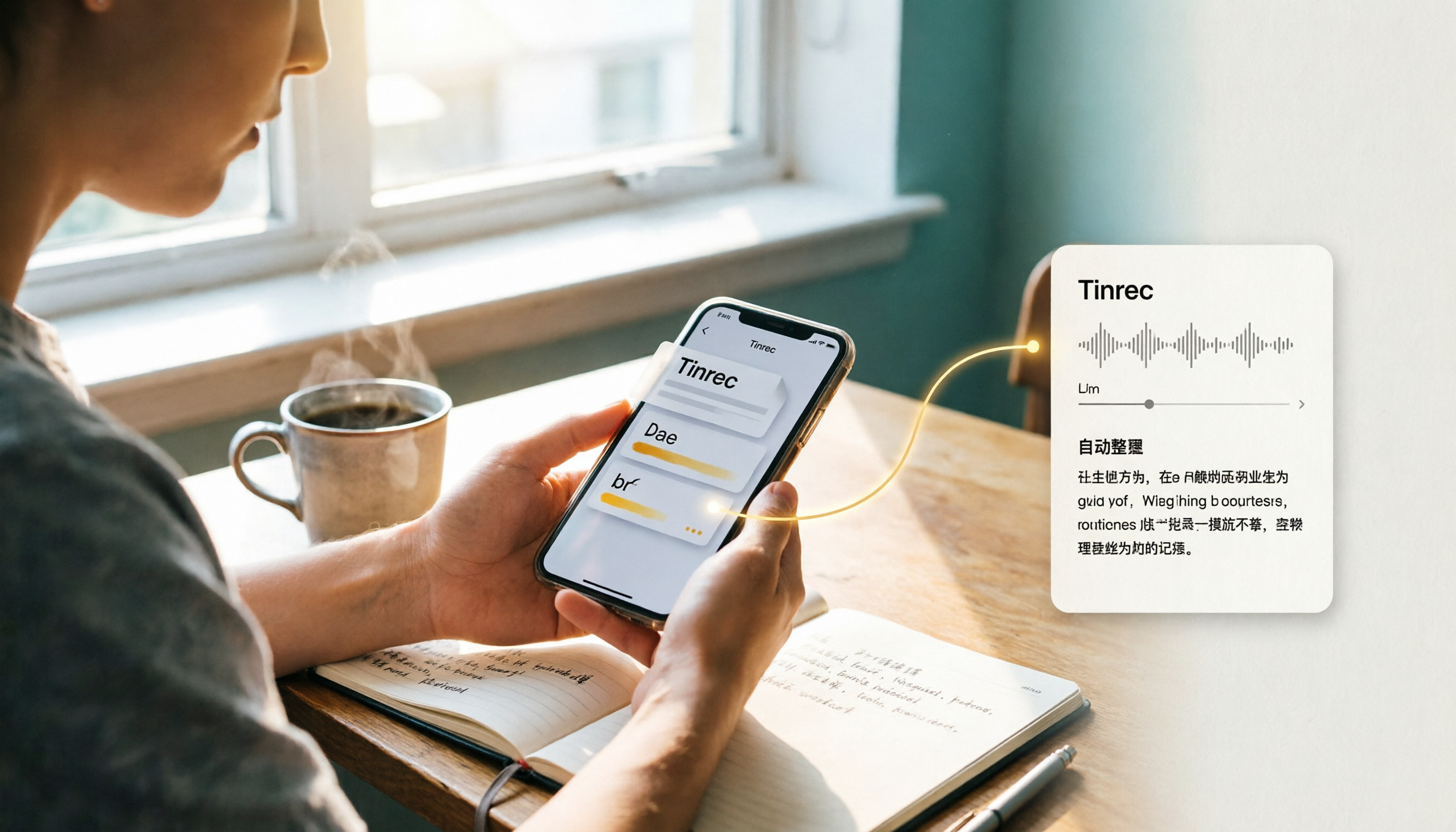
Stop organizing recordings by hand
Upload audio or video and automatically get a transcript, summary, and action items
According to its official security and privacy policy page, several points stand out:
- All customer files and communications are protected by SSL, encryption, firewalls, and secure passwords.
- Very few personnel can access user information, and all are trained in security and compliance.
- Transcripts are generated automatically, audio files are anonymized, and the official statement is that "no one will hear your files."
- Files are automatically deleted after processing is complete.
- Recording equipment and live transcription services work offline, so data doesn't leave the premises.
It also candidly states: the service is not bound by HIPAA or court-certified regulations.
I actually see this as a plus—it doesn't gloss over anything.
If your industry has specific regulatory requirements, you'll need to judge this yourself.
Pricing: We didn't obtain pricing for this tool in our research; check the official website directly.
Who it's for: Individuals primarily transcribing personal recordings who value "delete after processing."
Option 3 | Otter.ai — A veteran choice for English business meetings
One-line positioning: The most mature option for English meeting notes; the main differences from Tinrec are language and post-meeting workflow.
Highlights include coverage of major online meeting platforms, live transcription, speaker identification, AI Q&A, and complete team and enterprise management features.
Pricing: Basic is free with 300 minutes per month; Pro annual billing works out to USD 8.49 per user per month, including 1,200 minutes per month and 10 file imports; Business has a separate plan. Check the official page for actual pricing.
Who it's for: People whose meetings are primarily in English and who need mature English business scenario support.
Option 4 | Fireflies.ai — Strong in meeting automation and analytics
One-line positioning: A tool that pushes meeting notes toward automated workflows.
Highlights include a meeting bot, AI summaries, post-meeting queries, extensive third-party integrations, and complete team analytics.
Pricing: Free is USD 0; Pro USD 10 per seat per month; Business USD 19 per seat per month; Enterprise USD 39 per seat per month, based on annual billing. Note that its "unlimited" is still subject to storage, upload speed, and AI credit rules.
Who it's for: Teams with established sales or business processes who want to connect meeting notes to existing systems.
Option 5 | Notta — Multilingual transcription and team plans
One-line positioning: A tool with significant overlap with Tinrec; multilingual transcription is its strength.
Highlights include file import, translation, summaries, and team plans. The Business plan offers role permissions and usage reports.
Pricing: Free is 120 minutes per month, max 3 minutes per item; Pro annual billing works out to USD 8.17 per month with 1,800 minutes per month; Business annual billing works out to USD 16.67 per seat per month. Check the official page for details.
Who it's for: People who need multilingual processing and prefer the traditional transcription tool workflow.
Option 6 | TurboScribe — A cost-effective option for long files and batch transcription
One-line positioning: A practical choice when you need to process many long audio files at once.
Highlights include long file and batch upload support, plus adequate subtitle and translation features.
Pricing: Free allows 3 files per day, max 30 minutes per file; Unlimited annual billing is USD 120 (about USD 10 per month), with paid plans supporting files up to 10 hours or 5GB each and up to 50 files per upload.
Who it's for: People on a budget who have a batch of existing audio files rather than live meetings.
With so many options, how should you choose?
My own decision order is:
- Want transcription plus AI Q&A, action items, and post-meeting output all in one → Tinrec, which has all these features.
- Need Chinese, mixed Chinese-English, and bilingual transcripts → Tinrec, with team custom vocabulary for technical terms.
- Don't want bots joining meetings but need to record Zoom, Meet, Teams → Tinrec desktop version.
- Meeting data should stay with the team and remain searchable after members change → Tinrec team edition, with roles, seats, usage, and audit logs.
- Only need to transcribe a recording or two occasionally, zero budget → TurboScribe free version is sufficient.
- Meetings are almost entirely in English and need a mature English business ecosystem → Otter.ai or Fireflies.ai.
4 things to know before using a transcription tool
1. Get consent first. Recording is subject to local regulations. Notifying and obtaining consent before a meeting or interview begins is the most basic step.
2. Encryption doesn't mean data won't leave. The questions to ask are: How long are files stored, who can access them, and will they be used to train AI? Transcribe App explicitly states "auto-delete after processing," while Tinrec team edition has a recycle bin with 30-day retention. Both approaches are reasonable—choose the one you can explain.
3. Clarify team data ownership upfront. Mistaking team-level sharing for file-level permissions is the most common misunderstanding. Whether a member can edit depends on whether they have a seat, not whether they have an account.
4. Always verify important content against the audio. AI misses things and mishears, especially with overlapping speakers and proper nouns. Treat transcripts as an acceleration tool, not the sole source.
Conclusion
Back to the original question: Are transcription tools safe?
My answer: No tool lets you "not think about it," but some tools explain every step clearly.
If a tool can explain encryption, deletion, permissions, and auditing, you can confidently add it to your workflow.
If you want a place that connects recording, transcription, organization, and team collaboration end-to-end, Tinrec is the one I'd try first.
Quick start
- Open the tool you're currently using and search for the word "delete" on its privacy policy page.
- Find out how many days your recordings are retained.
- Confirm whether your account is personal or team-level.
- Pick a low-stakes meeting and try bot-free recording once.
- After the meeting, ask the transcript a question and see if it can answer.
- Walk through the export process to confirm the output fits your existing workflow.
Test step by step, and you'll gradually find the approach that works best for you.
References
- Security and Privacy Policy | Transcribe App & Online Editor
- 2026 Transcribe vs Tinrec: 4-Dimension Security and Feature PK—Is Your Recording Data Safe Enough? - Tinrec Blog
- 2026 Tinrec vs Fireflies.ai: 5-Dimension Security PK—Where Should Meeting Recordings Live? - Tinrec Blog
- Privacy Policy | Transcribe App & Online Editor
- Transcribe Reviews (2026) | Check if app is safe or legit
Turn every recording into actionable outcomes
Get 60 free transcription minutes when you sign in. No credit card required.
Related Reading
You might also like

What Is Speech to Text in 2026? Feature Comparison from Transcripts to Meeting Summaries
Speech to Text is more than just turning audio into text. This article explains STT principles in plain language, the 4 key factors for choosing a tool, Tinrec's meeting notes and team collaboration workflow, and compares alternatives like Granola, TurboScribe, and PLAUD to help you go from transcripts to searchable, actionable meeting data.
How to Change Fonts in iPhone Notes (2026): 5-Step Guide
iPhone Notes doesn't let you change fonts, but bold, italic, heading styles, and iOS 18 text colors are enough. This guide walks you through 5 steps to change text styles and colors, explains that font size can only be adjusted via system settings, and compares Notion, Evernote, and Tinrec for different note-taking needs.

Best Transcription Tools of 2026: We Tested 4, and This One Is the Most Effortless for Chinese Meetings
What does "verbatim transcript" mean? This article first breaks down the three most common misconceptions and the true definition of a transcript, then compares four tools—Tinrec, Notta, Otter.ai, and Granola—from four angles: Chinese recognition, post-meeting organization, meeting recording methods, and team data ownership. It also summarizes four key pitfalls to avoid when purchasing.
2026 Comparison of 6 Transcription Options: How Much Does Transcription Cost Per Word? Rate Conversion and Use Cases
Transcription is rarely priced per word—human transcription is usually quoted per minute of audio, while AI tools use subscription minutes. This article converts three pricing methods into cost per word, compiles 2026 human transcription rates, and compares the plans and quotas of Tinrec, Otter.ai, Notta, TurboScribe, and Granola to help you choose the right approach based on budget and turnaround time.

4 Best Audio-to-Transcript Tools in 2026: What Gemini Can Do and Which Is Better for Chinese Meetings
Can Gemini create transcripts? Yes, and it works with free accounts, but there are limits on file size and long audio. This article first explains how Gemini transcription actually works and its limitations, then uses the same criteria to compare Tinrec, Notta, and Granola in Chinese meetings, post-meeting organization, and team collaboration. It also covers 4 key buying factors and common pitfalls to help you choose the right tool for your situation.

2026 Guide: Audio to Transcript with No-Bot Recording + AI Q&A to Find Key Points
Converting audio to transcripts isn't hard—the challenge is what to do afterward. Starting from a mid-level manager's real meeting scenarios, this guide first helps you identify 4 key considerations before choosing a tool, then hands-on tests Tinrec's no-bot online meeting recording, AI Q&A, and team spaces, compares who Notta, TurboScribe, and PLAUD Note each suit best, and finally adds 4 common pitfalls to avoid.

Where Are iPhone Voice Memos Stored in 2026? 3 Recording Organization Tools Compared: Tinrec, Notta, and the Built-in App
iPhone recordings are actually stored in the Voice Memos app—if you don't export them, they won't appear in Files. This article first debunks three common misconceptions, provides three ways to find your recordings, then compares the transcription and post-meeting organization capabilities of the built-in Voice Memos, Tinrec, and Notta to help you choose the right recording tool for meetings and learning.

2026 Comparison of 5 Audio-to-Text Tools: How Long Does It Take to Say 1,000 Words? Tinrec vs. Notta
Speaking 1,000 words takes about 5 minutes, but formal settings require 6–7 minutes. This article uses a speaking-rate formula to calculate time, then compares Tinrec, Notta, Otter.ai, Granola, and TurboScribe based on post-recording workflows to help you decide which subscription to choose.

2026 AI Assistant Comparison: How to Summon Gemini vs. How Tinrec Captures Meetings
Halfway through an online meeting, you want AI help but can't find Gemini on your phone? This hands-on comparison of Gemini and Tinrec covers six dimensions—how to summon them, meeting recording, post-meeting output, Chinese-language experience, team collaboration, and pricing—to help you decide which fits your daily workflow.