
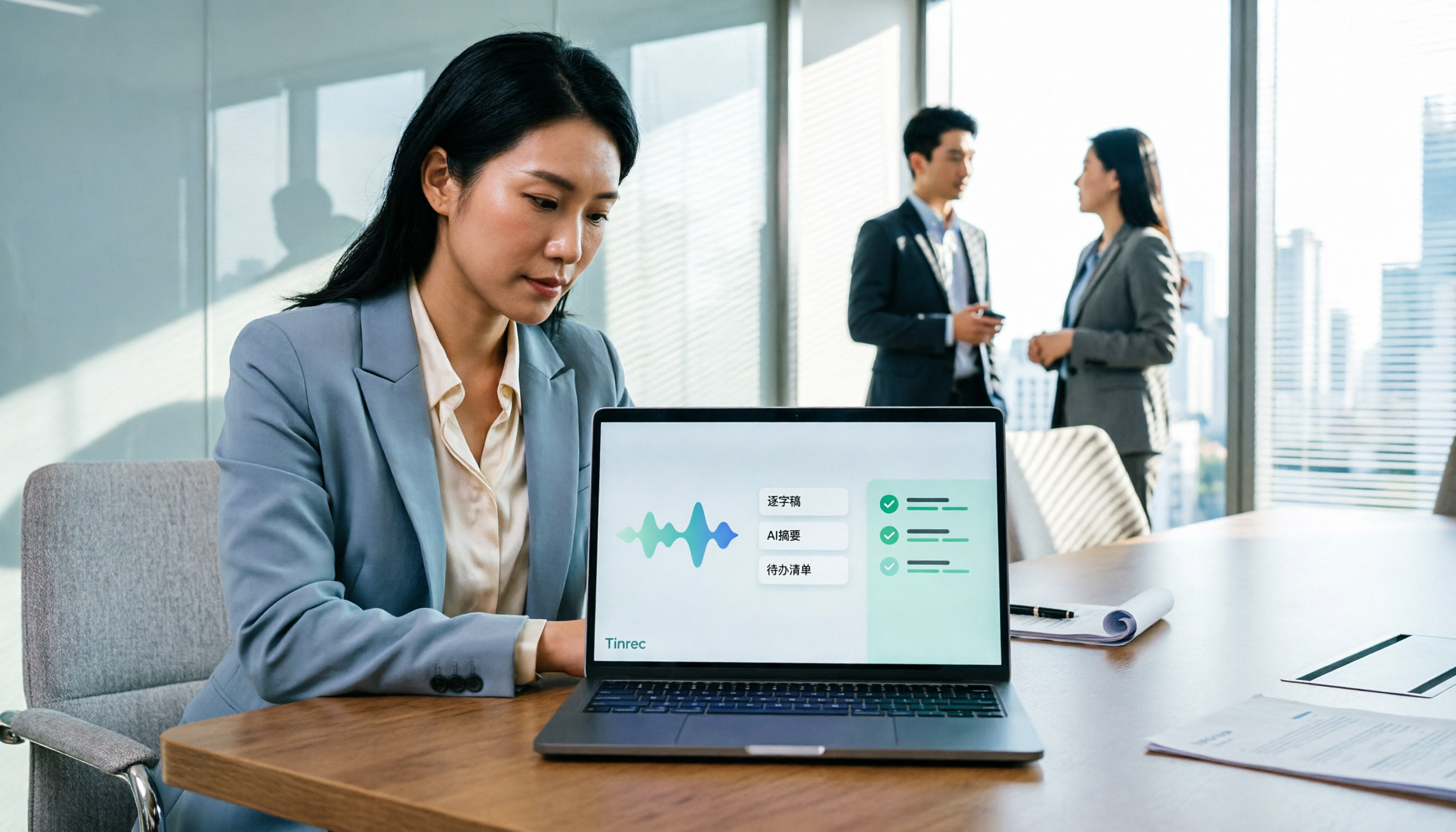
Turn recordings into transcripts and summaries in minutes
Upload audio or video for multilingual transcription, AI notes, and action items
2026 Smart Meeting Collaboration Tools Tested: From Pre-Meeting Audio to Post-Meeting Action Items, Which Workflow Saves the Most Effort?
After a 90-minute product weekly meeting, how long does it take you to deliver usable meeting notes? If the answer is still "two hours," the problem usually isn't that you type slowly—it's that the workflow is broken: no one owns the agenda before the meeting, no one is responsible for notes during it, and no one follows up on action items afterward.
This article uses a real meeting recording as an example, breaking "smart meeting collaboration" into 5 steps you can follow, and walks through the entire workflow with Tinrec.
(Test conditions: The demo material is a ~90-minute Traditional Chinese meeting recording containing mixed Chinese-English product terminology, captured in a quiet indoor space with a single microphone. Different recording environments, accents, and overlapping speakers will produce noticeably different results; this is a workflow demonstration and data comparison, not a timed competition under controlled conditions.)
Which 5 Tools Are Compared
- Tinrec: AI meeting notes and team collaboration, with bot-free desktop recording.
- Otter.ai: A mature AI meeting assistant, best known for English business meetings.
- Fireflies.ai: Strong in meeting automation, team analytics, and extensive integrations.
- Notta: Multi-platform transcription, meeting notes, and translation.
- Granola: Bot-free AI meeting notes, focused on combining user handwritten notes with AI enhancement.
All five can turn meetings into text; what really sets them apart is "what you can do after the text." The following uses Tinrec as the main thread because its output maps directly to the most time-consuming actions before, during, and after meetings.
Before You Start | What You Need to Prepare
- A device: Tinrec has a web version, desktop version, and mobile app (iOS/Android)—record on whichever device you use for the meeting.
- An account: The free version provides a basic quota; use it to run through the full workflow once before deciding whether to upgrade.
- Source material: Either an existing meeting recording file or record directly during your next meeting.
- A stable internet connection: Real-time transcription requires connectivity.
- Three commonly overlooked things: First, confirm company policies and local regulations, and obtain participant consent when necessary; clarify the agenda and expected outputs before the meeting; place the microphone as close to the main speaker as possible. The recording environment often has a bigger impact on transcription quality than switching tools.
Step 1 | Record the Meeting: Two Approaches for In-Person and Online
The only goal of this step is to get clean, complete, clearly audible audio.
For in-person meetings, start real-time recording directly and place your phone in the center of the table—don't put it under documents or a laptop. The most common failure in multi-person meetings isn't software error; it's a blocked microphone.
For online meetings, use the desktop version, which directly captures your computer's system audio, handling meeting audio played through Zoom, Google Meet, Microsoft Teams, and Webex without inviting an extra meeting bot to join. This is especially critical for external client meetings—you don't have to pull an "AI assistant" into the room in front of your client.
Why be particular about recording at this step? Because the quality of all subsequent summaries, action items, and Q&A depends on audio quality. Rather than spending half an hour proofreading later, spend 30 seconds confirming microphone placement beforehand.
The result is immediate: while the meeting is still in progress, the transcript appears on screen segment by segment.
Step 2 | Let AI Transcribe, Handling Mixed Chinese-English Along the Way
The goal of this step is to turn sound into text that can be searched, copied, and cited.
By the time the meeting ends, Tinrec has already arranged the transcript by timestamp. Meetings in Taiwan offices are rarely pure Chinese—product names, specs, and KPIs are often directly in English. Tinrec supports Chinese and multilingual transcription, and can handle mixed Chinese-English passages. If the meeting has foreign-language participants, you can enable real-time translation during recording and view it in original, translated, or bilingual mode.
Why not recommend "uploading the file after the meeting and letting it run"? Because the value of real-time transcription isn't just saving time—it lets you go back and confirm exactly what was said before the meeting even ends.
One caveat that must be made clear: transcription results are affected by recording quality, noise, accents, overlapping speakers, and technical terminology—no tool can guarantee a fixed accuracy rate. To get technical terms recognized accurately, the team glossary feature exists for exactly this purpose.
Step 3 | Proofread Only What "Affects Interpretation"
The goal of this step isn't to turn the transcript into a perfect article, but to make it "not misread."
The approach is to listen selectively, not edit word by word from the beginning. First scan the summary and sections to find passages involving numbers, dates, names, and commitments, then click the timestamp to jump back and listen to those 30 seconds. Filler words and repetitions in general discussion don't affect interpretation—skip them.
Why make this trade-off? Because readers of meeting notes want conclusions and actions, not a verbatim quote collection. Spending time on typos means spending time on places no one will re-read.
The result is a timestamped transcript where any sentence can be jumped back to the original audio with one click for verification.
Step 4 | Generate Summaries, Sections, and Action Items
The goal of this step is to compress an hour and a half of conversation into key points readable in three minutes, plus a list of who does what.
Stop organizing recordings by hand
Upload audio or video and automatically get a transcript, summary, and action items
Tinrec automatically generates AI summaries, sections, and key points, and extracts action items from the discussion; when you need to map out topic relationships, it can also produce mind maps. The approach is to first read the summary to confirm the direction is right, then check whether action items are missing owners or deadlines, and finally ask questions directly about the meeting content for any passages in doubt.
Why is this step the most valuable? Because most people looking back at meeting notes only want to know two things: what was the conclusion, and what do I need to do next. A pure transcript can't solve this problem—it just hands the problem back to you unchanged.
The result is readable meeting minutes plus an action item list you can paste into project management.
Step 5 | Export, Share, and Turn the Meeting into Team Data
The goal of this step is to move meeting results out of your personal account and into the team's workflow.
Tinrec supports multi-format export and can carry results to Notion, Google Docs, OneNote, Dropbox, and other tools for further processing; when you need more complete deliverables, you can use Agent post-processing to generate reports, tables, or documents from meeting content.
If this is to be done long-term, the difference between personal and team versions becomes apparent. The team version is an independent team space, not multiple people sharing one personal account: meeting data belongs to the team, you can create and switch between multiple team spaces, invite members via join links, and distinguish owners, admins, and regular members. Here it's important to distinguish "roles" from "seats"—roles determine who can manage the team, members, and auditing; seats determine whether members can record, upload, edit, and import/export. Members who are active but have no seat can still view, play, and read team data, but cannot perform resource-consuming operations.
Current team version terms: The first eligible team trial is 7 days, 1 free seat, 300 minutes of team shared import quota; team monthly billing is USD 29.80/paid seat/month, annual billing is USD 199/paid seat/year (approximately USD 16.58/month); each paid seat provides 2,000 minutes of team shared import quota per month; under an active team plan and active seat, real-time recording is currently not deducted by minute, while file and web imports consume team shared quota. Prices, currencies, and promotions are subject to the official purchase page.
One more practical detail: when a member leaves, is removed, or loses a seat, team resources don't follow the person—they are handed over to other active members; deleted team audio goes to the recycle bin, currently retained for 30 days and recoverable before permanent deletion.
FAQ and Troubleshooting
Q: The transcript has many typos—is the tool bad? Check your audio first. Microphone too far away, loud air conditioning in the meeting room, people talking over each other—any tool will make errors. Before recording, move the device closer to the main speaker and enable noise reduction in Tinrec settings; for already-recorded files, you can select the corresponding high-noise environment mode after import. Also, add product names and project codes to the team glossary—this is the mechanism specifically designed for technical term recognition.
Q: Do online meetings need a bot invited to join? No. The Tinrec desktop version directly captures computer system audio; the user actively starts recording, so no extra participant appears on the list. Note that this is "user-initiated recording," not automatic joining of all calendar meetings.
Q: Is the free version enough? The free version provides a basic quota, suitable for running one or two meetings to validate the workflow. If you have regular weekly meetings, the Pro monthly plan is more suitable; if it's just a short-term project sprint, the weekly plan saves more; if you need to accumulate recording data long-term, the annual plan has a lower monthly equivalent. The basis for your decision should be your meeting frequency, not the price.
Q: What's the difference between the team version and the personal version? Personal version data belongs to the individual account; the team version adds team spaces, member and seat management, shared benefits, usage analytics, audit logs, and an audio recycle bin. Admins can view team usage trends and member details, and data still has an owner when members change. Currently the team version is primarily team-level sharing—all active members can read team data; it is not a file-level granular permission system.
Q: Can you guarantee 98% accuracy? It's not recommended to interpret it that way. A more honest statement: high-quality transcription is provided under clear audio and common scenarios, and actual performance is affected by noise, accents, overlapping speakers, and terminology. For important content, it's recommended to verify by replaying the transcript timestamps.
Advanced Tips | 3 Ways to Double Tinrec's Efficiency
Use AI Q&A for "cross-meeting follow-up questions." A single meeting's summary can only answer "what was discussed this time," but you can ask questions across multiple meeting data sets, such as "did the client's wording about the budget change the third time they mentioned it?" This is the key to turning meetings from records into queryable data—something pure transcription tools can't do.
Enable real-time translation for mixed Chinese-English meetings. For international meetings, you don't have to wait for post-meeting translation—during recording you can view in original, translated, or bilingual mode, so participants can align their understanding on the spot and reduce the cost of holding another "confirmation meeting" afterward.
Team glossary + Agent post-processing to complete deliverables in one pass. First add commonly used department terminology to the glossary to reduce recognition errors, then use Agent to generate reports, tables, or documents from meeting content. This means everything from recording to deliverables is completed in the same workflow—no moving files between three tools.
If You Don't Use Tinrec, Here Are Other Options
Otter.ai: A mature AI meeting assistant with a complete English business meeting experience, suitable for all-English teams that don't mind recording via a meeting bot.
Granola: Also bot-free, focused on combining user handwritten notes with AI enhancement; however, it doesn't support uploading pre-recorded audio files and doesn't retain meeting audio—those who need to go back and verify against the original audio should take note.
Both have clear positioning; the difference is whether you have needs for "retaining recordings, post-meeting follow-up questions, and team knowledge accumulation."
Conclusion
After completing these 5 steps, you've really only done one thing: turned the meeting from "a piece of audio" into "actionable data." Confirm audio and agenda before the meeting, let AI transcribe in real time during it, use summaries and action items to converge conclusions afterward, and finally export and accumulate into the team space.
Workflow matters more than tools, but tools determine whether the workflow runs smoothly. The next step doesn't need to be all at once: take a recording of your own meeting from last week, run through the full workflow once with Tinrec's free version basic quota, first confirm the quality of the transcript and action items, then decide whether to make it a standard team practice.
References
- 2026 Comparison of 5 Smart Meeting Collaboration Tools: How to Make Pre-Meeting Prep, In-Meeting Notes, and Post-Meeting Follow-Up Most Effortless? - Tinrec Blog
- What Is a Smart Meeting Room? A Guide to Benefits, Feature Recommendations, and Application Examples - DC Sales Portal
- What Tools Automatically Extract Meeting Action Items? 2026 Test of the 5 Best Options - Tinrec Blog
- Using Smart Scenarios to Help Enterprise Meeting Rooms Become a Digital Transformation Catalyst | BXB
- 5 AI Meeting Notes Tools Tested: Automatic Action Item Extraction, Chinese Accuracy, and Summary Quality Compared - Tinrec Blog
Turn every recording into actionable outcomes
Get 60 free transcription minutes when you sign in. No credit card required.
Related Reading
You might also like

6 Smart Meeting Collaboration Tools Compared for 2025: Which Saves the Most Time for Chinese Meetings and Post-Meeting Work?
A list of 6 smart meeting collaboration tools in 2025, evaluated by bot-free recording, Chinese-language meetings, post-meeting summaries, AI Q&A, team seats, and pricing, to help professionals and teams determine which tool fits their meeting scenarios.

2025 Smart Meeting Collaboration Platforms Comparison: Which One Turns Meetings into Actionable Team Data?
This article compares four smart meeting collaboration platforms for 2025 enterprise selection, covering differences in meeting capture, post-meeting organization, Chinese language experience, and team governance, with Tinrec as the primary example. It is a feature comparison and data compilation, not a hands-on recording test.

2026 Comparison of 4 Sales Meeting Notes Tools: How to Choose from Recording Transcription to Post-Meeting Follow-Up
Poor sales meeting notes are usually not due to slow typing, but to missing fields, lack of convergence, and no follow-up. This article compiles practical formats and writing steps for sales meeting notes, and compares Tinrec, Otter.ai, Fireflies.ai, and Notta on recording, transcription, summarization, action items, and team governance using the same criteria, with copyable organization prompts and a price verification table.

2026 Comparison of 4 Smart Meeting Collaboration Platforms: Meeting Notes Are Just the Beginning—What Matters Is Whether You Can Use Them Afterward
How do you choose a smart meeting collaboration platform? This article starts with the key question: do you want a transcript, or data you can still use after the meeting? It breaks down 4 key purchasing criteria, tests Tinrec's bot-free recording, AI Q&A, and team governance capabilities, and briefly assesses who Granola, Notta, and Otter.ai are each best for, with a guide to avoiding pitfalls and a getting-started checklist.

How to Take Sales Meeting Notes in 2026: 3 Tools Compared for Transcripts and Follow-Up
The point of sales meeting notes isn't to transcribe everything—it's to capture customer needs, objections, commitments, and next steps. This article starts with three common inefficient habits, outlines four key factors for choosing a tool, and compares Tinrec, Granola, Notta, and Otter.ai on Chinese transcription, post-meeting Q&A, and team knowledge retention, with practical tips for students and interns.

3 Free Sales Meeting Notes Tools for 2026: Free Tiers and Post-Meeting Workflow Comparison
Finished a sales meeting but your notes only say "the client seemed positive"? This article starts with three common inefficient habits, outlines the fields and workflow sales meeting notes should have, and compares the free tiers, meeting capture methods, and post-meeting organization capabilities of Tinrec, Notta, and Otter.ai—helping budget-conscious professionals choose the right approach.

2026 Sales Meeting Notes Tools Compared: Tinrec vs Otter.ai — Which Is Better for Chinese-Speaking Teams?
The point of sales meeting notes isn't a verbatim transcript — it's what the customer committed to and who needs to do what by when. This comparison of Tinrec and Otter.ai across five dimensions — Chinese transcription, bot-free recording, post-meeting outputs, action-item tracking, team governance, and pricing — helps you decide which tool better fits the real workflow of sales teams in Taiwan.

2026 AI Meeting Notes Tools Compared: How to Write Sales Meeting Notes Faster
If you can't finish writing sales meeting notes, it's usually not because you type slowly—it's because you start by recording the wrong things. This article tackles three common mistakes, breaks down the fields and structure a usable sales meeting note should have, and uses Tinrec to demonstrate the full workflow from recording, transcript, summary, and action items to team knowledge retention, with buying checkpoints and FAQs.

2026 Smart Meeting Assistant Comparison: How to Choose Meeting Tools Trending on Dcard
Discussions about smart meeting assistants on Dcard often focus only on free minutes, but rarely clarify 'how to use them after the meeting.' This article starts with common misconceptions, outlines 4 key selection criteria, explains Tinrec's actual meeting workflow and team plan quota calculations, and compares the positioning differences of Otter.ai, Notta, and Granola to help you find a tool you'll actually open a second time.