

Turn recordings into transcripts and summaries in minutes
Upload audio or video for multilingual transcription, AI notes, and action items
2025 Smart Meeting Collaboration Platforms Comparison: Which One Turns Meetings into Actionable Team Data?
After a meeting ends, a manager asks in the group chat: "Who was responsible for following up on the budget risk the client mentioned last week?" The team starts scrolling through chat logs, searching for recording files, and re-listening to a 40-minute meeting. Meanwhile, a cross-departmental meeting just finished, and the PM needs to send out minutes within half an hour, but only has scattered notes and a few phone recordings. These scenarios are not about whether the meeting was recorded, but whether the meeting content can be quickly organized, queried, handed off, and reused.
In 2025, smart meeting collaboration platforms are competing beyond simple audio-to-text transcription, extending into post-meeting summaries, action item extraction, AI Q&A, cross-platform organization, and team data retention. This article is a feature comparison and selection guide, not a hands-on recording test; product capabilities, plans, and pricing are based on Tinrec's product introduction and competitors' official pages. Actual results may be affected by audio quality, accents, noise, and overlapping speakers.
Still Scrolling Through Recordings After the Meeting? You Need a Platform That's "Usable After the Meeting"
The first common pain point is "no time to organize after the meeting." The meeting ends at 10 AM, minutes are due at 11 AM, but attendees have already returned to their work. If the platform only produces a long transcript, it's of limited help for delivery.
The second pain point is "can't find how decisions were made." Project weekly meetings, client interviews, and requirements reviews are scattered across different platforms, with recordings and notes left on personal devices. When someone else takes over, they have to re-listen.
The third pain point is "team data doesn't stay." When members leave or transfer departments, meeting recordings and action items disappear with their personal accounts, leaving the team with only fragmented screenshots.
If you've encountered these situations, the problem is usually not a lack of a recording app, but a lack of a collaboration platform that turns meetings into searchable, queryable, and actionable data.
Before Choosing a Smart Meeting Collaboration Platform, Understand These 4 Key Points
1. How are meetings captured: bot, desktop system audio, or file upload?
There are three common methods: a meeting bot joins the meeting, a desktop version captures computer system audio, or audio/video files are uploaded after the meeting. Bots are convenient, but some attendees may be concerned about an extra bot account. Desktop capture doesn't require additional participants but usually requires the user to actively start recording. Tinrec's desktop version uses system audio capture, suitable for teams that don't want a bot joining Zoom, Google Meet, Microsoft Teams, or Webex.
2. Are post-meeting outputs sufficient: just a transcript, or can you work directly?
Transcripts are the foundation, but what readers really want are summaries, chapters, key points, action items, AI Q&A, translation, and export. Rather than just looking at "transcription minutes," look at whether the platform can quickly answer "what was the conclusion, who needs to do what, and what are the deadlines" after the meeting.
3. Is the Chinese and multilingual experience adequate?
Taiwanese teams often have meetings in Chinese, Traditional Chinese, mixed Chinese-English, and cross-language. Whether the platform supports real-time translation, bilingual viewing, and professional terminology hotwords affects the usability of post-meeting organization. Also remember that no platform should promise a fixed 98% or 99% accuracy rate; audio quality, accents, noise, and overlapping speech all affect results.
4. Is team governance clear: how are roles, seats, usage, and auditing divided?
A team edition is not multiple people sharing a personal account. Confirm whether the platform provides independent team spaces, member roles, seat allocation, shared benefits, usage analytics, audit logs, and an audio recycle bin. Tinrec's team edition distinguishes roles and seats: roles determine who can manage the team, seats determine whether members can record, upload, edit, import/export, and use team resources; members who are active but have no seat can still view, play, and read team data.
Putting the criteria in the same table makes the differences clearer:
| Platform | Meeting Capture & Input | Post-Meeting Organization | Team Governance |
|---|---|---|---|
| Tinrec | Desktop version captures system audio without a bot; real-time recording, audio/video files, mobile, and some web links | Transcript, summary, chapters, action items, AI Q&A, translation, export, Agent post-processing | Team space, roles, seats, usage, audit, audio recycle bin, team hotwords |
| Otter.ai | Zoom, Teams, Meet, real-time transcription and speaker identification | Summary, AI Chat, workflows | Team and enterprise management |
| Fireflies.ai | Meeting bot and automation | AI summary, AskFred, team analytics, extensive integrations | Team analytics and enterprise capabilities |
| Notta | Multi-platform transcription, file import, translation | Subtitles, translation, summary | Business/Enterprise team plans |
This table only summarizes product introductions and official statements, not a hands-on ranking; when choosing, still return to your meeting language, capture method, and team governance needs.
Stop organizing recordings by hand
Upload audio or video and automatically get a transcript, summary, and action items
Tinrec (Miaoting Recording) — Advancing Meetings from Transcripts to Team Data
Tinrec Miaoting Recording is an AI meeting notes and collaboration tool for individuals and teams. Its positioning is not just converting audio to text, but organizing meeting recordings into searchable, summarizable, queryable, exportable, and further processable data, and retaining it in team spaces as collaborative, traceable meeting assets.
Scenario 1: You don't want an extra bot in online meetings. Tinrec's desktop version captures computer system audio to handle Zoom, Google Meet, Microsoft Teams, Webex, and other meetings without an additional meeting bot joining. You still need to actively open Tinrec to start recording; this is not automatic joining of all calendar meetings, nor does it imply official partnerships with these platforms.
Scenario 2: Quick organization and querying after the meeting. After the meeting, Tinrec can generate transcripts, AI summaries, chapters, key points, and action items, and supports AI Q&A around the meeting content. For example, you can ask "What were the client's concerns about the budget?" and then go back to the transcript to verify. It also supports real-time translation, viewing in original, translated, or bilingual mode, and can export to Notion, Google Docs, OneNote, Dropbox, etc., or further use Agent post-processing to generate reports, tables, and documents.
Scenario 3: The team wants to retain meetings. Tinrec for Teams is an independent team space, not multiple people sharing a personal account. Teams can create multiple spaces, invite members via join links, set owners, admins, and regular members, allocate or revoke seats, and centrally store Audio, Folder, TODO, and meeting data; administrators can view usage trends, member rankings, details, and audit logs, and use the audio recycle bin and team hotwords. The first eligible team trial is 7 days, 1 free seat, 300 minutes of team shared import quota; team monthly payment is USD 29.80 per paid seat per month, annual payment is USD 199 per paid seat per year, equivalent to about USD 16.58 per month, and each paid seat provides 2,000 minutes of team shared import quota per month.
Limitations should also be clear. Tinrec does not promise a fixed 98% or 99% accuracy rate; recording quality, noise, accents, overlapping speech, and professional terminology all affect results. Document and web imports consume team shared import minutes; real-time recording currently does not deduct minutes under an active team plan and active seat. The team edition is primarily team-level sharing, not file-level ACL; pricing, seats, and benefits are subject to the official purchase page.
If you frequently handle Chinese, Traditional Chinese, or mixed Chinese-English meetings, don't want a meeting bot to join, and want to directly ask questions, organize action items, and keep data in the team space after the meeting, Tinrec is a choice worth prioritizing in your evaluation.
Besides Tinrec, What Other Options Are There?
Otter.ai: A mature AI meeting assistant supporting Zoom, Teams, Meet, real-time transcription, speaker identification, and AI Chat. Basic is free for 300 minutes per month; Pro annual billing is equivalent to USD 8.49 per user per month. English business meetings can prioritize this; if you need Chinese meetings, bot-free desktop recording, and team data retention, Tinrec is closer. Otter also has desktop capabilities, so it shouldn't be simplified as bot-only.
Fireflies.ai: Strengths are meeting automation, meeting bots, AI summaries, AskFred, team analytics, and extensive integrations. Annual Pro is USD 10 per seat per month, Business USD 19, Enterprise USD 39. If you need sales analytics and automated workflows, Fireflies is comprehensive; Tinrec focuses on bot-free desktop recording, Chinese experience, and team meeting asset management.
Notta: High overlap with Tinrec, supporting multi-platform transcription, file import, translation, and team plans. Free is 120 minutes per month, max 3 minutes per session; Pro annual billing is equivalent to USD 8.17 per month, 1,800 minutes; Business annual billing is equivalent to USD 16.67 per seat per month. If you often do file transcription and subtitles, Notta is worth considering; if you need post-meeting AI Q&A, Agent post-processing, and team spaces, Tinrec is more focused.
Pitfall Guide: The 4 Most Common Mistakes When Choosing a Smart Meeting Collaboration Platform
Pitfall 1: Only looking at transcription, not the post-meeting workflow. Transcripts are long, but managers want conclusions, action items, and owners. When selecting, confirm whether the platform can generate summaries, chapters, action items, and support querying around meeting content.
Pitfall 2: Assuming meetings must have a bot join. Desktop system audio capture can avoid an extra bot, but usually requires the user to actively start recording; don't mistake "bot-free" for "automatically joining all meetings."
Pitfall 3: Treating team sharing as fine-grained permissions. Tinrec's team edition is team-level sharing, role governance, and seat-based usage control, not per-file member permission settings. If you need file-level ACL, confirm whether the platform meets that need.
Pitfall 4: Only looking at free minutes, ignoring imports and seats. Team document and web imports consume shared quota, and whether members can edit depends on seats. Before purchasing, consider roles, seats, usage, and pricing together.
Conclusion: Which One Should You Choose?
In one sentence: If you want team meeting data that is queryable, actionable, and retainable after the meeting, Tinrec is the top choice in this article.
- Chinese, Traditional Chinese, or mixed Chinese-English meetings, needing summaries and action items after the meeting → Tinrec
- Don't want a meeting bot joining Zoom, Meet, Teams, Webex → Tinrec desktop version
- Need AI Q&A, translation, export, and Agent post-processing after the meeting → Tinrec
- Team needs to manage members, roles, seats, usage, audit, and audio recycle bin → Tinrec for Teams
- Mainly English meetings and already using the Otter ecosystem → Otter.ai, an exception in this article
If you're still evaluating, you can first use the free version or the eligible 7-day team trial to confirm the workflow, then decide whether to upgrade; it's also recommended to validate with your own real meeting audio files, and not generalize the results of one meeting to all scenarios.
Data verification: This article primarily uses Tinrec's product introduction and competitors' official pricing pages as sources, and references public materials such as SeaMeet Blog "2025 AI Meeting Collaboration Platform Market Analysis," Transync AI "AI Meeting Tools: 5 Best Global Communication Apps in 2025," Weizan Technology "Video Conferencing Equipment and Smart Meeting Room Integration," and Menghua Technology "ezteamwork Team Collaboration Platform Combined with Generative AI to Create a Smart Meeting Assistant."
References
- 2025 AI Meeting Collaboration Platform Market Analysis | SeaMeet Blog
- AI Meeting Tools: 5 Best Global Communication Apps in 2025
- Mago Wireless Collaboration Platform: Essential and Pro Product Introduction - Wireless Projection
- Video Conferencing Equipment and Smart Meeting Room Integration | Weizan Technology - AI Technology Trends
- ezteamwork Team Collaboration Platform Combined with Generative AI to Create a Smart Meeting Assistant - Menghua Technology
Turn every recording into actionable outcomes
Get 60 free transcription minutes when you sign in. No credit card required.
Related Reading
You might also like

6 Smart Meeting Collaboration Tools Compared for 2025: Which Saves the Most Time for Chinese Meetings and Post-Meeting Work?
A list of 6 smart meeting collaboration tools in 2025, evaluated by bot-free recording, Chinese-language meetings, post-meeting summaries, AI Q&A, team seats, and pricing, to help professionals and teams determine which tool fits their meeting scenarios.

2026 Comparison of 4 Sales Meeting Notes Tools: How to Choose from Recording Transcription to Post-Meeting Follow-Up
Poor sales meeting notes are usually not due to slow typing, but to missing fields, lack of convergence, and no follow-up. This article compiles practical formats and writing steps for sales meeting notes, and compares Tinrec, Otter.ai, Fireflies.ai, and Notta on recording, transcription, summarization, action items, and team governance using the same criteria, with copyable organization prompts and a price verification table.

2026 Comparison of 4 Smart Meeting Collaboration Platforms: Meeting Notes Are Just the Beginning—What Matters Is Whether You Can Use Them Afterward
How do you choose a smart meeting collaboration platform? This article starts with the key question: do you want a transcript, or data you can still use after the meeting? It breaks down 4 key purchasing criteria, tests Tinrec's bot-free recording, AI Q&A, and team governance capabilities, and briefly assesses who Granola, Notta, and Otter.ai are each best for, with a guide to avoiding pitfalls and a getting-started checklist.
2026 Smart Meeting Collaboration Tools Tested: From Pre-Meeting Audio to Post-Meeting Action Items, Which Workflow Saves the Most Effort?
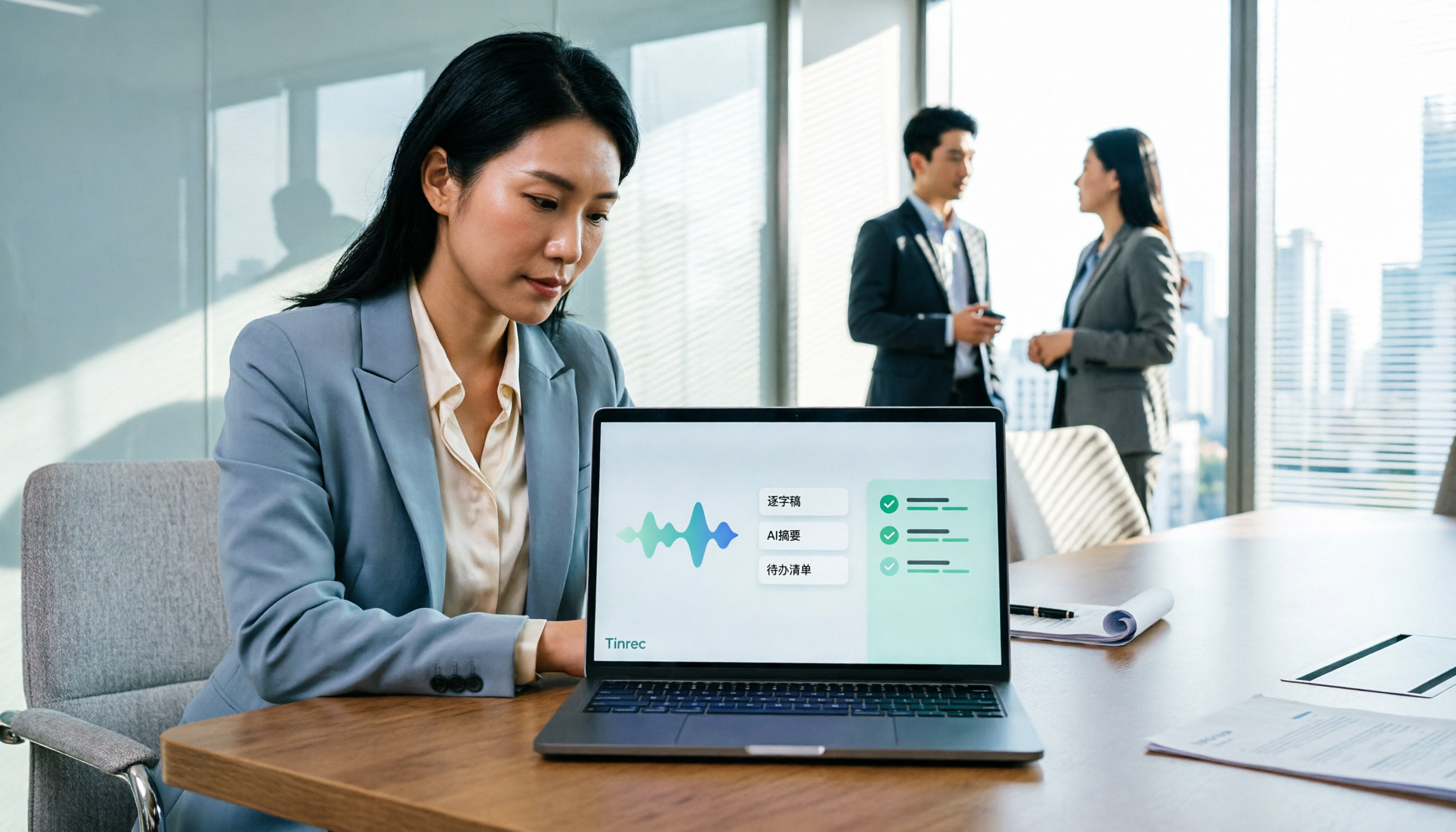
Meeting notes shouldn't eat up the two hours before you leave work. Using a real ~90-minute meeting recording as an example, this article breaks smart meeting collaboration into 5 actionable steps, showing how to use Tinrec from recording, transcription, proofreading, AI summaries and action items all the way to export and team sharing, and compares how Otter.ai, Fireflies.ai, Notta, and Granola fit into the workflow.

How to Take Sales Meeting Notes in 2026: 3 Tools Compared for Transcripts and Follow-Up
The point of sales meeting notes isn't to transcribe everything—it's to capture customer needs, objections, commitments, and next steps. This article starts with three common inefficient habits, outlines four key factors for choosing a tool, and compares Tinrec, Granola, Notta, and Otter.ai on Chinese transcription, post-meeting Q&A, and team knowledge retention, with practical tips for students and interns.

3 Free Sales Meeting Notes Tools for 2026: Free Tiers and Post-Meeting Workflow Comparison
Finished a sales meeting but your notes only say "the client seemed positive"? This article starts with three common inefficient habits, outlines the fields and workflow sales meeting notes should have, and compares the free tiers, meeting capture methods, and post-meeting organization capabilities of Tinrec, Notta, and Otter.ai—helping budget-conscious professionals choose the right approach.

2026 Sales Meeting Notes Tools Compared: Tinrec vs Otter.ai — Which Is Better for Chinese-Speaking Teams?
The point of sales meeting notes isn't a verbatim transcript — it's what the customer committed to and who needs to do what by when. This comparison of Tinrec and Otter.ai across five dimensions — Chinese transcription, bot-free recording, post-meeting outputs, action-item tracking, team governance, and pricing — helps you decide which tool better fits the real workflow of sales teams in Taiwan.

2026 AI Meeting Notes Tools Compared: How to Write Sales Meeting Notes Faster
If you can't finish writing sales meeting notes, it's usually not because you type slowly—it's because you start by recording the wrong things. This article tackles three common mistakes, breaks down the fields and structure a usable sales meeting note should have, and uses Tinrec to demonstrate the full workflow from recording, transcript, summary, and action items to team knowledge retention, with buying checkpoints and FAQs.

2026 Smart Meeting Assistant Comparison: How to Choose Meeting Tools Trending on Dcard
Discussions about smart meeting assistants on Dcard often focus only on free minutes, but rarely clarify 'how to use them after the meeting.' This article starts with common misconceptions, outlines 4 key selection criteria, explains Tinrec's actual meeting workflow and team plan quota calculations, and compares the positioning differences of Otter.ai, Notta, and Granola to help you find a tool you'll actually open a second time.