

Turn recordings into transcripts and summaries in minutes
Upload audio or video for multilingual transcription, AI notes, and action items
2026 Comparison of 4 Smart Meeting Collaboration Platforms: Meeting Notes Are Just the Beginning—What Matters Is Whether You Can Use Them Afterward
"Smart meeting collaboration platform" sounds like something that involves buying equipment, installing a bot, and renovating an entire conference room.
But over the past few years, as I've helped teams streamline their processes, the problem I've seen is almost never "we can't record."
It's that after recording, nobody wants to open that file again.
So I want to clarify the focus of the decision first.
Do you want a transcript, or do you want data that you can still find three days later and use to move work forward?
The answer to this question will directly determine which type of platform you should choose.
Meeting collaboration is a three-stage process, not a single device
I'm used to breaking meetings into three stages.
Before the meeting: agenda, pre-reading materials, decisions to be made.
During the meeting: discussion, notes, real-time alignment.
After the meeting: summary, action items, follow-up, archiving.
Most tools only cover the middle stage.
Record, transcribe, save, and that's it.
So the after-meeting stage still falls back on people—someone has to spend an entire afternoon re-listening to a forty-minute discussion to figure out who agreed to what.
That's the real problem that needs solving.
Before choosing a smart meeting collaboration platform, understand these 4 key points
1. How does it "get into the meeting"?
There are currently two main approaches.
One is to send a meeting bot that joins the online meeting as a participant.
The other is to capture system audio directly from your computer, without adding any participant.
The first is convenient, but in external meetings, customer interviews, and cross-organizational discussions, having a recording bot on the screen bothers some people.
The second requires you to press start yourself, but what participants in the room experience is just a normal meeting.
I personally prefer the latter—when it comes to recording, the more low-key, the less likely it is to disrupt the discussion.
2. Does it keep audio files?
Few people ask this question, but it determines whether you can go back and verify.
Some tools only keep the transcript, and the audio file is gone as soon as the meeting ends.
The advantage is less data and fewer privacy concerns; the disadvantage is that when you see a strange sentence in the transcript and want to go back and confirm what the person actually said, it's too late.
If your meetings produce decisions, commitments, quotes, or other content that requires precise citation, whether audio files are kept is worth asking about upfront.
3. What can it give you after the meeting?
A transcript is the baseline.
The next level up is summaries and chapters, so long meetings can be quickly skimmed.
The next level up is action items and Q&A—can you directly ask it "what was the conclusion about the budget in the last meeting?" and get an answer, rather than a pile of keyword search results?
The final level is output: can it export to the document tools you already use, can it become a report or table?
These four levels determine whether this platform is "a tool" or "part of the workflow."
4. For team use, governance matters more than features
For individual use, whatever works for you is fine.
For team use, the questions become: who owns the data? Who can edit? What happens to data after a member leaves? Who uses how much quota?
Here's a concept that's easy to confuse: roles and seats are two different things.
Roles determine who can manage the team, view usage, and check records.
Seats determine who can record, upload, edit, and export.
People without a seat can usually still view team data, but cannot make changes.
Clarify these two terms before purchasing, and you'll have far fewer disputes later.
Tinrec—the approach I kept after testing
Tinrec is an AI meeting notes and collaboration tool for individuals and teams. It supports real-time recording, bot-free recording of online meetings via the desktop app, audio/video file import, real-time translation, and automatically generates summaries, chapters, action items, and mind maps.
I ran it through several different scenarios and will share my actual experience.
Scenario 1: Online meeting, don't want a bot on the participant list
The Tinrec desktop app captures computer system audio directly, handling meetings on Zoom, Google Meet, Microsoft Teams, Webex, and similar platforms without needing to invite an extra bot to join.
(Screenshot here: Tinrec desktop app recording start interface, arrow pointing to system audio source option)
While I'm in the meeting, the transcript grows in real time.
When the meeting ends, the summary and chapters are already there.
My test conditions were very ordinary: laptop built-in microphone, air conditioning background noise in the room, participants mixing Chinese and English.
Chinese paragraphs read smoothly; mixed Chinese-English technical terms occasionally required going back to check the recording.
These conditions are what real meetings look like, and they best reveal the differences between tools.
Scenario 2: After the meeting, don't search for keywords—just ask
This is where I think it differs most from other tools.
After recording, you can ask it questions directly.
For example: "What was the final decision about the launch date in this meeting?"
Or "Who mentioned needing legal confirmation? What reason did they give?"
What it returns is not keywords and timestamps, but answers organized based on the content.
My commonly used prompt template is like this:
Based on the content of this meeting, please organize: 1. Three main conclusions; 2. The decision basis for each conclusion; 3. Unresolved issues; 4. Who needs to complete what by when. If something is not explicitly mentioned in the meeting, please mark it as "not mentioned" and do not speculate.
That "do not speculate" must be included.
Otherwise, the AI will enthusiastically fill in the blanks for you.
Scenario 3: Organizing old recordings scattered everywhere
Interviews, courses, and meeting recordings from past years can be uploaded for transcription.
Stop organizing recordings by hand
Upload audio or video and automatically get a transcript, summary, and action items
My approach is to process them in batches—upload a small batch, finish organizing, then continue.
(Screenshot here: Transcript and chapter list after file import, arrow pointing to summary section)
What I think makes it worthwhile
First, its focus is not on "converting to text," but on what you can do after conversion. Summaries, chapters, action items, Q&A, export, then generating reports or tables—this entire chain is connected.
Second, it handles Chinese and mixed Chinese-English meetings relatively smoothly, and with real-time translation and bilingual viewing, the burden of cross-language meetings is much lower. Actual performance will still be affected by recording quality, accents, noise, and multiple people talking over each other—be prepared for that.
Third, the team version is an independent team space, not "multiple people sharing one account." Data belongs to the team, members have roles and seats, you can view usage trends, query and export audit logs, recover accidentally deleted recordings from the audio recycle bin, and maintain team hotwords to make technical term recognition more stable.
Limitations to know upfront
The free version has a basic quota, suitable for trying it out, not for heavy daily use. For long-term stable use, you'll need to move to Pro.
Also, it's not a bot mode that "automatically joins all your calendar meetings"—you need to actively start recording.
For me, that's an advantage; for some, it's a disadvantage.
How team version pricing works
The team version currently offers a 7-day trial for first-time eligible users, 1 free seat, and 300 minutes of team shared import quota.
The paid plan is USD 29.80/month per paid seat, or USD 199/year (approximately USD 16.58/month), with each paid seat providing 2,000 minutes of team shared import quota per month.
Under an active team plan and active seats, real-time recording is currently not deducted by minutes; file and web imports use the team shared quota.
Prices and benefits are subject to the official purchase page.
Who it's for
People who need Chinese meeting notes, don't want a bot in the meeting, want to ask key questions directly after the meeting, and want meeting data to stay with the team rather than on someone's personal computer.
Besides Tinrec, what other options are there?
Granola: A bot-free AI meeting notes tool that also captures from desktop system audio and microphone. Its specialty is combining your own handwritten notes with AI. Free version available; Business is USD 14/user/month. But note that it does not support uploading pre-recorded audio files and does not save meeting audio—those who want to go back and verify recordings will be stuck. Tinrec can do both, plus real-time translation and team data management.
Notta: Good performance in multilingual transcription and file processing. Free version: 120 minutes per month, 3 minutes per session; Pro annual billing approximately USD 8.17/month, 1,800 minutes per month; Business annual billing approximately USD 16.67/seat/month. It's more of a "transcription and translation tool"; post-meeting Q&A and Agent post-processing are not its main focus. If you just need to turn files into text and subtitles, it's more than enough; if you want to directly ask follow-up questions about meeting content after the meeting, Tinrec's experience is more complete.
Otter.ai: A mature choice for English business meetings. Basic free plan: 300 minutes per month; Pro annual billing approximately USD 8.49/user/month, 1,200 minutes of in-app recording and 10 file imports per month. It now also has desktop capabilities, not just a bot. If 90% of your meetings are in English and your team is comfortable with an English interface, it's worth considering; but for Chinese and mixed Chinese-English discussions, and for turning meetings into a Chinese team knowledge base, Tinrec's design is closer to the need.
Pitfall guide: The 4 most common mistakes when choosing this type of platform
Pitfall 1: Comparing only transcription minutes.
Minutes are the easiest to compare, but also the least important.
With the same quota, one tool gives you a transcript, another gives you a transcript plus summaries, action items, and a queryable database.
The difference is not in the quota, but in how much time you still have to spend after the meeting.
Pitfall 2: Treating "members can view" as "members can edit."
This is the most easily misunderstood point in team purchasing.
Most team plans are designed so that all active members can read team data, but to record, upload, edit, and export, you need a seat.
This isn't the vendor being stingy; it's the boundary of authorization and governance.
Before purchasing, confirm: how many people need to "be able to take action"? How many just need to read data?
Pitfall 3: Buying AI features but only using them for transcription.
I've seen too many teams buy the tool but still use it as "record → transcribe → manually organize."
That's using only one-third of its capabilities.
The step after transcription—asking it for conclusions, having it organize action items, asking it to produce a report framework—is where the real time savings are.
Pitfall 4: Assuming team version equals file-level permissions.
Today's team collaboration platforms mostly use team-level sharing, role governance, and seat-based usage control, not setting independent visibility for each file.
If your company has a requirement like "only three people can see this file," confirm whether the tool supports it first—don't assume it does.
Conclusion: Which one should you choose?
Back to the judgment question from the beginning.
If all you want is "turn meetings into text," many tools can do that—just pick the cheapest.
If you want "data you can still use after the meeting," then what to look at is not transcription minutes, but these four things: capture method, audio retention, post-meeting processing depth, and team governance.
It's clearer to route by scenario:
- Mainly Chinese or mixed Chinese-English meetings, don't want a bot in the meeting → Tinrec (desktop app captures system audio)
- Want to directly ask follow-up questions about meeting content after the meeting, rather than digging through the transcript yourself → Tinrec (AI Q&A and Agent post-processing)
- Need to keep recordings and upload old files for organizing together → Tinrec (supports file import and keeps audio)
- Meeting data needs to become a team asset, with personnel turnover → Tinrec team version (team space, roles, seats, usage, audit)
- 90% of meetings are in English, team is comfortable with English interface → Otter.ai
- Main need is file transcription, subtitles, and translation → Notta
- Want to handwrite notes during meetings and have AI enhance them → Granola (but note it doesn't save audio)
Quick start: The first step I recommend
No need to overhaul the entire team process at once.
Just do these five things first:
- Pick a routine meeting this week and use it as a test sample.
- Record once with the free quota, or upload an existing recording.
- After the meeting, don't organize it yourself first—see if the summary and chapters it provides are enough for you.
- Then ask it three questions: What are the conclusions? Who is responsible for what? What remains unresolved?
- Export the results to the document tool you already use, and see if this step goes smoothly.
After one round, you'll clearly know whether this platform suits you.
The tool is a supporting player.
What really determines efficiency is how you connect before, during, and after the meeting into one line.
Test step by step, and you'll gradually find the approach that works for your team.
References
- 2026 Comparison of 5 Smart Meeting Collaboration Tools: How to Make Pre-Meeting Prep, In-Meeting Notes, and Post-Meeting Follow-Up as Effortless as Possible - Tinrec Blog
- Zoom Meetings: Meeting and Call Service | Zoom
- Huawei Launches New Phantom Smart Real, from Immersive Experience to Intelligent Services - Business News
- 2026 Quick Recommendations for Cloud Online Video Conferencing Platforms
- One Platform, Connecting Near and Far | Zoom
Turn every recording into actionable outcomes
Get 60 free transcription minutes when you sign in. No credit card required.
Related Reading
You might also like

6 Smart Meeting Collaboration Tools Compared for 2025: Which Saves the Most Time for Chinese Meetings and Post-Meeting Work?
A list of 6 smart meeting collaboration tools in 2025, evaluated by bot-free recording, Chinese-language meetings, post-meeting summaries, AI Q&A, team seats, and pricing, to help professionals and teams determine which tool fits their meeting scenarios.

2025 Smart Meeting Collaboration Platforms Comparison: Which One Turns Meetings into Actionable Team Data?
This article compares four smart meeting collaboration platforms for 2025 enterprise selection, covering differences in meeting capture, post-meeting organization, Chinese language experience, and team governance, with Tinrec as the primary example. It is a feature comparison and data compilation, not a hands-on recording test.

2026 Comparison of 4 Sales Meeting Notes Tools: How to Choose from Recording Transcription to Post-Meeting Follow-Up
Poor sales meeting notes are usually not due to slow typing, but to missing fields, lack of convergence, and no follow-up. This article compiles practical formats and writing steps for sales meeting notes, and compares Tinrec, Otter.ai, Fireflies.ai, and Notta on recording, transcription, summarization, action items, and team governance using the same criteria, with copyable organization prompts and a price verification table.
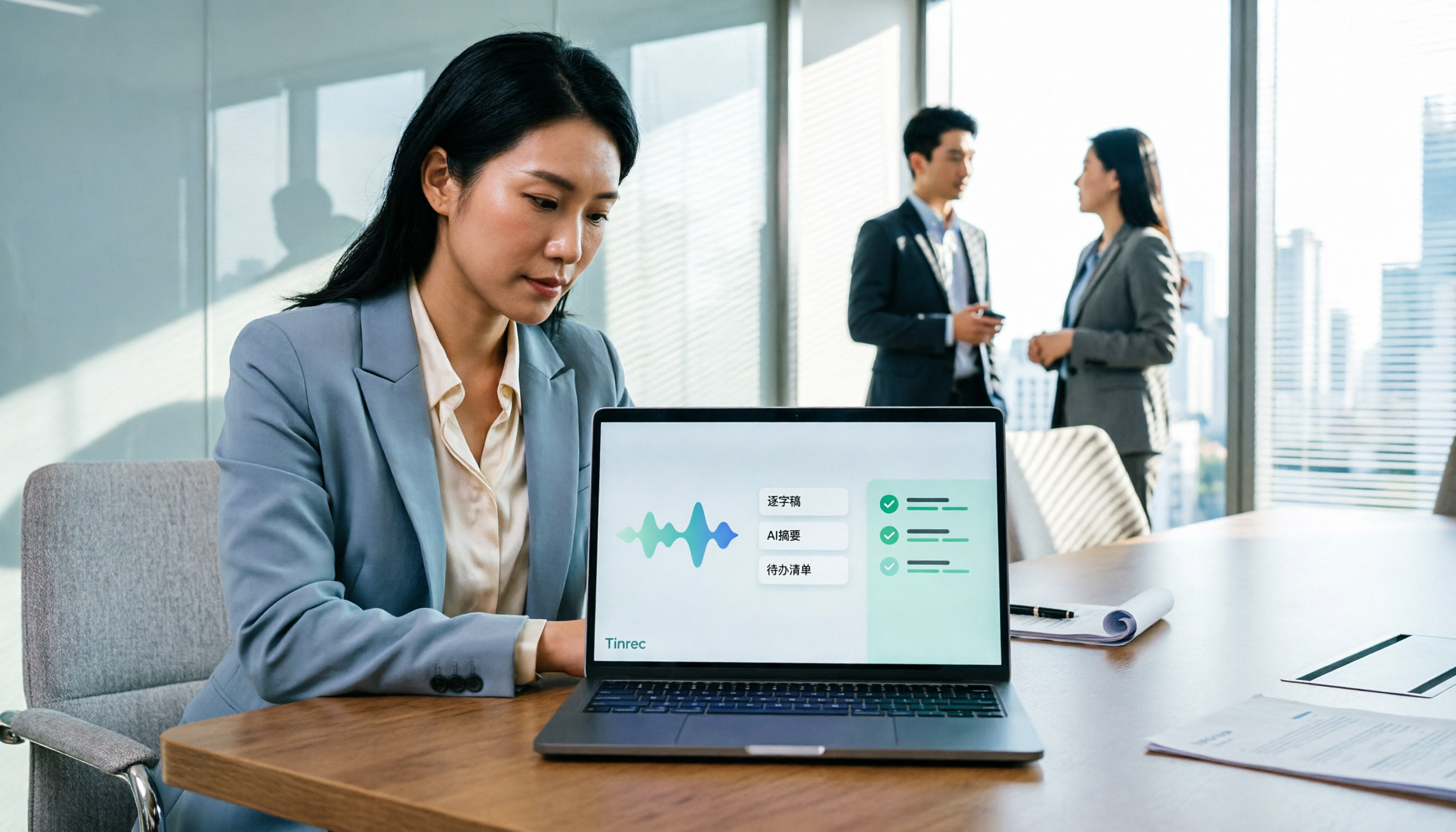
2026 Smart Meeting Collaboration Tools Tested: From Pre-Meeting Audio to Post-Meeting Action Items, Which Workflow Saves the Most Effort?
Meeting notes shouldn't eat up the two hours before you leave work. Using a real ~90-minute meeting recording as an example, this article breaks smart meeting collaboration into 5 actionable steps, showing how to use Tinrec from recording, transcription, proofreading, AI summaries and action items all the way to export and team sharing, and compares how Otter.ai, Fireflies.ai, Notta, and Granola fit into the workflow.

How to Take Sales Meeting Notes in 2026: 3 Tools Compared for Transcripts and Follow-Up
The point of sales meeting notes isn't to transcribe everything—it's to capture customer needs, objections, commitments, and next steps. This article starts with three common inefficient habits, outlines four key factors for choosing a tool, and compares Tinrec, Granola, Notta, and Otter.ai on Chinese transcription, post-meeting Q&A, and team knowledge retention, with practical tips for students and interns.

3 Free Sales Meeting Notes Tools for 2026: Free Tiers and Post-Meeting Workflow Comparison
Finished a sales meeting but your notes only say "the client seemed positive"? This article starts with three common inefficient habits, outlines the fields and workflow sales meeting notes should have, and compares the free tiers, meeting capture methods, and post-meeting organization capabilities of Tinrec, Notta, and Otter.ai—helping budget-conscious professionals choose the right approach.

2026 Sales Meeting Notes Tools Compared: Tinrec vs Otter.ai — Which Is Better for Chinese-Speaking Teams?
The point of sales meeting notes isn't a verbatim transcript — it's what the customer committed to and who needs to do what by when. This comparison of Tinrec and Otter.ai across five dimensions — Chinese transcription, bot-free recording, post-meeting outputs, action-item tracking, team governance, and pricing — helps you decide which tool better fits the real workflow of sales teams in Taiwan.

2026 AI Meeting Notes Tools Compared: How to Write Sales Meeting Notes Faster
If you can't finish writing sales meeting notes, it's usually not because you type slowly—it's because you start by recording the wrong things. This article tackles three common mistakes, breaks down the fields and structure a usable sales meeting note should have, and uses Tinrec to demonstrate the full workflow from recording, transcript, summary, and action items to team knowledge retention, with buying checkpoints and FAQs.

2026 Smart Meeting Assistant Comparison: How to Choose Meeting Tools Trending on Dcard
Discussions about smart meeting assistants on Dcard often focus only on free minutes, but rarely clarify 'how to use them after the meeting.' This article starts with common misconceptions, outlines 4 key selection criteria, explains Tinrec's actual meeting workflow and team plan quota calculations, and compares the positioning differences of Otter.ai, Notta, and Granola to help you find a tool you'll actually open a second time.