

Turn recordings into transcripts and summaries in minutes
Upload audio or video for multilingual transcription, AI notes, and action items
ChatGPT Meeting Notes Free Plans in 2026: 5 Options Compared
You need to submit meeting minutes within ten minutes—what you need isn't more effort, but a smoother workflow
The meeting ends, and your manager asks in the group chat, "Who's going to summarize the conclusions and action items?" You look at the 47-minute recording on your phone and have only one thought: I have to listen to it all over again.
This is a daily reality for many professionals. A one-hour meeting often takes another forty minutes to an hour afterward to organize the transcript, pull out key points, and confirm who is responsible for what. If the meeting also includes English product names or client-specific jargon, the replay time only gets longer.
Another common situation: you hear that ChatGPT can record audio and generate meeting summaries, but when you open it, you're not sure where to start, whether the free version works, how accurate it is in Chinese, or whether your recordings will be used to train models.
This article is here to solve those problems. We'll first explain ChatGPT's actual approach to meeting notes and its limitations, then compare five options from the angles of free quota, Chinese-language performance, post-meeting outputs, and data retention. The bottom line: if you only occasionally record English meetings, ChatGPT's solution is sufficient; but if you need Chinese transcripts, post-meeting Q&A, and team sharing, there are more complete options.
Note: This article is a compilation of public information and feature comparison, not lab testing. All prices and quotas are subject to each product's official page. Data was verified in 2026; product terms may change, so please confirm before use.
Before Choosing an AI Meeting Notes Tool, Understand These 4 Key Points
Rather than comparing whose feature list is longer, ask yourself four questions first.
First, where does your meeting audio come from? Is it a physical conference room, an online meeting on Zoom/Meet/Teams, or an already-recorded audio file? Different sources require different tools. Some tools rely on a meeting bot to join online meetings, some capture system audio via desktop apps, and some only accept file uploads. Confirm your primary scenario first so you don't buy something you won't use.
Second, performance with Chinese and mixed Chinese-English. Meetings rarely use pure Chinese; product names, technical terms, and English abbreviations fly around. Public information shows that some tools' transcription models are English-first, with Chinese still improving. Rather than relying on official accuracy claims, test a segment with your own work recording, paying special attention to names, numbers, and decision sentences.
Third, are the post-meeting outputs sufficient for your needs? A transcript is just raw material. What you really need is a summary, chapters, action items, searchable Q&A, or export to Notion or Google Docs. If you only get a transcript, you still have to read through forty minutes of content yourself.
Fourth, free quota and data policy. Free versions usually have minute limits or single-recording length limits. Also confirm: will recordings be used to train models, how long are files retained, and who owns team data? When HR, legal, or client-confidential content is involved, this matters more than features.
Once you've thought through these four points, the options below will make more sense.
Tinrec—The Top Choice for Turning Meetings into Queryable Data
Tinrec is an AI meeting notes and collaboration tool for individuals and teams, available on web, desktop, and mobile. Its biggest difference from simple "audio-to-text" tools is that it turns meetings into data you can search, summarize, query, export, and continue working with.
In practice, there are three input methods. For in-person meetings or interviews, use live recording to transcribe as you go. For online meetings, use the desktop app to capture system audio without inviting a meeting bot to join Zoom, Google Meet, Microsoft Teams, or Webex. For pre-recorded audio or video files, upload them directly for transcription. This "no bot" design is especially useful for teams that don't want external accounts joining their meetings.
After the meeting, Tinrec generates a transcript, AI summary, chapters, and key points, and extracts action items from the discussion. It also has a feature that sets it apart from similar tools: AI Q&A. You can directly ask, "Who mentioned the budget in this meeting?" or "Which option did the client finally decide on?" It answers based on the meeting content rather than just returning keyword search results. For those who need to look back through past meetings, this feature saves noticeable time.
If you need to turn meeting content into work outputs, Tinrec supports multiple export formats and can use Agent post-processing to generate reports, tables, and documents for continued use in existing workflows like Notion, Google Docs, OneNote, and Dropbox. It handles Chinese, Traditional Chinese, and multilingual meetings, and offers real-time translation and bilingual viewing. Team hotwords let you maintain company-specific terminology to improve recognition of technical terms.
Compared with ChatGPT's solution, the difference is "after the meeting." ChatGPT Record can record audio and generate summaries and action items, but its strength is currently in English environments; Chinese meetings with technical terms require item-by-item verification. It also leans toward one-off Q&A, without team spaces, seat management, usage analytics, or audit logs. Tinrec turns each meeting into searchable, collaborative team data, and data doesn't leave when members do.
Stop organizing recordings by hand
Upload audio or video and automatically get a transcript, summary, and action items
Of course, Tinrec has limitations too. The free version offers a basic quota suitable for light use; if you have many meetings every week or need to process long audio files, consider a paid plan or team version's shared quota. Also, transcription accuracy is affected by recording quality, background noise, accents, and overlapping speakers. For important decisions, go back to the transcript timestamps and recording to verify; don't rely solely on AI summaries.
Who is it for? If you frequently hold Chinese meetings, want to use AI to query key points after meetings, need to preserve meeting data for your team, or switch between phone and computer, Tinrec will be smoother than using ChatGPT alone. For team use, you can create separate team spaces, invite members, assign seats, and view usage and activity logs.
How Do ChatGPT, Otter.ai, Notta, and Granola Handle Meeting Notes?
ChatGPT (Record feature): If you already have a paid ChatGPT subscription, you can click the record button in the lower-left corner of the chat interface to record a meeting or voice memo directly. When finished, it automatically generates notes, a meeting summary, and an action item list. There is currently no pause function; if you need to interrupt mid-sentence, end that segment and start a new one, and it will merge notes from different segments. Public information shows that Record performs best in English environments, with Chinese still improving; summaries may omit tone, conditions, or discussion process, so verify important decisions against the original content. When using it, add "mark information not explicitly mentioned as unconfirmed" to your prompt to prevent the AI from inventing owners and deadlines. The official documentation states that recordings are not used to train models and are deleted after transcription. It suits people who mainly work in English, hold occasional meetings, and don't need team collaboration; if you need Chinese transcripts and team data retention, Tinrec is more complete in this regard.
Otter.ai: A mature choice for English meetings. The Basic free version offers 300 minutes per month, which is generous for English meetings. It supports real-time transcription, speaker identification, and AI Chat, and its team features are complete. However, its mindset is centered on English business meetings, and Chinese meetings are not its strength. If you mainly record English content, Otter is a reasonable free choice; but if you need Chinese transcripts and bot-free desktop recording, Tinrec is a better fit.
Notta: Known for multilingual transcription. The Free plan offers 120 minutes per month, with a maximum of 3 minutes per recording, suitable for short meetings or testing. Pro annual billing works out to about USD 8.17/month with 1,800 minutes per month. It supports meeting notes, file import, and translation, and the Business plan includes unlimited transcription and permission management. Notta overlaps significantly with Tinrec, but Tinrec emphasizes bot-free online meeting recording, AI Q&A, and team data retention; if you only need batch file transcription and subtitles, Notta remains a viable option.
Granola: A bot-free AI meeting notes tool that transcribes in real time via desktop system audio and microphone, and combines with your handwritten notes to generate more targeted content. Basic is free and suits people who like to write key points while listening. Limitations: it doesn't support uploading pre-recorded audio files and doesn't save meeting audio; if you need to retain recordings, import historical documents, or manage teams, Tinrec offers broader coverage.
Pitfall Guide: The 4 Most Common Mistakes When Using AI for Meeting Notes
Pitfall 1: Assuming that having a recording means having a record. Transcript completeness doesn't equal record quality. Meeting notes need conclusions and action items, not every sentence. After recording, someone still needs to confirm "what decisions were made, who executes, when it's due, and what remains unresolved."
Pitfall 2: Letting AI fill in owners and deadlines on its own. If the meeting never decided who is responsible, AI shouldn't guess a name just to make the table look complete. Adding "mark information not explicitly mentioned as unconfirmed" to your prompt can reduce this. Still, do a manual check afterward.
Pitfall 3: Ignoring recording consent and sensitive content. Recording someone's non-public conversation without consent may violate laws depending on your jurisdiction. A safer practice is to announce before the meeting starts, "This meeting will be recorded and organized using an AI tool," especially when external clients or vendors are present. Highly sensitive content such as HR interviews, legal cases, and undisclosed financial data should not be recorded just because the feature is convenient.
Pitfall 4: Only creating records without establishing follow-up actions. A two-thousand-word summary has limited practical value if no one knows what to do next. When choosing a tool, rather than pursuing "the most complete transcript," confirm whether it can organize action items, export to tools you already use, and let your team follow up.
Conclusion: Is ChatGPT's Free Version Enough? It Depends on the Type of Meeting
Back to the original question: How does ChatGPT handle meeting notes? The answer is that with a paid plan, you can use Record to record audio and generate summaries and action items. It performs better in English meetings, while Chinese meetings require an extra verification step. It suits individuals who hold occasional meetings, mainly in English, and don't need team collaboration.
But if you match the following situations, consider other options:
- Need Chinese transcripts and mixed Chinese-English organization → Tinrec (supports Chinese, multilingual, and real-time translation)
- Don't want a meeting bot joining online meetings → Tinrec (desktop app captures system audio)
- Want to query meeting content directly afterward → Tinrec (AI Q&A, not keyword search)
- Need team sharing, seat management, and usage logs → Tinrec team version
- Need to switch between phone, computer, and web → Tinrec (multi-platform)
- Only occasionally record English meetings with zero budget → Otter.ai free version (300 minutes per month)
If you're not sure which suits you, try a free quota with a segment of your own meeting recording, especially one with mixed Chinese-English and technical terms. Time it: how long from upload to transcript, whether the summary is usable, and whether action items are captured correctly. That's more accurate than any feature list.
This article is a compilation of public information and feature comparison, not hands-on testing. Product prices, free quotas, and features may change; please refer to official pages before use. Follow local regulations and obtain participant consent for recording and transcription.
References
- How to Use ChatGPT Record? Complete Guide to Meeting Recording, Automatic Transcription, and Summary Features | Dolphin AI Academy
- 2026 Latest! AI Meeting Notes Tools: ChatGPT Recording Notes, Cloud Integration, Double Your Efficiency!
- How to Do AI Meeting Notes? Complete Guide from Writing Principles to Tool Selection and Automation Prompts | Manager Today
- How to Do ChatGPT Meeting Notes? Record Feature Limitations and Alternatives | Subanana
- Meeting Notes Too Troublesome? ChatGPT+Whisper Does It All! Automatic Transcription, Summarization, and Sending | BusinessNext
Turn every recording into actionable outcomes
Get 60 free transcription minutes when you sign in. No credit card required.
Related Reading
You might also like

iPhone Voice Memos vs Tinrec (2026): 5-Dimension Comparison, Where to Find Transcripts & Post-Meeting Organization
Many people think iPhone recording transcripts are hidden in Settings, but they're actually in the Voice Memos app. This article first shows you where to find transcripts, copy them, and add them to Notes, then compares iPhone Voice Memos and Tinrec across 5 dimensions to help you decide if built-in is enough or if you need post-meeting organization and team collaboration.

2026 iPhone Recording Solutions Compared: Tinrec vs. Voice Memos vs. PLAUD
Recording on an iPhone is never as simple as just pressing the red button. This article tackles three common misconceptions and compares Voice Memos, Tinrec, and PLAUD in real classroom, online meeting, and group project scenarios. It also covers free tiers, Chinese recognition, export workflows, and team permissions to help you find the recording setup you'll actually use after hitting stop.

2026 Speech-to-Text Comparison: Tinrec vs PLAUD Note — Which Is Better for Turning Audio Files into Text?
Many people think of uploading audio files to free tools for transcription, but overlook Chinese punctuation, multi-speaker conversations, and post-meeting organization. This article compares Tinrec and PLAUD Note across 5 dimensions—hardware requirements, meeting recording, file import, team collaboration, and post-meeting workflow—to help you decide which solution better turns audio files into usable text data.
4 Best Audio-to-Text Tools in 2026: Is Recording Legal, Evidence Gathering, and Meeting Notes Explained
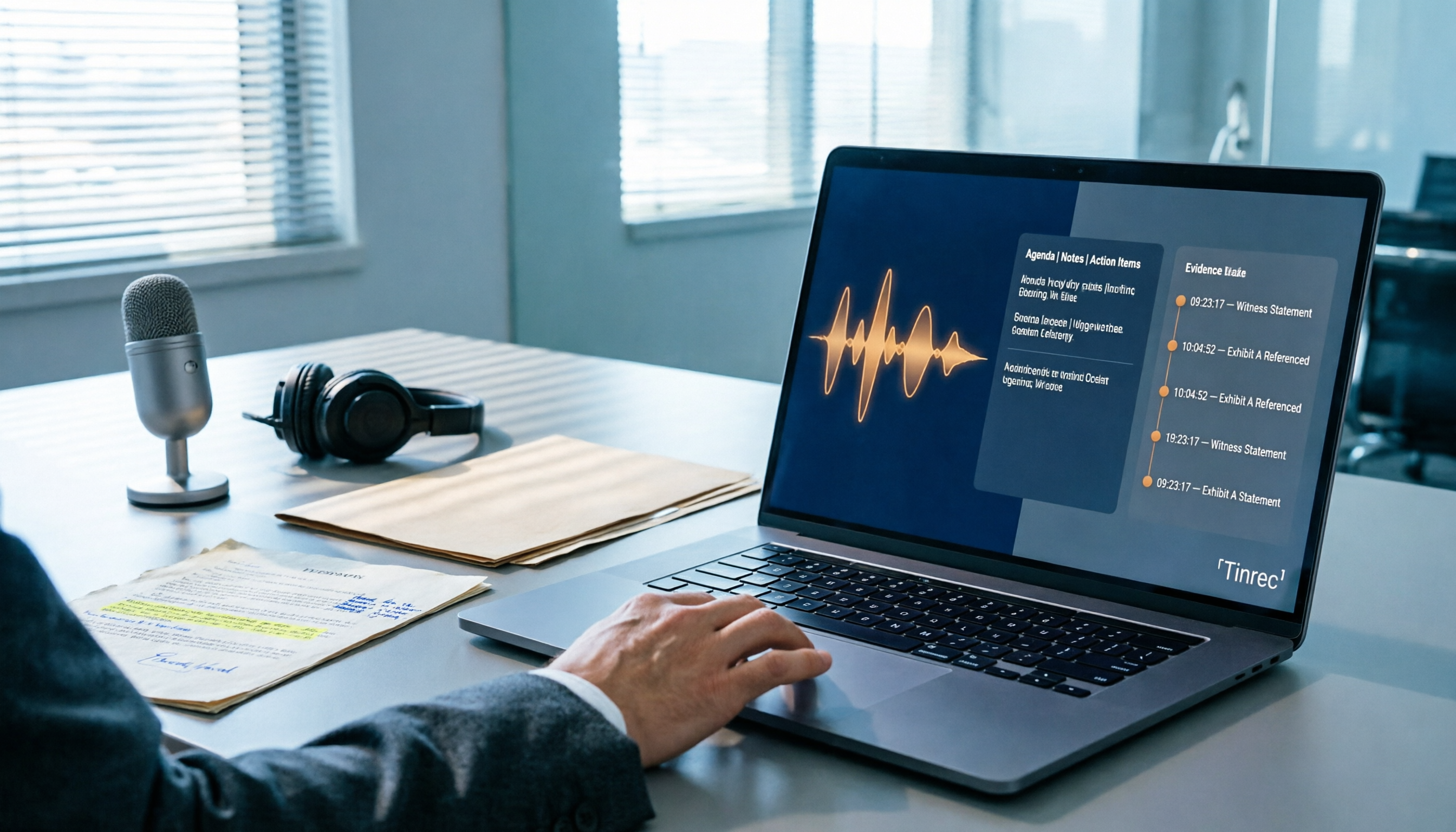
Is recording a conversation illegal? It depends on more than whether you're a party to the conversation. This article covers Taiwan's Criminal Code Article 315-1, the Communication Security and Surveillance Act Article 29, and how courts judge evidence admissibility, then compares Tinrec, Otter.ai, Granola, and TurboScribe for transcription and team workflows.

5 Audio-to-Text Tools Tested for 2026: Google Docs Can't Upload Files—Which Saves the Most Time?
Google Docs cannot directly upload audio files for transcription; it only supports real-time voice input via microphone. This article compares Google Docs, Gemini, Gemini Notebook, Google Cloud Speech-to-Text, and Tinrec through actual workflows to help you decide which method suits meeting transcripts, interview organization, and team collaboration.

3 Transcription Tools Tested and Compared in 2026: What Is Yating Transcription? Which Saves the Most Time?
What is Yating Transcription? This article explains its positioning, pricing, and strengths in 30 seconds, then compares Tinrec, Otter.ai, and Notta in real meeting scenarios across Chinese transcription, AI Q&A, bot-free recording, and team management to help you decide which one to use.

2026 iPhone Transcription Showdown: 3 Methods Tested — Is Built-in Enough or Should You Let AI Handle It?
iPhone's built-in Voice Memos and Notes apps can turn recordings into transcripts, but there are device, OS, and language/region restrictions. This hands-on comparison tests three iPhone transcription options: built-in features, Tinrec, and alternative tools. From recording and reviewing transcripts to post-meeting summaries, action items, and team collaboration — get the full picture.

Google AI Studio in 2026: How to Use It in Chinese (English Interface, Chinese Prompts) + Free Tier Limits
Does Google AI Studio support Chinese? The interface is English-only with no native Traditional Chinese version, but Gemini's Chinese capabilities are more than sufficient. This hands-on guide shows how to lock Chinese output with System instructions, explains free tier limits and available models, and when you should switch to a dedicated Chinese meeting notes tool.

2026 Comparison of 4 Mobile Voice-to-Text Solutions: How to Choose Between Live Dictation and Audio Transcription
Many people asking 'how to do voice-to-text on mobile' are actually confusing live dictation with audio file transcription. This article starts by identifying the scenario, then tests and compares built-in mobile dictation, Notta, PLAUD, and Tinrec, summarizing key purchasing points, common mistakes, and selection advice to help you choose the right tool at once.