
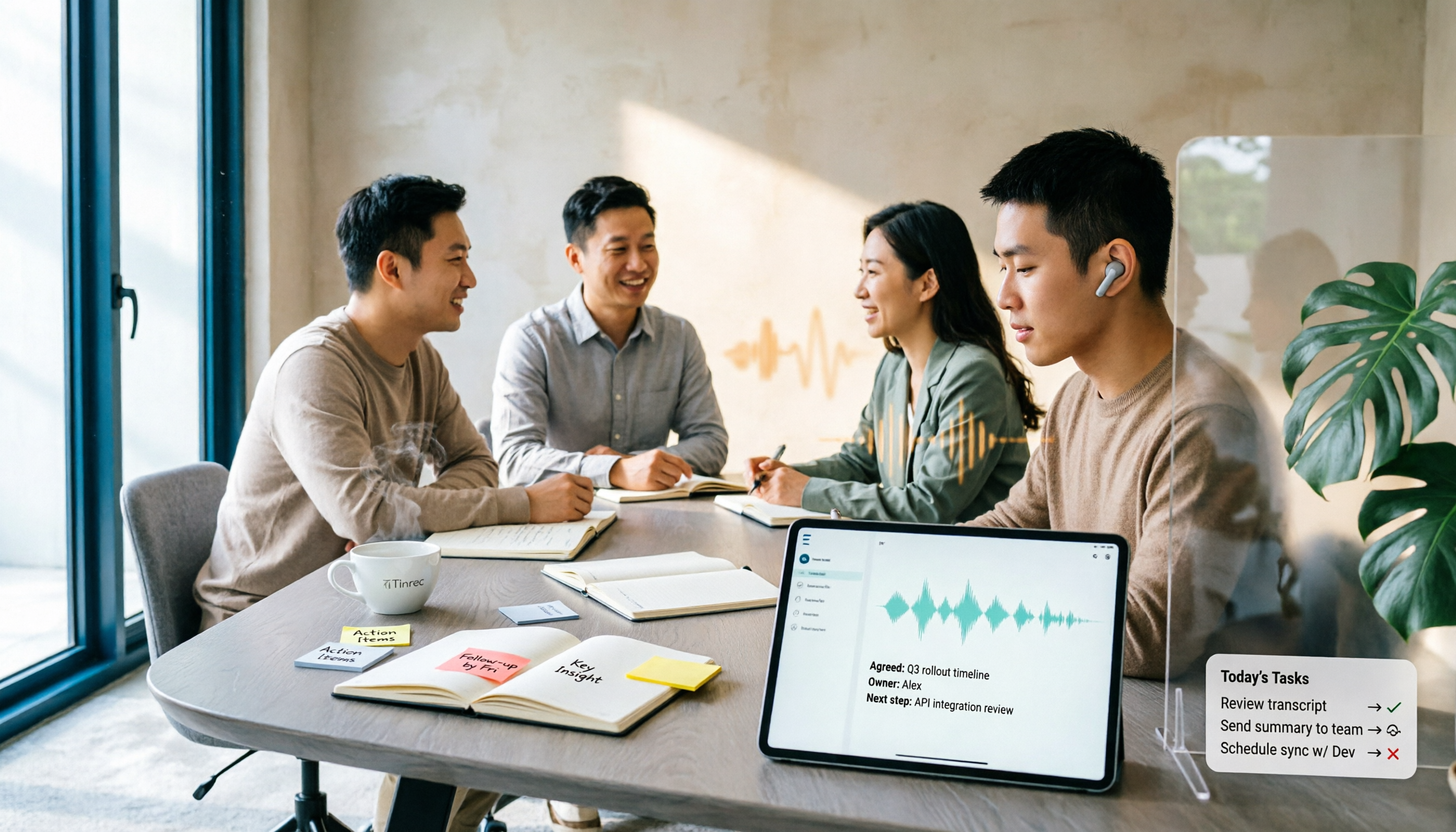
Turn recordings into transcripts and summaries in minutes
Upload audio or video for multilingual transcription, AI notes, and action items
ChatGPT vs Tinrec in 2026: A 5-Dimension Comparison — Read Aloud Listening Experience vs. Meeting Documentation
The meeting just ended, and your manager asks in the group chat, "Who agreed to send which document today?" All you have is a recording and a few pages of handwritten notes. At that moment, two thoughts come to mind: Can ChatGPT just read it to me? And is there a way to listen and still be able to find it, search it, and hand it off later?
This article answers three things:
- How to enable ChatGPT's Read Aloud feature, which languages it supports, and its practical limitations.
- When the scenario shifts to "getting a transcript and summary as soon as possible after a meeting," where Read Aloud fits in the overall workflow.
- Who ChatGPT and Tinrec are each best suited for in this task.
A note on the nature of this article: It compares features and organizes information based on public reports and product data. It is not a controlled hands-on test—there are no results from a unified audio file or standardized timing. Product features, plans, and prices change; verification dates are noted, and the official pages should be considered authoritative. This article includes Tinrec product information, which is information provided by the product vendor; statements about Tinrec are based on product data.
First, Clarify Three Common Misconceptions
Misconception 1: Treating "voice conversation" and "Read Aloud" as the same thing. Voice conversation is a two-way mode where you ask and it answers; Read Aloud reads out an already-generated text response. The former is an interaction method, the latter is an output method—they have different entry points and uses in the app.
Misconception 2: Assuming Read Aloud can turn meeting recordings into transcripts. Read Aloud solves "how to turn text into sound," not "how to turn sound into editable, searchable text." Get the direction wrong, and you'll keep waiting for a result that won't appear.
Misconception 3: Assuming "being able to hear it" equals "being able to look it up." After listening to a recording, if there's no transcript, timestamps, or to-do list, the next time you need to confirm "who agreed to what and when," you'll still have to listen from the beginning.
How ChatGPT's Read Aloud Feature Works
Based on public reports from March 2024, OpenAI introduced the "Read Aloud" feature for ChatGPT. Key points:
- Availability: Rolled out on web, iOS, and Android apps; the read-aloud button also appeared on the web version over time.
- How to use: In the app, long-press a message in the chat, and "Read Aloud" appears in the menu; on the web, a read-aloud button appears at the bottom of the response message.
- Playback controls: The playback interface allows pause, forward, or rewind by 15 seconds; reading continues after leaving the app (background playback).
- Voices and languages: Offers 5 different voices, supports 37 languages with automatic language detection; can read Chinese, English, and mixed Chinese-English content.
- Version support: Public reports indicate both GPT-4 and GPT-3.5 versions can use it.
There's also a workaround shared by the source author: paste a web article you want to hear into the chat, first ask ChatGPT to confirm "whether to read this article aloud" and wait for a reply, then ask it to rewrite the full text word for word, and finally use Read Aloud to speak it—essentially creating your own audio content. This approach is suitable for turning long articles into a "listening" format, but it is fundamentally text rewriting plus voice output, not audio transcription.
Note that the above is public information from 2024; feature entry points and plan differences may have changed. Please refer to the interface you actually see in your account before use.
Four Stages That Determine Whether Meeting Content Is Usable
To judge whether a tool suits meeting scenarios, break the workflow into four stages:
- Capture: How does meeting audio get in? Real-time recording, desktop system audio capture, uploading existing audio files, or only manual text pasting.
- Transcription: Can it produce a searchable, reviewable transcript? Is handling of languages and mixed Chinese-English stable?
- Organization: Are there summaries, chapters, key points, and to-dos so that people who didn't attend can grasp the conclusions in minutes?
- Delivery and collaboration: Can results be exported to existing workflows? Can team members share the same data? Is data ownership clear when members change?
Read Aloud's position in these four stages is actually "personal use experience after stage four"—it makes already-organized content easier to absorb, but it won't automatically complete the first three stages for you.
Where the Two Tools Fit in the Workflow
ChatGPT is a general-purpose conversational assistant, and Read Aloud is one form of its output. Its strengths are text-level rewriting, summarization, follow-up questions, and tone adjustment. As for the complete workflow of meeting audio to transcript, quotas, and team governance, the public materials cited in this article do not cover them; those dimensions are marked as to be confirmed in the table below, without speculation.
Tinrec is positioned as an AI meeting notes and collaboration tool. According to product data, it supports real-time recording to text, desktop system audio capture to record online meetings on Zoom, Google Meet, Microsoft Teams, Webex, etc. (no meeting bot required to join), audio/video file import, and mobile recording. After the meeting, it can produce transcripts, AI summaries, chapters, key points, to-dos, and mind maps, and supports AI Q&A, real-time translation, multi-format export, and Agent post-processing. The team version also offers team spaces, role and seat management, usage analytics, audit logs, and an audio recycle bin.
Stop organizing recordings by hand
Upload audio or video and automatically get a transcript, summary, and action items
Five-Dimension Feature Comparison Table
The following is organized from public and product data; it is not a controlled test using the same audio file:
| Dimension | ChatGPT | Tinrec |
|---|---|---|
| Read Aloud and voice output | Responses can be read aloud directly; 5 voices, supports 37 languages with automatic language detection; app allows long-press to read messages, supports background playback and 15-second forward/rewind (per March 2024 public reports) | Product data lists transcripts, summaries, chapters, to-dos, mind maps, and export as primary outputs; no read-aloud output feature listed |
| Meeting audio capture | Public data focuses on text chat and voice conversation; the workflow and quotas for meeting audio to transcript are not covered by verifiable information in this article—to be confirmed | Real-time recording, desktop bot-free system audio capture, audio/video file import, mobile recording |
| Transcription and language handling | Can handle multilingual text and mixed Chinese-English content; transcripts must be generated step by step through conversation | Chinese and multilingual meeting transcription, mixed Chinese-English organization, real-time translation and bilingual view, team hotwords |
| Post-meeting organization and follow-up | Can summarize, rewrite, and organize key points per instructions (general description) | Summaries, chapters, key points, to-dos, mind maps, AI Q&A, Agent-generated reports and tables |
| Team collaboration and governance | No verifiable seat and audit information obtained in this article—to be confirmed | Team spaces, roles and seats, shared quotas, usage analytics, audit logs, audio recycle bin (30-day retention) |
Dimension-by-Dimension Differences and Who They Suit
Read Aloud and voice output: If what you want is "to listen comfortably to a piece of already-organized text," ChatGPT's Read Aloud experience is the most direct option in current public data, and you can take notes while listening. But it presupposes you already have the text.
Meeting audio capture: This is where the two differ most. Tinrec's desktop version records online meetings by capturing system audio, without requiring an extra participant to join—convenient for teams that don't want another bot in the meeting list. Note that this does not mean "automatically joining all calendar meetings"; users still need to actively start recording, and it does not imply official partnerships with Zoom, Teams, or other platforms.
Transcription and language: Chinese meetings, mixed Chinese-English, and multilingual scenarios are where Tinrec focuses, and it offers team hotwords for maintaining professional terminology. However, actual recognition performance is affected by recording quality, noise, accents, overlapping speakers, and proper nouns; product data also advises against publicly promising fixed accuracy rates, and important content should still be verified against the original text and recording.
Post-meeting organization and follow-up: Both can summarize and rewrite; the difference is the source. ChatGPT requires you to feed it the content; Tinrec keeps the recording, transcript, summary, to-dos, and follow-up questions in the same meeting data context, suitable for scenarios requiring repeated review after the meeting.
Team collaboration and governance: This is the core of Tinrec's team version. Team resources belong to the team; members without a seat can still view, play, and read data, but a seat is required to record, upload, edit, and export. Roles determine governance permissions; seats determine usage eligibility. Currently, sharing is primarily at the team level, not fine-grained file-level permission control. Product data also notes that some team version capabilities are subject to official release status.
Pricing and Available Quotas
ChatGPT: This article does not have verifiable official pricing for ChatGPT plans, so they are not listed here; please refer to the official page (to be confirmed).
Tinrec: According to product data (version date 2026-08-18), the stated terms are as follows; actual amounts and promotions are subject to the official purchase page:
| Item | Current Terms |
|---|---|
| Individual plans | Free, weekly card, Pro monthly, Pro annual; choose by usage task |
| First eligible team trial | 7 days, 1 free seat, 300 minutes of team shared import quota |
| Team monthly | USD 29.80 per paid seat per month |
| Team annual | USD 199 per paid seat per year, equivalent to about USD 16.58 per month |
| Paid seat benefits | 2,000 minutes of team shared import quota per seat per month |
| Real-time recording | Under an active team plan and active seat, currently not deducted by minute |
| File and web import | Consumes team shared import minutes, not individual member quota |
Conclusion: Choose by Need
Under the data conditions of this article, the breakdown is as follows:
- Want to "listen": If the need is to absorb already-organized text via voice, or for language learning and listening to long articles, ChatGPT's Read Aloud is more direct.
- Want to "keep usable data": If the need is to get transcripts, summaries, chapters, and to-dos as soon as possible after a meeting, and to export and share with the team, Tinrec's workflow is more complete.
- Use both: Use a meeting tool for capture, transcription, and organization, then hand the finalized content to Read Aloud to "listen through" for review—a common practical combination.
Finally, a scope limitation: This article did not conduct a timed comparison using the same audio file, device, and network, so it cannot answer questions like "who is a few seconds faster"; features and prices of each tool also change with versions. We recommend validating with your own meeting audio and actual plan before deciding to standardize any part of the workflow.
Data Verification and Source Notes
- ChatGPT Read Aloud's operation, number of voices, number of languages, and version support are organized from March 2024 public reports; for subsequent changes, refer to the official interface.
- Tinrec's features, plans, and pricing terms are based on product data, version date 2026-08-18.
- Recording and transcription involve personal data and communication privacy; please comply with local regulations before use and obtain participant consent when necessary.
References
Turn every recording into actionable outcomes
Get 60 free transcription minutes when you sign in. No credit card required.
Related Reading
You might also like
4 iPhone Transcription Tools Tested for 2026: Voice Memos Duration vs. AI Organization—Which Saves More Time?
iPhone Voice Memos has no fixed single-recording limit; the real constraints are storage space and battery. But the pain point comes after recording—re-listening and organizing. This article compares 4 tools in 2026 on recording duration, transcription, AI Q&A, to-dos, and team collaboration, and explains the ideal use cases and pricing checkpoints for Tinrec, Notta, Otter.ai, and TurboScribe.

4 Free Audio-to-Transcript Tools Tested for 2026: Whose Free Tier Actually Holds Up?
A breakdown of four free ways to turn recordings into transcripts: Tinrec, Google AI Studio, ChatGPT Work, and iPhone Voice Memos. Each entry covers the free scope, step-by-step process, and real limitations, plus a comparison table and selection advice.

2026 Video-to-Text Showdown: 4 Tools Tested for Free Limits, Chinese Accuracy, and Post-Transcription Workflow
Turning video into text is easy; the real challenge is making the output usable. This hands-on comparison tests Tinrec, Vidnoz, VEED, and Google Docs voice typing across input sources, Chinese recognition, post-meeting organization, and team sharing. We also break down four common pitfalls to help you decide which tool suits occasional YouTube transcription and which fits weekly interview and meeting video workflows.

ChatGPT vs Tinrec: AI Meeting Notes Comparison (2026)
How does ChatGPT handle meeting notes, and where does it fall short? This article breaks down the real workflow and limitations of ChatGPT Record, then compares it with Tinrec across six dimensions: Chinese transcription, online meeting recording, post-meeting organization, existing audio files, team collaboration, and pricing. Find out when ChatGPT is enough and when you need a dedicated tool.

3 Transcript Export Tools Tested for 2026: How to Export Yating Transcripts and Is Tinrec Easier?
First, a quick answer on how to export Yating transcripts, then a comparison of Tinrec from the perspectives of post-export workflow, AI organization, online meeting capture, and team collaboration to see if it better suits those who need to repeatedly organize meeting content.

ChatGPT Speech-to-Text in 2026: Testing 3 Methods to See If You Really Get a Meeting Transcript
Can ChatGPT transcribe audio? Yes, but there are three paths: mobile voice input, macOS recording mode, and the Whisper API—each with real limits like a 25MB file cap and no speaker labels. This article breaks down the boundaries of each method from a mid-level manager's real-world usage, shares 4 key factors for choosing a solution, and explains why Tinrec stood out in testing for meeting transcripts, AI summaries with action items, and team knowledge retention.

2026 Speech-to-Text Tool Comparison: Is Yating Taiwanese? Feature and Plan Differences
Is Yating Taiwanese? Two conflicting claims are circulating online. This article first sorts out verifiable sources and points of conflict, then compares Yating, Notta, TurboScribe, and Tinrec across five angles: accent recognition, post-meeting organization, online meeting recording methods, free quotas, and team data ownership, to help you decide which tool fits your meeting scenario.

ChatGPT Voice Mode vs Tinrec in 2026: 5-Dimension Comparison — Which Is More Practical for Recording Length and Post-Meeting Organization?
How long can ChatGPT Voice Mode record in a single session? OpenAI's Help Center doesn't specify a fixed minute limit, and external reports generally point to a cap of about 2 hours. This article compares ChatGPT Voice Mode and Tinrec across five dimensions — single-session recording length, Chinese recognition, post-meeting organization, team collaboration, and import sources — and highlights the most common practical pitfalls to help you decide which tool to use for meeting notes.
3 Ways to Use iPhone as a Level: Flat, Side, or With a Case — Which Is Most Accurate?
Can your iPhone work as a level? Yes, and you don't need to download any app. This guide tests three real-world methods — laying it flat, standing it on its side, and using it with a protective case — for hanging pictures, installing shelves, and mounting monitor arms. We break down the error caused by the camera bump, explain the difference between the Compass app's level page and the iOS 17 camera level, and honestly tell you when it's still worth grabbing a traditional bubble level.