

Turn recordings into transcripts and summaries in minutes
Upload audio or video for multilingual transcription, AI notes, and action items
2026 Comparison of 4 Meeting Software: Free Tiers and Post-Meeting Organization—Which Is Most Sufficient?
There Are Countless Meeting Software Options—Ask Yourself This One Question First
Rather than asking "which meeting software is the most popular," ask yourself: "After this meeting ends, how much more work do I have to do?"
If you still have to manually organize transcripts, recall who said what, and paste action items into another tool after a meeting, then the meeting software only solved "calling" for you—not "recording" or "follow-up."
A more common scenario: online meetings use one tool, recordings are stored on your phone, and meeting conclusions are scattered across chat rooms. Next time you need to find "that budget the client mentioned last time," you have to search from scratch.
This article won't just list specifications. We'll look at free tiers, how meeting audio gets into the tool, Chinese transcription, post-meeting organization, and team knowledge retention to help you determine which option suits your work style.
Before Choosing Meeting Software, Understand These 4 Key Points
1. Free tiers aren't just about "how many minutes" Many tools advertise a certain number of free minutes per month, but you need to look closely: do live recording and file uploads share the same quota? Do team members share a single pool? Are summary generation and Q&A after the meeting deducted separately? Rather than just looking at the numbers, consider whether your use case is "regular weekly meetings" or "occasional interview transcription."
2. How meeting audio gets into the tool There are two common approaches: one is having a meeting bot join as a participant, and the other is a desktop app that directly captures computer system audio. Bots are convenient, but some participants may be uncomfortable with an extra account in the meeting room; desktop capture doesn't require inviting a bot. For example, Tinrec's desktop version uses the latter approach and can handle meeting audio played on a computer from Zoom, Google Meet, Microsoft Teams, and Webex. However, this doesn't mean it automatically joins all meetings on your calendar—you still need to initiate recording manually.
3. Ease of use for Chinese and multilingual meetings Meetings for professionals in Taiwan rarely involve pure Chinese or pure English; more often they mix Chinese and English with technical terms flying around. What matters here isn't the number of "supported languages," but whether the transcript is readable, whether real-time translation is available, and whether technical terms can be corrected via hotwords. Tinrec focuses on Chinese, Traditional Chinese, and multilingual meetings, offering real-time translation and bilingual viewing.
4. Post-meeting outputs and team data ownership Getting only a transcript means you've completed just one-third of the work. What you really need are summaries, chapters, action items, AI Q&A for follow-up questions, and export capabilities to bring results into tools like Notion, Google Docs, and OneNote. If a group meets, you also need to know whether data belongs to individuals or the team, and whether data disappears when members leave. Tinrec's team plan puts these in a shared team space and uses roles and seats to distinguish management and usage rights.
Tinrec—Our Top Choice After Testing
Tinrec is an AI meeting notes and collaboration tool for individuals and teams. It supports live recording, bot-free online meeting recording via desktop, audio and video file transcription, real-time translation, and automatically generates summaries, chapters, action items, and mind maps. It's available on web, desktop, and mobile.
Our test conditions were an indoor air-conditioned environment, 4 participants, and mixed Chinese-English speech. We focused on three things: whether the transcript was readable, whether the summary captured decisions, and whether action items were specific enough for someone to take over. Tinrec's workflow is to input a recording or file and generate transcript, summary, chapters, and action items all at once—no need to export audio to another tool and rerun. After the meeting, you can directly ask questions like "What were the conclusions of this meeting?" or "Who is responsible for the budget?" and it will answer based on the meeting content, not just throw keyword search results at you.
For online meetings, the most practical difference is "no need to invite a meeting bot." Open Tinrec's desktop version, and it directly captures computer system audio, handling meetings on Zoom, Google Meet, Microsoft Teams, and Webex. This is especially useful for external client meetings—you don't have to explain "a bot will join later" to the other party.
Post-meeting organization is where it stands out. Transcripts are searchable for review, summaries and chapters help you quickly review long meetings, and action items are pulled directly from discussions. When you need to deliver to a manager or client, you can export as files or use Agent post-processing to generate reports, tables, and meeting minutes. If you handle mixed Chinese-English content, real-time translation lets you switch between original text, translation, or bilingual view during recording.
Stop organizing recordings by hand
Upload audio or video and automatically get a transcript, summary, and action items
Pros:
- Meeting audio capture doesn't require a bot to join, which is friendlier for external meetings and privacy-conscious participants.
- It doesn't just provide transcripts; it connects summaries, action items, Q&A, and export into a post-meeting workflow.
- The team plan offers an independent team space where meeting data belongs to the team, with roles, seats, usage analytics, audit logs, and an audio recycle bin.
Limitations and Plans: The personal plan includes a free version, weekly pass, Pro monthly, and Pro annual. The free version offers a basic quota; actual minutes and prices are subject to the official checkout page. The team plan is currently USD 29.80 per paid seat per month, or USD 199 per paid seat per year (equivalent to about USD 16.58 per month); the first eligible team trial is 7 days with 1 free seat and 300 minutes of shared team import quota. Paid seats provide 2,000 minutes of shared team import quota per month. Live recording is currently not deducted by minutes under an active team plan and active seat, while file and web imports consume shared team quota. Note that Tinrec does not recommend promising a fixed accuracy rate; actual results are affected by recording quality, noise, accents, overlapping speech, and technical terms. For important content, it's advisable to cross-check the transcript and recording. Also, the team plan currently focuses on team-level sharing rather than file-level permission control; members without seats can view data but cannot upload, edit, or export.
Who it's for: If you frequently hold Chinese or mixed Chinese-English meetings, prefer not to have meeting bots join, and need to turn conclusions into action items and reports afterward, Tinrec is currently a relatively complete choice. For team use, the team plan's space, seats, and audit capabilities are more controllable than individual accounts recording separately.
Besides Tinrec, What Other Options Are There?
Otter.ai is a mature choice for English AI meeting assistants. The Basic free version offers 300 minutes per month, and Pro annual billing is about USD 8.49 per user per month. If you mainly record English meetings, its free tier is attractive; however, its Chinese experience and team data retention are not its focus. If you often hold mixed Chinese-English meetings, Tinrec is smoother for Chinese transcription, bot-free desktop recording, and post-meeting team space.
Notta overlaps heavily with Tinrec, both offering multi-platform transcription, file import, translation, and team plans. Notta's free version offers 120 minutes per month with a maximum of 3 minutes per session; Pro annual billing is about USD 8.17 per month. Its strengths are multilingual support and file processing; Tinrec emphasizes bot-free desktop recording, post-meeting AI Q&A, Agent post-processing, and team data governance. If you want to "ask for key points directly after a meeting," Tinrec's workflow is more focused.
Google Meet is convenient for those already in the Google ecosystem, with intuitive Gmail and Calendar integration, and participants don't need to install extra software. However, note that recording meetings usually requires a paid plan, and its post-meeting organization and cross-platform database are not strengths. If you just need to hold meetings, Google Meet is sufficient; if you want to turn meetings into queryable team data, a tool like Tinrec fills that gap.
Pitfall Guide: The 4 Most Common Mistakes When Choosing Meeting Software
Pitfall 1: Only looking at free minutes, not quota rules. Some tools seem to offer a large number of free minutes, but file imports, AI Q&A, and team sharing each have their own limits. The right approach is to calculate based on your typical meeting length and file volume, not just promotional numbers.
Pitfall 2: Assuming a bot must join the meeting. Meeting bots are not the only solution. Desktop capture of system audio can also record online meetings without adding an extra account to the participant list. Tinrec's desktop version works this way, but remember it still requires you to start recording manually—it doesn't automatically join all meetings.
Pitfall 3: Treating the transcript as the end goal. Transcripts are just raw material. What really saves time are summaries, chapters, action items, and Q&A. If you only use the tool as "audio-to-text," you're only using part of its capabilities; Tinrec's AI Q&A, for example, lets you find conclusions directly with questions, much faster than manually scrolling through a 30-minute transcript.
Pitfall 4: Ignoring team data ownership and seats. For team use, ask clearly: Does data belong to the team or individuals? Will data disappear when members leave? Can members without seats edit? Tinrec's team plan makes data belong to the team, roles control governance, and seats control usage; when members change, resources need to be handed over to other active members. Understanding these rules upfront is easier than fixing things later.
Conclusion: Which One Should You Choose?
To sum up in one sentence: the difference in meeting software isn't just "can it make calls," but "after the meeting, can you do less organizing."
- Need Chinese or mixed Chinese-English meeting transcription and don't want to invite a meeting bot → Tinrec.
- Want to use AI to directly ask for conclusions, action items, and owners after recording → Tinrec.
- Need to use on phone, computer, and web, and export to existing workflows after meetings → Tinrec.
- Team needs to share meeting data and manage members, seats, usage, and audits → Tinrec team plan.
- Zero budget and only record English meetings → Otter.ai is a practical exception.
- Fully committed to the Google ecosystem and only need basic meeting features → Google Meet is sufficient.
We recommend starting with the free version or team trial, running through a real meeting workflow to confirm that transcripts, summaries, and action items fit your work habits, and then deciding whether to upgrade. Before recording, don't forget to comply with local regulations and obtain participant consent when necessary.
References
- Free Video Conferencing and Online Meetings | Cisco Webex
- How to Choose Online Meeting Software? A Complete Guide to 5 Software Features, Prices, and Use Cases! - 棋崚ALEN
- 2026 Free Online Meeting and Video Conferencing Software Recommendation List! Comparing Teams, Zoom, and Google Meet | Tasker Good Articles Column
- Top 5 Recommended Online Meeting Software to Greatly Improve Remote Online Work Meeting Efficiency | On-line to Know
- Online and Virtual Meeting Software | Microsoft Teams
Turn every recording into actionable outcomes
Get 60 free transcription minutes when you sign in. No credit card required.
Related Reading
You might also like

2026 Tinrec AI Meeting Notes Review: Chinese Transcripts + Auto To-Dos
Which AI meeting notes tool is best? This guide starts with common buying mistakes and compares Tinrec with Otter.ai, Notta, and others on Chinese recognition, bot-free recording, post-meeting summaries, action item extraction, team collaboration, and free tiers to help US professionals find the right AI meeting notes tool.

Tinrec vs Notta 2026: 5-Dimension Comparison — Which Is Better for Chinese Meeting Notes and Team Knowledge?
Which real-time meeting transcription app should you choose? This article compares Tinrec and Notta across 5 dimensions: audio capture, post-meeting organization, Chinese language experience, team governance, and pricing/quotas. It also covers use cases for Otter.ai and TurboScribe to help you find the tool that truly saves time on transcripts.
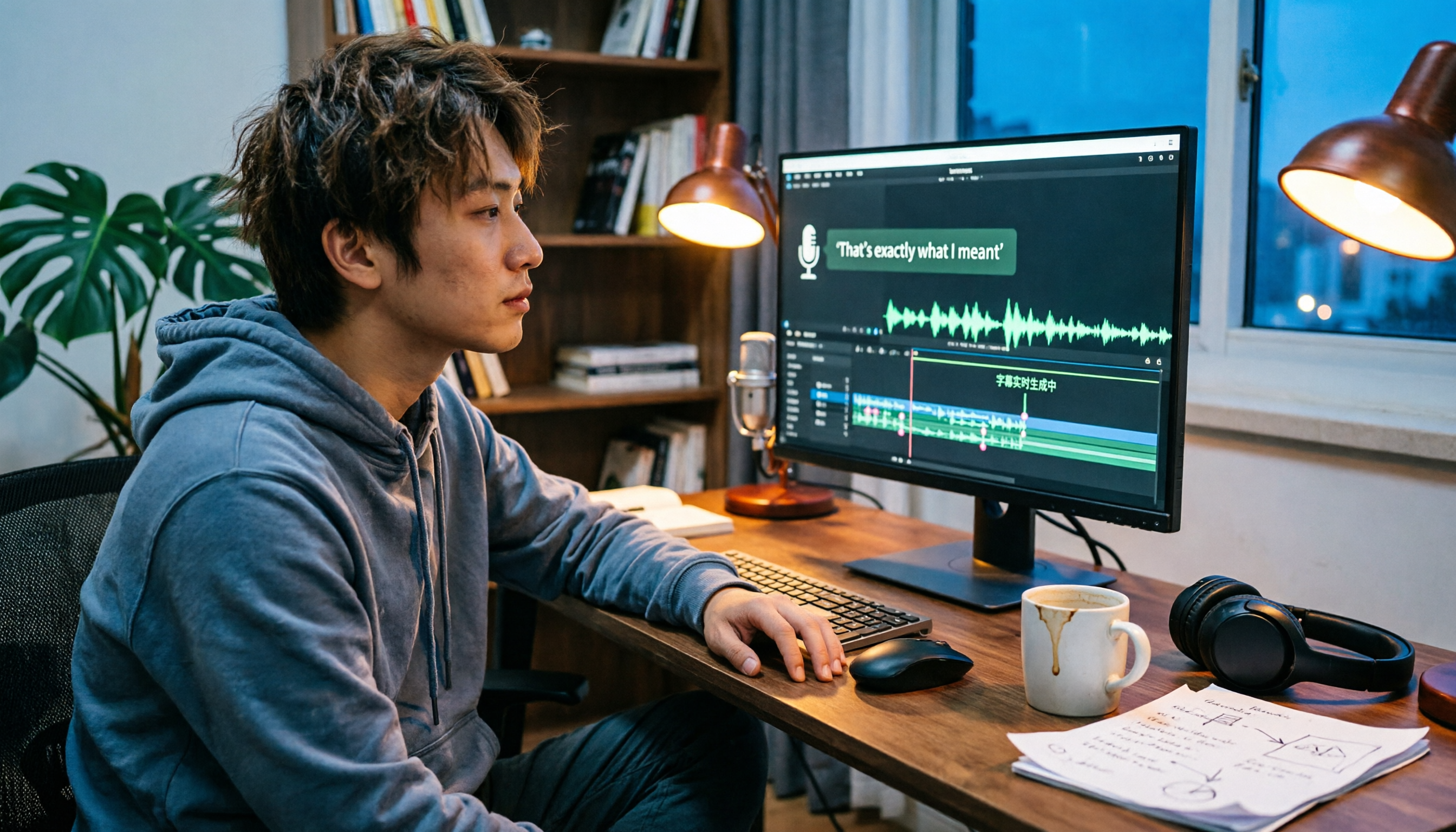
2026 Vlog Video Editing & Voice-to-Text Tools Compared: Which Saves the Most Time on Voiceover to Subtitles?
Filming your Vlog is done, but adding voiceover and subtitles takes forever? This article breaks down three workflows—voice to text to subtitles—and compares Tinrec, Jianying, CapCut, and Subanana on Chinese transcription, AI summaries, subtitle drafts, and editing integration to help you choose the right tool and avoid late nights.

How to Do Audio-to-Text Transcription in 2026: 5 Steps from Recording to Team Transcript
Meeting recordings sit unprocessed, and interviews need to be replayed three times to find that one key sentence—the real challenge with audio-to-text isn't transcription itself, but what you do with the output. This article breaks down the complete workflow in 5 steps: recording, transcription, summarization, follow-up questions, and export. It also compares Tinrec, Notta, Otter.ai, and TurboScribe to help you choose the right tool for your needs, including free tiers and paid pricing.

4 Zoom Meeting Summary Tools Tested in 2026: Which One Actually Saves You Time?
How to choose a Zoom meeting summary tool? This article compares Tinrec, Otter.ai, Notta, and Granola across summary deliverability, recording method, Chinese-language experience, and team collaboration, and covers pricing, limitations, and pitfalls to help you pick the right AI meeting notes solution for Zoom.

2026 Comparison of 2 Cantonese Speech-to-Text Tools: Tinrec vs Otter.ai — Which Is Better for Mixed Chinese-English Meetings?
Tired of transcribing Cantonese meeting recordings? This article compares Tinrec and Otter.ai across Cantonese and mixed Chinese-English recognition, bot-free online meeting recording, post-meeting summaries and AI Q&A, team collaboration governance, and free tiers and pricing, to help you decide which is better suited for Cantonese meetings, interviews, and team organization needs.

2026 Comparison of 3 Computer Video-to-Text Tools: Why Tinrec Is Better Than cSubtitle and VEED for Meeting Organization
Many people upload a video to a transcription site only to realize they still have to manually organize the transcript. Starting from common misconceptions about computer video-to-text, this article compares Tinrec, cSubtitle, and VEED, and explains how Tinrec turns video content into summaries, action items, and searchable team meeting materials.
5 Best Text-to-Speech Tools in 2026: Which One Sounds Most Human?
The same script fed into different tools produces wildly different 'human-like' results. This article first breaks down 4 key factors for choosing a text-to-speech tool with human-like voice, then hands-on compares MyEdit, Vidnoz, FlexClip, and Yating. Finally, it covers the other half of the human voice need: using Tinrec to turn meeting and interview recordings into searchable, queryable transcripts and summaries.

2026 Comparison of 5 Online Text-to-Speech Readers: Which Offers the Most Practical Traditional Chinese Voices and Audio Export?
Starting from the common misconception that you just paste text and press play, this article compares TextReader, MyEdit, Luvvoice, Vidnoz AI, and Speechify across speech engines, Traditional Chinese voices, long-text handling, and audio export. It includes comparison criteria, quota details, and recommendations based on user needs.