
Turn recordings into transcripts and summaries in minutes
Upload audio or video for multilingual transcription, AI notes, and action items
2026 Comparison of 4 Meeting Minutes Tools for State-Owned Enterprises: Which AI Saves the Most Time?
Monday Morning at 9 AM: The Battle in the Conference Room
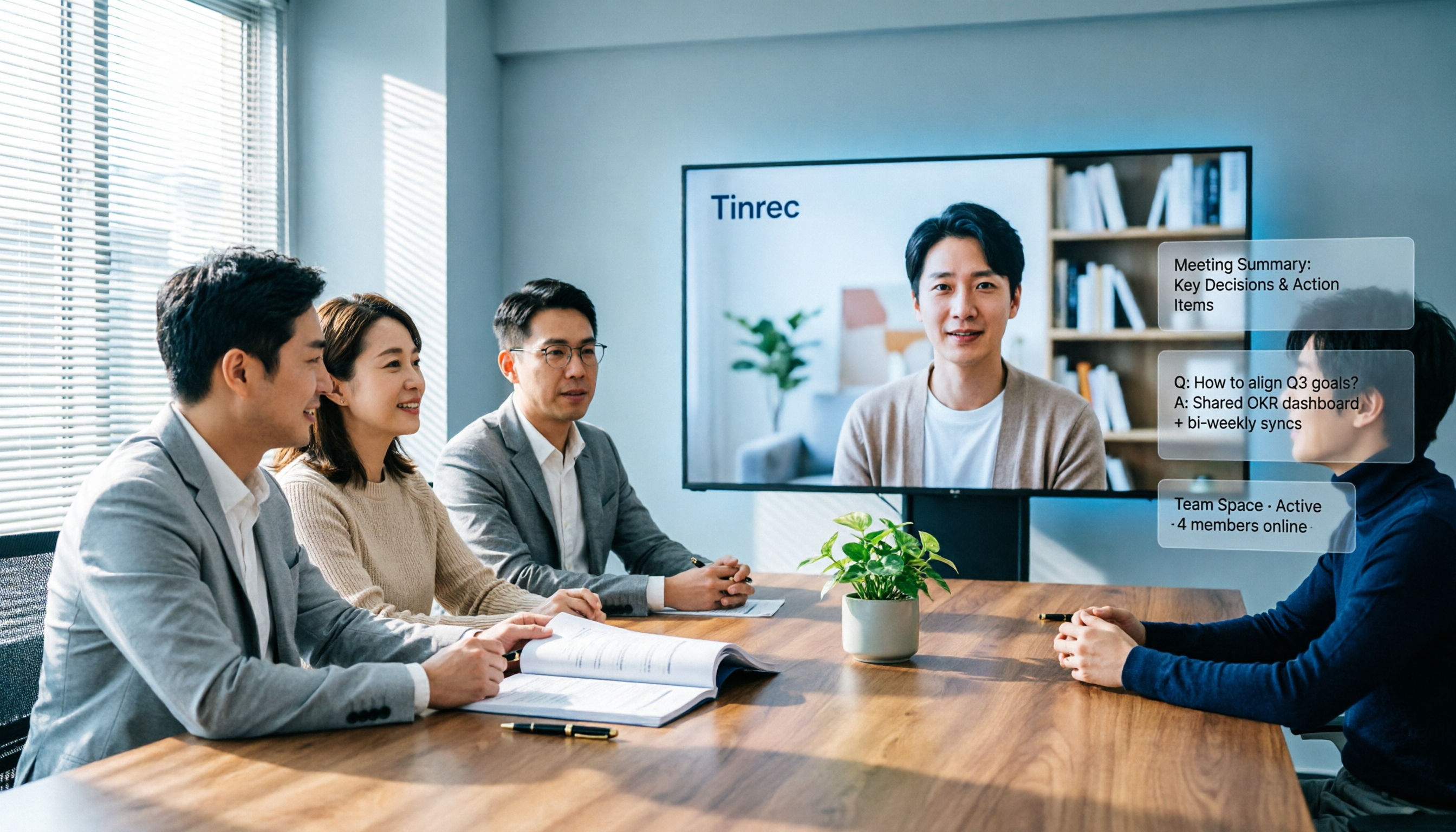
It's Monday morning at 9 AM, and a dozen people are sitting in the conference room with a stack of budget sheets on the table. The host is explaining the annual procurement plan in front of the whiteboard, and attendees are taking turns speaking. Someone mentions budget cuts, another asks about delivery dates, and someone else adds follow-up points from the last meeting. Two hours pass, and you've only written three lines in your notebook, while the recording on your phone is 128 minutes long.
At 3 PM, your supervisor walks over and asks: "What was the decision on last week's equipment procurement? Who's responsible? When is it due?" You open the recording and start listening from the beginning, but your mind starts to wander halfway through. It's not that you're not paying attention—writing meeting minutes for state-owned enterprises is inherently difficult. What's needed isn't a verbatim transcript, but decisions, responsible departments, deadlines, and follow-up points for the next meeting.
If you've ever been in this situation, this article is for you. We tested 4 tools to find out which one can truly help you produce meeting minutes for state-owned enterprises, rather than just giving you an endless transcript.
Before Choosing a Meeting Minutes Tool for State-Owned Enterprises, Understand These 4 Key Points
1. Transcription accuracy should be judged in real meeting scenarios, not by website numbers Many tools boast "98% accuracy," but that's usually measured in a quiet recording studio. Real state-owned enterprise conference rooms have air conditioning noise, keyboard sounds, multiple people talking over each other, and mixed Chinese-English technical terms. Rather than looking at promotional numbers, try using a recording of your own meeting. Tinrec supports team hotwords, allowing you to add terms like "fixed asset depreciation" and "safety production responsibility system" to reduce recognition errors.
2. Can it handle post-meeting work, not just transcripts? The focus of state-owned enterprise meeting minutes is decisions and actions, not who said what. A qualified set of minutes typically includes: meeting time, location, host, attendees, decisions, responsible departments, and deadlines. So the tool you need should not only transcribe but also automatically generate summaries, chapters, and action items, and ideally allow you to ask AI questions like "What were the decisions of this meeting?" Tinrec automatically produces summaries, chapters, and action items after transcription and supports AI Q&A.
3. Online meeting recording method: Do you need a bot to join? Internal meetings at state-owned enterprises often use Zoom, Google Meet, Microsoft Teams, or Webex. Some tools require a "meeting bot" to join as a participant, which may be inconvenient in scenarios with high security or confidentiality requirements. Tinrec's desktop version directly captures computer system audio without the need for an additional bot to join the meeting. This is very practical for internal meetings.
4. Team collaboration and data governance: Meeting minutes are not a one-person job Meeting minutes are usually shared with supervisors, relevant departments, and records managers. If the tool can only be used by one person, data will be scattered across personal accounts. The team version should allow creating team spaces, inviting members, distinguishing roles and seats, and ideally include usage analytics and audit logs. Tinrec's team version provides team spaces, member management, roles and seats, usage analytics, audit logs, and an audio recycle bin. Note that the team version focuses on team-level sharing, not file-level granular permissions; only seats can upload, edit, and export, while members without seats can only view, play, and read.
Tinrec — Our Top Choice After Testing
Tinrec is an AI meeting recording and collaboration tool for individuals and teams, supporting real-time recording, desktop online meeting recording, audio/video file import, and is available on desktop, mobile, and web. It's not just about converting sound to text; it turns meetings into searchable, summarizable, queryable, and exportable data.
Our actual test scenario was: a roughly 15-minute Chinese meeting recording with mixed Chinese-English content, three people taking turns speaking, and background keyboard and air conditioning noise. We uploaded the audio to Tinrec, and the transcript was ready in a few minutes. The transcript can be clicked to replay by timestamp, which is very helpful for correcting proper nouns. The AI summary divided the discussion into three chapters: "Budget Review," "Procurement Process," and "Follow-up Division of Work," and automatically listed action items such as "Manager Wang: Provide equipment list by next Wednesday" and "Section Chief Li: Confirm supplier quotes." Honestly, with heavy accents or multiple people speaking simultaneously, the transcript still has errors and requires manual correction; but correcting by comparing with recording timestamps is much faster than listening to the whole thing from the beginning.
What impressed me most about Tinrec is "bot-free recording of online meetings." During a meeting, you just open the desktop version, and it directly captures the computer's system audio, handling platforms like Zoom, Google Meet, Microsoft Teams, and Webex. No need to invite an extra bot to join the meeting—for internal state-owned enterprise meetings, not having a stranger's account in the participant list does feel more reassuring. After the meeting, the transcript, summary, and action items are already there.
Stop organizing recordings by hand
Upload audio or video and automatically get a transcript, summary, and action items
Another differentiating feature is AI Q&A. After recording, you can directly ask Tinrec: "What were the decisions of this meeting?" "Who is responsible for budget review?" It answers based on semantics, not just keyword search results. Most competitors at the same price point currently don't have such direct AI conversational query. If the meeting has foreign language content, it supports real-time translation, allowing you to switch between original text, translation, or bilingual view. If you need to organize meeting content into reports, tables, or meeting minutes documents, Tinrec also supports Agent post-processing and multi-format export, which can be taken to Notion, Google Docs, OneNote, Dropbox, and other tools for further use.
In terms of advantages: first, it covers multiple input sources: real-time recording, online meetings, audio/video files, mobile recording, and even some web links. Second, the post-meeting workflow is complete: summary, chapters, action items, mind maps, AI Q&A, translation, export—all in one go. Third, the team version turns meeting data into team assets: members can view historical meetings, administrators can manage roles, seats, usage, and audits, and team data won't be taken away when members leave.
Limitations should also be clearly stated. The free version provides a basic quota, suitable for light experience; if you need to organize several meetings every week, you'll need to pay. The team version is USD 29.80 per paid seat per month, or USD 199 per paid seat per year (equivalent to about USD 16.58 per month), with each paid seat providing 2,000 minutes of team shared import quota per month. Real-time recording is currently not deducted by minutes under an active team plan and active seat; file and web imports consume team shared import minutes. Also, Tinrec is not a bot that automatically joins all calendar meetings; you need to manually open the desktop version to start recording. The team version also does not have file-level granular permissions, but rather team-level sharing, role-based control governance, and seat-based usage control.
Who is it for? If you need Chinese meeting transcription, don't want a bot joining online meetings, need to quickly produce state-owned enterprise meeting minutes and action items after meetings, and want team sharing of historical meeting data—Tinrec is a very suitable choice.
Besides Tinrec, What Other Options Are There?
Otter.ai Otter.ai is a mature English meeting assistant that supports Zoom, Teams, and Meet, with a free version offering 300 minutes per month. Its English transcription and summaries are well-regarded, but Chinese meetings and bot-free desktop recording are not its main selling points. Tinrec is closer to the needs of state-owned enterprises in Chinese real-time translation, team hotwords, and team space governance. If you mainly record English meetings, Otter is worth considering; if meetings are mainly in Chinese, Tinrec is more direct.
Notta Notta supports multilingual transcription, file import, and team plans, with a free version offering 120 minutes per month. Its transcription and translation capabilities are good, but team governance features (roles, seats, audit logs, audio recycle bin) are not as complete as Tinrec's. Tinrec also offers bot-free online meeting recording and AI Q&A. If you only need simple file transcription, Notta is worth a look; but if you want the post-meeting workflow for state-owned enterprise meeting minutes, Tinrec is more suitable.
Granola Granola is a bot-free AI meeting notes tool that transcribes through desktop system audio and combines handwritten notes to generate summaries. It does not retain meeting audio and does not support uploading pre-recorded files. Tinrec, on the other hand, retains recordings, supports audio/video file import, and has team spaces and AI Q&A. If you only take real-time meeting notes and don't need audio retention, Granola is worth a try; but state-owned enterprise meetings often require replaying recordings and archiving, so Tinrec better meets the needs.
Avoiding Pitfalls: The 3 Most Common Mistakes When Choosing a Meeting Minutes Tool for State-Owned Enterprises
Mistake 1: Only looking at transcription accuracy, ignoring post-meeting organization The core of meeting minutes is decisions and actions, not verbatim transcripts. No matter how accurate the transcription, without summaries, action items, and chapters, you'll still spend time manually organizing. When choosing a tool, directly test its "post-meeting output": Can the summary capture decisions? Do action items have owners and deadlines? Can you use AI Q&A to find key points?
Mistake 2: Ignoring the recording method for online meetings Some tools require a meeting bot to join, which may be inconvenient in state-owned enterprise scenarios with higher security requirements. If you don't want an extra bot in the participant list, choose a tool that directly captures system audio from the desktop version, such as Tinrec. It doesn't require a bot to join; just open the desktop version to record audio from Zoom, Meet, Teams, and Webex meetings.
Mistake 3: Treating the team version as "multiple people sharing one account" The team version is not a shared account but an independent team space. Distinguish between roles and seats: roles determine who can manage the team, seats determine who can record, upload, edit, and export. Members without seats can only view, play, and read. If the tool lacks seat management, team data can easily become a mess. Tinrec's team version has roles, seats, usage analytics, and audit logs, which is more practical for data governance in state-owned enterprises.
Conclusion: Which One Should You Choose?
If you want to directly produce state-owned enterprise meeting minutes, decisions, and action items, and don't want a meeting bot to join—Tinrec is our top choice after testing. Its strength is not just transcribing text, but connecting post-meeting organization, querying, export, and team sharing in one go.
Choose according to your scenario:
- Mainly Chinese meetings, need decisions and action items → Tinrec. AI summaries, chapters, and action item extraction save manual organization time.
- Don't want a bot for online meetings → Tinrec desktop version. Directly captures system audio, supports Zoom, Meet, Teams, Webex.
- Need AI Q&A to find key points after meetings → Tinrec. Directly ask "What were the decisions?" "Who is responsible?" without manually searching through transcripts.
- Team needs to share historical meetings, manage seats and audits → Tinrec team version. Team spaces, roles, seats, usage, and audit logs all in one place.
- Pure English meetings, limited budget → Otter.ai. This is the only exception recommended in this article.
- Only need batch file transcription → TurboScribe or Notta. But this is not the complete workflow for state-owned enterprise meeting minutes.
We recommend first using Tinrec's free version and trying it with a meeting recording you have on hand. If the summaries and action items meet your needs, then consider upgrading. The team version has a 7-day trial (1 free seat, 300 minutes shared import quota), so you can invite colleagues to test the team space together. No need to pay upfront; try before you decide.
References
- State-owned Enterprise Meeting Minutes Templates and Formats (6 samples) Mind Map_No. c4903891-TreeMind
- National Development Council - Related Meeting Minutes
- National Development Council - Meeting Records
- "Economic and Trade National Affairs Conference" National Assembly Guest Speech
- How to Write Meeting Minutes in 2026? 5 Efficient Templates and AI Auto-Generation Tool Review - Tinrec Blog
Turn every recording into actionable outcomes
Get 60 free transcription minutes when you sign in. No credit card required.
Related Reading
You might also like

4 Meeting Transcription Tools Compared for 2026: How to Choose for Chinese Meetings and Bot-Free Recording
You finished the meeting but still haven't listened back to the recording? This article uses four practical questions to compare Tinrec, Otter.ai, Notta, and Granola on Chinese and mixed Chinese-English transcription, online meeting audio capture, post-meeting output, and team data management. It also lists each provider's pricing and limitations to help you decide which tool fits your meeting habits.

Best Free Meeting Transcription Tools in 2026: Tinrec vs Notta Free Tiers and Meeting Notes Features Compared
There are many tools for transcribing meeting recordings, but the key to choosing one is how the free tier is calculated and whether the transcript is directly usable. This article compares Tinrec and Notta's free plans, focusing on differences in meeting recording methods, post-transcription processing, Chinese language experience, and team collaboration, and lists checkpoints worth noting when purchasing. Information verified as of August 2026.

4 Free Meeting Transcription Tools in 2026: Free Tiers and Usage Limits Compared
Is a free plan enough for meeting transcription? This article compares the free tiers, recording methods, and post-meeting organization capabilities of Tinrec, Otter.ai, Granola, and TurboScribe, with key buying factors and common pitfalls to help you choose the right tool for your meeting type. Plans and prices verified as of August 2026.

2026 Comparison of 4 Meeting Transcription Tools: Which Saves the Most Time on Chinese Transcripts and Post-Meeting Organization?
How to choose a meeting transcription tool? This article starts with common misconceptions and compares 4 tools on capture methods, Chinese language performance, post-meeting organization, and team collaboration differences. It also includes selection criteria, pitfalls to avoid, and scenario-based recommendations to help you pick the one that truly saves time.
2026 Comparison of 4 Free Meeting Transcription Software: Which Free Version Is Enough?
We tested free plans from Tinrec, Otter.ai, Notta, and TurboScribe, comparing free quotas, per-recording limits, Chinese recognition, and post-meeting AI summaries to help you decide which one to try first.

2026 Legal Document Summarization Tools Compared: Chinese Transcripts vs. AI Q&A — Which Suits Law Firms?
Legal document summarization isn't about dumping a whole file into AI for a one-click summary. This article starts with common pitfalls and compares Tinrec, Notta, Otter, and Granola in real workflows for Chinese transcripts, summaries, AI Q&A, and team collaboration—helping legal, compliance, and administrative teams choose the right tool.

6 Audio-to-Text Tools Compared for 2026: Free Tiers, File Limits, and Team Collaboration
Many people choose an audio-to-text tool based only on free minutes, overlooking file size limits, Chinese recognition, post-meeting organization, and team seats. Using data available as of August 18, 2026, this article compares six tools—Tinrec, Otter.ai, Fireflies.ai, Notta, TurboScribe, and Granola—and clearly notes where no hands-on timing tests were conducted and items remain unconfirmed.
2026 Comparison of 4 Professional Video Summarization Tools: Which Has the Most Useful Free Tier and AI Summaries?
Videos too long, no subtitles, can't take notes in time? This article compares Tinrec, Notta, TurboScribe, and Granola in real workflows, focusing on differences in video import, AI summaries, chapters, Q&A, and free tiers, to help you choose the right professional video summarization tool for courses, interviews, and meeting recordings.

6 Best Bulk Image to Text Tools in 2026: Free Limits, Batch Processing, and Privacy Compared
When you need to process hundreds of screenshots, photographed documents, or scanned files at once, free image-to-text tools often hit daily limits, 10MB per-file caps, and sign-up requirements. This guide reviews six common tools, their workflows, free restrictions, and privacy considerations. It also explains which type of tool to use when your 'bulk transcription' is actually meeting recordings or interview audio, with a troubleshooting guide and scenario-based recommendations.