

Turn recordings into transcripts and summaries in minutes
Upload audio or video for multilingual transcription, AI notes, and action items
You may have heard of popular study techniques like the Pomodoro Technique, spaced repetition, or mnemonics. These methods are great for improving memory, but there's an even better way to make the most of your class time and maximize learning efficiency.
That's where lecture recording apps come in—apps that record lectures and take notes for you.
Lecture recording apps are secret weapons for staying focused in class. These tools capture every detail and convert lectures into text summaries, so you don't have to worry about real-time note-taking or memorizing everything. This lets you concentrate on participating in the live lecture and review the material at your own pace—a true win-win situation.
TinRec Update:
TinRec has been fully upgraded with the TinRec Meeting Assistant! A voice-activated meeting assistant that joins meetings, answers questions, and completes tasks—making it effortless to capture, understand, and act on conversations.
Here is a guide to nine lecture recording apps to help you boost your learning.
9 Best Lecture Recording Apps
Below are nine popular tools that help you focus on active listening instead of trying to write down every word.
1. TinRec
TinRec is the top choice for students, easily recording and transcribing lectures whether in person or online.
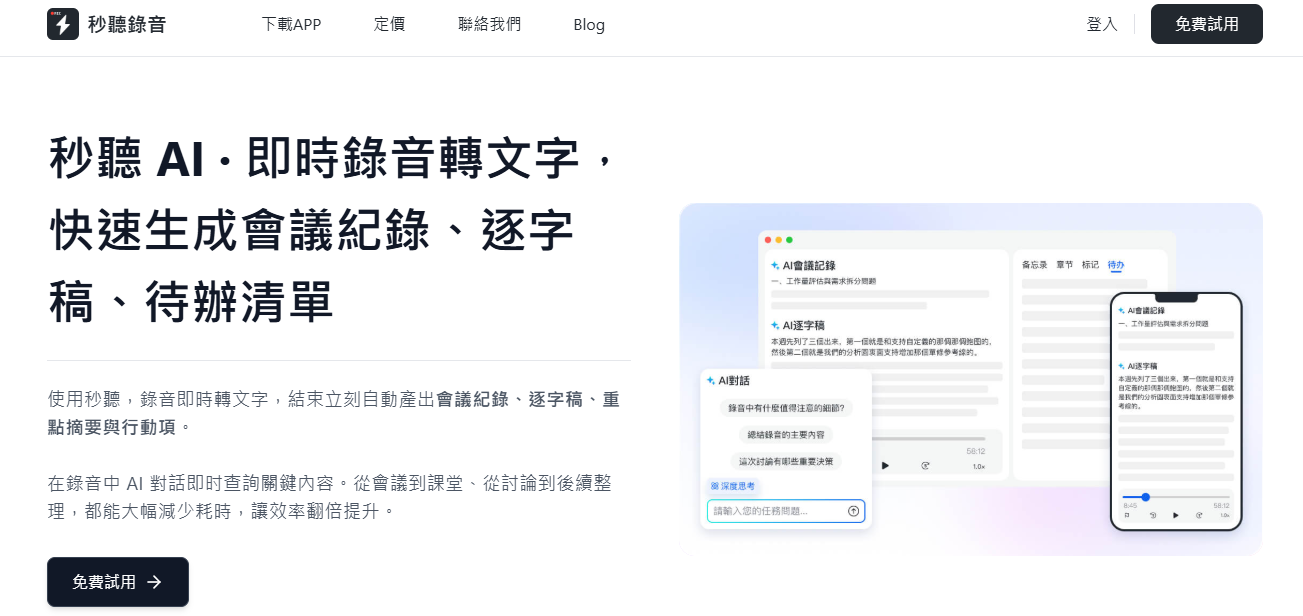
This AI-powered note-taking tool is your reliable study partner, handling various tasks. You can use the TinRec app to record on your mobile device, or have the TinRec Assistant join Zoom, Google Meet, and Microsoft Teams meetings to transcribe in real time, auto-generate key summaries, and take notes on lecture slides—meaning you won't miss any ideas or insights shared in class.
But what really sets TinRec apart is its conversational AI feature. Simply ask the TinRec Assistant about your recorded lecture content, and it will provide clear, concise answers to streamline your review process and ensure you ace upcoming exams.
Pros:
- Fast and accurate speech-to-text
- Works for in-person classes and multiple virtual meeting platforms
- Auto-generates lecture summaries (AI summaries)
- Ignores filler words during transcription
- Can generate specific information from lectures, such as study guides or to-do lists
- Supports multiple languages, including Chinese, English, Japanese, Cantonese, and Taiwanese Hokkien
2. Loom
Loom captures video and audio from your screen, webcam, or both simultaneously. The Loom app also auto-generates transcripts and lets you leave comments and reactions.
Pros:
- Easy setup
- Can embed recordings in Notion, Gmail, and Slack
- Easily trim videos and add annotations for clarity
Cons:
- Recording resolution isn't the highest
- Paid version is expensive
3. Zoom
Zoom offers two recording options depending on your needs. Local Recording saves lecture video files directly to your computer. Cloud Recording saves lectures to the cloud so they don't take up storage space.
Pros:
- Cloud recordings auto-generate audio transcripts
- Integrates with third-party tools like Google Calendar
- Supports collaboration and annotations during lectures
Cons:
- Only works for Zoom meetings
- Auto-transcription only available in paid plans
- Local recordings take up a lot of space on your computer
Stop organizing recordings by hand
Upload audio or video and automatically get a transcript, summary, and action items
4. VEED
VEED's online screen recorder captures audio or video along with your lecture presentation slides. You can merge new recordings with existing files to add extra details or explanations where needed.
Pros:
- Translates transcripts into over 100 languages
- Adds live recordings to existing video content
- Upgrades video quality with editing features
Cons:
- VEED interface has a learning curve
- Transcript downloads only available in paid plans
5. Trint
Trint lets you record audio or video directly from your phone or browser and instantly converts recordings into transcripts. You can then edit transcripts, highlight key points, and collaborate with classmates. For live lectures, Trint can extract audio from a URL (or integrate with streaming software).
Pros:
- Supports over 40 languages
- Transcribes audio or video into text almost in real time
- Customizable dictionary for better transcription accuracy
Cons:
- Requires internet connection for recording and transcription
- Mobile app only available for Trint enterprise customers
6. Evernote
Evernote lets you record audio within the app and play back new and existing recordings in your notes. Evernote syncs information across all your devices, so you can access relevant notes and recorded lectures anytime, anywhere.
Pros:
- Simple process to record and store audio notes
- Convert audio, video, and images to text with a few clicks
- Can transcribe via dictation feature
Cons:
- Limited basic playback controls
- Cannot transcribe pre-recorded files
7. Movavi
Movavi's screen recorder captures HD screen and webcam footage, records audio from your computer and microphone, and creates picture-in-picture videos. Movavi's editing tools also let you trim and zoom in on lecture content.
Pros:
- Professional editing features to enhance recording quality
- Directly upload lectures to YouTube and Google Drive
- Export videos as MP4, AVI, MOV, and more
Cons:
- Cannot generate transcripts or automatic text summaries
- No built-in cloud storage
8. Supernotes
The Supernotes app records lecture audio while you type or write notes. Its tag and folder system keeps your notes organized and easy to find.
Pros:
- User-friendly interface for structured note-taking
- Share notes via export, email, or direct collaboration
- Auto-syncs across all devices
Cons:
- Does not support offline recording
- No dedicated audio editing features
5 Key Features to Look for in a Lecture Recording and Transcription Tool
When choosing a lecture recording and transcription tool, look for features that make note-taking easy. Here are some points to consider:
- AI Assistance: Tools like the TinRec Assistant do more than just transcribe—they let you ask questions and generate specific content from your lectures. This enhances the learning experience beyond simple note-taking.
- Speed: A good tool should transcribe lectures quickly so you don't have to wait hours to review your notes. Real-time transcription is especially helpful for keeping up with fast-paced lectures.
- Accuracy: High-quality transcription software should capture speech with minimal errors, even in challenging audio conditions. Choose a lecture recording app you can trust for reliable notes.
- Integration: A tool that works with Zoom, Google Meet, or Microsoft Teams can save you valuable time by automatically transcribing lectures from your online classes—no need to switch between software.
- Editing and Organization: The ability to edit transcripts, highlight key points, and organize notes into folders or tags can make studying more efficient and stress-free.
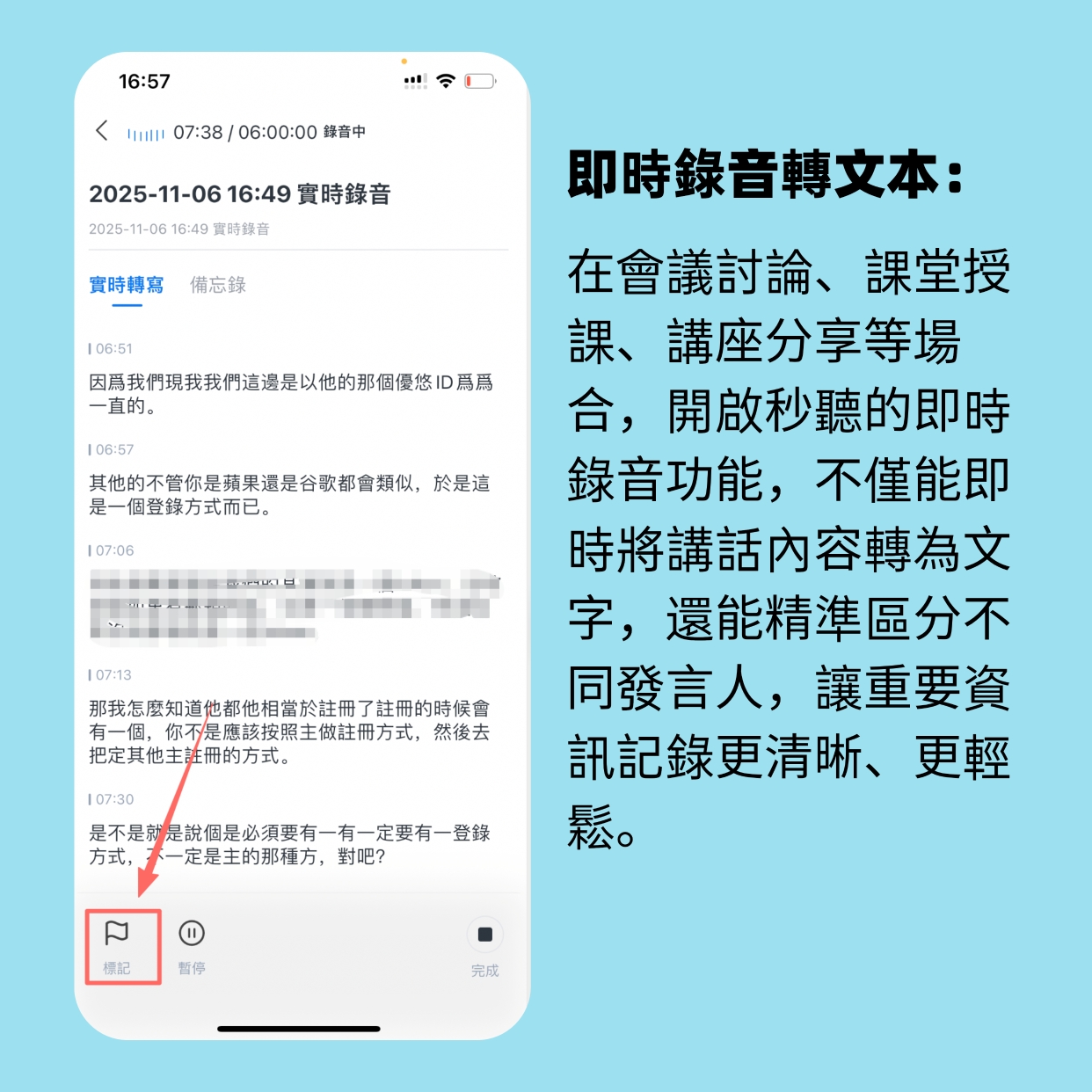
TinRec Helps You Catch Every Word and Focus on Learning
A good lecture recording app does more than just take notes. TinRec is the Swiss Army knife of software you've been looking for.
Ready to transform your lecture experience? With TinRec, you can easily transcribe lectures in real time, generate AI-powered summaries, and use the TinRec Assistant to answer your questions instantly. No more frantic note-taking—just focus on learning, and let TinRec handle the heavy lifting.
Try TinRec today and take your notes to the next level.
Try TinRec Now
- Free monthly transcription hours
- Recording time per conversation
- Import audio or video files
- Start for free
Try TinRec Enterprise
- Industry-leading transcription technology
- Advanced AI conversation features
- Custom integrations and workflows
- Book a demo
Turn every recording into actionable outcomes
Get 60 free transcription minutes when you sign in. No credit card required.
Related Reading
You might also like

4 AI Meeting Note Tools Tested in 2026: Which One Saves the Most Time on Auto-Organizing Transcripts?
The pain of meeting notes isn't slow typing—it's time-consuming organization. This article addresses common misconceptions, tests 4 AI meeting note tools, breaks down key buying factors, Tinrec's bot-free recording and AI Q&A workflow, team plan seats and data ownership, plus a pitfalls guide and selection advice.

2026 Teams Meeting Transcription Comparison: 4 Methods Tested — Is Avoiding a Meeting Bot Really Easier?
Teams built-in transcription requires both the organizer and each user to enable the policy, and live captions are not saved—so many people only discover after the meeting that there is no transcript at all. This article reviews four ways to transcribe Teams meeting recordings, from Teams built-in, Otter.ai, and Notta to Tinrec, comparing bot-free desktop recording, AI Q&A, action item extraction, and team seat management, with a pitfalls guide and scenario-based recommendations.

4 Video-to-Transcript Tools Tested and Compared in 2026: 3 Pitfalls to Understand Before Importing Video
Importing a video to generate a transcript looks simple, but the real bottlenecks are usually format support, time codes, and how usage limits are calculated. This article starts with common misconceptions, outlines 4 key points for choosing a tool, then shares a hands-on test of Tinrec from video import to AI summaries, action items, and team knowledge retention, and compares TurboScribe, Notta, and Granola for use cases and pitfalls to avoid.

How to Transcribe Classroom Recordings in 2026: A Complete 5-Step Guide
When it comes to transcribing classroom recordings, most people only ask which tool is the most accurate. But what really determines whether you'll be overwhelmed all semester is the audio source, the classroom language, and the total number of hours. This article uses university and graduate school classroom scenarios to compare Tinrec and Otter.ai across 5 dimensions, and provides a 5-step process you can follow directly, along with purchasing advice.

How to Transcribe Zoom Meeting Recordings in 2026: No-Bot Recording + Automatic Meeting Minutes
Done with a Zoom meeting but still need to organize the transcript and minutes yourself? This guide covers the complete process for transcribing Zoom meeting recordings, including no-bot recording, real-time transcription, AI summaries and action items, AI Q&A, and 5 key points to consider when choosing a tool. It also demonstrates the workflow using Tinrec.

2026 AI Meeting Recorder Comparison: 4 Tools Tested for Chinese Meetings
Two-hour meetings followed by two hours of note organization is a daily reality for most office workers. This hands-on test of 4 AI recording and note-taking tools covers bot-free recording, Chinese transcription, AI Q&A, team knowledge retention, pricing, and limitations to help you decide which one is worth keeping.

5 Speaker Summary Tools Tested for 2026: Why Tinrec Is Less Work for Chinese Meetings
Starting from the question 'What exactly do you need a tool to do for you?', this hands-on comparison of common speaker summary tools explains how Tinrec performs in Chinese meeting transcription, bot-free online meeting recording, AI summaries and action items, AI chat queries, multi-format export, and team spaces. It also covers five key points to consider when choosing a tool and answers common questions.

2026 AI Meeting Notes: Automatic Speaker Identification + AI Q&A Summaries
Why do you still have to manually organize meeting transcripts even when speakers are automatically labeled? This article starts with common misconceptions about automatic speaker identification, breaks down 4 key dimensions for choosing a meeting notes tool, tests Tinrec's bot-free online meeting recording, AI summaries and Q&A, team spaces, and other features, compares it with Otter.ai, PLAUD Note, and Notta, and includes a pitfalls guide and buying advice.

4 Best AI Meeting Note Takers in 2026: Which One Actually Captures Action Items?
The hardest part of a meeting isn't recording it—it's turning two hours of discussion into an action list with names and deadlines. This article compares Tinrec, Otter.ai, Notta, and Granola across four key criteria: action item accuracy, AI Q&A, post-meeting workflow, and team data ownership. We explain who each tool is best for and highlight key buying considerations to help you choose the right tool and stop wasting time on manual transcripts.