

Turn recordings into transcripts and summaries in minutes
Upload audio or video for multilingual transcription, AI notes, and action items
How to Improve Typing Speed: 12 Effective Tips to Get You Up to Speed
Whether you frequently confuse hyphens with underscores or laboriously type emails using only two fingers, slow typing can be painfully frustrating. Spending too much time on meeting notes or drafting emails slows down your overall productivity.
The good news is—you don't need to be a programmer, stenographer, or professional typist to reach 90 words per minute. With a few simple techniques and consistent practice, anyone can learn how to type faster.
12 Practical Tips to Improve Your Typing Skills
Like learning any new skill, practice makes perfect. Here are 12 tips to quickly boost your words per minute (WPM).
1. Take a Typing Test
Before you start, measure your current WPM. Many free typing tests are available online (such as LiveChat Typing Test or TypingPal) to calculate your speed and accuracy.
Don't worry about precision or forgetting where your index fingers should go—this is just to establish your baseline. Knowing your WPM helps set realistic goals and lets you celebrate progress along the way. Seeing your typing speed consistently improve will naturally motivate you to keep learning.
2. Practice Consistently
Like learning a new language, the more you practice, the more fluent you become. Dedicate 10 to 15 minutes each day to focused typing practice. Consistent practice helps build muscle memory in your fingers, making typing feel more natural over time.
While everyone's learning curve is different, according to the Searsol Touch Typing Course, students typically need 10 hours of practice to reach 15 WPM, 30 hours to reach 25 WPM, and 70 hours to reach 40 WPM.
3. Focus on Accuracy Over Speed
Speed without accuracy doesn't improve productivity—it backfires. Frequent errors only slow down your overall rhythm. The fewer mistakes you make, the easier it is to maintain typing momentum.
Good online typing courses teach the basics first, such as proper finger placement (left hand on ASDF, right hand on JKL;, with both thumbs on the spacebar). Master each key row by row to build a solid foundation.
4. Learn Touch Typing
Touch typing means typing without looking at the keyboard, relying entirely on muscle memory. Learning to type without staring at the keys offers many benefits, such as reducing neck strain, making it easier to adapt to different keyboards, and improving productivity for those with learning or visual impairments.
Online typing platforms like TypingClub provide interactive exercises and lessons to help you build muscle memory step by step, mastering each key.
5. Maintain Proper Posture
Sit up straight with your feet flat on the floor and elbows at a 90-degree angle. Good posture reduces physical strain and promotes a more comfortable typing experience, especially when you're at the computer for extended periods.
Stop organizing recordings by hand
Upload audio or video and automatically get a transcript, summary, and action items
Place the keyboard at a comfortable height, with wrists hovering above the keys to avoid pressure. For a more ergonomic experience, consider using a keyboard tray or laptop stand to raise the screen to eye level, relaxing your neck, shoulders, and wrists.
6. Stretch and Take Breaks
Long typing sessions can lead to fatigue and muscle tension, which slows you down. Incorporate short stretches during note-taking to relax your wrists, fingers, and shoulders. Simple movements like rotating your wrists or stretching your fingers can prevent discomfort, helping you maintain a relaxed grip on the keyboard and avoid unnecessary tension.
7. Choose the Right Keyboard
Not all keyboards support your hands and wrists equally. If typing is a major part of your work, consider investing in an ergonomic or mechanical keyboard. Ergonomic keyboards promote a more natural hand position, reducing stress on wrists, forearms, and shoulders. Combined with proper typing posture, they can also ease neck and upper back tension.
Another option is a mechanical keyboard, whose keys offer varying levels of resistance for more comfortable and responsive typing. Plus, the satisfying click sound can be motivating for those who enjoy sensory feedback.
8. Organize Your Workspace
A cluttered desk can lead to a cluttered mind, even affecting your typing speed. A tidy, organized work environment helps you concentrate, whether you're practicing typing lessons or applying new note-taking techniques.
Ensure your keyboard and mouse are within easy reach, and position your monitor at eye level to reduce neck strain. Good lighting is also crucial, especially if you practice typing in the evening.
9. Learn Common Shortcuts
Mastering keyboard shortcuts saves a lot of time and effort. Digging through menus or constantly searching for "how to take a screenshot" disrupts your workflow and breaks your typing rhythm. Quickly launching a search function (hint: Ctrl + F) not only boosts efficiency but might also impress your coworkers.
10. Use Voice-to-Text Tools
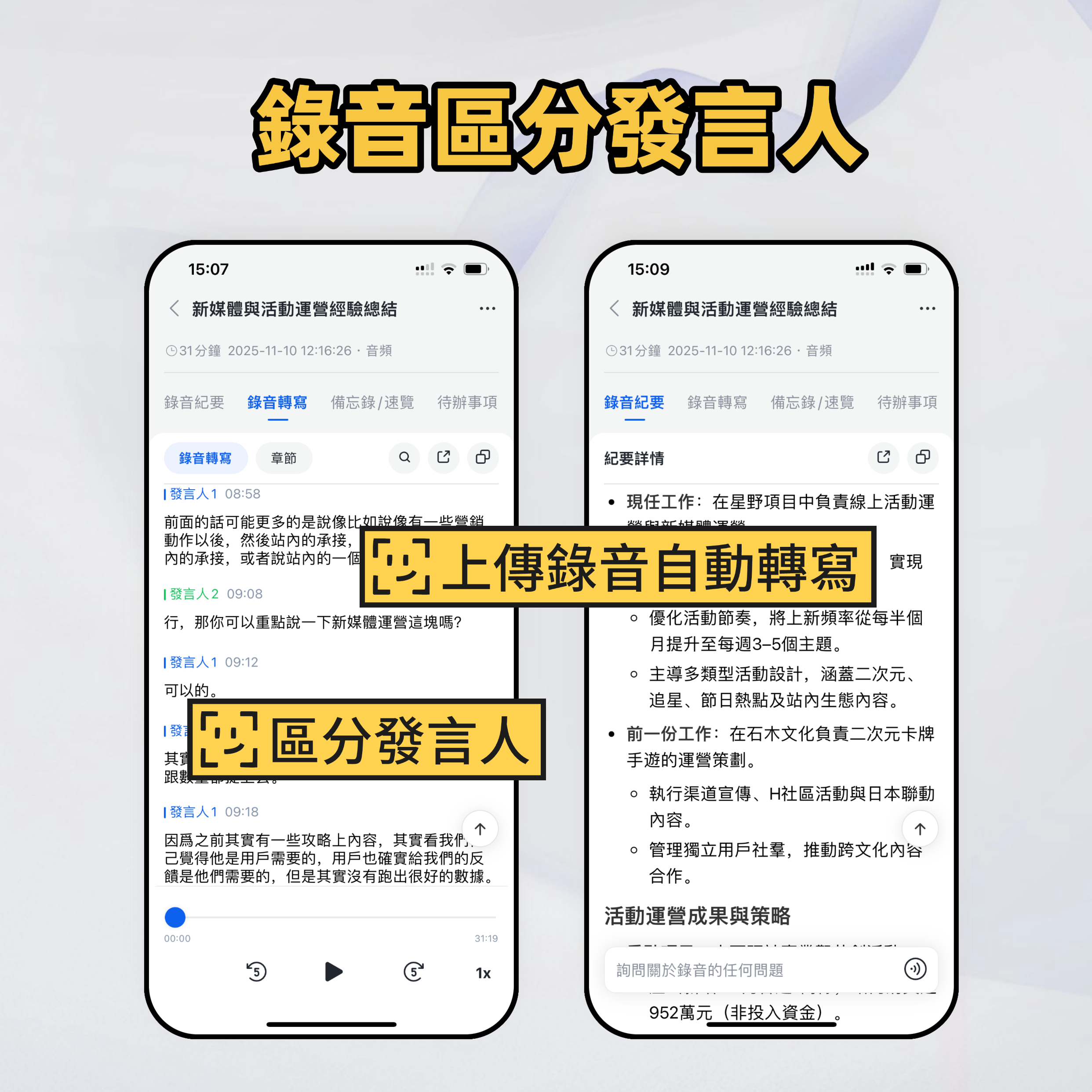
Even professional typists use shorthand or transcription tools to keep up with conversations. Voice-to-text tools like Miaoting Recording let you dictate your thoughts or capture meeting notes in real time, giving your fingers a break (and saving you the cost of hiring a professional typing teacher).
These tools are especially useful for transcribing long or complex meetings, allowing your fingers to rest while you focus on more important tasks. Miaoting Recording supports multiple languages, including Chinese, English, Japanese, Cantonese, and Taiwanese Hokkien, catering to diverse needs.
11. Set Achievable Goals
Progress comes from challenging yourself, but that doesn't mean you need to hit 100 WPM in a week. Set small, realistic goals, like improving a few WPM each month. You can also focus on specific areas, such as mastering difficult letter combinations or achieving 99% accuracy.
12. Track Your Progress
Keeping a record of your growth helps maintain motivation. Many typing software programs include progress tracking features that chart your WPM and accuracy over time with graphs and milestones. You can also take a free typing test every week or two and log the results. Watching your WPM steadily increase—even by just a few words per week—can inspire you to keep learning and improving.
Type Smarter, Not Harder—Let Miaoting Recording Do the Work
Save your typing skills for what matters most, like writing status reports or important emails. As for transcription, let Miaoting Recording handle it.
Miaoting Recording's AI voice-to-text technology instantly captures meeting notes, transcribes conversations, and auto-generates summaries, so you can stay productive without constantly pounding the keyboard. On average, this technology saves professionals and teams 4 hours per week.
Miaoting Recording — unlock your productivity potential.
Turn every recording into actionable outcomes
Get 60 free transcription minutes when you sign in. No credit card required.
Related Reading
You might also like

4 AI Meeting Note Tools Tested in 2026: Which One Saves the Most Time on Auto-Organizing Transcripts?
The pain of meeting notes isn't slow typing—it's time-consuming organization. This article addresses common misconceptions, tests 4 AI meeting note tools, breaks down key buying factors, Tinrec's bot-free recording and AI Q&A workflow, team plan seats and data ownership, plus a pitfalls guide and selection advice.

2026 Teams Meeting Transcription Comparison: 4 Methods Tested — Is Avoiding a Meeting Bot Really Easier?
Teams built-in transcription requires both the organizer and each user to enable the policy, and live captions are not saved—so many people only discover after the meeting that there is no transcript at all. This article reviews four ways to transcribe Teams meeting recordings, from Teams built-in, Otter.ai, and Notta to Tinrec, comparing bot-free desktop recording, AI Q&A, action item extraction, and team seat management, with a pitfalls guide and scenario-based recommendations.

4 Video-to-Transcript Tools Tested and Compared in 2026: 3 Pitfalls to Understand Before Importing Video
Importing a video to generate a transcript looks simple, but the real bottlenecks are usually format support, time codes, and how usage limits are calculated. This article starts with common misconceptions, outlines 4 key points for choosing a tool, then shares a hands-on test of Tinrec from video import to AI summaries, action items, and team knowledge retention, and compares TurboScribe, Notta, and Granola for use cases and pitfalls to avoid.

How to Transcribe Classroom Recordings in 2026: A Complete 5-Step Guide
When it comes to transcribing classroom recordings, most people only ask which tool is the most accurate. But what really determines whether you'll be overwhelmed all semester is the audio source, the classroom language, and the total number of hours. This article uses university and graduate school classroom scenarios to compare Tinrec and Otter.ai across 5 dimensions, and provides a 5-step process you can follow directly, along with purchasing advice.

How to Transcribe Zoom Meeting Recordings in 2026: No-Bot Recording + Automatic Meeting Minutes
Done with a Zoom meeting but still need to organize the transcript and minutes yourself? This guide covers the complete process for transcribing Zoom meeting recordings, including no-bot recording, real-time transcription, AI summaries and action items, AI Q&A, and 5 key points to consider when choosing a tool. It also demonstrates the workflow using Tinrec.

2026 AI Meeting Recorder Comparison: 4 Tools Tested for Chinese Meetings
Two-hour meetings followed by two hours of note organization is a daily reality for most office workers. This hands-on test of 4 AI recording and note-taking tools covers bot-free recording, Chinese transcription, AI Q&A, team knowledge retention, pricing, and limitations to help you decide which one is worth keeping.

5 Speaker Summary Tools Tested for 2026: Why Tinrec Is Less Work for Chinese Meetings
Starting from the question 'What exactly do you need a tool to do for you?', this hands-on comparison of common speaker summary tools explains how Tinrec performs in Chinese meeting transcription, bot-free online meeting recording, AI summaries and action items, AI chat queries, multi-format export, and team spaces. It also covers five key points to consider when choosing a tool and answers common questions.

2026 AI Meeting Notes: Automatic Speaker Identification + AI Q&A Summaries
Why do you still have to manually organize meeting transcripts even when speakers are automatically labeled? This article starts with common misconceptions about automatic speaker identification, breaks down 4 key dimensions for choosing a meeting notes tool, tests Tinrec's bot-free online meeting recording, AI summaries and Q&A, team spaces, and other features, compares it with Otter.ai, PLAUD Note, and Notta, and includes a pitfalls guide and buying advice.

4 Best AI Meeting Note Takers in 2026: Which One Actually Captures Action Items?
The hardest part of a meeting isn't recording it—it's turning two hours of discussion into an action list with names and deadlines. This article compares Tinrec, Otter.ai, Notta, and Granola across four key criteria: action item accuracy, AI Q&A, post-meeting workflow, and team data ownership. We explain who each tool is best for and highlight key buying considerations to help you choose the right tool and stop wasting time on manual transcripts.